
- Platform
- Features
 Operations ExecutionStreamlined operations ensuring brand standards, accountability and efficiency
 Learning ManagementTrain, verify, and reward your workforce with mobile-first education
 Franchise & Multi-Unit ManagementCentralize oversight and streamline growth across your entire multi location network
 Digital Food SafetyAutomate compliance and monitor quality with real-time digital precision
 Asset ManagementOptimize equipment uptime through proactive maintenance and smart tracking
 Health & Safety Management (EHS)Mitigate workplace risks and streamline digital incident reporting and investigations
- Platform Essentials
 AI-Powered ToolsAutomate content, analyze trends, and provide instant answers
 IntegrationsUnify your enterprise tech stack with real-time data
 Powerful ReportingAlign leadership with role-based dashboards and deeper analytics
 IoT PlatformDetect anomalies and automate workflows with intelligent sensors
 Mobile & Shared Tablet AppsSecurely empower frontline teams with fast, offline-capable access
- Footer


 Not sure what you need?
Book in a call with the team
- Features
- Solutions
- By Industry
 RestaurantsQSR, fast food and multi-unit restaurants
 Hotels & ResortsHotels, resorts and extended stay hotels
 ChildcareEarly education, childcare, daycare and preschool
 EntertainmentTheme parks, family entertainment centers and play centers
 Fitness Centers & LeisureFitness centers, golf clubs, gyms and sports facilities
 RetailBig-box retailers, franchise stores and supermarkets
- By Use Case
- Operational ExcellenceStreamlined operations ensuring brand standards, accountability and efficiency
- Learning & DevelopmentTrain, verify, and reward your workforce with mobile-first education
- Franchise & Multi-Unit ManagementCentralize oversight and streamline growth across your entire multi location network
- Food Safety ComplianceAutomate compliance and monitor quality with real-time digital precision
- Asset Management & MaintenanceOptimize equipment uptime through proactive maintenance and smart tracking
- Health & Safety Management (EHS)Mitigate workplace risks and streamline digital incident reporting and investigations
- By Industry
- Resources

- Platform
- Features
- Operations ExecutionStreamlined operations ensuring brand standards, accountability and efficiency
- Learning ManagementTrain, verify, and reward your workforce with mobile-first education
- Franchise & Multi-Unit ManagementCentralize oversight and streamline growth across your entire multi location network
- Digital Food SafetyAutomate compliance and monitor quality with real-time digital precision
- Asset ManagementOptimize equipment uptime through proactive maintenance and smart tracking
- Health & Safety Management (EHS)Mitigate workplace risks and streamline digital incident reporting and investigations
- Platform Essentials
- AI-Powered ToolsAutomate content, analyze trends, and provide instant answers
- IntegrationsUnify your enterprise tech stack with real-time data
- Powerful ReportingAlign leadership with role-based dashboards and deeper analytics
- IoT PlatformDetect anomalies and automate workflows with intelligent sensors
- Mobile & Shared Tablet AppsSecurely empower frontline teams with fast, offline-capable access
- Footer
- Not sure what you need?
Book in a call with the team
- Features
- Solutions
- By Industry
- RestaurantsQSR, fast food and multi-unit restaurants
- Hotels & ResortsHotels, resorts and extended stay hotels
- ChildcareEarly education, childcare, daycare and preschool
- EntertainmentTheme parks, family entertainment centers and play centers
- Fitness Centers & LeisureFitness centers, golf clubs, gyms and sports facilities
- RetailBig-box retailers, franchise stores and supermarkets
- By Use Case
- Operational ExcellenceStreamlined operations ensuring brand standards, accountability and efficiency
- Learning & DevelopmentTrain, verify, and reward your workforce with mobile-first education
- Franchise & Multi-Unit ManagementCentralize oversight and streamline growth across your entire multi location network
- Food Safety ComplianceAutomate compliance and monitor quality with real-time digital precision
- Asset Management & MaintenanceOptimize equipment uptime through proactive maintenance and smart tracking
- Health & Safety Management (EHS)Mitigate workplace risks and streamline digital incident reporting and investigations
- By Industry
- Resources
7 Best Op Central Alternatives in 2026 (Compared)
Key Takeaways
- If you need multi-location frontline execution (not just SOPs + training): Operandio and Zenput fit best because they help you run daily tasks, audits, corrective actions, and follow-ups across every location.
- If you’re restaurant-first and want simple daily compliance: Jolt works well for checklists, logs, and accountability, especially when managers need “done/not done” visibility fast.
- If your priority is inspections at scale across mixed environments: Operandio and SafetyCulture (iAuditor) stand out for audit templates, evidence capture, reporting, and broad adoption across industries.
- If you run a franchise network and want a wider franchise stack: Operandio can make sense when you want franchise operations features beyond training and audits.
Ideagen Op Central is a multi-site learning, SOPs, auditing, actions, communications, and incident reporting solution. That covers the basics well. The challenge starts when you need shift-based task completion, follow-through on corrective actions, mobile-first workflows, and reporting that makes non-compliance obvious across regions.
This guide compares the best OP Cental alternatives for 2026 and helps you pick the right fit based on how your business runs.
Top Best Op Central Alternatives: At a Glance
If you want a tool that replaces Op Central’s SOP + training + audit foundation and adds stronger execution and proof, start here.
| Tool | Best for | Standout feature | Price starting point* |
| Operandio | Franchise and multi-location operators who want one system to standardize and track day-to-day execution across sites- especially for frontline teams. | One platform that ties audits, tasks, comms, training, SOP access, and reporting | Custom quote |
| Zenput (Crunchtime) | Enterprise multi-unit execution | Operations execution at scale across tens of thousands of locations | ~$40/month (reported starting price) |
| Jolt | Restaurant ops checklists + compliance | Restaurant-first daily workflows and accountability | ~$89.99/month (reported starting price) |
| SafetyCulture (iAuditor) | Inspections/audits across industries | Fast inspections, evidence capture, analytics | Free plan; Premium $24/user/month (annual) |
| FranConnect | Franchise networks that want a broader suite | Franchise-oriented platform with intranet + ops capabilities | ~$1,000–$2,000/month (reported) |
| Safe Food Pro | Food safety compliance programs | Food safety compliance workflows built for venues | Contact vendor |
| ComplianceMate (Ladle) | Operational food safety checklists + compliance | Compliance-focused product suite for food safety programs | From $69/month (reported) |
*Pricing varies by location, users, modules, and support. When a vendor doesn’t publish pricing, the table uses publicly listed third-party “starting price” references.
Operandio: Best for Frontline Operations
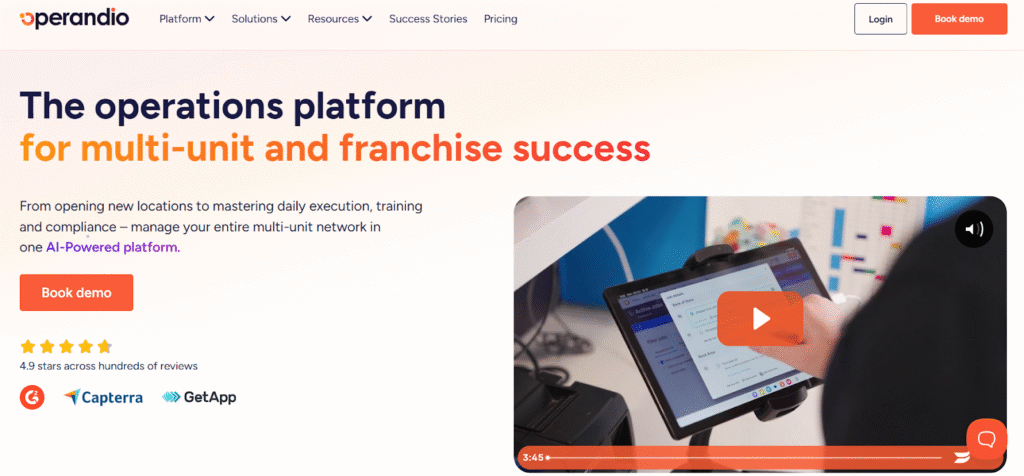
Operandio fits best when Op Central’s SOPs + learning + audit structure isn’t enough, and you need to see tasks completed per shift, audits that trigger corrective actions, location-level accountability, and reporting that shows what slipped and where.
It’s built for multi-location and franchise operations teams that need consistent standards across sites.
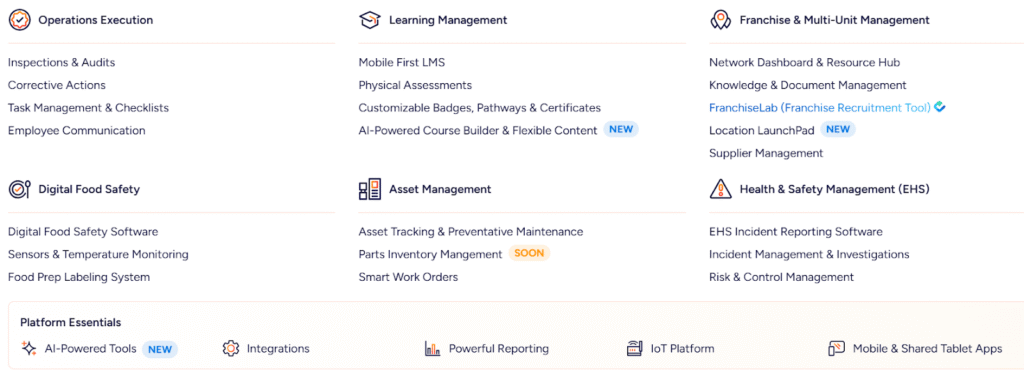
Key Features
Operandio focuses on connecting the parts Ops teams usually run in separate tools, like audits and inspections, recurring checklists, task follow-up, communications, training, and reporting. That matters because just having standards doesn’t mean they are going to be executed across locations without supervision.
Franchise and Multi-Unit Management
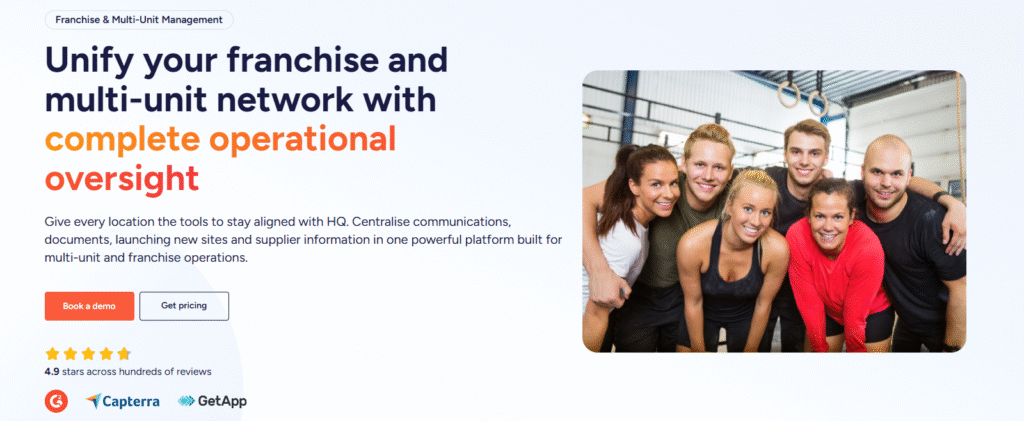
Operandio acts as a central HQ layer for franchise and multi-unit networks. The network dashboard tracks resources and updates, the governed knowledge base is for SOPs and brand standards, and multi-location visibility helps your head office and regional managers track alignment across every site.
Task Management Built for Shifts
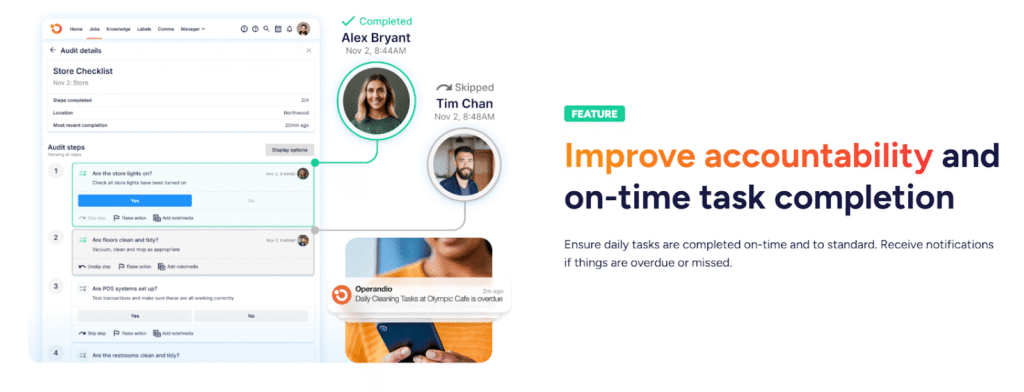
Frontline work needs recurring tasks with deadlines, owners, and visibility by location. Operandio supports daily execution, so managers stop chasing tasks across WhatsApp, paper, and memory.
Training That Proves Completion and Job-Readiness
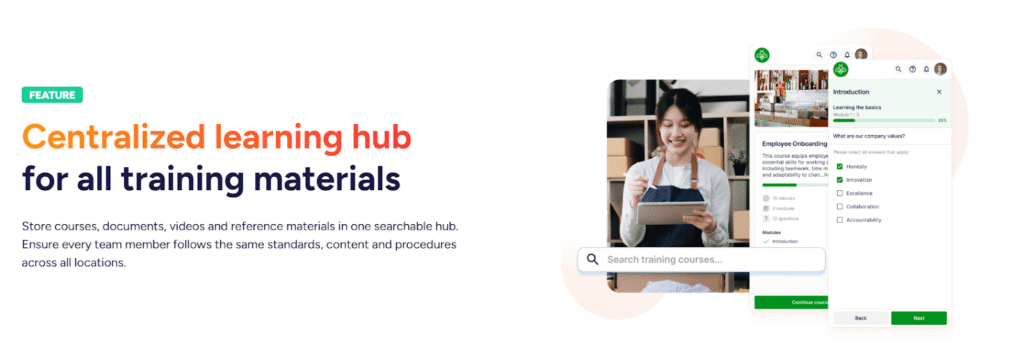
If you run multi-site training, assigning training tasks isn’t enough. Operandio’s training and tracking help you roll out training consistently, see completion by location, and prove job readiness through structured learning paths.
That’s exactly what teams switching from Opus tend to look for when comparing Opus training alternatives
AI-Powered Tools Built for Frontline Teams
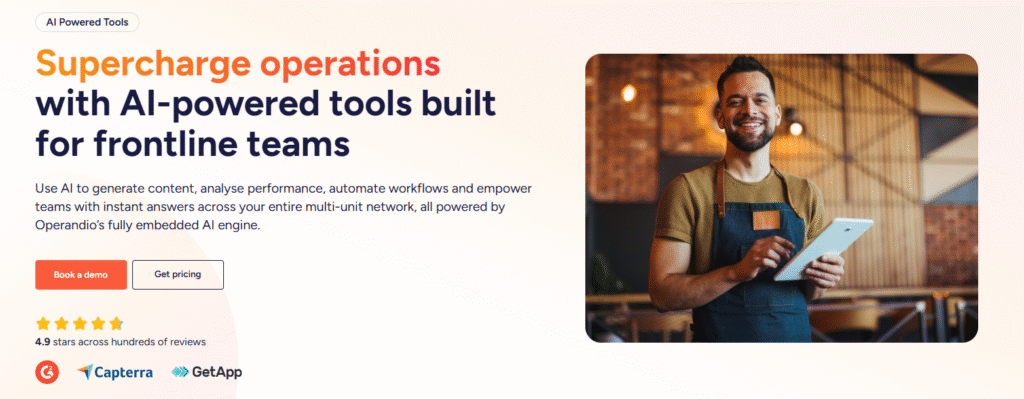
Operandio includes AI tools that help ops teams move faster when standards change. You can generate SOPs, checklists, document drafts, training modules, quizzes, and even location-specific instructions from a prompt, which speeds up rollouts across multiple sites without rewriting everything from scratch.
Integrations for the Enterprise Tech Stack
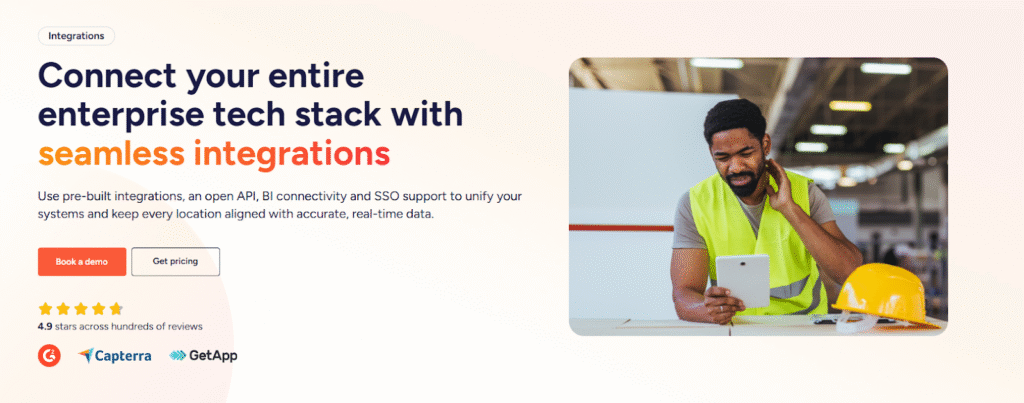
Operandio supports pre-built integrations plus an open API, with options designed for enterprise rollouts like SSO. It also connects to BI tools such as Power BI and Tableau so teams can pull operational performance into leadership dashboards alongside HR, finance, or sales data.
Pricing
Operandio uses custom pricing based on the number of locations, users, and modules, which is common for multi-location operations platforms. If you’re comparing costs, ask vendors how pricing scales by location and how they handle shared devices and frontline seats.
| Plan | Best for | Notes |
| Custom quote | Multi-location teams | Pricing typically depends on locations, modules, and support requirements |
Where Operandio Shines
- Execution visibility: You can see what got done, what failed, and where follow-up stalled across every location
- Compliance evidence: Audits, training completion, and task logs create an audit trail you can pull fast when leadership or regulators ask.
- Multi-location rollout: Ops can push updates and standards once, then track adoption by store, region, and role.
Where Operandio Falls Short
- Teams without a rollout problem: If you don’t need to manage executional standards across multiple locations, the multi-site controls won’t be needed.
- Not designed as a document-only system: If your priority is a simple policy library with sign-offs, you can find simpler platforms.
Customer Reviews
Operandio scores 4.9/5 on Capterra (based on reviewed listings), where users are explicitly emphasizing multi-unit operations, training, audits/inspections, and compliance workflows as the best features.
Morgane M, HR Coordinator, Food Production: “Although we haven’t used Operandio for long, our experience has been very positive. The platform has already improved communication, task management, and training processes.”
Amanda P, Manager, Culinary Community, Facilities Services: “The Operandio system and team are the best around; no question has been unanswered. I would personally recommend them to anyone.”
Who Operandio Is Best For
- Best for: Franchise operations, training, and compliance leaders who need consistent standards across multiple locations and proof of completion.
👉 If you want a platform that ties training, SOP access, audits, corrective actions, and execution reporting together for every location, request a demo and see how Operandio can transform your operations.
Zenput (Crunchtime Operations Execution)
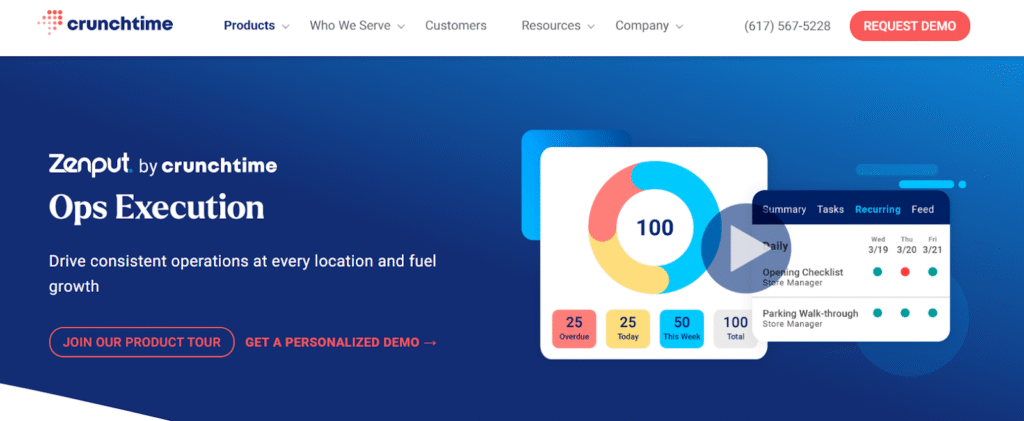
Zenput fits when you need large-scale operational execution across many locations and want a mature operations execution platform used by multi-unit restaurant brands. It focuses heavily on rolling out operational programs, audits, and in-store execution visibility at scale.
Key Features
- Operational checklists: Drive consistent daily execution across stores.
- Audit programs: Standardize inspections and capture results.
- Central rollout: Push initiatives to locations and track completion.
Pricing
Third-party sources report a starting price around $40/month, but real pricing typically depends on locations and requirements.
| Pricing | Notes |
| Reported from $40/month | Expect custom pricing based on scale and modules |
Where Zenput Shines
- Enterprise scale: Works well when you manage many locations and need consistent execution controls.
- Operations-first: Strong alignment to execution programs rather than only training documentation.
Where Zenput Falls Short
- Smaller multi-site groups: If you have a handful of locations, it can feel enterprise-heavy.
- Training-first teams: If your main need is structured learning content, you may want a dedicated LMS-first option.
Customer Reviews
Mpho M, Area Coach, Restaurants:“Zenput gives me real-time events and operational standards in my restaurants at any given time. It can also be adjusted to be in line with operational needs.”
Jacob G, District Manager, Restaurants: “Some of the reporting and the way the reporting is emailed is not as easily viewable/printable as we would like it to be. Could use some updating to the formats/features to make them more easily used.”
Who Zenput Is Best For
- Best for: Enterprise multi-unit operators who need execution visibility across regions.
Jolt
Jolt positions well for restaurant operators who want daily checklists, logs, and operational accountability without a heavy enterprise setup. Jolt states it customizes offerings and asks buyers to contact sales for exact pricing.
Key Features
- Checklists and logs: Support daily compliance routines.
- Accountability workflows: Make completion visible to managers.
- Operational consistency: Helps locations run the same routines.
Pricing
Jolt’s website points to custom pricing via sales conversations, while third-party listings often cite $89.99/month as a starting reference.
| Pricing | Notes |
| Contact vendor | Products can be à la carte or bundled |
| Reported $89.99/month | Third-party “starting price” reference |
Where Jolt Shines
- Restaurant fit: Designed around restaurant routines and daily ops.
- Simple adoption: Many teams find it straightforward to roll out.
Where Jolt Falls Short
- Depth across franchise networks: Large franchise networks may want deeper reporting, governance, and cross-location oversight.
- Broader compliance needs: Highly regulated operators may need a more comprehensive compliance evidence system.
Customer Reviews
Khilah B. Owner, Cosmetics: “The checklists and organization systems is what I liked the most about Jolt. There are ways to hold your team accountable with this platform in a professional way.”
Jarl W. Procurement, Systems and Training Manager, Hospitality: “Platform is dated, with very few updates experienced during the time that I administered the service. Outdated UX.”
Who Jolt Is Best For
- Best for: Restaurants and hospitality groups that want strong daily execution support.
SafetyCulture (iAuditor)
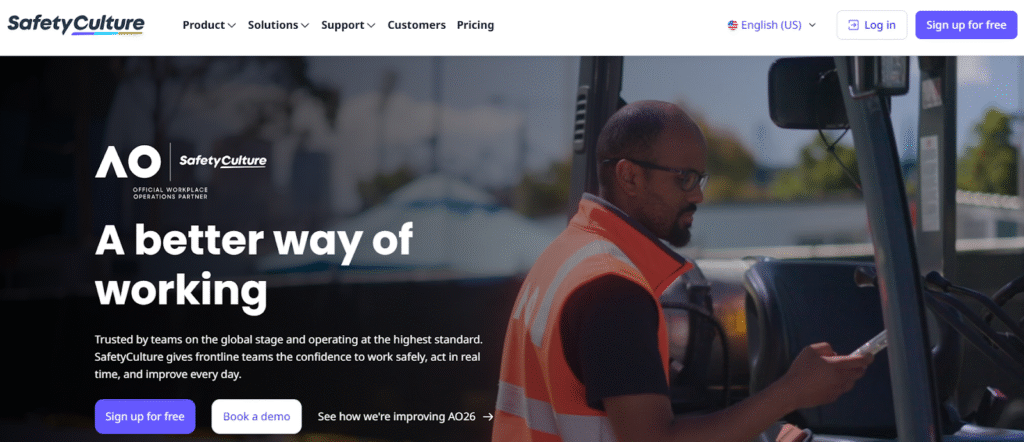
SafetyCulture fits when your priority is digitizing inspections and audits across many environments, with fast template creation, evidence capture, and reporting. It also offers a free plan for small teams and published Premium pricing.
Key Features
- Inspection templates: Standardize audits quickly.
- Evidence capture: Photos and notes tied to each inspection item.
- Reporting: Analytics and reporting to spot trends.
Pricing
SafetyCulture lists a free plan, and Premium pricing is reported at $24/user/month billed annually.
| Plan | Starting point | Notes |
| Free | $0 | For small teams getting started |
| Premium (annual) | $24/user/month | Reported Premium pricing |
| Enterprise | Custom | For large organizations |
Where SafetyCulture Shines
- Audit speed: Teams can digitize inspections fast.
- Broad use cases: Works across industries, not only hospitality.
Where SafetyCulture Falls Short
- Full execution layer: You may need additional tooling to run shift-based task management and corrective action programs the way multi-unit operators expect.
Customer Reviews
Toby B, Quality Assurance and Compliance Manager, Food Production: “The constant product development they are doing to the platform and how they genuinely bring what they say they are going to do to life.”
Joshua H, Network Engineer, Information Technology and Services: “The main drawback, a cap of three mobile devices per user, means logging out (again and again) just to switch devices.”
Who SafetyCulture Is Best For
- Best for: Teams that need inspections and audit reporting as the main system.
FranConnect
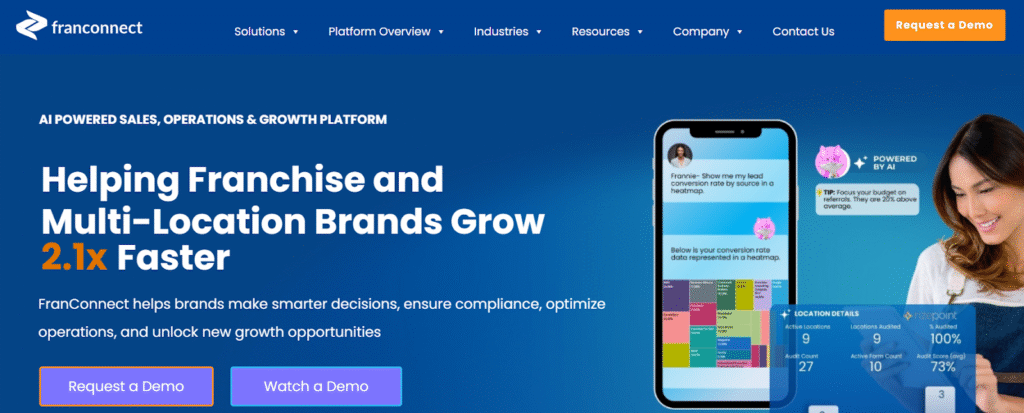
FranConnect fits when you need a broader franchise platform that can include a franchise intranet and management capabilities alongside operations tools.
Key Features
- Franchise-oriented platform: Built for franchisors and multi-location networks.
- Intranet and ops capabilities: Supports HQ-to-franchisee operations and alignment.
Pricing
| Pricing | Notes |
| Reported ~$1,000–$2,000/month | Third-party pricing range reference |
| Custom quote | Varies by users, modules, and network size |
Where FranConnect Shines
- Franchise context: Strong fit for franchisors with many stakeholders.
- Suite approach: Useful if you want more than training and audits.
Where FranConnect Falls Short
- Frontline execution focus: If your main need is shift execution and compliance proof at the store level, you may prefer execution-first platforms.
Customer Reviews
Daniel T, Head of Franchise Sales, Financial Services: “The robust reporting and lead management capabilities. Make your job and compliance tasks simpler and streamlined. But the sms interface is not very good. It is hard to find the messages; also, the DocuSign integration sometimes does not work well.”
Sean L, Business Development, Printing: “It has been an extremely difficult platform to work with. Customer service is terrible. A recent update done to our platform has changed the complete look and feel, and it was done without our approval, and they tell us it cannot be undone.”
Who FranConnect Is Best For
- Best for: Franchisors that want a broader franchise operations suite.
Learn more about Operandio vs. FranConnect.
Safe Food Pro
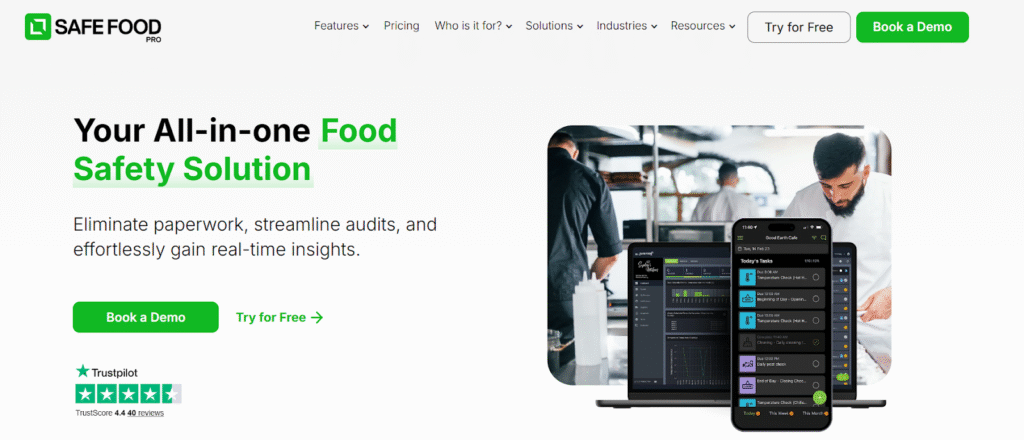
Safe Food Pro focuses on food safety compliance programs and positions itself around improving compliance performance and visibility. It can help eliminate paperwork, streamline audits, and gain real-time insights.
Key Features
- Food safety compliance workflows: Built around compliance execution in venues.
- Compliance visibility: Designed to help teams monitor adherence.
Pricing
| Pricing | Notes |
| Contact vendor | Pricing requires an enquiry |
Where Safe Food Pro Shines
- Food safety specialization: Strong fit when food safety compliance is the main driver.
Where Safe Food Pro Falls Short
- Broader ops coverage: If you want one platform for comms, training, audits, tasks, and reporting across many operational areas, you may need a wider ops system.
Who Safe Food Pro Is Best For
- Best for: Hospitality and food operators who want food safety compliance as the core system.
ComplianceMate
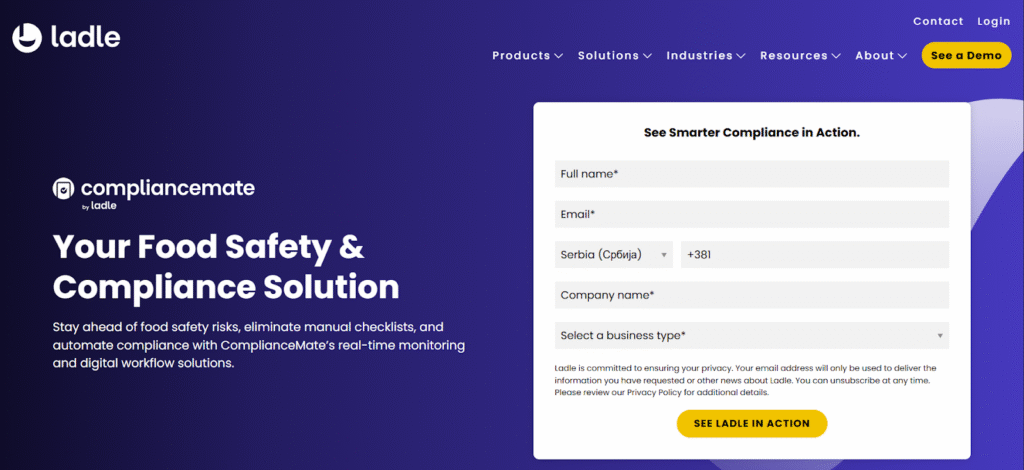
ComplianceMate sits in the operational food safety and compliance space. It helps you avoid food safety risks, eliminate manual checklists, and automate compliance.
Key Features
- Compliance workflows: Centralize compliance programs and checks.
- Audit support: Built around audit and compliance visibility.
Pricing
| Pricing | Notes |
| From $69/month (reported) | Third-party pricing reference |
| Custom quote likely | Most teams confirm the exact cost with sales |
Where ComplianceMate Shines
- Compliance focus: Strong fit for teams whose biggest risk sits in food safety execution.
Where ComplianceMate Falls Short
- All-in-one operations layer: Multi-location operators may want tighter integration with training, communications, tasks, and reporting.
Who ComplianceMate Is Best For
- Best for: Multi-site operators that want a compliance-first system.
Reasons to Consider an Alternative to Op Central
Op Central positions itself around SOPs, training, audits, actions, communications, and incident reporting for multi-site and franchise operations.
If you still feel gaps in day-to-day execution or proof, use these “what to look for” criteria when evaluating alternatives.
You Need to Track Execution Alongside Standards
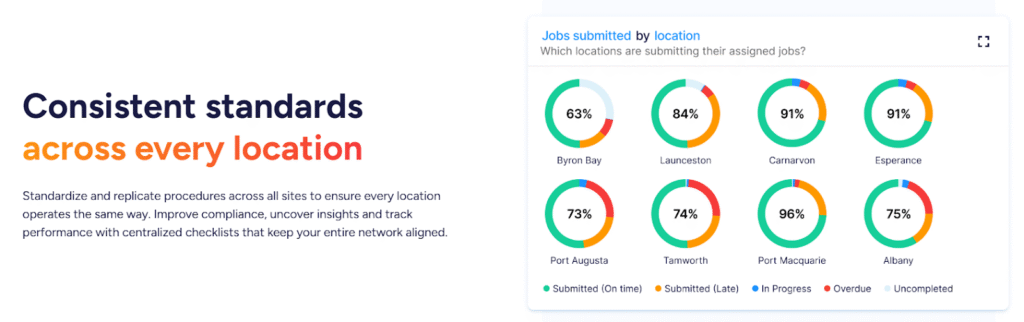
If your challenge is missed daily tasks, inconsistent routines, and “it should have happened” conversations, you need a tool that runs frontline execution with shift-based checklists, due times, owners, evidence, and escalation when items slip. Operandio focuses on this execution layer so standards show up in real behavior across locations.
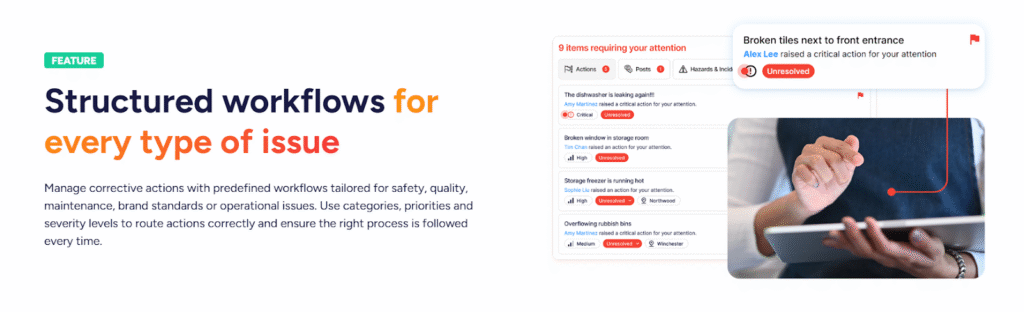
You Need Corrective Actions That You can Assign
Audits and inspections only matter when failures trigger clear corrective actions with owners, deadlines, and verification. Look for tools that treat follow-up as part of the system, not a manual manager habit. Operandio pushes audits into action so issues move from “found” to “fixed,” with visibility for head office.
You Need Training Rollouts With Location-Level Adoption Tracking
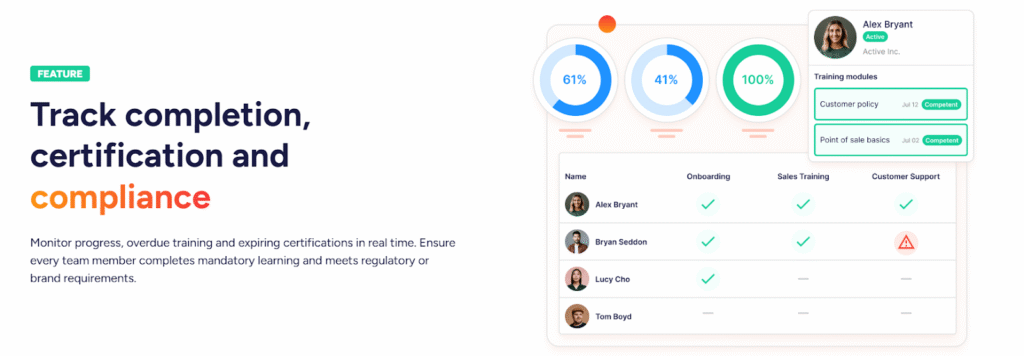
If you run multiple outlets, training breaks when nobody can prove completion by role, location, or region. Look for a franchise LMS that supports mobile delivery, reminders, and reporting that highlights adoption gaps fast. Operandio’s training tracking supports consistent rollouts across locations and gives you the proof layer ops leaders need.
You Need Reporting That Highlights Risk by Location and Region
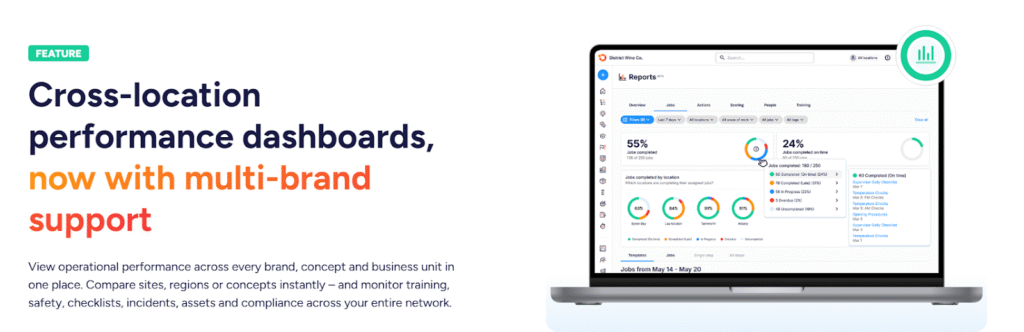
When you manage many sites, you need reporting that surfaces trends like recurring failures, locations that slip, tasks that trend late, and audit categories that break often. Look for operational reporting that works across locatons not only at a single store level.
Operandio simplifies operational reporting that helps your head office act quickly.
Take the Next Step With Operandio
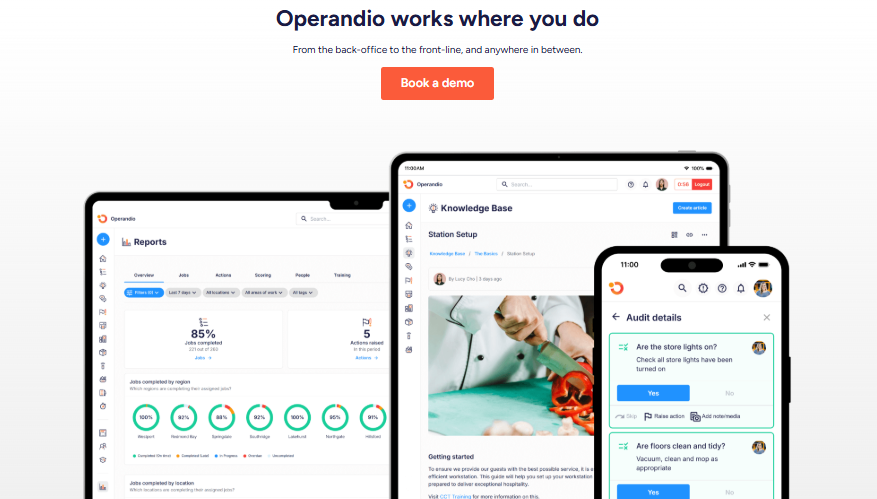
If you manage multiple locations, you need standards that translate into daily execution, with proof you can pull when leadership, franchisees, or regulators ask.
Operandio supports that execution layer across tasks, audits, training, communications, and reporting, so you can roll out standards consistently and see adoption across every site.
👉Book a demo to see how Operandio works for your locations.
