
- Platform
- Features
 Operations ExecutionStreamlined operations ensuring brand standards, accountability and efficiency
 Learning ManagementTrain, verify, and reward your workforce with mobile-first education
 Franchise & Multi-Unit ManagementCentralize oversight and streamline growth across your entire multi location network
 Digital Food SafetyAutomate compliance and monitor quality with real-time digital precision
 Asset ManagementOptimize equipment uptime through proactive maintenance and smart tracking
 Health & Safety Management (EHS)Mitigate workplace risks and streamline digital incident reporting and investigations
- Platform Essentials
 AI-Powered ToolsAutomate content, analyze trends, and provide instant answers
 IntegrationsUnify your enterprise tech stack with real-time data
 Powerful ReportingAlign leadership with role-based dashboards and deeper analytics
 IoT PlatformDetect anomalies and automate workflows with intelligent sensors
 Mobile & Shared Tablet AppsSecurely empower frontline teams with fast, offline-capable access
- Footer


 Not sure what you need?
Book in a call with the team
- Features
- Solutions
- By Industry
 RestaurantsQSR, fast food and multi-unit restaurants
 Hotels & ResortsHotels, resorts and extended stay hotels
 ChildcareEarly education, childcare, daycare and preschool
 EntertainmentTheme parks, family entertainment centers and play centers
 Fitness Centers & LeisureFitness centers, golf clubs, gyms and sports facilities
 RetailBig-box retailers, franchise stores and supermarkets
- By Use Case
- Operational ExcellenceStreamlined operations ensuring brand standards, accountability and efficiency
- Learning & DevelopmentTrain, verify, and reward your workforce with mobile-first education
- Franchise & Multi-Unit ManagementCentralize oversight and streamline growth across your entire multi location network
- Food Safety ComplianceAutomate compliance and monitor quality with real-time digital precision
- Asset Management & MaintenanceOptimize equipment uptime through proactive maintenance and smart tracking
- Health & Safety Management (EHS)Mitigate workplace risks and streamline digital incident reporting and investigations
- By Industry
- Resources

- Platform
- Features
- Operations ExecutionStreamlined operations ensuring brand standards, accountability and efficiency
- Learning ManagementTrain, verify, and reward your workforce with mobile-first education
- Franchise & Multi-Unit ManagementCentralize oversight and streamline growth across your entire multi location network
- Digital Food SafetyAutomate compliance and monitor quality with real-time digital precision
- Asset ManagementOptimize equipment uptime through proactive maintenance and smart tracking
- Health & Safety Management (EHS)Mitigate workplace risks and streamline digital incident reporting and investigations
- Platform Essentials
- AI-Powered ToolsAutomate content, analyze trends, and provide instant answers
- IntegrationsUnify your enterprise tech stack with real-time data
- Powerful ReportingAlign leadership with role-based dashboards and deeper analytics
- IoT PlatformDetect anomalies and automate workflows with intelligent sensors
- Mobile & Shared Tablet AppsSecurely empower frontline teams with fast, offline-capable access
- Footer
- Not sure what you need?
Book in a call with the team
- Features
- Solutions
- By Industry
- RestaurantsQSR, fast food and multi-unit restaurants
- Hotels & ResortsHotels, resorts and extended stay hotels
- ChildcareEarly education, childcare, daycare and preschool
- EntertainmentTheme parks, family entertainment centers and play centers
- Fitness Centers & LeisureFitness centers, golf clubs, gyms and sports facilities
- RetailBig-box retailers, franchise stores and supermarkets
- By Use Case
- Operational ExcellenceStreamlined operations ensuring brand standards, accountability and efficiency
- Learning & DevelopmentTrain, verify, and reward your workforce with mobile-first education
- Franchise & Multi-Unit ManagementCentralize oversight and streamline growth across your entire multi location network
- Food Safety ComplianceAutomate compliance and monitor quality with real-time digital precision
- Asset Management & MaintenanceOptimize equipment uptime through proactive maintenance and smart tracking
- Health & Safety Management (EHS)Mitigate workplace risks and streamline digital incident reporting and investigations
- By Industry
- Resources
Xenia App Cost & Pricing Plans: Is it Worth It? (2026 Review)
Key Takeaways
- Xenia’s official pricing is quote-based: Xenia currently shows Basic, Pro, and Enterprise plans with custom pricing per location, plus paid add-ons (sensors, work orders, asset management, label printing).
- Xenia does offer a free trial: The pricing FAQ says you can start with a free
xenia app cost plan, while Pro/Enterprise runs through a demo-led sales process. - Third-party sites still list fixed prices: Capterra and GetApp list Free ($0), Starter ($99/month), and Premium ($199/month), plus Custom. Treat these as reported listings, not the current official price.
- If you run a multi-location or franchise operation: Operandio tends to fit better when you need execution + audits + training + proof across every location in one system, with pricing tailored to your network.
Xenia’s official site has moved to custom pricing by site or user, so you usually won’t see a public per-month number until you talk to sales. Third-party listings still show pricing. Keep reading to understand the Xenia pricing structure and alternatives.
How Much Does the Xenia App Cost?
| Source | What it says Xenia costs | What you should do with it |
| Xenia pricing page (official) | Basic and Pro show custom pricing per location. Enterprise is – talk to sales. Add-ons listed separately. | This is the current official pricing model. Expect a quote based on locations/users/modules. |
| Xenia pricing FAQ (official) | Mentions a Starter plan for a free trial, Starter billed “flat-rate annual,” Pro billed “per-location monthly,” Enterprise is “custom volume.” | This is the Xenia billing structure, even though exact numbers are not published. |
| Capterra pricing listing (third-party) | Free $0, Starter $99/month, Premium $199/month, Custom. | Reported pricing reflects the information we had on the date of publishing this article. |
| GetApp pricing listing (third-party) | Also lists Free, Starter (99/month) with plan inclusions. | Reported pricing reflects the information we had on the date of publishing this article. |
What Xenia Includes at Each Official Tier
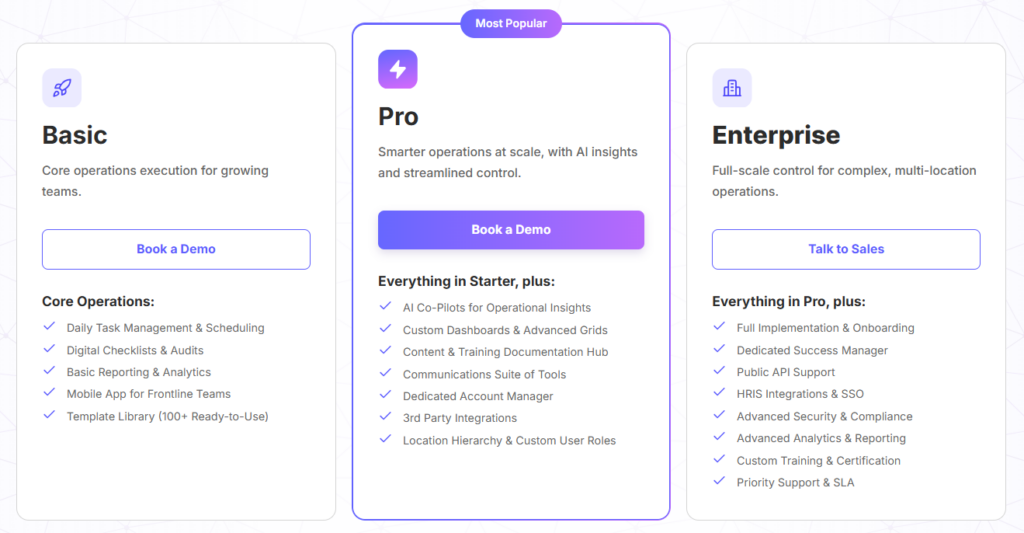
Xenia currently frames plans like this:
- Basic: Daily task management and scheduling, digital checklists and audits, basic reporting, mobile app access, template library.
- Pro: Adds AI “co-pilots,” advanced dashboards/grids, training and documentation hub, communications tools, a dedicated account manager, integrations, location hierarchy and custom roles.
- Enterprise: Adds implementation/onboarding, success manager, public API support, HRIS integrations and SSO, advanced security, deeper analytics/reporting, custom training/certification, priority support/SLA.
Xenia offers a free trial: Their pricing FAQ points to a Starter-plan free trial, and their signup flow promotes a 14-day trial with no credit card required.
Add-ons called out separately: sensors and continuous monitoring, facilities ticketing/work orders, asset management with QR codes, and food prep label printing.
Pro tip: If you want a real number fast, ask sales for pricing in two scenarios: your current location count, and your 12-month target. It forces a quote that matches how you actually grow.
Xenia App Pricing Plans: A Breakdown
Xenia’s current packaging focuses on capability tiers plus add-on modules. That means your real cost depends on which tier you choose and which modules you add.
Feature pricing driver: Locations, users, and plan structure
Xenia explicitly states it offers per-user and per-site pricing, with Starter structured as flat-rate annual, Pro as per-location monthly, and Enterprise as custom volume pricing.
What that means in practice:
- If your workforce changes often: Per-site pricing can reduce the penalty of high turnover.
- If you run a small number of sites with many managers: Per-user can sometimes be cheaper, depending on how they quote it.
Feature pricing driver: Add-ons you may need
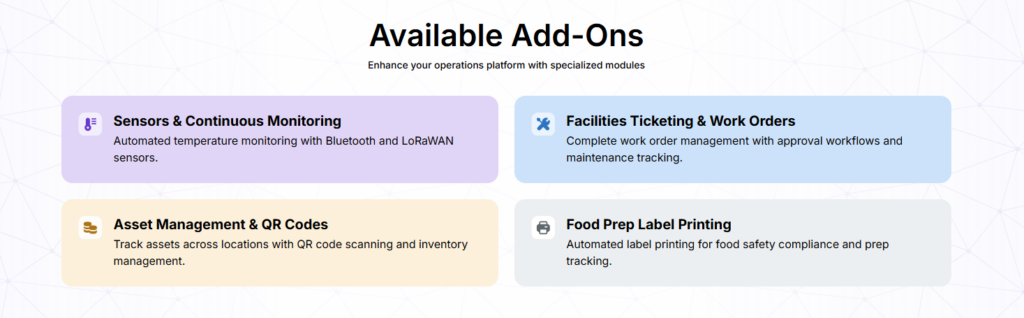
Xenia lists modules that can change total cost:
- Sensors and continuous monitoring: Temperature monitoring via Bluetooth/LoRaWAN sensors.
- Facilities ticketing and work orders: Work order workflows and maintenance tracking.
- Asset management and QR codes: QR scanning and asset tracking across locations.
- Food prep label printing: Label printing for compliance and prep tracking.
Feature pricing driver: Integrations, SSO, and API
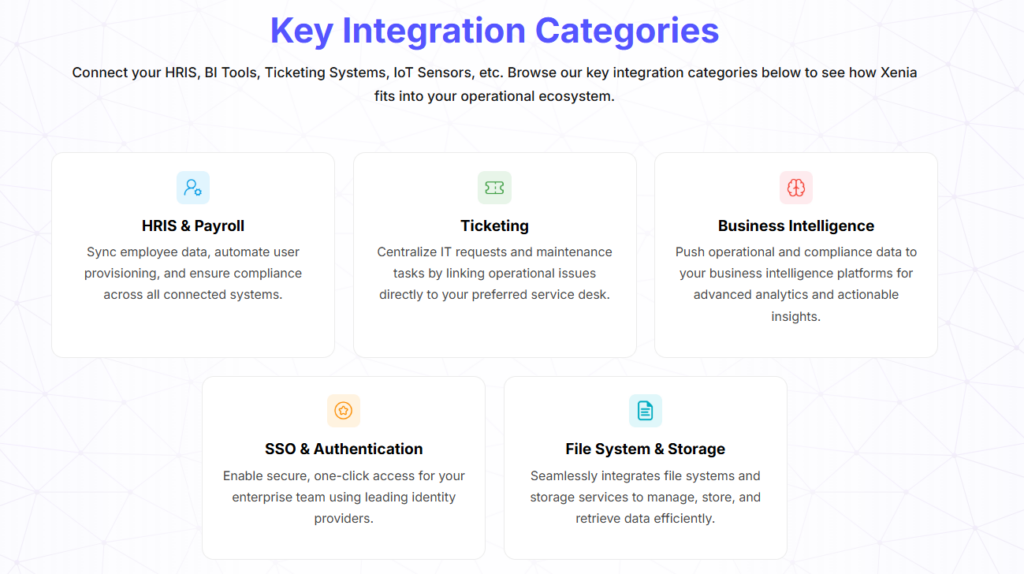
Xenia positions integrations and access controls inside higher tiers, including public API support, HRIS integrations, and SSO in Enterprise.
GetApp also lists that Xenia offers an API.
Xenia App Hidden Costs
Xenia’s pricing FAQ says there are no hidden implementation, setup, or training fees, and that Pro and Enterprise include implementation, training, and customer success support.
Still, these are the surprise costs that show up in real rollouts:
- Add-ons that become required: If you need sensors, asset management, or label printing, your quote can move quickly.
- Integration scope: SSO, HRIS, and API support often drive enterprise pricing.
- Scaling from pilot to full deployment: Xenia promotes a pilot-to-scale path and volume discounts, so your first quote may change after rollout size and contract terms change.
Xenia App Pros and Cons
Pros
- Easy adoption and day-to-day usability shows up consistently in reviews.
- Strong customer support scores and frequent mentions of responsiveness.
- Clear fit for inspections, work orders, and frontline execution workflows.
Cons
- Public pricing transparency remains limited on the official site, which makes budgeting harder without a sales call.
- Some reviewers mention UI overwhelm for new users and small usability friction.
- Third-party pricing pages can confuse buyers because they still show fixed tiers that the official page no longer displays.
Who Is Xenia Best For?
Xenia positions itself for multi-location frontline operations, and review platforms list common fits like restaurants, retail, hotels, and other operational environments.
Growing multi-location operators who need execution discipline
If you have several locations and need consistent shift execution, checklists, inspections, and visibility, Xenia’s Basic/Pro framing fits that use case.
Facilities and maintenance teams that live in work orders
If your biggest pain is maintenance workflows and work order tracking, Xenia’s platform and add-ons align tightly with that operational model.
Teams that want a pilot rollout before a bigger commitment
Xenia explicitly promotes a pilot program and scale-up path, which fits cautious rollouts.
Xenia App Customer Reviews
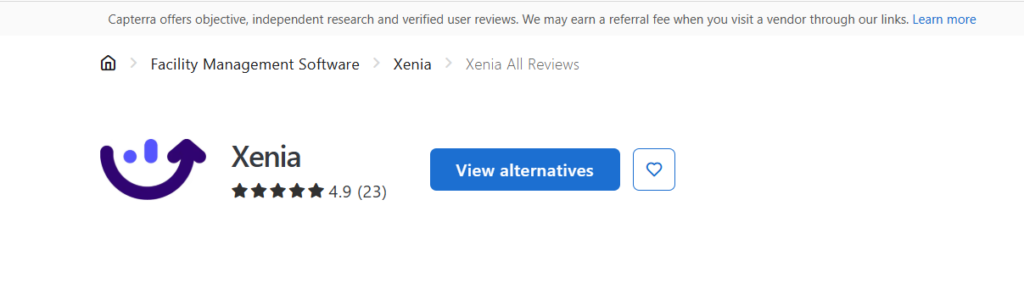
Capterra shows Xenia at 4.9 with 23 reviews, and Software Advice reports the same overall rating and strong secondary scores for support and value.
Positives
Reviewers commonly highlight usability and real-time tracking. For example, one Capterra reviewer describes improved communication and the ability to track work orders in real time.
Software Advice reviewers also call out speed of setup, strong support, and efficiency.
Sean P, Corporate Training Manager, Food & Beverages: “Easy, fast, efficient, and great support. If you don’t like something, say something and the Xenia team will make it right, even if that means building out something custom for your needs.”
Complaints
Some feedback focuses on usability details and UI learning curve. One Capterra review mentions small app readability friction, and a Software Advice review notes the UI can feel overwhelming for new users.
Sam C, General Manager, Hospitality: “The user interface can be a bit overwhelming for someone new to this type of software. Having a place to view all archived reports/tasks will make this software more usable for record-keeping over a long period of time.”
👉For a deeper dive, check out Best Xenia Alternatives.
Alternative to Xenia App: Operandio
If you run a multi-location or franchise operation evaluating franchise management software, the hardest part isn’t creating checklists. It’s getting consistent execution across every site, proving it happened, then closing the loop when something fails. Operandio targets that execution layer, then connects it to training, corrective actions, and reporting so HQ can see what’s happening across the network in real time.
Inspections and Audits With Real Evidence
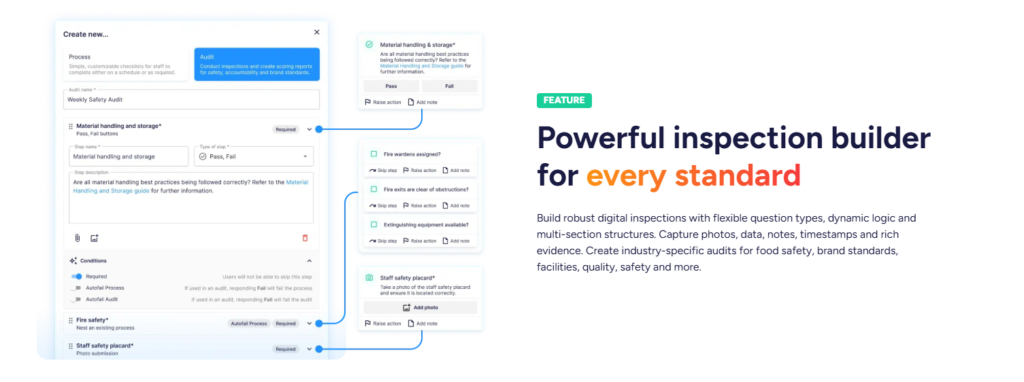
Operandio supports a flexible inspection builder with multiple question types, multi-section structures, and dynamic logic. Teams can capture photos, timestamps, notes, and data as evidence, so you can run brand standards audits, food safety checks, facilities inspections, and safety audits the same way across every site.
Task Management and Digital Checklists (Mobile And Shared Tablet)
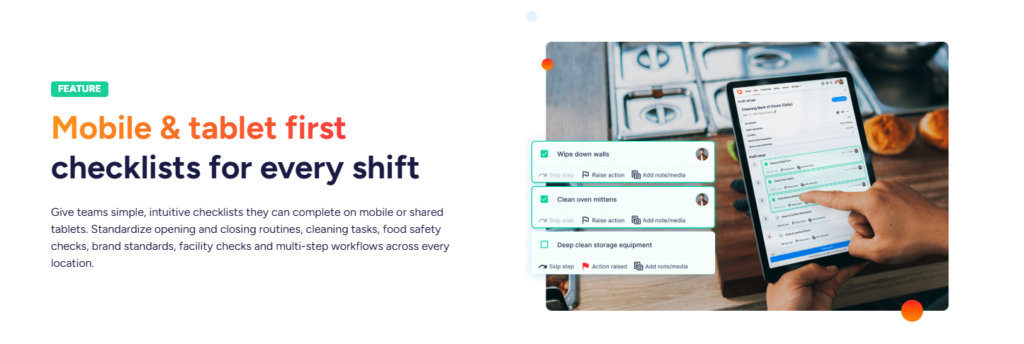
Operandio standardizes daily routines through mobile-first and tablet-first checklists for opening, closing, cleaning, brand standards, and food safety workflows, making it a strong fit as task management software for restaurant teams that need consistency across shifts and locations. It also supports scheduling, recurring tasks, and notifications for overdue or missed work to improve accountability.
Corrective Actions That Close The Loop
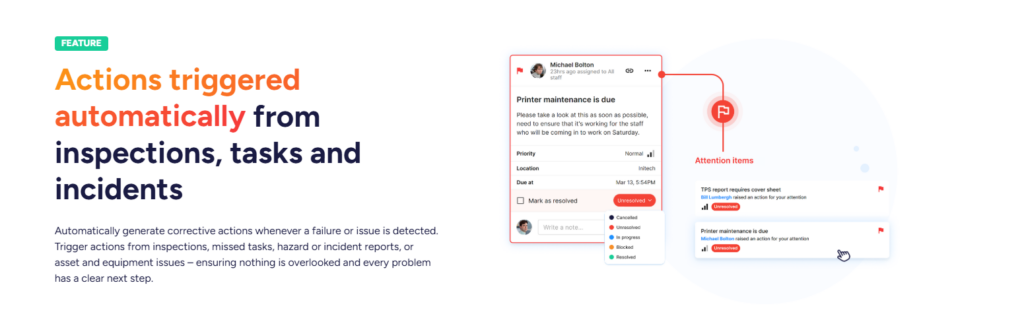
Operandio can trigger corrective actions when inspections fail, tasks get missed, hazards/incidents get reported, or equipment issues appear. That gives every failure a clear owner, due date, and follow-through path instead of “we’ll fix it later.”
Employee Communications With Acknowledgements
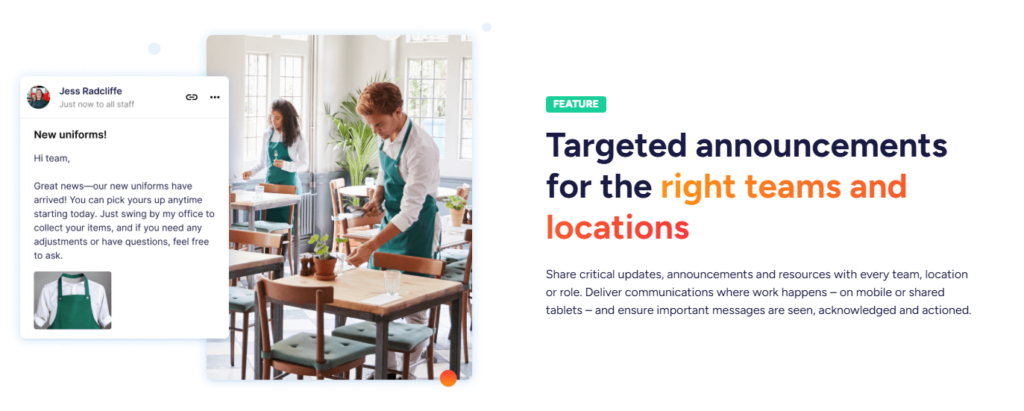
Operandio lets HQ push targeted announcements to specific teams, roles, or locations. It also focuses on ensuring messages get seen and acknowledged, which helps when you roll out process changes or safety updates across a network.
Mobile-first LMS With Job-Ready Verification
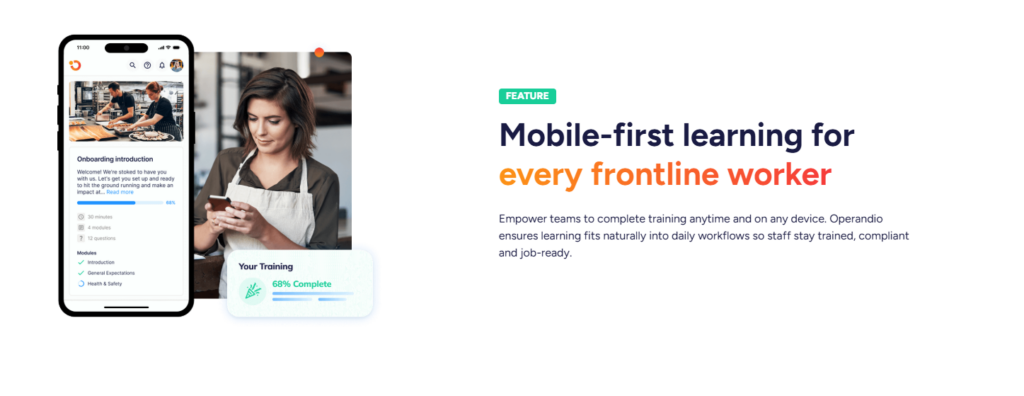
Operandio’s LMS supports mobile training and quizzes, plus hands-on assessments to verify real skills on-site. It also includes badges, pathways, and certificates to structure progression and compliance training.
Knowledge and Document Management With Governance
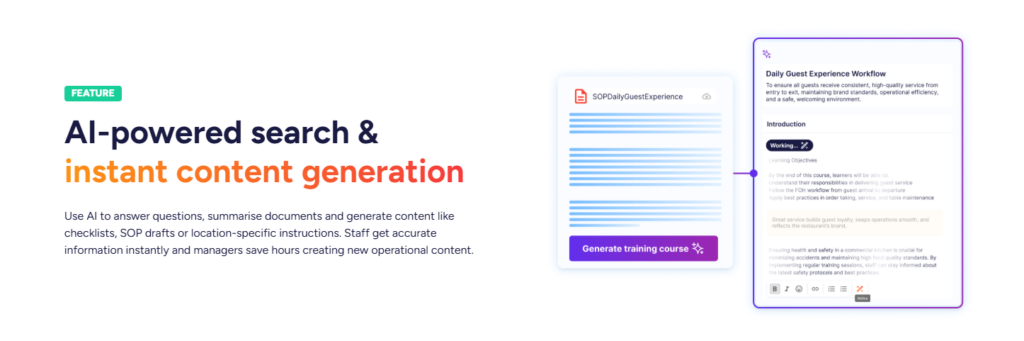
Operandio centralizes SOPs, manuals, policies, and operational docs with AI-powered search, version control, and role-based permissions across locations. This matters in franchise and multi-unit environments where outdated SOPs create drift fast.
Integrations, BI Connectivity, and SSO
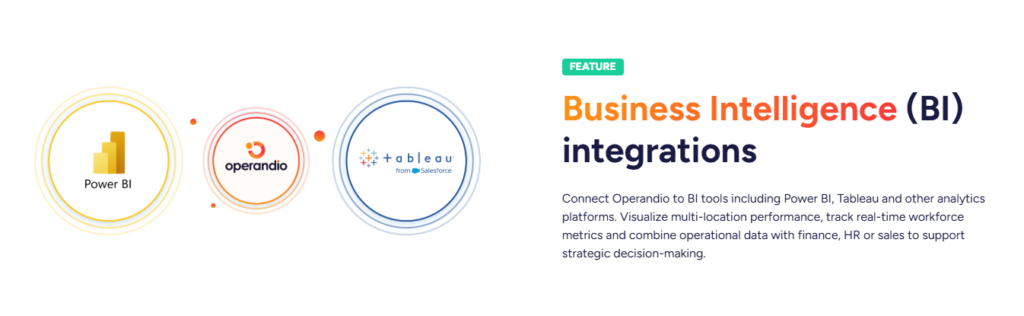
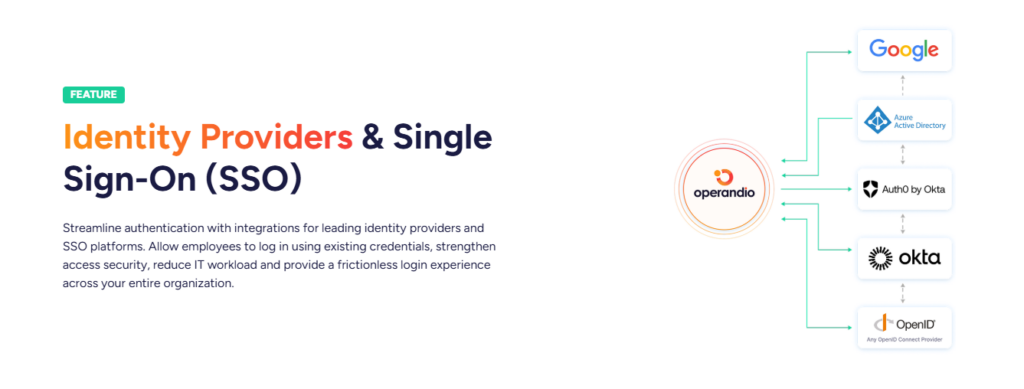
Operandio offers pre-built integrations, an open API, BI connectivity (including Power BI and Tableau), and SSO support for identity providers. This matters if you want ops data to feed leadership dashboards or tie into HR/IT access control.
Operandio Pricing
We offer flexible plans built from modules, then price them based on the scale of your operation. You don’t pay for a bloated bundle that doesn’t match your workflows. You get a plan that fits how your teams run the day across every site.
Operandio pricing works like a buildable stack. Start with the core execution layer, then add what your operation requires:
- inspections and audits
- task management and digital checklists
- corrective actions
- employee communications
- learning management
- incident reporting
- asset tracking
- knowledge and document management
- sensors and temperature monitoring
- food prep labeling
- reporting
- mobile and shared tablet apps
- integrations
This modular setup matters in franchising and multi-unit businesses because one location might need food safety labeling and temperature monitoring. Another might need asset tracking and maintenance workflows.
We also help teams consolidate tools, since many operators run separate apps for audits, tasks, training, comms, and reporting. Operandio’s pricing process covers plan options and rollout timelines so the quote matches operational goals, not guesswork.
Operandio also supports enterprise requirements that tend to show up in larger networks. Security and access controls matter once a platform becomes part of day-to-day operations across dozens or hundreds of sites. For our enterprise clients, we offer:
- AWS hosting
- encryption in transit and at rest
- MFA support
- web application firewall
- monitoring
- hashed passwords
- support for external identity providers
Operandio’s pricing is quote-based because it needs to reflect the operating model, the compliance reality, and the pace of expansion across the network.
When Operandio Makes More Sense Than Xenia
Operandio tends to win when you need one system to handle execution, training, and compliance proof across many locations. That shows up most in franchise networks and multi-unit operators where standards slip because teams rely on paper, WhatsApp, and memory. Operandio’s feature set also supports purpose-built franchise and multi-location management workflows.
👉If you want to compare Operandio to Xenia in a way that actually matches day-to-day operations, book an Operandio demo and take a look at multi-location reporting, audit evidence capture, training completion by role and location, plus how a failed audit turns into a corrective action with ownership and due dates.
Is Xenia Right for You?
Pick Xenia when you want an operations platform with a sales-led pricing model and you’re comfortable scoping the quote around locations, modules, and deployment support.
If you run a franchise or multi-unit network and you need training, execution, and compliance proof to work as one system across every location, Operandio tends to fit the operational reality better.
👉Book a demo to see how Operandio works for your business.
