
- Platform
- Features
 Franchise & Multi-Unit ManagementCentralize oversight and streamline growth across your entire multi location network
 Learning ManagementTrain, verify, and reward your workforce with mobile-first education
 Operations ExecutionStreamlined operations ensuring brand standards, accountability and efficiency
 Asset ManagementOptimize equipment uptime through proactive maintenance and smart tracking
 Digital Food SafetyAutomate compliance and monitor quality with real-time digital precision
 Health & Safety Management (EHS)Mitigate workplace risks and streamline digital incident reporting and investigations
- Platform Essentials
 Powerful ReportingAlign leadership with role-based dashboards and deeper analytics
 Operandio IntelligenceAutomate content, analyze trends, and provide instant answers
 IntegrationsUnify your enterprise tech stack with real-time data
 IoT PlatformDetect anomalies and automate workflows with intelligent sensors
 Mobile & Shared Tablet AppsSecurely empower frontline teams with fast, offline-capable access
- Footer


 Not sure what you need?
Book in a call with the team
- Features
- Solutions
- By Industry
 RestaurantsQSR, fast food and multi-unit restaurants
 Hotels & ResortsHotels, resorts and extended stay hotels
 ChildcareEarly education, childcare, daycare and preschool
 EntertainmentTheme parks, family entertainment centers and play centers
 Fitness Centers & LeisureFitness centers, golf clubs, gyms and sports facilities
 RetailBig-box retailers, franchise stores and supermarkets
- By Use Case
- Operational ExcellenceStreamlined operations ensuring brand standards, accountability and efficiency
- Learning & DevelopmentTrain, verify, and reward your workforce with mobile-first education
- Franchise & Multi-Unit ManagementCentralize oversight and streamline growth across your entire multi location network
- Food Safety ComplianceAutomate compliance and monitor quality with real-time digital precision
- Asset Management & MaintenanceOptimize equipment uptime through proactive maintenance and smart tracking
- Health & Safety Management (EHS)Mitigate workplace risks and streamline digital incident reporting and investigations
- By Industry
- Resources

- Platform
- Features
- Franchise & Multi-Unit ManagementCentralize oversight and streamline growth across your entire multi location network
- Learning ManagementTrain, verify, and reward your workforce with mobile-first education
- Operations ExecutionStreamlined operations ensuring brand standards, accountability and efficiency
- Asset ManagementOptimize equipment uptime through proactive maintenance and smart tracking
- Digital Food SafetyAutomate compliance and monitor quality with real-time digital precision
- Health & Safety Management (EHS)Mitigate workplace risks and streamline digital incident reporting and investigations
- Platform Essentials
- Powerful ReportingAlign leadership with role-based dashboards and deeper analytics
- Operandio IntelligenceAutomate content, analyze trends, and provide instant answers
- IntegrationsUnify your enterprise tech stack with real-time data
- IoT PlatformDetect anomalies and automate workflows with intelligent sensors
- Mobile & Shared Tablet AppsSecurely empower frontline teams with fast, offline-capable access
- Footer
- Not sure what you need?
Book in a call with the team
- Features
- Solutions
- By Industry
- RestaurantsQSR, fast food and multi-unit restaurants
- Hotels & ResortsHotels, resorts and extended stay hotels
- ChildcareEarly education, childcare, daycare and preschool
- EntertainmentTheme parks, family entertainment centers and play centers
- Fitness Centers & LeisureFitness centers, golf clubs, gyms and sports facilities
- RetailBig-box retailers, franchise stores and supermarkets
- By Use Case
- Operational ExcellenceStreamlined operations ensuring brand standards, accountability and efficiency
- Learning & DevelopmentTrain, verify, and reward your workforce with mobile-first education
- Franchise & Multi-Unit ManagementCentralize oversight and streamline growth across your entire multi location network
- Food Safety ComplianceAutomate compliance and monitor quality with real-time digital precision
- Asset Management & MaintenanceOptimize equipment uptime through proactive maintenance and smart tracking
- Health & Safety Management (EHS)Mitigate workplace risks and streamline digital incident reporting and investigations
- By Industry
- Resources
Top 5 Best SOP Software Solutions for Efficiency (2026)
Key Takeaways
- Operandio: Best for multi-location operators and franchise brands that need SOPs tied to audits, tasks, training, corrective actions, and reporting, not just static documentation. It fits restaurants, hospitality groups, retail chains, healthcare operators, and other frontline-heavy businesses.
- Trainual: Best for small to mid-sized businesses that mainly want SOP documentation, onboarding, and a searchable knowledge base for office and hybrid teams.
- SafetyCulture and Jolt: Best for inspection-heavy, compliance-focused teams that need checklists, issue tracking, and mobile task execution in the field.
- Waybook: Best for documentation-first teams that want structured playbooks, visual guides, or automated workflows, but do not need one platform to run day-to-day multi-site execution.
The best SOP software in 2026 does more than store procedures. It helps teams follow them, prove they followed them, and fix gaps fast.
This guide breaks down the best SOP software for different needs, with Operandio leading for multi-location brands that need standards to show up in real operations.
Best SOP Software: A Quick Overview
| Software | Best for | Standout feature | Price starting point |
| Operandio | Multi-location and franchise standardization | SOPs connected to audits, training, tasks, and reporting | Custom quote |
| SafetyCulture | Mobile inspections and SOP compliance | Inspection templates plus issue capture and training | Free for up to 10 users; Premium from $24/seat/month billed annually |
| Jolt | Restaurant and foodservice SOP execution | Checklists, labeling, sensors, scheduling | $116/location/month plus setup listed on self-serve page |
| Waybook | SOPs and onboarding playbooks | Strong structure with tests, flowcharts, and AI writing | Core from $99/month |
| Trainual | SOPs plus onboarding for growing SMBs | Searchable playbooks with assignments and quizzes | Contact sales |
Operandio: Best for Process Standardization in Frontline, Multi-Location Businesses
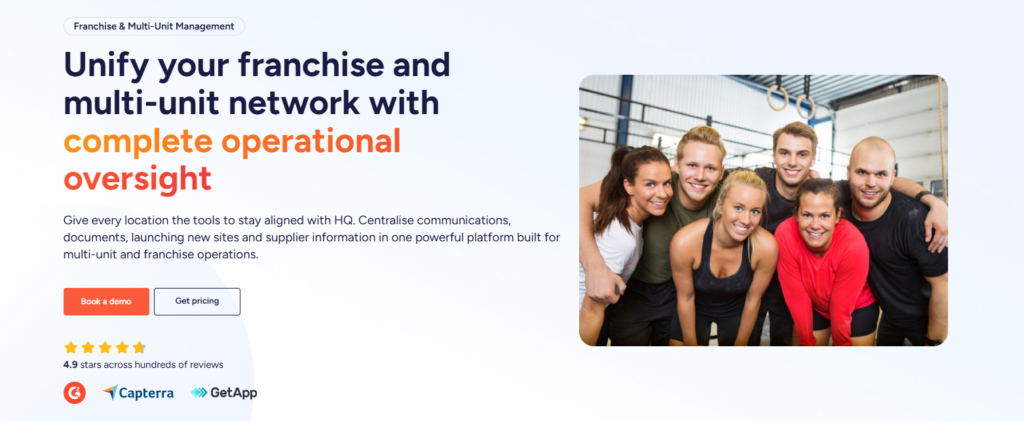
Operandio connects SOPs to daily work. For restaurant groups, franchise brands, hotels, retail chains, healthcare operators, gyms, childcare providers, and other operationally complex businesses, that matters a lot more than having a polished document library.
It gives operators one platform to roll out standards, train teams on them, turn them into repeatable tasks and checklists, verify completion, capture evidence, and track follow-up when something goes wrong. That makes it a perfect fit for businesses that need consistency across multiple sites.
Key features
Operandio’s biggest strength is that it brings SOPs into the rest of the operating system instead of isolating them in a knowledge base. The platform includes knowledge and document management, digital audits and inspections, task management and checklists, employee communications, LMS functionality, corrective actions, operational reporting, food safety tools, mobile and shared tablet workflows, and integrations.
AI course builder and SOP-based training
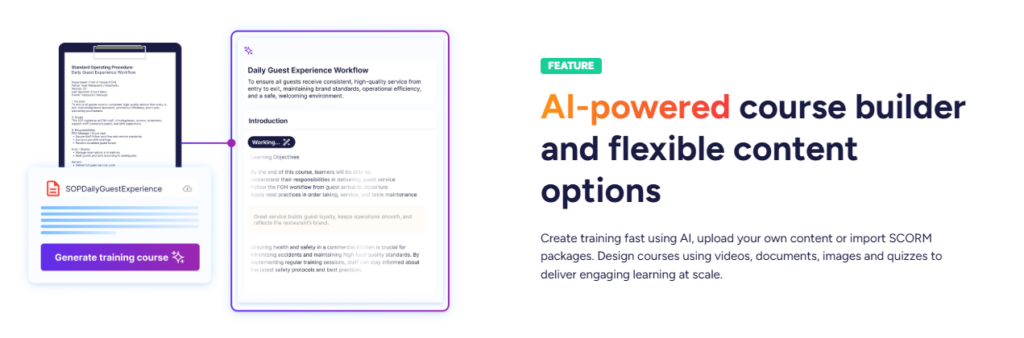
Operandio lets you easily create and deliver engaging training using AI-assisted tools. You can generate training content from policies, SOPs, or uploaded documents, then deliver it as microlearning or broader training sequences. That is useful for franchise and multi-site operators that need to turn process updates into role-based training fast.
Knowledge base tied to frontline execution
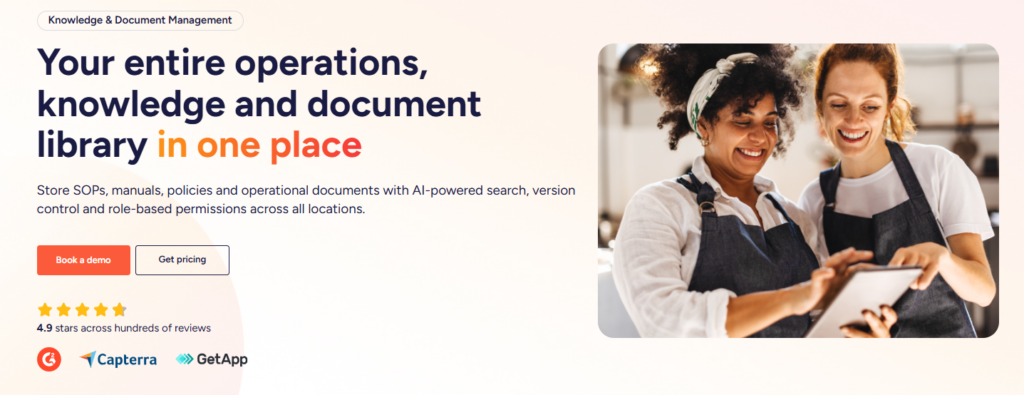
Instead of keeping procedures in a separate wiki, Operandio positions knowledge and document management as part of a broader multi-location control system. Teams can centralize SOPs, manuals, and operational documents while leadership tracks what is happening across locations from one hub.
Audits, tasks, and corrective actions in one flow
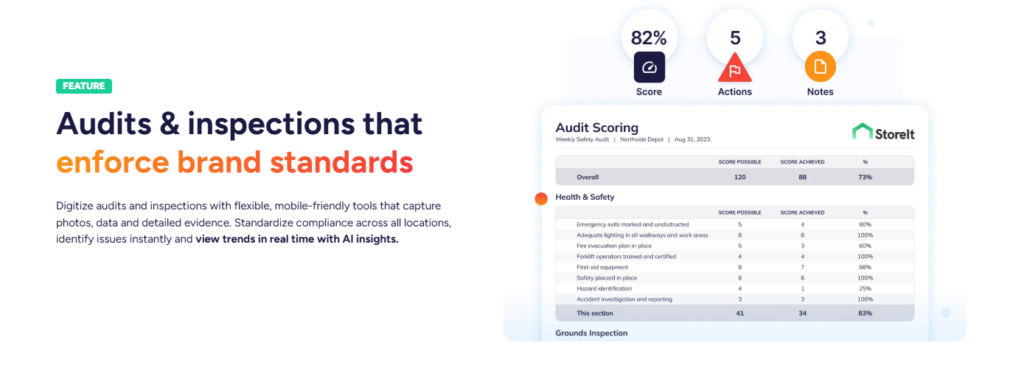
This is the part many SOP tools miss. Operandio connects standards to inspections, shift tasks, issue follow-up, and reporting. So if a location fails a brand standard or food safety check, the next action can be assigned, tracked, and reported instead of disappearing into email or chat.
Pro tip: If you run a franchise or multi-unit business, a standalone SOP tool often creates a second problem: the SOP is documented, but no one can see whether the work happened. Operandio solves that by linking the procedure to training, execution, and proof.
Pricing
| Pricing | Notes |
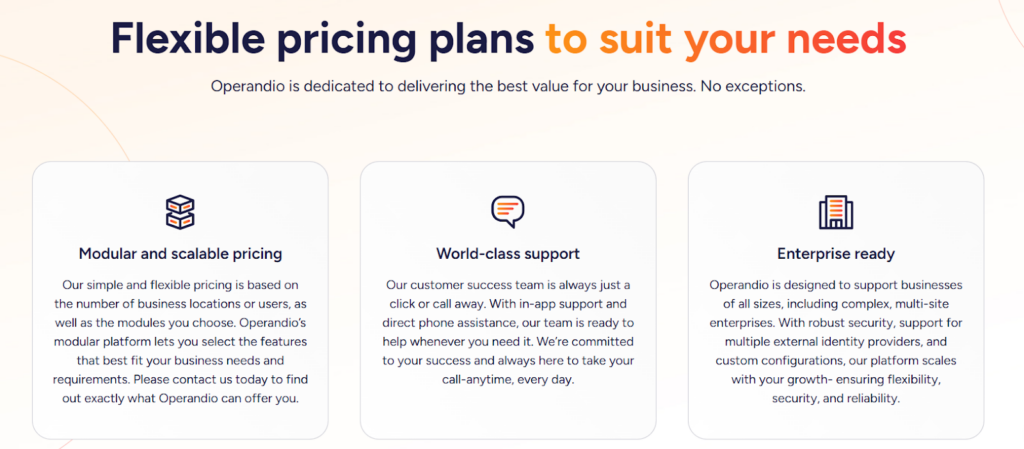
| Custom quote | Pricing is modular and flexible |
| Based on locations or users | You pay based on business size and selected modules |
| Module-based | You can choose from audits, tasks, LMS, docs, comms, reporting, food safety, integrations, and more |
Where Operandio shines
- Multi-location control: SOPs do not sit in isolation. They connect to audits, tasks, communications, and reporting across the network.
- Frontline training: Built-in LMS capabilities, AI course creation, mobile-first delivery, and real-time compliance tracking make it stronger than documentation-only tools for deskless teams.
- Franchise fit: Operandio is clearly positioned for franchise and multi-unit management, including location oversight, rollout consistency, and accountability by site.
Where Operandio falls short
- Teams without a rollout problem: If you don’t need to manage executional standards across multiple locations, the multi-site controls won’t be needed.
- Not designed as a document-only system: If your priority is a simple policy library with sign-offs, you can find simpler platforms.
Customer reviews
Operandio scores 4.9/5 on Capterra (based on reviewed listings), where users are explicitly emphasizing multi-unit operations, training, audits/inspections, and compliance workflows as the best features.
Morgane M, HR Coordinator, Food Production: “Although we haven’t used Operandio for long, our experience has been very positive. The platform has already improved communication, task management, and training processes.”
Amanda P, Manager, Culinary Community, Facilities Services: “The Operandio system and team are the best around; no question has been unanswered. I would personally recommend them to anyone.”
Who Operandio is best for
- Multi-unit restaurants and hospitality groups: Teams that need SOPs connected to food safety, daily operations, and training.
- Franchise brands: Operators that need standards rolled out consistently across many locations.
- Frontline-heavy businesses: Retail, healthcare, childcare, gyms, and service chains that need proof of execution, not just documentation.
If you need one platform for SOPs, training, audits, tasks, and reporting across multiple locations, Operandio is the one to shortlist first.
👉Book a demo and see how it fits your locations, teams, and workflows.
SafetyCulture: Best for Mobile SOP Compliance and Inspections
SafetyCulture started as iAuditor and grew into a broader mobile operations platform. It is a strong pick for teams that need SOPs turned into inspections, checklists, issue capture, and corrective actions, especially in safety, quality, field operations, and compliance-heavy environments.
Key features
- Inspection templates and issue capture: Great for turning procedures into repeatable inspection workflows.
- Mobile-first operations: Designed for teams in the field, not just at desks.
- Training add-on: SC Training adds AI-generated lessons, editable course libraries, and learner tracking.
Pricing
| Pricing | Notes |
| Free | Up to 10 users |
| Premium | From $24/seat/month billed annually |
| Enterprise | Custom quote |
| Training add-on | Premium training starts at $5 per learner/month, with at least one admin at $24/seat/month |
Where SafetyCulture shines
- Mobile audits and inspections: Very mature here.
- Strong template-based compliance: Easy to digitize checks quickly.
- Large review footprint: Strong market trust and broad usage.
Where SafetyCulture falls short
- Can feel inspection-first: Some buyers want deeper SOP ownership and richer knowledge-base structure.
- Advanced configuration takes time: Review summaries mention setup and customization can take work.
Customer reviews
Toby B, Quality Assurance and Compliance Manager, Food Production: “The constant product development they are doing to the platform and how they genuinely bring what they say they are going to do to life.”
Joshua H, Network Engineer, Information Technology and Services: “The main drawback, a cap of three mobile devices per user, means logging out (again and again) just to switch devices.”
Who SafetyCulture is best for
- Safety and quality teams: Construction, facilities, manufacturing, logistics.
- Operators that need inspections first: Strong when SOP compliance is mainly verified through recurring checks.
Jolt: Best for Restaurant SOP Execution
Jolt is built for restaurant and foodservice operations. Its strength is turning recurring procedures into daily checklists, labeling, monitoring, and accountability workflows for store-level teams.
Key features
- Digital checklists: Jolt supports many customizable item types for recurring tasks and compliance checks.
- Foodservice tools: Labeling, sensors, scheduling, and operational controls make it practical for kitchens and stores.
- Per-location pricing: Works well for distributed operators.
Pricing
| Pricing | Notes |
| $116/month per location | No cost-per-user pricing on listed self-serve page |
| $99 setup fee | Promotional setup fee shown on page |
| Custom quote available | Sales team can scope broader packages |
Where Jolt shines
- Restaurant practicality: Built around kitchen and store routines.
- Task accountability: Strong checklist execution and completion control.
- Useful add-ons: Labeling and sensors make it more than a basic SOP tool.
Where Jolt falls short
- Feels narrower than a full franchise platform: More focused on store execution than broader franchise management.
- Interface and setup concerns: Some review summaries mention dated UX or setup effort.
Customer reviews
Khilah B. Owner, Cosmetics: “The checklists and organization systems is what I liked the most about Jolt. There are ways to hold your team accountable with this platform in a professional way.”
Jarl W. Procurement, Systems and Training Manager, Hospitality: “Platform is dated, with very few updates experienced during the time that I administered the service. Outdated UX.”
Who Jolt is best for
- Restaurants, convenience, grocery, and foodservice: Teams that need operational checklists and food safety execution.
Waybook: Best for SOPs and Onboarding Playbooks
Waybook is a documentation-first platform that organizes SOPs, guides, procedures, and onboarding content into a structured playbook. It is cleaner and more modern than many legacy SOP tools, and it adds tests, flowcharts, progress tracking, and AI writing.
Key features
- Structured playbooks: Centralizes SOPs and role guides in one place.
- Tests and progress tracking: Useful when you want more than passive reading.
- Flowcharts and advanced due dates: Helps formalize onboarding and compliance timelines.
Pricing
| Pricing | Notes |
| Core: $99/month | 20 team members included |
| Pro: $198/month | 20 team members included |
| Enterprise | Pricing on request |
Where Waybook shines
- Readable, structured documentation: Better than dumping SOPs into folders.
- Onboarding fit: Very useful for repeatable team ramp-up.
- Strong value for smaller teams: Reviewers consistently mention ease of use and value.
Where Waybook falls short
- Less suited to operational proof: It is stronger on documentation and onboarding than live shift compliance.
- Lighter review footprint: Less buyer signal than some larger vendors.
Who Waybook is best for
- Growing SMBs: Teams that want SOPs, onboarding, and knowledge in one structured system.
Trainual: Best for SOPs Plus Onboarding
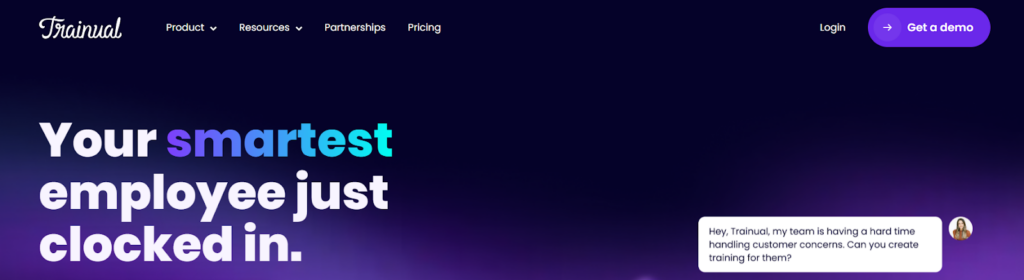
Trainual is one of the best-known names in SOP software because it combines documentation, onboarding, knowledge management, quizzes, and role-based assignments in one clean experience. It is a strong fit for small and mid-sized companies that want to get procedures out of scattered docs and into a searchable system people can actually use.
Key features
- Searchable SOPs and policies: Teams can centralize role procedures, company policies, and process docs in one place.
- Assignments and quizzes: Good for onboarding and confirming staff completed required reading or training.
- AI-powered search: Staff can ask questions and surface specific policy answers without digging manually.
Pricing
| Pricing | Notes |
| Contact sales | Public plan-by-plan pricing is no longer clearly published |
| Custom quote | Final price depends on team size, tier, and contract terms |
Where Trainual shines
- Fast onboarding: Very strong for documenting how work gets done and assigning it to new hires.
- Clean user experience: It remains easier to grasp than many older LMS or compliance tools.
- Knowledge plus training: Stronger than a plain SOP repository.
Where Trainual falls short
- Execution gap: Trainual documents procedures, but it does not natively run daily frontline execution the way Operandio does.
- Less suited to multi-site compliance workflows: If you need audits, corrective actions, or proof by location, you may outgrow it.
Who Trainual is best for
- Small to mid-sized businesses: Especially office, hybrid, and service companies building formal onboarding.
- Teams replacing messy docs: Great when the main problem is scattered knowledge, not field execution.
How to Choose the Best SOP Software
Choosing SOP software gets easier when you stop thinking about where procedures are stored and start thinking about how the platform helps teams follow standards in day-to-day work.
1. Decide whether you need documentation or operational control
Some teams only need a clean place to write and search SOPs. Others need SOPs connected to inspections, training, task completion, corrective actions, and reporting. If you run multiple locations or manage franchise consistency, this distinction matters a lot. Operandio stands out because it handles the second category well.
2. Check whether SOPs connect to training
If procedures change often, static documentation creates lag. The better setup lets you turn SOP updates into assigned learning, quizzes, assessments, and role-based delivery. Operandio, Trainual, and SafetyCulture all support this in different ways, but Operandio is stronger when training needs to connect directly to frontline execution.
3. Look for proof, not just publishing
Publishing an SOP is easy. Proving every site followed it is harder. Multi-location businesses should prioritize audit trails, location-level reporting, recurring checklists, and follow-up workflows. That is where documentation-first tools often stop and operations platforms pull ahead. Operandio is especially strong here because it ties SOPs to audits, tasks, communications, and corrective actions in one system.
4. Match the tool to your operating model
A 20-person office team and a 200-location restaurant brand do not need the same SOP software. Waybook can make a lot of sense for documentation-heavy use cases. Jolt and SafetyCulture are stronger when compliance checks dominate. Operandio is the better fit when you need one platform for SOPs, training, execution, and multi-site visibility.
Start Managing Your SOPs More Efficiently Today With Operandio
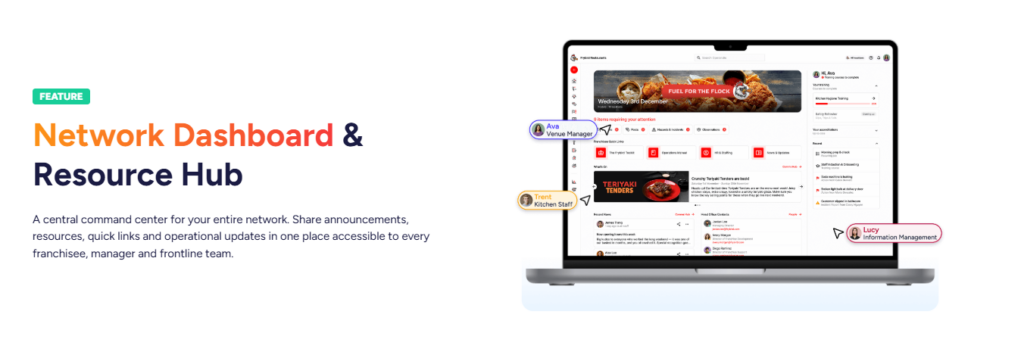
The best SOP software depends on what you need the system to do after the document is written. If you run a franchise, restaurant group, retail chain, or any multi-location business where standards have to show up consistently across real shifts, Operandio is the strongest pick on this list.
It gives you SOPs, training, audits, tasks, corrective actions, communications, and reporting in one platform, which is exactly why it fits operationally complex businesses better than documentation-only tools.
👉Book a demo to see how Operandio works for your business.
