
- Platform
- Features
 Franchise & Multi-Unit ManagementCentralize oversight and streamline growth across your entire multi location network
 Learning ManagementTrain, verify, and reward your workforce with mobile-first education
 Operations ExecutionStreamlined operations ensuring brand standards, accountability and efficiency
 Asset ManagementOptimize equipment uptime through proactive maintenance and smart tracking
 Digital Food SafetyAutomate compliance and monitor quality with real-time digital precision
 Health & Safety Management (EHS)Mitigate workplace risks and streamline digital incident reporting and investigations
- Platform Essentials
 Powerful ReportingAlign leadership with role-based dashboards and deeper analytics
 Operandio IntelligenceAutomate content, analyze trends, and provide instant answers
 IntegrationsUnify your enterprise tech stack with real-time data
 IoT PlatformDetect anomalies and automate workflows with intelligent sensors
 Mobile & Shared Tablet AppsSecurely empower frontline teams with fast, offline-capable access
- Footer


 Not sure what you need?
Book in a call with the team
- Features
- Solutions
- By Industry
 RestaurantsQSR, fast food and multi-unit restaurants
 Hotels & ResortsHotels, resorts and extended stay hotels
 ChildcareEarly education, childcare, daycare and preschool
 EntertainmentTheme parks, family entertainment centers and play centers
 Fitness Centers & LeisureFitness centers, golf clubs, gyms and sports facilities
 RetailBig-box retailers, franchise stores and supermarkets
- By Use Case
- Operational ExcellenceStreamlined operations ensuring brand standards, accountability and efficiency
- Learning & DevelopmentTrain, verify, and reward your workforce with mobile-first education
- Franchise & Multi-Unit ManagementCentralize oversight and streamline growth across your entire multi location network
- Food Safety ComplianceAutomate compliance and monitor quality with real-time digital precision
- Asset Management & MaintenanceOptimize equipment uptime through proactive maintenance and smart tracking
- Health & Safety Management (EHS)Mitigate workplace risks and streamline digital incident reporting and investigations
- By Industry
- Resources

- Platform
- Features
- Franchise & Multi-Unit ManagementCentralize oversight and streamline growth across your entire multi location network
- Learning ManagementTrain, verify, and reward your workforce with mobile-first education
- Operations ExecutionStreamlined operations ensuring brand standards, accountability and efficiency
- Asset ManagementOptimize equipment uptime through proactive maintenance and smart tracking
- Digital Food SafetyAutomate compliance and monitor quality with real-time digital precision
- Health & Safety Management (EHS)Mitigate workplace risks and streamline digital incident reporting and investigations
- Platform Essentials
- Powerful ReportingAlign leadership with role-based dashboards and deeper analytics
- Operandio IntelligenceAutomate content, analyze trends, and provide instant answers
- IntegrationsUnify your enterprise tech stack with real-time data
- IoT PlatformDetect anomalies and automate workflows with intelligent sensors
- Mobile & Shared Tablet AppsSecurely empower frontline teams with fast, offline-capable access
- Footer
- Not sure what you need?
Book in a call with the team
- Features
- Solutions
- By Industry
- RestaurantsQSR, fast food and multi-unit restaurants
- Hotels & ResortsHotels, resorts and extended stay hotels
- ChildcareEarly education, childcare, daycare and preschool
- EntertainmentTheme parks, family entertainment centers and play centers
- Fitness Centers & LeisureFitness centers, golf clubs, gyms and sports facilities
- RetailBig-box retailers, franchise stores and supermarkets
- By Use Case
- Operational ExcellenceStreamlined operations ensuring brand standards, accountability and efficiency
- Learning & DevelopmentTrain, verify, and reward your workforce with mobile-first education
- Franchise & Multi-Unit ManagementCentralize oversight and streamline growth across your entire multi location network
- Food Safety ComplianceAutomate compliance and monitor quality with real-time digital precision
- Asset Management & MaintenanceOptimize equipment uptime through proactive maintenance and smart tracking
- Health & Safety Management (EHS)Mitigate workplace risks and streamline digital incident reporting and investigations
- By Industry
- Resources
Digital Operations: Strategies & Best Practices (2026)
Key Takeaways
- Strong digital operations improve visibility, accountability, and speed. They help businesses replace paper and manual follow-up with standardized processes.
- The best digital operations strategy connects tasks, audits, communication, training, corrective actions, and reporting so teams know what to do and leaders can verify that it happened.
- For multi-location and franchise businesses, digital operations work best when one platform supports frontline execution across every site.
Digital operations turn procedures, communication, training, audits, and follow-up into a connected system that people actually use.
This guide explains what digital operations is, why it matters, which tools support it, where rollouts go wrong, and what best practice looks like in 2026.
What Is Digital Operations?
Digital operations is the use of digital systems to run, track, and improve day-to-day business activity. That includes recurring tasks, standard operating procedures, inspections, issue reporting, team communication, training, reporting, and the workflows that connect them.
The goal is less guesswork, less admin, and more control over what actually happens on the ground.
In practice, digital operations usually include:
- Digital checklists and workflows
- Audits and inspections
- Corrective actions and issue tracking
- Employee communication
- Training and certifications
- Reporting and analytics
- Mobile access for frontline teams
Pro tip: For multi-unit businesses, this matters even more. Head office does not just need documents stored somewhere. It needs proof that standards were assigned, completed, verified, and followed across every location.
Why Strong Digital Operations Matter for Modern Businesses
Strong digital management operations give businesses a better way to run work at scale. They help teams standardize routines and give leadership clearer visibility into performance across the organization.
Better productivity under real-world pressure
Operations leaders are being pushed to do more with the same or fewer resources. Microsoft’s Work Trend Index found that 53% of leaders say productivity must increase, while 80% of the global workforce says it lacks the time or energy to do its job. That gap is exactly why process clarity, automation, and better systems matter now.
More consistency across teams and locations
When teams rely on paper, memory, or disconnected tools, execution varies by shift, site, and manager. That creates quality issues, missed steps, and weak accountability. Digital operations reduce that variability by standardizing how work gets assigned, completed, documented, and reviewed.
Better engagement and follow-through
Even the best process fails if people disengage from the work. Gallup reported that U.S. employee engagement fell to 31% in 2024, the lowest level in a decade. Clear systems help here because they reduce confusion, make expectations visible, and support better manager follow-up.
Stronger readiness for change
The pressure on operations is not slowing down. The World Economic Forum says 60% of employers expect broader digital access to transform their business by 2030, and 86% expect AI and information processing advances to do the same. Businesses that digitize core workflows now will have a much easier time adapting later.
Key Components of Digital Operations
Digital operations only work when the core parts of day-to-day work connect properly. It is not enough to digitize one task or replace one spreadsheet. Businesses need a setup that supports how work gets assigned, completed, checked, communicated, and improved over time.
Workflow and task control
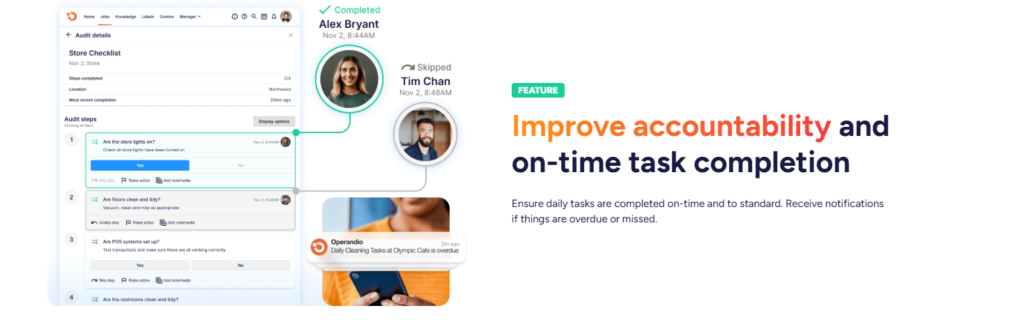
Efficient task management keeps daily work moving. It includes recurring checklists, shift tasks, due dates, ownership, and escalation. Without it, standards stay theoretical. With it, teams know exactly what needs to happen, when, and by whom.
Audits, inspections, and evidence capture
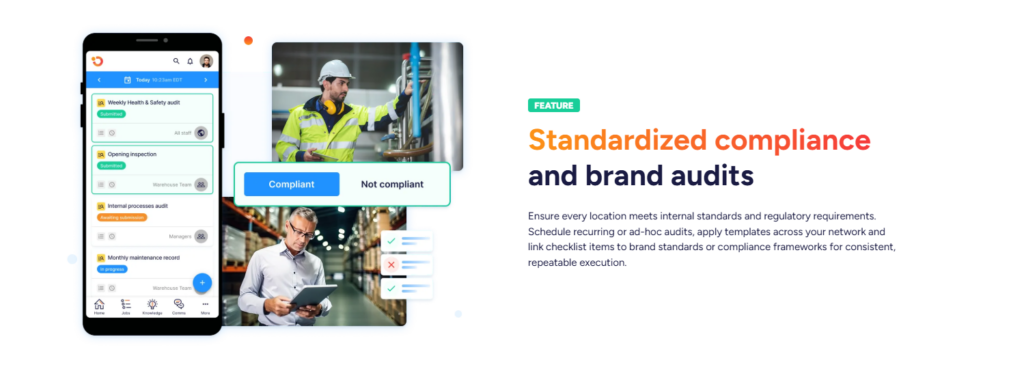
Digital operations need a way to verify that standards are actually being followed. Inspection and audit workflows help managers score performance, capture photos or notes, and identify gaps quickly. G2’s inspection software review summaries show that users consistently value ease of use, customizable inspections, and mobile access because those features make field execution more practical.
Corrective actions and issue resolution
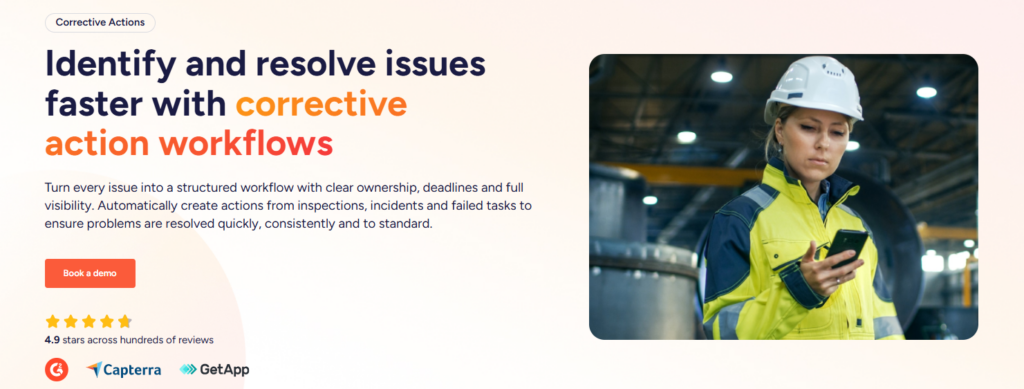
Spotting a problem is not enough. Good systems turn failed inspections, incidents, or missed tasks into corrective actions with owners and deadlines. That is how businesses stop the same issue from repeating across locations.
Communication and knowledge access
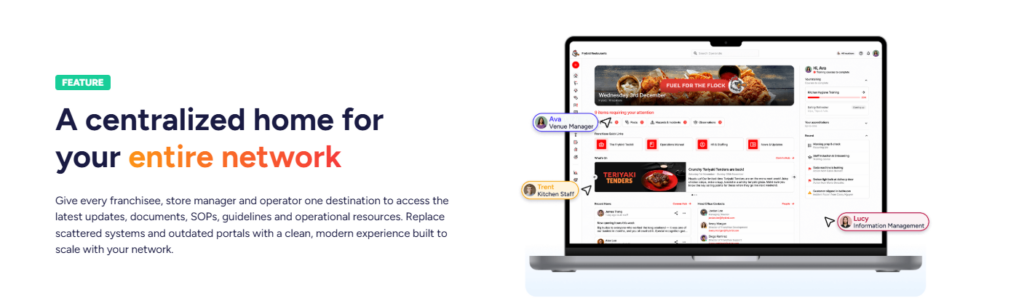
Updates, policy changes, promotions, and procedural changes all need a reliable way to reach frontline teams. Digital operations work better when communication is targeted, acknowledged, and stored in a dashboard hub where you can track work alongside SOPs, manuals, and reference documents.
Reporting and performance visibility

Leaders need more than raw activity logs. They need a clear view of task completion, audit scores, overdue actions, compliance gaps, and trends by site, region, or brand.
That how powerful reporting turns operational data into management decisions.
Common Digital Operations Tools by Use Case
| Use case | What the tool needs to do | Best fit |
| Daily execution | Run checklists, tasks, and shift routines with clear ownership | Operations management platform |
| Compliance and quality | Standardize inspections, capture evidence, assign follow-up | Audit and inspection software |
| Training and onboarding | Deliver role-based training and track completion | LMS built for frontline teams |
| Communication | Push updates and confirm they were read | Employee communication tools |
| Leadership oversight | Surface trends, exceptions, and site-level performance | Reporting and analytics tools |
The challenge is that many businesses buy these as separate tools, then spend months stitching them together. That can work, but it often creates more admin, more duplication, and weaker adoption on the frontline.
All-in-one frontline operations platform
For multi-location operators, an all-in-one platform is usually the strongest option because daily work, compliance, training, and reporting all affect each other.
Operandio fits this model well. It is built for franchise and multi-unit businesses that need one place to manage inspections, corrective actions, task management, employee communication, learning, reporting, food safety plans, sensors, document management, integrations, and mobile or shared-device access.
That matters because digital operations break down when one tool stores SOPs, another sends messages, a third manages tasks, and nobody can see the full picture.
Operandio connects the workflow. Teams can complete audits, raise issues, receive updates, complete training, and log operational work in the same system, while leadership gets visibility across every location.
Pro tip: For restaurants, hospitality groups, and franchise brands, digital operations work best when the platform is mobile-first and practical for shared devices. Frontline teams do not sit at desks. The system has to fit how work happens.
Standalone audit and inspection tools
These tools are useful when the main problem is assessment, scoring, and evidence capture. They help businesses digitize inspections and standardize reviews. The tradeoff is that they may not cover training, internal communication, or broader daily execution in one place.
Standalone training platforms
Traditional LMS tools help deliver courses and track completions, but many were not built for shift-based, frontline environments. For multi-site operators, training works better when it connects directly to SOPs, operational standards, and on-the-job verification.
Challenges in Implementing Digital Operations
Digital operations can improve consistency, visibility, and efficiency, but rollout is where many businesses get stuck. The problem is usually not the idea itself. It is the gap between buying software and getting people to use it properly in day-to-day work.
Too many disconnected systems
This is one of the most common rollout problems. Teams end up with separate apps for tasks, audits, messaging, training, and reporting. That creates duplicate data entry and makes adoption harder because staff have to jump between systems.
PwC’s 2025 Digital Trends in Operations Survey found that 92% of leaders say tech investments have not fully delivered expected results.
Weak frontline adoption
A digital operations platform can look great at head office and still fail on the ground. If workflows are too complex, mobile use is poor, or the system adds friction to a shift, staff will work around it.
Review summaries on G2 repeatedly highlight ease of use and mobile convenience as major reasons teams value inspection software. That tells you usability is not a nice extra. It is central to success.
Poor process design before digitization
Digitizing a messy process does not fix it. It just makes the mess easier to repeat. Businesses need to define standards, owners, escalation paths, and reporting needs before they start automating workflows.
Best Practices for Successful Digital Operations
Getting digital operations right takes more than putting existing processes into software. Businesses need to think about how work happens across teams and locations, then build systems that make that work easier to complete and improve.
Start with the highest-friction work
Do not digitize everything at once.
Start where inconsistency is costly:
- Opening checks
- Food safety culture
- Inspections
- Incident reporting
- Compliance routines
- Onboarding
Early wins make adoption easier and give the rollout momentum.
Operandio lets businesses start with core operational workflows such as audits, tasks, communication, and training, then expand into food safety, document control, reporting, and sensors as the system matures.
That gives operators a practical path to standardization without forcing them into a patchwork stack.
Build around the frontline, not just the head office
The best digital operations strategy is usable in real conditions. That means mobile-first design, shared-device support, simple workflows, and role-based access. If the system does not fit the shift, it will not stick.
Connect training to real work
Training should not live in isolation. Staff should learn the standard, apply it on shift, and be measured against the same standard in audits and reporting. That is how businesses reduce the gap between knowledge and execution.
Make corrective action part of the workflow
When an audit fails or a task gets missed, the next step should be automatic. Assign the issue, set a due date, track completion, and report on repeat failures. This is where digital operations starts driving real improvement instead of just better recordkeeping.
Use data to coach, not just police
Reporting should help managers intervene early, spot trends, and support better performance. Abacus Dining Group said Operandio’s reporting access saved verifiers at least an hour during onsite visits.
Cold Rock Ice Creamery said the platform replaced paper with a more seamless system that improved consistency, communication, and compliance across 70-plus locations. That is the difference between data that sits in a dashboard and data that helps people manage better.
Transform Your Digital Operations with Operandio
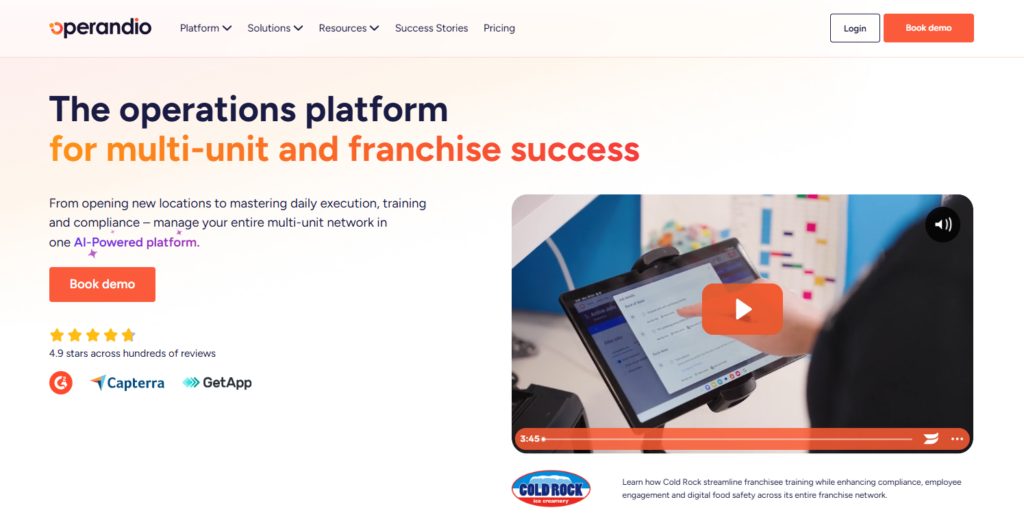
Digital operations are about making standards easier to follow and easier to verify. For multi-location and franchise businesses, that usually means one connected platform for tasks, audits, training, communication, corrective actions, reporting, and compliance.
If your teams still rely on paper, scattered apps, or manual follow-up, it gets harder to keep standards consistent as you grow. Operandio gives multi-location businesses one platform to manage daily operations, training, compliance, and reporting across every location.
👉Book a demo and see how you can run a more consistent operation at scale.
