
- Platform
- Features
 Franchise & Multi-Unit ManagementCentralize oversight and streamline growth across your entire multi location network
 Learning ManagementTrain, verify, and reward your workforce with mobile-first education
 Operations ExecutionStreamlined operations ensuring brand standards, accountability and efficiency
 Asset ManagementOptimize equipment uptime through proactive maintenance and smart tracking
 Digital Food SafetyAutomate compliance and monitor quality with real-time digital precision
 Health & Safety Management (EHS)Mitigate workplace risks and streamline digital incident reporting and investigations
- Platform Essentials
 Powerful ReportingAlign leadership with role-based dashboards and deeper analytics
 Operandio IntelligenceAutomate content, analyze trends, and provide instant answers
 IntegrationsUnify your enterprise tech stack with real-time data
 IoT PlatformDetect anomalies and automate workflows with intelligent sensors
 Mobile & Shared Tablet AppsSecurely empower frontline teams with fast, offline-capable access
- Footer


 Not sure what you need?
Book in a call with the team
- Features
- Solutions
- By Industry
 RestaurantsQSR, fast food and multi-unit restaurants
 Hotels & ResortsHotels, resorts and extended stay hotels
 ChildcareEarly education, childcare, daycare and preschool
 EntertainmentTheme parks, family entertainment centers and play centers
 Fitness Centers & LeisureFitness centers, golf clubs, gyms and sports facilities
 RetailBig-box retailers, franchise stores and supermarkets
- By Use Case
- Operational ExcellenceStreamlined operations ensuring brand standards, accountability and efficiency
- Learning & DevelopmentTrain, verify, and reward your workforce with mobile-first education
- Franchise & Multi-Unit ManagementCentralize oversight and streamline growth across your entire multi location network
- Food Safety ComplianceAutomate compliance and monitor quality with real-time digital precision
- Asset Management & MaintenanceOptimize equipment uptime through proactive maintenance and smart tracking
- Health & Safety Management (EHS)Mitigate workplace risks and streamline digital incident reporting and investigations
- By Industry
- Resources

- Platform
- Features
- Franchise & Multi-Unit ManagementCentralize oversight and streamline growth across your entire multi location network
- Learning ManagementTrain, verify, and reward your workforce with mobile-first education
- Operations ExecutionStreamlined operations ensuring brand standards, accountability and efficiency
- Asset ManagementOptimize equipment uptime through proactive maintenance and smart tracking
- Digital Food SafetyAutomate compliance and monitor quality with real-time digital precision
- Health & Safety Management (EHS)Mitigate workplace risks and streamline digital incident reporting and investigations
- Platform Essentials
- Powerful ReportingAlign leadership with role-based dashboards and deeper analytics
- Operandio IntelligenceAutomate content, analyze trends, and provide instant answers
- IntegrationsUnify your enterprise tech stack with real-time data
- IoT PlatformDetect anomalies and automate workflows with intelligent sensors
- Mobile & Shared Tablet AppsSecurely empower frontline teams with fast, offline-capable access
- Footer
- Not sure what you need?
Book in a call with the team
- Features
- Solutions
- By Industry
- RestaurantsQSR, fast food and multi-unit restaurants
- Hotels & ResortsHotels, resorts and extended stay hotels
- ChildcareEarly education, childcare, daycare and preschool
- EntertainmentTheme parks, family entertainment centers and play centers
- Fitness Centers & LeisureFitness centers, golf clubs, gyms and sports facilities
- RetailBig-box retailers, franchise stores and supermarkets
- By Use Case
- Operational ExcellenceStreamlined operations ensuring brand standards, accountability and efficiency
- Learning & DevelopmentTrain, verify, and reward your workforce with mobile-first education
- Franchise & Multi-Unit ManagementCentralize oversight and streamline growth across your entire multi location network
- Food Safety ComplianceAutomate compliance and monitor quality with real-time digital precision
- Asset Management & MaintenanceOptimize equipment uptime through proactive maintenance and smart tracking
- Health & Safety Management (EHS)Mitigate workplace risks and streamline digital incident reporting and investigations
- By Industry
- Resources
How to Create a Training Manual that Employees Actually Use
Key Takeaways
- A training manual should show employees how to do the work, not what the rulebook says. The strongest manuals include role expectations, step-by-step procedures, examples, and the resources employees need on shift.
- Nearly 3 in 4 employees with strong onboarding learned their full role before performing it independently. That starts with a manual built around your actual workflows, not a generic template.
- To get there, define your audience, set clear objectives, gather input from people closest to the work, test it with real employees, and keep it updated.
- Where you store the manual matters as much as what is in it. If employees cannot find it, search it, or trust that it is current, it will not get used.
Training manuals usually fail for one simple reason: they are written for the sake of documentation, not for the employee using them.
APQC’s 2025 onboarding research found that nearly 3 in 4 employees with an ideal onboarding experience learned 100% of their role before performing it, and 78% felt fully prepared for the role.
Clear, role-based, and up-to-date training manuals are instrumental to both effective onboarding and ongoing success of employees.
So the question is not just how to create a training manual. It is how to create one that employees can actually use when they need to learn fast on-the-job, follow the standards, and work safely without waiting for a manager to explain everything again and again.
This guide walks through what a training manual is, how to build one step by step, what to include, and how to keep it useful after the first version is published.
What Is A Training Manual?
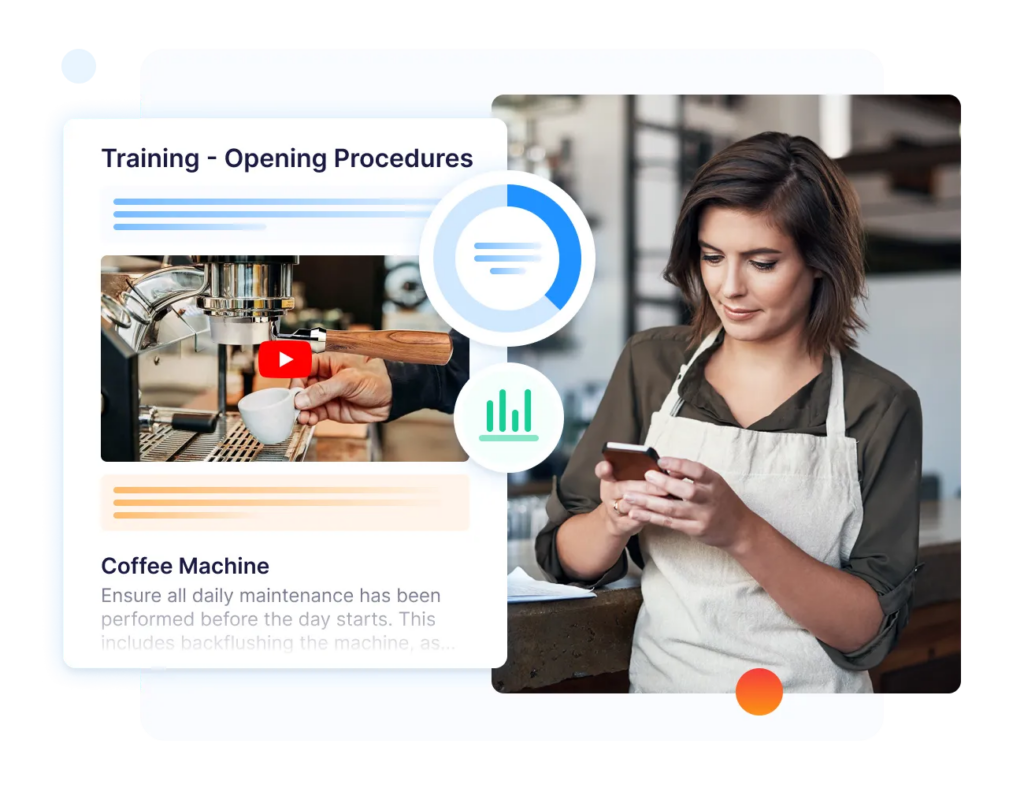
A training manual is a structured resource that teaches employees how to perform a role, complete a process, or meet a business standard. It is used during onboarding, role training, compliance training, safety training, and ongoing development.
In a frontline setting like a restaurant, a training manual should explain what employees need to do, when to do it, what good looks like, and where to find help if something is unclear.
Common types of training manuals include:
- Induction or Onboarding Manual: Helps new employees understand the company, their role, core policies, and first-week expectations.
- Procedure Manual: Explains step-by-step workflows, such as opening a store, closing a venue, cleaning equipment, or handling cash.
- Product Manual: Teaches employees how products, services, tools, or equipment work
- Safety Manual: Covers workplace hazards, emergency procedures, incident reporting, and role-specific safety responsibilities.
- Compliance Manual: Explains the rules, checks, documentation, and standards employees must follow.
- Customer Service Manual: Shows employees how to handle service standards, guest complaints, escalation, and recovery.
For multi-location teams, the manual also needs to work outside head office. Operandio’s guide to frontline staff training explains why training needs to fit the way non-desk teams learn on shift.
How To Create A Training Manual
Follow these steps to build a manual that employees can find, understand, and apply during real work.
Step 1: Understand Who The Manual Is For
Start by defining the employee group using the manual.
A new front-of-house employee does not need the same manual as a store manager, hotel housekeeping lead, franchisee, childcare educator, or kitchen supervisor. Each role has different responsibilities, risks, tools, and decision points.
Write down exactly who the manual serves before you start drafting. Then list what they already know, what they need to learn, and where they usually get stuck.
This prevents the manual from becoming too broad. A useful training manual should feel super specific to the person using it.
Pro tip: Build manuals by job role or workflow, not by department alone. “Opening the store” is more useful to a new hire than “Operations Policies Section 3.”
Step 2: Define The Training Objectives
Every manual should have a clear training objective.
Be super specific. For example, instead of “train new morning shift hires,” define the outcome: “new morning shift hires can complete the restaurant opening checklist without manager support by the end of week one.”
Or, for instance, instead of “teach food safety,” define the outcome more specifically: “employees can complete the closing temperature check, record it correctly, and escalate a failed reading before leaving the site.”
That outcome shapes the whole manual. It tells you what to include, what to leave out, and how much detail the employee needs before they can work safely and confidently. It also tells managers how to check whether the training worked.
Good objectives usually answer three questions:
- What should the employee be able to do?
- What standard should they meet?
- How will a manager verify it?
For frontline teams, this matters because reading and doing are not the same. A manual should support performance on the floor, not just course completion.
Step 3: Create The Outline Before Writing The Content
Build the structure before you write the manual.
A clear outline keeps the manual easy to follow and stops it from turning into a long collection of disconnected instructions. Start with the most common employee journey: first day, first week, core tasks, safety checks, and ongoing reference.
For example, an onboarding manual might include:
- Role overview
- First-shift expectations
- Daily workflows (before shift, during shift, after shift, escalation, and close-out)
- Equipment or system instructions
- Safety and compliance steps
- Customer or guest standards
- Common mistakes
- Assessments and sign-off
Keep the structure practical. Employees should be able to scan the manual and find the answer they need without reading 10 pages from the beginning.
Step 4: Get Input From Relevant Teams
The best training manuals are not written by one person at head office.
Talk to the people closest to the work: site managers, experienced employees, safety leads, trainers, regional managers, and frontline supervisors. They know which steps new hires miss, which instructions are unclear, and which standards vary between locations.
Ask them:
- What questions do new employees ask repeatedly?
- Which tasks create the most rework?
- Which mistakes cause safety, service, or compliance problems?
- Which steps are different from what the current document says?
- Which parts need photos, videos, or screenshots?
This step makes the manual more accurate. It also gives managers more confidence that the final resource reflects real work, not an idealized process.
Step 5: Choose The Right Format And Medium
The best format depends on how employees will use the manual.
A printed manual may work for formal classroom training, but it is rarely enough for frontline teams that need quick answers during a shift. A digital manual is easier to search, update, and distribute across locations.
Choose the format based on the work:
| Training Need | Best Format |
|---|---|
| Step-by-step task | Checklist, short guide, or SOP |
| Equipment use | Photos, video, or annotated screenshots |
| Safety procedure | Short written steps with required sign-off |
| Customer interaction | Scripts, examples, and role-play scenarios |
| Compliance training | Structured module with assessment |
| New-hire onboarding | Role-based pathway with manager check-ins |
Pro tip: For multi-site operators, the safest default is a digital manual that works on mobile and shared devices. That way, employees can access the latest version where the work happens.
Step 6: Create The Content In Plain Language
Write the manual in the language employees use during the job.
Avoid long policy-style paragraphs. Use short sentences, numbered steps, screenshots, images, and examples. Start each section with the action the employee needs to take.
For example, do not write:
“Employees are expected to maintain appropriate hygiene standards in accordance with operational requirements.”
Write:
“Wash your hands before handling food, after touching your phone, after taking out rubbish, and after every break.”
The second version is easier to understand, remember, and apply.
When a task has a required order, use a numbered list. When employees need to compare options, use a table. When the task is visual, show the correct and incorrect version.
The goal is to make the right action obvious, right away.
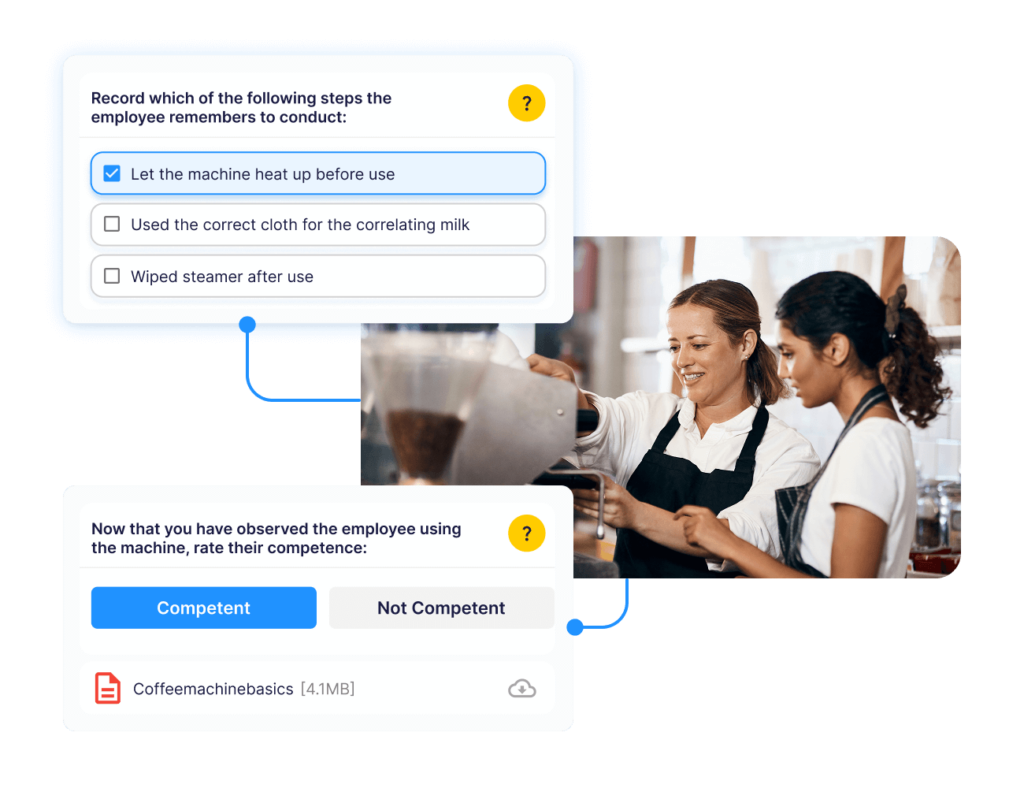
A good training manual should also include a way to check understanding in the form of a quiz, manager sign-off, practical observation, or on-shift assessment.
Operandio’s Workplace Observations & Assessments helps managers verify that employees can apply the manual in the real environment, not just read it once and mark it complete.
Step 7: Test The Manual With Employees
Do not publish the manual until real employees have given it a spin.
Share the manual with a new employee, an experienced employee, and a manager. Ask them to complete a task using only the instructions provided. If they need extra explanation, the manual needs rework.
Watch for:
- Missing steps
- Confusing terms
- Screenshots that do not match the current system
- Too much background before the action
- Safety instructions that are too vague
- Examples that do not match the real site
- Sections employees skip because they feel too long
Treat the first version as a working draft. A training manual should improve as employees use it, managers spot gaps, and procedures change.
Step 8: Keep The Manual Updated
A training manual becomes unreliable the moment employees stop trusting it.
Procedures, products, equipment, compliance requirements can all change over time. New issues show up in audits, incidents, customer complaints, and manager feedback.
Set a review rhythm before the manual goes live. At minimum, assign an owner, review key manuals quarterly, and update sections whenever a procedure changes.
Also, create a simple way for employees and managers to flag outdated content. If a team member notices that a screenshot, checklist, or safety step is wrong, they should know where to report it.
This is where training manual software becomes useful.
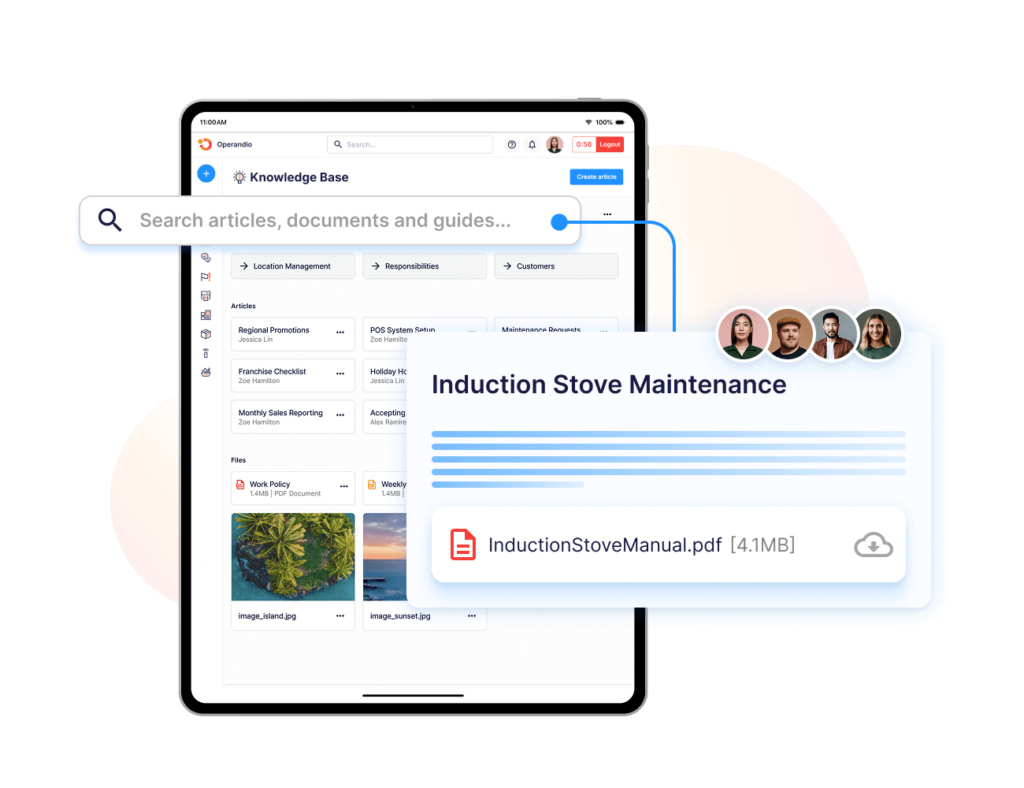
Operandio’s Knowledge & Document Management gives teams one searchable place to store SOPs, policies, manuals, and training resources with version control and role-based access across locations.
What Should Be Included In Every Training Manual?
Every training manual should give employees enough context to understand the job, enough detail to perform it, and enough support to check whether they are doing it correctly.
The exact sections will vary by role, industry, and training goal, but most useful manuals include the following:
| Section Name | Purpose |
|---|---|
| Manual Overview | Explains what the manual covers, who should use it, and when employees should refer to it |
| Learning Objectives | Shows what employees should be able to do after completing the manual |
| Role Expectations | Clarifies responsibilities, standards, and what good performance looks like |
| Step-By-Step Procedures | Breaks key tasks into clear actions employees can follow during work |
| SOPs And Checklists | Gives employees repeatable instructions for daily, weekly, or compliance-related work |
| Tools, Systems, And Equipment | Explains how to use the software, devices, equipment, or forms required for the role |
| Safety And Compliance Requirements | Covers hazards, reporting rules, required checks, and legal or brand standards |
| Examples And Scenarios | Shows employees how to handle common situations, mistakes, or edge cases |
| Assessments And Sign-Offs | Confirms whether employees understood the training and can apply it correctly |
| Links To Related Resources | Helps employees find policies, videos, job aids, forms, or supporting guides quickly |
| Update History | Shows when the manual was last reviewed and what changed |
If you are not sure what to include, start with a training needs assessment. It helps you identify what employees actually need to learn instead of building a manual around assumptions.
Pro tip: Do not write one giant manual for every employee. Break training manuals into role-based or workflow-based resources so employees can find what applies to them faster.
Why Should Businesses Create Training Manuals Tailored To Their Business?
Generic templates can help you get started, but your final training manual should reflect your actual standards, workflows, tools, risks, and customer expectations.
Here are five reasons why that matters as your business grows across roles, shifts, and locations.
1. Training Becomes More Consistent Across Locations
Tailored training manuals help every site teach the same standard.
Without a clear manual, employees usually learn from whoever trained them first. That creates different versions of the same process across locations, shifts, and managers.
A restaurant opening routine, hotel room inspection, retail returns process, or childcare safety check should not change based on who is supervising that day.
A tailored manual gives managers and employees one agreed version of the work. It also makes it easier to spot where a location is drifting from the standard.
2. New Employees Reach Competence Faster
A good training manual reduces the time new employees spend waiting for answers. As mentioned earlier, APQC’s research shows that 72% (almost 3 in 4) employees with a perfect onboarding experience learned the entirety of their role before performing it.
New employees need clear learning paths, role-specific expectations, and practical instructions before they are expected to perform independently. A tailored manual lets managers create that structure.
It also reduces repeated explanations. Instead of answering the same questions every shift, managers can point employees to the right resource and spend more time coaching the parts that need judgment.
3. Compliance And Safety Standards Are Easier To Follow
Training manuals are especially useful when mistakes create safety, compliance, or legal risk.
That includes food safety checks, incident reporting, emergency procedures, cash handling, harassment response, equipment use, data handling, and workplace safety routines.
A generic manual may explain the rule. A tailored manual explains how the rule applies inside your business.
For example, “report hazards immediately” is not enough. Employees need to know what counts as a hazard, where to report it, what evidence to include, who gets notified, and what happens next.
This is where tailored manuals become part of your operating system. They turn policy into repeatable action.
For frontline teams, Operandio’s guide to the advantages of LMS training in an all-in-one operations platform explains why training works better when it sits beside SOPs, checklists, audits, and compliance workflows.
4. Knowledge Does Not Stay Trapped With Individual Managers
Every business has people who carry too much knowledge in their heads.
They know how to fix the printer, calm down a difficult guest, close the store properly, check a delivery, or handle an audit question. The problem is that informal knowledge disappears when those people leave, move roles, or are not on shift.
A tailored training manual captures that knowledge before it becomes a bottleneck.
This is especially important for franchise and multi-location teams. As the network grows, you cannot rely on the same few experienced managers to explain every process manually.
A strong operations manual can define the wider operating model, while role-specific training manuals turn that model into practical learning for employees.
5. Managers Spend Less Time Re-Explaining The Same Process
When a training manual is clear, managers do not have to restart training from scratch every time someone new joins.
They still need to coach, observe, and support employees. But the manual handles the repeatable parts: the steps, standards, examples, and required checks.
That gives managers more time for the parts of training that cannot be fully documented, such as feedback, judgment, service recovery, and live correction.
For franchise businesses, this also helps new locations open with fewer gaps. A franchise operations manual sets the network standard, while training manuals help each employee understand their part in delivering it.
How Can Businesses Get The Most Out Of Their Training Manuals?
A training manual is only useful if employees can find it, use it, and trust that it reflects the current way of working.
These best practices help keep the manual alive after launch.
1. Keep Manuals Short, Specific, And Easy To Scan
Employees are more likely to use a training manual when it helps them quickly answer the question in front of them.
Avoid long paragraphs, dense policy language, and 80-page PDFs that try to cover every possible detail. Break the manual into short sections based on role, task, or workflow.
Use:
- Numbered steps for procedures
- Tables for comparisons
- Screenshots for systems
- Photos for physical tasks
- Examples for customer or guest scenarios
- Checklists for repeatable work
The goal is not to make the manual look impressive. The goal is to help someone complete the work quickly and correctly with less confusion.
Pro tip: If a section takes longer to explain than the task itself, it probably needs to be split into smaller job aids.
2. Use Training Software Instead Of Static Folders
Training manuals lose value when they live in a shared drive nobody checks.
A better approach is to manage manuals inside a centralized training platform where teams can assign content, track completion, update files, and connect manuals to learning paths.
This matters most for frontline and multi-location teams. A new employee should not need to ask a manager which PDF is current, where the safety manual sits, or whether the old screenshot still applies.
Operandio’s frontline training platform helps businesses turn training resources into structured learning that employees can access on the devices they already use at work.
That turns the manual from a static document into part of the training workflow.
3. Turn Manuals Into Role-Based Learning Paths
A training manual becomes more useful when employees know what to complete first, what comes next, and what proves they are ready.
Role-based learning paths solve that problem. Instead of giving every employee the same manual, create sequences for each role or responsibility.
For example:
- A new retail associate may need customer service, POS, returns, safety, and stockroom training.
- A store manager may need hiring, escalation, opening/closing, incident reporting, and audit training.
- A franchisee may need brand standards, launch workflows, compliance, financial reporting, and team onboarding.
Operandio’s Mobile-First LMS supports structured training paths, progress tracking, and completion visibility across locations.
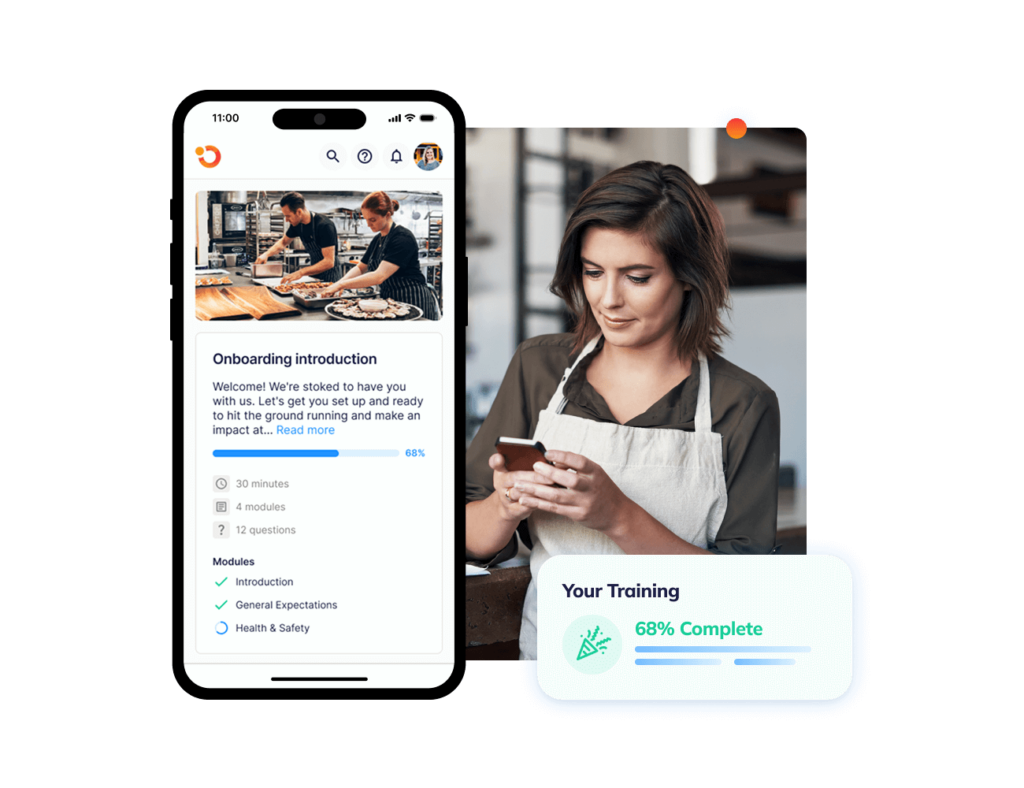
That helps managers see who has completed the manual, who is behind, and which locations need support.
4. Use AI To Create And Update Training Content Faster
Training content gets stale quickly.
A menu changes. A new system launches. A safety process changes. A customer escalation process gets updated. If updating the manual takes weeks, employees will keep using the old version.
AI can help speed up the first draft of training content. The key is to use it with operational review, not as a replacement for manager judgment.
Operandio’s AI Course Builder can help teams turn existing SOPs, policies, and documents into structured training content faster.
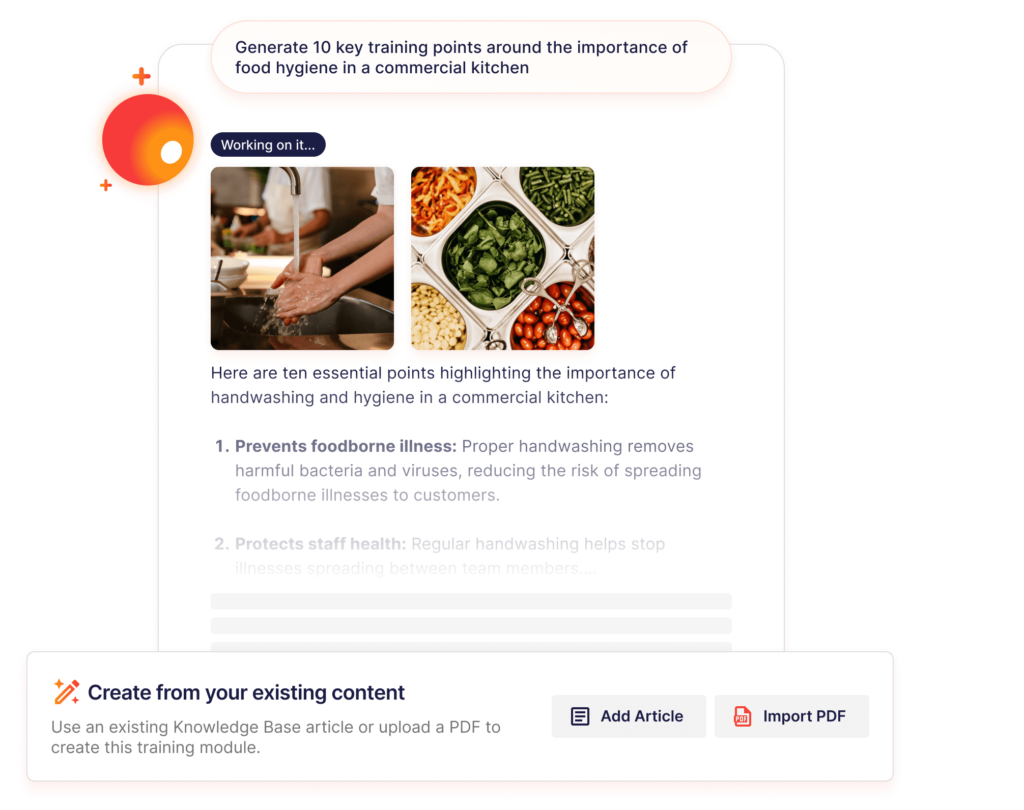
That is useful when head office needs to roll out updated instructions across multiple sites without rebuilding every module manually.
Pro tip: AI can help draft the manual, but experienced managers should still review the final version for accuracy, safety, compliance, and real-world fit.
5. Add Assessments, Certificates, And Manager Sign-Offs
A training manual should not end with “please read this.”
Employees need a way to show they understood the material and can apply it. That can include quizzes, practical assessments, workplace observations, manager sign-offs, or certificates.
For example, reading a manual on cleaning equipment is not the same as cleaning the equipment correctly during a busy shift. A manager may still need to watch the employee perform the task and confirm they meet the standard.
Operandio’s Badges, Pathways, And Certificates enable a gamified way to help teams recognize completed training and keep proof of achievement in the employee record.
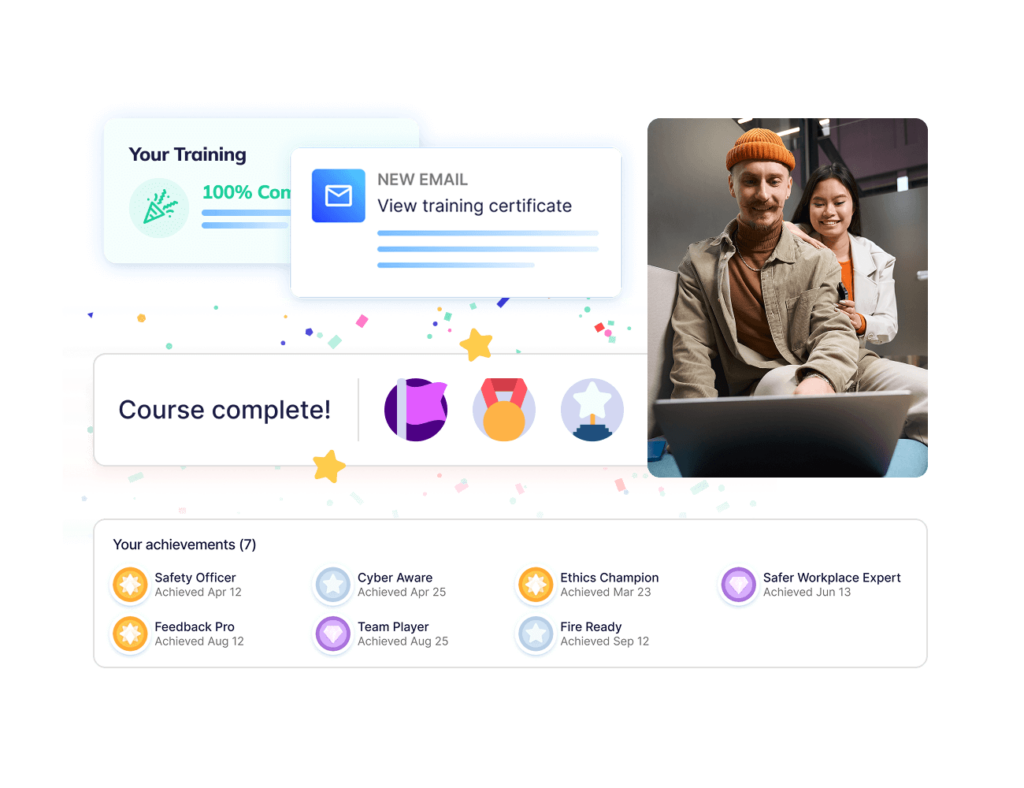
This gives managers a clearer view of who is ready, who needs more support, and which training gaps still need follow-up.
6. Review Manuals Against Real Operating Data
Training manuals should improve when the business learns something new.
Use audit results, incident reports, failed tasks, customer complaints, manager feedback, and employee questions to decide what needs to change.
If the same mistake happens across three sites, the manual may be unclear. If employees keep skipping a safety step, the step may need a better explanation, clearer checklist, or stronger assessment. If managers explain the same process differently, the manual should become the single source of truth.
This is where the best training manuals become operational tools. They do not just describe how work should happen. They help the business spot where training, execution, and documentation are out of sync.
Create And Manage Your Training Database With Operandio
Training manuals are easier to use when they sit inside the same system employees use for learning, SOPs, assessments, and daily work.
Operandio helps multi-unit and franchise teams create a central training database with mobile-first learning, AI-assisted course creation, role-based pathways, certificates, and searchable operational documents.
That means employees can access the right manual, complete the right training, and prove they understand the standard without relying on scattered PDFs or manager memory.
If your team is ready to move from static manuals to training that works across locations, request a demo to see how Operandio can help.
FAQs
What’s The Difference Between A Training Manual And An SOP?
A training manual teaches employees how to learn a role or process. An SOP gives the exact steps for completing a specific task.
What Format Should A Training Manual Be In?
Usually, a digital format works best because it is easier to search, update, assign, and track across teams and locations.
How Often Should You Update A Training Manual?
At minimum, review it quarterly. Update it immediately when procedures, systems, safety rules, compliance requirements, or role expectations change.
What Is The Best Way To Structure A Training Manual?
Start with the role, then organize content by workflow, task, or learning path so employees can follow it in the order they need.
Can AI Help Create A Training Manual?
Yes. AI can help draft or convert existing SOPs into training content, but managers should review everything before rollout.