





Key Takeaways
- Multi-location restaurant management software is commonly priced per location, per user, or by module, with many enterprise platforms using a custom quote that combines more than one of these factors.
- Public prices for lighter restaurant operations tools can start below $100 per location per month. Broader multi-site platforms commonly price according to network size, users, modules, integrations, and rollout requirements.
- Compare the total scope, not the headline unit. Hardware, sensors, implementation, integrations, training, and premium support can change the final cost.
- For a restaurant network, contract structure also affects cost and control. Head office can contract centrally, locations can pay separately, or the network can use a hybrid arrangement.
Three software quotes land on an operations director’s desk.
One charges per location. Another prices by user. A third gives one annual figure covering several modules. None is directly comparable until you know what each price includes.
Multi-location restaurant management software pricing is usually structured per location, per user, per module, or through a custom combination of the three. This guide explains how those models work, what can sit outside the subscription, how network contracts are structured, and how to test the software through a paid pilot before committing to a wider rollout.
What Does Restaurant Management Software Cost?
For operations and compliance software, public pricing can start at under $100 per location per month, while broader multi-location platforms commonly use custom quotes instead of publishing one list price.
For example, as of November 2026, MaintainIQ lists its restaurant operations software at $79 per location per month, or $67 per location per month when paid annually. More comprehensive platforms such as Operandio, SynergySuite, Xenia, and Delightree price according to factors such as locations, users, modules, and rollout scope rather than publishing one standard dollar figure.
This guide covers restaurant management software for operational work such as:
- Daily tasks and checklists
- Audits and inspections
- Food safety
- Training
- Communications
- Corrective actions
- Multi-location reporting
It does not cover restaurant point-of-sale systems. POS pricing often includes payment-processing fees, terminals, transaction rates, and other costs that belong to a different buying decision.
Here is how several current operations platforms structure pricing. Prices and pricing models checked in November 2026.
| Vendor | Starting Point (as of November 2026) | Pricing Unit |
|---|---|---|
| Operandio | Custom quote | Locations or users, plus selected modules |
| MaintainIQ | $79/location/month, or $67/location/month billed annually | Per location, unlimited users |
| SynergySuite | Custom quote | Per location/month, based on locations and modules |
| Xenia | Custom quote | Per site or per user |
| Delightree | Custom quote | Flat rate per location; HQ and corporate seats included |
A quoted subscription is also only one part of the comparison. Two products with similar monthly pricing can produce very different total costs once you account for modules, implementation, hardware, integrations, and the number of people who need access.
For larger restaurant groups, evaluate the quote against the full multi-unit operations scope you need rather than comparing one headline number.
What Are the Most Common Pricing Models for Multi-Site Restaurant Management Software?
The three most common structures are per location, per user, and per module. Some vendors use one model; others combine them in a custom quote.
| Model | Best For | Watch Out For |
|---|---|---|
| Per location | Networks where many employees at each site need access | Modules, rollout scope, hardware, and location-count rules can still change the quote |
| Per user | Smaller groups of managers or specialist users | Costs grow as more frontline employees need individual access |
| Per module | Buyers that want selected capabilities rather than the full platform | Required modules and add-ons can make the final scope larger than expected |
Per-Location Pricing
Per-location pricing charges for each restaurant or business site rather than each employee using the system.
It can suit multi-site restaurant groups where tasks, audits, SOPs, training, and communications need to reach much of the workforce. Hiring another employee does not automatically add another software seat when users are included within the site price.
Delightree, for example, currently uses a flat-rate-per-location model and includes HQ and corporate seats. MaintainIQ also prices per location with unlimited users, as of November 2026.
The main question is what the vendor means by one location. A per-location quote can still vary according to modules, network size, rollout support, contract length, or hardware.
Ask sales: What counts as a billable location, and what happens to our pricing when we open, close, acquire, or transfer locations during the contract?
Per-User (Per-Seat) Pricing
Per-user pricing charges according to the number of people who need individual access.
This can work well when a limited group uses the platform, such as area managers, auditors, facilities teams, or head-office staff.
The calculation changes when restaurant operations software needs to reach the full frontline workforce. A 30-location network with five paid users per store has very different seat requirements from one where every employee, including seasonal staff, needs an individual account.
As of November 2026, Xenia supports both per-user and per-site pricing, allowing the commercial model to reflect how the organization plans to use the platform.
The important detail is who counts as a paid user.
Ask sales: Do frontline employees, managers, head-office users, temporary staff, and users on shared tablets all require paid seats?
Operandio uses flexible pricing based on the number of locations or users and the modules selected, so the commercial structure can be scoped around how the network will actually use the platform.
Per-Module Pricing
Per-module pricing lets restaurant groups pay for selected parts of a larger software platform.
A network might need:
- Operations and checklists
- Food safety
- Training
- Asset management
- Reporting
without buying every capability available.
SynergySuite provides a good example. As of November 2026, its monthly pricing is based on both location count and modules selected, and its platform requires at least three modules, including Reporting.
Operandio also uses a modular pricing structure, allowing businesses to select the capabilities they need from the wider feature set.
This model can work well for a phased rollout, but buyers should check whether one desired workflow depends on another paid module. A lower initial module count can also become a larger software commitment as the rollout expands.
Ask sales: Which modules are required for the workflows in our scope, and which integrations, reports, or capabilities require another module?
What Is Usually Included in Restaurant Management Pricing Models (and What Costs Extra)?
The software subscription is not the only number to compare.
Some vendors bundle onboarding, unlimited users, and support into the quoted price. Others separate implementation, hardware, advanced integrations, or specialist modules. The exact packaging varies, so compare the full deployment scope rather than assuming the same items sit inside every subscription.
| Feature / Capability | Usually Included | Usually Extra or Varies |
|---|---|---|
| Core modules: tasks, audits, communications | Basic operational workflows are commonly part of the core tier | Advanced modules or broader feature sets may require a higher tier |
| Food safety and temperature monitoring | Manual temperature logs and food-safety workflows may sit inside the platform | Continuous sensors, probes, gateways, and monitoring modules can be separate |
| Label printing | Label-generation software may be included or available as a module | Printers, replacement hardware, labels, and other consumables can be separate |
| Implementation and training | Some platforms bundle setup and standard training | Complex configuration, migration, or rollout support may be scoped separately |
| Users | Some per-location platforms include unlimited users | Per-seat plans charge as user count grows |
| SSO, HRIS and API | Standard integrations may be available in core or higher plans | SSO, public APIs, HRIS, and custom integrations often vary by tier |
| Premium support and SLA | Standard support is commonly included | Priority support, dedicated success resources, and custom SLAs may sit in enterprise packages |
So, the question to ask is not simply, “What is the monthly subscription?”
Ask:
What would we need to buy, configure, and support to run this workflow across every location?
Why Are There Added Costs in Restaurant Management Software Pricing Plans?
Extra costs usually appear when a capability requires physical equipment, additional rollout work, specialized integrations, or functionality that only some restaurant groups need.
Sensors and Hardware
Software access and physical equipment scale differently.
A 20-location restaurant group might need two temperature sensors per store. Another might need sensors across walk-ins, freezers, prep areas, and specialty equipment. Labeling can also require printers at every prep station or only at selected sites.
That is why hardware is often separated from the core subscription.
Xenia, for example, lists Sensors & Continuous Monitoring and Food Prep Label Printing as add-ons on its current pricing page.
Jolt makes the hardware distinction even clearer. Its supplies store sells label printers, printer stations, replacement parts, sensor batteries, and label rolls separately. Current label printers start in the hundreds of dollars, while label rolls create a recurring consumables cost.
If you’re a multi-unit restaurant, check out the best Jolt alternatives.
For restaurant groups evaluating temperature monitoring, count the number of monitored assets at each location before comparing quotes. For labeling, include printers, labels, replacements, and expected label volume alongside the software.

Implementation
Implementation is separate from the software license when the rollout requires dedicated setup work, and can include:
- Configuring location hierarchies and permissions
- Loading checklists and SOPs
- Migrating existing operational data
- Mapping workflows
- Setting up integrations
- Preparing the rollout across multiple sites
SynergySuite provides a clear example. Its current FAQ states that customers pay a one-time implementation cost covering configuration and training. It also says implementation typically takes four to nine months depending on business complexity.
Other vendors package this differently. Xenia includes full implementation and onboarding in its Pro and Enterprise plans, while Delightree includes white-glove onboarding and rollout support within its commercial model.
So do not compare two subscription figures without asking what happens between contract signature and go-live.
Ask sales: What implementation work is included in our quote, what would incur additional fees, and who is responsible for migrating and configuring our existing processes?
Training
Training can be bundled with implementation, included in the subscription, or scoped according to the rollout.
The difference often comes down to how much training the network needs.
One customer may need a few administrator sessions. A franchise network may need:
- Head-office administrator training
- Regional-manager sessions
- Franchisee onboarding
- Site-manager training
- Custom role-based certification
- Training across several rollout waves
As of November 2026, SynergySuite includes training within its one-time implementation fee. Xenia includes implementation and training in its Pro and Enterprise packages, while Delightree includes onboarding and ongoing account support.
For a multi-location restaurant group, ask how far the included training extends. A single head-office session is different from helping dozens of locations reach operational readiness.
The same principle applies when the platform includes its own learning tools. Restaurant groups should separate training employees to use the software from the training content and LMS they plan to run through it.
Premium Extras: Support, SSO, APIs, and Custom SLAs
Some capabilities appear only in higher tiers because they serve more complex network requirements.
Xenia’s Enterprise package, for example, adds:
- Public API support
- HRIS integrations
- Single sign-on (SSO)
- Advanced security
- Custom training and certification
- Priority support
- SLA commitments
These requirements are much more common in larger restaurant groups than in a small independent operation.
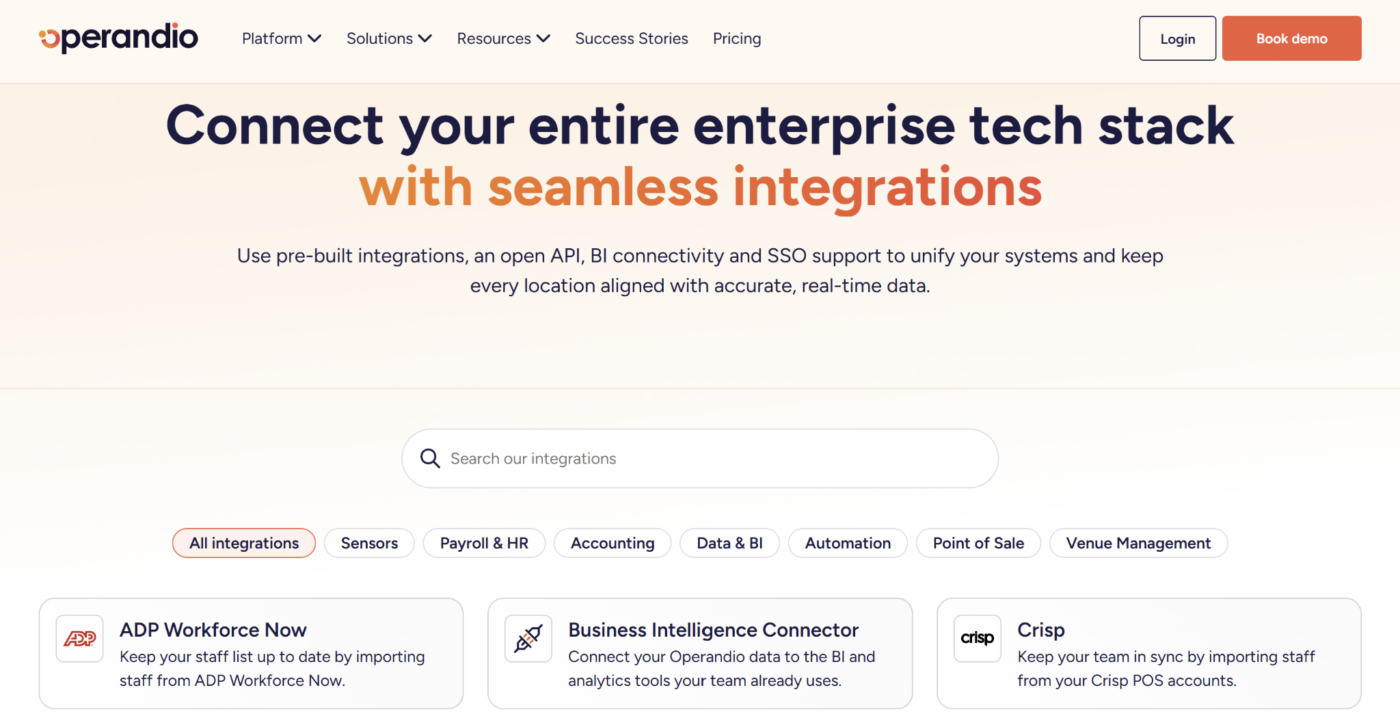
Integrations can also vary in complexity. Connecting standard systems may be straightforward, while a custom workflow between restaurant operations software, HR, business intelligence, sensors, and other enterprise systems can require additional configuration.
Before signing, map the systems the new platform needs to connect with and ask which are included in the quoted tier. Operandio’s integrations cover the wider technology stack restaurant groups commonly need to connect.
Support deserves the same scrutiny. Some vendors bundle dedicated account management and onboarding. Delightree, for example, includes white-glove onboarding and a dedicated account manager as part of its commercial model.
So, the practical comparison is:
Which services and enterprise capabilities are already inside the quote, and which ones become separate line items when the rollout gets more complex?
How Contracts Work Across Multiple Locations
Multi-location restaurant software can be contracted centrally through head office, separately by each location or franchisee, or through a hybrid arrangement.
The right structure affects more than who receives the invoice. It can also determine who controls configuration, how easily new stores join the network, and whether head office can maintain one operating standard across every location.
| Contract Structure | Who Pays the Vendor | What Head Office Controls |
|---|---|---|
| Head office agreement | Corporate or franchisor | Network configuration, standards, reporting, rollout |
| Location-specific contracts | Individual franchisees or locations | Usually shared brand standards, with more local commercial control |
| Hybrid contract | Costs split or billed locally under a network arrangement | Central standards with local billing or participation |
Before signing, decide who needs control over billing, configuration, data, reporting, and future location changes.
Type 1: Head Office Agreement
Under a head office agreement, the franchisor or corporate entity contracts for the network and manages the vendor relationship centrally.
This works well when one team needs to standardize checklists, audits, food-safety processes, training, reporting, and other workflows across the estate.
Works well when:
- Head office funds the platform centrally
- Locations follow common operating standards
- Network-wide reporting is important
- New sites need to join the same environment quickly
Watch for:
- How new locations are priced mid-contract
- Whether closed or sold locations can be removed
- How acquired brands or different formats affect the agreement
- Who approves new modules or hardware
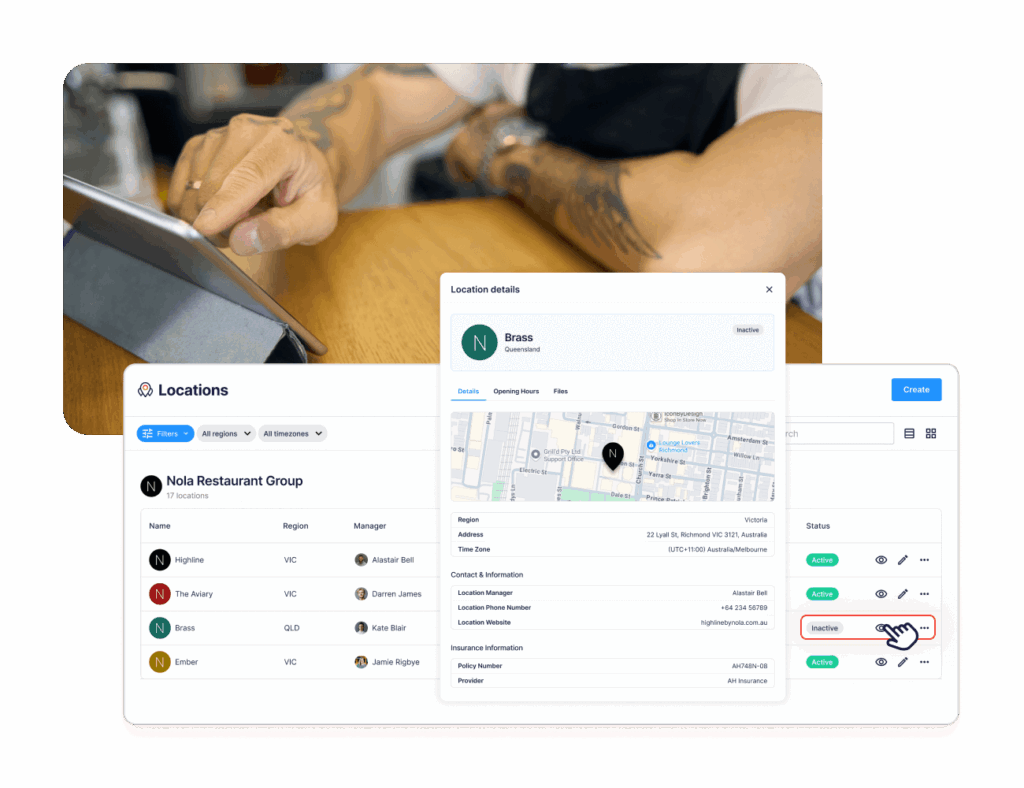
For networks prioritizing central oversight, Operandio’s franchise and multi-unit management software can give head office one operating structure while preserving location-level accountability.
Type 2: Location-Specific Contracts
In a location-specific structure, individual franchisees or business entities contract and pay for their own software access.
This can suit franchise systems where each operator has substantial financial autonomy.
Some restaurant software vendors explicitly support this structure. SynergySuite, for example, allows franchisees to be billed separately from franchisors.
Works well when:
- Franchisees manage their own operating costs
- Sites join the network at different times
- Separate legal entities need separate invoices
Watch for:
- Different renewal dates across the network
- Locations choosing different modules
- Uneven adoption
- Whether head office still has network-wide reporting and administrative control
- What happens when a franchise location changes ownership
The commercial freedom is useful, but too much variation can make the software estate as fragmented as the processes it was meant to replace.
Type 3: Hybrid Contract
A hybrid model combines central network control with some location-level billing or commercial responsibility.
For example, head office may define the platform, operating standards, configuration, and reporting model while franchisees pay their own location costs.
This can work well for franchise systems that want brand consistency without absorbing the full software cost centrally.
Works well when:
- Head office selects and governs the platform
- Franchisees remain responsible for local costs
- The network needs common workflows and reporting
- Sites enter the network over time
Watch for:
- Who authorizes new locations
- Whether all stores receive the same modules
- How upgrades or hardware are approved
- Who owns and can export network data
- What happens when a franchisee exits the system
Whichever structure you choose, document these rules before rollout rather than solving them location by location later.
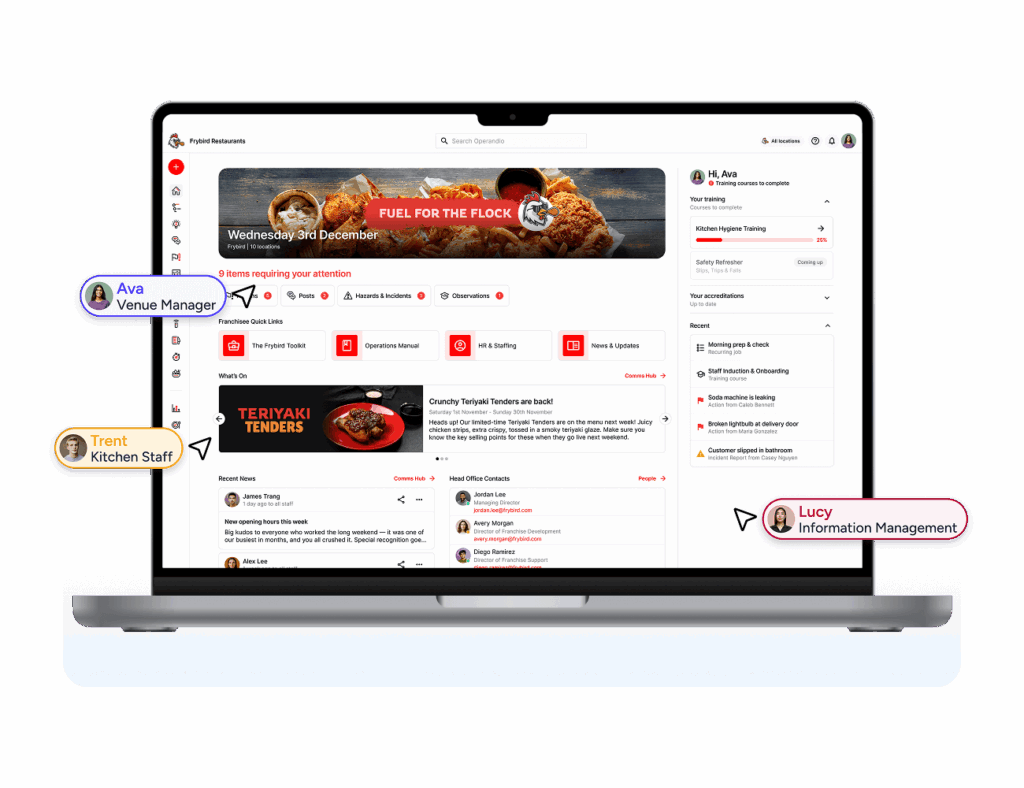
A network dashboard is most useful when head office can still compare the same operating standards across every participating store.
How a 30-60 Day Paid Pilot Works
A paid pilot lets a restaurant group test the software in real operating conditions before committing the wider network.
For operations software, meaningful evaluation requires more than logging into an empty account. Checklists need to reflect your restaurants, managers need to use them during shifts, and any sensors, audits, training, or corrective-action workflows need enough time to produce useful data.
Operandio offers a paid 30-60 day pilot configured around the business’s own SOPs, checklists, training, users, and selected workflows.
Before the pilot starts, agree on:
- The go/no-go metric: What result will justify rollout?
- Pilot locations: Use 2-3 representative sites, including one weaker or harder-to-manage location.
- Scope: Which workflows, modules, integrations, and hardware will be tested?
- Baseline: What does current performance look like?
- Rollout pricing: How will the commercial model change at full network scale?
- Data: What can be exported if you decide not to continue?
| Pilot Phase | What Happens | What to Measure |
|---|---|---|
| Days 1-10: Setup | Load SOPs and checklists, configure roles, install any pilot hardware, train site managers | Required workflows configured; managers completing real shift tasks |
| Days 11-40: Run | Run daily checklists, one audit cycle, food-safety workflows, and corrective actions | Completion rate, audit score, response time, temperature exceptions caught |
| Days 41-60: Decide | Compare pilot sites with baseline and similar non-pilot stores; price the rollout | Manager hours saved, repeat failures, agreed go/no-go metric |
The most useful pilot measures actual execution, not logins.
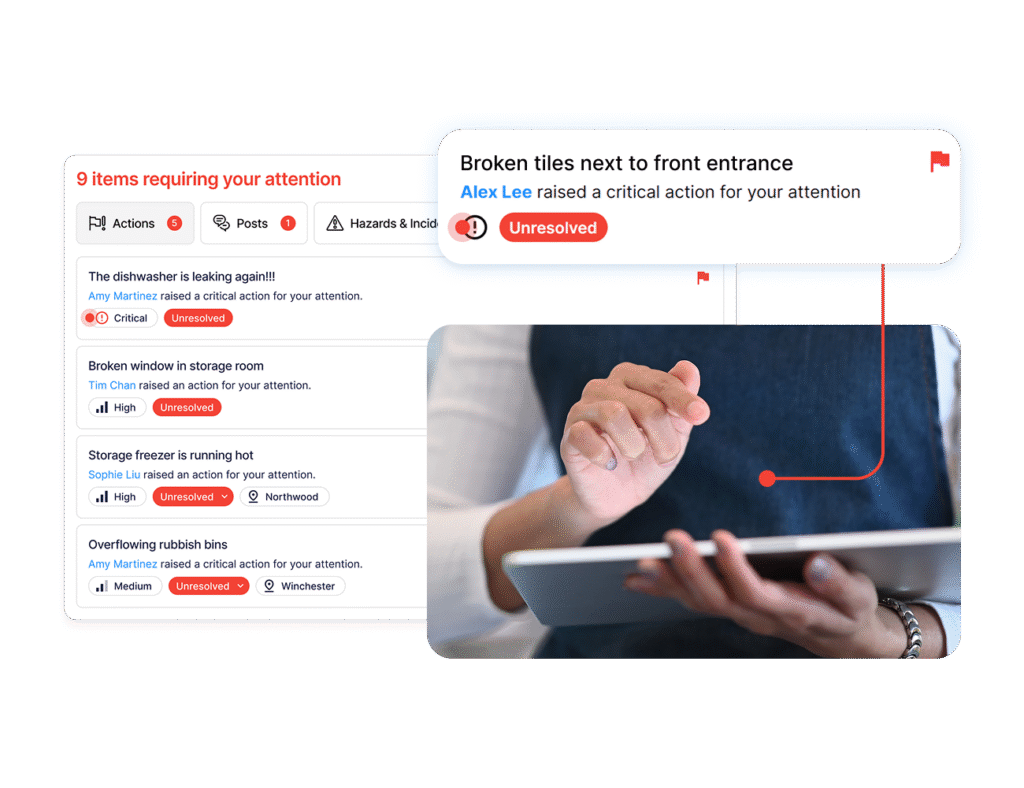
If audits are part of the pilot, start with Operandio’s restaurant inspection checklist template and adapt it to the standards you want to test. Then use inspections and audits and corrective actions to see whether findings actually lead to follow-up.
Price One Platform for Every Location With Operandio
Restaurant management software pricing makes more sense when you compare the full operating scope, not one feature at a time.
Operandio uses flexible pricing based on the number of locations or users and the modules you select, so the platform can be scoped around the way your network operates.
Cold Rock Ice Creamery uses Operandio across 70+ franchise locations to centralize food safety, compliance, training, communications, reporting, and daily operations.
“Operandio has transformed our franchise operations by replacing paper systems with a seamless, automated platform that ensures consistency, enhances communication, and simplifies compliance across 70+ locations,” says Kris K., State Manager at Cold Rock Ice Creamery
If you are comparing platforms for a multi-location rollout, request pricing for your network or book a demo to discuss a paid 30-60 day pilot.
FAQs
Is restaurant management software priced per location or per user?
Both. Vendors may charge per location, per user, by module, or combine these factors in a custom multi-site quote.
Can you pilot Operandio before a full rollout?
Yes. Operandio offers a paid 30-60 day pilot configured around your own locations, workflows, SOPs, training, and selected features.
Do franchisees pay for restaurant management software or does the franchisor?
Either can. Networks may use central head-office billing, location-specific contracts, or a hybrid structure with central control and local payment.
Are temperature sensors included in restaurant software pricing?
Sometimes. Temperature logging software may be included, while physical sensors, probes, gateways, or continuous-monitoring packages can be priced separately.
How long are restaurant software contracts?
It varies by vendor and deal structure. Ask about the initial term, renewal process, price locks, and how locations can be added or removed.