




Key Takeaways
- Restaurant digitization means moving recurring work into connected digital workflows, rather than simply turning paper forms into electronic copies.
- Start by auditing current processes, prioritizing high-value workflows, standardizing them, choosing the right technology, piloting the new process, and training staff before wider rollout.
- Digitize both guest-facing systems and back-of-house operations, but give each platform a clear role so staff are not entering the same information into several tools.
- The biggest operational gains come from easier record retrieval, faster issue detection, consistent execution, better data, and clearer accountability across locations.
A missing temperature log, an incomplete prep list, or an outdated cleaning schedule can create problems long before anyone goes looking for the paperwork.
Learning how to digitize restaurant business operations means moving those recurring workflows into systems that make the current task, record, owner, and follow-up visible. Done properly, restaurant digital transformation goes beyond replacing clipboards with tablets.
Consider this comparison and progression, for instance:
| Stage | Example |
|---|---|
| Paper record | An employee writes a fridge temperature on a sheet |
| Digital record | An employee enters the reading into a mobile form |
| Connected digital workflow | The reading is recorded, an unsafe result is flagged, follow-up is assigned, and closure is tracked |
In this guide, you’ll learn how to move from the first stage to the third.
Problems With Paper-Based Operations In Restaurants
Paper can still record a task or reading, but it becomes harder to manage once restaurants need faster retrieval, real-time visibility, consistent data, and reliable follow-up across shifts or locations.
1. Critical Records Are Slow To Find
Restaurants generate a large volume of recurring records: temperature logs, cleaning checks, prep sheets, food-handler certificates, maintenance records, inspection forms, and compliance documentation.
Paper makes historical information harder to retrieve when someone actually needs it. A manager may know that a fridge was checked three weeks ago but still have to find the correct sheet, date, and entry inside a binder or filing system.
The problem becomes larger across several locations. Head office cannot quickly search every restaurant’s paperwork during an audit, investigation, or compliance review.
Digital records make the information searchable by location, date, task, employee, or other relevant fields instead of depending on physical filing.
2. Managers Cannot See Missed Work In Real Time
A paper checklist usually becomes useful to management only after someone physically reviews it.
That creates a visibility gap. An incomplete prep list, missed cleaning check, overdue opening task, or unsafe temperature reading may sit on a sheet while service continues.
Location managers can inspect paperwork during the shift, but regional or head office teams have even less visibility across multiple restaurants. They may learn about an issue after the shift, during an audit, or when the problem has already affected operations.
Connected digital workflows change the timing of that information. Instead of simply recording what happened, they can surface missed or failed work while someone still has time to respond.
3. Handwritten Data Is Difficult To Compare And Analyze
Paper forms create information, but that information is difficult to aggregate.
Employees may describe the same problem differently, skip fields, use inconsistent units, or write entries that are difficult to read. Different locations may even use slightly different versions of the same checklist.
Before leaders can compare results, someone usually has to re-enter the information into a spreadsheet or reporting system.
That makes basic operational questions harder to answer:
- Which locations repeatedly miss closing tasks?
- Where do temperature deviations occur most often?
- Which cleaning issue keeps returning?
- Are inspection scores improving?
Structured digital records make those patterns easier to find without manually consolidating stacks of forms.
4. Process Updates Do Not Reach Every Location Reliably
Restaurant procedures change regularly. A cleaning schedule may be revised, an allergen procedure updated, a new menu introduced, or a prep process changed after an operational problem.
Paper makes version control difficult.
Head office may distribute a new document while an older checklist remains pinned to a wall, stored in a binder, or photocopied at another location. Employees then follow different versions of the same process.
The risk increases as restaurant groups add sites and managers. Updating the master document is only one part of the job. Operators also need to know that the correct version reached the right employees.
A centralized digital source makes it easier to retire old procedures and distribute the current standard across the network.
5. Paper Provides A Limited Operational Audit Trail
A tick on a checklist may confirm that something was marked complete, but it often provides limited context about the work itself.
Depending on the form, managers may still need to determine:
- Who completed the task
- Exactly when it was completed
- Whether it was late
- What evidence supported the result
- What happened when a check failed
- Whether the problem was resolved
Paper records can also be misplaced, damaged, or separated from the follow-up they triggered.
Digital workflows can preserve timestamps, ownership, photos, readings, comments, and corrective-action history in the same operational record. That gives managers a clearer audit trail without implying that every restaurant process requires excessive documentation.
How To Digitize Restaurant Business Operations: Step-By-Step
Restaurant digitization works best as a phased operational project. Understand the current workflow first, improve it, choose the right tools, and test the new process before rolling it across every location.
Step 1: Audit Your Current Restaurant Workflows
Start by documenting how work actually happens today.
Review recurring processes such as opening and closing, prep, cleaning, temperature checks, food-safety records, inspections, training, maintenance, ordering, payments, manager handovers, and employee communication.
For each workflow, identify:
- Who completes it
- What triggers it
- How often it happens
- Where information is recorded
- Who reviews the result
- What happens when something goes wrong
Follow a real shift where possible. The documented process may say one thing while employees have created their own shortcuts, duplicate records, or workarounds.
Those gaps show where digitization can remove friction rather than simply recreate the existing paper process on a screen.
💡 Pro Tip: Look first for workflows that employees repeatedly complain about, managers spend time chasing, or head office struggles to verify.
Step 2: Prioritize What To Digitize First
Do not move every restaurant process into new software at the same time.
Rank potential workflows using four factors:
Frequency × operational risk × administrative effort × measurability
A daily temperature check, opening routine, or cleaning schedule may deserve higher priority than a document used once a year because the process happens more often and creates more operational exposure when it fails.
Start with workflows where the before-and-after difference will be visible.
For recurring work, digital task management and checklists can assign responsibility, schedule deadlines, send reminders, and surface overdue activity across locations.
Digitizing one or two high-value workflows first also gives frontline teams time to adjust before more processes move into the system.
Step 3: Standardize The Process Before Digitizing It
Do not reproduce a bad paper process field for field.
Before building a digital version, review the workflow and remove obsolete steps, duplicate records, unclear terminology, and unnecessary approvals. Decide who owns the process, what evidence is required, and what should happen when something falls outside the standard.
Multi-location restaurant groups should also identify where locations have developed different versions of the same procedure and decide which variations are genuinely necessary.
Then move current SOPs, policies, brand standards, manuals, and reference material into a controlled knowledge and document management system.
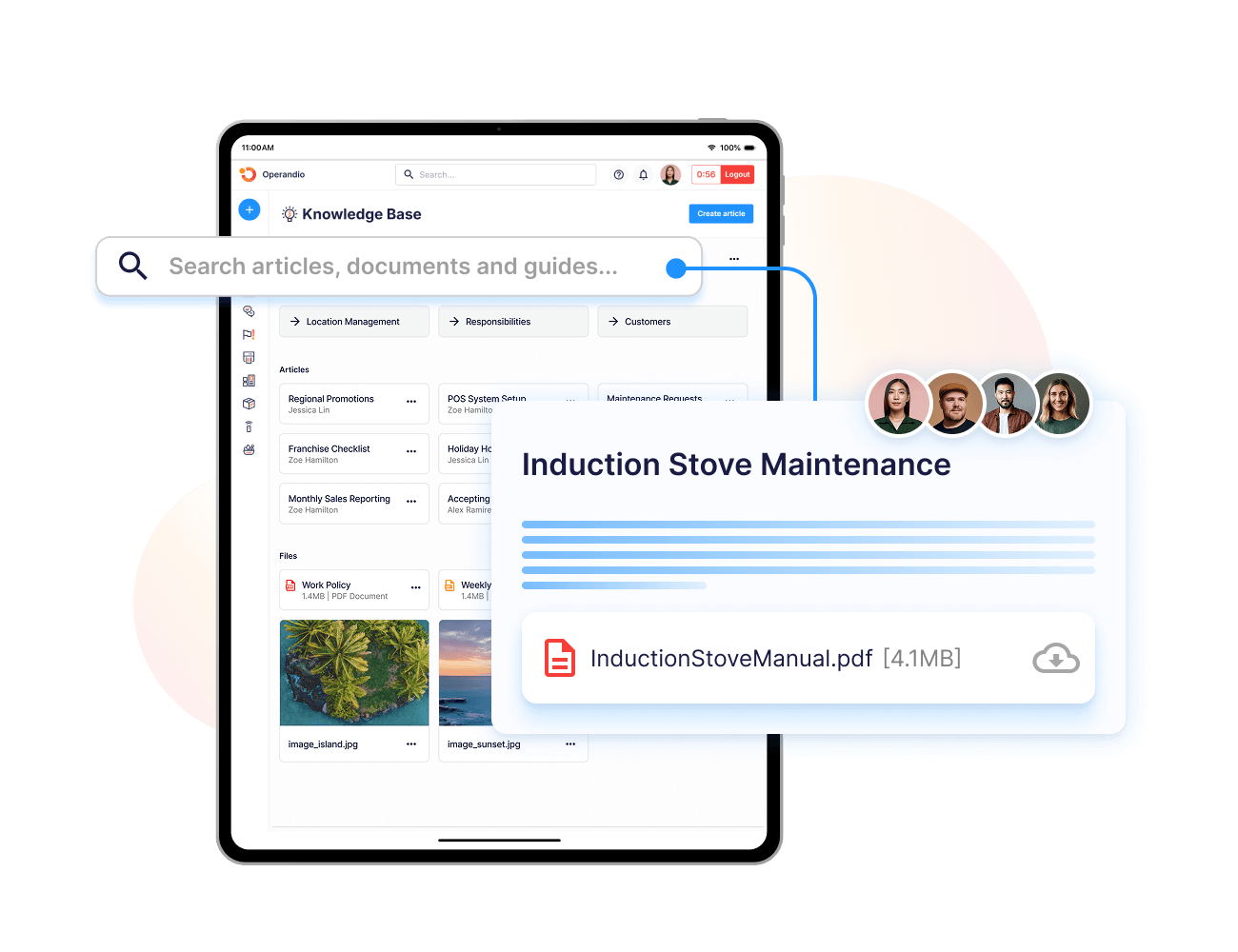
A searchable digital library with version control gives employees access to the current procedure while allowing head office to update the approved source rather than distributing replacement files manually.
Step 4: Choose A Restaurant Tech Stack With Clear Ownership
Most restaurants need several types of software. The goal is to give each system a clear responsibility instead of buying several apps that overlap.
| Restaurant Function | Typical Digital Tool |
|---|---|
| Orders and payments | POS |
| Online orders | Ordering platform |
| Reservations | Reservation system |
| Scheduling | Workforce software |
| Inventory and procurement | Inventory platform |
| Daily execution and compliance | Operations platform |
| Accounting | Accounting software |
| Guest marketing | CRM or loyalty platform |
Before purchasing a tool, check integrations, data ownership, export options, mobile usability, offline functionality, permissions, multi-location controls, and support.
Operandio’s restaurant management software sits in the operational layer for franchise and multi-unit restaurants. It supports standards, daily execution, training, food safety, and location visibility without replacing specialist POS, reservations, accounting, or ordering systems.
Step 5: Build And Pilot The Digital Workflows
Build the first workflows with the employees and managers who will actually use them.
Test whether instructions are clear, tasks appear at the right time, required evidence is reasonable, and employees can complete the process during a real shift without unnecessary steps.
Pay particular attention to exceptions.
If a temperature check fails, for example, what happens next? Does the result simply sit in a digital log, or does someone receive responsibility for resolving it?
Operandio’s digital food safety workflows can capture prep, cooking, sanitation, and temperature checks in digital records and trigger corrective actions when a failed check or temperature deviation requires follow-up.
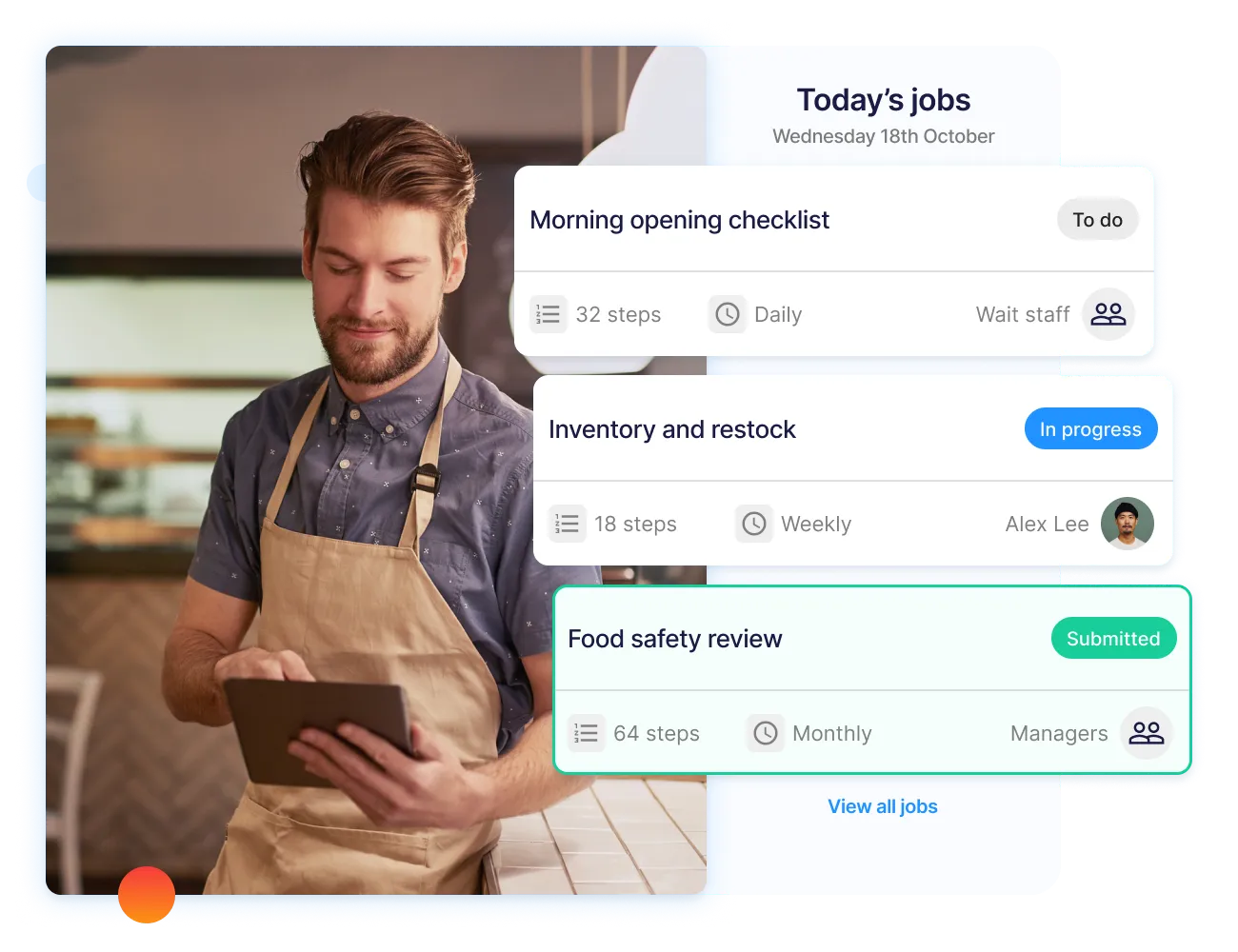
Pilot the workflow in one or several representative locations, collect feedback, and fix friction before rolling it out across the network.
Step 6: Train Staff, Go Live, And Keep Improving
A technically sound digital workflow still fails if employees do not understand what changed or cannot access it during the shift.
Before rollout:
- Train managers first
- Explain why the process is changing
- Show employees where their work now lives
- Test the devices they will actually use
- Provide a clear support route
- Set a defined launch date
For restaurant teams, mobile and shared-tablet access lets employees complete tasks, inspections, and checklists and access current documents during the shift. Offline functionality is also useful where connectivity is unreliable.
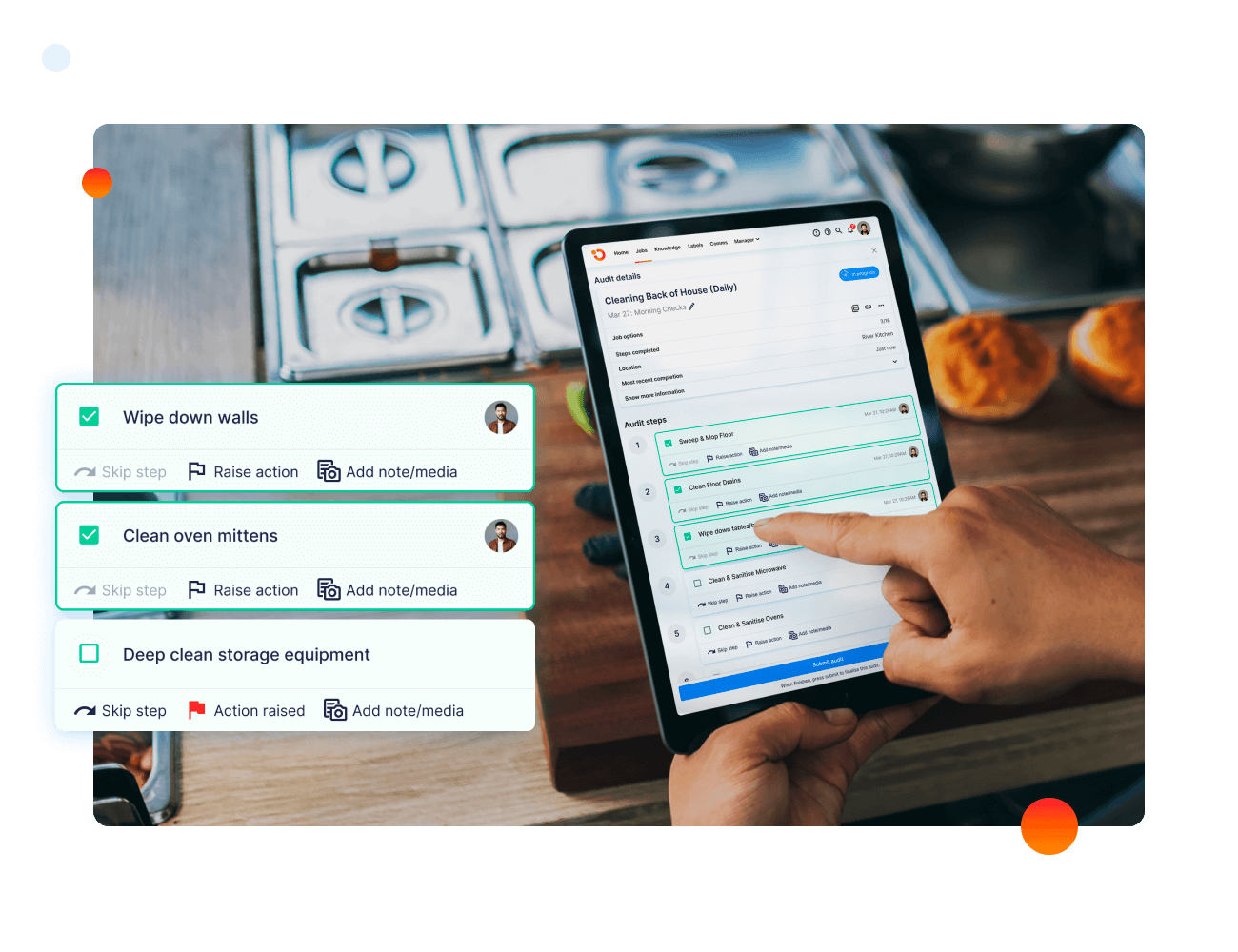
After launch, compare the new process with the baseline from Step 1. Review missed work, record completeness, issue-resolution time, employee feedback, and location-to-location variation.
Restaurant digitization should continue improving after the paper disappears.
Restaurant Operations You Can Digitize (And Tools For Each)
Restaurant digitization can cover the guest journey, kitchen production, compliance, and employee workflows. Use specialist tools where they are strongest, then connect them so staff are not duplicating work.
1. Guest Ordering, Payments And Front-Of-House Service
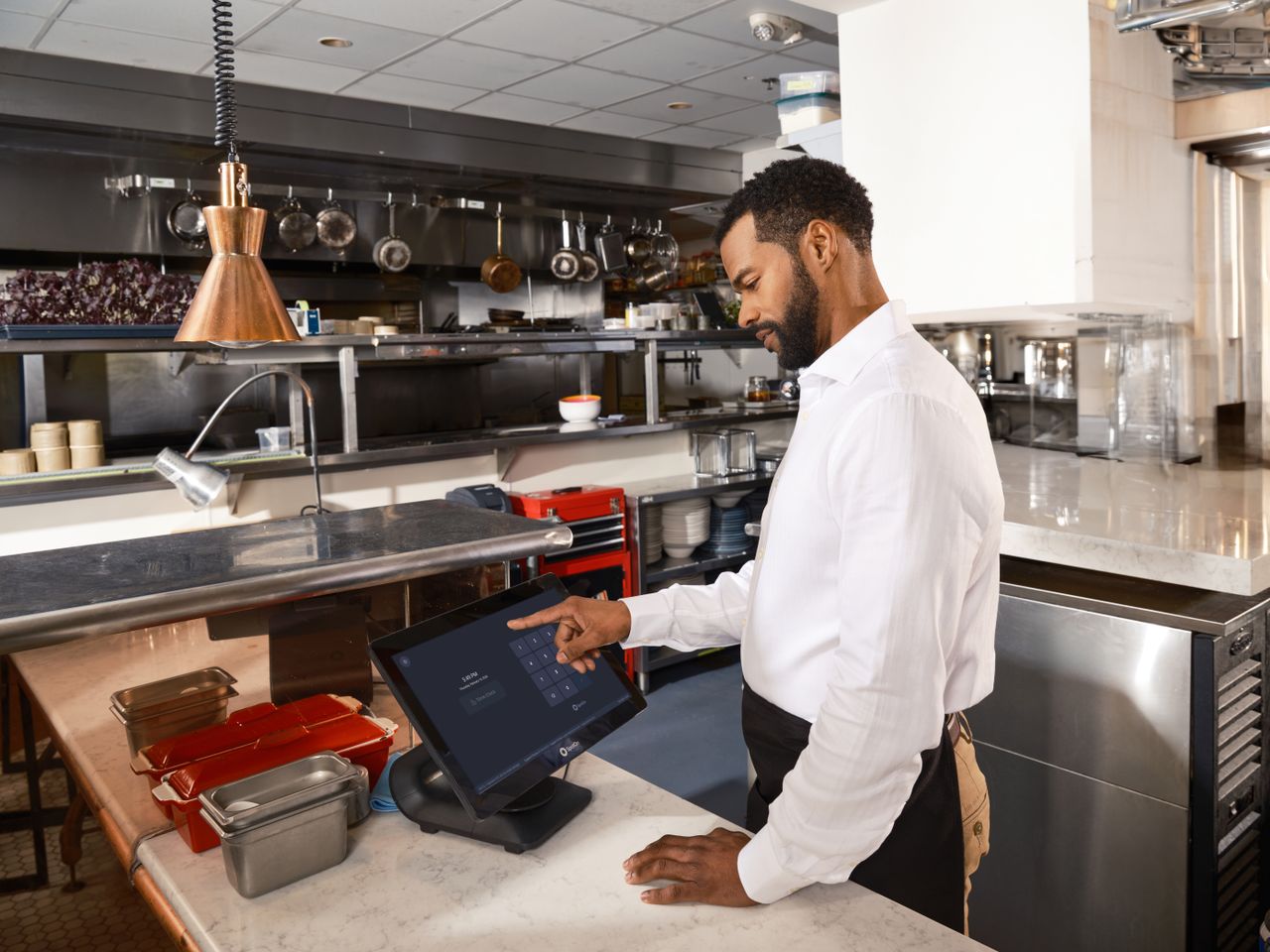
Guest-facing technology can digitize many of the transactions that once depended on handwritten tickets, printed menus, phone calls, or manual payment steps.
Common tools include:
- POS systems
- Tableside ordering
- QR menus
- Self-service kiosks
- Online ordering
- Reservation platforms
- Digital payments
- Kitchen display systems
The right combination depends on the restaurant format. A counter-service restaurant may prioritize kiosks and digital ordering, while a full-service venue may need reservations, tableside ordering, and integrated payments.
Choose one primary system for each function and confirm how orders, menus, payments, and guest information move between platforms. Adding several overlapping apps can create more reconciliation work instead of simplifying service.
2. Kitchen Production, Inventory And Food Preparation
Back-of-house digitization can make food production and stock management easier to coordinate.
Restaurants can use digital tools for:
- Kitchen display screens
- Prep lists
- Inventory counts
- Purchasing
- Supplier orders
- Recipe costing
- Waste tracking
- Food labeling
- Stock transfers
The goal is to reduce manual handoffs between what was sold, what needs to be prepared, what is available, and what needs to be ordered.
A digital prep list, for example, can show what needs to be completed for the shift and who owns each item. Inventory software can then use structured stock and purchasing data rather than relying on handwritten counts.
Operators should still define which platform owns recipes, products, purchasing, and inventory records before integrating other systems.
3. Daily Operations, Food Safety And Compliance
Daily execution is one of the strongest areas to digitize because the same operational checks happen repeatedly across shifts and locations.
Restaurants can digitize:
- Opening and closing tasks
- Cleaning schedules
- Brand and quality inspections
- Food-safety checks
- Temperature monitoring
- Corrective actions
- Compliance records
- Safety incidents
Operandio’s temperature monitoring can automatically record readings from connected sensors and alert teams when conditions move outside the accepted range.
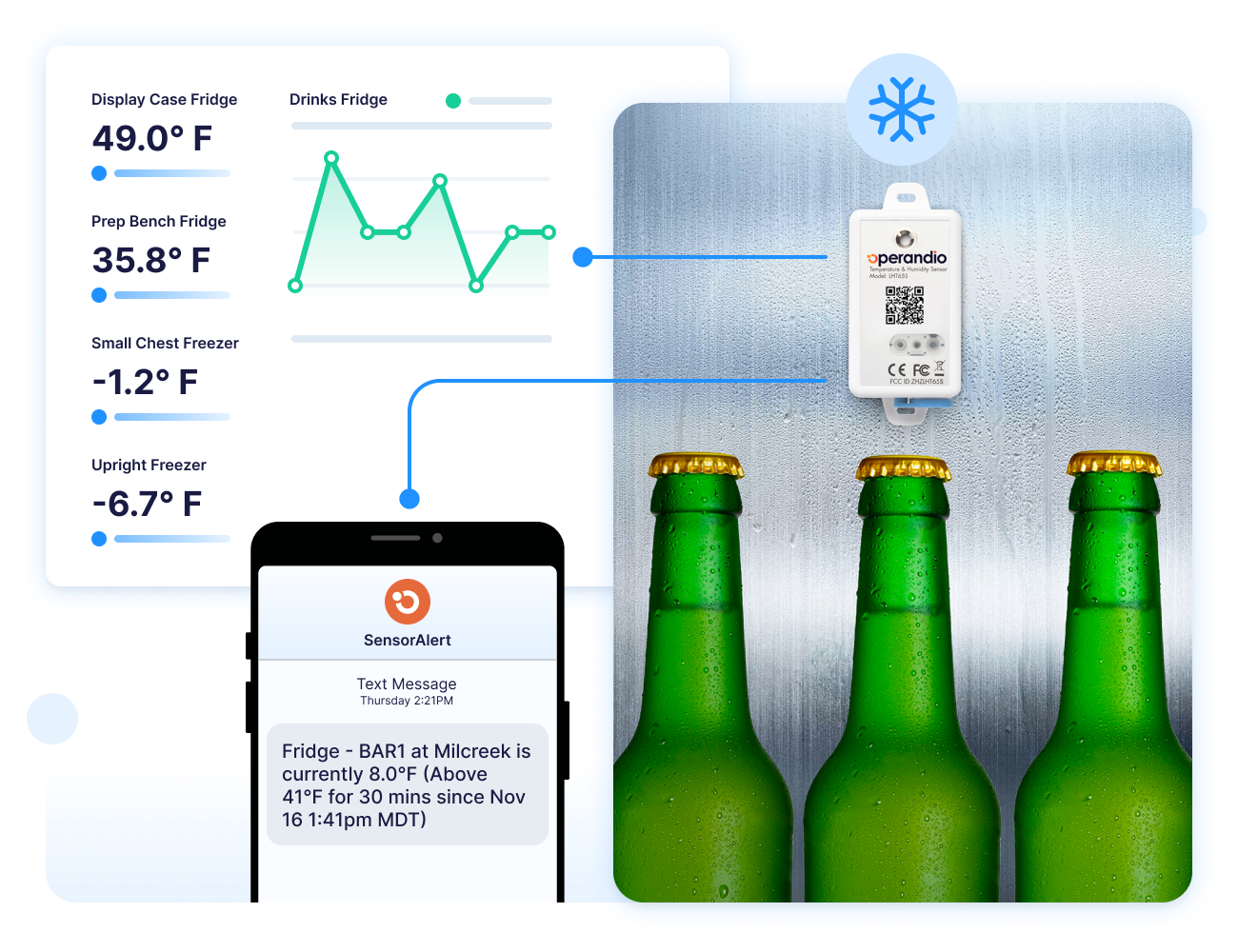
Its Inspections & Audits capability standardizes recurring checks across locations and can generate corrective actions when a failure requires follow-up.
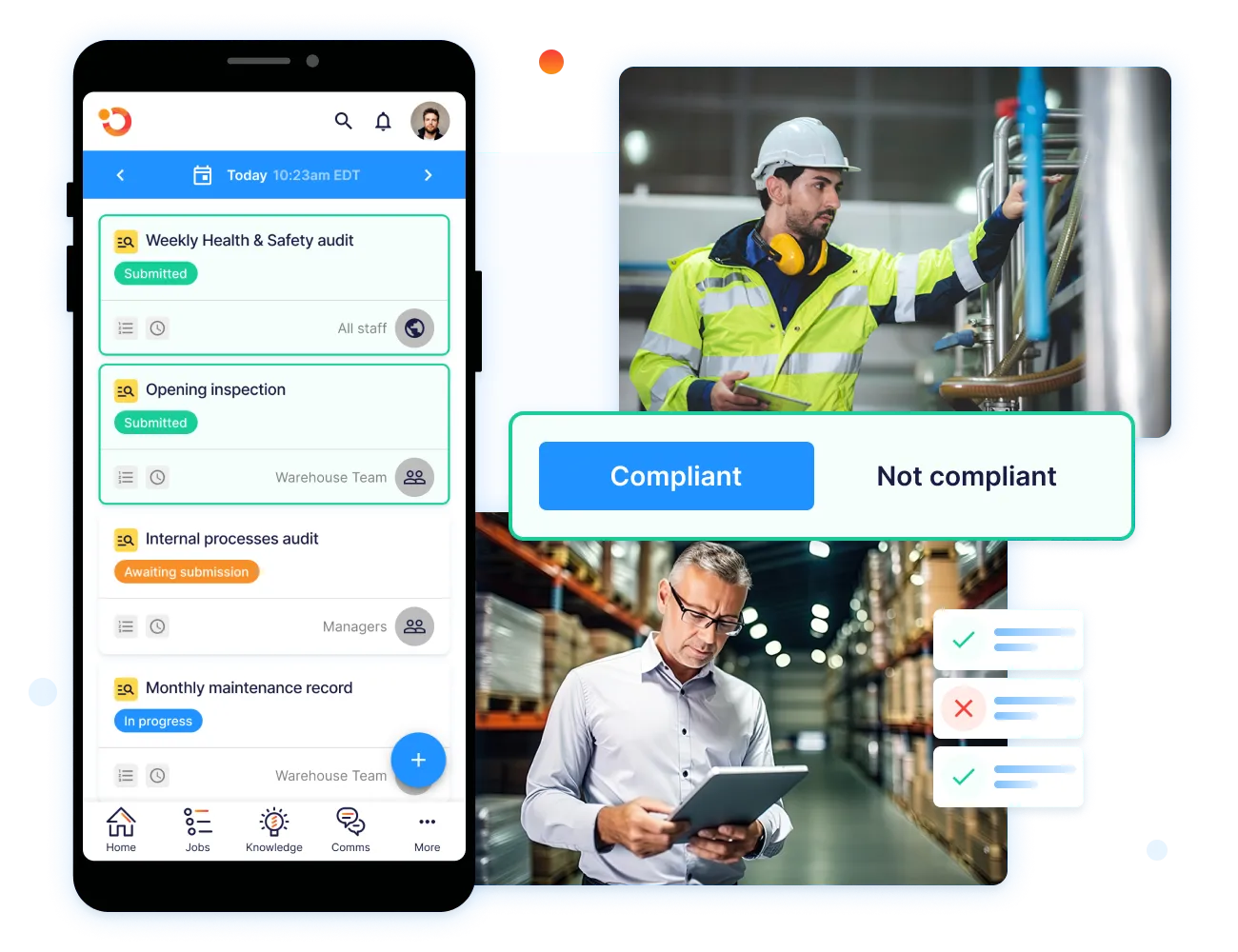
The value comes from connecting the record with the response, rather than creating a digital version of the same isolated paper form.
4. Training, Knowledge And Employee Communication
Digital systems can also improve how restaurant employees learn procedures and receive operational updates.
Common workflows include:
- New-hire onboarding
- Role-based training
- Refresher learning
- Certifications
- SOP access
- Policy updates
- Manager communications
- Required acknowledgments
Operandio’s learning and development tools support mobile learning, assessments, certifications, and role-based training for frontline teams.
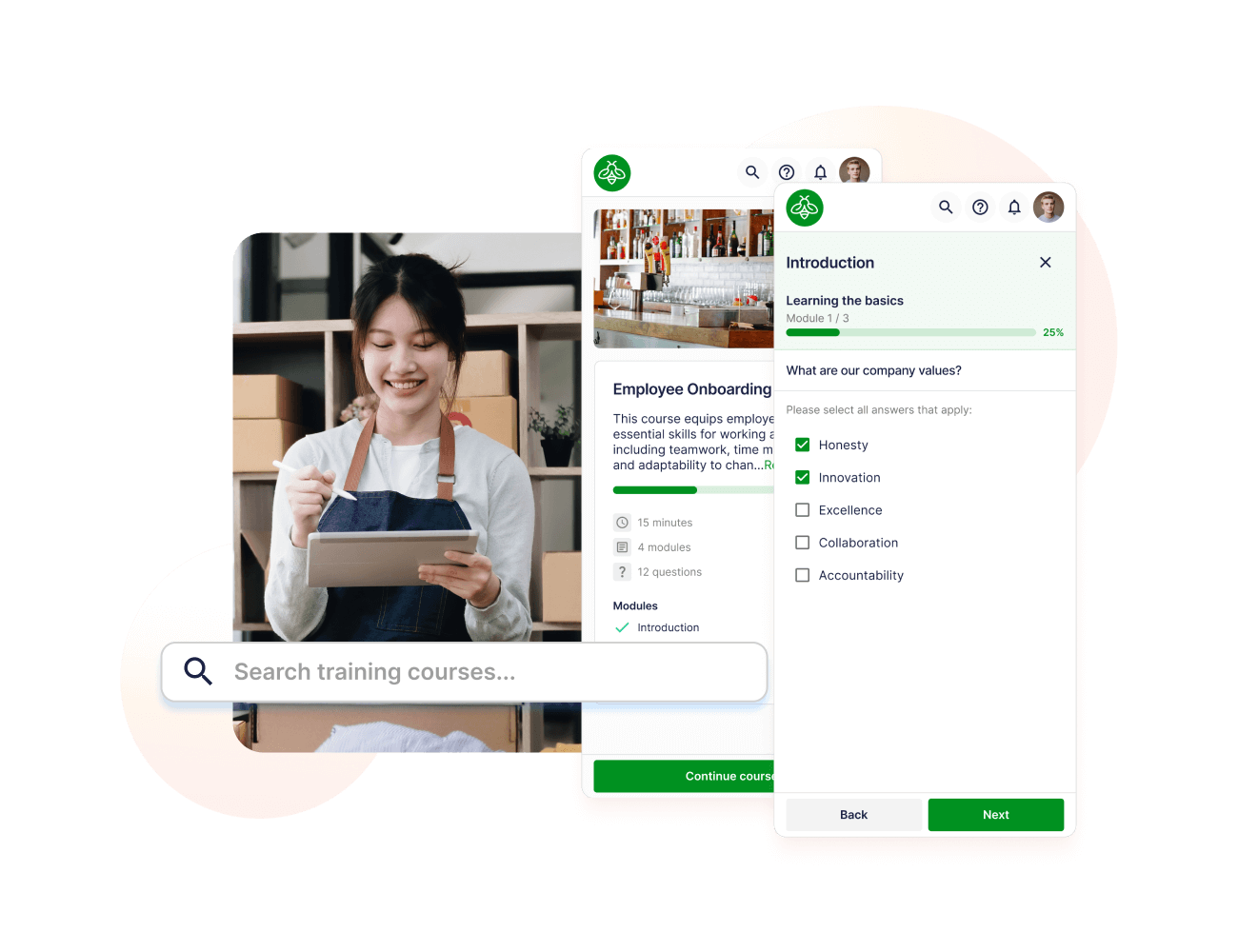
Its employee communication capability lets head office target updates by location, role, team, or brand and track who has read or acknowledged them.

This is particularly useful when a restaurant changes a food-safety procedure, menu process, promotion, or operating standard and needs affected employees to work from the new version quickly.
Benefits Of Digitizing Your Restaurant Operations
Recent industry data shows that 83% of restaurant operators see technology as a competitive advantage. The value is strongest when digital tools solve specific operational problems rather than simply replacing paper.
1. Spend Less Manager Time On Paperwork And Record Retrieval
Paper creates administrative work before and after the task itself.
Managers may need to print forms, distribute them, collect completed sheets, file records, find historical documents, and manually transfer information into reports.
Digitization reduces that work by keeping recurring records searchable and available from the same system. A manager can retrieve a temperature record, inspection result, cleaning check, or training status by location and date instead of searching through binders.
The time saving becomes more significant across a multi-unit network, where head office would otherwise need information from several restaurants.
The operational benefit is less time managing records and more time reviewing exceptions, coaching employees, and improving the underlying process.
2. Catch Food-Safety And Compliance Problems Earlier
Paper often records a problem without automatically telling the right person that action is required.
Digital workflows can shorten that gap.
An unsafe temperature, failed food-safety check, missed inspection, or overdue corrective action can be surfaced while the issue is still active. Managers can then assign responsibility, document the response, and preserve the resulting record.
This does not mean software guarantees compliance. Restaurants still need appropriate procedures, trained employees, management oversight, and action when something goes wrong.
The benefit is faster visibility and a clearer follow-up path. Instead of discovering a problem later while reviewing paperwork, the team can respond during the shift or operating period where the failure occurred.
3. Keep Processes Consistent Across Locations
Digitization gives franchise and multi-unit restaurants one way to distribute current standards while making location-level execution visible.
Case in point: Cold Rock Ice Creamery replaced paper systems across more than 70 franchise locations with centralized digital workflows for compliance, food safety, training, communication, and reporting.
“Operandio has transformed our franchise operations by replacing paper systems with a seamless, automated platform that ensures consistency, enhances communication, and simplifies compliance across 70+ locations,” says Kris K., State Manager.
Of course, centralized processes do not remove every local difference. But they do give head office control over the standards that should remain consistent while making approved variations easier to manage explicitly.
4. Turn Daily Restaurant Activity Into Useful Data
Digital operations generate structured information that can be compared instead of manually consolidated.
That can include:
- Task completion rates
- Inspection scores
- Temperature deviations
- Training status
- Recurring failures
- Overdue corrective actions
- Performance differences between locations
Operandio’s operational reporting provides cross-location dashboards and role-based views so location managers, regional leaders, and head office can see the level of information relevant to them.
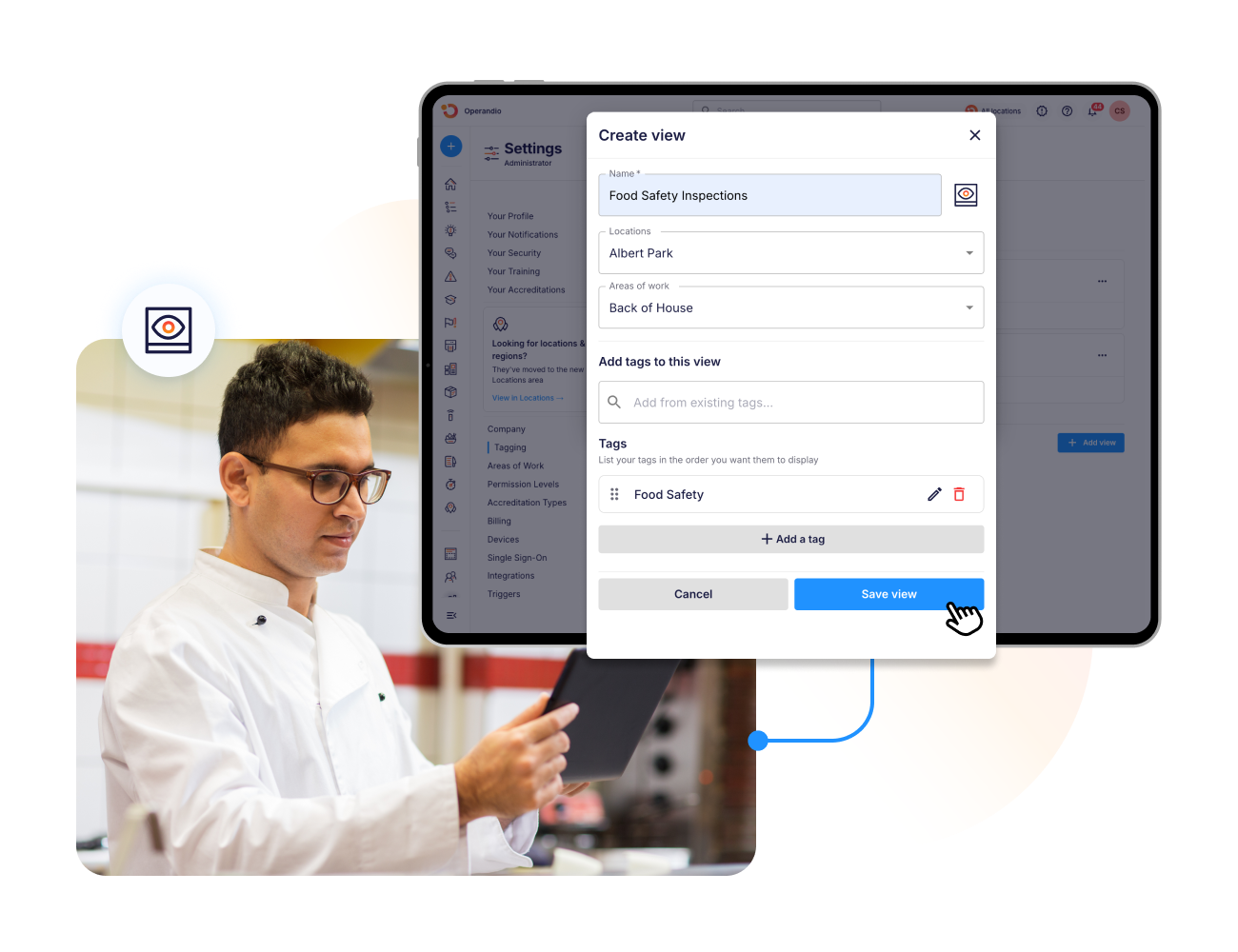
The goal is not to collect as much data as possible. Track information that helps managers identify problems, compare locations fairly, and decide where action is required.
Structured data becomes valuable when it changes a decision or improves a process.
5. Improve Accountability And Follow-Up
Digital workflows can make responsibility clearer without requiring managers to watch every task personally.
A structured record can show:
- Who owned the work
- When it was completed
- Whether it was overdue
- What evidence was submitted
- Whether the check passed
- Who owns the follow-up
- Whether the issue was resolved
Operandio’s corrective actions can assign issues to specific people, apply due dates and escalation rules, capture evidence, and maintain an audit trail through resolution.
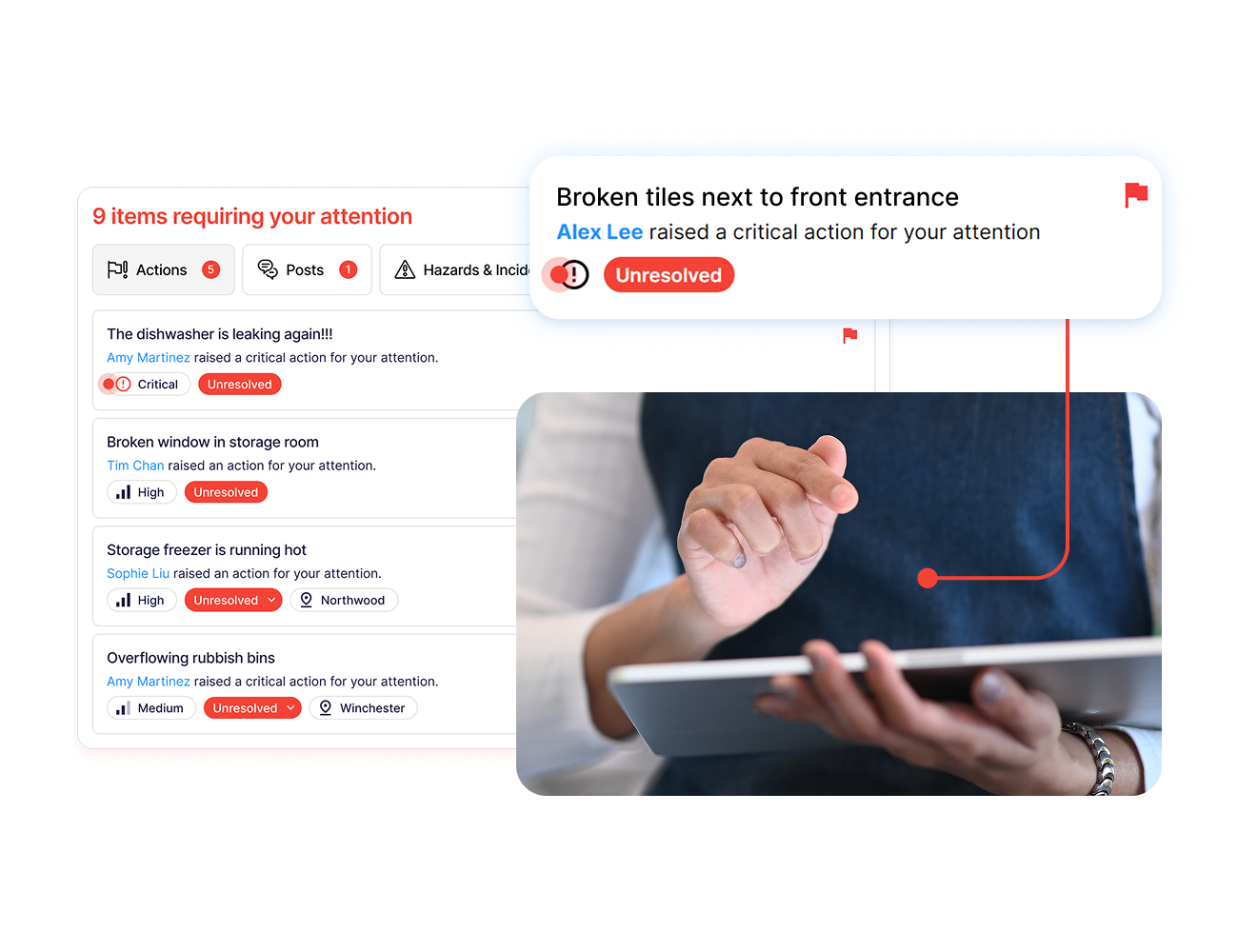
This turns accountability into a workflow rather than a manager repeatedly asking whether something has been fixed.
It also makes recurring issues easier to identify so operators can address the root cause instead of resolving the same problem shift after shift.
Digitize Your Restaurant Operations With Operandio
Restaurant digitization works best when digital records connect with daily execution, employee knowledge, food safety, communication, and follow-up.
Operandio is an AI-powered operations platform for franchise and multi-unit businesses. It gives head office visibility across locations while frontline teams use practical digital workflows for tasks, inspections, food safety, training, communication, and corrective action.
If paper forms, disconnected systems, and manual follow-up are making restaurant operations harder to manage as you grow, request a demo to see how Operandio can help digitize everyday execution.
FAQs
What Does It Mean To Digitize Restaurant Operations?
It means moving recurring restaurant workflows, records, and communication into digital systems that make execution, data, ownership, and follow-up easier to manage.
How Much Does It Cost To Digitize A Restaurant?
It depends. Costs vary by software, locations, users, hardware, integrations, implementation, payment fees, and the number of workflows being digitized.
What Restaurant Operations Should You Digitize First?
Start with frequent, high-risk, or admin-heavy workflows such as temperature checks, opening tasks, cleaning schedules, inspections, and food-safety records.
What Software Do Restaurants Use For Management?
Usually, restaurants combine POS, scheduling, inventory, accounting, reservation, ordering, and operations-management systems rather than relying on one platform for everything.