
- Platform
- Features
 Franchise & Multi-Unit ManagementCentralize oversight and streamline growth across your entire multi location network
 Learning ManagementTrain, verify, and reward your workforce with mobile-first education
 Operations ExecutionStreamlined operations ensuring brand standards, accountability and efficiency
 Asset ManagementOptimize equipment uptime through proactive maintenance and smart tracking
 Digital Food SafetyAutomate compliance and monitor quality with real-time digital precision
 Health & Safety Management (EHS)Mitigate workplace risks and streamline digital incident reporting and investigations
- Platform Essentials
 Powerful ReportingAlign leadership with role-based dashboards and deeper analytics
 Operandio IntelligenceAutomate content, analyze trends, and provide instant answers
 IntegrationsUnify your enterprise tech stack with real-time data
 IoT PlatformDetect anomalies and automate workflows with intelligent sensors
 Mobile & Shared Tablet AppsSecurely empower frontline teams with fast, offline-capable access
- Footer


 Not sure what you need?
Book in a call with the team
- Features
- Solutions
- By Industry
 RestaurantsQSR, fast food and multi-unit restaurants
 Hotels & ResortsHotels, resorts and extended stay hotels
 ChildcareEarly education, childcare, daycare and preschool
 EntertainmentTheme parks, family entertainment centers and play centers
 Fitness Centers & LeisureFitness centers, golf clubs, gyms and sports facilities
 RetailBig-box retailers, franchise stores and supermarkets
- By Use Case
- Operational ExcellenceStreamlined operations ensuring brand standards, accountability and efficiency
- Learning & DevelopmentTrain, verify, and reward your workforce with mobile-first education
- Franchise & Multi-Unit ManagementCentralize oversight and streamline growth across your entire multi location network
- Food Safety ComplianceAutomate compliance and monitor quality with real-time digital precision
- Asset Management & MaintenanceOptimize equipment uptime through proactive maintenance and smart tracking
- Health & Safety Management (EHS)Mitigate workplace risks and streamline digital incident reporting and investigations
- By Industry
- Resources
- Platform
- Features
- Franchise & Multi-Unit ManagementCentralize oversight and streamline growth across your entire multi location network
- Learning ManagementTrain, verify, and reward your workforce with mobile-first education
- Operations ExecutionStreamlined operations ensuring brand standards, accountability and efficiency
- Asset ManagementOptimize equipment uptime through proactive maintenance and smart tracking
- Digital Food SafetyAutomate compliance and monitor quality with real-time digital precision
- Health & Safety Management (EHS)Mitigate workplace risks and streamline digital incident reporting and investigations
- Platform Essentials
- Powerful ReportingAlign leadership with role-based dashboards and deeper analytics
- Operandio IntelligenceAutomate content, analyze trends, and provide instant answers
- IntegrationsUnify your enterprise tech stack with real-time data
- IoT PlatformDetect anomalies and automate workflows with intelligent sensors
- Mobile & Shared Tablet AppsSecurely empower frontline teams with fast, offline-capable access
- Footer
- Not sure what you need?
Book in a call with the team
- Features
- Solutions
- By Industry
- RestaurantsQSR, fast food and multi-unit restaurants
- Hotels & ResortsHotels, resorts and extended stay hotels
- ChildcareEarly education, childcare, daycare and preschool
- EntertainmentTheme parks, family entertainment centers and play centers
- Fitness Centers & LeisureFitness centers, golf clubs, gyms and sports facilities
- RetailBig-box retailers, franchise stores and supermarkets
- By Use Case
- Operational ExcellenceStreamlined operations ensuring brand standards, accountability and efficiency
- Learning & DevelopmentTrain, verify, and reward your workforce with mobile-first education
- Franchise & Multi-Unit ManagementCentralize oversight and streamline growth across your entire multi location network
- Food Safety ComplianceAutomate compliance and monitor quality with real-time digital precision
- Asset Management & MaintenanceOptimize equipment uptime through proactive maintenance and smart tracking
- Health & Safety Management (EHS)Mitigate workplace risks and streamline digital incident reporting and investigations
- By Industry
- Resources
SOP Management: Process, Best Practices & Softwares (2026)
Key Takeaways
- SOP management is the ongoing process of creating, approving, distributing, training on, executing, reviewing, and retiring standard operating procedures. Writing the SOP is only the first stage.
- Effective SOP management gives employees one current source of truth, makes procedures easy to find during work, and connects updates with training and day-to-day execution.
- SOP programs usually break down when ownership is unclear, outdated versions stay in circulation, employees cannot find procedures, publishing is mistaken for training, or nobody checks whether the SOP is actually followed.
- Multi-location businesses benefit most from a structured SOP lifecycle because the same approved process can be rolled out, monitored, and improved across every location.
A well-written SOP has limited value if employees cannot find it, do not know it changed, or follow a different version at each location.
SOP management is the system for keeping procedures current, accessible, understood, and consistently followed after they are created.
This guide explains the full SOP lifecycle, common breakdown points, a six-step management process, useful metrics, and when dedicated SOP management software becomes worth using.
What Is SOP Management?
SOP management is the ongoing process of creating, approving, organizing, distributing, training on, executing, reviewing, and retiring standard operating procedures.
Creating an SOP produces the instructions. Managing it makes sure those instructions remain accurate and useful throughout their lifecycle.
That includes deciding who owns the procedure, controlling the approved version, getting it to the right employees, training them when necessary, checking whether the procedure is followed, and updating or retiring it when the process changes.
An operations manual may contain dozens or hundreds of procedures, but the manual itself does not solve those management tasks.
The SOP lifecycle looks like this:
| Stage | What Happens | Where It Usually Breaks |
|---|---|---|
| Create | Document the approved way to complete the process | The SOP describes an ideal process instead of how work actually happens |
| Approve | An accountable owner or subject-matter expert reviews and approves it | Nobody has clear approval authority |
| Distribute | Publish the approved version to the people and locations that need it | Old PDFs, emails, binders, or drive copies remain in circulation |
| Train | Explain the procedure and verify employees understand it | Publishing the SOP is mistaken for training |
| Execute | Employees use the procedure during real work | The SOP is difficult to find or disconnected from the task |
| Review | Check adherence and update the procedure when needed | No review owner, trigger, or deadline exists |
| Retire | Archive the obsolete version and remove it from active use | Employees can still access superseded instructions |
The lifecycle is continuous. A review may send an SOP back through creation, approval, distribution, and training whenever the process changes.
Why SOP Management Matters, Especially Across Multiple Locations
As a business adds employees, managers, or locations, informal knowledge becomes harder to control. A structured SOP management system helps turn the same approved standard into repeatable frontline execution.
- Keep execution consistent across locations: Employees work from the same approved procedure instead of each manager interpreting the process differently.
Example: Every restaurant follows the same closing procedure across the network. - Get new employees competent faster: Clear procedures give training a defined standard instead of relying entirely on whoever happens to onboard the employee.
Example: A hotel housekeeper learns the approved room-turnover process rather than copying another employee’s habits. - Reduce dependence on individual managers: Employees can find routine answers themselves instead of waiting for a supervisor to explain the process.
Example: A gym employee checks the approved opening procedure before the first shift of the day. - Improve compliance and audit readiness: Current procedures, training records, and execution evidence make it easier to demonstrate how the business controls important processes.
Example: A clinic can show which procedure was current and whether affected employees were trained on it. - Roll out process changes faster: Updated instructions can replace old versions across the organization instead of leaving outdated documents at individual locations.
Example: A revised food-safety process reaches every restaurant before the next service period.
For franchise and multi-unit businesses, a centralized operating system also gives head office visibility into whether locations are working from the same standards.
Where SOP Management Breaks Down: 5 Common Mistakes
Most SOP problems are not writing problems. They happen after the document exists.
Mistake 1: Nobody Owns the SOP
If everyone is responsible for an SOP, usually nobody is.
Every important procedure should have a named owner who understands the process and is responsible for keeping the document accurate. It should also have a defined approver, review date, and clear triggers for an earlier review.
Triggers might include a regulatory change, new equipment, a process change, a recurring audit failure, or an incident.
Without ownership, outdated instructions can remain active long after the actual operation has changed.
Mistake 2: Multiple Versions Stay in Circulation
An updated SOP does not help if employees can still open last year’s PDF, use a printed binder, or follow an attachment saved from an old email.
Maintain one approved source of truth. Every SOP should show its current version and effective date, while superseded versions should be archived rather than left in active circulation.
Version control is especially important across multiple locations. A knowledge and document management software can help keep a complete version history while showing employees the latest approved document.
Mistake 3: Employees Cannot Find the SOP When They Need It
A procedure can be perfectly written and still fail if employees cannot access it during the task.
Organize SOPs using clear categories, useful titles, and search. Then control access by role, department, or location so employees see relevant procedures instead of searching through a large company-wide document library.
Mobile and shared-device access also become important for frontline teams that do not work at desks.
The goal is simple: an employee should be able to find the approved procedure when the work is happening.
Mistake 4: Publishing Is Mistaken for Training
Sending an SOP or uploading it to a shared drive does not prove that an employee understands how to perform it.
Decide which procedures require formal training, acknowledgment, knowledge checks, or practical verification. Higher-risk processes may need employees to demonstrate the procedure correctly before working independently.
Training should also repeat when a major SOP change affects how the work is performed.
A well-managed SOP program therefore tracks both which version was issued and whether the affected employees were prepared to use it.
Mistake 5: Nobody Checks Whether the SOP Is Actually Followed
Distribution and training tell you whether employees received the standard. They do not tell you whether the standard appears in day-to-day work.
Use observations, checklists, audits, task results, and process outcomes to measure adherence. Recurring failures should trigger follow-up rather than being treated as isolated mistakes.
For multi-location businesses, franchisee monitoring can help identify where execution consistently differs from the approved standard.
That closes the loop between documentation and operations: the SOP defines what should happen, while monitoring shows whether it actually does.
How to Manage SOPs: Step-by-Step Approach
A reliable SOP management process has six steps: audit what exists, assign ownership, standardize and approve, distribute, train and embed, then measure and improve.
Step 1: Audit and Organize Your Existing SOPs
Start by finding out what you already have before creating more documents.
Build an inventory of current SOPs, old versions, undocumented processes, duplicates, and procedures stored in personal folders, shared drives, emails, or physical manuals. Group them by department, process, role, location, or risk level so employees can later find information logically.
Then identify gaps. Which important processes have no SOP? Which documents describe a process employees no longer follow? Which procedures exist in several conflicting versions?
This initial audit gives you a controlled starting point instead of adding new documentation to an already disorganized system.
Step 2: Assign Ownership and Review Responsibility
Every SOP needs a named owner.
The owner should understand the process and be responsible for keeping the procedure accurate. Define who can approve changes and when the SOP should be reviewed.
Do not rely only on a calendar. Review triggers may include:
- A change in equipment or workflow
- New regulations or brand standards
- An incident or recurring error
- A failed audit
- A new product or service
- Feedback showing the procedure no longer works as intended
Clear ownership prevents SOPs from becoming documents that everyone uses but nobody maintains.
Step 3: Standardize, Approve, and Version Your SOPs
Use a consistent format so employees know what to expect when they open any procedure.
A practical SOP template can include:
- Purpose and scope
- Owner and approver
- Roles and responsibilities
- Required equipment or prerequisites
- Numbered procedure
- Supporting images or video
- Exceptions and escalation steps
- Version number
- Effective date
- Review date
Before publishing, confirm that the SOP reflects how the process should actually work and obtain formal approval from the responsible person.
Operandio’s Knowledge & Document Management keeps approved SOPs in one library with version history, helping locations work from the current document rather than downloaded or superseded copies.
💡 Pro Tip: A version number is only useful when employees cannot accidentally keep using the old version. Update the source of truth and remove obsolete copies from active access at the same time.
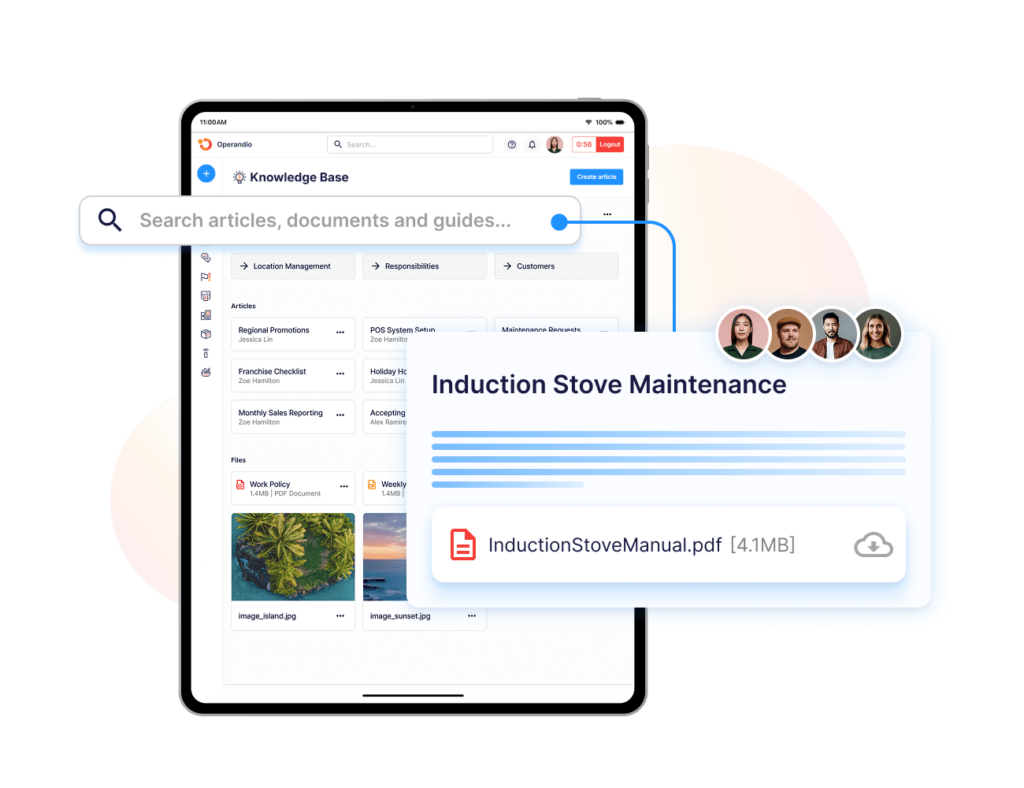
Step 4: Distribute the Right SOP to the Right People
Good SOP management does not mean giving every employee access to every procedure.
Distribute SOPs based on the employee’s role, department, location, or responsibilities. A restaurant cook does not need to search through head office finance procedures to find a cooling process.
Make the current SOP available where work happens, including mobile or shared devices for frontline teams.
Also decide how employees learn that something changed. Major revisions may require an announcement, acknowledgment, or retraining rather than silently replacing the file.
A controlled distribution process keeps the SOP library useful instead of turning it into another large folder employees avoid searching.
Step 5: Train Employees and Put SOPs Into Daily Work
Publishing an SOP is not the end of the process.
Decide how employees will learn and apply it. Some procedures may only require a readable reference. Higher-risk or more complex processes may need formal training, quizzes, practical assessments, or manager verification.
Operandio’s Learning Management System lets teams assign role-specific learning and track completion, overdue training, and certifications.
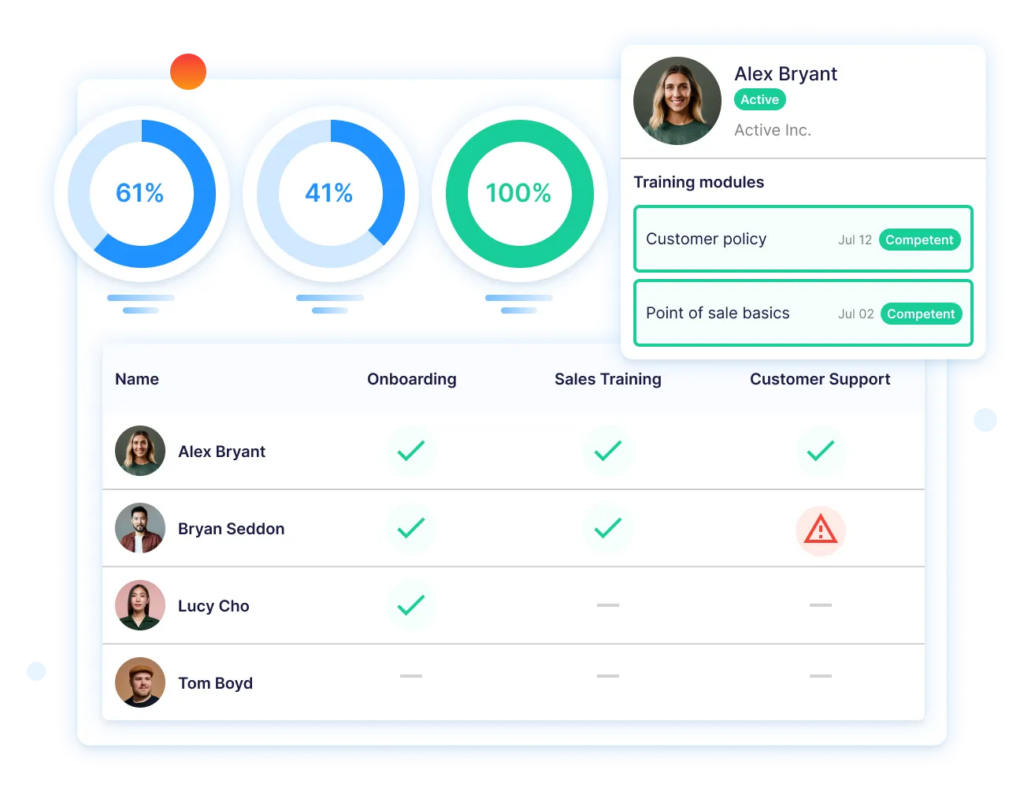
Then connect the SOP to execution where possible. For example, an opening SOP can support a recurring digital checklist, while a food-safety procedure can become part of an inspection.
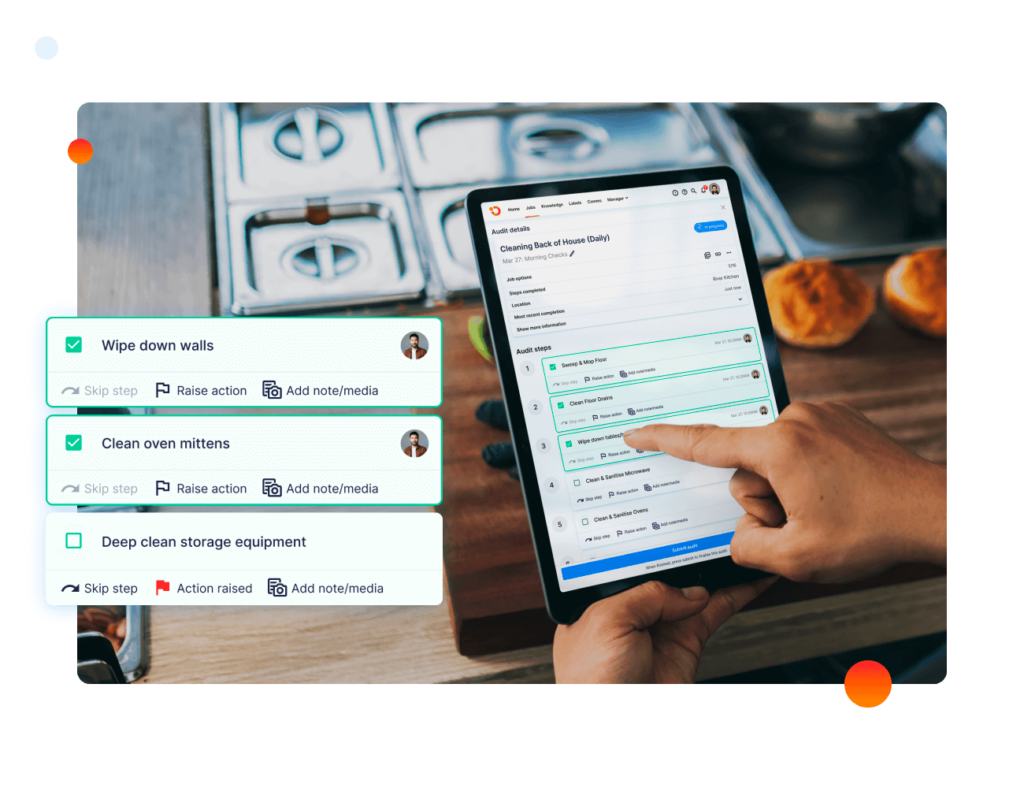
The closer the procedure sits to the actual task, the less employees have to rely on memory.
Step 6: Measure Adherence, Review, and Improve
The final step is checking whether the SOP works in real operations.
Use observations, completed checklists, audit scores, employee feedback, process outcomes, training results, and recurring corrective actions to see whether the procedure is being followed.
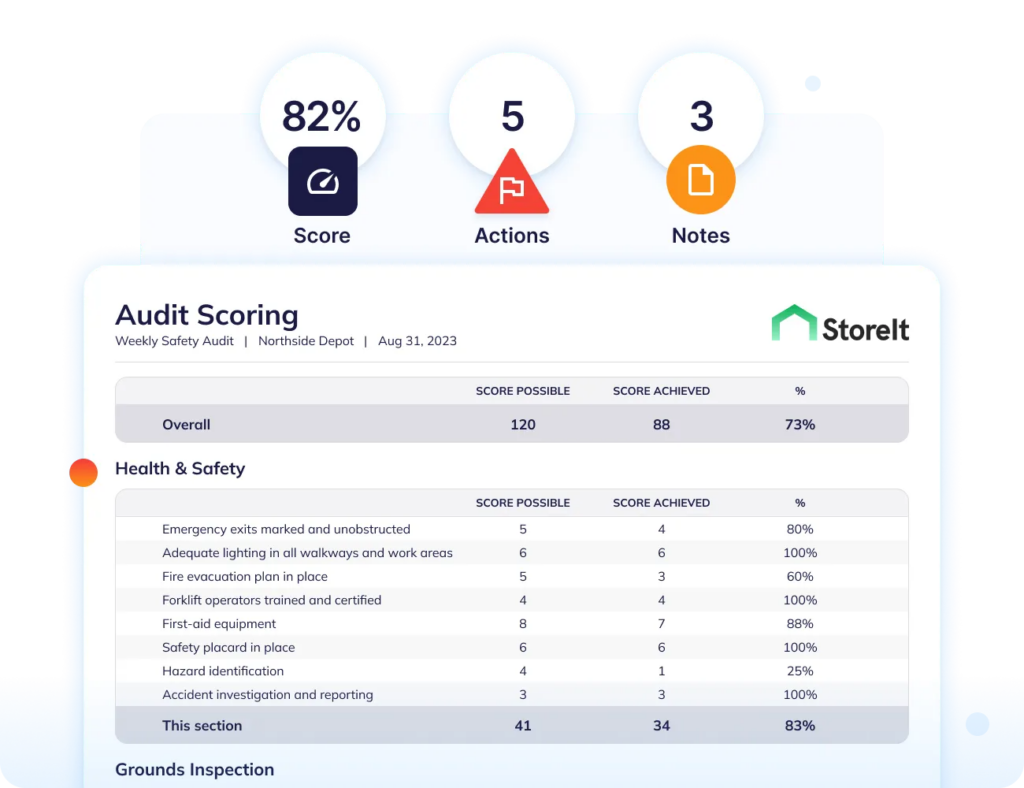
Operandio’s Inspections & Audits lets you apply standardized audit templates across locations and show scores, recurring issues, completion rates, and performance trends.
When the process changes, update the SOP and send it back through approval, distribution, and training. When the process no longer exists, retire the document and remove it from active use.
SOP management is therefore a cycle, not a one-time documentation project.
SOP Management Checklist
Use this checklist to test whether an SOP is properly managed from creation through execution.
| SOP Management Check | Complete? |
|---|---|
| Each SOP has a named owner | ☐ |
| Each SOP has a defined approver | ☐ |
| The current version and effective date are visible | ☐ |
| A review date or review trigger is defined | ☐ |
| There is one approved source of truth | ☐ |
| Superseded versions are archived and removed from active use | ☐ |
| Access is assigned to the relevant roles and locations | ☐ |
| Employees can find the SOP when performing the work | ☐ |
| Important changes are communicated to affected employees | ☐ |
| Required training or acknowledgment is assigned | ☐ |
| Training completion can be verified | ☐ |
| The SOP is linked to relevant tasks or checklists where useful | ☐ |
| Execution is checked through observation or audits | ☐ |
| Failures generate follow-up or corrective action | ☐ |
| SOP performance is reviewed using defined metrics | ☐ |
How to Measure SOP Management Success
Do not measure SOP management by how many documents you have. Measure whether the procedures stay current and produce consistent execution.
| Stage | What Happens | Where It Usually Breaks |
|---|---|---|
| Create | Document the approved way to complete the process | The SOP describes an ideal process instead of how work actually happens |
| Approve | An accountable owner or subject-matter expert reviews and approves it | Nobody has clear approval authority |
| Distribute | Publish the approved version to the people and locations that need it | Old PDFs, emails, binders, or drive copies remain in circulation |
| Train | Explain the procedure and verify employees understand it | Publishing the SOP is mistaken for training |
| Execute | Employees use the procedure during real work | The SOP is difficult to find or disconnected from the task |
| Review | Check adherence and update the procedure when needed | No review owner, trigger, or deadline exists |
| Retire | Archive the obsolete version and remove it from active use | Employees can still access superseded instructions |
Avoid setting arbitrary company-wide targets for every metric. A critical safety procedure and a low-risk administrative SOP do not need the same review cadence or level of verification.
Instead, establish targets according to operational risk and use trends to identify where management is weakening. If adherence drops after an SOP update, for example, the problem may be the procedure itself, the training, distribution, or how the process fits into daily work.
How an SOP Management Software Can Help
Manual SOP management becomes difficult when procedures change often, apply to different roles or locations, or need to connect with training and daily execution.
SOP management software can help you:
- Maintain one current source of truth
- Control versions and employee access
- Make procedures searchable from frontline devices
- Notify teams when standards change
- Connect SOPs with training or acknowledgment
- Link procedures to tasks and checklists
- Track whether standards are followed through audits and reporting
The right approach still depends on the size and complexity of your operation:
| Approach | Works Well When | Breaks When |
|---|---|---|
| Paper-based | You have one small location, few stable procedures, and limited change | Procedures change, employees need remote access, or outdated copies become difficult to control |
| Shared drive (Google Drive, SharePoint) | A small team needs centralized files and can manage permissions and updates manually | Multiple locations, role-specific access, frequent updates, training, or execution tracking become important |
| Dedicated platform | SOPs need to connect with permissions, training, frontline work, audits, and reporting | Your team is small and simple document storage already solves the problem |
Dedicated software is not automatically necessary. If you have one location, a small team, and a handful of stable procedures, a well-organized shared drive may be enough.
Top 3 SOP Management Software
SOP tools solve different parts of the lifecycle. These three options are particularly useful when you need to move beyond storing documents and connect procedures with frontline work.
1. Operandio
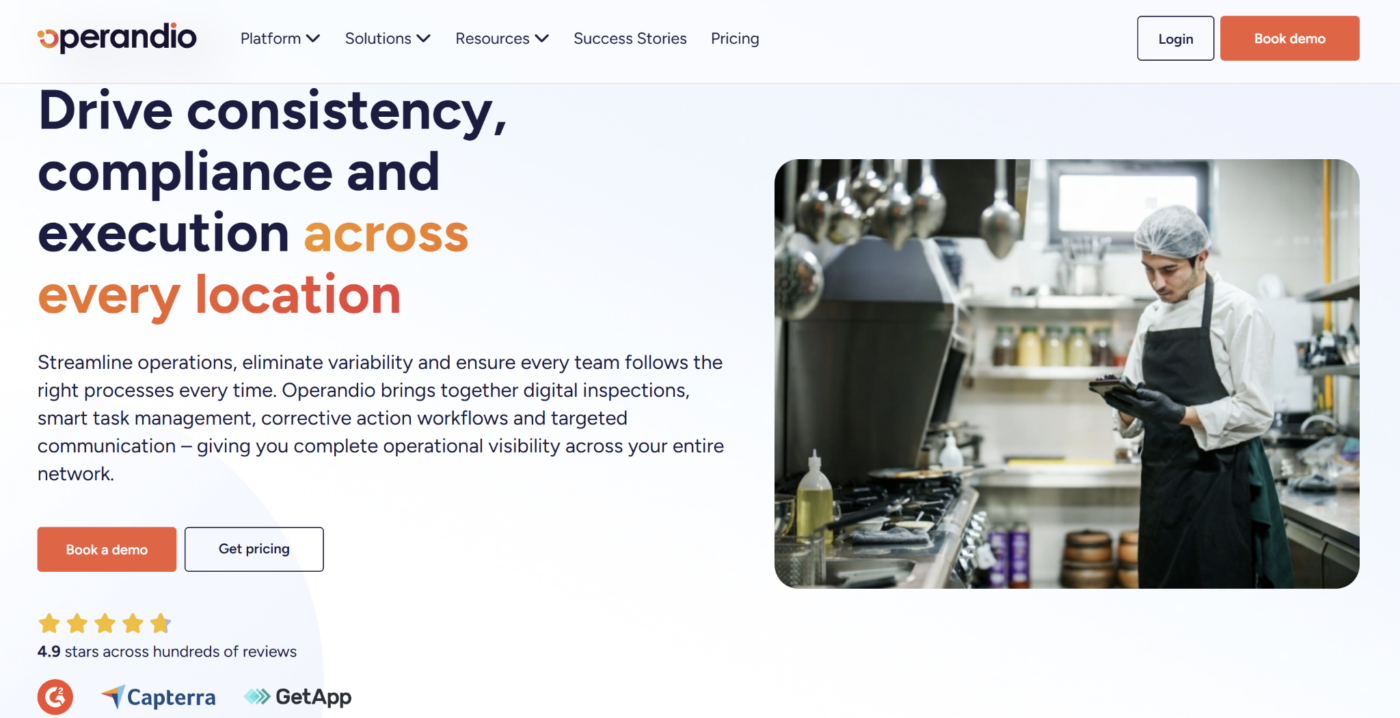
Operandio is best suited to franchise and multi-location businesses that need SOPs to translate into consistent frontline execution.
Its knowledge library gives teams a controlled home for procedures, while training, tasks, inspections, and reporting help managers see whether those procedures are understood and followed.
Key capabilities include:
- Centralized SOP library: Store procedures, manuals, policies, and other operational knowledge with version history and role- or location-based access.
- Frontline training: Turn procedures into assigned learning and track completion, assessments, and certifications.
- Tasks and checklists: Connect standards with recurring work so employees can follow the required process during a shift.
- Audits and reporting: Measure whether locations follow procedures consistently and identify recurring execution gaps.
Best for: Multi-location frontline businesses that need to manage the full path from SOP documentation to training, execution, and verification.
2. Mitti (by SafetyCulture)
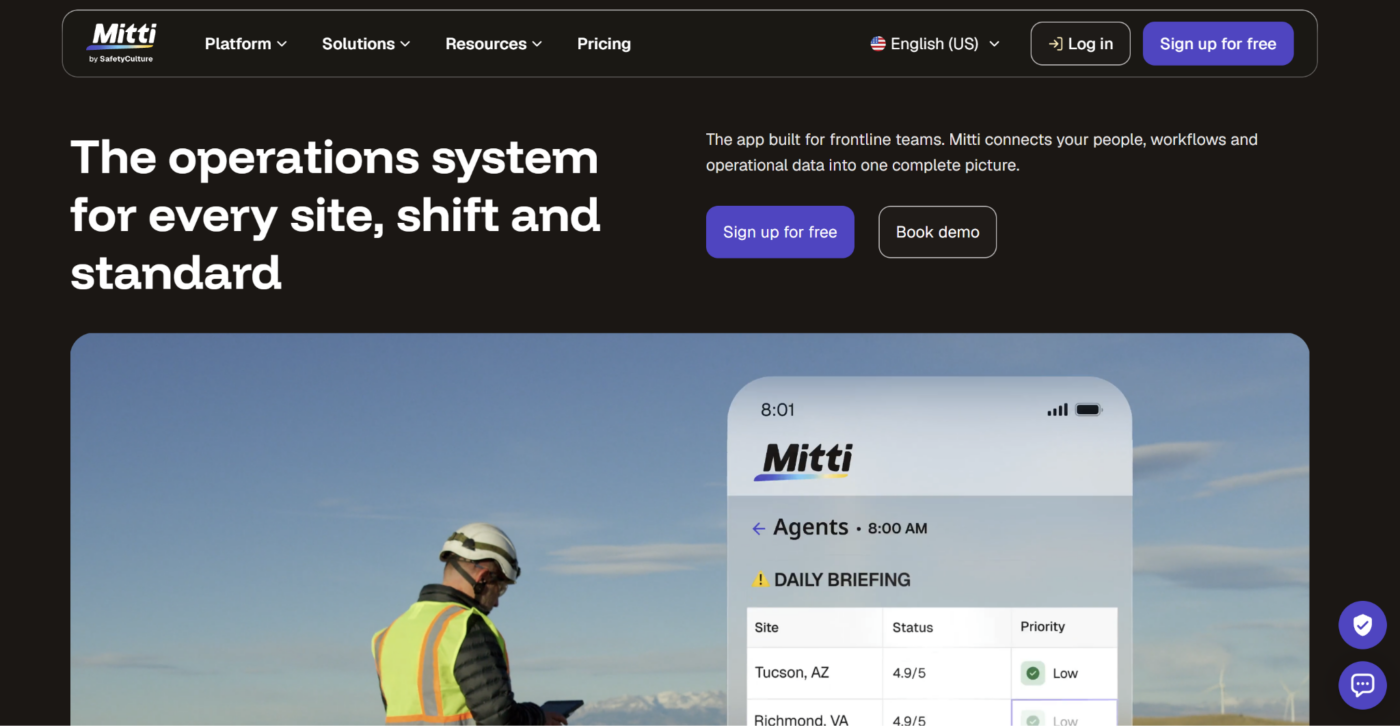
Mitti, formerly known as SafetyCulture, is a strong option for organizations where SOP compliance is primarily measured through inspections, checklists, and frontline training.
Its platform combines procedural training with digital inspections, making it possible to identify execution gaps and then reinforce the relevant standard with targeted learning.
Key capabilities include:
- SOP training: Convert procedural content into mobile training and track which version employees complete.
- Digital checklists: Turn SOP steps into repeatable frontline inspections and operational checks.
- Practical assessments: Verify employee skills in person rather than relying only on course completion.
- Operational analytics: Compare training and inspection data to identify recurring compliance gaps.
Best for: Safety, quality, facilities, and field teams that use inspections as the main way to verify whether procedures are being followed.
3. Jolt
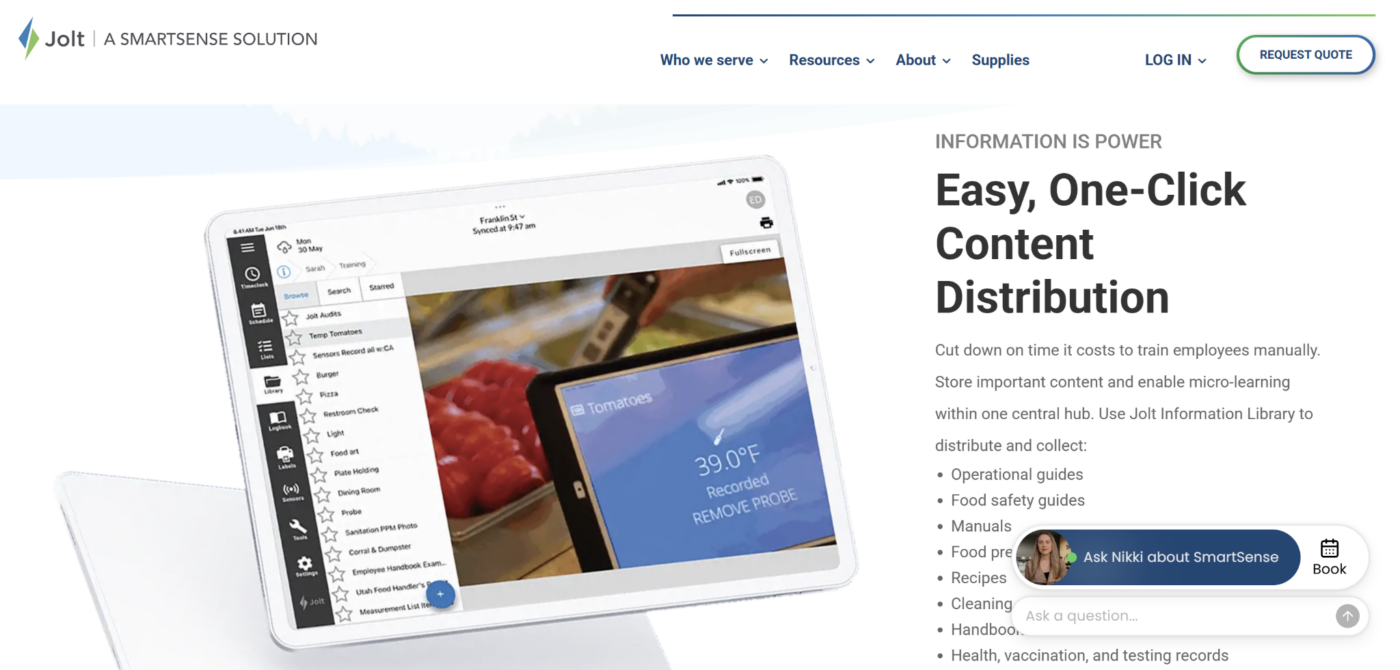
Jolt, now a SmartSense solution, is particularly well suited to restaurants and food-service businesses that need SOPs embedded into recurring store routines.
Its Information Library provides a central place for policies, food-safety guidance, recipes, cleaning procedures, and other operating content. Jolt Lists then turns those standards into recurring tasks and checklists.
Key capabilities include:
- Information Library: Distribute SOPs and operational content to specific roles or locations.
- Digital checklists: Convert procedures into opening, closing, cleaning, food-safety, and manager routines.
- Evidence and accountability: Require photos, timestamps, location verification, or other proof before tasks are completed.
- Automated follow-up: Trigger notifications or corrective actions when work is late, incomplete, or outside expected limits.
Best for: Restaurant and food-service operators that want SOPs tied closely to daily store checklists and recurring operational work.
For a broader comparison, see Operandio’s guide to the best SOP software.
Manage SOPs Your Teams Actually Follow With Operandio
The shortest route through SOP management is to keep the standard and the work it governs connected.
Operandio gives multi-location frontline teams one place to manage current SOPs, distribute them to the right employees, train teams, turn procedures into checklists, audit execution, and report on performance across locations and franchise networks.
Instead of asking whether the latest SOP exists somewhere in a folder, managers can see whether employees received the standard and whether locations are following it in practice.
Request a demo to see how Operandio simplifies SOP management.
FAQs
What is the difference between an SOP and a workflow?
An SOP explains the approved way to perform a process. A workflow defines how tasks, information, or approvals move between people or systems.
Who is responsible for managing SOPs?
Usually, a designated process owner maintains the SOP, while an appropriate manager or subject-matter expert approves significant changes.
How often should SOPs be reviewed and updated?
It depends. Review frequency should reflect risk and change. SOPs should also be reviewed when regulations, equipment, processes, or operating conditions change.
What is SOP compliance?
SOP compliance means employees consistently perform a process according to the current approved procedure and can provide evidence where verification is required.