
- Platform
- Features
 Franchise & Multi-Unit ManagementCentralize oversight and streamline growth across your entire multi location network
 Learning ManagementTrain, verify, and reward your workforce with mobile-first education
 Operations ExecutionStreamlined operations ensuring brand standards, accountability and efficiency
 Asset ManagementOptimize equipment uptime through proactive maintenance and smart tracking
 Digital Food SafetyAutomate compliance and monitor quality with real-time digital precision
 Health & Safety Management (EHS)Mitigate workplace risks and streamline digital incident reporting and investigations
- Platform Essentials
 Powerful ReportingAlign leadership with role-based dashboards and deeper analytics
 Operandio IntelligenceAutomate content, analyze trends, and provide instant answers
 IntegrationsUnify your enterprise tech stack with real-time data
 IoT PlatformDetect anomalies and automate workflows with intelligent sensors
 Mobile & Shared Tablet AppsSecurely empower frontline teams with fast, offline-capable access
- Footer


 Not sure what you need?
Book in a call with the team
- Features
- Solutions
- By Industry
 RestaurantsQSR, fast food and multi-unit restaurants
 Hotels & ResortsHotels, resorts and extended stay hotels
 ChildcareEarly education, childcare, daycare and preschool
 EntertainmentTheme parks, family entertainment centers and play centers
 Fitness Centers & LeisureFitness centers, golf clubs, gyms and sports facilities
 RetailBig-box retailers, franchise stores and supermarkets
- By Use Case
- Operational ExcellenceStreamlined operations ensuring brand standards, accountability and efficiency
- Learning & DevelopmentTrain, verify, and reward your workforce with mobile-first education
- Franchise & Multi-Unit ManagementCentralize oversight and streamline growth across your entire multi location network
- Food Safety ComplianceAutomate compliance and monitor quality with real-time digital precision
- Asset Management & MaintenanceOptimize equipment uptime through proactive maintenance and smart tracking
- Health & Safety Management (EHS)Mitigate workplace risks and streamline digital incident reporting and investigations
- By Industry
- Resources
- Platform
- Features
- Franchise & Multi-Unit ManagementCentralize oversight and streamline growth across your entire multi location network
- Learning ManagementTrain, verify, and reward your workforce with mobile-first education
- Operations ExecutionStreamlined operations ensuring brand standards, accountability and efficiency
- Asset ManagementOptimize equipment uptime through proactive maintenance and smart tracking
- Digital Food SafetyAutomate compliance and monitor quality with real-time digital precision
- Health & Safety Management (EHS)Mitigate workplace risks and streamline digital incident reporting and investigations
- Platform Essentials
- Powerful ReportingAlign leadership with role-based dashboards and deeper analytics
- Operandio IntelligenceAutomate content, analyze trends, and provide instant answers
- IntegrationsUnify your enterprise tech stack with real-time data
- IoT PlatformDetect anomalies and automate workflows with intelligent sensors
- Mobile & Shared Tablet AppsSecurely empower frontline teams with fast, offline-capable access
- Footer
- Not sure what you need?
Book in a call with the team
- Features
- Solutions
- By Industry
- RestaurantsQSR, fast food and multi-unit restaurants
- Hotels & ResortsHotels, resorts and extended stay hotels
- ChildcareEarly education, childcare, daycare and preschool
- EntertainmentTheme parks, family entertainment centers and play centers
- Fitness Centers & LeisureFitness centers, golf clubs, gyms and sports facilities
- RetailBig-box retailers, franchise stores and supermarkets
- By Use Case
- Operational ExcellenceStreamlined operations ensuring brand standards, accountability and efficiency
- Learning & DevelopmentTrain, verify, and reward your workforce with mobile-first education
- Franchise & Multi-Unit ManagementCentralize oversight and streamline growth across your entire multi location network
- Food Safety ComplianceAutomate compliance and monitor quality with real-time digital precision
- Asset Management & MaintenanceOptimize equipment uptime through proactive maintenance and smart tracking
- Health & Safety Management (EHS)Mitigate workplace risks and streamline digital incident reporting and investigations
- By Industry
- Resources
7 Best Employee Management Software for Hospitality (2026)
Key Takeaways
- Choose Operandio if you run a multi-unit or franchise network: Best AI-powered employee management software for hospitality teams that need every shift run to one standard.
- Choose 7shifts if your restaurants pool tips: Best for tip and payroll accuracy driven by point-of-sale (POS) data.
- Choose Harri if hiring is your bottleneck: Best for high-volume hospitality hiring tied to scheduling and timekeeping.
- Choose hotelkit if you run hotels: Best for linking hotel departments through your property management system (PMS).
- Keep the scheduler you have and add the shift layer: Operandio keeps timesheets in step with Deputy and Tanda, then runs the checklists and training every shift depends on.
Hospitality workers quit at nearly twice the rate of everyone else. In August 2026, 3.5% of accommodation and food services employees quit, against 1.9% across all industries.
While every location is always training someone new, most employee management software for hospitality stops at the roster: who works and what they’re paid. What happens after clock-in goes unmanaged.
Across a multi-unit or franchise network, you need both layers connected.
7 Employee Management Platforms for Hospitality: A Quick Overview
| Platform | Best For | Standout Features | Pricing Structure (Oct 2026) |
|---|---|---|---|
| Operandio | Multi-unit and franchise hospitality brands | Read-confirmed staff messages, shift checklists, on-the-floor skill sign-off | Custom, by locations or users plus modules |
| Deputy | Groups scheduling hotels, bars, cafes and quick-service restaurants | Auto-scheduling, demand forecasting, labor law compliance | Per user, from $5/month |
| 7shifts | Restaurant groups that pool tips | Tip distribution from POS data, payroll, labor compliance | Per location; free plan for one location, paid plans from $39.99 a month |
| Harri | Franchise and enterprise brands hiring at volume | AI candidate screening, scheduling, timekeeping | Custom bundles |
| hotelkit | Hotel groups | Housekeeping and maintenance linked to the PMS | Custom; 30-day free trial |
| Mitti (formerly SafetyCulture) | Inspection-led groups with seasonal staff | Inspections, issue reporting, training | Per seat (free up to 10 seats) or per location |
| Connecteam | Growing groups that want one deskless app | Scheduling, time clock, chat, courses | Per hub; free up to 10 users |
Already run a scheduler? See how Operandio syncs with it and runs the shift that follows. Book a demo.
1. Operandio: Best Employee Management Software for Multi-Unit and Franchise Hospitality Brands
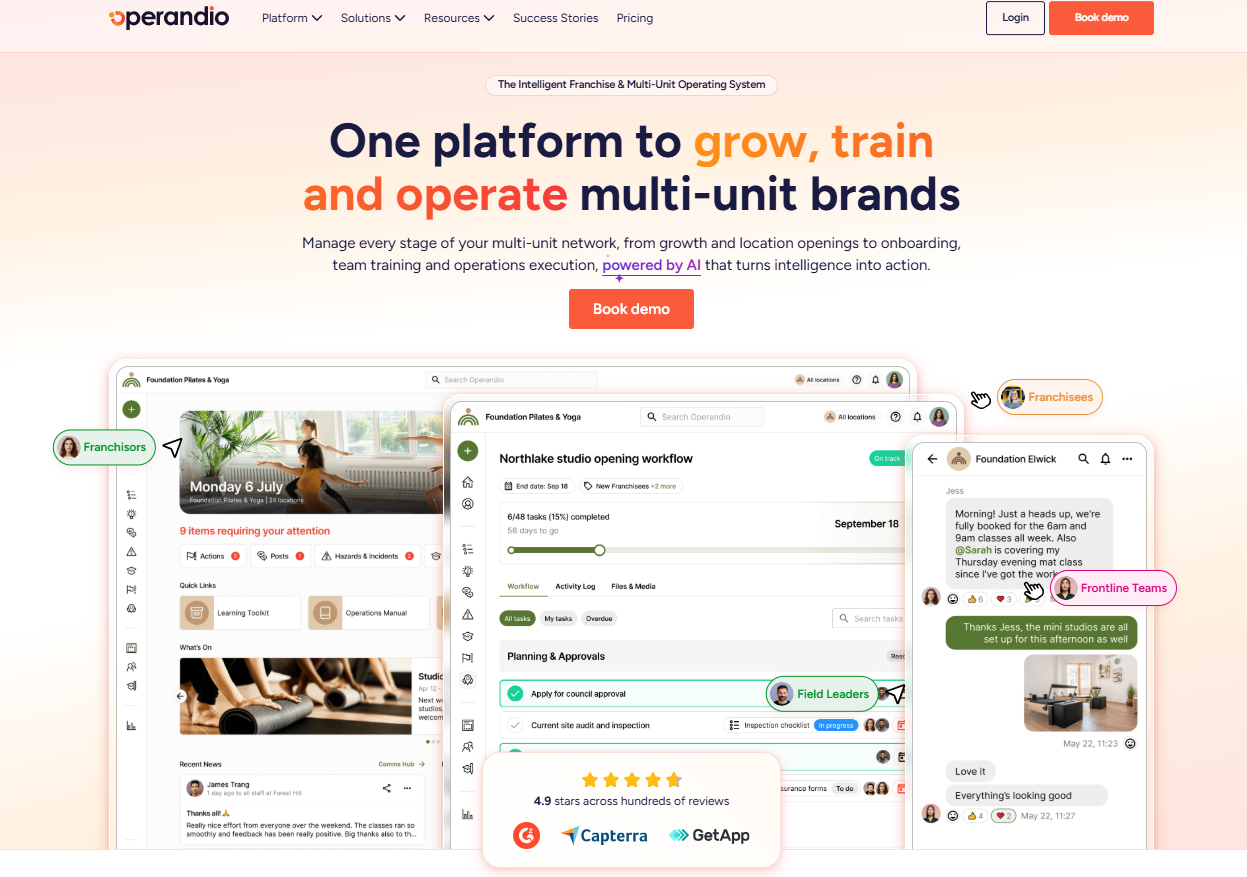
Operandio is an AI-powered, all-in-one operations platform for multi-unit and franchise businesses. In hospitality, it covers the half of employee management that scheduling tools leave out, at every location in your network.
Operandio Key Features
Every feature below runs from one head-office account across all your locations. Staff use it on their own phone or a shared tablet at the venue, with no desk or laptop needed.
Employee Communication
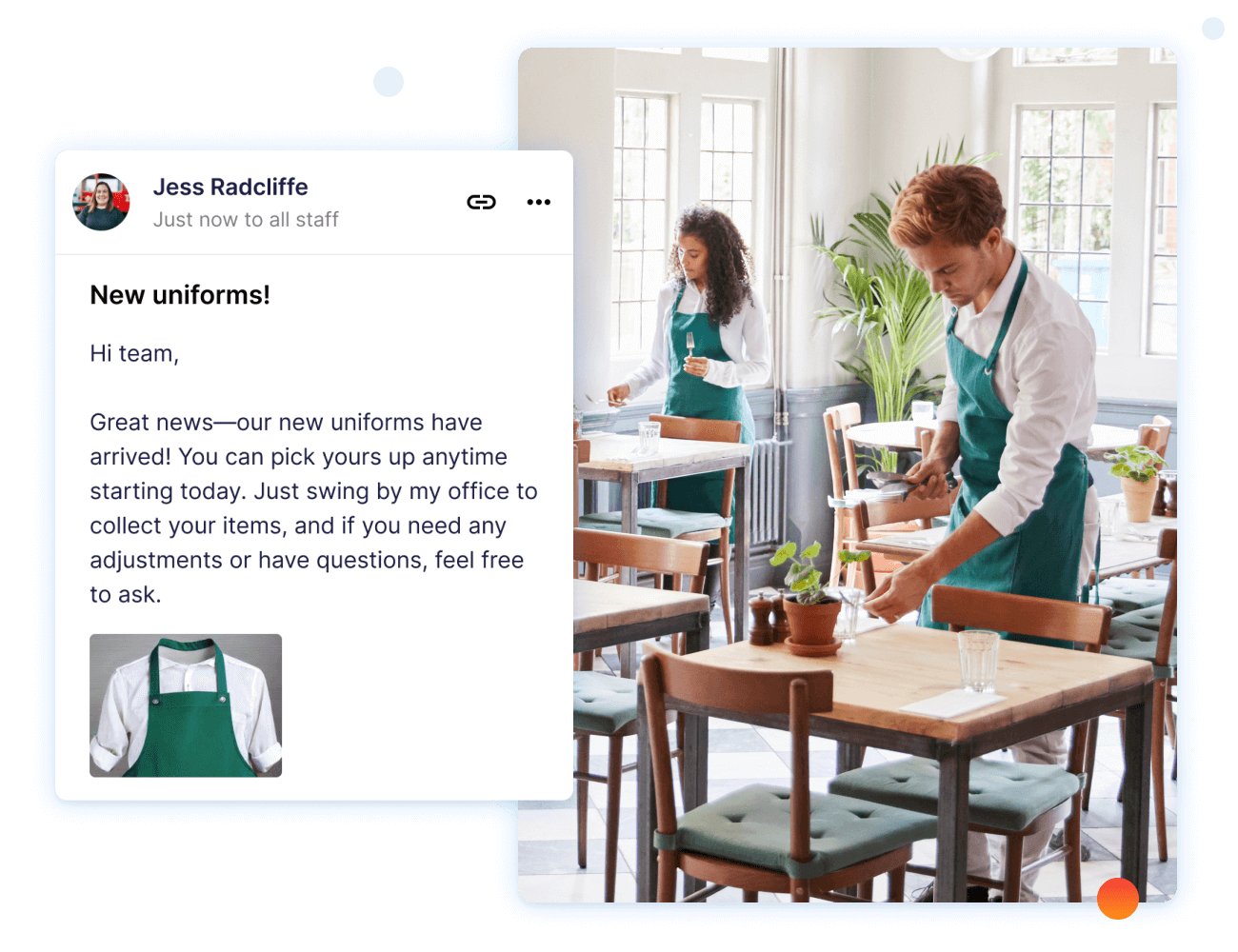
Operandio’s Employee Communication sends each announcement only to the locations or roles it applies to. For bigger changes, such as a menu launch or a policy update, you schedule a campaign with start and end dates and automatic reminders.
Each message can link straight to the SOP (standard operating procedure) or training module behind the change. Staff confirm they’ve read it, and you can see who’s overdue or export the read log for an audit.
Staff with a question mid-shift can use AI-powered search instead of tracking down a manager. It pulls the answer from your SOPs, training, checklists, and documents.
Task Management & Checklists
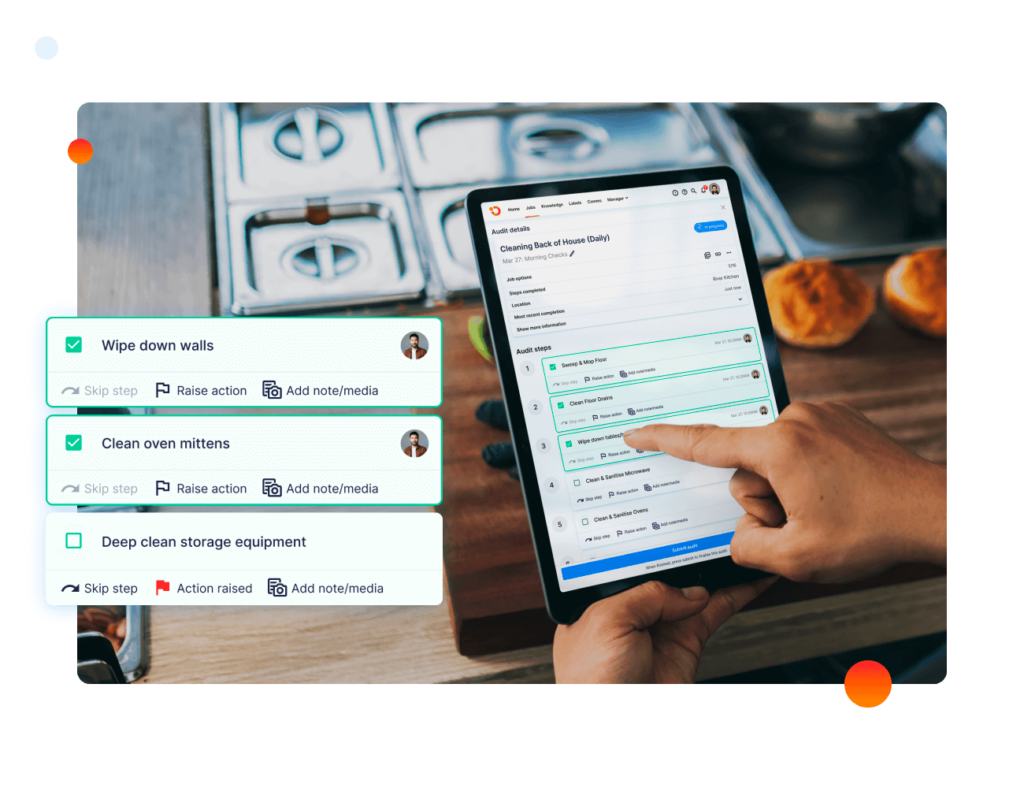
In Operandio, task management turns opening and closing routines into checklists staff complete on the floor. Each task has a time window or a “must be done by” deadline, and goes to one person or a whole location.
Overdue tasks notify the manager, and escalation rules take them higher when nobody acts. Tasks also generate from inspections and sensor alerts, so an out-of-range temperature reading becomes a job with an owner.
Physical Assessments and Mobile First LMS
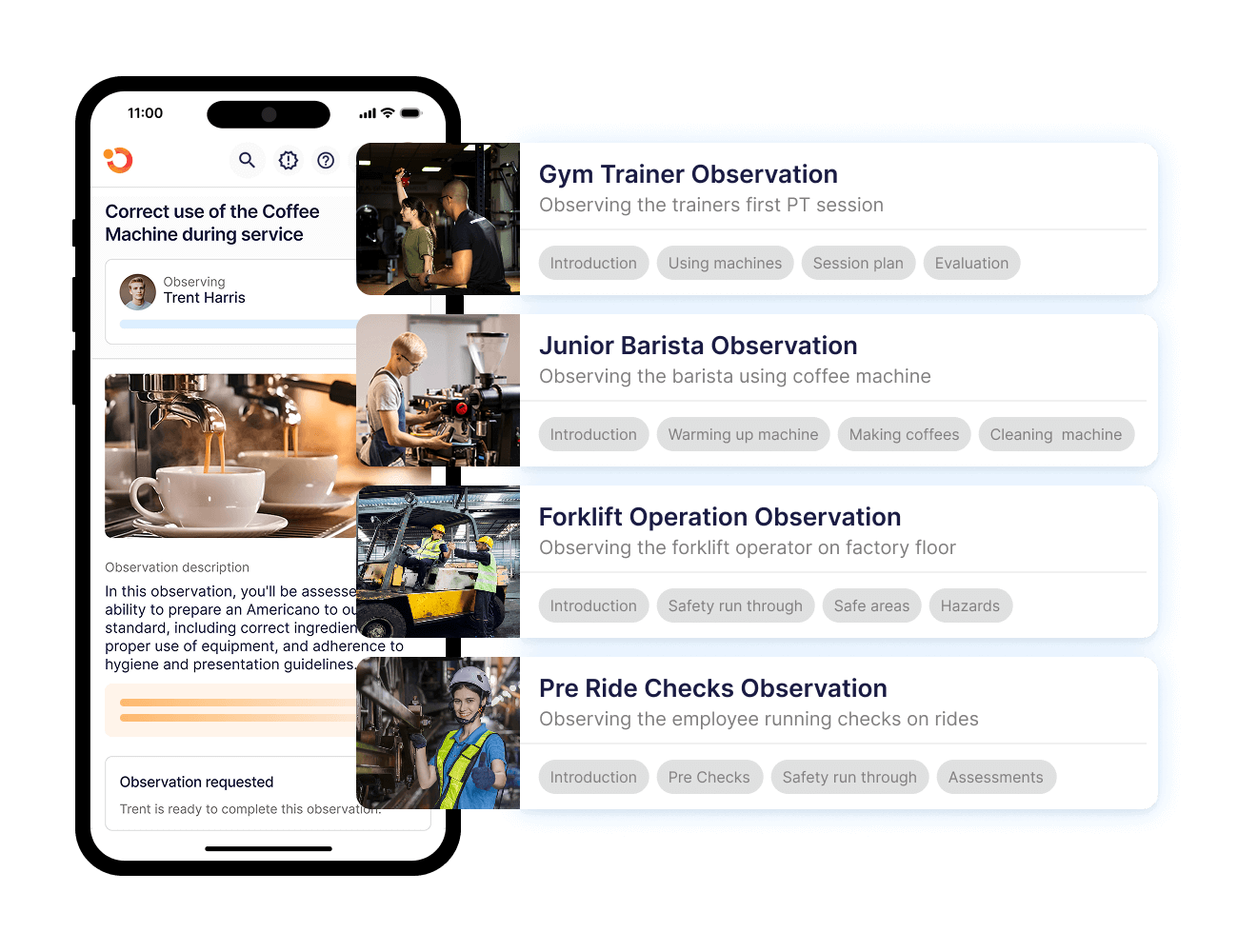
Physical Assessments let a manager sign off a skill only after watching the employee do it during a shift. An assessment can close out a Mobile First LMS (learning management system) course, or run alone to re-check a skill. A dashboard shows who’s passed and who’s still pending at each location.
The AI Course Builder turns an SOP or policy document into a microlearning module or a full course, quizzes included.
Example: Super Chix moved crew and manager training from static PDFs into Operandio’s LMS across its 60+ US locations. It now tracks each manager’s progress toward “Super Chix Certified.” Read the story.
Integrations
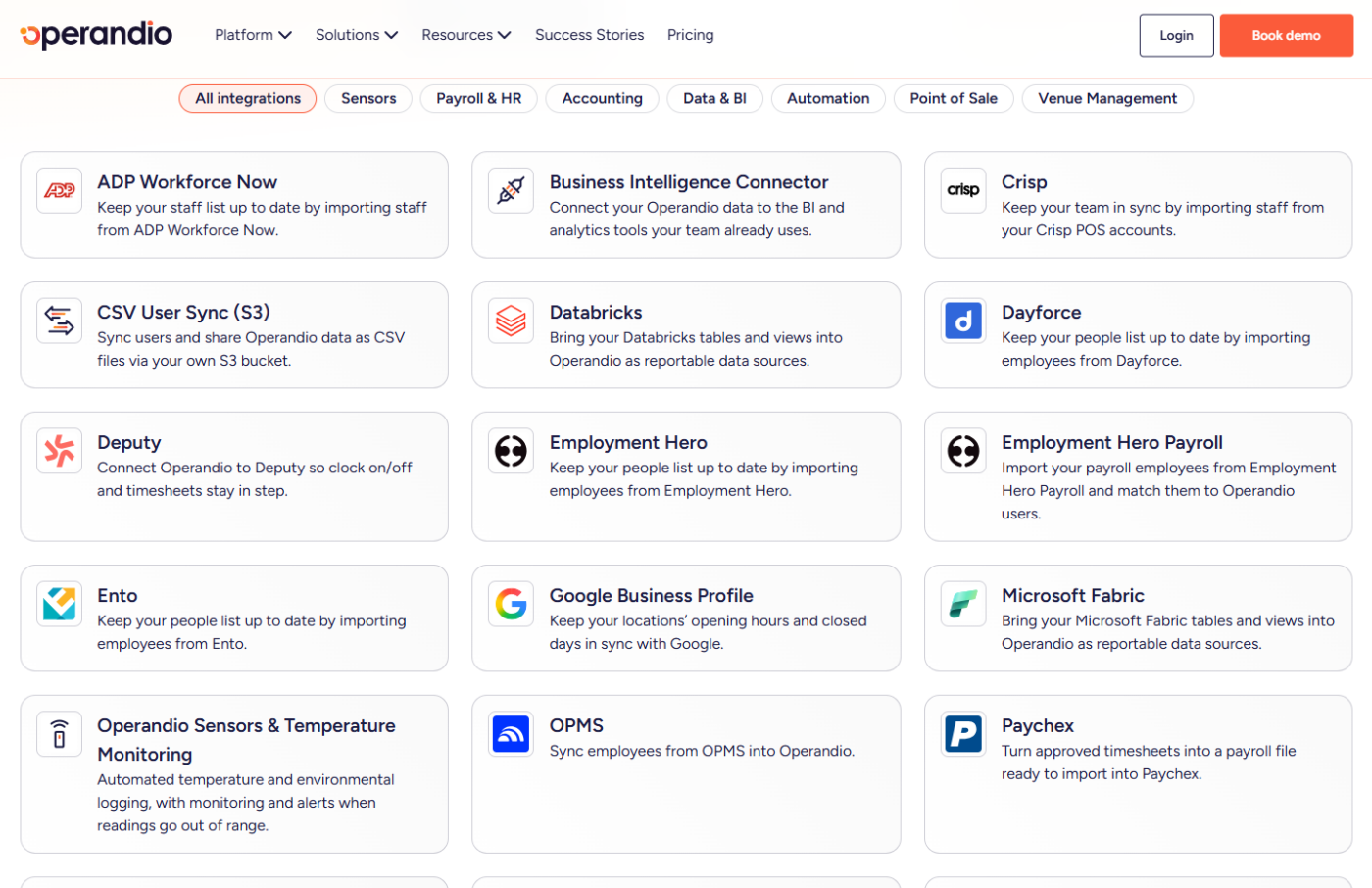
Operandio’s integrations pull your staff list from the systems that hold it, so new hires appear without anyone re-keying them. Sources include human resources (HR) and payroll platforms such as ADP Workforce Now, Dayforce, Workday, and Paylocity. Staff records also come in from Xero accounting and from Toast or Crisp POS accounts.
Timesheets stay in step with Deputy and Tanda. Approved timesheets go straight to ProLiant, or into a payroll file for Paychex.
A BI (business intelligence) connector feeds Operandio data into the analytics tools your team uses. You can also bring Snowflake, Databricks, or Microsoft Fabric tables into Operandio as reportable data sources.
Operandio Pricing
| Plan | Price |
|---|---|
| All plans | Custom |
Pricing depends on your number of locations or users and the modules you choose[cite: 1]. You can request a quote on the pricing page.
Where Operandio Shines
- Food safety runs in the same app as the shift: Temperature sensors and digital food safety records sit beside the shift checklists.
- Quality checks from a photo: Staff snap a photo of a station, display, or piece of equipment, and AI photo evaluation compares it with your gold standard.
- Workplace incidents reach head office: Staff file digital incident reports from their phones, and environment, health and safety (EHS) investigations run in the same platform.
- New locations open from a playbook: Location LaunchPad tracks pre-opening checklists and approvals. Head office and the franchisee see the same progress.
- Mixed-language teams get one message: Operandio’s AI translation turns SOPs and announcements into the languages your staff speak.
Where Operandio Falls Short
- No native scheduling or payroll: Operandio doesn’t build rosters or run pay. It connects to the scheduler and payroll provider you already use.
- Sized for groups: Operandio pays off across a network of locations. A single independent venue won’t use most of it.
Operandio Customer Reviews
“We like the ease of use, adaptability of the software, the support from David, Alyssa, Paul. The cost was the primary driver for choosing Operandio, but the agility of the Operandio team sold us the most.” Brandon V, Director of Purchasing, Flagship Restaurant Group.
“I like that Operandio is less restrictive and more modern than other systems we’ve used before. The team at Operandio impresses me with how promptly they listen to and implement product improvement suggestions. Their responsiveness truly stands out when compared to other restaurant management software, where suggestions often get delayed.” A verified reviewer on G2.
Who Operandio Is Best For
- Franchisors: Who need every franchisee running the brand standard, with proof it happened.
- Multi-unit restaurant groups: That want shift checklists and training in one restaurant platform.
- Hotel and resort groups: With food and beverage outlets and housekeeping teams to keep consistent.
- Operations directors consolidating apps: Who want to retire separate checklist and messaging tools.
Want to see your own checklists and training running across every location? Book a demo.
2. Deputy: Best for Scheduling Mixed Hospitality Venues
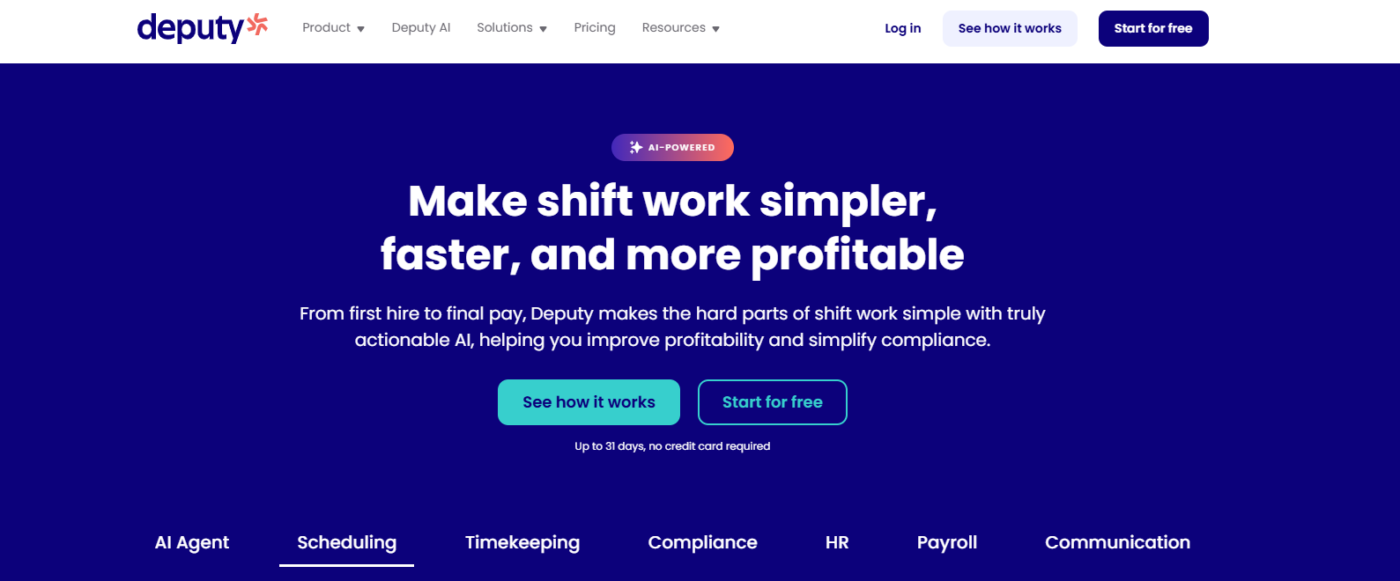
Deputy schedules and tracks time for hourly teams in hotels and quick-service chains. It builds rosters from forecast demand and keeps each venue inside local labor laws.
Key Features
- Auto-scheduling with labor forecasting: Deputy builds rosters from forecasts based on occupancy, sales, and foot traffic.
- Micro-scheduling: One shift splits into segments, such as check-ins, dining service, or an event.
- Labor law compliance: Deputy tracks breaks and overtime, and applies Fair Workweek and predictive scheduling rules.
- Time clocking: Staff clock in by mobile, kiosk, or biometrics, and hours, breaks, and overtime record without manual entry.
- Shift swaps and leave: Staff swap shifts, find replacements, and request time off in the app.
Pricing
| Plan | Price |
|---|---|
| Lite | $5/user/month |
| Core | $6.50/user/month |
| Pro | $9/user/month |
| Payroll add-on (US) | $8/user/month, plus a $49 monthly base fee |
Where Deputy Shines
- Staff feedback at clock-off: With Shift Pulse, staff rate how their shift felt as they clock off, and managers see the result right away.
- Pairs with Operandio: Deputy handles who works and when, and Operandio runs the tasks and training on each shift, with timesheets synced between the two.
Where Deputy Falls Short
- No inspections or food safety records: None of Deputy’s plans include audits, inspections, or temperature logs, so brand standards need a second tool.
- Multi-location controls sit on Pro: Location hierarchies, custom access levels, and single sign-on (SSO) start on the $9 Pro plan.
Customer Reviews
“I use Deputy for managing employee timesheets, and I really appreciate how it makes this process easier by having all timesheets in one place with fields to fill in. It simplifies knowing where employees were and what they were doing on any given day.” A G2 reviewer.
Brad B shares, “Some features take a little exploration to fully learn, especially for new users or teams that don’t use scheduling apps often.”
Who Deputy Is Best For
- Groups running hotels and bars side by side: One scheduler covers every venue type.
- Operators in Fair Workweek cities: Predictive scheduling rules apply to every roster you publish.
3. 7shifts: Best for Restaurant Tip and Payroll Accuracy
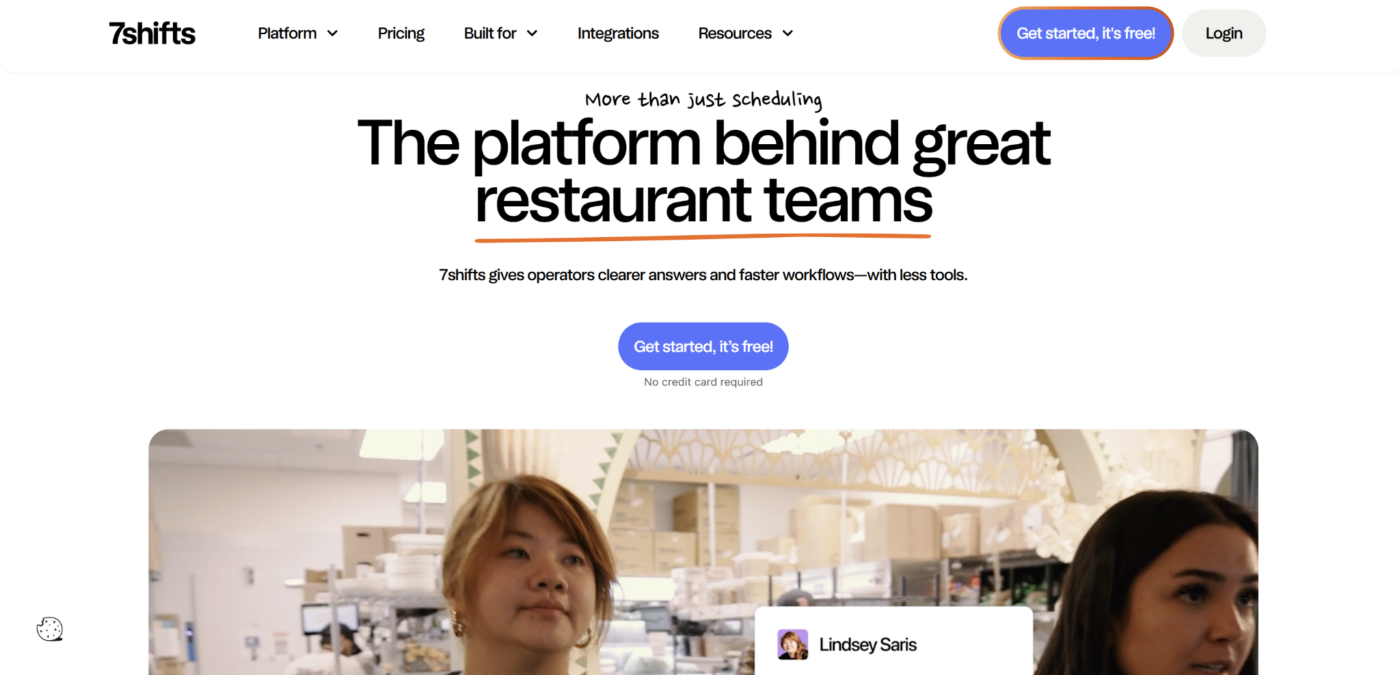
7shifts is team management software built for restaurants. It covers hiring, training, scheduling, and pay, and turns each shift’s hours into accurate tip-outs and payroll.
Key Features
- Tip management: 7shifts calculates tip-outs with no manual math and pays them, including instant direct tip payments.
- Restaurant payroll (US): Time and attendance data flows straight into payroll, so managers don’t combine files from every location.
- Labor compliance: 7shifts tracks local labor laws for every jurisdiction you operate in, on the Pro plan and up.
- Labor reporting across locations: You compare actual sales and labor at each restaurant, with proactive overtime alerts.
- Training courses: Managers build courses and quizzes once, then push them to every new hire.
Pricing
| Plan | Price |
|---|---|
| Comp | Free for one location, up to 15 employees |
| Essentials | $39.99/location/month |
| Pro | $79.99/location/month |
| Premium | $134.99/location/month |
Where 7shifts Shines
- Early pay at no cost to you: On-Demand Pay lets staff advance part of their earned wages, and it’s included in every subscription.
- Hiring to retention in one restaurant app: Job posts, onboarding documents and a manager log book sit beside the schedule.
Where 7shifts Falls Short
- Restaurants only: 7shifts designs every tool for restaurant teams, so hotel departments such as housekeeping and front office fall outside it.
- No inspections, audits, or food safety logs: None of its hiring, training, scheduling, pay, or retention tools cover them.
Customer Reviews
“Overall, my experience is good; it functions well, offers us the tool that we did in scheduling our employees, getting available shifts covered, and being sure that schedules are balanced. With so many PT employees, it’s important that each person’s availability is considered and that the schedules are as fair as possible.” Lissa H.
“Unfortunately, the schedule view is only one week at a time. It would be helpful to view multiple weeks, especially when we’re closing payroll for the period,” shares Rebecca D.
Who 7shifts Is Best For
- Restaurant groups that pool tips: No more tip-out spreadsheets at close.
- US operators running payroll in-house: Hours flow straight into pay.
- Multi-location owners watching labor costs: You see sales against labor for every restaurant.
4. Harri: Best for High-Volume Hospitality Hiring
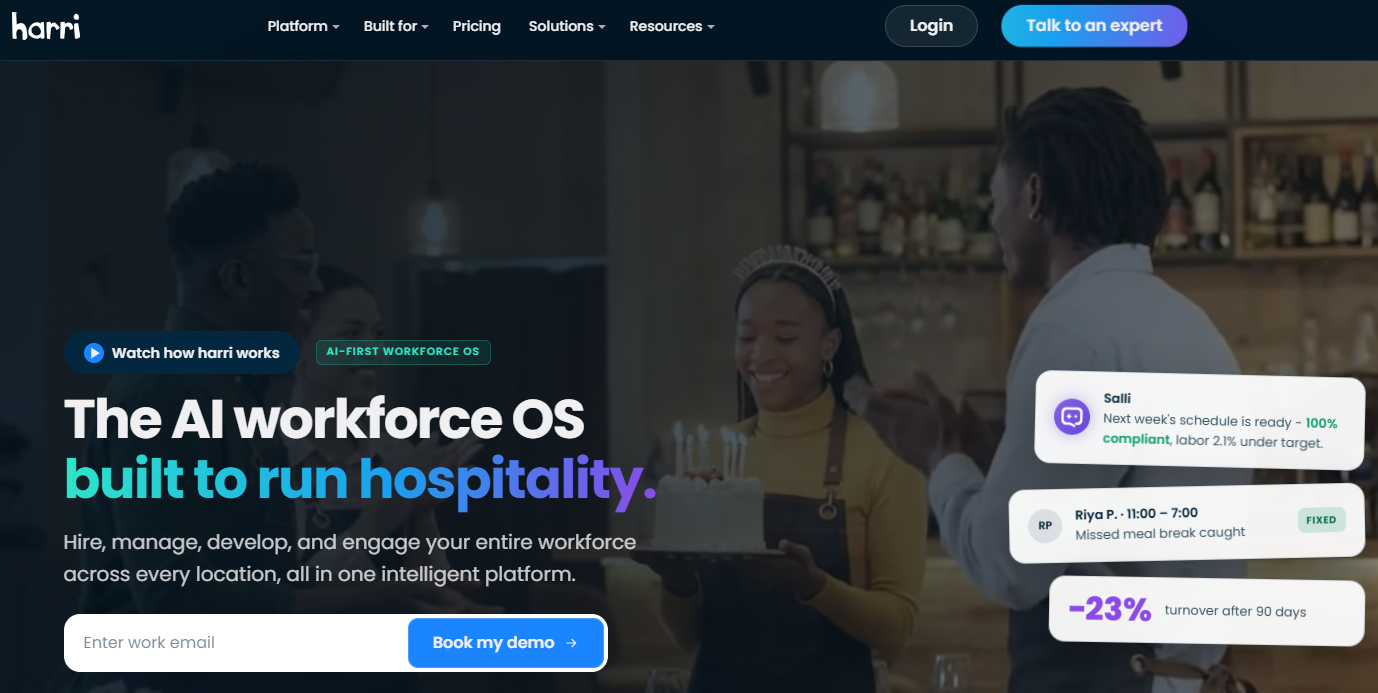
Harri is an AI-first workforce platform built for hospitality. Brands such as McDonald’s, Wendy’s, and Jersey Mike’s use it to hire, schedule, pay, and engage hourly teams at scale.
Key Features
- One-post job distribution: A single post goes to Indeed, ZipRecruiter, and your branded career site.
- AI screening with Carri: Harri’s recruiting agent chats with candidates, asks screening questions, and ranks applicants.
- Video interviews: Candidates record video introductions, managers review them when they’re free, and interviews book themselves.
- AI scheduling: Harri builds compliant schedules from labor laws, staff availability, and historical store data.
- Timekeeping: Biometric time clocks, geofenced mobile clock-in, and offline support stop buddy punching.
Pricing
| Bundle | Price |
|---|---|
| Talent Acquisition (Core or Perform) | Custom |
| Workforce Management | Custom |
| Engage360 | Custom |
Side Note: Harri tailors pricing to your size and setup. Its learning management system and performance management are add-ons.
Where Harri Shines
- Hiring reach: Harri’s network holds 7 million applications, which it calls the largest hiring network in hospitality.
- Offer to first shift in one flow: Digital offer letters and e-signatures hand new hires straight into onboarding.
Where Harri Falls Short
- No checklists, inspections, or food safety: Harri manages the people on each shift, so the standards they work to need another tool.
- Learning costs extra: The learning management system is an add-on outside the three core bundles.
Customer Reviews
“What I like best about Harri is that it serves as a true workforce management platform rather than just a scheduling tool. It allows us to manage the entire employee lifecycle—from recruiting and onboarding to scheduling, timekeeping, communication, documentation, and engagement—all within a connected ecosystem.” A verified G2 reviewer.
“Their UX is rather rudimentary; it can be difficult to onboard more than 200 locations, and sometimes hourly staff find it difficult to use.” A verified Capterra reviewer.
Who Harri Is Best For
- Quick-service franchises hiring every week: A steady applicant pipeline for every location.
- Multi-brand operators: One hiring and scheduling system across brands.
- HR teams tired of separate tools: One login from job offer to paycheck.
5. hotelkit: Best for Coordinating Hotel Departments
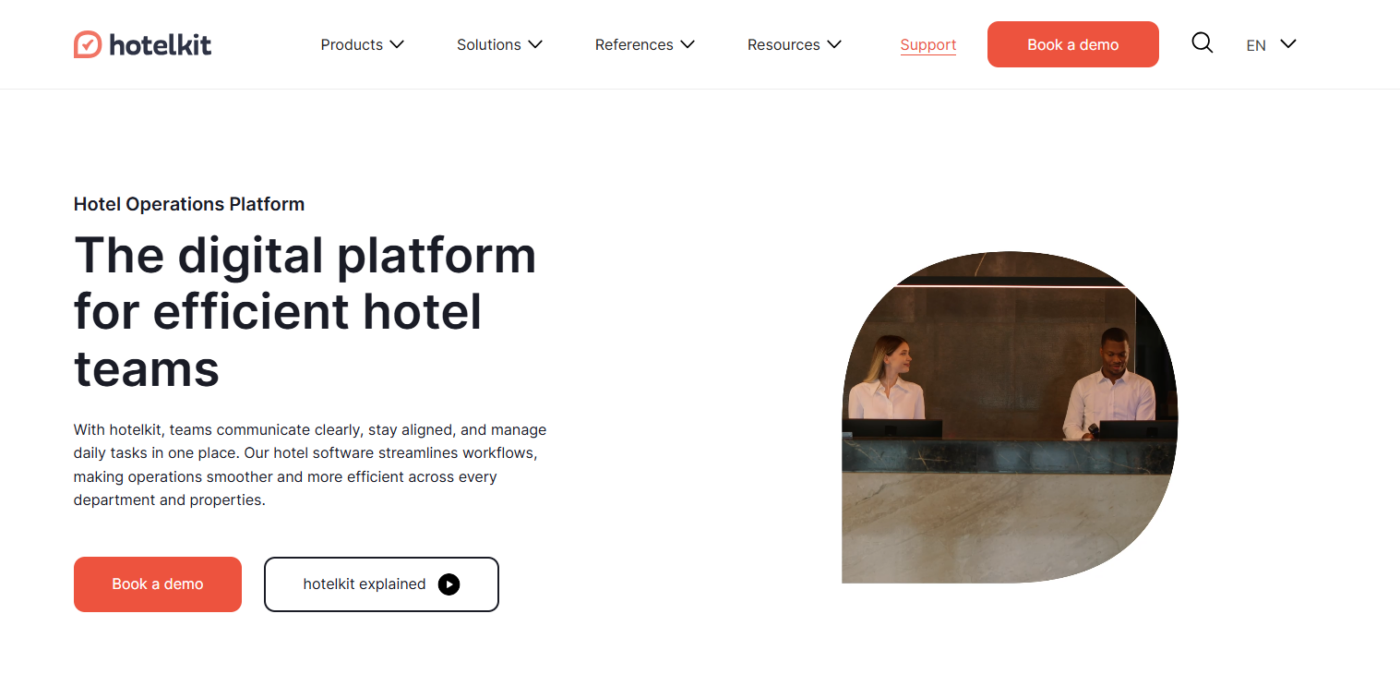
hotelkit is a hotel operations platform used in 4,000+ hotels. It puts housekeeping, maintenance, and team communication in one app tied to your PMS.
Key Features
- Collaboration: Fast team communication, automated workflows, and central knowledge management connect departments and properties.
- Housekeeping: Daily cleaning plans and inspection checklists come with real-time room status from the PMS.
- Facility Management: hotelkit automates preventive maintenance and keeps asset records, repairs, consumption, and inventory in one place.
- Knowledge AI: A 24/7 AI assistant answers staff questions from your SOPs.
- Multi-Property: hotel groups share information across properties and keep corporate standards uniform.
Pricing
| Plan | Price |
|---|---|
| All plans | Custom |
Where hotelkit Shines
- PMS integrations hotel groups use: hotelkit connects to hotel management systems including Mews, Oracle OPERA, Apaleo, and Stay.
- Proven at chain scale: Radisson Hotel Group runs hotelkit across 350 hotels and 40,000 employees.
Where hotelkit Falls Short
- Hotels only: There’s nothing for restaurant groups or franchise brands outside hotels.
- No rostering, time tracking, or training courses: You’ll need a separate scheduler and learning system alongside it.
Customer Reviews
“What I like the most is how useful and intuitive it is. It makes it much easier for you to manage everything related to the business both at the personal level, as well as calendars, transmission of information, etc,” a verified reviewer on HoteltechReport.
Another reviewer says, “It’s sometimes very confusing; past tasks and handovers should be deleted more quickly. I would like to be directed to the desired day for processing more quickly.”
Who hotelkit Is Best For
- Hotel groups and chains: The same standards and information at every property.
- Hotels with multilingual teams: a built-in Google Translate feature carries messages across languages.
- Maintenance-heavy properties: Asset history and repairs live in the app housekeeping uses.
6. Mitti (Formerly SafetyCulture): Best for Inspection-Led Groups With Seasonal Staff
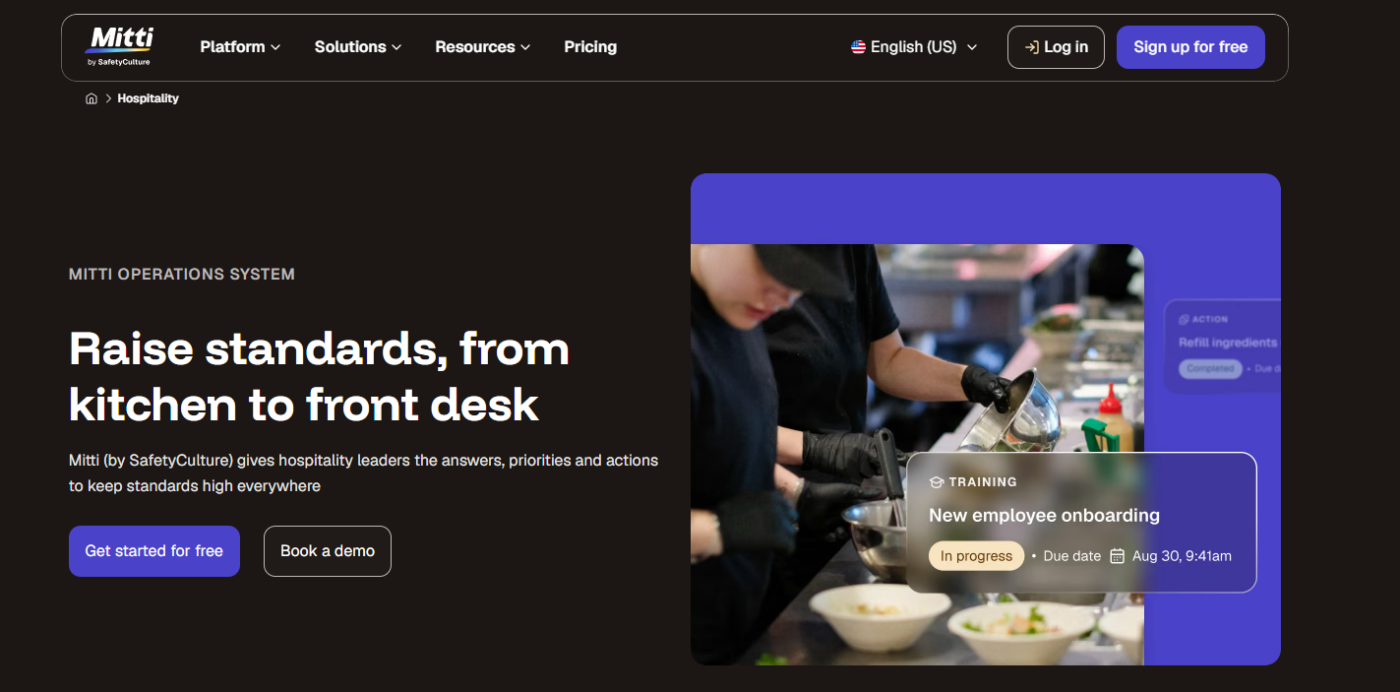
Mitti runs inspections, issue reporting, tasks, and training from one mobile app. For hospitality, the draw is per-site pricing with unlimited users, designed for seasonal, casual, and contract workers.
Per-seat plans start free for up to 10 people, and Premium costs $24/sea/month billed annually.
Mitti serves frontline teams in every industry, so it has no scheduling and no tools for franchise recruitment or new openings. It suits groups whose quality assurance runs on inspections.
7. Connecteam: Best for Growing Groups That Want One Deskless App
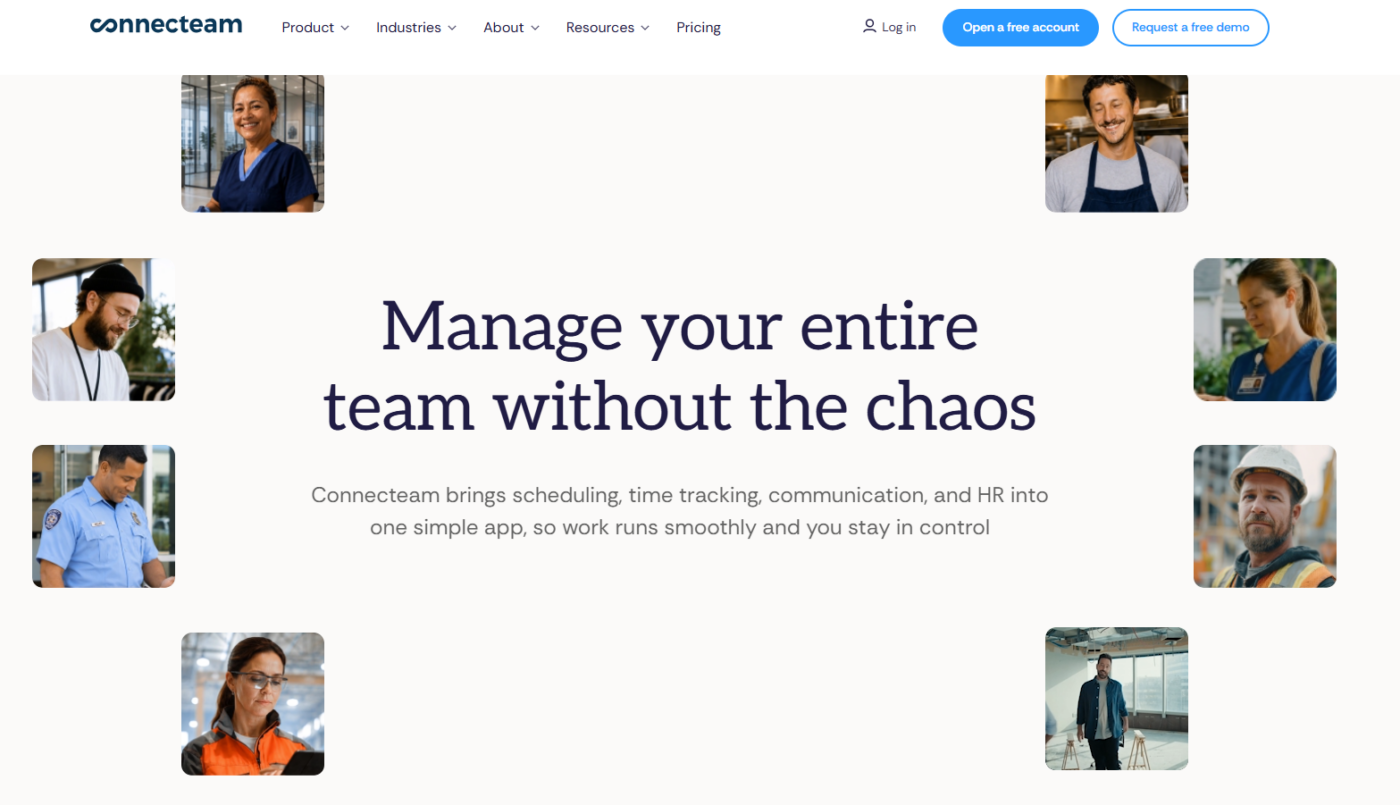
Connecteam puts scheduling, a time clock, checklists, chat, a knowledge base and training into one app for deskless teams. You buy the Operations, Communications, and HR and Skills hubs separately, each from $29/ month for 30 users. Teams of up to 10 get all three free.
Connectteam does not offer food safety, temperature logging, or franchise tools.
How to Choose Employee Management Software for Hospitality
To narrow your shortlist when choosing workforce management software for hospitality, ask:
Does It Connect to Your HR, Payroll, and POS Systems?
Your staff list, hours, and pay already live in other systems. If a new tool can’t read them, managers at every location re-key each hire, and records drift apart.
Ask the vendor which integrations are ready-made and which need a custom build. Then ask what happens to a departing employee’s login once payroll ends their employment.
Operandio supports SSO and an open API. For systems without a ready-made connector, webhooks and Zapier pass Operandio events to your other apps.
How Fast Can a New Hire Learn the Job?
Nearly three-quarters of restaurant operators plan to hire in 2026 but expect difficulty finding experienced managers and chefs. So you’ll grow leaders from your own crew, and training has to show who’s ready.
Test it with your own material. Hand the vendor one SOP and time how long it takes to become a course staff can finish on a phone.
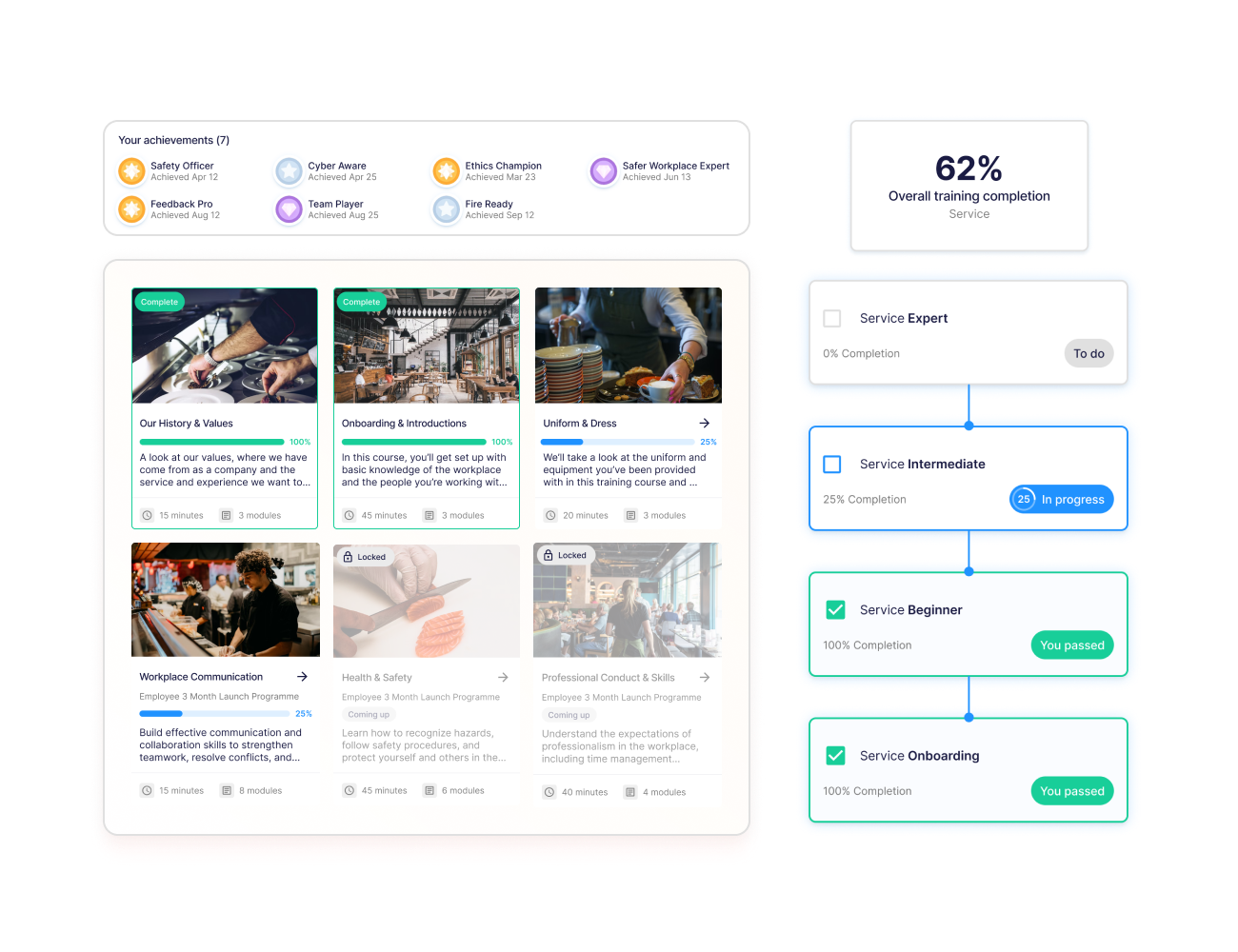
Operandio’s role-based Pathways guide each person through the courses their role needs, then on to the next role. A cook in one location follows the same route to kitchen manager as a cook in any other.
Will Messages Reach Staff and Keep Them Engaged?
Hourly staff work away from a desk, so updates have to reach the phone in their pocket or the shared tablet in the venue. In a network, an update that misses one venue becomes a different standard there.
Ask to see read rates for each location. A “sent” count tells you nothing about the night shift.
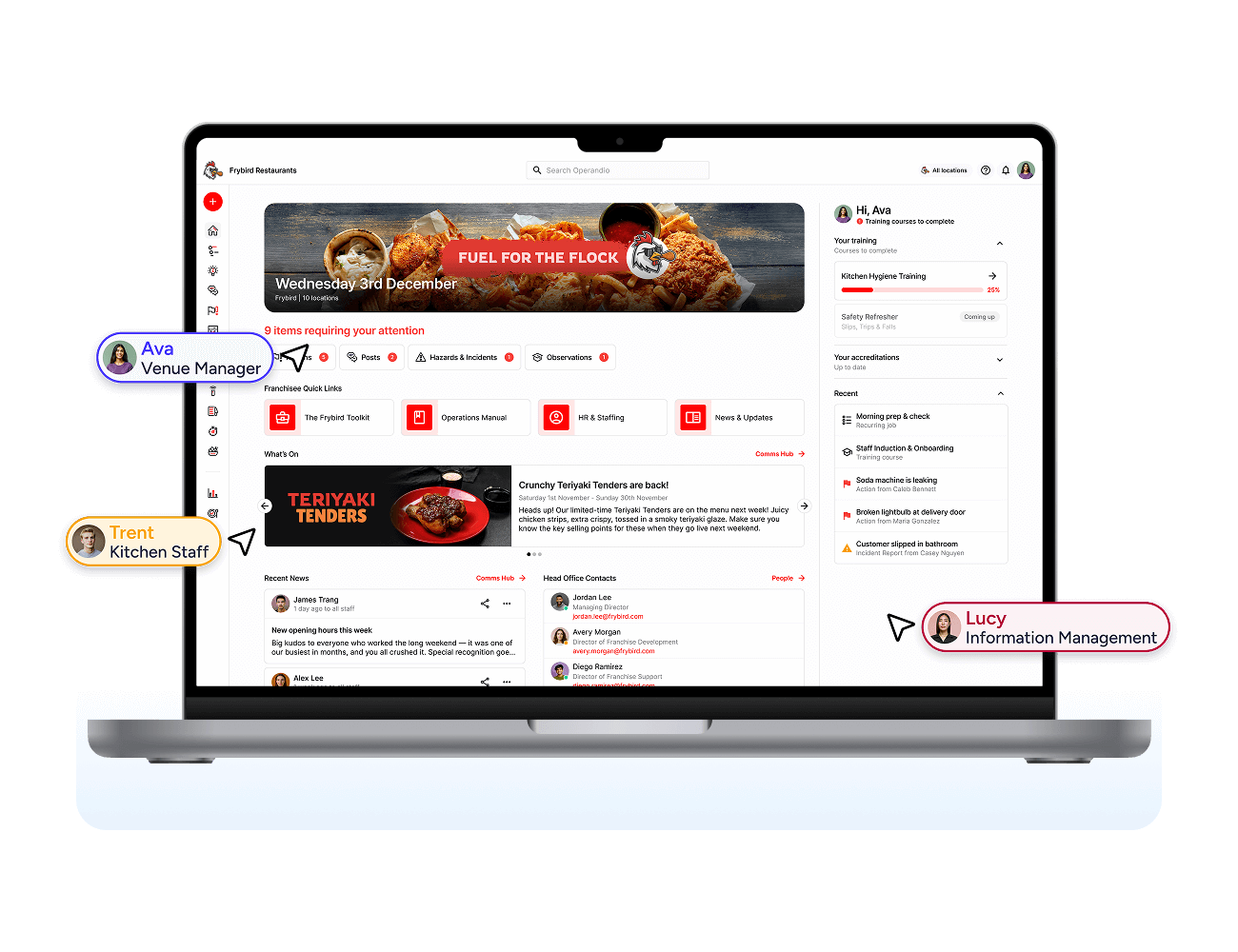
Operandio’s Network Dashboard gives staff one home screen with the latest updates, SOPs, and quick links to their tools. Finished courses earn badges that show on each person’s profile.
Can It Build Fair, Compliant Rosters Across Locations?
Flexible rosters now help you hire. The American Hotel & Lodging Association surveyed 246 hoteliers in late February 2026. Of those, 54% use flexible scheduling to attract and keep staff, and 70% offer higher wages.
Each city can add its own predictive scheduling and break rules, so one roster template rarely fits every venue.
Price each tool at peak-season headcount. Then ask for a live shift swap and a compliance alert on a real roster.
Keep an Eye on Every Location with Operandio
If tips and pay eat your managers’ week, 7shifts fits. If hiring never stops, start with Harri. Hotel groups can look at hotelkit, and Deputy covers rosters across mixed venues.
Whichever scheduler you choose, the roster is only half the job.
Operandio runs the other half at every location. If your gap is what happens after clock-in, book a demo and walk through it with your own locations.
FAQs
1. Which software is most used in the hospitality industry?
Property management systems run most hotels, and point-of-sale systems run most restaurants. Around them, groups add scheduling, payroll and operations tools.
For employee management, you’ll usually need a roster tool such as Deputy and an operations platform such as Operandio.
2. What is employee management software for hospitality?
It’s software that schedules, pays, trains, and directs hourly staff across hotels, restaurants, and venues. Roster tools such as Deputy and 7shifts cover shifts, hours, and pay. Operations platforms such as Operandio cover the tasks, training and messages inside each shift.
3. What is hospitality CRM?
Hospitality CRM (customer relationship management) software stores guest profiles, visit or stay history, and preferences. Hotels and restaurants use it for loyalty offers, email campaigns, and personal service. It manages guests, while employee management software manages the staff who serve them.
4. Is employee management software the same as an HRIS?
No. A human resources information system (HRIS) holds employee records, pay, and benefits. Employee management software runs the working day, from rosters and time to tasks and training.
You’ll usually run both and connect them, so new hires flow from the HRIS into your shift tools.