- Platform
- Features
 Franchise & Multi-Unit ManagementCentralize oversight and streamline growth across your entire multi location network
 Learning ManagementTrain, verify, and reward your workforce with mobile-first education
 Operations ExecutionStreamlined operations ensuring brand standards, accountability and efficiency
 Asset ManagementOptimize equipment uptime through proactive maintenance and smart tracking
 Digital Food SafetyAutomate compliance and monitor quality with real-time digital precision
 Health & Safety Management (EHS)Mitigate workplace risks and streamline digital incident reporting and investigations
- Platform Essentials
 Powerful ReportingAlign leadership with role-based dashboards and deeper analytics
 AI-Powered ToolsAutomate content, analyze trends, and provide instant answers
 IntegrationsUnify your enterprise tech stack with real-time data
 IoT PlatformDetect anomalies and automate workflows with intelligent sensors
 Mobile & Shared Tablet AppsSecurely empower frontline teams with fast, offline-capable access
- Footer


 Not sure what you need?
Book in a call with the team
- Features
- Solutions
- By Industry
 RestaurantsQSR, fast food and multi-unit restaurants
 Hotels & ResortsHotels, resorts and extended stay hotels
 ChildcareEarly education, childcare, daycare and preschool
 EntertainmentTheme parks, family entertainment centers and play centers
 Fitness Centers & LeisureFitness centers, golf clubs, gyms and sports facilities
 RetailBig-box retailers, franchise stores and supermarkets
- By Use Case
- Operational ExcellenceStreamlined operations ensuring brand standards, accountability and efficiency
- Learning & DevelopmentTrain, verify, and reward your workforce with mobile-first education
- Franchise & Multi-Unit ManagementCentralize oversight and streamline growth across your entire multi location network
- Food Safety ComplianceAutomate compliance and monitor quality with real-time digital precision
- Asset Management & MaintenanceOptimize equipment uptime through proactive maintenance and smart tracking
- Health & Safety Management (EHS)Mitigate workplace risks and streamline digital incident reporting and investigations
- By Industry
- Resources

- Platform
- Features
- Franchise & Multi-Unit ManagementCentralize oversight and streamline growth across your entire multi location network
- Learning ManagementTrain, verify, and reward your workforce with mobile-first education
- Operations ExecutionStreamlined operations ensuring brand standards, accountability and efficiency
- Asset ManagementOptimize equipment uptime through proactive maintenance and smart tracking
- Digital Food SafetyAutomate compliance and monitor quality with real-time digital precision
- Health & Safety Management (EHS)Mitigate workplace risks and streamline digital incident reporting and investigations
- Platform Essentials
- Powerful ReportingAlign leadership with role-based dashboards and deeper analytics
- AI-Powered ToolsAutomate content, analyze trends, and provide instant answers
- IntegrationsUnify your enterprise tech stack with real-time data
- IoT PlatformDetect anomalies and automate workflows with intelligent sensors
- Mobile & Shared Tablet AppsSecurely empower frontline teams with fast, offline-capable access
- Footer
- Not sure what you need?
Book in a call with the team
- Features
- Solutions
- By Industry
- RestaurantsQSR, fast food and multi-unit restaurants
- Hotels & ResortsHotels, resorts and extended stay hotels
- ChildcareEarly education, childcare, daycare and preschool
- EntertainmentTheme parks, family entertainment centers and play centers
- Fitness Centers & LeisureFitness centers, golf clubs, gyms and sports facilities
- RetailBig-box retailers, franchise stores and supermarkets
- By Use Case
- Operational ExcellenceStreamlined operations ensuring brand standards, accountability and efficiency
- Learning & DevelopmentTrain, verify, and reward your workforce with mobile-first education
- Franchise & Multi-Unit ManagementCentralize oversight and streamline growth across your entire multi location network
- Food Safety ComplianceAutomate compliance and monitor quality with real-time digital precision
- Asset Management & MaintenanceOptimize equipment uptime through proactive maintenance and smart tracking
- Health & Safety Management (EHS)Mitigate workplace risks and streamline digital incident reporting and investigations
- By Industry
- Resources
7 Affordable Trainual Alternatives for Employee Training in 2026
Key Takeaways
- If you run multiple locations: Operandio fits when you need training plus daily proof of execution, like audits, checklists, corrective actions, and location reporting.
- If your main need is SOPs, not a full LMS: Whale and Scribe work well when the bottleneck is “getting processes documented and shared.”
- If you want a straightforward LMS: TalentLMS stays focused on courses and tracking, without pulling you into ops workflows.
- If your training is compliance-heavy: Cloud Assess puts more emphasis on assessment and evidence than Trainual’s documentation-first model.
Trainual works well for documenting SOPs and onboarding new hires, but owners and managers can sometimes feel like Trainual asks for more spend than they can justify for their current stage.
This guide stays focused on alternatives that offer plan flexibility and usable features in lower tiers. We will stay focused on packages, included capabilities, and trade-offs.
Top 4 Affordable Trainual Alternatives At a Glance
| Tool | Best For | What It Does Better Than Trainual | Packages/Plans Approach | Where It May Not Fit |
| Operandio | Franchise ops and multi-unit frontline execution | Adds audits, tasks, corrective actions, comms, food safety workflows on top of training | Modular platform: ops + training + compliance add-ons | Overkill for a single office team that only needs a lightweight wiki |
| Scribe | Fast “how-to” guides from real workflows | Best-in-class capture-to-SOP speed | Free plus team and enterprise packages | Not a full LMS or compliance system |
| Whale | SOP documentation with fast capture | Strong SOP creation tooling and process capture workflows | Tiered plans from Free to Enterprise | Limited “execution layer” for multi-site compliance proof |
| Coassemble | Lightweight course creation with AI help | Easy microlearning creation, learning paths | Free, Team, Enterprise | Not built for audits, corrective actions, multi-unit control |
1. Operandio: Best for Franchise Operations, Training & Compliance
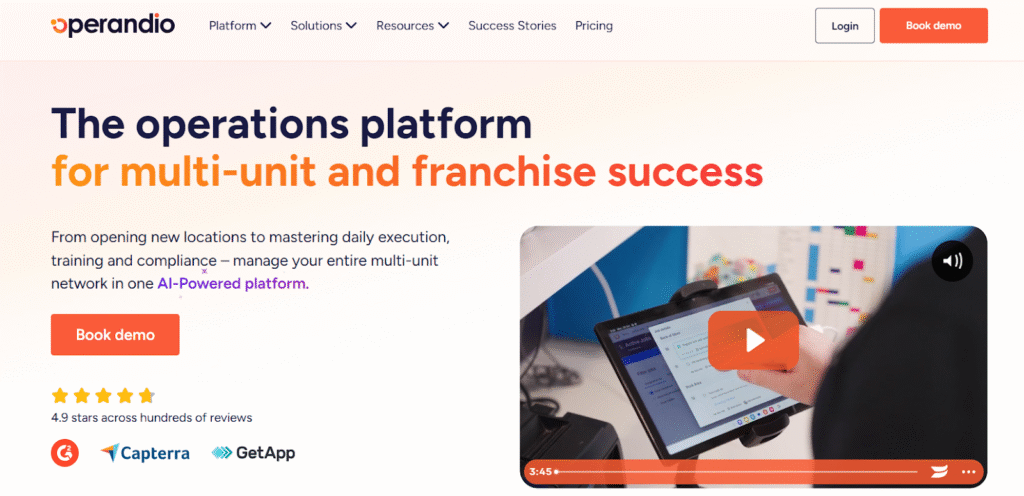
Operandio is built for franchises and multi-unit franchise operators who need more than just an LMS.
It combines training delivery, SOP management, compliance tracking, and daily task execution into a single mobile-first platform. Teams can complete role-based training before their first shift, and managers track completion and quiz scores in real time.
Instead of stitching together separate tools for onboarding, audits, and communication, everything runs through one system. Training connects directly to daily operations, so when someone completes a course, they’re cleared to perform the work on shift. When something slips, corrective actions can be assigned with a clear owner and a deadline.
That means being able to answer questions like:
- Who finished onboarding on time, and who still needs support?
- Where are teams getting stuck, and what should managers reinforce?
- Which locations have the biggest readiness gaps right now?
- Where are standards drifting, and which sites need attention first?
- When something falls short, is there a clear owner and a closed loop on the fix?
- Who finished onboarding on time at each location, and who still needs support?
- Where are teams getting stuck, and what should managers reinforce next?
- Which locations show the biggest readiness gaps right now?
- Where do standards drift across the network, and which sites need attention first?
- When something falls short, do we have a clear owner and a closed loop on the fix?
Key Features
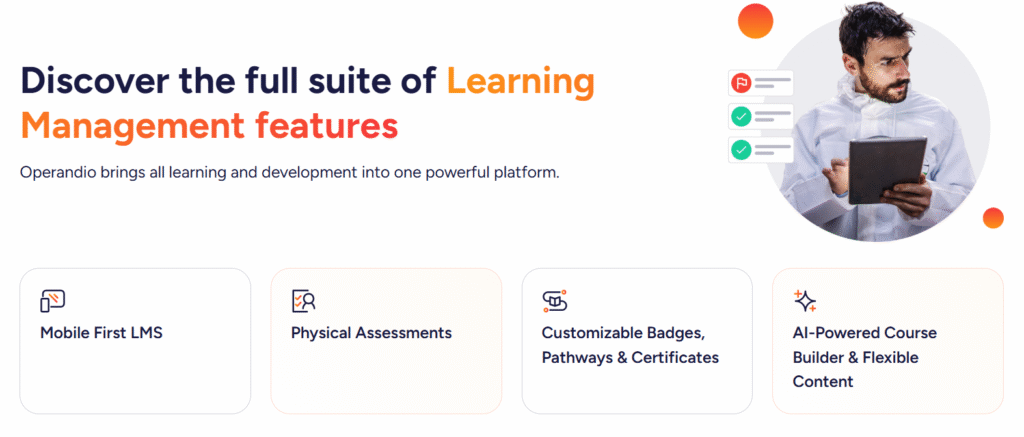
Operandio works best for franchise and multi-unit teams that need training to roll out consistently across locations, with clear adoption tracking and proof of completion and job-readiness. It gives operations and compliance leaders real visibility into who’s trained, where standards drift, and where managers need to reinforce the work, without chasing updates location by location.
- Centralized learning hub: Keep courses, docs, videos, and reference materials in one place so every location trains from the same source of truth.
- Mobile-first LMS: Let staff complete training on any device and track progress in real time.
- Fast course creation: Build training with an AI course builder, upload content, or import SCORM packages.
- Microlearning + quizzes: Use bite-sized learning paths and quizzes to boost retention.
- Role-based assignments: Assign training by role or team so managers don’t manage training one-by-one.
- Content governance and version control: Keep training and reference materials current, and avoid training from outdated docs.
- Manager sign-off workflows: Give managers a simple way to confirm readiness after training.
- Job-ready verification: Validate skills with in-person assessments and track outcomes across locations.
- Certificates and pathways: Issue badges, structured pathways, and branded certificates to reinforce progression and compliance.
Plans and Packages (Compared With Trainual)
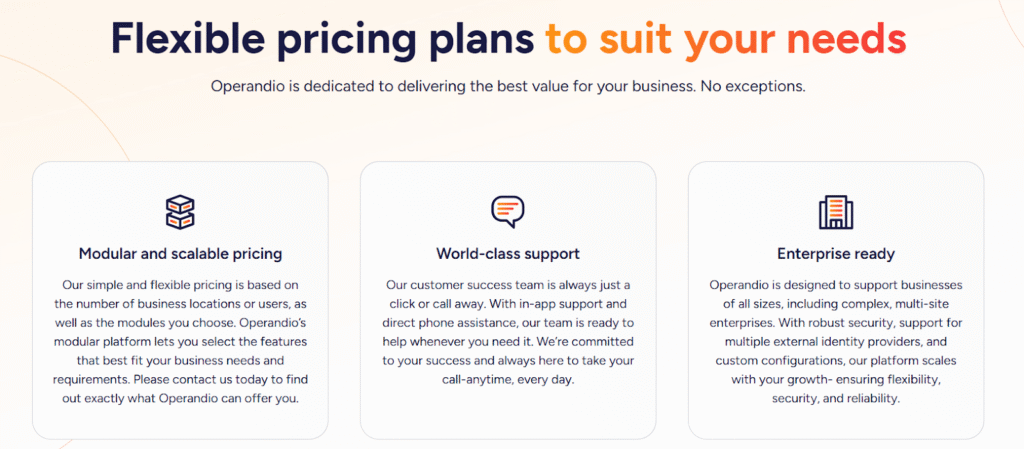
Trainual organizes packaging into Core, Pro, Premium, and Enterprise plans, and it also offers a course library add-on.
Operandio packages map more like modular capability blocks: training/LMS plus operational execution plus compliance add-ons (food safety, asset management, EHS), depending on what you run.
What that means in practice:
- If you only need onboarding manuals, Trainual-style Core/Pro plans often cover it.
- If you need to track execution across locations, Operandio replaces the patchwork of “Trainual + checklists + audits + follow-ups” with one system.
Where Operandio Shines
- Multi-location consistency: You can roll out the same onboarding and training standards across every location from one learning hub.
- Mobile-first delivery: Frontline staff can complete training and quizzes on any device, which helps adoption when people don’t sit at desks.
- Faster course creation: You can build training with an AI course builder, mix formats, and upload SCORM when you already have structured e-learning content.
- Real visibility for managers: You can track completion, certification status, and skill gaps across locations, with reporting that drills down by region, store, or individual.
- Job-readiness proof: You can verify practical skills with physical assessments and reinforce progression with badges, pathways, and certificates.
For a deeper look at tracking these skills at scale, explore how Operandio functions as a competency management system for frontline teams.
Where Operandio Falls Short
Operandio won’t be the “best” answer for every team.
- If you run a single-location office team and want a simple playbook, you may prefer something lighter like Scribe or Whale.
- If you only need course delivery and completion tracking, a traditional LMS like TalentLMS might feel simpler.
Customer Reviews
Operandio scores 4.9/5 on Capterra (based on reviewed listings), where users are explicitly emphasizing multi-unit operations, training, audits/inspections, and compliance workflows as the best features.
Morgane M, HR Coordinator, Food Production: “Although we haven’t used Operandio for long, our experience has been very positive. The platform has already improved communication, task management, and training processes.”
Amanda P, Manager, Culinary Community, Facilities Services: “The Operandio system and team are the best around; no question has been unanswered. I would personally recommend them to anyone.”
Who Operandio is best for
Operandio is best for operations and compliance leaders in franchise and multi-unit businesses who need one platform to see what’s happening across locations in real time.
- Franchise networks and multi-unit operators: You need one system to roll out standards across every site, then see who’s adopting them.
- Hospitality and food-led operations: You need training and compliance to hold up under rush conditions, not fall apart when it gets busy.
- Regulated, operationally heavy environments: You need clear standards and consistent follow-through.
- Ops leaders stuck chasing follow-ups: You need real visibility by location.
- Teams with high turnover and constant onboarding: You need new hires to ramp fast, and managers to know who’s ready.
- Brands that need audit-ready evidence: You need proof in one place so reviews and inspections don’t turn into a scramble.
2. Whale: Best for SOP Documentation With Fast Capture
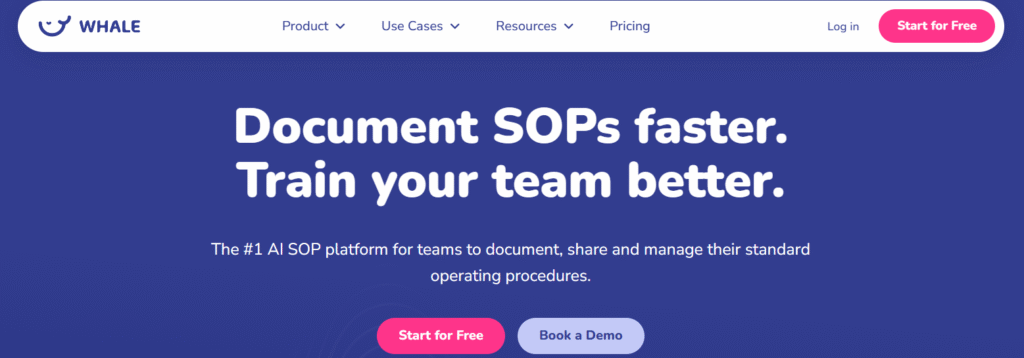
Whale focuses on SOP creation and knowledge sharing, with training features layered on top. It works well when your employee training requires you to document the process, keep it current, and then assign it to the right people so they learn it and follow it consistently.
Key Features
- SOP capture that speeds up documentation: Whale includes tools like a step recorder that turns a workflow into an editable SOP with images and text, which helps teams document faster than writing from scratch.
- Training flows and assignments: You can turn SOPs into training assignments so new hires and existing staff complete the right content based on role or team.
- Quizzes and reinforcement: Whale includes AI quizzes and training elements designed to support retention after someone reads the SOP.
- Checklists for follow-through: Whale also offers checklists that guide employees step-by-step through work, which can help training stick when the “learning” happens while doing.
- Permissions and admin controls: As you move up plans, Whale adds more admin and security capabilities like SSO, SCIM, and integration options.
Plans and Packages
Whale’s Essential plan starts at $40/month for 5 users (billed annually), scaling up to $1200/month for larger teams requiring advanced features.
- Whale Free or Team usually aligns with what people want from Trainual for SOP documentation basics.
- Whale Scale and Enterprise introduce more training structure and enterprise admin features.
Where Whale Shines
- SOP-first training: Whale works best when training starts with nailing your SOPs, then the platform helps you distribute that knowledge consistently.
- Speed to documentation: The capture tooling helps reduce the friction of creating SOPs, which is often the real blocker in employee training programs.
- Lightweight structure without heavy setup: Teams that want a simpler system than a full training suite often find Whale easier to roll out.
Where Whale Falls Short
- Not built for multi-unit operations: If you need location-by-location execution proof and operational follow-through across a franchise network, Whale won’t replace a frontline execution platform.
- Training depth depends on your needs: If you need a highly structured, compliance-driven training program with deeper governance, you may outgrow SOP-led training alone.
Customer Reviews
With the average rating of 4.8/5 on G2, Whale has proven to be a good alternative.
Robert Townsend, Quality Manager: “The ease of use and reliability of Whale are its greatest attributes in my opinion.”
Patrick Timmers: “The user interface is not always logical, for example: After searching a subject, there is no name related to the search result.”
Who Whale Is Best For
- Teams where training equals “learn the process”: Office-heavy teams and smaller ops teams that want SOPs to double as training content.
- Operators who want speed and version control: Teams that constantly update processes and need one source of truth that stays current.
- Companies that want a lighter alternative to training suites: You want SOPs, assignment, and basic tracking without standing up a full LMS program.
3. TalentLMS: Best for a Traditional LMS With Clear Tiers
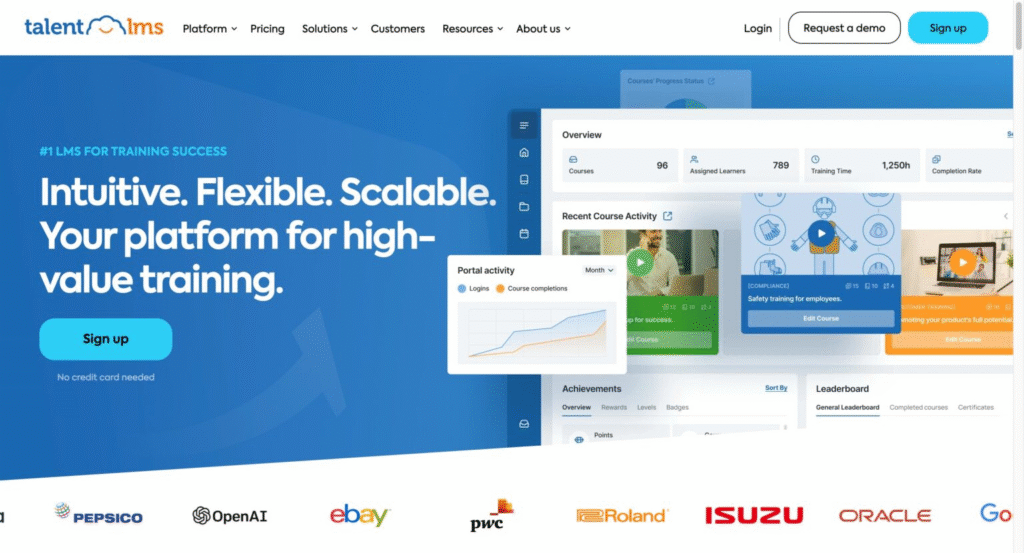
TalentLMS is a classic learning management system for building courses, assigning training, and tracking completion. It’s a good fit when you want structured training delivery without turning your platform into a full SOP and operations hub.
Key Features
- Course delivery and tracking: Create courses, assign learners, and track progress and completions.
- Quizzes and certifications: Test knowledge, issue certifications, and track status over time.
- Reporting: Build custom reports and schedule them to send automatically.
- Branches for multiple audiences: Set up separate training portals for different teams, departments, or audiences as you scale.
Plans and Packages
TalentLMS offers a tiered subscription model starting around $119–$149/month (billed monthly) for up to 40 users, with significant discounts for annual billing.
Plans are based on active user counts (40, 70, 100, 500+), featuring unlimited courses, with higher tiers adding custom reports, automations, and white-labeling.
How to think about the tiers:
- TalentLMS Free/Core: basic LMS delivery for straightforward training needs.
- TalentLMS Grow/Pro/Enterprise: more admin controls, reporting, and scale features.
Where TalentLMS Shines
- Straightforward training delivery: It keeps the focus on courses, assignments, and completion tracking.
- Scale by team structure: Branches make it easier to separate training by department or audience.
- Reporting clarity: Custom and scheduled reports help training owners stay on top of progress without manual exports.
Where TalentLMS Falls Short
- Less SOP-first than Trainual: If your training program revolves around a living playbook and quick “how we do it here” reference, TalentLMS can feel more course-centric than documentation-centric.
- Multi-portal setup does not start on the free plan: TalentLMS “Branches” work well for separating audiences, but TalentLMS limits branches by subscription and doesn’t include them on the Free plan.
- Can feel like more system than you need: If you mainly want simple onboarding docs and lightweight SOP sharing, TalentLMS can feel geared toward full training programs with courses, quizzes, and certificates.
Customer Reviews
TalentLMS shows a strong review footprint on Capterra with a 4.6/5 overall score.
Sourabh Chourasiya: “I have been using TalentLMS for a long time, and my company admin can easily create courses and upload videos, SCORM, assignments, and more. TalentLMS can work well with small teams and thousands of learners.”
Shani M, Manager, Talent Development: “Reporting capabilities are very basic. Unable to create reporting on courses grouped together to form a curriculum. Creating courses also uses the most basic of software, so not as dynamic a learning experience as one would like.
Recently had an incident where a 3rd party user inadvertently changed our URL over a weekend, and the lack of customer service/resolution provided by our previous account manager was not to our satisfaction.”
Who TalentLMS Is Best For
- Teams that want structured training delivery and tracking, without building a broader “ops execution” system.
4. Lessonly (Seismic Learning): Best for Sales Training and Coaching
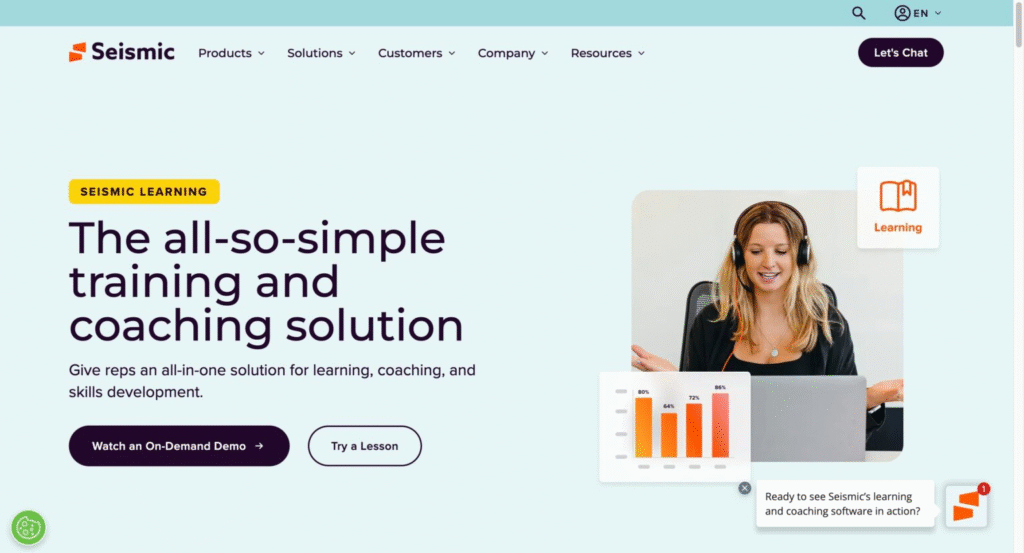
Lessonly is now branded as Seismic Learning. It sits inside Seismic’s revenue enablement ecosystem and focuses on ramping customer-facing teams through structured learning, practice, and coaching.
Key Features
- Sales readiness training: Built to onboard and upskill customer-facing teams with structured, role-based learning.
- Practice and coaching workflows: Supports training plus coaching feedback loops to reinforce what reps learn after onboarding.
- Just-in-time learning inside enablement: Designed to surface training alongside enablement content like playbooks and toolkits when teams need it.
- Licensing model geared for enablement programs: Seismic’s product descriptions outline Learning license types such as “Learning Standard User” and “Learning Intranet User,” which signals a more enterprise-style deployment than self-serve SMB tools.
Plans and Packages (Compared With Trainual)
Trainual offers Core, Pro, Premium, Enterprise, plus a Premium Courses add-on.
While Seismic Learning (Lessonly) does not publish its pricing, they offer custom plans that you can learn more about through sales.
Seismic offers different Learning license types rather than a tiered pricing plan.
Where Lessonly Shines
- Sales enablement training: Strong fit when training ties directly to rep performance, coaching, and readiness.
- Enablement ecosystem alignment: Works well for teams already standardizing around Seismic for content and playbooks.
Where Lessonly Falls Short
- Not built for frontline multi-unit training reality: If your employees work across locations with shared devices and managers need location-level visibility, Lessonly’s enablement-first design can feel misaligned.
- Not a cheap Trainual alternative: Because it’s sold as part of a broader enablement platform with enterprise-style licensing, it usually won’t match the simple, budget-first intent behind.
Customer Reviews
Lessonly maintains a strong rating of 4.7/5 on G2.
Shubhank Shrivastava, Support Analyst: “I completed about 80% of my training on Seismic Learning. I appreciate how all the onboarding materials are organized in one place, making it very convenient for employees to find the right resources and finish their training.”
Todd McBride: “Some advanced functionality is currently missing but being developed, like AI Coaching and more content automation.”
Who Lessonly Is Best For
- B2B sales orgs, revenue enablement, and teams that train sellers rather than frontline operators.
5. Scribe: Best for Creating SOPs and “How-To” Guides Fast
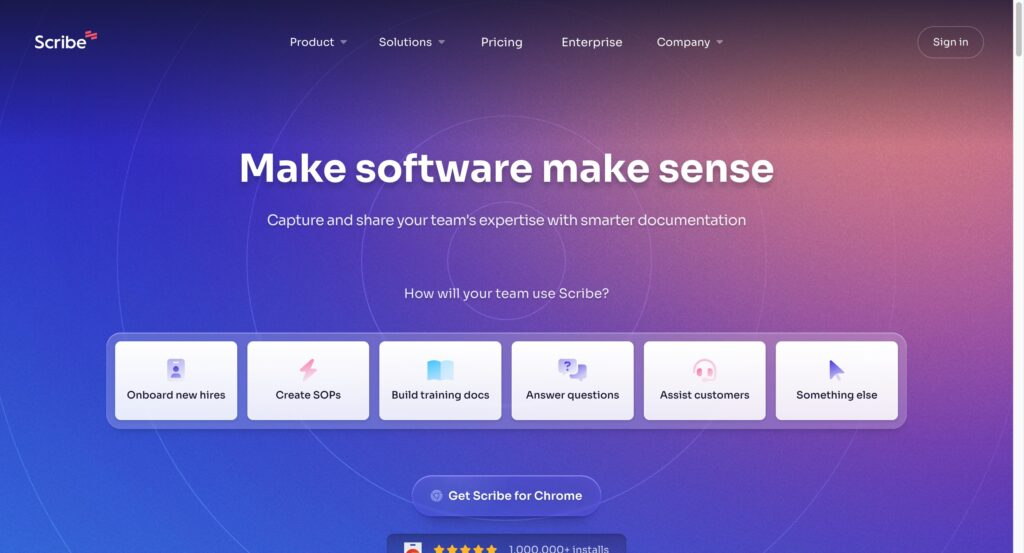
Scribe records a workflow while someone does the work, then turns it into a step-by-step guide with screenshots and written instructions. It’s a strong fit when “employee training” looks like: show people how to do the task correctly, then give them a guide they can follow the next time.
Key Features
- Auto-capture guides: Create visual SOPs by recording a process in a browser, instead of screenshotting and writing everything manually.
- Edit and clean up steps: Update text, redact sensitive info, and keep guides polished.
- Share anywhere: Send a link or embed guides where teams already work.
- Pages for “training packets”: Combine multiple Scribes into one page and add context, links, and videos for onboarding or role training.
- More capture options as you move up plans: Scribe supports browser extensions and also offers desktop app capture for higher tiers.
Plans and Packages
Scribe offers a Free plan for web-only guides, a Pro Personal plan starting at $23 per seat/month for desktop and mobile capturing, and a Pro Team plan (5-seat minimum) starting at $12 per seat/month when billed annually.
The practical difference:
- Scribe focuses on quick SOP creation.
- Trainual focuses on organizing training + onboarding around SOPs.
Where Scribe Shines
- Fast SOP creation: Great when your bottleneck is documenting your process.
- Training that supports doing the work: Guides are connected to your workflow, so people can follow them while they complete the task.
- Onboarding bundles: Pages makes it easier to group guides into a simple onboarding path without building a full course.
Where Scribe Falls Short
- Not a full LMS: If you need deep role-based learning paths, robust testing, and classic LMS administration, Scribe is not going to be enough.
- You may need light editing: Reviews often mention that Scribe can capture extra steps or vague step titles, so a quick cleanup pass helps.
- Combining guides takes work: You can’t just merge multiple Scribes. You have to copy steps between guides or use Pages to organize.
Customer Reviews
Scribe also has a strong rating of 4.8/5 on G2. Users usually rate Scribe highly for its ease of use and time-saving capabilities.
AREM Team, Operations Manager: “I really like how easy Scribe has made it for me to create reports and training guides. I really appreciate the time it saves me.”
Devin Kuh: “When I’m creating tutorials with Scribe, sometimes the things I click on don’t register properly. It captures every keystroke, and some of them end up being confusing or irrelevant.”
Who Scribe Is Best For
- Operations teams, support teams, IT, and professional services orgs that need instruction docs fast.
6. Cloud Assess: Best for Compliance Training, Assessments, and Skills Tracking
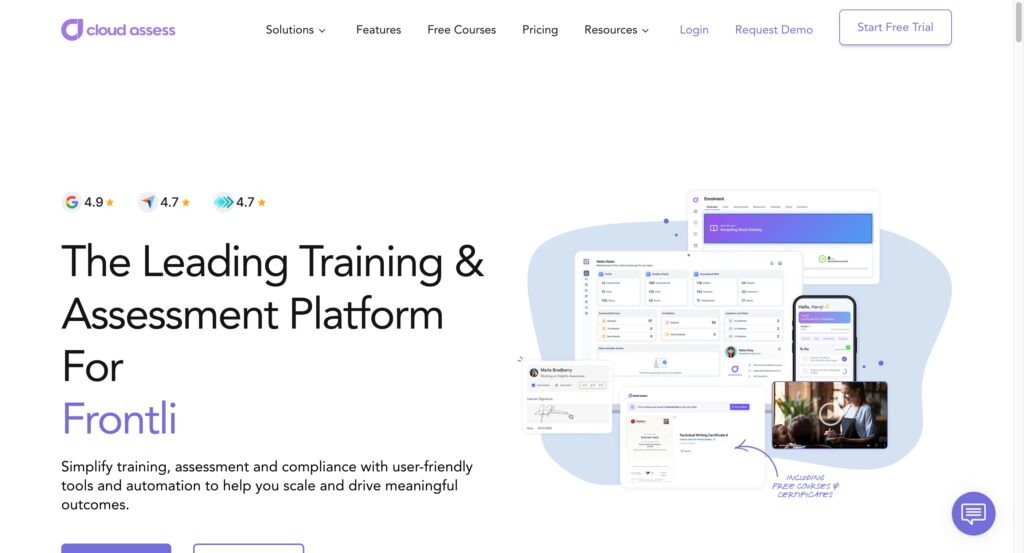
Cloud Assess positions itself around training and assessment in high-compliance environments.
Key Features
- Assessments with evidence: Track training completion with supporting proof through tools like Evidence Portfolios, digital log books, and observation checks.
- Skills matrix and competency visibility: Map roles, qualifications, and certifications so you can see gaps by team, site, or structure.
- Automation and workflows: Use workflows, journeys, and automation to trigger enrolments, content releases, and reminders based on progress.
- Mobile learner experience: Cloud Assess highlights a learner app designed to improve completion and accessibility
Plans and Packages
Cloud Assess offers flexible, user-based subscription pricing designed for training organizations and workforce compliance, with plans starting around $50-$99 AUD/month. The model scales with your needs, featuring a free, pro, and premium tier with no long-term lock-ins.
If your training includes evidence, competency verification, and skill matrices, Cloud Assess can align better than Trainual’s documentation-first approach.
Where Cloud Assess Shines
- Competency-first training: Strong fit when you need sign-off style verification, evidence, and skills tracking baked into the frontline training system.
Where Cloud Assess Falls Short
- Not documentation-first: If your main goal is building a searchable internal wiki of processes and policies, Cloud Assess focuses more on training delivery and verification than SOP libraries.
Who Cloud Assess Is Best For
- Organizations that run structured assessments: You need observation-based verification and ongoing compliance tracking, not only assigned reading.
7. Coassemble: Best for Simple Course Creation and Microlearning
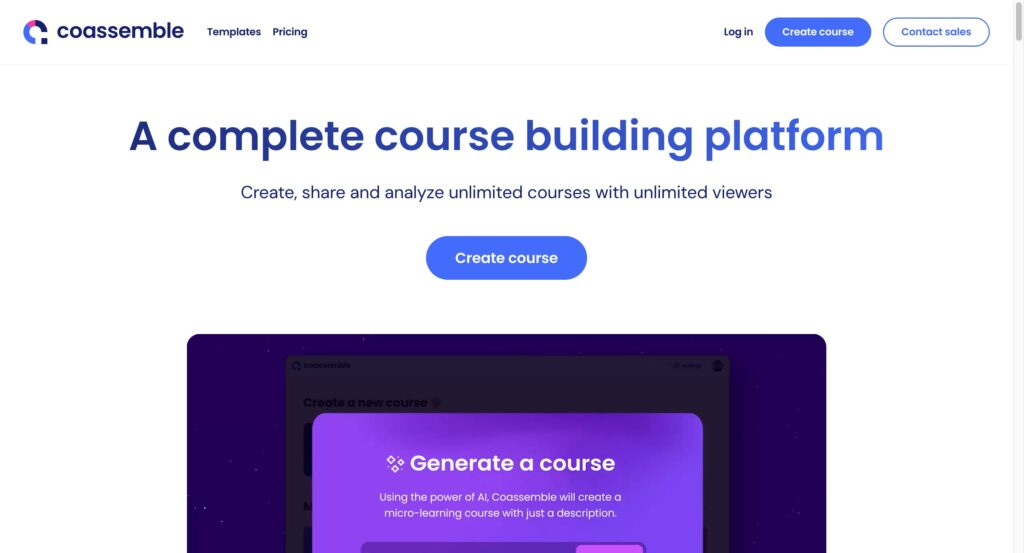
Coassemble leans toward fast course creation with AI assistance and straightforward delivery.
Key Features
- AI-assisted course creation: Create courses from prompts, transform documents into courses, and convert slide decks into training.
- Import what you already have: Pull in slides, Word files, PDFs, and hosted videos, then convert them into interactive course content.
- Lightweight learning structure: Coassemble highlights learning paths via collections and learner performance insights in higher tiers.
Plans and Packages
Coassemble offers an “actually free” plan for one creator with unlimited courses, a Team plan priced at $50 per month (billed annually at $600) for up to five creators, and custom-priced Enterprise options.
Coassemble can feel affordable because you can start small and still build usable training content quickly, but it won’t cover frontline execution needs.
Where Coassemble Shines
- Speed to training content: Great when you need to produce a lot of short, usable training quickly.
Where Coassemble Falls Short
- Not built for multi-unit execution: If you need training tied to location-level operational follow-through and oversight, Coassemble stays in the “courses and microlearning” lane.
Who Coassemble Is Best For
- Smaller orgs starting with microlearning: You want something lighter than a full LMS rollout, with a clear path to upgrade as you grow.
Reasons to Consider an Alternative to Trainual
Trainual works for documenting processes and onboarding basics. But as your operation grows, the gaps start showing, especially if you’re managing multiple locations and need more than proof that someone completed a course.
Here’s where most multi-unit operators hit the wall with Trainual.
You Need Visibility by Location, Not Just by Person
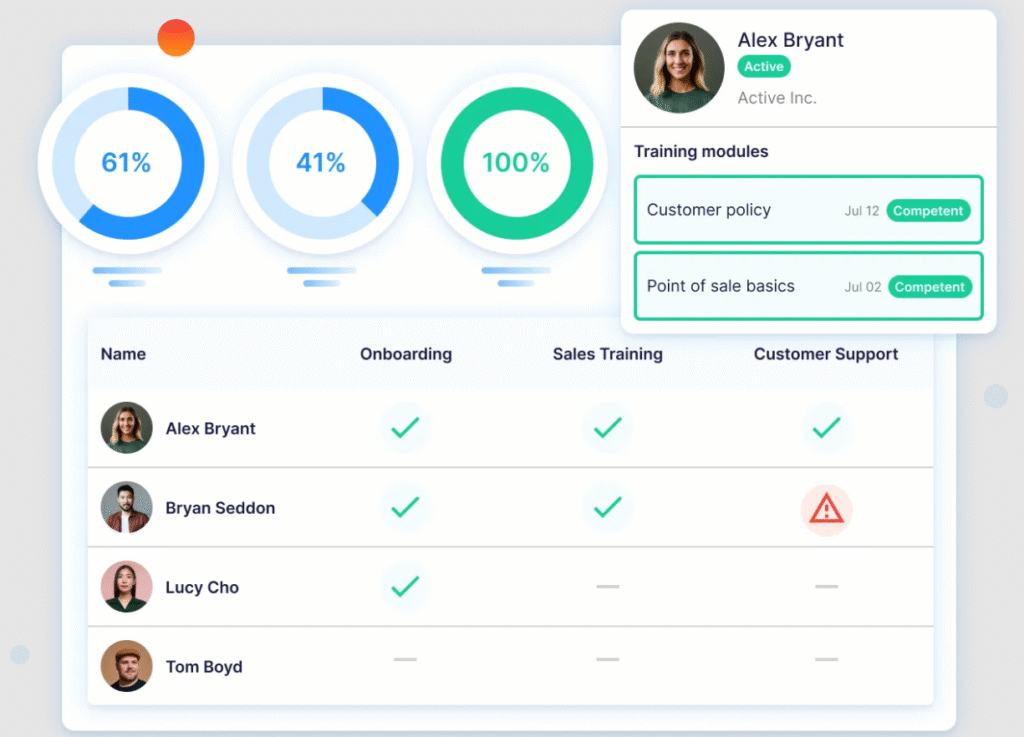
Trainual tracks individual completion. But when you’re running 20, 50, or 100+ sites, you need insight into which locations are falling behind, not just which employee finished training.
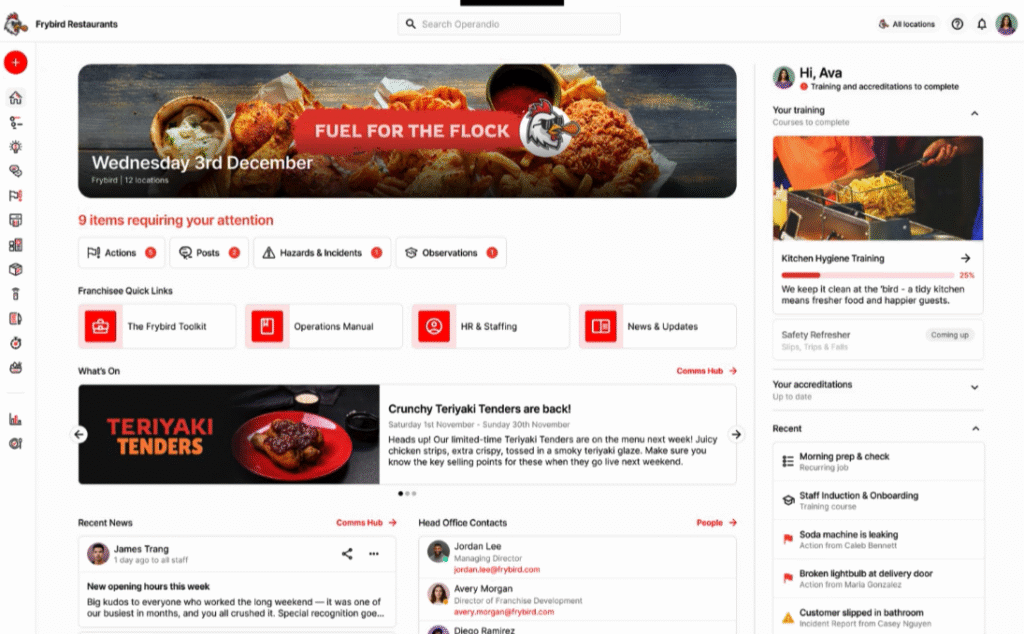
Operandio gives ops leaders a real-time, location-level view of training progress, task completion, and compliance status from a single dashboard.
You Need Training Tied to Daily Operations, Not Sitting in a Separate System
In Trainual, training lives in its own silo. Someone finishes a course, and then what? With Operandio, training connects directly to shift-level execution, checklists, SOPs, audits, and task management all visible in the same platform. When a team member completes training, they’re cleared to perform the work. No gap between learning and doing.
You Want Proof of Competency, Not Just Completion
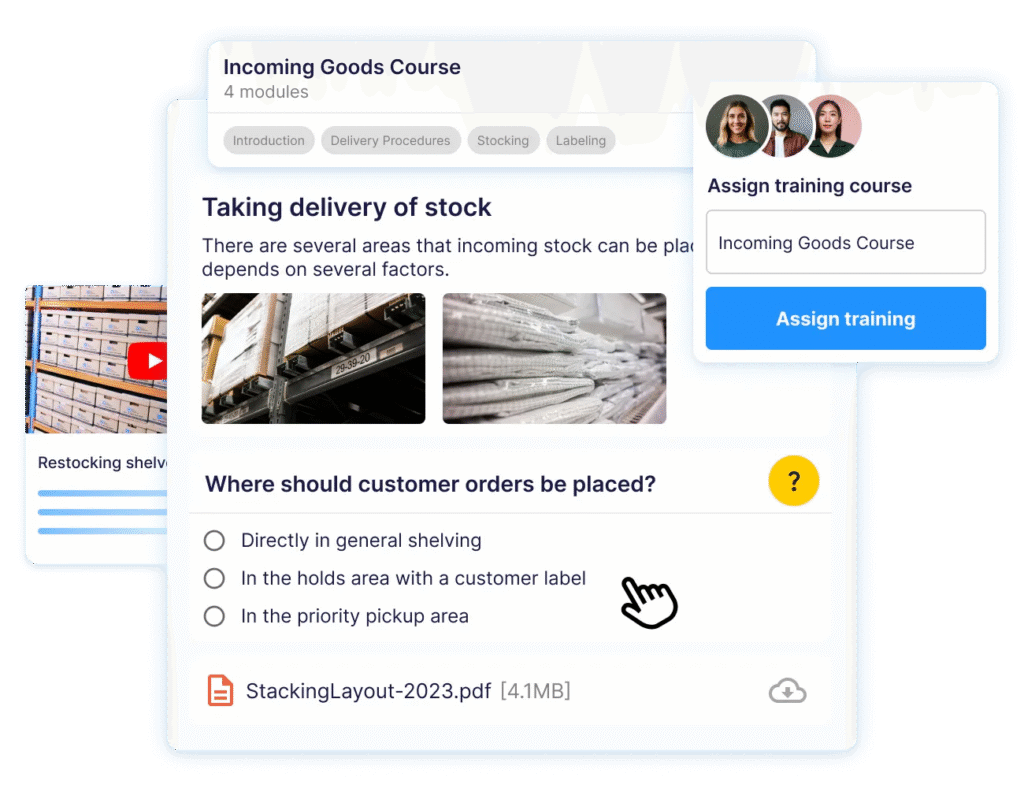
Marking a course finished doesn’t mean someone can do the job. Operandio supports physical assessments, quizzes, and role-based readiness tracking so managers can confirm their team is actually job-ready.
You Need a Closed Loop When Standards Slip
Trainual doesn’t have built-in corrective action workflows. When an audit fails or a task gets missed across your network, you need to assign an owner, set a deadline, and track the fix. Operandio’s corrective action tracking closes that loop.
You’re Paying for Features That Don’t Match How Frontline Teams Work
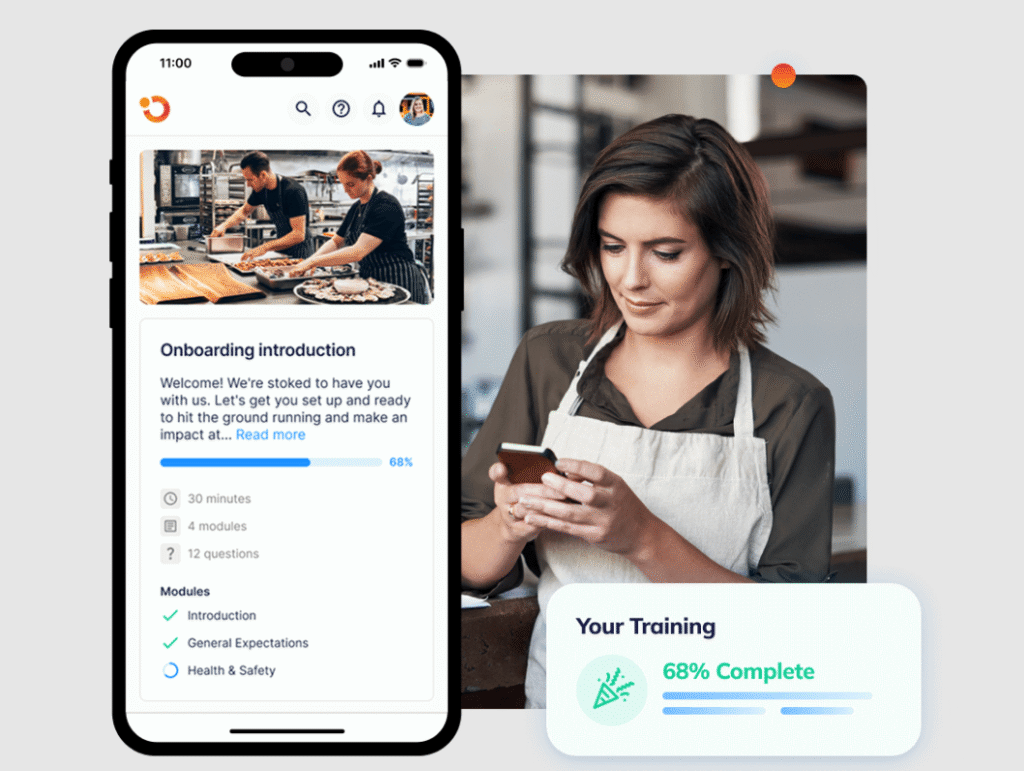
Trainual’s higher tiers include features like multilingual support, hosted videos, and training paths, etc. Operandio is built mobile-first for frontline workers, the people who don’t sit at desks. Training is delivered on the device they already carry, works offline, and doesn’t require a separate upgrade to reach non-English speakers.
Employee Training That Scales Across Every Location
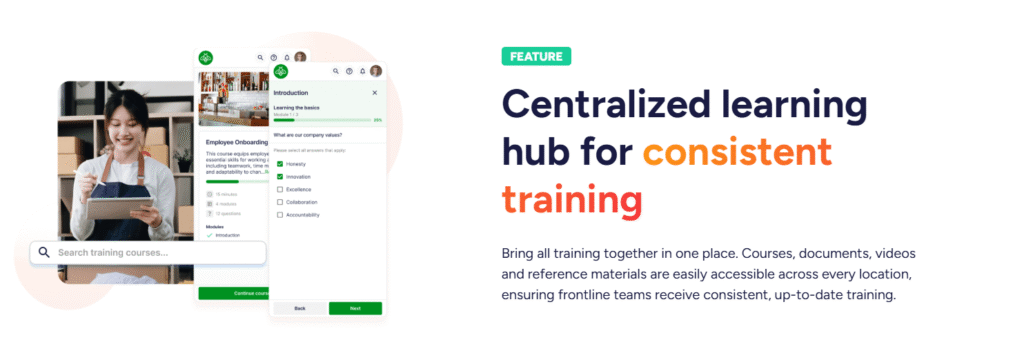
Operandio is built for frontline teams where training needs to stay consistent across every location, even when turnover is high and managers stay stretched. You can roll out standardized onboarding and role training from one place, then track adoption by site so you know what’s working and where teams need support.
It also helps you move past “completed training” as the only success metric. Managers can see who finished, who’s falling behind, and who still needs hands-on verification before they run the role alone. That visibility makes coaching faster, reduces repeat mistakes, and keeps standards from drifting across the network.
👉Book a demo with Operandio to see what multi-location training looks like when standards stay consistent, and leadership can spot gaps early.