
- Platform
- Features
 Franchise & Multi-Unit ManagementCentralize oversight and streamline growth across your entire multi location network
 Learning ManagementTrain, verify, and reward your workforce with mobile-first education
 Operations ExecutionStreamlined operations ensuring brand standards, accountability and efficiency
 Asset ManagementOptimize equipment uptime through proactive maintenance and smart tracking
 Digital Food SafetyAutomate compliance and monitor quality with real-time digital precision
 Health & Safety Management (EHS)Mitigate workplace risks and streamline digital incident reporting and investigations
- Platform Essentials
 Powerful ReportingAlign leadership with role-based dashboards and deeper analytics
 AI-Powered ToolsAutomate content, analyze trends, and provide instant answers
 IntegrationsUnify your enterprise tech stack with real-time data
 IoT PlatformDetect anomalies and automate workflows with intelligent sensors
 Mobile & Shared Tablet AppsSecurely empower frontline teams with fast, offline-capable access
- Footer


 Not sure what you need?
Book in a call with the team
- Features
- Solutions
- By Industry
 RestaurantsQSR, fast food and multi-unit restaurants
 Hotels & ResortsHotels, resorts and extended stay hotels
 ChildcareEarly education, childcare, daycare and preschool
 EntertainmentTheme parks, family entertainment centers and play centers
 Fitness Centers & LeisureFitness centers, golf clubs, gyms and sports facilities
 RetailBig-box retailers, franchise stores and supermarkets
- By Use Case
- Operational ExcellenceStreamlined operations ensuring brand standards, accountability and efficiency
- Learning & DevelopmentTrain, verify, and reward your workforce with mobile-first education
- Franchise & Multi-Unit ManagementCentralize oversight and streamline growth across your entire multi location network
- Food Safety ComplianceAutomate compliance and monitor quality with real-time digital precision
- Asset Management & MaintenanceOptimize equipment uptime through proactive maintenance and smart tracking
- Health & Safety Management (EHS)Mitigate workplace risks and streamline digital incident reporting and investigations
- By Industry
- Resources
- Platform
- Features
- Franchise & Multi-Unit ManagementCentralize oversight and streamline growth across your entire multi location network
- Learning ManagementTrain, verify, and reward your workforce with mobile-first education
- Operations ExecutionStreamlined operations ensuring brand standards, accountability and efficiency
- Asset ManagementOptimize equipment uptime through proactive maintenance and smart tracking
- Digital Food SafetyAutomate compliance and monitor quality with real-time digital precision
- Health & Safety Management (EHS)Mitigate workplace risks and streamline digital incident reporting and investigations
- Platform Essentials
- Powerful ReportingAlign leadership with role-based dashboards and deeper analytics
- AI-Powered ToolsAutomate content, analyze trends, and provide instant answers
- IntegrationsUnify your enterprise tech stack with real-time data
- IoT PlatformDetect anomalies and automate workflows with intelligent sensors
- Mobile & Shared Tablet AppsSecurely empower frontline teams with fast, offline-capable access
- Footer
- Not sure what you need?
Book in a call with the team
- Features
- Solutions
- By Industry
- RestaurantsQSR, fast food and multi-unit restaurants
- Hotels & ResortsHotels, resorts and extended stay hotels
- ChildcareEarly education, childcare, daycare and preschool
- EntertainmentTheme parks, family entertainment centers and play centers
- Fitness Centers & LeisureFitness centers, golf clubs, gyms and sports facilities
- RetailBig-box retailers, franchise stores and supermarkets
- By Use Case
- Operational ExcellenceStreamlined operations ensuring brand standards, accountability and efficiency
- Learning & DevelopmentTrain, verify, and reward your workforce with mobile-first education
- Franchise & Multi-Unit ManagementCentralize oversight and streamline growth across your entire multi location network
- Food Safety ComplianceAutomate compliance and monitor quality with real-time digital precision
- Asset Management & MaintenanceOptimize equipment uptime through proactive maintenance and smart tracking
- Health & Safety Management (EHS)Mitigate workplace risks and streamline digital incident reporting and investigations
- By Industry
- Resources
What is Franchise Operating System & Why You Should Use It
Key Takeaways
- A franchise operating system is the structure a franchise network uses to run every location consistently. It turns brand standards into documents, training, workflows, audits, and reporting.
- A manual explains the standard, but an operating system helps locations follow it. The goal is to make execution visible, repeatable, and easier to support across franchisees, regions, and stores.
- The system becomes more important as the network scales. More locations mean more staff, more handovers, more compliance risk, and more room for local interpretation.
- The strongest systems connect the work, not just the documents. Franchisees need clear guidance, staff need accessible training, and head office needs visibility into where standards are slipping.
Franchise growth exposes weak operations quickly. You need a solid foundation in place to manage every location effectively and efficiently as you expand.
A franchise operating system provides that exact structure to keep every location following the same standards, even as you add new stores, managers, staff, and equipment across regions. It connects the operating manual with the daily work happening inside each location.
The need becomes clearer as the network grows. Franchise Business Review’s research of nearly 38,000 franchisees across 385 brands found that growing franchise systems tend to struggle with satisfaction and performance in areas like effective technology, innovation, finances, and communications.
This guide explains what a franchise operating system is, what it includes, why it’s important, and how to build one that franchisees can actually use.
What Is A Franchise Operating System?
A franchise operating system is the set of processes, tools, workflows, and reporting structures that help a franchise network run consistently across locations.
It acts as the operating layer between head office and each franchise site.
The manual defines what should happen. The operating system helps locations do it, track it, prove it, and improve it.
For example, a franchisor may have a documented process for opening a store, completing food safety checks, onboarding a manager, handling a customer complaint, or preparing for an audit. The operating system turns those standards into daily workflows: tasks get assigned, staff get trained, checks get completed, audits get reviewed, and head office can see where execution is slipping.
This is especially useful for franchisors, multi-unit operators, regional managers, operations directors, compliance teams, and learning leaders who need consistent operations execution across many locations.
What Makes Up A Franchise Operating System?
A franchise operating system is made up of several connected pieces. Each one helps head office define the standard, teach it, execute it, verify it, and improve it across locations.
Franchise Operations Manual And SOP Library
The franchise operations manual is the foundation of the system.
It explains how the franchise should operate, including brand standards, daily procedures, safety requirements, customer service expectations, opening and closing routines, escalation processes, and compliance rules. SOPs turn those standards into clear step-by-step instructions for specific tasks.
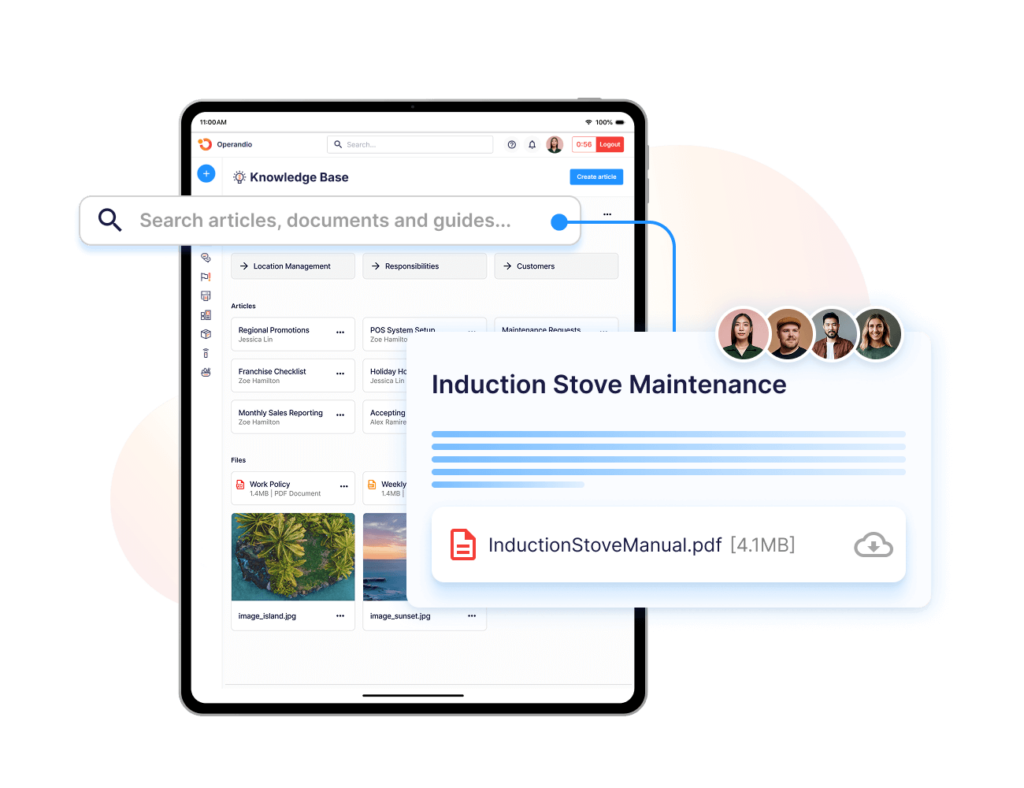
The problem is that many franchise operation manual documents live in PDFs, folders, shared drives, or outdated binders. That makes it harder for franchisees and managers to find the latest version during real work.
A strong operating system keeps the franchise operations manual and SOPs easy to access, easy to update, and easy to connect with training, tasks, audits, and compliance workflows.
Strong knowledge and document management helps franchise teams keep policies, procedures, manuals, and operational documents in one place.
Franchisee Onboarding And Staff Training
A franchise operating system should help new franchisees and their teams learn how the business works.
That includes onboarding the franchise owner, store manager, assistant manager, and frontline staff. Each role needs a clear path: what to learn, what to complete, what to demonstrate, and what to do next.
This is where many franchise systems struggle. They give new franchisees a manual and a training week, but the real test happens after launch when staff turnover, shift pressure, and local habits start changing the process.
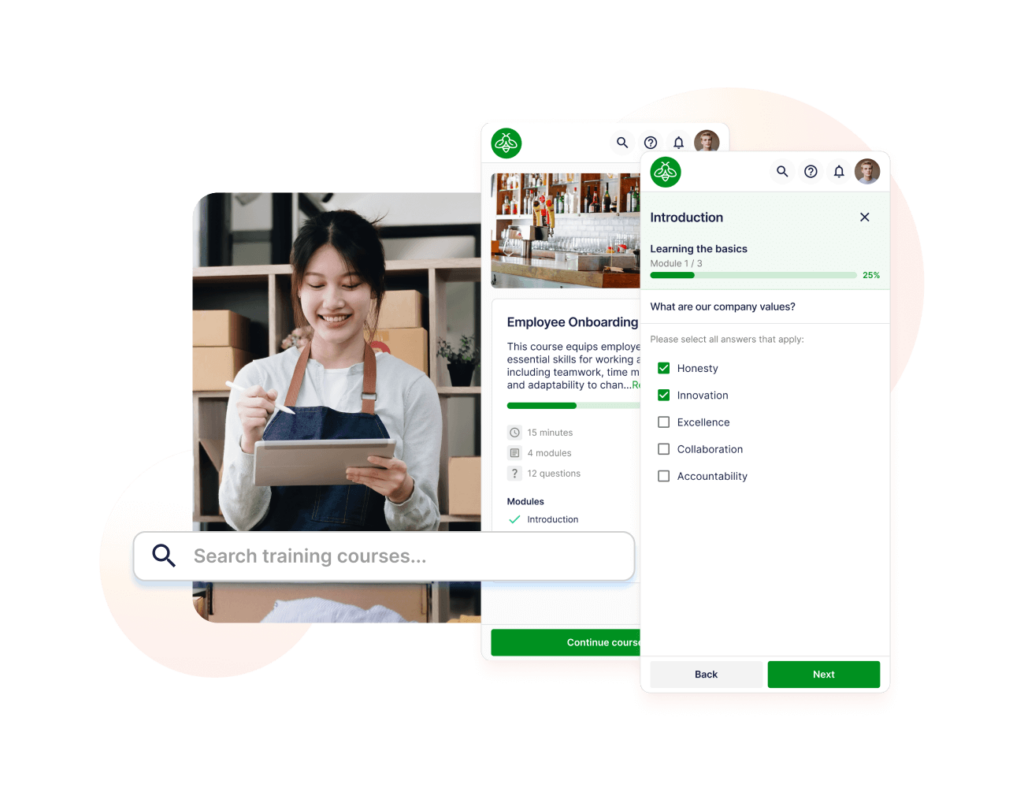
A better system connects the franchise onboarding process with role-based learning, assessments, refreshers, certificates, and manager visibility.
When choosing a learning setup, look for one that shows completion by location and role. A franchise LMS can help franchisors standardize training without rebuilding the process for every new site.
Daily Tasks, Checklists, And Execution Workflows
A franchise operating system should translate standards into daily work.
This includes opening checklists, closing checklists, cleaning routines, safety tasks, stock checks, service standards, shift handovers, equipment checks, and recurring operational tasks.
Without a shared system, each location may interpret the same standard differently. One manager uses a paper checklist. Another uses a spreadsheet. Another relies on memory. The head office only finds the gap after a complaint, failed audit, or franchisee escalation.
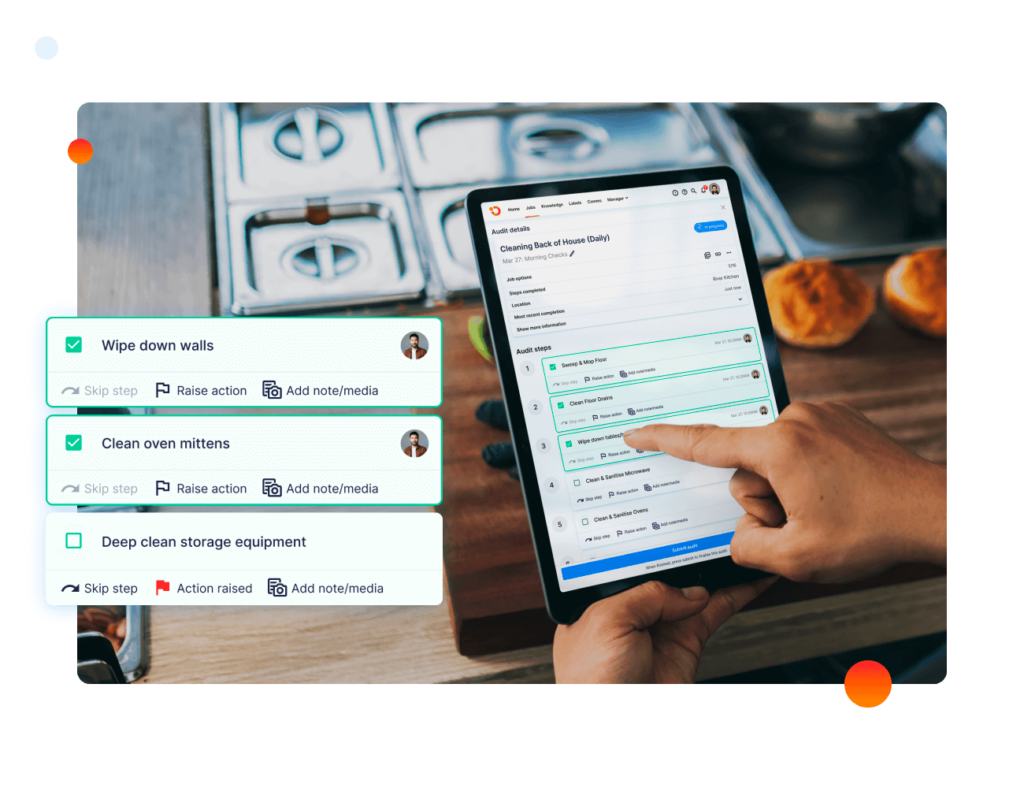
Daily execution workflows help every location follow the same process. They also create a record of what was completed, what was missed, and what needs follow-up.
Operandio’s Task Management helps franchise and multi-unit teams assign recurring work, track completion, and keep location-level execution visible.
Audits, Compliance, And Corrective Actions
Audits help franchisors check whether locations are following the system.
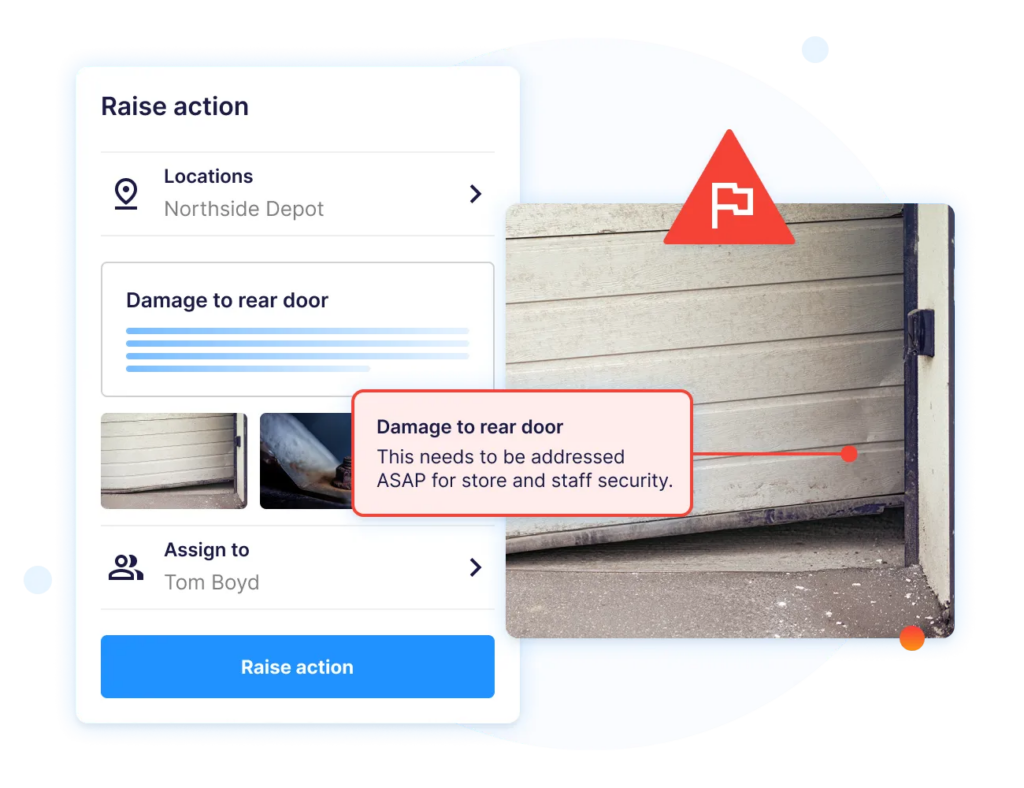
This can include brand audits, operational audits, food safety checks, health and safety inspections, training reviews, mystery shopper follow-ups, and compliance visits. The audit itself is only one part of the process. The real value comes from what happens after a finding is recorded.
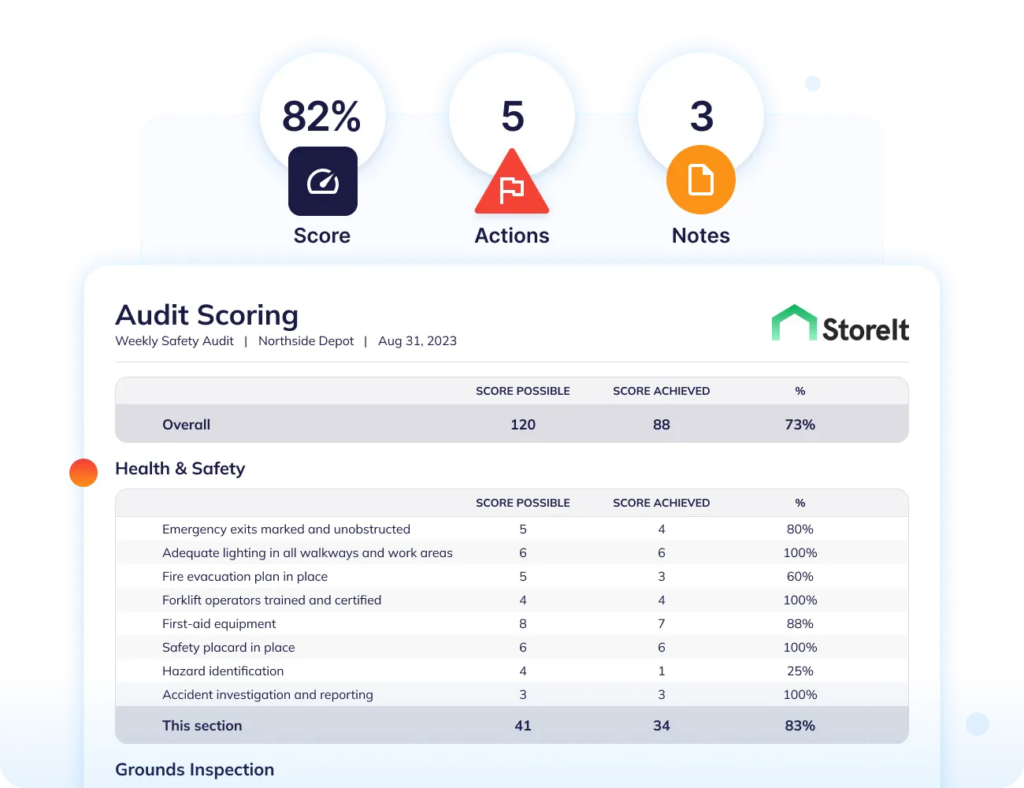
A strong franchise operating system should show failed items, assign corrective actions, track owners, set due dates, and confirm whether the issue was fixed.
For example, if three locations fail the same cleaning standard, the problem may not be one careless manager. It may point to unclear SOPs, weak training, poor scheduling, or a process that does not work during peak hours.
Operandio’s Inspections & Audits help franchise teams standardize audits and connect findings to action across locations.
KPIs, Analytics, And Support Rhythms
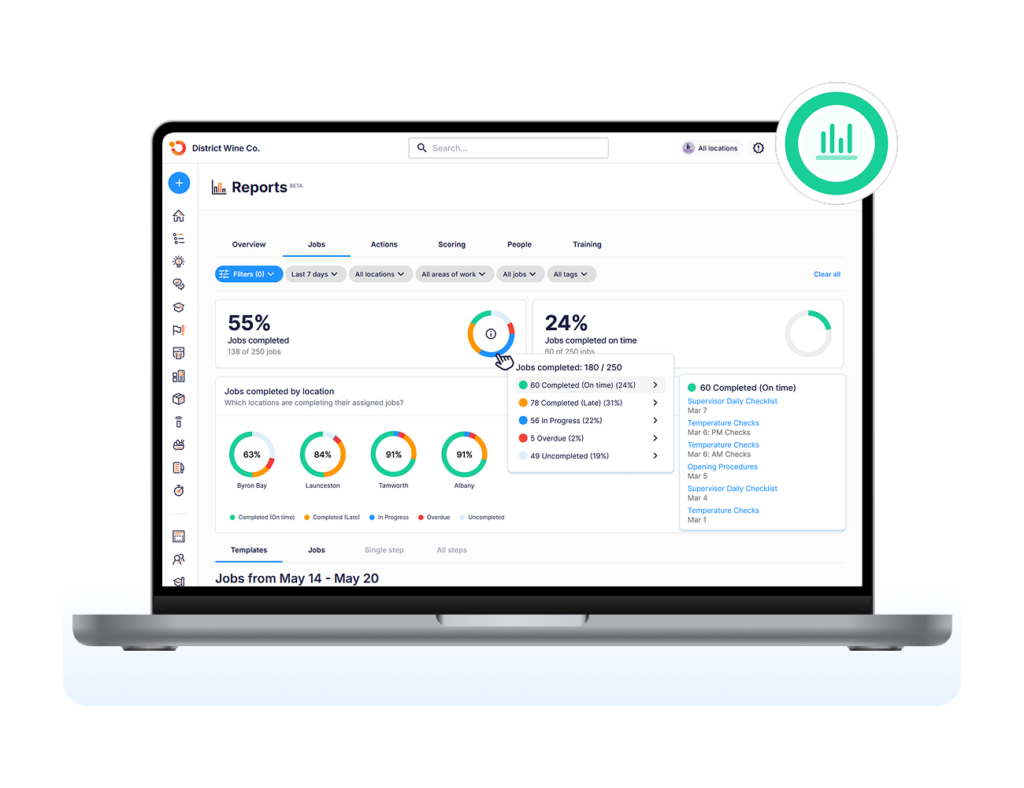
A franchise operating system should give head office a clear view of performance.
KPIs may include task completion, audit scores, training completion, open corrective actions, incident trends, customer service scores, compliance gaps, franchisee support requests, and location performance by region.
But the goal is not to track everything. That’s counterproductive. It’s to track the few indicators that help franchisors support locations earlier.
For example, a falling audit score, overdue training, and repeated task failures at one location may show that the franchisee needs support before the issue becomes visible to customers.
A good operating system should also include support rhythms: regional check-ins, monthly performance reviews, franchisee coaching, issue escalation, and continuous improvement loops.
For KPI planning, separate operational visibility from vanity reporting. Learn more about franchise analytics and franchise brand management to better define what is worth tracking.
Why Do You Need A Franchise Operating System?
A franchise operating system helps franchisors scale the business without letting each location drift into its own way of working.
Here are the main reasons it becomes important.
To Scale Standards Instead Of Scaling Problems
Franchise growth can create a false sense of progress.
You may be opening more locations, signing more franchisees, and increasing brand presence. But if every new site copies an unclear process, the business is scaling inconsistency.
A franchise operating system helps prevent that. It gives every franchisee the same source of truth for SOPs, training, daily tasks, audits, reporting, and escalation. This is key when a brand expands into new regions, adds new managers, or grows beyond the founding team’s direct visibility.
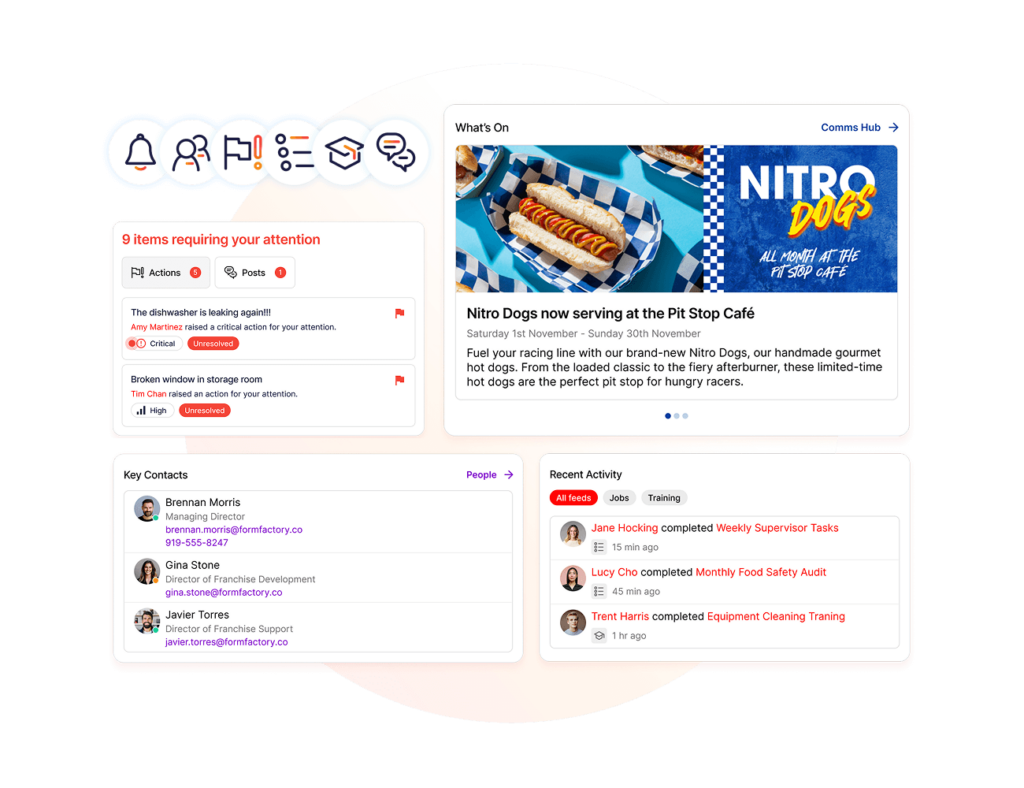
Without a system, high-performing locations may operate one way while newer or weaker locations slowly create their own version of the brand.
A clear franchise expansion strategy needs an operating system that can grow with the network.
To Reduce Tool Fragmentation And Paper-Based Work
Many franchise networks start with whatever works at the time: PDFs, spreadsheets, email threads, shared drives, WhatsApp groups, printed checklists, and manager memory.
That setup becomes risky as the network grows.
One location may use an old operations manual. Another may miss a training update. A regional manager may collect audit notes in a spreadsheet. A franchisee may keep compliance evidence in a folder that the head office cannot access quickly.
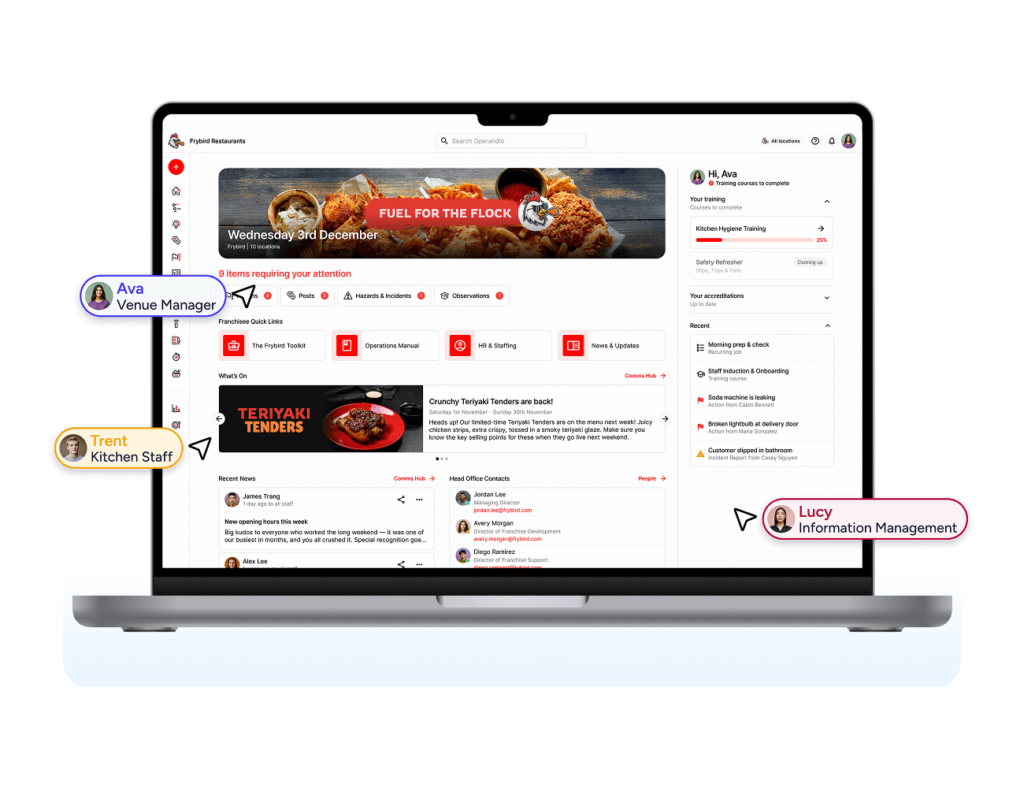
A franchise operating system reduces that fragmentation by connecting the work in one structure. Documents, tasks, training, audits, corrective actions, and performance data become easier to find and manage.
This is one reason franchise teams eventually move from paper-based processes to digital operations. The issue is not only admin time. It is that paper makes it harder to see what is happening across locations.
To Improve Compliance And Brand Consistency
Franchise brands depend on consistent execution.
Customers expect the same product, service, safety standards, and brand experience across locations. Regulators expect the right records. Franchisees expect clear guidance. The head office needs proof that standards are being followed.
A franchise operating system helps make those standards visible.
For example, if a location misses cleaning checks, skips safety tasks, falls behind on training, or repeatedly fails the same audit item, the system should make that visible before the problem becomes a customer complaint, failed inspection, or brand issue.
This is super important in food service, retail, hospitality, fitness, childcare, and other multi-unit industries where the same SOPs have to be followed by many frontline teams.
A strong franchise operations setup gives head office a clearer way to protect the brand without micromanaging every location manually.
To Onboard Franchisees And Teams Faster
A franchise operating system should make onboarding repeatable.
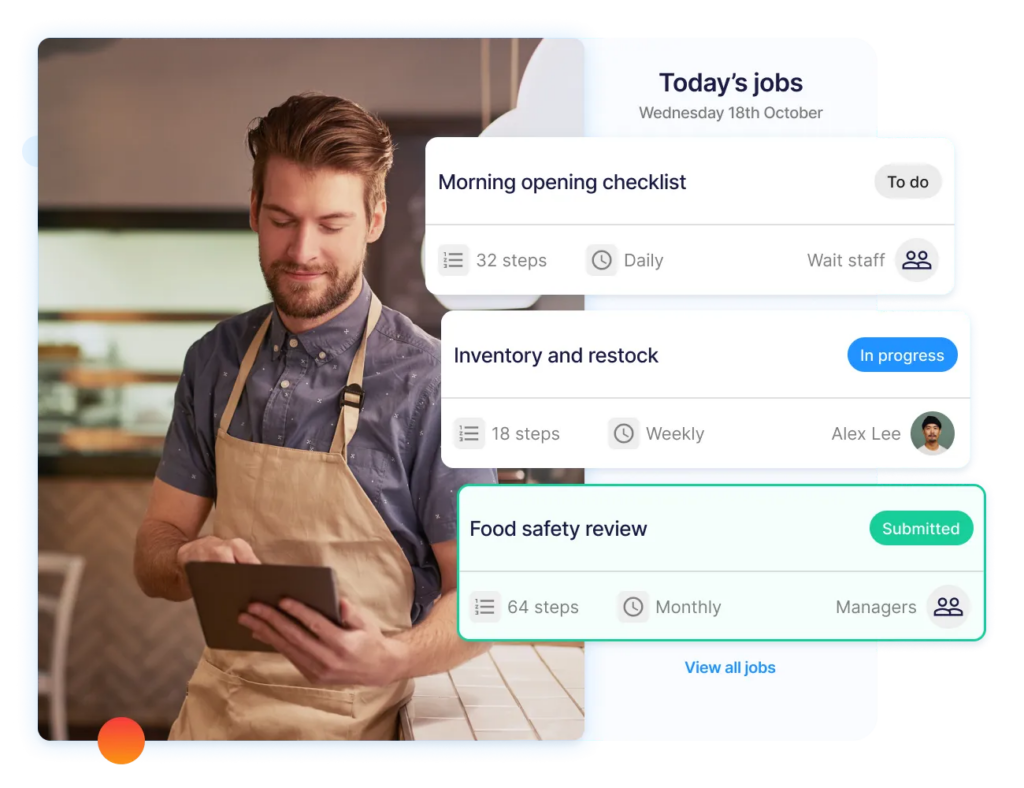
New franchisees need to learn the business model. Managers need to learn operating standards. Frontline staff need role-specific training. Regional managers need to see whether launch tasks, training modules, opening checks, and compliance records are complete.
When onboarding lives across documents, calls, spreadsheets, and inboxes, the process becomes hard to repeat.
A better system turns onboarding into a trackable path. New franchisees can see what they need to complete. Head office can see what is done. Managers can identify gaps before launch or during the first few months of operation.
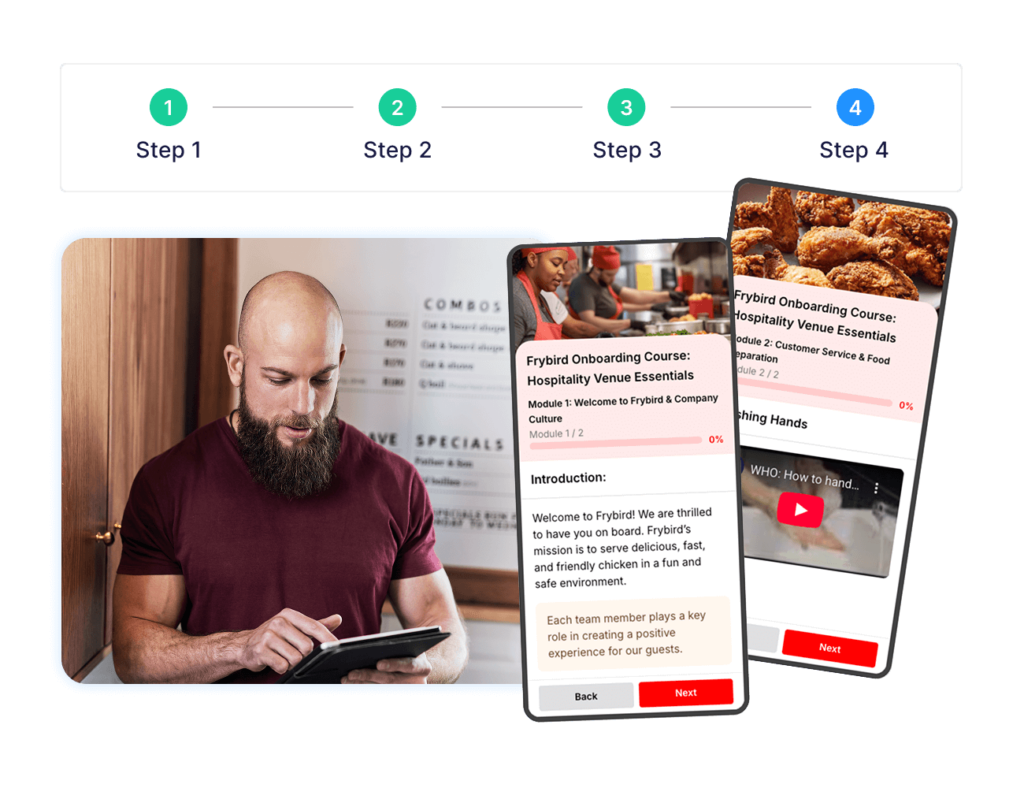
This is particularly valuable for franchise networks that are opening several locations in the same year. The goal is to reduce dependency on one experienced person carrying the rollout in their head.
To Give Head Office Visibility Before Problems Escalate
Franchise leaders cannot fix what they cannot see.
If head office only hears about problems through complaints, failed inspections, regional manager visits, or franchisee escalations, the system is already reactive.
A franchise operating system gives leaders earlier signals. These may include overdue tasks, incomplete training, repeated audit failures, unresolved corrective actions, missed safety checks, weak location scores, or rising support requests.
That visibility helps franchisors coach franchisees earlier.
Instead of waiting for a location to fail, head office can see where execution is slipping and decide whether the fix is more training, better SOPs, stronger audits, clearer accountability, or more franchisee support.
How To Create Your Own Franchise Operating System: Step-By-Step Guide
Building a franchise operating system is not all about choosing software. First, define how the franchise should work. Then build the digital layer around that operating model.
Step 1: Audit Existing Operations And Recurring Issues
Start by reviewing how your franchise network actually runs today.
Look at your operations manual, SOPs, onboarding process, training materials, audit results, compliance records, support tickets, incident logs, and franchisee feedback. Then identify the recurring problems.
Common examples include outdated SOPs, missed training, inconsistent store visits, incomplete checklists, unclear escalation paths, repeated audit failures, and franchisees using different versions of the same process.
This step ensures your franchise operating system solves real execution gaps, not simply digitizes messy workflows.
Interview franchisees, regional managers, store managers, trainers, compliance teams, and frontline staff. Ask where work slows down, where standards are unclear, and where head office lacks visibility.
The best operating systems are built around the moments where execution breaks.
Step 2: Document The Franchise Operations Manual And SOPs
Next, organize the standards that every location needs to follow.
This includes the franchise operations manual, SOPs, brand standards, safety rules, customer service expectations, opening and closing routines, equipment procedures, incident escalation, compliance requirements, and role-specific workflows.
Keep the structure simple. A franchisee or manager should be able to find the right answer quickly during real work.
Avoid writing the manual as a static legal-style document that only gets read during onboarding. Each SOP should connect to the work it supports: training modules, daily tasks, audits, checklists, and corrective actions.
For example, a food safety SOP should connect to the relevant training, temperature log, cleaning checklist, audit item, and corrective action process.
This is how a franchise operations manual becomes part of the operating system instead of sitting unused in a folder.
For franchise restaurant operators, this guide to restaurant franchise management software explains how digital tools can support standards across locations.
Pro Tip: If your manual already exists but lives in PDFs, folders, or binders, the next step is not rewriting everything. Start by moving the most-used SOPs into a searchable system and connecting them to the tasks, training, and audits they support.
Step 3: Build Onboarding, Training, And Certification Paths
A franchise operating system should show people how to do the work, not merely tell them where the manual is.
Create training paths for each major role: franchisee, store manager, assistant manager, trainer, regional manager, and frontline team member. Each path should include the required modules, SOPs, assessments, practical sign-offs, certificates, and refreshers.
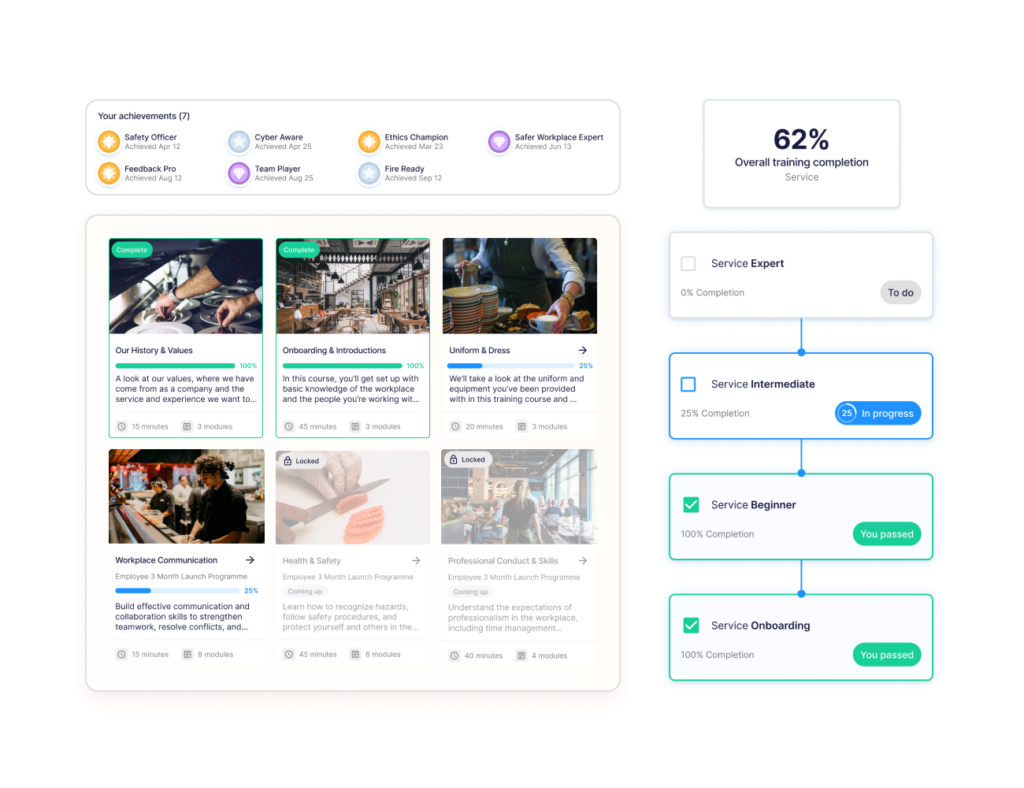
These frontloaded efforts pay off when staff turnover is high or franchisees rely on local managers to train new hires.
Training should also connect to operational change. If the brand updates a cleaning process, menu procedure, safety rule, or service standard, the system should help you roll that update out and track completion.
For larger networks, a franchise LMS can help standardize training across locations while giving head office visibility into completion and gaps.
Step 4: Digitize Tasks, Checklists, Audits, And Compliance Workflows
Once the standards and training paths are clear, move daily execution into a digital workflow.
Start with the routines that create the most risk when missed: opening and closing checks, safety tasks, equipment checks, food safety logs, store visits, and compliance inspections.
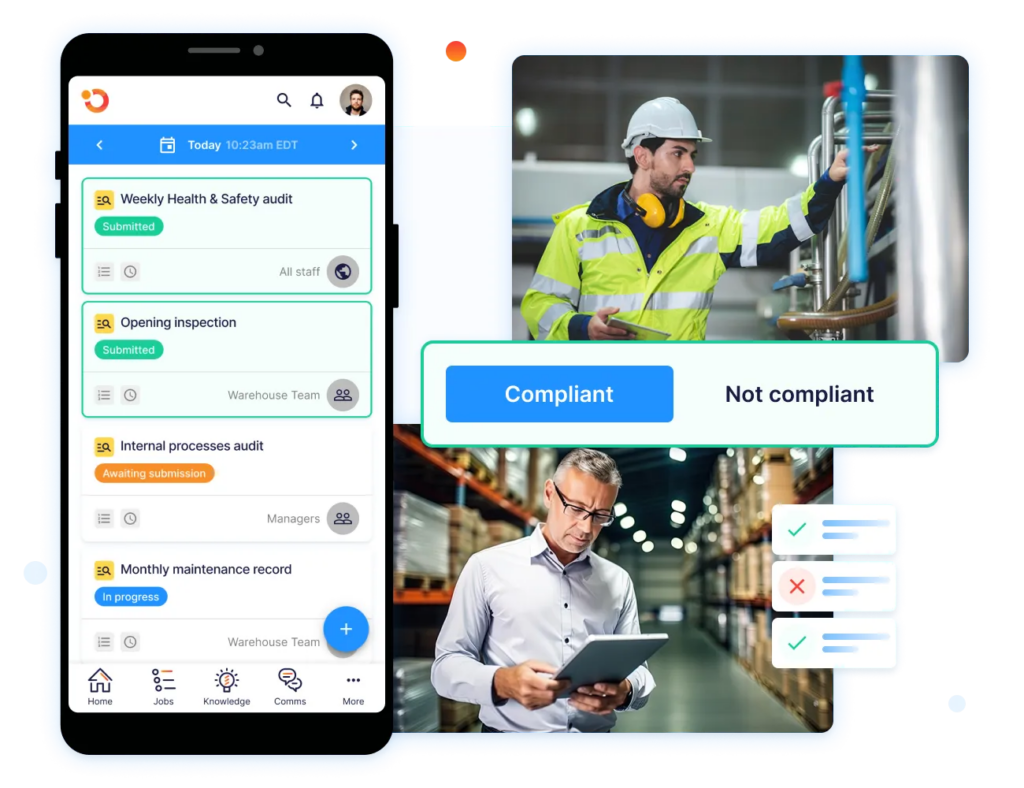
The goal is to make routine work trackable without making managers do more admin.
A good system should let teams complete tasks from mobile or shared devices, attach evidence, record exceptions, assign follow-up, and escalate issues when needed.
Audits should also connect to corrective actions. If a location fails an item, the system should show who owns the fix, when it is due, and whether it was completed.
For more audit-specific workflows, see this guide to running a franchise audit.
Step 5: Define KPIs, Review Rhythms, And Improvement Loops
Finally, decide how you will measure whether the system is working.
Choose a small set of KPIs that help head office understand execution across the network. These may include task completion, audit scores, training completion, open corrective actions, incident trends, franchisee support requests, customer feedback, and location performance by region.
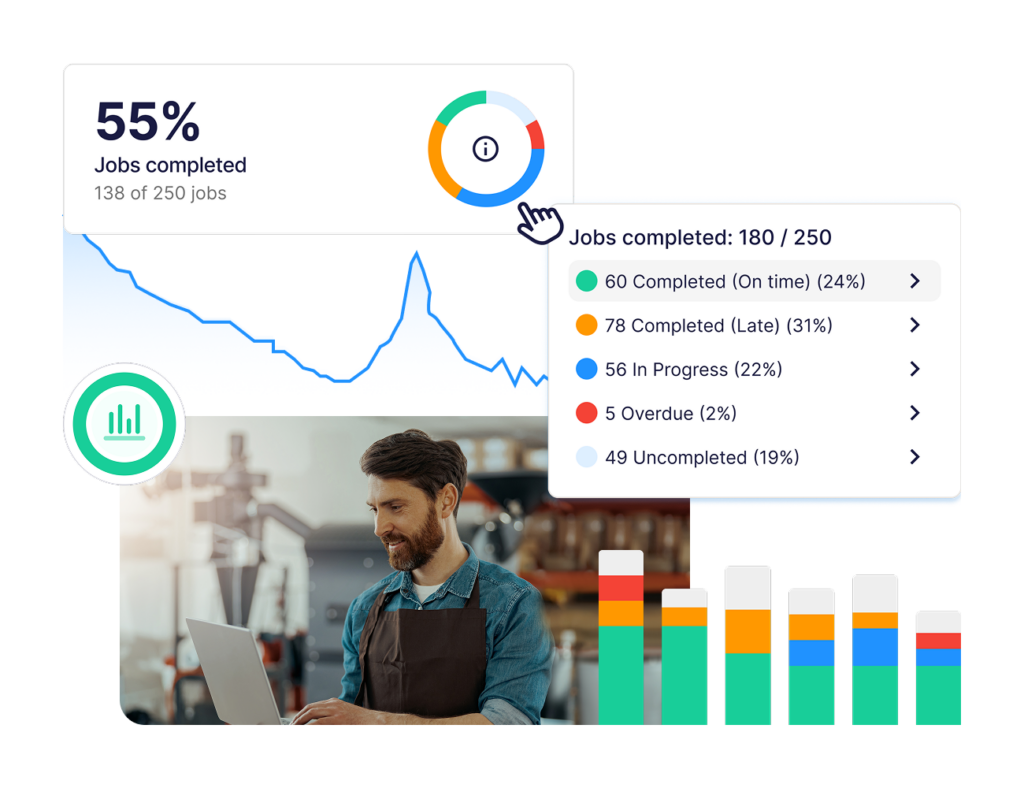
Then define review rhythms.
For example, regional managers may review location dashboards weekly. Head office may review network-wide trends monthly. Franchisee coaching sessions may focus on recurring gaps rather than just pure sales performance.
The system should also create an improvement loop. If many locations fail the same audit item, review the SOP. If training completion is high but execution is poor, improve assessments or manager sign-offs. If franchisees keep asking the same question, update the manual.
For teams still relying on paper, spreadsheets, and disconnected tools, this guide on how to digitize business operations can help frame the transition.
How To Get The Most Out Of Your Franchise Operating System
A franchise operating system only works if franchisees, managers, and frontline teams use it consistently. These best practices help keep the system useful after launch.
Keep The Manual Alive Instead Of Treating It Like A One-Time Document
The biggest mistake is treating the franchise operations manual as a finished project.
Franchise systems change. Menus change. Equipment changes. Regulations change. Customer expectations change. Franchisees find better ways to solve recurring issues. If the manual stays static, locations eventually stop trusting it.
The fix is to make the manual part of your operating rhythm.
Review key SOPs regularly, update procedures when standards change, and make sure franchisees know what changed. When an audit keeps finding the same gap, check whether the SOP is clear enough. When support teams answer the same question repeatedly, update the document.
A digital platform makes this easier because the current version can sit in one place instead of being scattered across old PDFs, emails, and shared folders.
Track Fewer KPIs, But Make Them Actionable
Too many KPIs can make a franchise operating system harder to use.
If every task, checklist, audit item, training module, incident, and performance metric becomes a dashboard, teams stop seeing what needs attention. Head office may have more data, but less clarity.
Choose a small set of operational KPIs that show whether standards are being followed.
Useful examples include audit scores, overdue corrective actions, training completion, recurring task failures, unresolved incidents, location support requests, and franchisee compliance trends. These are signals that help regional managers coach locations earlier.
The overarching objective here is to identify where franchise execution is strong, where it is slipping, and where head office needs to intervene.
Pro Tip: Before choosing software, decide what kind of visibility the head office actually needs: audit trends, training gaps, location performance, support requests, or unresolved actions. This guide to franchise management software can help compare those use cases.
Choose Software Franchisees Will Actually Use
The wrong software can turn a franchise operating system into another admin burden.
If franchisees need to open several tools, search through folders, print forms, email evidence, and manually update spreadsheets, adoption will suffer. Managers under shift pressure will create shortcuts, and head office will lose visibility again.
The software should fit the way locations work.
That means mobile access, shared-device support, simple task workflows, searchable documents, role-based training, clear notifications, and fast reporting. A store manager should be able to complete a check, find an SOP, review training, or close a corrective action without leaving the flow of work.
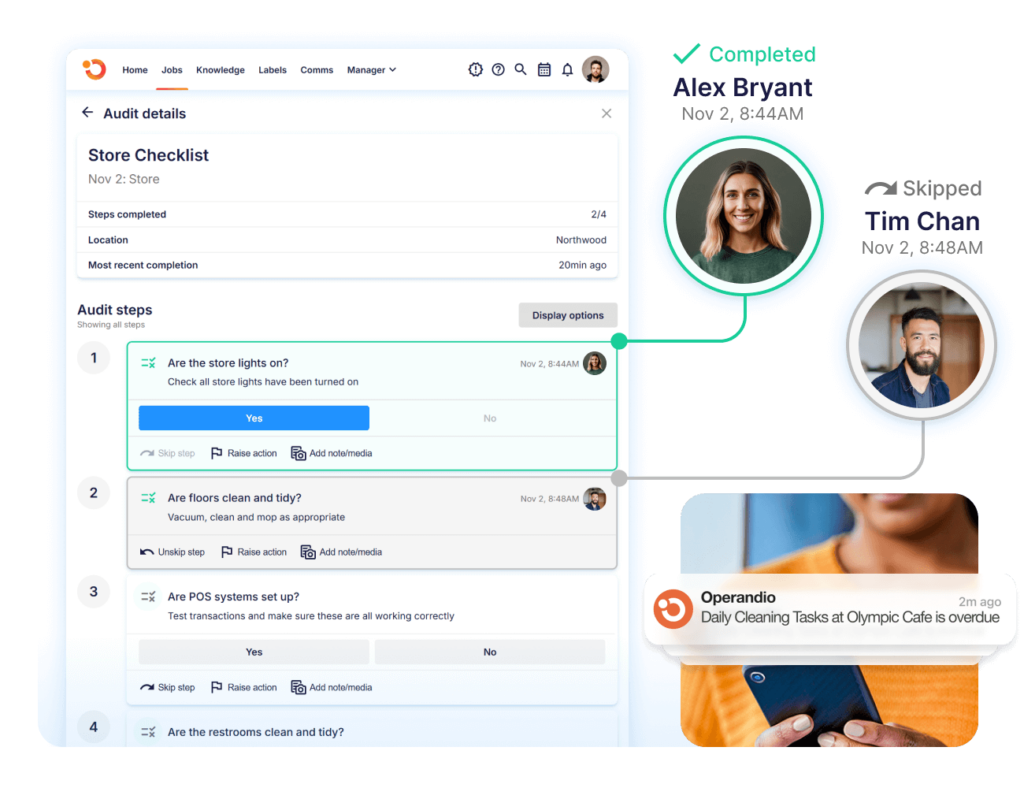
Operandio is built for franchise and multi-unit teams that need location-level work to be simple for managers and visible to head office. When evaluating platforms, use this franchise multi-unit management guide to check whether the tool fits regional oversight, location support, and daily execution.
Keep Training Connected To Daily Execution
Training should not sit away from the work.
A franchisee may complete onboarding. A manager may pass a module. A team member may watch a video. But the real test is whether the location follows the standard during a busy shift.
A strong franchise operating system connects training to SOPs, tasks, checklists, audits, and manager sign-offs.
For example, if a new food safety process is introduced, the system should help teams update the SOP, assign training, test understanding, add the right checklist item, and check execution during the next audit.
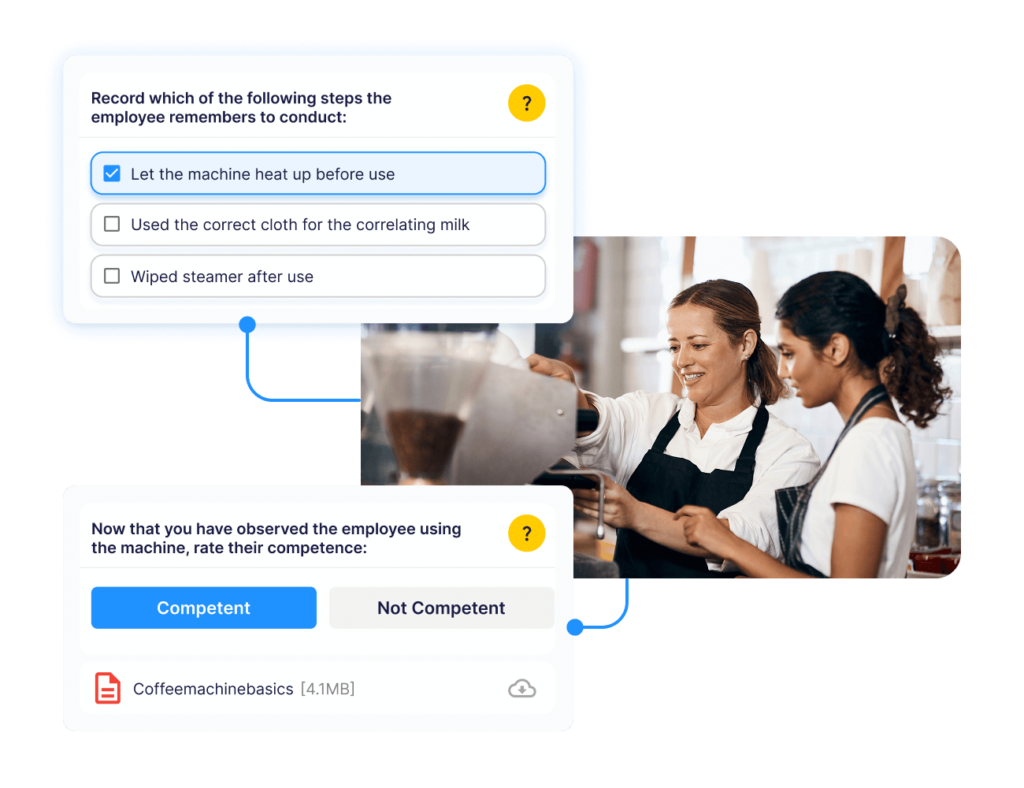
This helps head office see the full chain: standard created, team trained, task completed, audit verified, issue corrected.
For mobile rollout, check whether managers can access documents, complete tasks, review training, and submit evidence from the same workflow. A franchise management app can help make the operating system usable on the floor instead of only at head office.
Treat Audits As Coaching Tools, Not Paperwork
Audits are useful when they lead to better execution.
If audits only create scores, reports, or compliance records, locations may treat them as inspections to survive. A better approach is to use audits as a coaching tool.
Look for patterns:
- Are the same SOPs failing across several locations?
- Are new franchisees struggling with the same launch tasks?
- Are corrective actions staying open too long?
- Are some managers completing training but still missing key standards?
These patterns help head office improve the system.
Sometimes the fix is clearer documentation. Sometimes it is better training. Sometimes it is more regional support. Sometimes the KPI itself is wrong. The audit should help you find the root cause instead of only recording the failure.
This is how a franchise operating system becomes a continuous improvement loop, not a compliance folder.
Manage Your SOPs And Manuals Easily With Operandio’s AI-Powered Franchise Operations Platform
A franchise operating system should make standards easier to follow across every location.
Operandio helps franchise and multi-unit teams turn manuals, SOPs, training, audits, and follow-up into connected workflows that head office can update and locations can use during daily work.
If your franchise network is outgrowing paper manuals, spreadsheets, shared drives, and disconnected tools, request a demo to see how Operandio can help.
FAQs
Is A Franchise Operating System The Same As A Franchise Management System?
Sometimes. A franchise operating system focuses on daily execution, while franchise management systems may also include sales, finance, CRM, or franchisee administration.
Who In The Franchise Organization Uses A Franchise Operating System?
Usually, franchisors, franchisees, operations leaders, regional managers, trainers, compliance teams, store managers, and frontline staff use it.
How Long Does It Take To Build A Franchise Operating System?
Usually, it takes several weeks to several months, depending on existing documentation, locations, workflows, training, and software setup.
What Should A Franchise Operating System Include?
At minimum, include the operations manual, SOPs, training, tasks, checklists, audits, corrective actions, KPIs, and reporting.
When Should A Franchise Start Building An Operating System?
Early. Build it before growth creates inconsistent processes, training gaps, compliance issues, and too much reliance on individual managers.