
- Platform
- Features
 Franchise & Multi-Unit ManagementCentralize oversight and streamline growth across your entire multi location network
 Learning ManagementTrain, verify, and reward your workforce with mobile-first education
 Operations ExecutionStreamlined operations ensuring brand standards, accountability and efficiency
 Asset ManagementOptimize equipment uptime through proactive maintenance and smart tracking
 Digital Food SafetyAutomate compliance and monitor quality with real-time digital precision
 Health & Safety Management (EHS)Mitigate workplace risks and streamline digital incident reporting and investigations
- Platform Essentials
 Powerful ReportingAlign leadership with role-based dashboards and deeper analytics
 Operandio IntelligenceAutomate content, analyze trends, and provide instant answers
 IntegrationsUnify your enterprise tech stack with real-time data
 IoT PlatformDetect anomalies and automate workflows with intelligent sensors
 Mobile & Shared Tablet AppsSecurely empower frontline teams with fast, offline-capable access
- Footer


 Not sure what you need?
Book in a call with the team
- Features
- Solutions
- By Industry
 RestaurantsQSR, fast food and multi-unit restaurants
 Hotels & ResortsHotels, resorts and extended stay hotels
 ChildcareEarly education, childcare, daycare and preschool
 EntertainmentTheme parks, family entertainment centers and play centers
 Fitness Centers & LeisureFitness centers, golf clubs, gyms and sports facilities
 RetailBig-box retailers, franchise stores and supermarkets
- By Use Case
- Operational ExcellenceStreamlined operations ensuring brand standards, accountability and efficiency
- Learning & DevelopmentTrain, verify, and reward your workforce with mobile-first education
- Franchise & Multi-Unit ManagementCentralize oversight and streamline growth across your entire multi location network
- Food Safety ComplianceAutomate compliance and monitor quality with real-time digital precision
- Asset Management & MaintenanceOptimize equipment uptime through proactive maintenance and smart tracking
- Health & Safety Management (EHS)Mitigate workplace risks and streamline digital incident reporting and investigations
- By Industry
- Resources

- Platform
- Features
- Franchise & Multi-Unit ManagementCentralize oversight and streamline growth across your entire multi location network
- Learning ManagementTrain, verify, and reward your workforce with mobile-first education
- Operations ExecutionStreamlined operations ensuring brand standards, accountability and efficiency
- Asset ManagementOptimize equipment uptime through proactive maintenance and smart tracking
- Digital Food SafetyAutomate compliance and monitor quality with real-time digital precision
- Health & Safety Management (EHS)Mitigate workplace risks and streamline digital incident reporting and investigations
- Platform Essentials
- Powerful ReportingAlign leadership with role-based dashboards and deeper analytics
- Operandio IntelligenceAutomate content, analyze trends, and provide instant answers
- IntegrationsUnify your enterprise tech stack with real-time data
- IoT PlatformDetect anomalies and automate workflows with intelligent sensors
- Mobile & Shared Tablet AppsSecurely empower frontline teams with fast, offline-capable access
- Footer
- Not sure what you need?
Book in a call with the team
- Features
- Solutions
- By Industry
- RestaurantsQSR, fast food and multi-unit restaurants
- Hotels & ResortsHotels, resorts and extended stay hotels
- ChildcareEarly education, childcare, daycare and preschool
- EntertainmentTheme parks, family entertainment centers and play centers
- Fitness Centers & LeisureFitness centers, golf clubs, gyms and sports facilities
- RetailBig-box retailers, franchise stores and supermarkets
- By Use Case
- Operational ExcellenceStreamlined operations ensuring brand standards, accountability and efficiency
- Learning & DevelopmentTrain, verify, and reward your workforce with mobile-first education
- Franchise & Multi-Unit ManagementCentralize oversight and streamline growth across your entire multi location network
- Food Safety ComplianceAutomate compliance and monitor quality with real-time digital precision
- Asset Management & MaintenanceOptimize equipment uptime through proactive maintenance and smart tracking
- Health & Safety Management (EHS)Mitigate workplace risks and streamline digital incident reporting and investigations
- By Industry
- Resources
Best 7 Automated Inspection Software for Frontline Teams
Key Takeaways
- Operandio: Best for multi-location and franchise operators: If you need inspections tied to corrective actions, SOPs, training, communications, and reporting across many locations, this is the strongest fit.
- MaintainX: Best for industrial maintenance and equipment-heavy operations: It is a stronger pick when inspection workflows need to sit inside preventive maintenance, asset history, parts, and work orders.
- SafetyCulture and GoAudits: Best for audit-first teams that want fast rollout: SafetyCulture stands out for mobile inspections, actions, and sensor-based data capture. GoAudits stands out for instant reports, offline inspections, and straightforward pricing.
- Xenia, Jolt, Lumiform: Best for narrower needs: Xenia is strong for multi-site operations with work orders and food safety. Jolt is strongest in restaurant digital food safety. Lumiform is solid for inspection form automation.
Automated inspection software usually falls into two buckets. The first is visual inspection software for manufacturing and production lines, where images or video are analyzed for defects. The second is frontline inspection software for field teams, stores, restaurants, facilities, and healthcare sites, where inspections are completed on mobile devices with photos, signatures, sensor readings, scores, and follow-up tasks.
The best platforms now blur that line by supporting both structured inspections and richer evidence capture.
Best Automated Inspection Platforms: A Quick Overview
| Platform | Best for | Standout feature | Starting price |
| Operandio | Multi-location compliance and operational audits | Audits, corrective actions, LMS, SOPs, and reporting in one platform | Custom quote |
| SafetyCulture | Mobile inspections with sensor inputs | Actions plus Bluetooth-assisted readings in inspections | $24/seat/month billed annually |
| Xenia | Multi-site inspections plus work orders | Checklists that can auto-trigger follow-up work orders | Free; paid tiers from $99/month on Capterra |
| GoAudits | Offline inspections and instant reports | Strong report generation and action plans | $10/user/month annually |
| MaintainX | Industrial inspections tied to maintenance | Automated corrective actions from flagged inspections | Free; paid from $20/user/month annually |
| Jolt | Restaurants and digital food safety | Temperature monitoring, labeling, and checklists | Custom quote |
| Lumiform | Inspection form automation for frontline teams | AI-assisted form creation and analytics | Professional plan surfaced from €16/user/month |
Operandio: Best for Multi-Location Compliance and Operational Audits
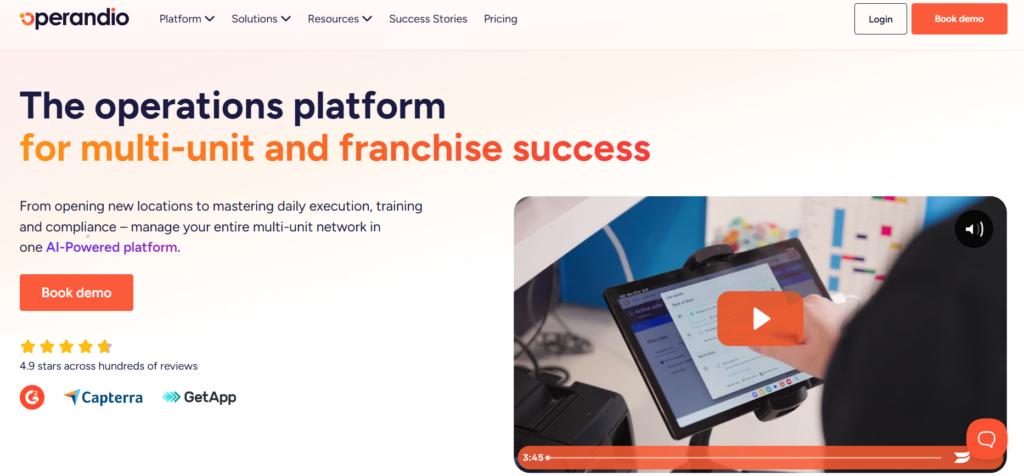
Operandio is the strongest overall fit here for multi-location and franchise businesses that need more than a digital checklist. It brings inspections, corrective actions, reporting, SOPs, training, and frontline communications into one system, which matters when head office needs proof that standards were assigned, completed, verified, and fixed across every site.
Key features
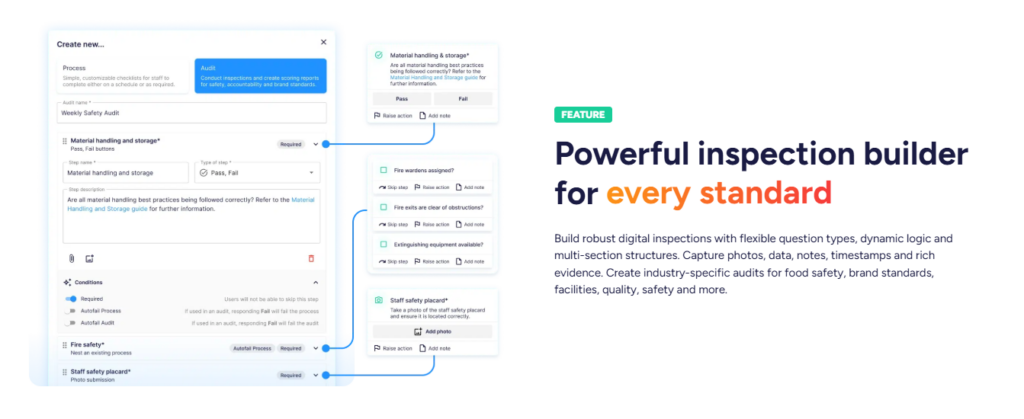
Operandio’s inspection builder supports flexible question types, dynamic logic, multi-section structures, and rich evidence capture such as photos, notes, timestamps, and data points.
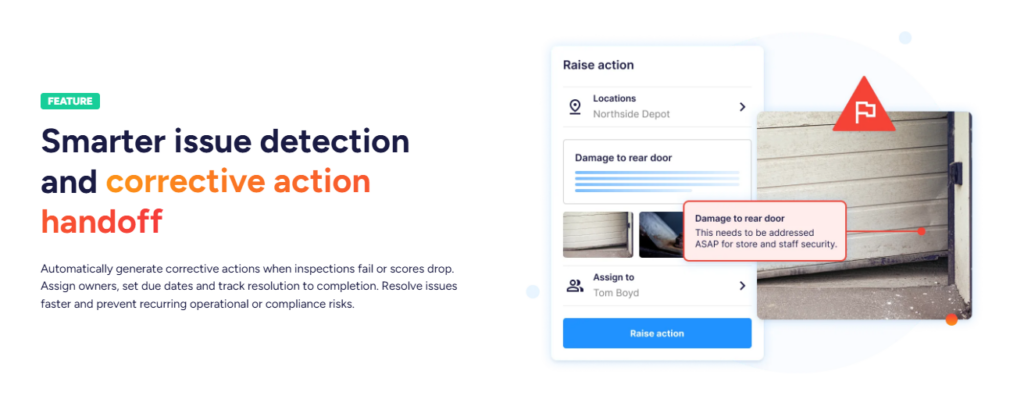
Failed items can turn directly into tracked corrective actions with owners, due dates, and status visibility.
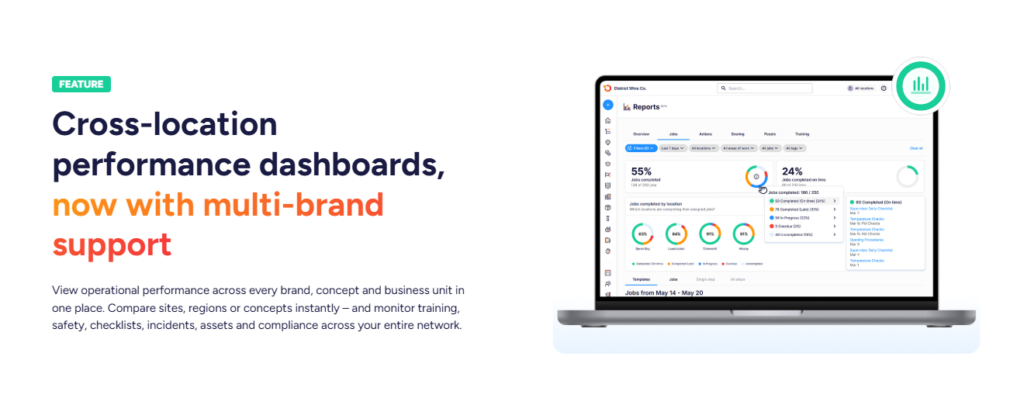
On top of that, the platform adds network-level reporting so operators can spot recurring issues by location or region, and it also includes a mobile-first LMS for assigning and tracking frontline training.
That combination is what makes Operandio more valuable than a standalone audit app for franchise and multi-unit operations.
You can also expect:
- Flexible digital inspections: Operandio lets teams build audits for food safety, facilities, brand standards, quality, and safety, with dynamic logic and evidence capture built in.
- Corrective actions tied to failures: Inspection failures can become trackable follow-up actions, so problems do not disappear after the site visit.
- Reporting plus training in the same platform: Operators can track network-wide issues in reporting while also assigning and verifying training inside the LMS.
Pricing
| Plan | Notes |
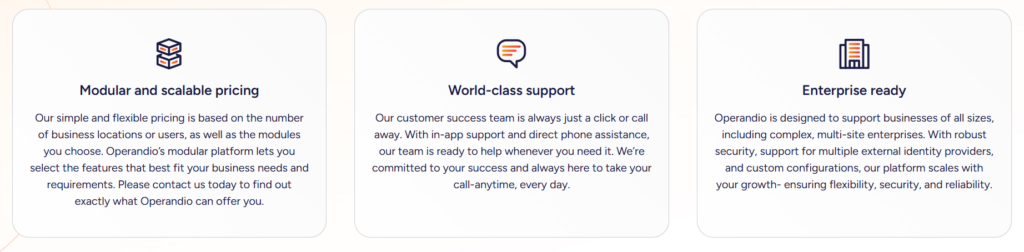
| Custom quote | Pricing is modular and based on locations or users, plus the modules you choose. |
Where Operandio shines
- Built for multi-location operators: The product is clearly designed around network-wide visibility, standard rollout, and proof across many locations.
- More than inspections: Audits connect to corrective actions, reporting, LMS, and SOP access, which is a stronger operating model for franchise businesses.
- Good fit for frontline-heavy industries: Operandio positions itself around restaurants, hospitality, and other non-desk teams that need mobile execution.
Where Operandio falls short
- Not the best fit for simple solo inspection use cases: If all you need is a lightweight form app for a very small team, Operandio will likely feel broader than necessary. This is an inference based on its modular, all-in-one positioning.
- Implementation discipline required: A real execution platform rewards teams that commit to standards and governance. If you want a platform that you can install and forget, you won’t get the full value.
Customer reviews
Operandio scores 4.9/5 on Capterra (based on reviewed listings), where users are explicitly emphasizing multi-unit operations, training, audits/inspections, and compliance workflows as the best features.
Morgane M, HR Coordinator, Food Production: “Although we haven’t used Operandio for long, our experience has been very positive. The platform has already improved communication, task management, and training processes.”
Amanda P, Manager, Culinary Community, Facilities Services: “The Operandio system and team are the best around; no question has been unanswered. I would personally recommend them to anyone.”
Who Operandio is best for
- Best for: Operations, compliance, food safety, and L&D leaders in franchise and multi-location businesses that need inspections connected to daily execution and proof.
Book a demo with Operandio if you need one platform for inspections, corrective actions, training, SOPs, and reporting across multiple locations.
SafetyCulture: Best for Mobile Inspections and Sensor-Backed Data Capture
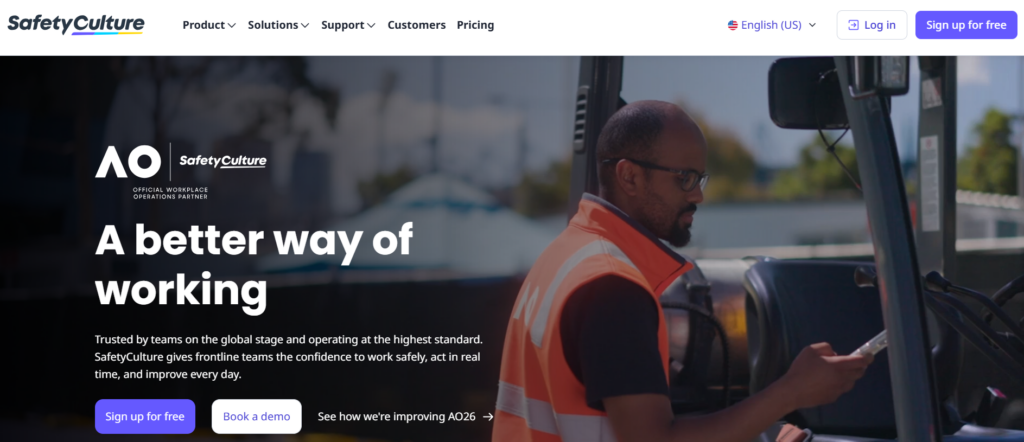
SafetyCulture’s biggest advantage is breadth around inspections themselves, especially if you want teams to create tasks during an inspection and pull in Bluetooth-assisted readings such as temperature, pH, paint thickness, or oil quality.
Key features
- Actions linked to inspections: Teams can create and require actions during inspections and manage recurring tasks.
- Issue capture and follow-up: Issues can become follow-up actions, which helps teams move from finding problems to assigning work.
- Bluetooth-assisted readings: Premium and Enterprise users can capture sensor readings for temperature, pH, paint thickness, and oil quality during inspections.
Pricing
| Plan | Price |
| Premium | $24/seat/month billed annually, or $29 monthly billing |
| Enterprise | Custom quote |
Where SafetyCulture shines
- Very strong mobile inspection workflow: It is built around inspections, issues, and actions.
- Useful sensor capture inside inspections: This is a real advantage for teams checking temperatures or other measurable conditions.
- Large market presence: It remains one of the most widely reviewed tools in the category.
Where SafetyCulture falls short
- Reporting customization can be limiting for some teams: Reviewers mention bugs and restricted report customization.
- Less naturally centered on franchise operating systems: It is strong on inspections, but it is not as natively positioned around training, SOPs, and multi-location execution as Operandio. This is an inference from product positioning.
You can read a complete breakdown of other SafetyCulture alternatives that are tailored specifically for multi-location scale in our direct comparison guide.
Customer reviews
Toby B, Quality Assurance and Compliance Manager, Food Production: “The constant product development they are doing to the platform and how they genuinely bring what they say they are going to do to life.”
Joshua H, Network Engineer, Information Technology and Services: “The main drawback, a cap of three mobile devices per user, means logging out (again and again) just to switch devices.”
Who SafetyCulture is best for
- Best for: Teams that want strong mobile inspections first, especially when sensor-based readings are part of the workflow.
Xenia: Best for Multi-Site Operations With Built-In Work Orders
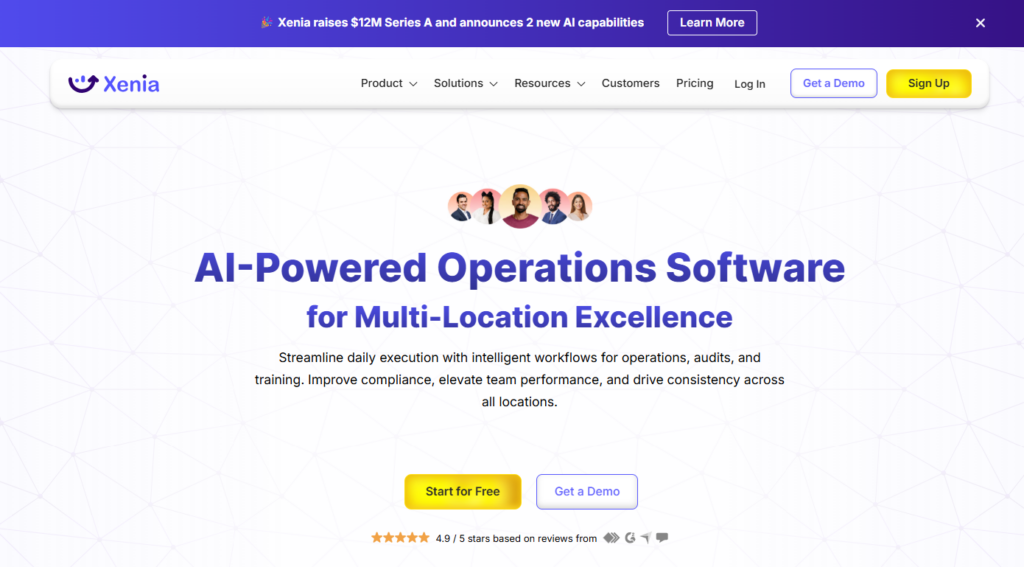
Xenia is an AI-powered operations software for multi-location businesses. It combines audits, checklists, work orders, and training-oriented workflows. Its strongest angle is linking inspections and day-to-day operating workflows across multiple stores or sites.
Key features
- Flexible form builder: Xenia supports checklists, inspection forms, logs, SOPs, and surveys with 14+ response types.
- Operationally linked corrective actions: QA checklist failures can automatically trigger follow-up tasks or work orders.
- Food safety and temperature monitoring: Xenia also offers integrated wireless sensor monitoring for scalable operations.
Pricing
| Plan | Price |
| Free | Free plan surfaced on Capterra |
| Starter | Official site says flat-rate annual; Capterra currently lists $99/month |
| Pro / Premium | Official site says per-location monthly; Capterra currently lists Premium at $199/month |
| Enterprise | Custom volume pricing |
Where Xenia shines
- Strong multi-location operations angle: The platform is clearly built for distributed teams.
- Good inspection-to-work-order linkage: That is valuable for facilities and food safety workflows.
- Fast onboarding story: Official pricing FAQs emphasize implementation and training support on higher tiers.
Where Xenia falls short
- Pricing is less transparent on the official site than some buyers want: The pricing model is explained, but dollar amounts are not fully laid out there.
- Some users mention terminology or interface friction early on: Reviewers generally like the product, though onboarding language could be clearer at first.
Customer reviews
Sean P, Corporate Training Manager, Food & Beverages: “Easy, fast, efficient, and great support. If you don’t like something, say something and the Xenia team will make it right, even if that means building out something custom for your needs.”
Sam C, General Manager, Hospitality: “The user interface can be a bit overwhelming for someone new to this type of software. Having a place to view all archived reports/tasks will make this software more usable for record-keeping over a long period of time.”
👉For a deeper dive, check out Best Xenia Alternatives.
Who Xenia is best for
- Best for: Multi-site businesses that want inspections, work orders, and operational follow-up in one platform, but do not need Operandio’s deeper training-and-compliance positioning.
GoAudits: Best for Fast, Straightforward Audit and Inspection Rollout
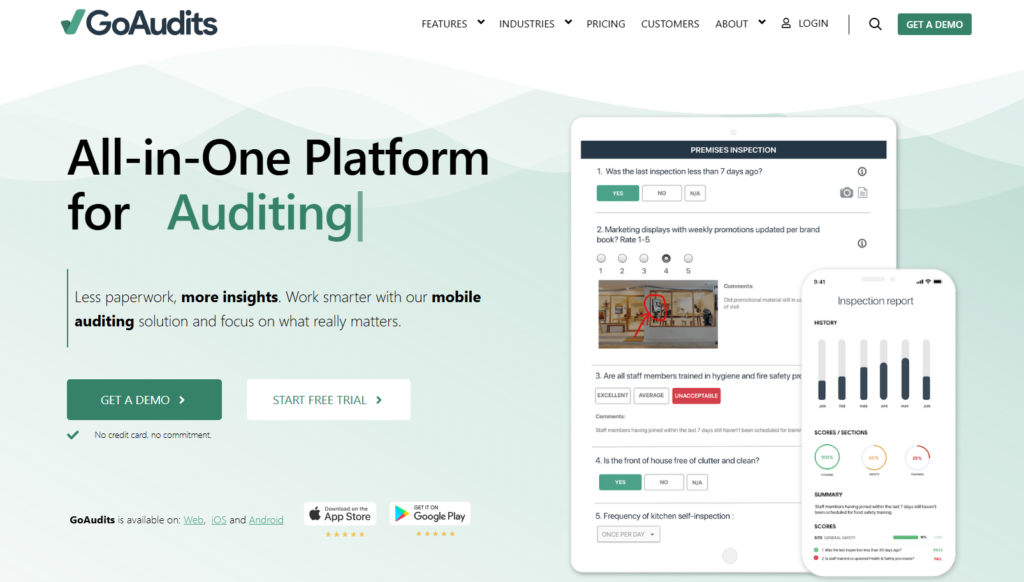
GoAudits is a practical choice for teams that want to digitize audits fast without buying a broader operational system. It focuses on digital checklists, offline inspections, instant reports, and corrective actions.
Key features
- Offline inspections: Teams can run audits without connectivity and sync later.
- Instant reports: Completed inspections can be turned into usable reports immediately.
- Corrective actions and action plans: Issues can be assigned, tracked, and closed out after audits.
Pricing
| Plan | Price |
| Starter | $10/user/month, annual billing |
| Enterprise | $30/user/month, annual billing |
| Trial | 14-day free trial, plus 60-day money-back guarantee |
Where GoAudits shines
- Very easy to understand and deploy: The value proposition is clear and focused.
- Strong for instant reporting: That is one of its clearest strengths.
- Reasonable public pricing: Buyers can compare plans quickly.
Where GoAudits falls short
- Less broad than all-in-one operations platforms: You get strong audits and actions, but not the same built-in LMS and broader execution stack as Operandio. This is an inference from product scope.
- Template editing friction shows up in reviews: Some users say rearranging questions can feel fiddly.
Customer reviews
GoAudits holds a 4.8/5 rating on Capterra. Positive reviews praise offline functionality, ease of use, and fast reporting. More critical reviews mention template editing friction and occasional sync or app issues.
Who GoAudits is best for
- Best for: Teams that want fast audit digitization, strong offline performance, and instant reports without buying a broader operating platform.
MaintainX: Best for Asset-Heavy Operations and Industrial Inspections
MaintainX is closer to an AI-powered maintenance and digital operations platform than a pure inspection app. It is strongest when inspections need to live inside asset history, work orders, parts, downtime tracking, and preventive maintenance.
Key features
- Inspection-triggered corrective actions: Flagged and failed inspections can automatically create work orders.
- Procedure-driven inspections: Teams can attach procedures to work orders and use scores to standardize execution.
- Multi-site asset operations: Premium and Enterprise add stronger asset, parts, API, and multi-site controls.
Pricing
| Plan | Price |
| Basic | Free |
| Essential | $20/user/month billed annually or $25 monthly |
| Premium | $65/user/month billed annually or $75 monthly |
| Enterprise | Custom quote |
Where MaintainX shines
- Excellent for maintenance-driven inspections: This is where it clearly stands out.
- Strong workflow depth: Corrective actions, escalation protocols, asset tracking, and inventory all sit in the same system.
- Very strong review footprint: MaintainX has one of the largest review bases in this group.
Where MaintainX falls short
- Can be too maintenance-centric for non-asset use cases: If your main problem is franchise compliance, training, and SOP rollout, it is not as naturally aligned as Operandio. This is an inference from product positioning.
- Costs rise quickly as workflow depth increases: Premium and Enterprise are a meaningful step up from entry pricing.
Customer reviews
MaintainX holds a 4.8/5 rating on G2. Reviewers consistently praise ease of use and customer support, while some note mobile and reporting limitations at lower tiers.
Who MaintainX is best for
- Best for: Manufacturing, facilities, and equipment-heavy teams that need inspections tied directly to maintenance workflows.
Jolt
Jolt is best for restaurants and food service operators that care most about digital food safety, temperature monitoring, labeling, and recurring checklists. It is less of a general inspection platform and more of a restaurant operations system.
The platform highlights checklists, temperature sensors, scheduling, labeling, and reporting.
Pricing is quote-based on the main site, with products available à la carte or in discounted bundles, and Jolt notes a per-location pricing approach on product pages.
G2 seller data shows a 4.4/5 rating.
Lumiform
Lumiform is a good fit for frontline teams that want inspection and checklist automation with AI-assisted form creation.
The platform positions itself around inspections, audits, and checklists for operations leaders, and its pricing page emphasizes automation, custom reports, analytics, and user permissions.
Lumiform’s pricing page shows multiple tiers: Professional from €16/user/month, with Enterprise available as a higher-tier option.
Capterra currently gives it a 4.5/5 rating.
How to Choose the Best Automated Inspection Software
The best product for you depends on what “inspection” actually means in your business. The mistake most buyers make is treating all inspection software as the same category. It is not. Some tools are inspection-first. Some are maintenance-first. Some are really operations systems with inspections inside them.
1. Check what happens after a failed inspection
A failed check only matters if it creates action. You want owners, due dates, priority, status controls, proof of completion, and trend reporting. Operandio does this well because corrective actions are built directly into the platform, and SafetyCulture, MaintainX, Xenia, and GoAudits all have documented follow-up workflows too.
2. Decide whether you need visual evidence only or true data capture
Some teams only need photos and notes. Others need structured measurements, Bluetooth readings, geospatial records, or even video-based field capture. SafetyCulture supports Bluetooth readings inside inspections.
3. Be honest about whether you need a checklist app or an operating system
If you run many sites, you probably need more than a checklist builder. You need inspections tied to SOPs, training, reporting, communications, and accountability across the network. That is exactly where Operandio is stronger than audit-only tools. For maintenance-driven teams, MaintainX is the clearer choice.
Start Improving Quality With Automated Inspection Software
If you run a multi-location or franchise business and inspections are only one part of a bigger standards problem, Operandio is the best place to start. It gives you audits, corrective actions, SOP access, training, and reporting in one system, which is exactly what large frontline teams need to stay consistent across locations.
The real win for your business is getting faster follow-through, fewer repeat failures, and better visibility into where standards are slipping. That is why Operandio stands out here. It is built for operators who need more than inspection records.
Book a demo to see how Operandio works for your locations.
