





Key Takeaways
- Choose Operandio if you want restaurant management software for multi-unit franchises: best AI-powered option for daily checklists, food safety, staff training, audits, and corrective actions on one head-office contract.
- Choose Jolt (now a SmartSense solution) if you want store-level food safety hardware: best for date-code labels, Bluetooth probes, and temperature logs at a single site or small group.
- Choose Crunchtime Ops Execution if you want execution and food cost from one vendor: best enterprise option for brands running task management alongside inventory, labor, and kitchen systems.
- Choose Xenia if you want maintenance and daily execution in the same app: best self-serve option for work orders, vendor costs, and QR asset history without a sales call.
- Choose Mitti if you want inspections standardized beyond restaurants: best cross-industry option for unlimited audit templates, issue tracking, and a training competency matrix.
Restaurant operations software helps teams complete daily checks, document food safety, train employees, and maintain consistent standards across locations.
For restaurant groups, the buying decision comes down to which platform covers your actual workflows, what requires additional modules, and how clearly managers can track unfinished work.
This guide compares seven options on their documented features, additional capabilities, limitations, and pricing. Whether you need connected franchise operations or a focused tool for inspections and temperature checks, the comparison below will help you build your shortlist.
Operations Software vs Restaurant Management Software vs POS
Buying the wrong layer is the most common mistake in this category, so start here.
- A POS such as Toast or Square handles orders and payments.
- Restaurant management software covers back-office work: accounting, inventory, scheduling, and payroll. We compare that category in our guide to restaurant management software for franchise groups.
- Restaurant operations software covers the shift itself. Line checks before service, walk-in and freezer readings, use-by dates on the prep table, cleaning sign-offs at close, brand audits, and the retraining that follows when a location fails one.
If your problem is orders and money, buy a POS. If your problem is proving that 20 locations run identical standards, buy operations software. This guide covers the second problem.
Quick Comparison
| Platform | Best for | Standout Features | Pricing Structure |
|---|---|---|---|
| Operandio | Multi-unit operations and restaurant franchises | Digital food safety, AI course creation, practical assessments, franchisee evaluations, and location launch workflows | Custom: One head-office contract, unlimited users |
| Jolt | Smaller or single unit restaurants | Digital procedures, connected probes and sensors, label printing and employee scheduling | Custom: Per-location contracts |
| Crunchtime Ops Execution | Restaurant chains and franchises | Recurring tasks, audits, franchise hierarchies and operational records | Custom: Enterprise agreement, per user |
| Xenia | Multi-location restaurants | Task scheduling, inspections, work orders and asset records | Free & paid plan: per site or user |
| Mitti by SafetyCulture | Restaurants and hospitality operators | Inspection templates, issue reporting, actions and training | From $24/seat/month/year: Per seat, site-based at Enterprise |
| MeazureUp | Foodservice operators | Mobile evaluations, corrective action tracking and location benchmarking | Not published: Quote-based |
| Delightree | Food and beverage franchises | AI knowledge search, training, site visits and location launch playbooks | Not published: Flat rate per location |
1. Operandio: Best for Multi-Unit and Franchise Operations Execution
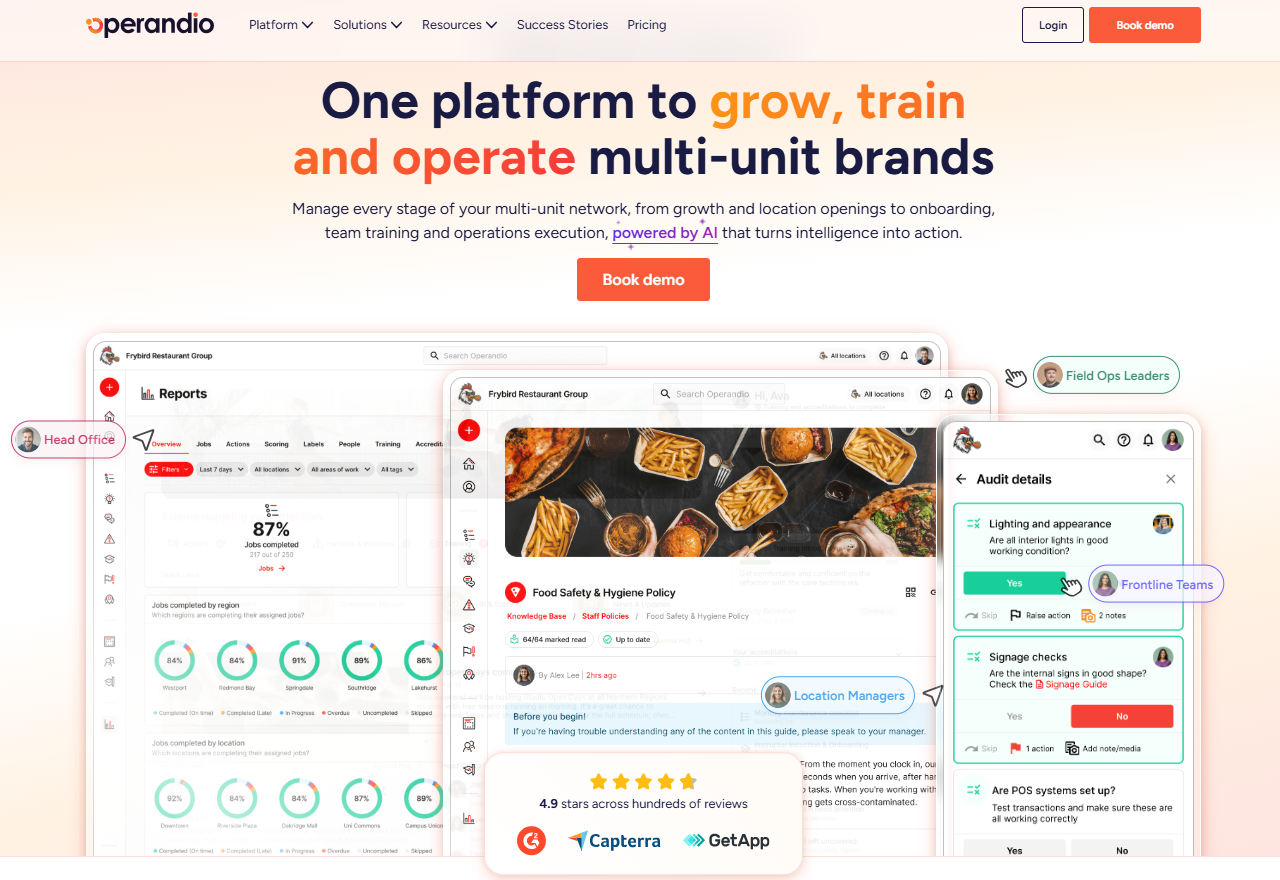
Operandio is AI-powered operations software for multi-unit franchises.
For restaurant operators, its scope extends from preparing employees for their first shift to evaluating prospective franchisees and coordinating new openings. Managers work from location-level records, while regional and headquarters teams can oversee performance across the network
Operandio Key Features
Four feature groups are particularly relevant to restaurant brands managing both existing locations and expansion.
Digital Food Safety Support
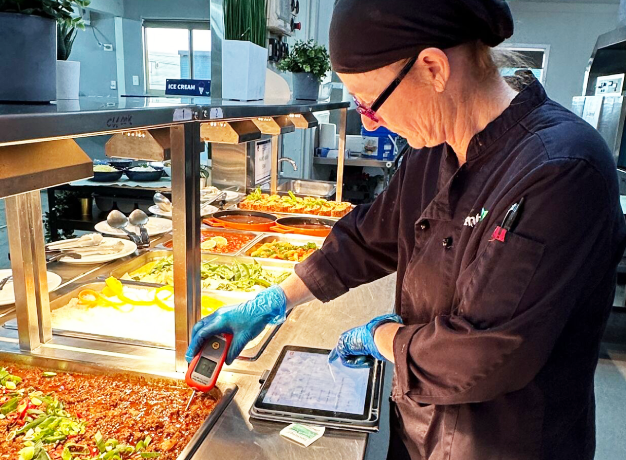
Operandio’s digital food safety tools support Hazard Analysis and Critical Control Points (HACCP) procedures through digital checks and stored records. Teams can document cooking temperatures, cooling checks, and sanitation routines, with supported Bluetooth probes capturing readings directly.
Connected wireless sensors monitor refrigeration equipment and alert teams when temperatures move outside configured ranges. Food preparation labeling adds consistent preparation and expiry information across kitchens, helping employees follow the same rotation procedures at every restaurant.
Restaurant Staff Training
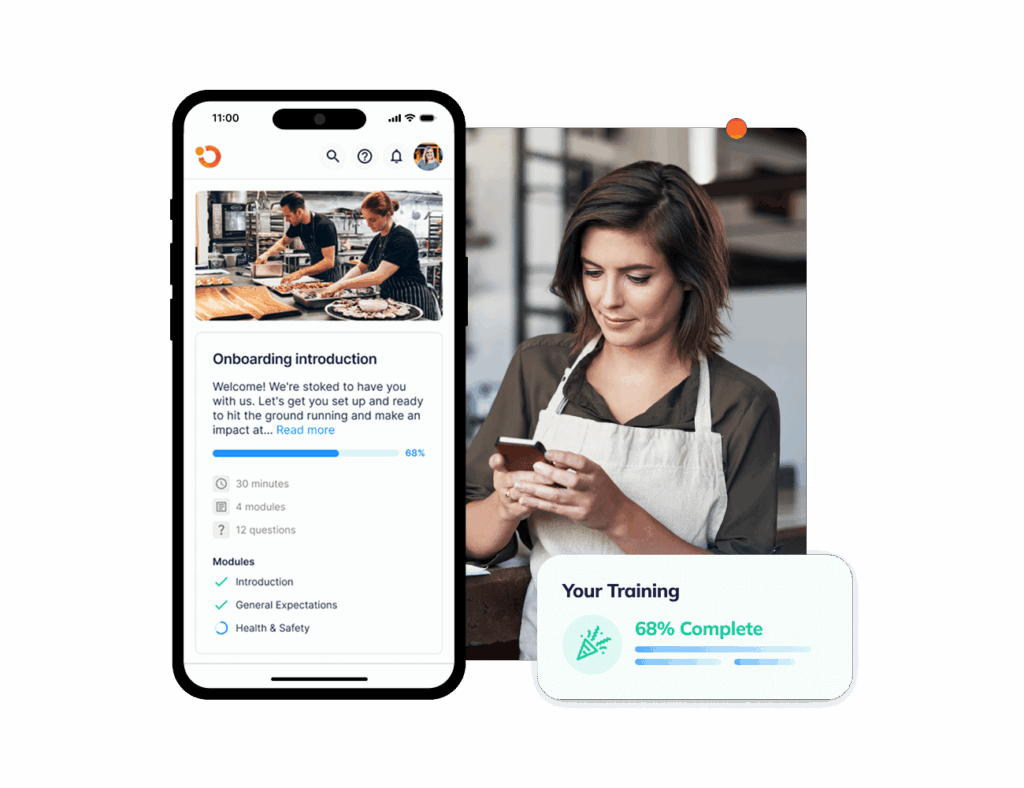
The mobile-first LMS delivers courses and quizzes on shared tablets or personal phones, inside the same app frontline teams use for daily work.
You get an AI Course Builder that generates modules, quizzes, and micro-lessons from a prompt or an uploaded document. It converts existing PDFs and manuals into interactive training without a rebuild, mirrors your brand terminology, and translates content for multilingual teams.
Physical assessments close the gap between a passed quiz and demonstrated skill, letting managers verify hands-on competence onsite. And badges, pathways, and certificates track progression once onboarding ends.
Audits and Corrective Actions
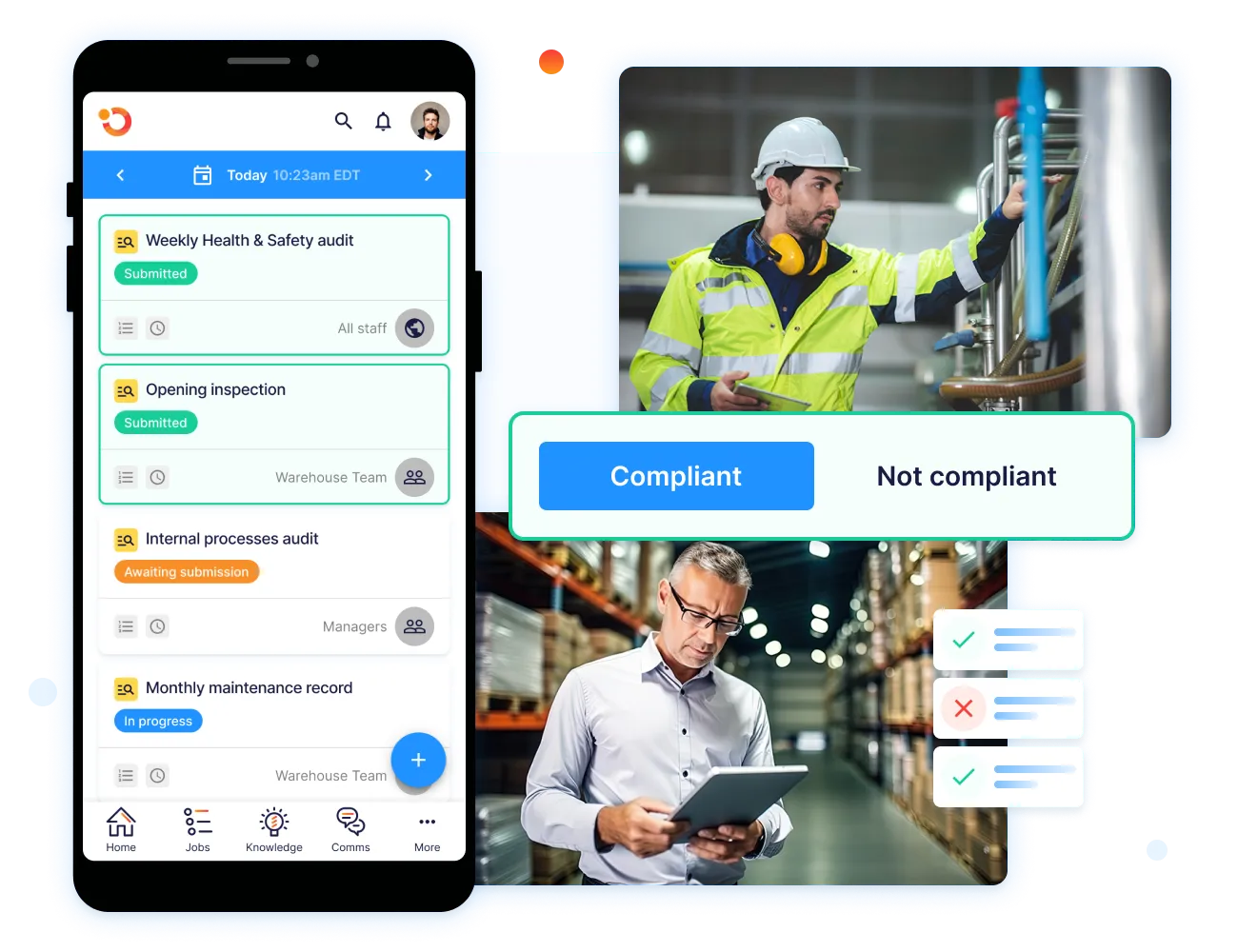
Inspections and audits run on a recurring or ad-hoc schedule, with templates applied across the network and checklist items linked to brand standards or compliance frameworks.
Scores and reports generate automatically for managers and head office, showing which staff member completed each step. When an inspection fails or a score drops, the system creates corrective actions without anyone writing them, assigning owners, setting due dates, and tracking resolution to completion.
The same workflow catches sensor breaches. A temperature excursion triggers a corrective action automatically, producing a time-stamped record ready for a health inspector.
FranchiseLab Recruitment and Location LaunchPad

FranchiseLab scores prospective franchisees across 16 behavioral and competency attributes that research links to franchisee performance. It builds a benchmark profile for your model, supplies a structured Final Check interview guide with objective scoring, and produces shareable suitability reports with strength and risk indicators.
Location LaunchPad then tracks each opening against a launch playbook covering buildout, compliance, and brand standards, with tasks, approvals, and dependencies visible to HQ, regional managers, and franchisees on one dashboard.
Operandio Pricing
| Plan | Price |
|---|---|
| All tiers | Custom |
Where Operandio Shines
- Tasks that create from other events: task management auto-generates work from inspections, incidents, hazards, asset issues, or IoT sensor alerts, and smart work orders prioritize equipment repairs before they close a station.
- Communication that proves receipt: employee communication posts updates and requires staff confirmation, so a limited-time offer rollout produces a record of who acknowledged it.
- Environmental, Health and Safety coverage: EHS management handles incident reporting, formal investigations, and risk and control management, which matters when a slip or a burn needs documenting.
- Reporting that mixes operational and financial data: powerful reporting combines operational data with sales or HR data, and integrations push it into Power BI or Tableau for executive views.
Where Operandio Falls Short
- More platform than a single restaurant needs: setting up modules, templates, and permissions takes longer than switching on a checklist app. The tradeoff is that a group at 40 locations is not replacing the system it bought at five.
- Built for frontline execution rather than back-office finance: there is no inventory costing, food cost variance, or labor scheduling. That keeps it from duplicating your POS and accounting stack.
Operandio Customer Reviews
“Operandio has transformed our franchise operations by replacing paper systems with a seamless, automated platform that ensures consistency, enhances communication, and simplifies compliance across 70+ locations.” Kris K, State Manager, Cold Rock Ice Creamery.
“Operandio has revolutionized our operations. It has allowed our network to synchronize seamlessly on all aspects of food safety operations, providing us with the capability to swiftly access compliance records.” Kristin A, Group General Manager, Riverland Group.
Who Operandio Is Best For
- Multi-unit groups between 5 and 500 locations: best for operators too large for checklist apps and too small to buy an enterprise suite.
- Franchisors screening and onboarding new partners: best for brands wanting candidate assessment, launch tracking, and daily execution connected rather than bought separately.
- Operators carrying HACCP obligations: best for groups needing sensors, probes, and labels feeding the same records as their audits.
- Mixed-format ownership groups: best for portfolios combining restaurants with venues, gyms, hotels, or childcare.
Ready to set up Operandio? Contact the team and discuss your locations, franchise structure, and necessary modules.
2. Jolt (Now a SmartSense Solution): Best for Store-Level Checklists and Date Labels
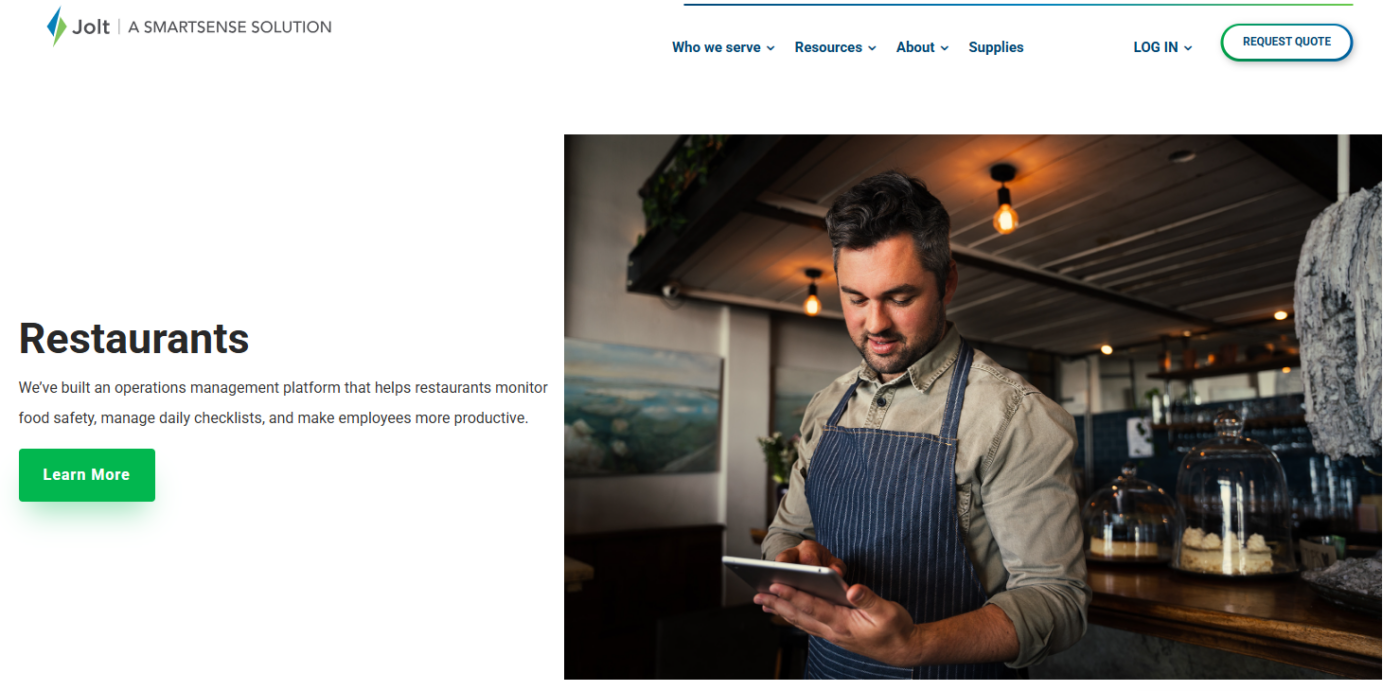
Jolt is store-level operations software built around a tablet at the counter. The restaurant team runs its own shift from it, with the on-site manager as the primary user rather than a head office pushing standards outward.
Key Features
- Jolt Lists: digital task lists with built-in accountability, showing who completed each item and when, reviewable without visiting the store.
- Jolt Sensors: remote temperature monitoring that alerts managers when a fridge or freezer moves outside range, protecting inventory overnight.
- Jolt Labeling System: date-code label printing on dedicated hardware, cutting production time and removing handwriting errors.
- Jolt Temperature Probes: Bluetooth probes recording food temperatures directly into digital logs rather than a paper sheet.
Pricing
| Contact the team Plan | Price |
|---|---|
| All tiers | Custom |
Where Jolt Shines
- Scheduling and time clock in the same subscription: drag-and-drop shift building pairs with a photo-verified time clock, which few operations platforms include.
- Information Library for reference content: menus, procedures, and how-to material sit in one hub staff reach from the app they already use.
- Communication Manager for shift updates: announcements route to specific roles or locations rather than a group chat.
- Offline operation across sites: the wider SmartSense ONE platform maintains visibility and control whether a site is online or not.
Where Jolt Falls Short
- No structured brand audit program: checklists cover recurring daily work, but weighted scoring, field evaluations, and site-versus-site comparison need a separate tool.
- Training stops at a content library: there are no courses, quizzes, certification tracking, or practical skills verification, so onboarding records live elsewhere.
- Per-location contracts fragment as you grow: a 20-site operator can hold 20 agreements on 20 renewal dates, turning consolidation into a staged exercise.
Customer Reviews
“The digital checklists are great. Relatively easy to customize. It gets a little complicated if you have multiple brands. I only signed on one location as a trial, but considered my other locations and brands during setup to allow for flexibility to add them.” Tanner B. on Capterra.
Another Capterra reviewer shares, “I will say that depending on the device you are using, the Bluetooth is not always the best and may have connection issues.”
Who Jolt Is Best For
- Single-site operators digitizing paper: best for owners who need checklist discipline without a platform rollout.
- Small groups under five locations: best where per-location contracts have not yet become an administrative burden.
- Operators who want bundled hardware: best for kitchens needing probes, sensors, and label printers from one vendor.
📌 Side Note: We compare the top Jolt alternatives for multi-unit restaurant groups in more depth.
3. Crunchtime Ops Execution (Formerly Zenput): Best for Enterprise Restaurant Brands
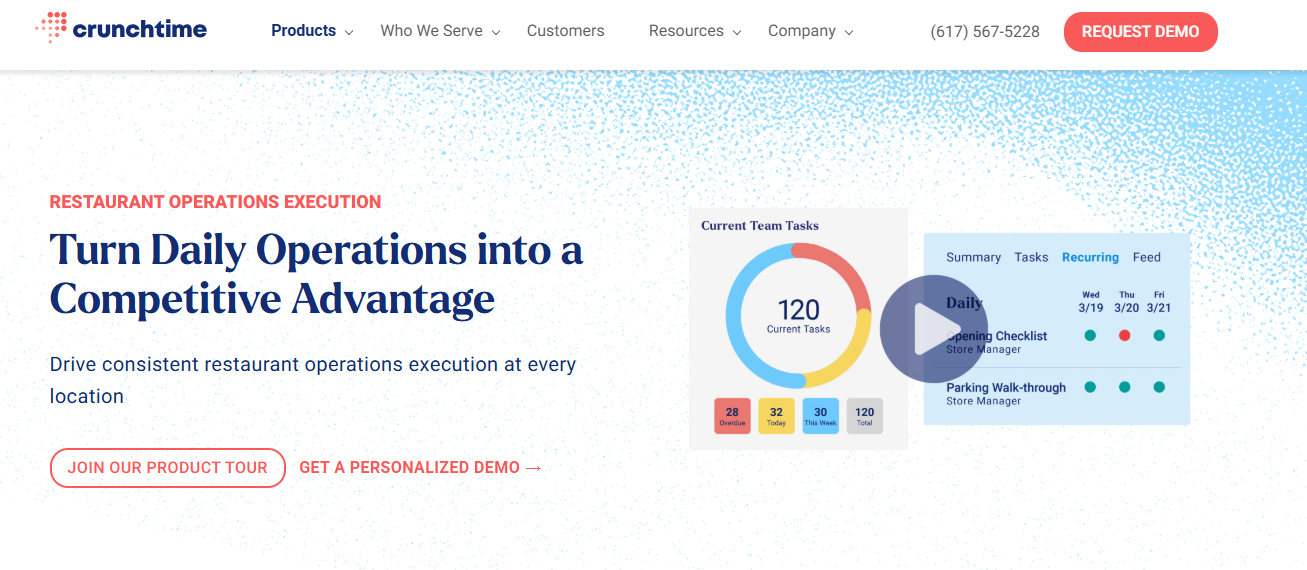
Crunchtime Ops Execution is the operations layer of a wider restaurant management suite. Buying it usually means evaluating the whole suite, since the value compounds when execution data sits beside inventory, labor, and kitchen numbers.
Key Features
- Task management with incomplete-work flagging: line checks, opening checklists, and audits deploy across thousands of sites, with unfinished work surfaced before the shift ends.
- Temperature monitoring with Bluetooth probes: automatic monitoring pairs with probe readings, addressing a gap where fewer than half of operators report real-time food safety visibility.
- Food prep labeling: date-coded labels print from the same module that holds the checklists.
- AI photo validation: the system flags photos that are blurry, show the wrong subject, or miss brand standards before an above-store leader reviews them.
Pricing
| Plan | Price |
|---|---|
| All tiers | Custom |
📌 Side Note: Pricing runs per user. Our Zenput pricing breakdown covers the structure.
Where Crunchtime Ops Execution Shines
- Learning and development inside the suite: restaurant courses and mobile training come from the same vendor rather than a separate LMS contract.
- Three reporting tiers to choose from: in-app reporting for real-time checks, Crunchtime Insights for consolidated dashboards, and Data Streaming for raw operational data.
- Inventory, labor, and kitchen modules on one agreement: food cost management, scheduling, and kitchen systems attach without a second procurement cycle.
- Multibrand franchise hierarchy handling: corporate and field teams get scoped visibility across complex franchise structures.
Where Crunchtime Ops Execution Falls Short
- No franchisee recruitment or candidate screening: the platform manages franchisees you already have, so development teams run selection in a separate system.
- Per-user pricing pushes teams toward shared logins: one G2 reviewer noted “the cost is still a bit much per user, so we still have a shared account.”
Customer Reviews
Noe L. says on G2. “We have 122 restaurants and it has been easy to track all projects and see the opportunities we have through our Organization. Right now we are using it for food safety, orientations, loss prevention, training follow-up, etc.”
“Sometimes when you are using the program and get interrupted it doesn’t let you back in to complete a task you had already started,” shares Coleton V.
Who Crunchtime Ops Execution Is Best For
- Enterprise brands above 200 locations: best for organizations with procurement teams and dedicated operations technology staff.
- Operators consolidating execution with food cost: best for groups wanting inventory and labor on the same contract.
4. Xenia: Best for Self-Serve Ops With Facilities Built In
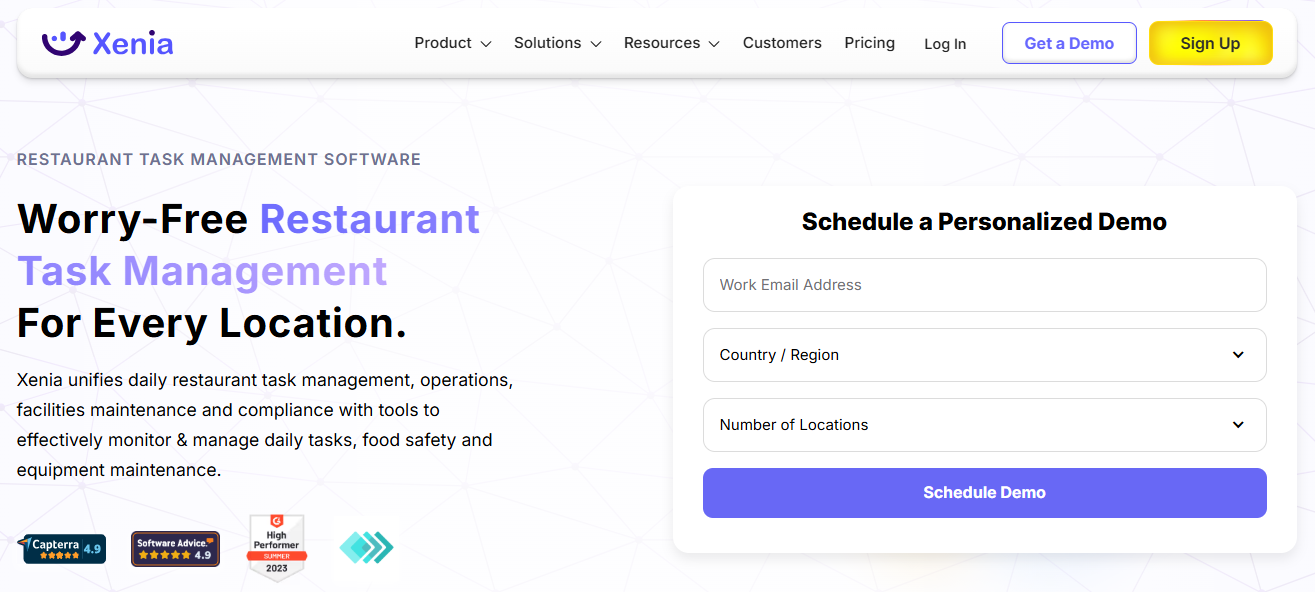
Xenia is operations software you can configure yourself before speaking to anyone. Restaurant teams typically start with one workflow and add modules as they go, which suits operators testing an approach before committing a budget.
Key Features
- Work orders with vendor and cost tracking: maintenance requests move from submission to resolution with spend and vendor assignment visible per job across hundreds of stores.
- Asset management with QR scanning: staff scans equipment on site to pull maintenance cost history and work order records for that specific unit.
- Inspections with smart logic that work offline: audits complete without signal and sync automatically, with corrective actions assigned from failed items.
- Xenia AI suite: Template Agent converts SOPs and PDFs into digital checklists with logic and scoring, Analytical Agent answers plain-language performance questions, and AI Photo Rollouts verify standards visually at scale.
Pricing
| Plan | Price |
|---|---|
| Basic | Custom, flat-rate, annual |
| Pro | Per location, monthly, custom quote |
| Enterprise | Custom volume pricing |
📌 Side Note: Sensors, work orders, asset management, and label printing are priced as add-ons. Our Xenia app cost breakdown covers what the modules add.
Where Xenia Shines
- Location hierarchy with precise permissions: district managers see only the stores in their patch, mirroring your org structure rather than a flat location list.
- Temperature monitoring with 24/7 alerts: wireless sensors cover cold storage, with a QR-code option for starting inspections and logging data at the asset.
- Team chats and document management in one app: announcements, policy documents, and messaging sit beside the task list rather than in a separate channel.
- Public API and SOC 2 Type I certification: IT teams get documented integration paths and a recognized security attestation.
Where Xenia Falls Short
- Core capability sold as add-ons: sensors, asset management, work orders, and label printing sit outside the base plan, so entry pricing understates a full food safety configuration.
- No franchisor tooling: there is no franchisee recruitment, franchise hierarchy, or location launch module, so franchised brands run growth workflows elsewhere.
- No formal certification tracking: training exists through micro-learning and video guides, but badges, pathways, and practical skills sign-off are absent.
Customer Reviews
“The UI is clean and intuitive. The features are robust and customizable. The mobile app is excellent. The dashboard options are exactly what we were looking for for multi-unit operations.” Whitney B. on Capterra.
“The way the agendas read can be a bit confusing, but once you get the hang of it, it is simple.” Maxwell I. on Capterra.
Who Xenia Is Best For
- Convenience store and c-store chains: best where facilities upkeep and retail execution overlap on the same shift.
- Corporate-owned groups without franchisees: best where franchise hierarchy and candidate screening are not requirements.
📌 Side Note: See our comparison of Xenia alternatives for multi-location teams.
5. Mitti (by SafetyCulture): Best for Cross-Industry Inspection Depth
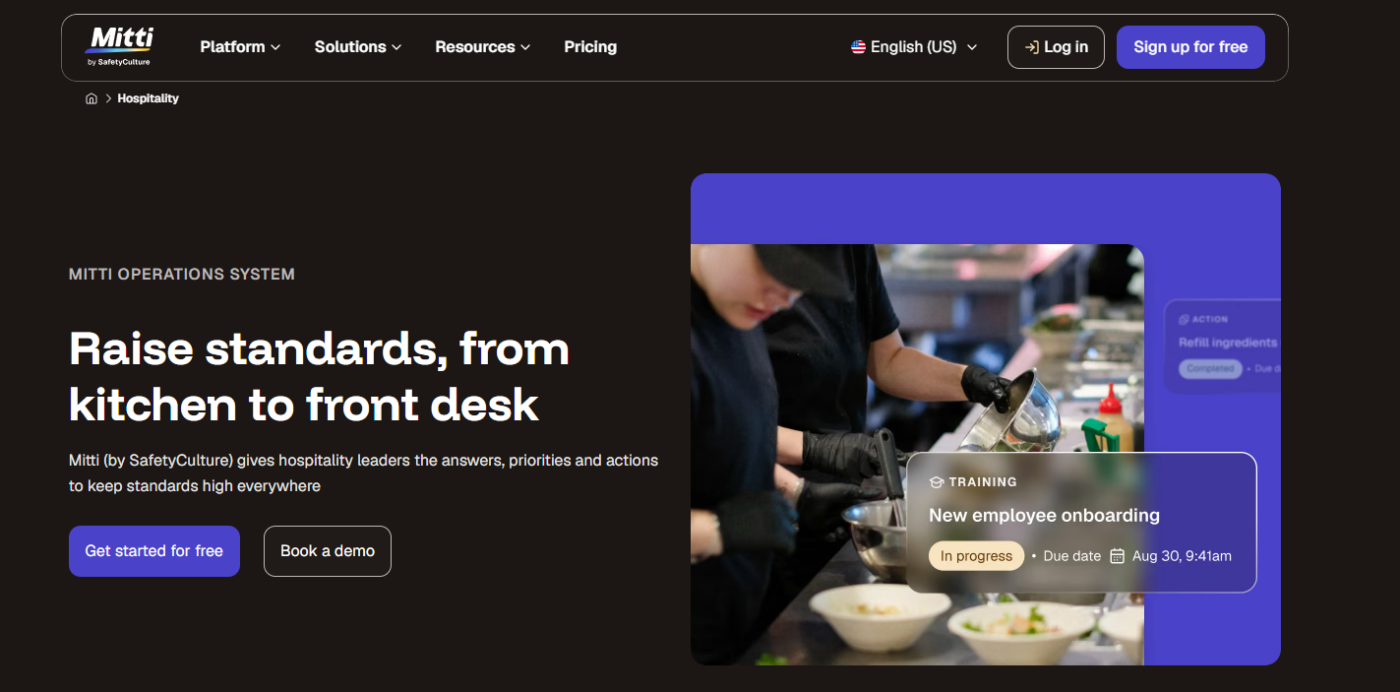
Mitti is inspection software used across many industries, restaurants among them. You build the kitchen workflows yourself from its template library, trading ready-made restaurant processes for the flexibility other sectors require.
Key Features
- Unlimited active inspection templates on Premium: the deepest template flexibility here, against a five-template cap on the free plan.
- Task management with observation and issue reporting: frontline staff raises issues from the floor, and tasks route to owners for resolution.
- Sensors and IoT on paid tiers: temperature and condition monitoring connects to the same platform as the inspections.
- Training with a competency matrix: recurring courses, in-person training records, and performance tracking sit on Premium and above.
Pricing
| Plan | Monthly | Annually |
|---|---|---|
| Free (0-10 seats) | $0 | $0 |
| Premium (10-100 seats) | $29/seat/month | $24/seat/month |
| Enterprise (101+ seats) | Custom (site-based pricing available) | Custom (site-based pricing available) |
Where Mitti Shines
- AI credits included on every plan: 300 credits per seat monthly on Free, 500 on Premium, and 800 on Enterprise, covering report generation and operational questions.
- Lone worker and contractor management: capabilities aimed at distributed and third-party labor that restaurant-specific tools omit.
- Asset tracking and document control: equipment records and controlled documentation run on the same platform as the audits.
Where Mitti Falls Short
- No food prep labeling: date-code printing and use-by rotation need separate hardware and software, which is a gap for any kitchen.
- Restaurant workflows arrive unconfigured: prep routines and HACCP records are template work rather than shipped product. The upside is that operators outside foodservice get the same flexibility.
- Approval workflows and custom branding sit on paid tiers: the free plan also caps data history and dashboard views at 30 days.
Customer Reviews
On G2, David P shares. “Easy-to-use templates; these can then be customised to suit your needs. The PDF reports are great to share with colleagues to show points of interest and learning.”
Another verified G2 reviewer says. “The per-user cost doesn’t feel like a fair approach to the pricing structure.”
Who Mitti Is Best For
- Multi-industry operators: best where restaurants sit alongside manufacturing, facilities, or logistics sites.
- Audit-led compliance teams: best where inspection rigor outranks daily execution and kitchen hardware.
- Small teams testing digital audits: best for operators who want ten free seats before seeking a budget.
📌 Side Note: Our guide to SafetyCulture alternatives covers the restaurant-specific gap.
6. MeazureUp (by Ladle): Best for District Manager Site Assessments
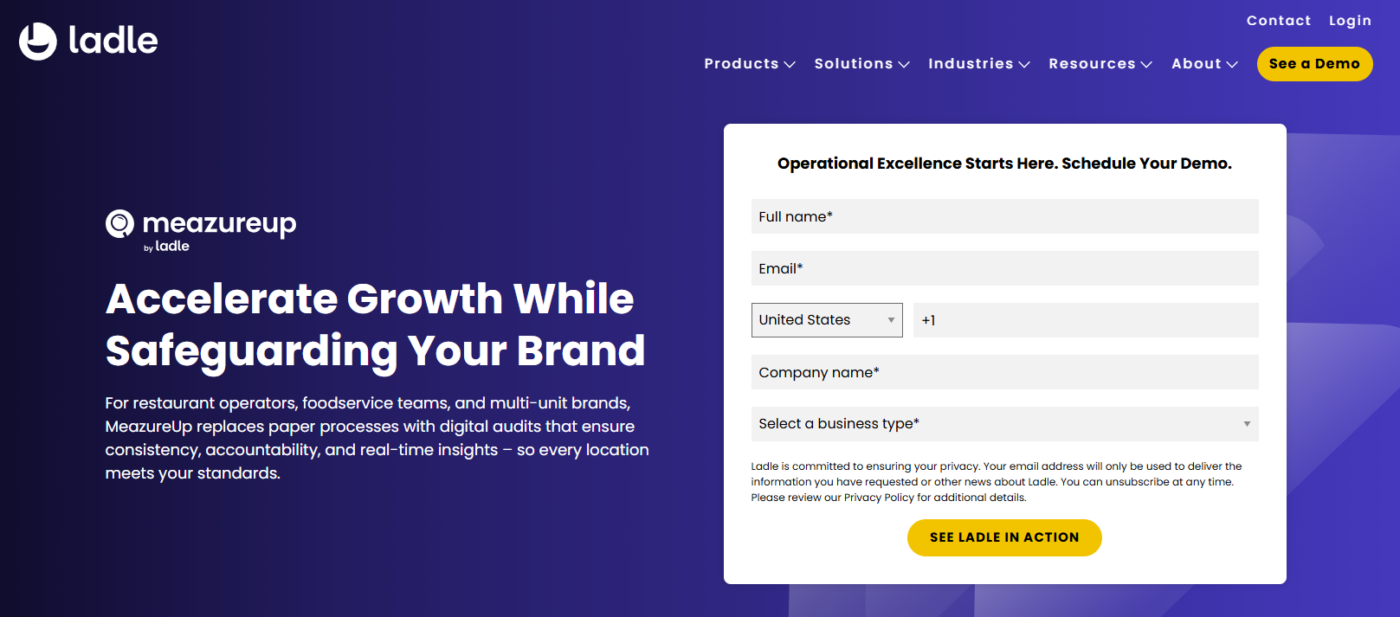
MeazureUp is built for the person visiting stores rather than the person working in one.
- It replaces paper site visits with digital audits, so foodservice brands can hold every location to the same standard.
- Field teams score locations from a phone, with time-stamped and geolocated entries and automated action plans for anything that fails.
- Daily checklists cover store-level routines, and custom dashboards show results across every site with trend analysis over time.
The limit is scope: MeazureUp assesses standards and tracks corrective actions, but does not host your SOPs or deliver courses. Best for brands formalizing a district-manager evaluation program.
7. Delightree: Best for Franchisee Adoption Across Verticals
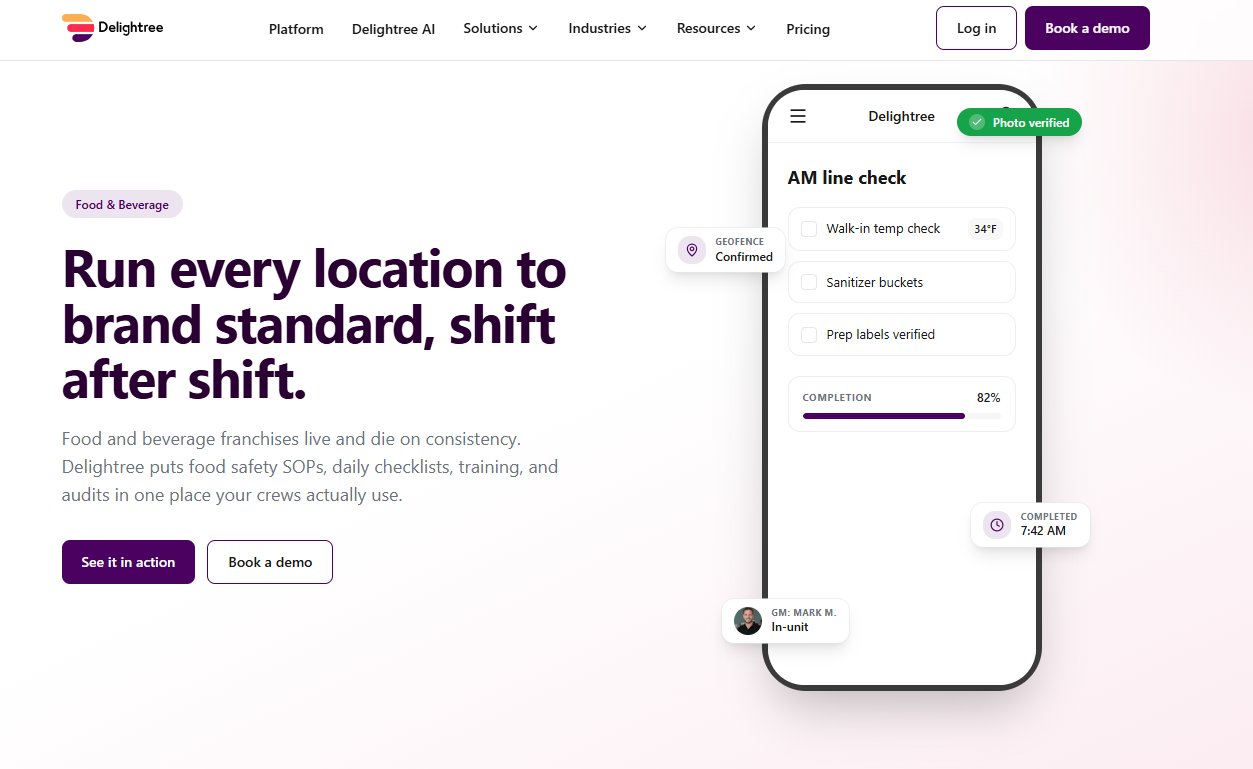
Delightree is franchise operations software built for food and beverage setups, offering line checks, training, and SOP access.
- AM and PM line checks carry photo proof and geofence verification, so audits get completed at the store rather than filled in from home.
- Every finding becomes a corrective action with an owner and a due date.
- Role-based learning paths cover GMs, shift leads, BOH, and FOH, and AI Search answers plain-language questions from your approved SOPs with the source attached.
- Location Launcher runs openings from site selection to first shift. Pricing is a custom flat rate per location.
There are no IoT sensors, probes, or label printing, so HACCP-bound brands add a second system alongside it.
📌 Side Note: See our Delightree alternatives comparison and the Operandio vs Delightree breakdown.
How to Choose Restaurant Operations Software
Feature lists converge across this category. Commercial structure, ownership, and follow-through separate the options.
Start From Contract Structure, Not Features
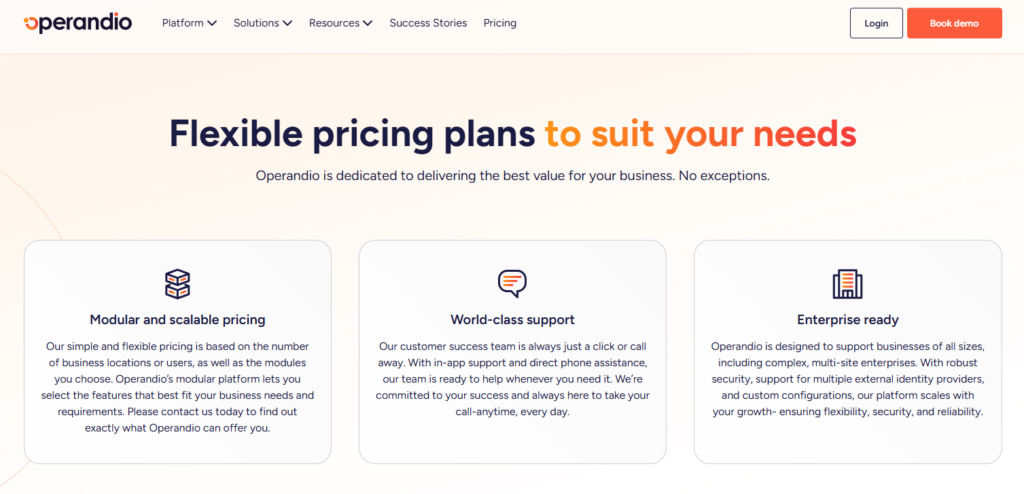
Restaurant operations software offer different contract structures.
Per-location contracts mean every new store is a fresh agreement on a fresh renewal date. Per-seat pricing punishes you for hiring, which lands badly in an industry running high crew turnover.
The 2026 National Restaurant Association industry report found 42% of restaurants were not profitable in 2025. Contract sprawl is one of the few line items you control outright.
Operandio prices modularly, based on your location count or user count plus the modules you switch on. Start with checklists and food safety, then add asset management or EHS as you need them, without a new vendor or a second procurement cycle.
See how Operandio’s pricing scales with your locations.
Insist That Findings Become Follow-Up
Restaurants generate findings faster than head office can chase them: temp logs, sanitizer levels, prep labels, equipment faults, cleaning misses. You need restaurant operations management software that prompts corrective actions once an issue is raised.
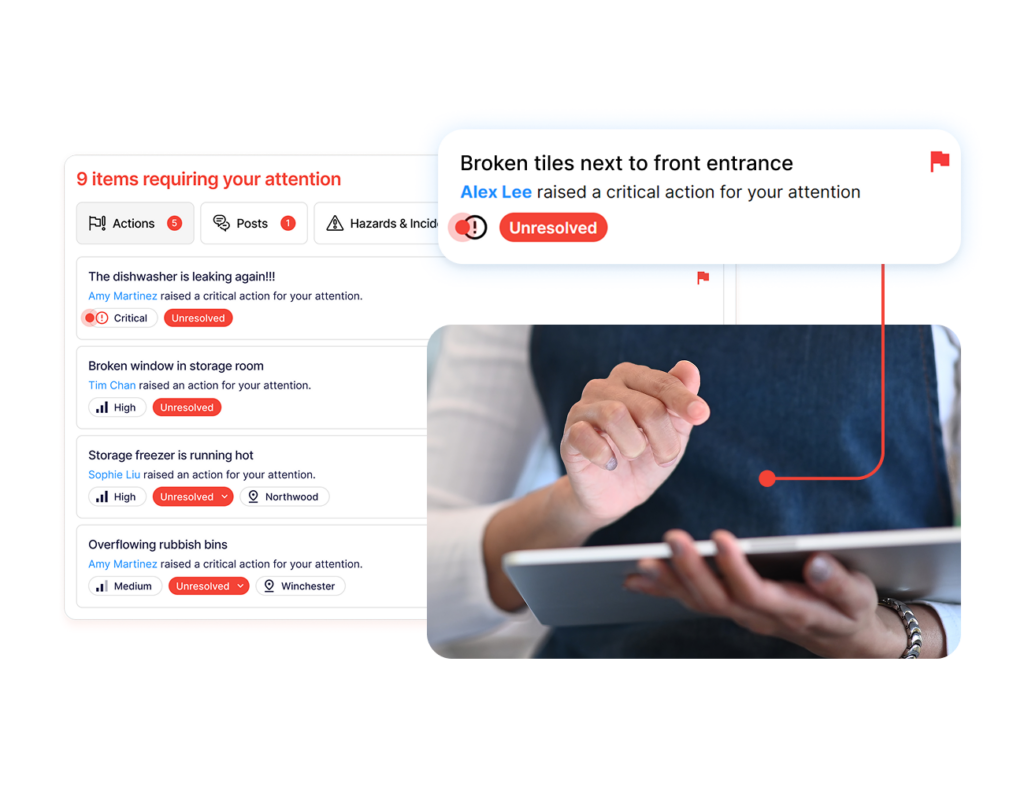
This is exactly where Operandio’s audits tie corrective actions back to the checklist. A failed inspection or a dropped score generates the action automatically, with an owner, a due date, and tracking through to closure.
Keep Training Next to Execution
When training sits in a separate system, a new hire learns the process in one app and performs it in another, and the two drift apart.
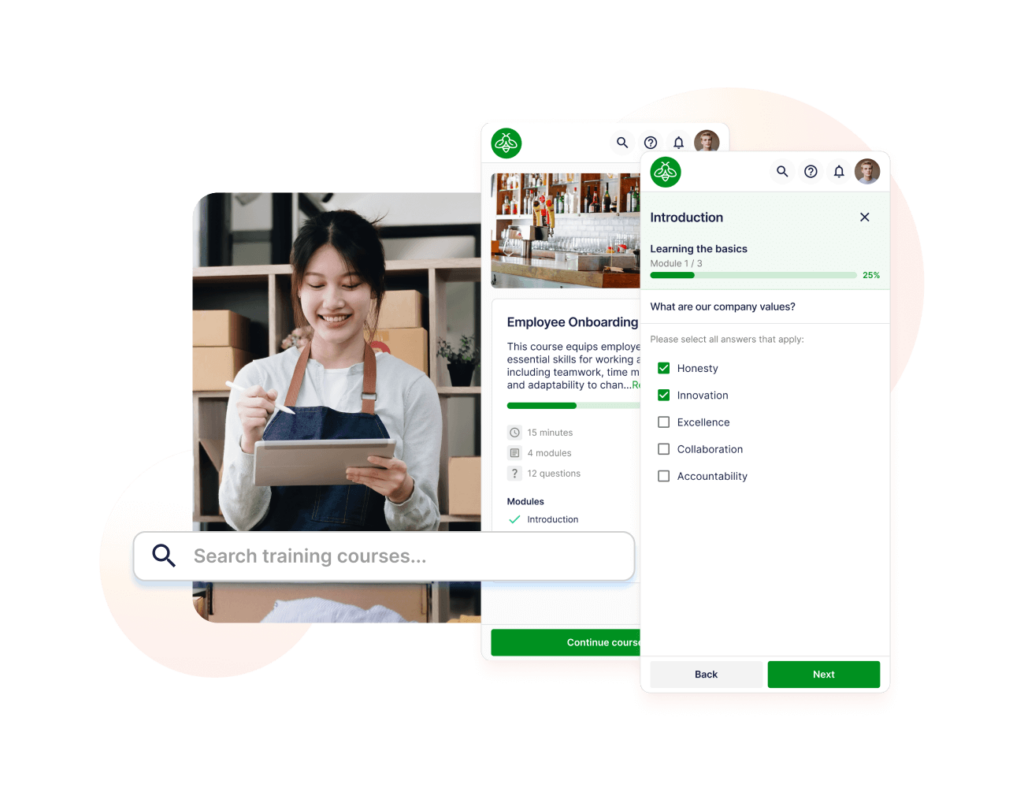
Operandio keeps the mobile-first LMS in the same app crews use for daily checklists, so the course and the task live together.
📌 Side Note: Tex’s Chicken & Burgers trained managers once and watched standards drift as the brand grew to 52 locations. After moving training into the same platform as daily execution, the team reported a 40% reduction in manager onboarding time. Read the full story.
Count the Tools You Are Replacing
Most multi-unit groups pay for an LMS, a checklist app, a temperature logging system, a document drive, and a group chat. Each carries its own contract, login, and renewal date.
If the platform you choose does not retire at least two of those, you’ve added admin instead of removing it.
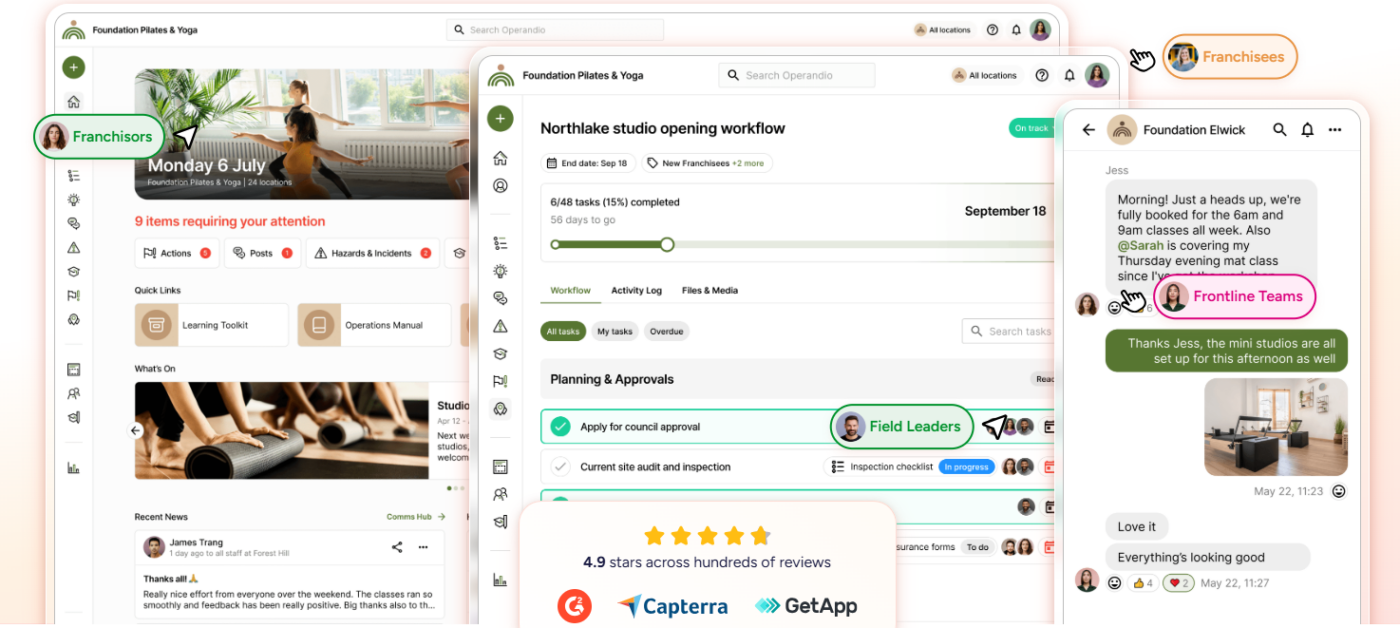
Operandio’s modular structure lets you switch on the pieces that replace what you already run, from food safety and audits to training, asset management, and incident reporting.
Our overview of digital operations management covers how the consolidation math works.
Run Every Location the Same Way with Operandio
Restaurant operations software earns its keep when head office stops asking “was the checklist done?” and starts seeing which locations execute, which slip, and what got fixed.
Operandio was built for exactly that: daily execution, food safety, audits, training, and follow-through in one platform, on one contract.
Book a demo to see how it works across your locations.
FAQs
What is the best operations software for multi-unit restaurant chains?
Operandio, for most groups. It runs food safety, audits, corrective actions, and training on one head-office contract rather than splitting them across vendors.
What is a frontline operations execution platform?
It is software that turns operating standards into trackable daily work for staff on shift. Tasks get completed on mobile or shared tablets, with photo evidence, deadlines, and head-office visibility attached.
Operandio, Jolt, and Crunchtime Ops Execution are the platforms restaurant groups evaluate most often.
How much does restaurant operations software cost?
Most platforms in this category quote custom pricing, and the structures differ more than the numbers.
Jolt contracts per location, SafetyCulture prices per seat with Premium from $24 per seat per month, Crunchtime sells enterprise agreements, and Operandio contracts once at head office with unlimited users, priced on locations and modules.
Ask how the contract behaves at double your current location count.