
- Platform
- Features
 Franchise & Multi-Unit ManagementCentralize oversight and streamline growth across your entire multi location network
 Learning ManagementTrain, verify, and reward your workforce with mobile-first education
 Operations ExecutionStreamlined operations ensuring brand standards, accountability and efficiency
 Asset ManagementOptimize equipment uptime through proactive maintenance and smart tracking
 Digital Food SafetyAutomate compliance and monitor quality with real-time digital precision
 Health & Safety Management (EHS)Mitigate workplace risks and streamline digital incident reporting and investigations
- Platform Essentials
 Powerful ReportingAlign leadership with role-based dashboards and deeper analytics
 Operandio IntelligenceAutomate content, analyze trends, and provide instant answers
 IntegrationsUnify your enterprise tech stack with real-time data
 IoT PlatformDetect anomalies and automate workflows with intelligent sensors
 Mobile & Shared Tablet AppsSecurely empower frontline teams with fast, offline-capable access
- Footer


 Not sure what you need?
Book in a call with the team
- Features
- Solutions
- By Industry
 RestaurantsQSR, fast food and multi-unit restaurants
 Hotels & ResortsHotels, resorts and extended stay hotels
 ChildcareEarly education, childcare, daycare and preschool
 EntertainmentTheme parks, family entertainment centers and play centers
 Fitness Centers & LeisureFitness centers, golf clubs, gyms and sports facilities
 RetailBig-box retailers, franchise stores and supermarkets
- By Use Case
- Operational ExcellenceStreamlined operations ensuring brand standards, accountability and efficiency
- Learning & DevelopmentTrain, verify, and reward your workforce with mobile-first education
- Franchise & Multi-Unit ManagementCentralize oversight and streamline growth across your entire multi location network
- Food Safety ComplianceAutomate compliance and monitor quality with real-time digital precision
- Asset Management & MaintenanceOptimize equipment uptime through proactive maintenance and smart tracking
- Health & Safety Management (EHS)Mitigate workplace risks and streamline digital incident reporting and investigations
- By Industry
- Resources
- Platform
- Features
- Franchise & Multi-Unit ManagementCentralize oversight and streamline growth across your entire multi location network
- Learning ManagementTrain, verify, and reward your workforce with mobile-first education
- Operations ExecutionStreamlined operations ensuring brand standards, accountability and efficiency
- Asset ManagementOptimize equipment uptime through proactive maintenance and smart tracking
- Digital Food SafetyAutomate compliance and monitor quality with real-time digital precision
- Health & Safety Management (EHS)Mitigate workplace risks and streamline digital incident reporting and investigations
- Platform Essentials
- Powerful ReportingAlign leadership with role-based dashboards and deeper analytics
- Operandio IntelligenceAutomate content, analyze trends, and provide instant answers
- IntegrationsUnify your enterprise tech stack with real-time data
- IoT PlatformDetect anomalies and automate workflows with intelligent sensors
- Mobile & Shared Tablet AppsSecurely empower frontline teams with fast, offline-capable access
- Footer
- Not sure what you need?
Book in a call with the team
- Features
- Solutions
- By Industry
- RestaurantsQSR, fast food and multi-unit restaurants
- Hotels & ResortsHotels, resorts and extended stay hotels
- ChildcareEarly education, childcare, daycare and preschool
- EntertainmentTheme parks, family entertainment centers and play centers
- Fitness Centers & LeisureFitness centers, golf clubs, gyms and sports facilities
- RetailBig-box retailers, franchise stores and supermarkets
- By Use Case
- Operational ExcellenceStreamlined operations ensuring brand standards, accountability and efficiency
- Learning & DevelopmentTrain, verify, and reward your workforce with mobile-first education
- Franchise & Multi-Unit ManagementCentralize oversight and streamline growth across your entire multi location network
- Food Safety ComplianceAutomate compliance and monitor quality with real-time digital precision
- Asset Management & MaintenanceOptimize equipment uptime through proactive maintenance and smart tracking
- Health & Safety Management (EHS)Mitigate workplace risks and streamline digital incident reporting and investigations
- By Industry
- Resources
7 Best Audit Management Software For Compliance (2026)
Key Takeaways
- Choose Operandio if you manage audits across restaurants, hotels, retail sites, entertainment venues, or franchise locations and need inspections connected to corrective actions, SOPs, training, food safety, and real-time visibility across every site.
- Pick SafetyCulture, GoAudits, or Xenia if your main need is mobile inspections and field audits with checklists, photos, issue tracking, and faster site reporting.
- Pick Optro or MetricStream if you run enterprise internal audit, risk, or GRC workflows and need audit planning, workpapers, controls, issue management, and executive reporting.
- Pick ComplianceQuest if your audit program is tied to quality, supplier, EHS, or regulated compliance workflows rather than daily frontline execution.
Audit management software becomes important when one missed check can create daily operating risk across many locations before the head office notices.
In fact, private industry employers reported 2.5 million nonfatal workplace injuries and illnesses in 2024. For multi-location restaurants, hotels, retail networks, entertainment venues, and franchise teams, audits are one of the most practical ways to catch unsafe conditions, missed procedures, failed standards, and unresolved actions early.
This guide compares the best audit management software for frontline operations, internal audit, GRC, quality, and compliance teams.
7 Best Audit Management Software: A Quick Overview
Here is a quick comparison of the best audit management software platforms, including frontline audit tools, enterprise internal audit systems, and quality compliance platforms.
| Name | Best For | Standout Feature | Price Starting Point |
|---|---|---|---|
| Operandio | Real-time audit visibility across franchises and multi-location teams | Audits connected to corrective actions, SOPs, training, reporting, and compliance workflows | Custom pricing |
| SafetyCulture | Mobile inspections and checklist-based audits | Digital inspections, issue reporting, QR codes, templates, and corrective actions | Free plan available; Premium from $24/seat/month, billed annually |
| GoAudits | Fast field audits and operational inspections | Offline audits, instant reports, corrective actions, photos, annotations, and e-signatures | From $10/user/month, billed annually |
| Xenia | AI-powered multi-location operations audits | Digital checklists, audits, tasks, work orders, reporting, and frontline operations workflows | Custom pricing per location |
| Optro, Formerly AuditBoard | Enterprise internal audit and GRC teams | AI-powered internal audit, risk, controls, and compliance workflows | Custom pricing |
| MetricStream | Risk-based audit management | Risk-based audit planning, workpapers, issue management, and enterprise GRC integration | Custom pricing |
| ComplianceQuest | Quality and compliance audit management | Quality, supplier, EHS, and compliance audits inside a connected QMS platform | Custom pricing |
1. Operandio: Best For Real-Time Audit Visibility Across Multi-Unit And Franchise Locations
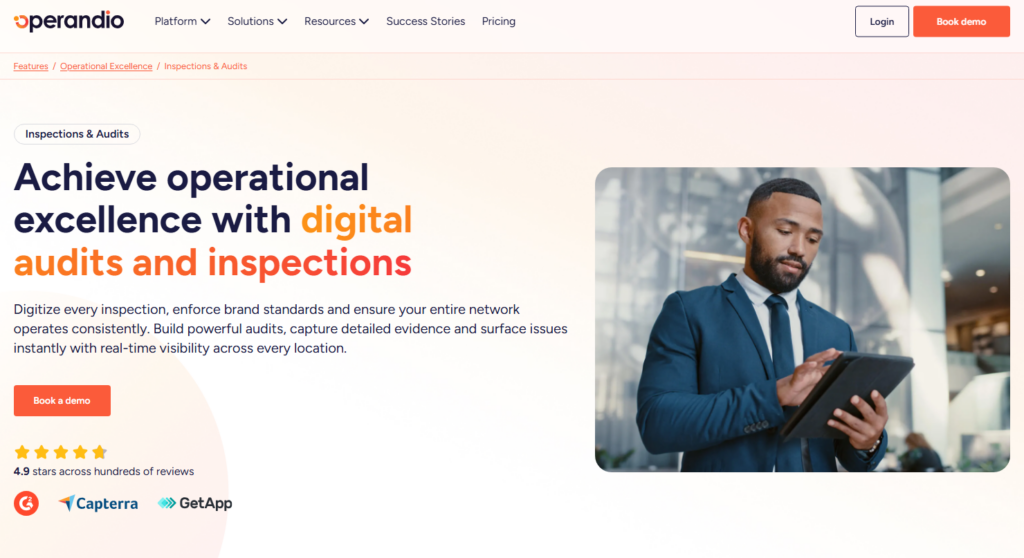
Operandio is an AI-powered operations platform for multi-unit and franchise businesses that need audit findings to turn into action across locations.
It helps operations, compliance, and regional teams standardize audits, capture evidence, assign follow-up, and monitor site-level execution without relying on paper forms, spreadsheets, or disconnected point tools.
Operandio is the strongest fit for restaurant groups, hotel operators, retail networks, entertainment venues, and any franchise systems where audits need to support daily operations, not sit in a report after the visit is over.
Operandio Key Features
Operandio’s audit features are strongest when teams need three things: consistent inspections, clear follow-up, and visibility across locations.
Here’s how that works in practice.
Inspections And Audits
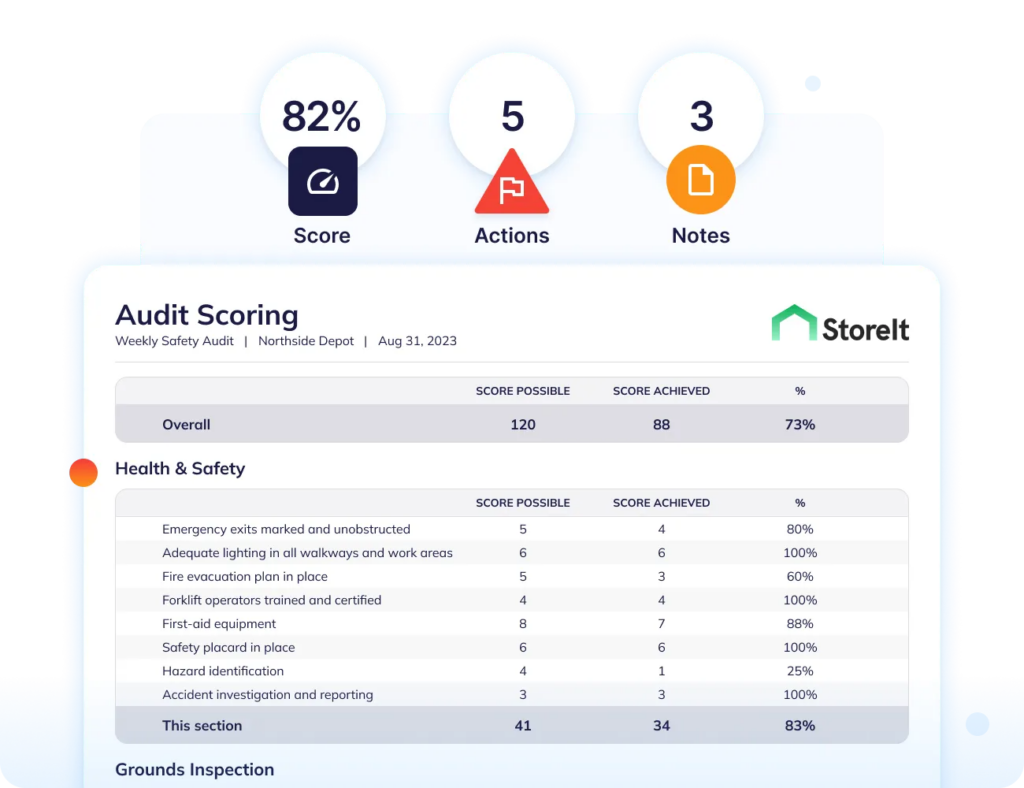
Operandio’s Inspections & Audits feature helps teams run digital brand audits, site visits, compliance checks, safety inspections, food safety audits, and operational reviews across locations.
Instead of using paper forms or disconnected spreadsheets, teams can standardize audit templates and make sure each location is assessed against the same criteria. Auditors can capture findings, add evidence, and complete checks from the floor.
For head office, this creates a clearer view of audit performance across the network. Leaders can see which locations are meeting standards, which sites need support, and where recurring issues are showing up.
This is useful for franchise and multi-unit brands where small execution gaps can repeat across dozens of sites if they are not caught early.
Corrective Actions
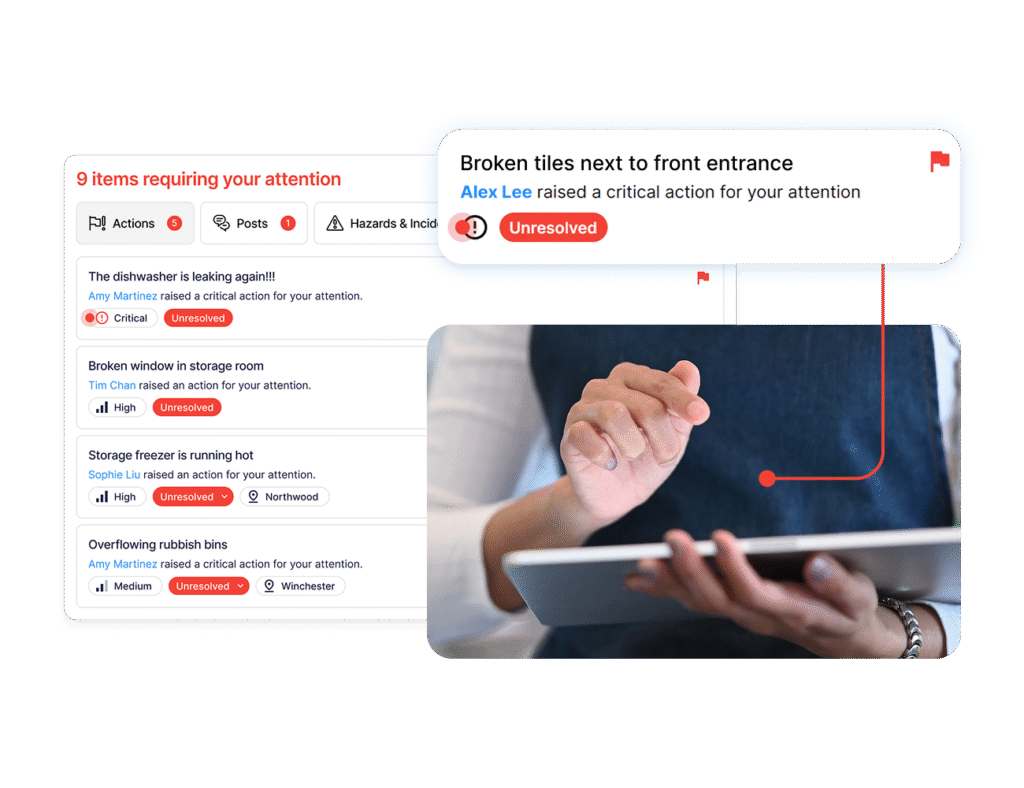
Audit findings are only useful when someone owns the follow-up.
Operandio’s Corrective Actions feature helps teams capture issues, assign actions, set accountability, and track whether problems were resolved.
For example, if an audit finds that a freezer temperature record is missing, a cleaning task was skipped, or a safety check was incomplete, the issue can move into a corrective action workflow instead of getting buried in a report.
Managers get a clearer way to follow up. Regional and head office teams can see open and overdue actions across locations. That helps prevent the same issue from returning in the next audit.
For multi-location teams, this is the difference between recording non-compliance and fixing the process behind it.
Real-Time Compliance Visibility Across Locations
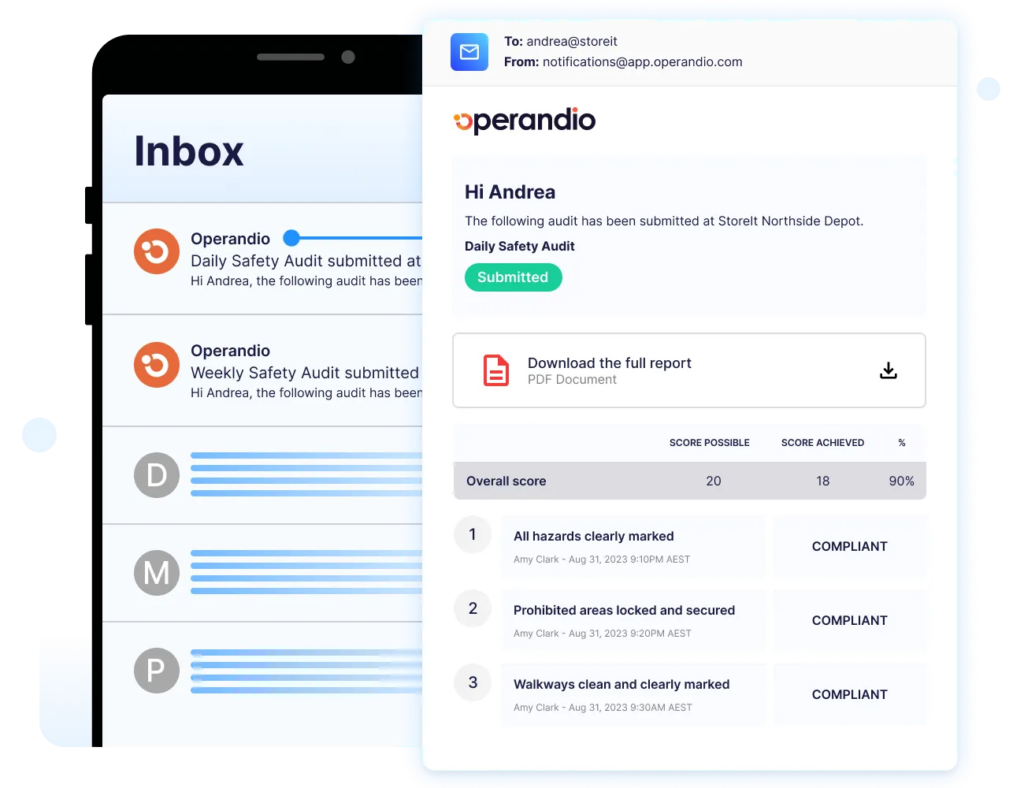
Operandio gives operations and compliance leaders a live view of audit activity across locations.
Instead of waiting for manual reports, head office can see completed checks, failed items, open actions, overdue follow-up, and recurring location patterns from one place.
For example, a regional manager can spot whether one site keeps missing the same inspection item, whether a location has too many overdue fixes, or whether a recurring failure points to a training or process gap.
This helps teams act earlier, before a small audit issue becomes a failed compliance visit, customer complaint, safety incident, or brand standards problem.
Operandio Pricing
Operandio has custom pricing based on locations, users, and selected modules.
| Plan | Pricing |
|---|---|
| All tiers | Custom |
Where Operandio Shines
- Turns audit findings into operational follow-up: Operandio helps teams move from inspection results to assigned actions, evidence, ownership, and closure.
- Gives head office a clearer view across sites: Regional and corporate teams can monitor audit performance, overdue work, and recurring gaps without chasing reports manually.
- Fits live frontline environments: Mobile and shared-device workflows make it easier for teams to complete checks during the shift, not after the fact.
Where Operandio Falls Short
- Broader than a standalone audit app: Operandio includes audits, training, SOPs, corrective actions, food safety, EHS, asset management, communications, and reporting. Teams that only need simple inspection forms may not use the full platform.
- Best suited to multi-site complexity: Operandio is designed for franchise and multi-unit operations. A single-location business with low audit volume may find a lighter checklist tool easier to justify.
Customer Reviews
BOUNCE Inc. used Operandio to bring 22+ locations and 1,700+ team members onto one operations and compliance platform, replacing legacy systems and paper-based reporting with real-time visibility across venues.
“Operandio has allowed our head office team to have a global view of what’s happening across the business. Quickly generating reports has been invaluable for keeping stakeholders informed,” shares Paul Brownrigg, Operations and Compliance Manager.
Cold Rock Ice Creamery also uses Operandio across 70+ franchise locations to reduce food safety and compliance issues, standardize digital checklists, and give head office real-time visibility into store compliance.
“Operandio has transformed our franchise operations by replacing paper systems with a seamless, automated platform that ensures consistency, enhances communication, and simplifies compliance across 70+ locations,” says Kris K., State Manager.
Who Operandio Is Best For
- Franchise operators: Best for networks that need consistent audit standards across every location.
- Multi-unit operations leaders: Best for teams that need visibility into site performance, recurring issues, and unresolved follow-up.
- Compliance and regional managers: Best for teams responsible for inspections, evidence, corrective actions, and location support.
- Teams replacing disconnected audit processes: Best when audit records, follow-up tasks, and compliance evidence are spread across paper, spreadsheets, emails, or separate apps.
Learn more about Operandio’s modular pricing to see how teams can choose the features they need by business size, location count, and operational requirements.
2. SafetyCulture: Best For Mobile Inspections And Checklist-Based Audits
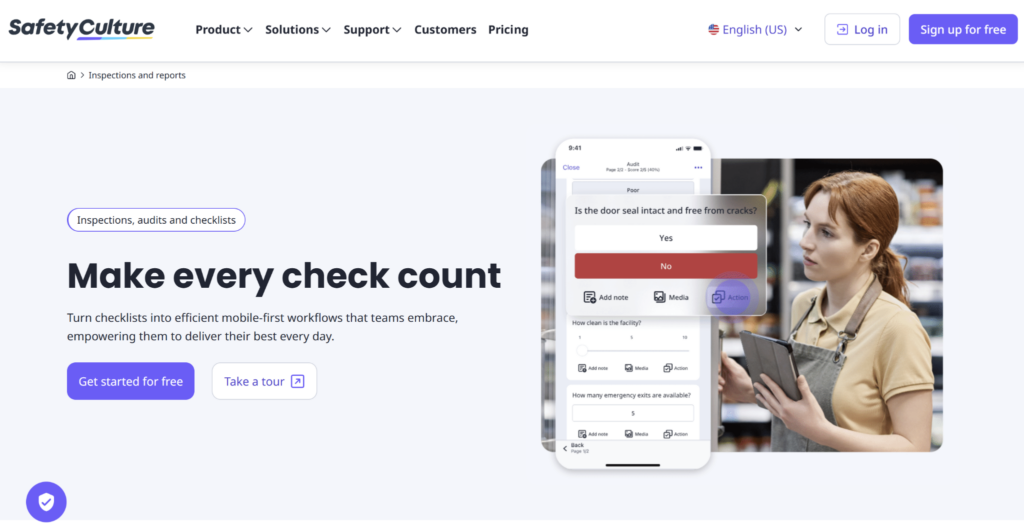
SafetyCulture is a mobile-first platform for digital inspections, audits, issue reporting, and operational checks.
It is a strong option for teams replacing paper forms with mobile checklists and field reporting. The platform is used across many industries, so it works best when teams want a flexible inspection tool rather than a franchise-specific audit system.
Key Features
- Mobile Inspections And Templates: SafetyCulture lets teams create digital inspection templates, complete audits from mobile devices, attach photos, and generate reports.
- Issues And Actions: Teams can raise issues from inspections, assign actions, add due dates, and track follow-up work.
- QR Codes, Assets, And Training: SafetyCulture supports QR-code workflows, asset checks, team training, and operational data capture in the same platform.
Pricing
| Plan | Pricing |
|---|---|
| Free | $0 |
| Premium | From $24/seat/month, billed annually |
| Enterprise | Custom |
Where SafetyCulture Shines
- Strong mobile inspection workflow: SafetyCulture works well when the main goal is to digitize paper inspections, audits, forms, and routine site checks.
- Large template ecosystem: Teams can start from existing checklist templates instead of building every audit from scratch.
- Broad operations coverage: SafetyCulture also includes issue reporting, actions, assets, training, and sensors, giving teams more than a simple inspection app.
Where SafetyCulture Falls Short
- Broad configuration can require extra governance: Because SafetyCulture is industry-agnostic, larger teams may need clear template controls, naming rules, and reporting standards to avoid inconsistent setup across sites.
- Advanced controls sit behind paid plans: Teams may need Premium or Enterprise for deeper administration, analytics, permissions, integrations, and governance.
Customer Reviews
“I like how easy it is to create and standardise digital inspection forms. The platform makes it simple to build checklists, capture evidence on-site, and submit reports in real time.” Sunny B.
“Mainly the bugs, whenever I’m trying to look through Actions and such – changing the filters has been an ongoing issue. It will clutter and mix the results so it gives me inaccurate data. Also, the customer service is really needing a revamp. I’ve messaged on there a couple times and have never gotten any type of response.” Jesse V.
Who SafetyCulture Is Best For
- Inspection-heavy teams: SafetyCulture is best for teams that need mobile inspections, checklists, issue reporting, templates, and quick field audits across different work environments.
If SafetyCulture is on your shortlist, compare mobile inspection workflows against broader operations needs before choosing. This Operandio vs SafetyCulture comparison can help you frame that decision.
3. GoAudits: Best For Fast Field Audits And Operational Inspections
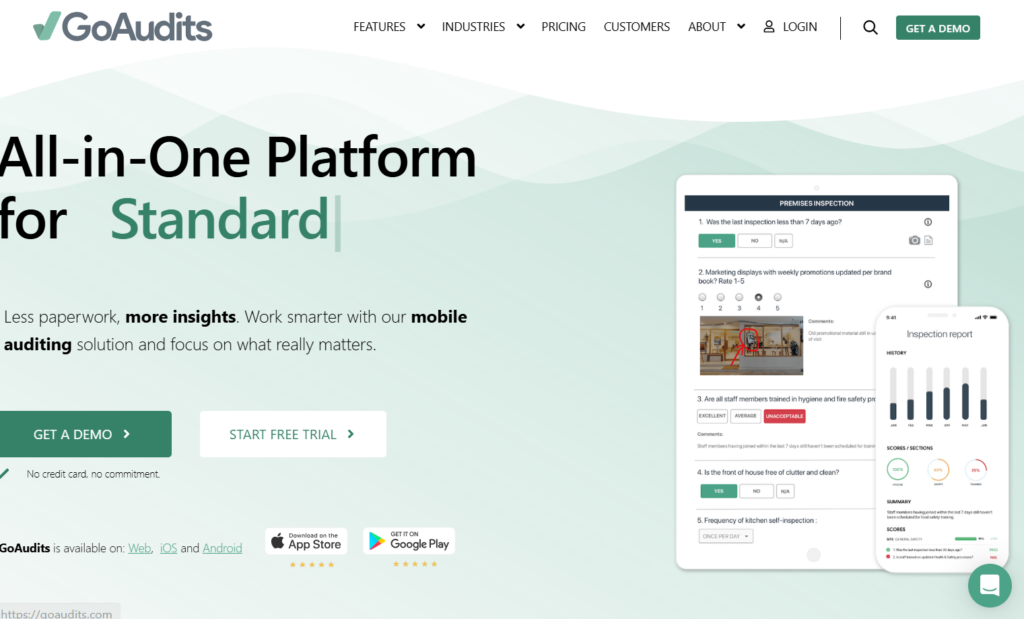
GoAudits is an audit and inspection app built for field teams that need to complete checks quickly, including offline.
It is useful for operational audits, site inspections, quality checks, housekeeping reviews, and food safety inspections where teams need custom forms, evidence capture, and fast reporting.
Key Features
- Offline Mobile Audits: GoAudits lets teams complete audits on phones, tablets, or computers, including offline inspection workflows.
- Custom Checklists And Evidence Capture: Users can build checklists, capture photos, add annotations, collect signatures, and document audit findings.
- Instant Reports And Corrective Actions: GoAudits can generate audit reports quickly and help teams assign corrective actions after findings are recorded.
Pricing
| Plan | Pricing |
|---|---|
| Starter | $10/user/month, billed annually |
| Enterprise | $30/user/month, billed annually |
Where GoAudits Shines
- Fast inspection setup: GoAudits is practical for teams that want to digitize existing audit forms and start completing inspections without a long rollout.
- Good field audit usability: Offline access, photos, annotations, e-signatures, and instant reports make it useful for site visits and operational inspections.
Where GoAudits Falls Short
- Focused mainly on inspections and reports: GoAudits is strong for audit execution, but teams may need other systems for training, SOP management, incident workflows, or broader day-to-day operations.
- Desktop usability may need improvement: Some reviewers note that the desktop experience can feel less refined than the mobile audit workflow.
Customer Reviews
“We use GoAudits for conducting HSE inspections, operational audits, housekeeping audits, food safety checks, compliance monitoring, incident reporting and quality assurance activities across multiple locations and contracts.” Sudas M.
“Desktop feature needs refinement to allow user friendly interface.” Vaughan B.
Who GoAudits Is Best For
- Field inspection teams: GoAudits is best for teams that need mobile audits, offline access, custom checklists, photos, instant reports, and corrective actions without a broader operations platform.
4. Xenia: Best For AI-Powered Multi-Location Operations Audits
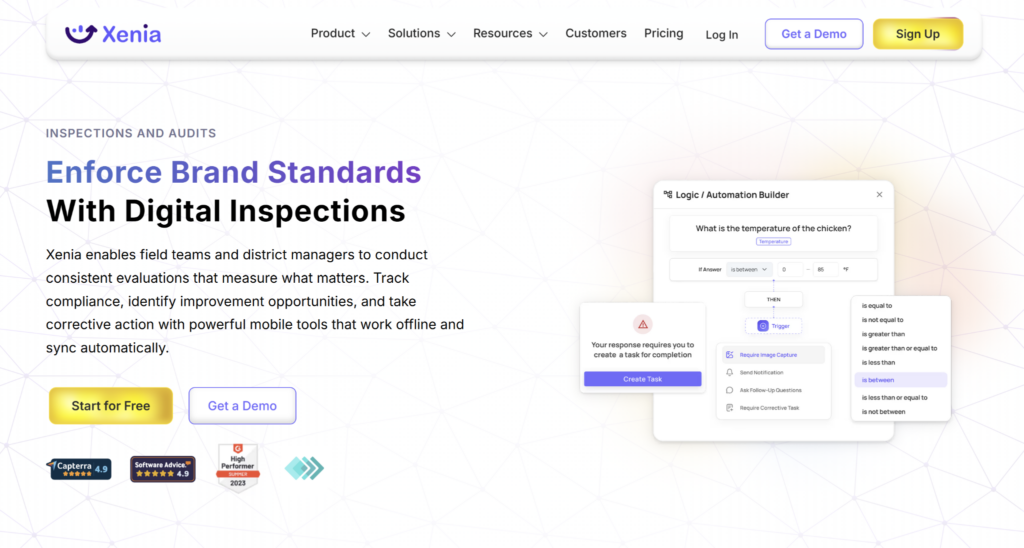
Xenia is a frontline operations platform for multi-location teams.
It combines audits, checklists, tasks, work orders, SOPs, training, and reporting, making it relevant for operators that want audit workflows connected to broader site execution.
Key Features
- Digital Checklists And Audits: Xenia supports customizable templates for inspections, audits, logs, and recurring operational checks.
- Tasks, Work Orders, And Assets: Teams can assign tasks, manage work orders, track assets, and monitor follow-up work from the same platform.
- AI-Powered SOP And Operations Support: Xenia includes AI features for SOP generation, knowledge access, and frontline workflow support.
Pricing
| Plan | Pricing |
|---|---|
| All tiers (Basic, Pro, Enterprise) | Custom |
Where Xenia Shines
- Strong multi-location operations fit: Xenia works well for teams that want audits, tasks, work orders, assets, SOPs, and training in one frontline operations platform.
- Good frontline usability: Reviews often mention ease of use, simple views, onboarding support, and practical adoption by frontline teams.
Where Xenia Falls Short
- Pricing can depend on setup needs: Buyers may need a sales conversation to understand the right mix of users, locations, modules, and add-ons.
- Less established than larger enterprise audit platforms: Xenia is strong for operations audits, but internal audit, GRC, and enterprise risk teams may need a platform built specifically for corporate audit programs.
- Some reviewers mention dashboard bugs or loading issues: This may matter for teams that rely heavily on dashboards during daily operations.
Customer Reviews
“The ease of finding the sales made and closed by a salesman. The tool also gives us much more insight into the payment mode and complete details to track the transaction.” Surya R.
“Sometimes the dashboard is bugging and takes time to load” Gokila S.
Who Xenia Is Best For
- Multi-location operations teams: Xenia is best for operators that need digital audits connected to tasks, work orders, SOPs, assets, training, and site-level execution.
For a deeper dive into potentially better options to Xenia, see this guide to Xenia alternatives.
5. Optro: Best For Enterprise Internal Audit And GRC Teams
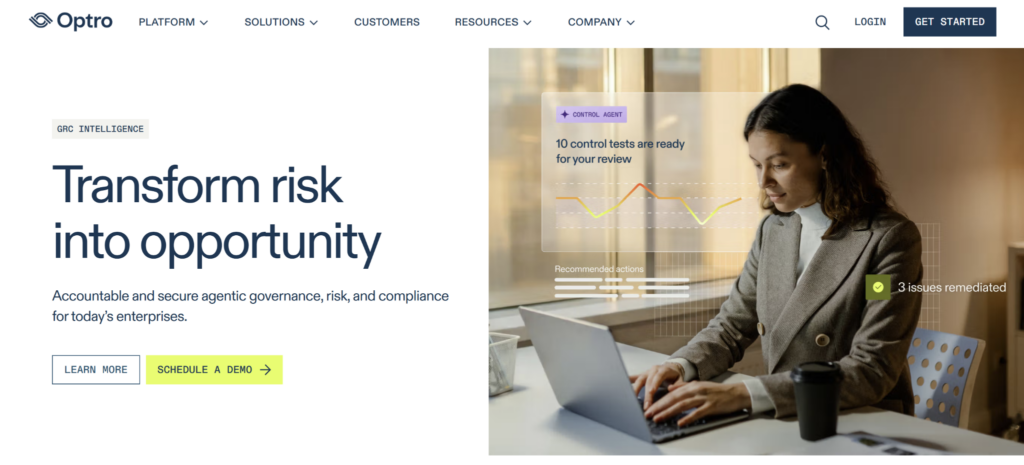
Optro, formerly AuditBoard, is an enterprise governance, risk, and compliance platform for internal audit teams.
It is built for audit planning, controls testing, SOX workflows, evidence requests, workpapers, risk management, and executive reporting.
Key Features
- Audit And Controls Management: Optro supports internal audit workflows, controls testing, SOX assurance, workpapers, evidence requests, and audit status tracking.
- Risk And Compliance Workflows: Teams can connect audit activity with enterprise risk, compliance programs, IT risk, and controls management.
- AI-Powered GRC: Optro positions its platform around AI-supported risk visibility, automated testing, connected insights, and workflow efficiency.
Pricing
| Plan | Pricing |
|---|---|
| All tiers | Custom |
Where Optro Shines
- Strong enterprise audit depth: Optro is a strong fit for internal audit teams that need structured audit planning, testing, evidence management, workpapers, controls, and risk alignment.
- GRC ecosystem fit: It works well for organizations that want audit, risk, compliance, SOX, and controls management in one enterprise platform.
Where Optro Falls Short
- Heavy for location-level audits: Optro is built for enterprise internal audit and GRC, so it may be more complex than needed for store visits, field inspections, or frontline site checks.
- Custom pricing and implementation: Larger GRC platforms often require more planning, stakeholder alignment, and rollout time than lighter audit tools.
Customer Reviews
“The platform’s ability to manage compliance and track findings in one place saves significant time and reduces the chances of errors.” Carlos C.
“The coverage of niche industry specific tools is still developing and we occasionally hit gaps where a category we need is underrepresented.” Marta S.
Who Optro Is Best For
- Enterprise internal audit and GRC teams: Optro is best for larger organizations that need audit planning, SOX, controls testing, workpapers, risk management, compliance workflows, and executive reporting.
6. MetricStream: Best For Risk-Based Audit Management
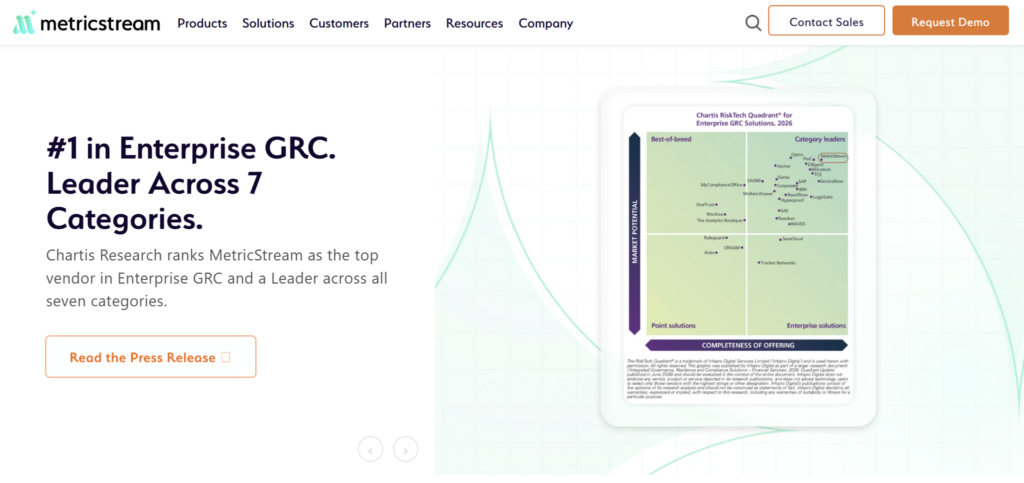
MetricStream is an enterprise GRC platform with internal audit management software for risk-based audit planning, fieldwork execution, workpaper management, issue tracking, reporting, and dashboards.
It is a strong fit for internal audit teams that need audit programs connected to enterprise risk, controls, compliance, and executive reporting. Audit leaders can use it to prioritize audits by risk, manage audit plans, track findings, and monitor issue closure across business units.
MetricStream is less suited to restaurant, hotel, retail, or franchise teams that mainly need mobile location audits, frontline checklists, corrective actions, and operational visibility. Pricing is custom.
7. ComplianceQuest: Best For Quality And Compliance Audit Management
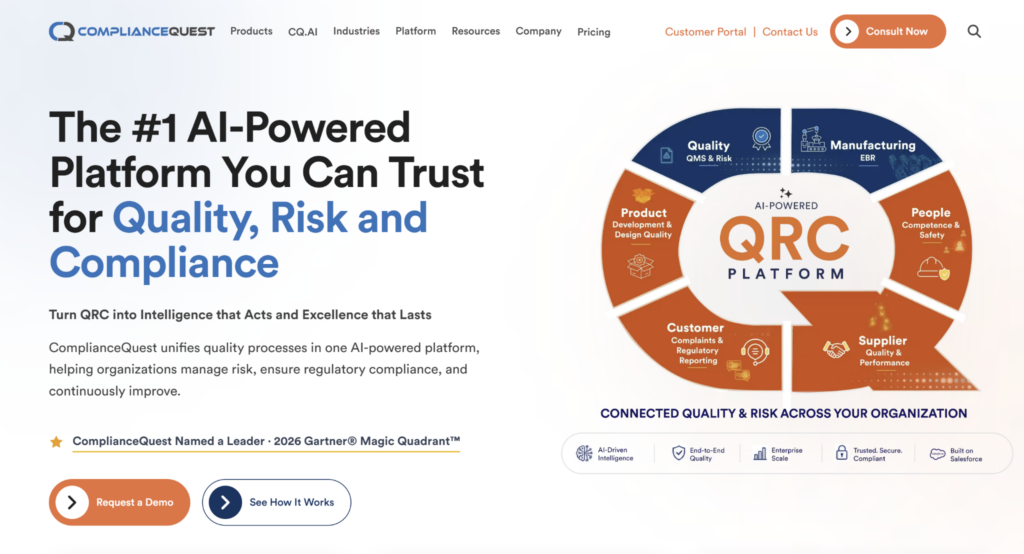
ComplianceQuest is a quality, safety, supplier, and compliance management platform built on Salesforce.
Its audit management software is designed for quality and compliance teams that need to plan audits, standardize audit workflows, capture findings, manage corrective actions, and maintain audit records across internal, supplier, regulatory, and process audits.
ComplianceQuest is a strong fit for regulated businesses where audits sit inside a wider quality management system. It is less focused on daily frontline operations than Operandio, especially for multi-location teams that need audits tied to site checks, food safety, training, and operational follow-up. Pricing is quote-based.
How To Choose An Audit Management Software
The best audit management software depends on what kind of audits you run, who completes them, and what needs to happen after a finding is recorded.
Use these checks before choosing a platform.
Can Frontline Teams Complete Audits From The Floor?
If audits happen in stores, venues, hotels, kitchens, clinics, or field locations, the software needs to work where the check is being done.
Look for mobile access, shared-device support, photo capture, offline functionality, required fields, signatures, timestamps, and simple forms. If the audit tool is too slow or hard to use, teams will fall back to paper, spreadsheets, or rushed end-of-shift updates.
Operandio’s mobile-first audit workflows help frontline teams complete checks during live operations while managers keep visibility across sites.
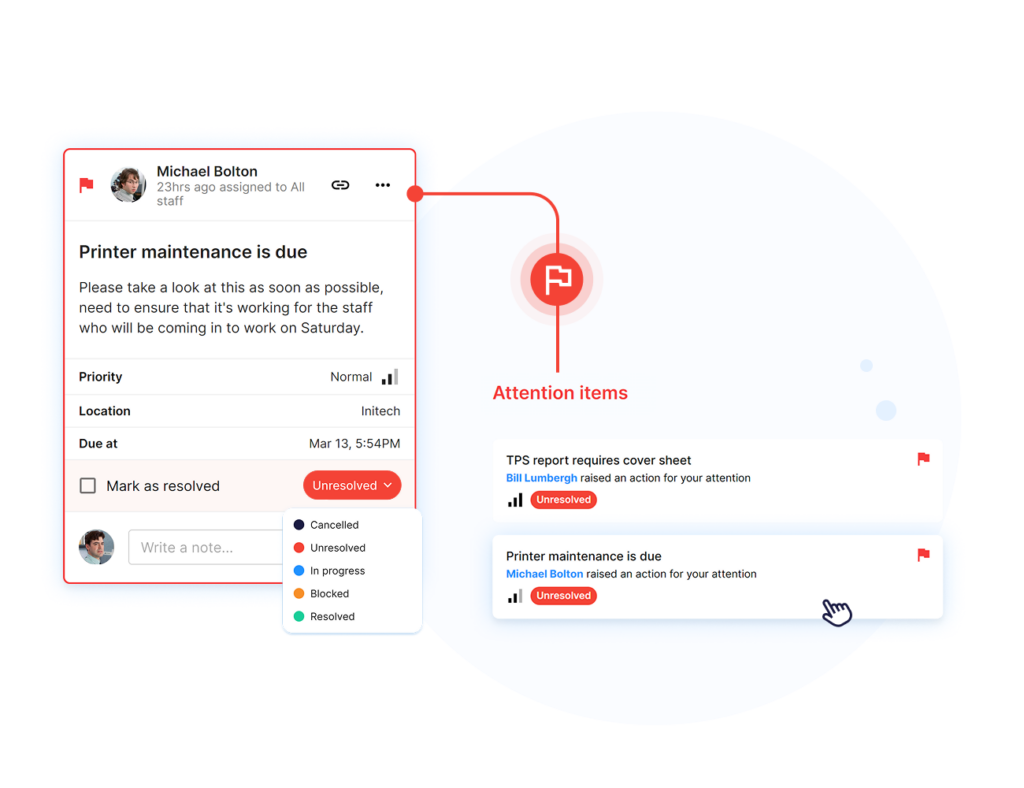
Does It Turn Audit Findings Into Corrective Actions?
An audit report is only useful if the finding turns into follow-up.
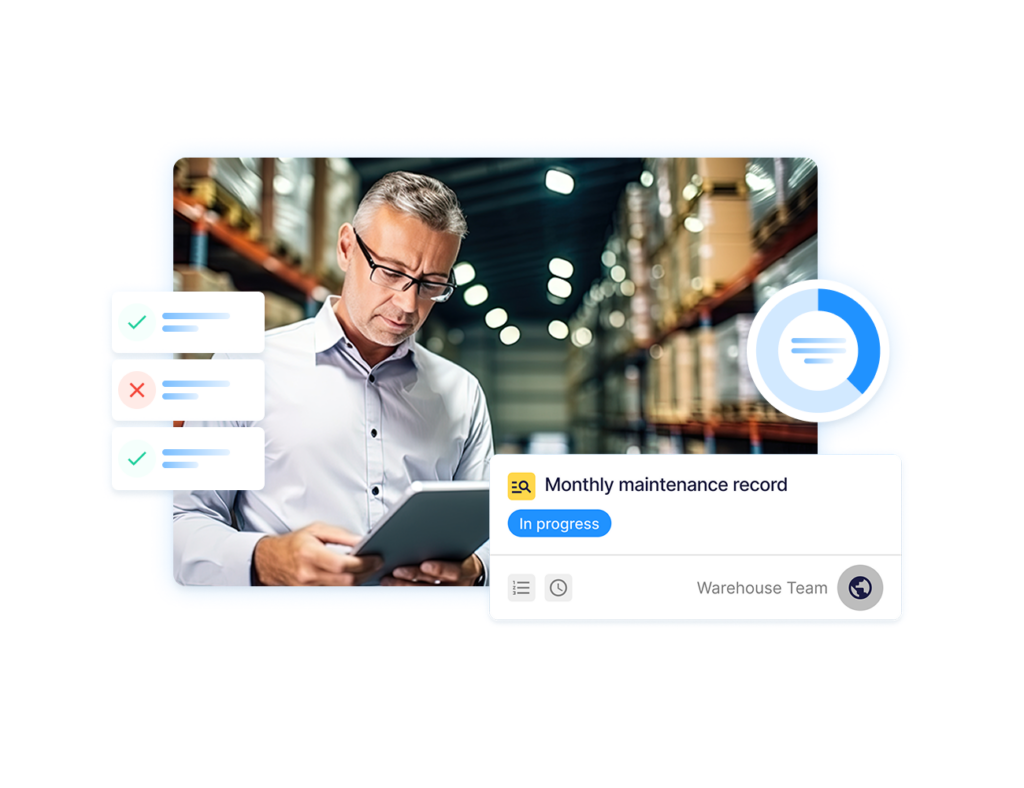
The software should let teams assign owners, set due dates, attach evidence, escalate overdue items, and track whether the issue has been closed properly. This is especially important when the same failed item could appear across multiple locations.
Operandio connects audit findings to corrective action workflows, so managers can move from “failed check” to “assigned, fixed, and verified” without relying on email threads or manual spreadsheets.
Can It Connect Audits With Incidents And Investigations?
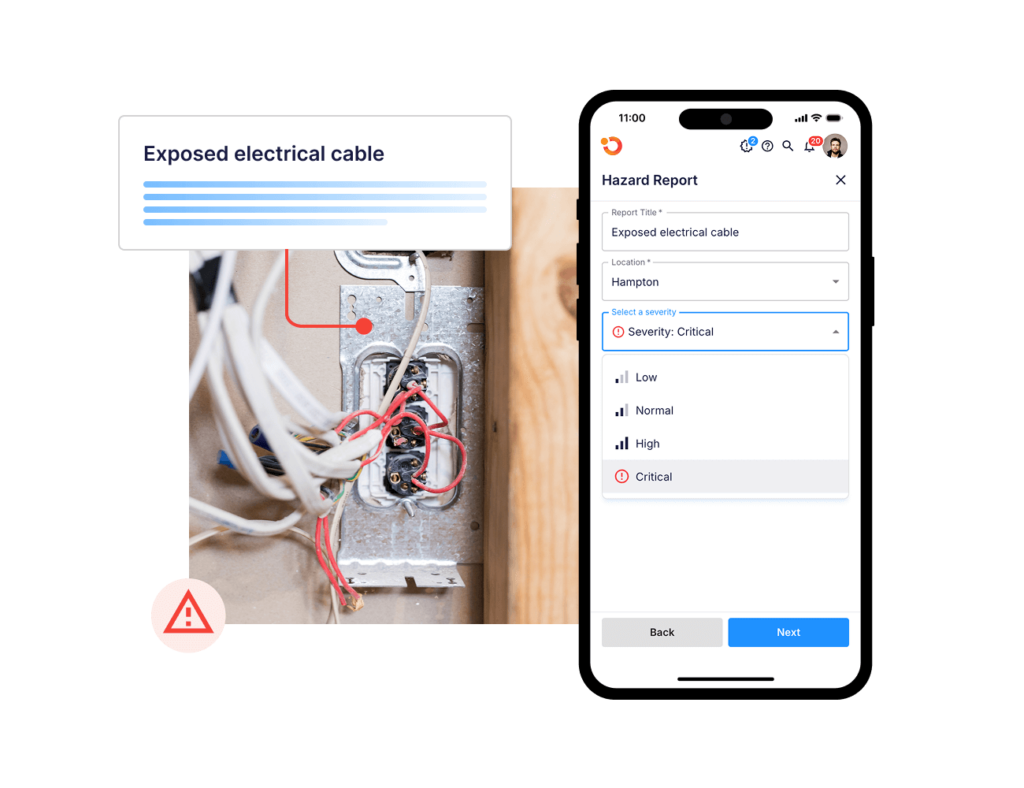
Some audit findings point to a wider health and safety or compliance issue.
For example, a failed equipment check may lead to an incident report. A repeated slip hazard may require investigation. A missed procedure may show that a location needs refresher training or a risk control update.
Look for audit management systems that connect inspections with incident reporting, investigations, evidence capture, and follow-up.
Operandio supports EHS Incident Reporting Software and Incident Management & Investigations so audit findings can sit inside the wider safety and compliance workflow.
Can You Track Risk And Controls Across Locations?
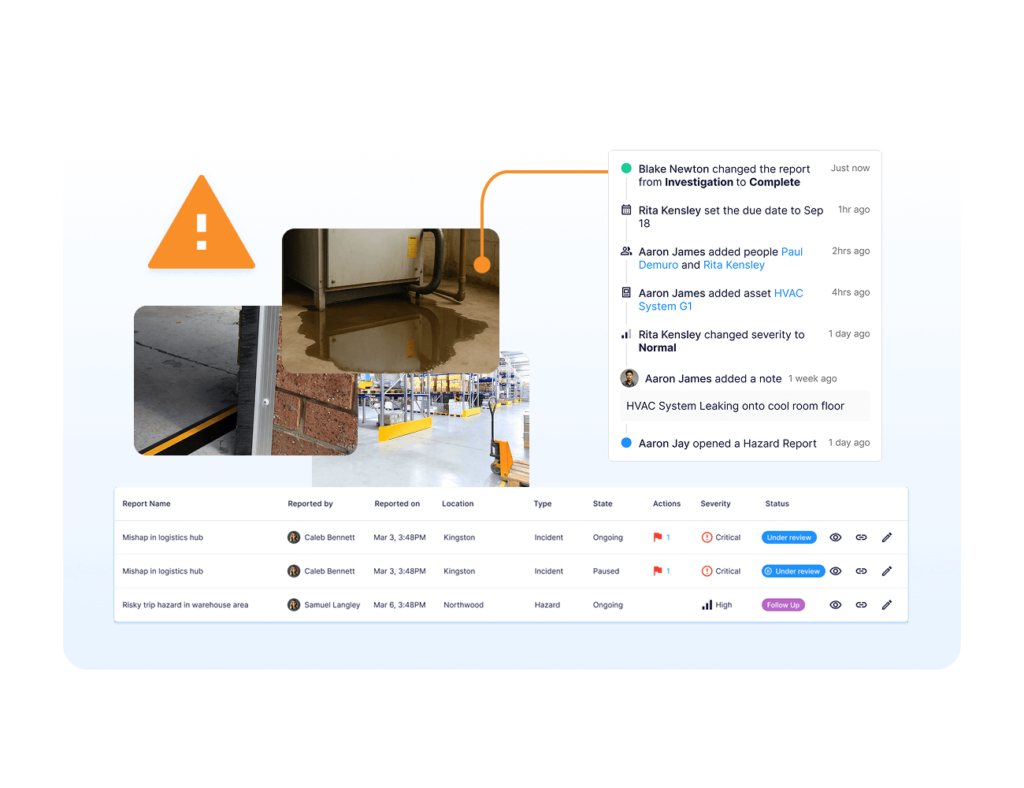
Audit management software should help teams see where risk is building.
A single failed audit item is useful. A pattern across stores, hotels, venues, regions, or franchise locations is more useful. Look for dashboards that show recurring findings, overdue actions, risk areas, control failures, high-risk sites, and completion trends.
Operandio’s Risk & Control Management helps teams connect audits, incidents, corrective actions, and controls, so leaders can see the operational risk behind the checklist result.
Does It Fit Your Compliance Environment?
Audit software should match the kind of compliance your business manages.
A restaurant group may need food safety records, cleaning checks, temperature logs, and manager sign-offs. A hotel may need safety walks, room inspections, maintenance checks, and service standards. An enterprise internal audit team may need workpapers, controls testing, SOX workflows, and board reporting.
Do not choose a corporate internal audit platform if your real problem is site-level execution. Do not choose a simple checklist app if your audit program needs risk, controls, investigations, and evidence trails.
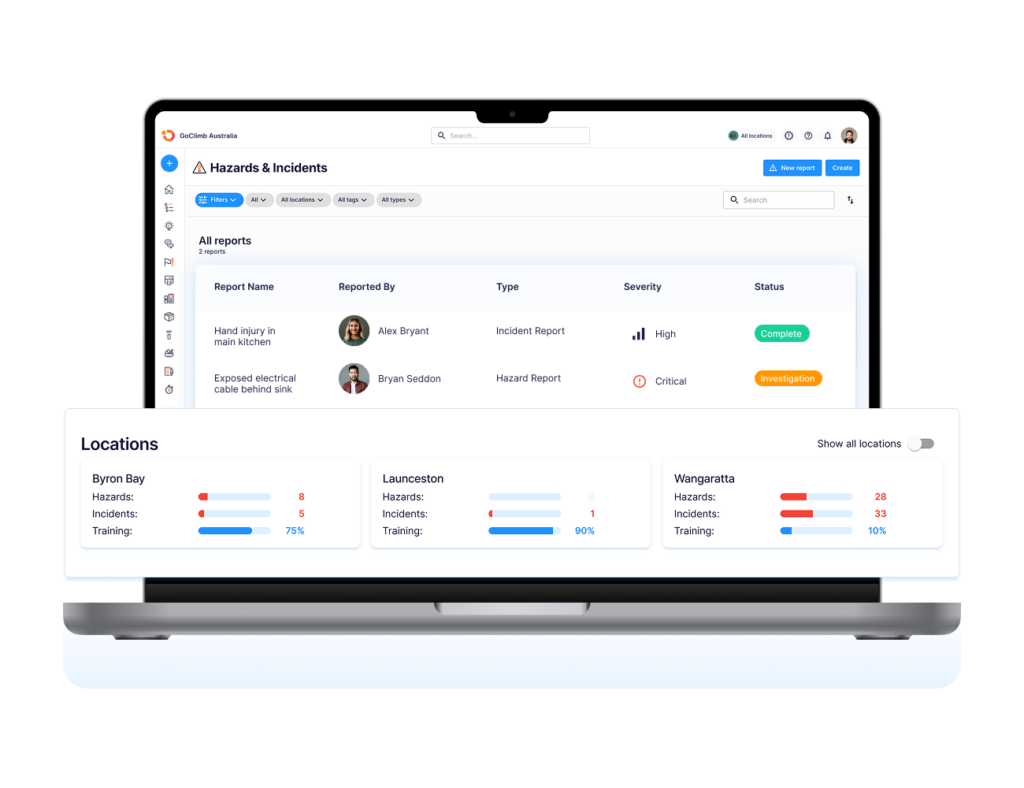
Operandio is strongest for health and safety management across frontline, multi-location teams where audits need to connect with daily operations.
Manage Compliance Across All Locations With Operandio
Audit management works best when findings lead to action.
Operandio helps multi-unit and franchise teams standardize inspections, assign follow-up, and see audit performance across locations without relying on paper forms, spreadsheets, or disconnected inspection apps.
If your team needs clearer visibility from site checks to corrective action, request a demo to see how Operandio can help.
FAQs
Who Uses Audit Management Software?
Usually, operations, compliance, quality, safety, internal audit, franchise, and regional teams use audit management software to plan, complete, and track audits.
How Long Does It Take To Implement Audit Management Software?
Usually, implementation takes a few days to several weeks, depending on templates, locations, users, integrations, and workflow complexity.
What Are The Best Audit Management Software Platforms In 2026?
The best platforms include Operandio, SafetyCulture, GoAudits, Xenia, Optro, MetricStream, and ComplianceQuest, depending on audit type and team structure.
What Should Audit Management Software Include?
At minimum, it should include audit templates, evidence capture, corrective actions, reporting, user permissions, reminders, and clear audit history.
Can Audit Management Software Help With Compliance?
Yes. It helps teams standardize checks, document evidence, assign follow-up, track corrective actions, and maintain records for compliance reviews.