
- Platform
- Features
 Franchise & Multi-Unit ManagementCentralize oversight and streamline growth across your entire multi location network
 Learning ManagementTrain, verify, and reward your workforce with mobile-first education
 Operations ExecutionStreamlined operations ensuring brand standards, accountability and efficiency
 Asset ManagementOptimize equipment uptime through proactive maintenance and smart tracking
 Digital Food SafetyAutomate compliance and monitor quality with real-time digital precision
 Health & Safety Management (EHS)Mitigate workplace risks and streamline digital incident reporting and investigations
- Platform Essentials
 Powerful ReportingAlign leadership with role-based dashboards and deeper analytics
 Operandio IntelligenceAutomate content, analyze trends, and provide instant answers
 IntegrationsUnify your enterprise tech stack with real-time data
 IoT PlatformDetect anomalies and automate workflows with intelligent sensors
 Mobile & Shared Tablet AppsSecurely empower frontline teams with fast, offline-capable access
- Footer


 Not sure what you need?
Book in a call with the team
- Features
- Solutions
- By Industry
 RestaurantsQSR, fast food and multi-unit restaurants
 Hotels & ResortsHotels, resorts and extended stay hotels
 ChildcareEarly education, childcare, daycare and preschool
 EntertainmentTheme parks, family entertainment centers and play centers
 Fitness Centers & LeisureFitness centers, golf clubs, gyms and sports facilities
 RetailBig-box retailers, franchise stores and supermarkets
- By Use Case
- Operational ExcellenceStreamlined operations ensuring brand standards, accountability and efficiency
- Learning & DevelopmentTrain, verify, and reward your workforce with mobile-first education
- Franchise & Multi-Unit ManagementCentralize oversight and streamline growth across your entire multi location network
- Food Safety ComplianceAutomate compliance and monitor quality with real-time digital precision
- Asset Management & MaintenanceOptimize equipment uptime through proactive maintenance and smart tracking
- Health & Safety Management (EHS)Mitigate workplace risks and streamline digital incident reporting and investigations
- By Industry
- Resources

- Platform
- Features
- Franchise & Multi-Unit ManagementCentralize oversight and streamline growth across your entire multi location network
- Learning ManagementTrain, verify, and reward your workforce with mobile-first education
- Operations ExecutionStreamlined operations ensuring brand standards, accountability and efficiency
- Asset ManagementOptimize equipment uptime through proactive maintenance and smart tracking
- Digital Food SafetyAutomate compliance and monitor quality with real-time digital precision
- Health & Safety Management (EHS)Mitigate workplace risks and streamline digital incident reporting and investigations
- Platform Essentials
- Powerful ReportingAlign leadership with role-based dashboards and deeper analytics
- Operandio IntelligenceAutomate content, analyze trends, and provide instant answers
- IntegrationsUnify your enterprise tech stack with real-time data
- IoT PlatformDetect anomalies and automate workflows with intelligent sensors
- Mobile & Shared Tablet AppsSecurely empower frontline teams with fast, offline-capable access
- Footer
- Not sure what you need?
Book in a call with the team
- Features
- Solutions
- By Industry
- RestaurantsQSR, fast food and multi-unit restaurants
- Hotels & ResortsHotels, resorts and extended stay hotels
- ChildcareEarly education, childcare, daycare and preschool
- EntertainmentTheme parks, family entertainment centers and play centers
- Fitness Centers & LeisureFitness centers, golf clubs, gyms and sports facilities
- RetailBig-box retailers, franchise stores and supermarkets
- By Use Case
- Operational ExcellenceStreamlined operations ensuring brand standards, accountability and efficiency
- Learning & DevelopmentTrain, verify, and reward your workforce with mobile-first education
- Franchise & Multi-Unit ManagementCentralize oversight and streamline growth across your entire multi location network
- Food Safety ComplianceAutomate compliance and monitor quality with real-time digital precision
- Asset Management & MaintenanceOptimize equipment uptime through proactive maintenance and smart tracking
- Health & Safety Management (EHS)Mitigate workplace risks and streamline digital incident reporting and investigations
- By Industry
- Resources
Top 5 Corrective Action (CAPA) Software for 2026
Key Takeaways
- Choose Operandio if your business runs across multiple locations and needs corrective action software connected directly to audits, food safety inspections, SOPs, and frontline compliance workflows
- Use SafetyCulture if your main operational challenge is digitizing inspections quickly across a distributed team, and corrective action tracking is a secondary need
- Pick GoAudits if you need a low-cost, audit-first corrective action tracker for a smaller or single-site operation
- Consider Ideagen Op Central if you’re an APAC-based multi-site operator looking for a mature platform with document management and SOP delivery built in
Managing corrective actions across multiple locations becomes difficult once teams rely on paper records or inconsistent, manual follow-ups.
Your operators need visibility into unresolved issues, plus a way to document who is responsible for resolving them and how corrective workflows progress over time.
This guide compares the top CAPA management software platforms for 2026.
6 Best Corrective Action Tools: A Quick Overview
| Tool | Best For | Standout Feature |
| Operandio | Multi-unit and franchise operations | Audit-triggered corrective actions with network-wide visibility |
| SafetyCulture | Inspections-led CAPA | In-app action assignment during mobile inspections |
| GoAudits | Entry-level audit and CAPA tracking | Free corrective action assignment to external personnel |
| VelocityEHS | EHS corrective actions in industrial settings | Full OSHA/ISO 45001 compliance workflow |
| Greenlight Guru | Medical device CAPA | FDA 21 CFR Part 820-aligned CAPA workflows |
1. Operandio: Best CAPA Software for Multi-Unit and Franchise Operations
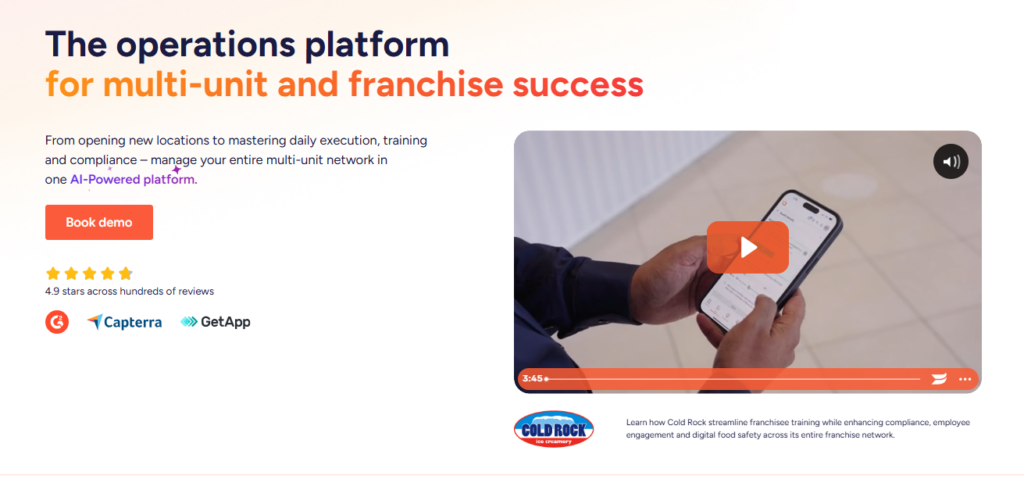
Operandio connects corrective actions directly to audits, food safety workflows, and EHS incident management in one mobile-first platform.
Operandio Key Features
Operandio’s CAPA capabilities are built into its broader operations execution layer. Here are three features you need.
Audit-Triggered Corrective Actions
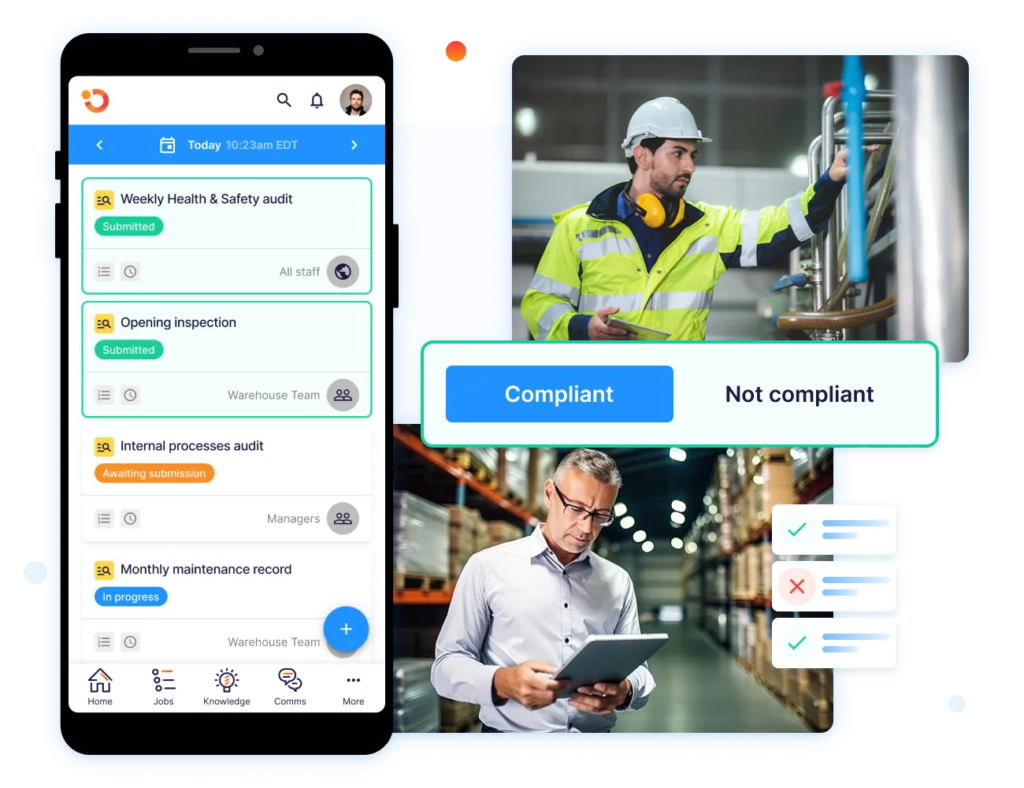
When an auditor marks a failed item during an inspection or audit, Operandio automatically generates a corrective action. The action is assigned to a named person with a due date and photo evidence requirement.
Plus, managers at HQ can see every open action across all locations from the Network Dashboard, sorted by location, due date, or issue type.
See how Operandio compares to other inspection management software platforms.
Digital Food Safety Integration
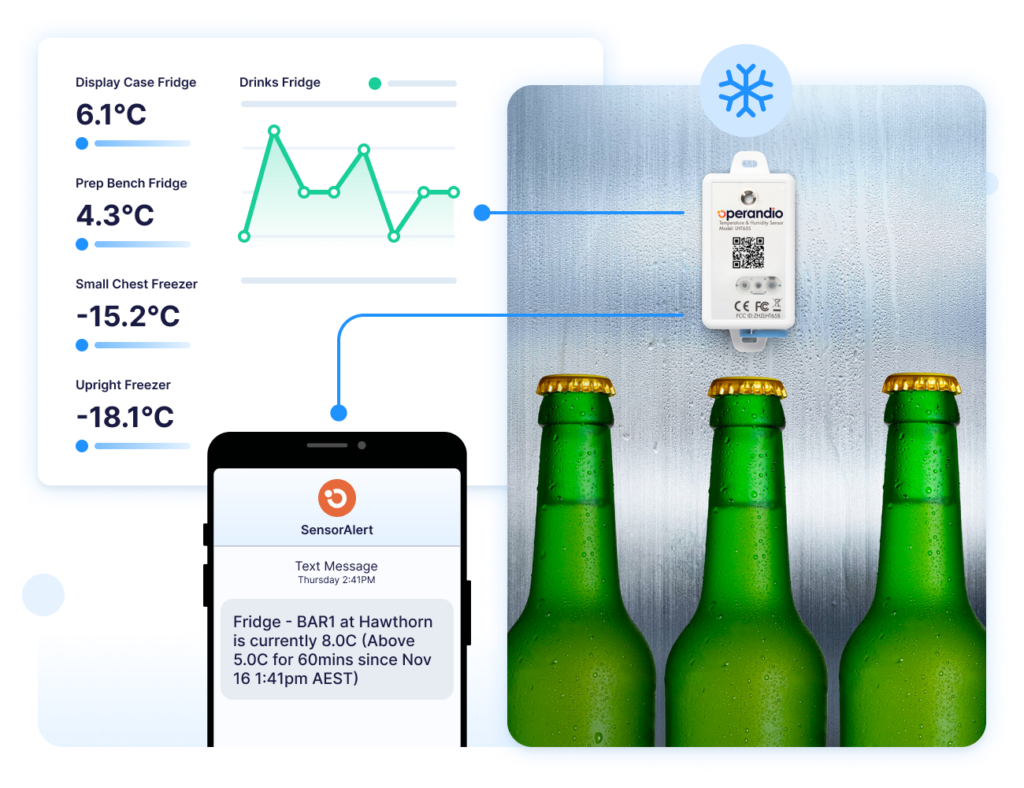
Operandio’s Digital Food Safety module and corrective actions system are connected natively.
A temperature breach from a wireless IoT sensor automatically triggers a CAPA workflow. The record is time-stamped, immutable, and HACCP (Hazard Analysis and Critical Control Points) audit-ready.
Risk and Incident-Linked Corrective Actions
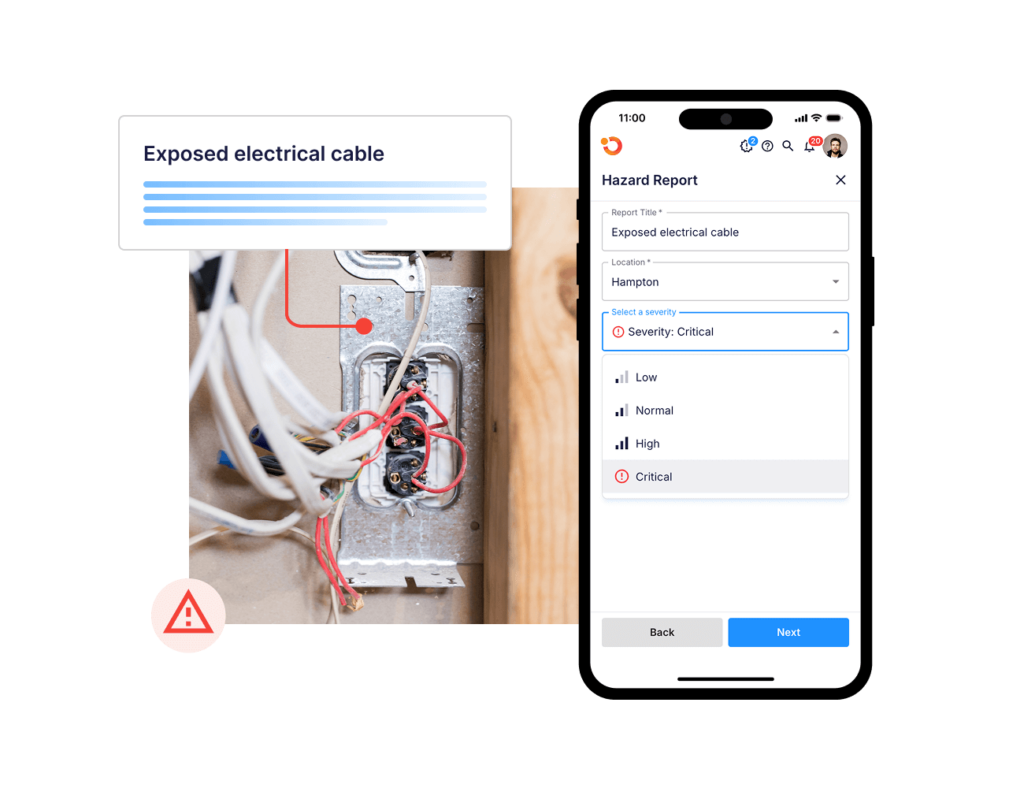
Safety incidents reported through Operandio’s EHS Incident Reporting module flow directly into Incident Management and Investigations, which connects to corrective actions and Risk and Control Management.
Task Management also connects to corrective actions, so recurring operational tasks that generate non-conformances are tracked in the same system rather than across separate tools.
Operandio Pricing
| Plan | Cost |
| All tiers | Custom |
Where Operandio Shines
- Audit-to-action without manual handoff: Corrective actions are created automatically from failed inspection items, food safety deviations, and safety incidents. This removes the most common point of failure in multi-location corrective action management.
- Network-wide corrective action visibility: Operators running 10 or 200 locations see every open, overdue, and resolved action in one dashboard
- All-in-one versus point tool: Operandio replaces separate audit software, food safety logs, training platforms, near miss reporting tools and incident reporting tools
Where Operandio Falls Short
- Built for scale, not single sites: Operandio’s value compounds across locations. Single-location operators will find the multi-unit features unnecessary for their workflow
- Custom pricing requires a sales conversation: Unlike tools with published per-user rates, Operandio’s location-based pricing requires a discovery call. This adds a step for operators looking for a quick cost comparison
Operandio Customer Reviews
“Operandio has revolutionized our operations. It has allowed our network to synchronize seamlessly on all aspects of food safety operations, providing us with the capability to swiftly access compliance records.” Kristin A., Group General Manager, Riverland Group
Here’s how LUCAS Restaurants deployed Operandion for customizable compliance workflows that match the stringent food safety regulations under which its group operates.
Who Operandio Is Best For
- Multi-unit franchise operators running 10 or more locations who need corrective actions connected to audits, food safety, and compliance workflows in one system
- Operations and compliance directors at restaurant, hotel, childcare, entertainment, fitness, and retail networks who are replacing paper-based corrective action processes
- Franchisors who need network-wide visibility into open actions without chasing location managers manually
Read more success stories to discover how Operandio is helping multi-unit operators to manage their operations.
2. SafetyCulture: Best for Inspections-Led Corrective Actions
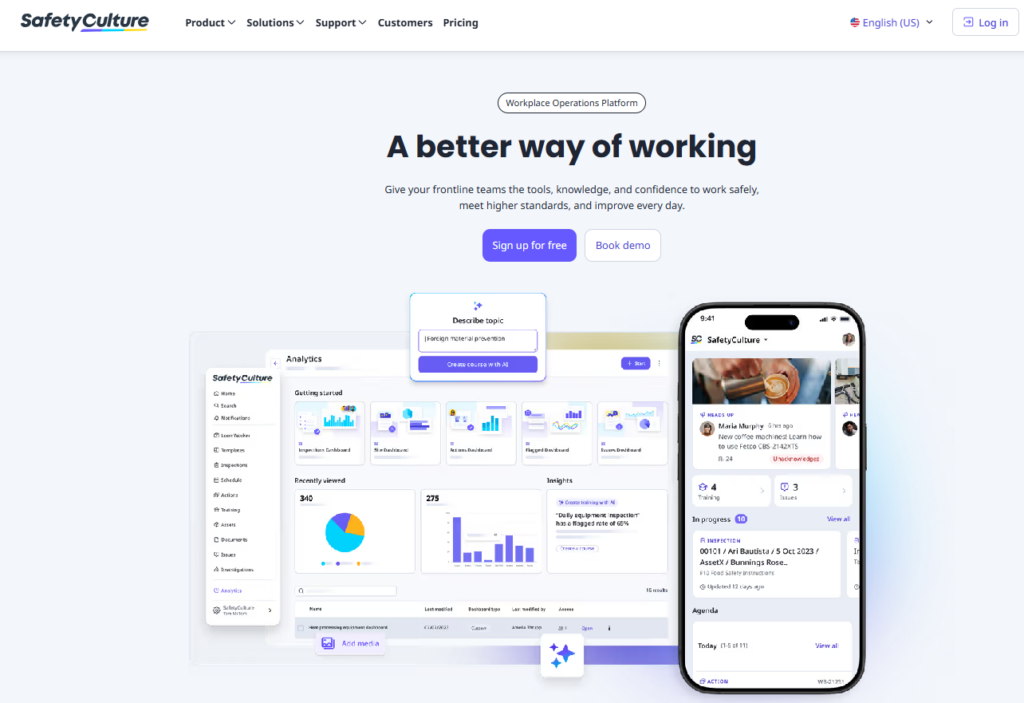
SafetyCulture is a mobile inspection platform with corrective action tracking built into the audit workflow.
Inspectors assign actions directly from a failed checklist item, with a due date and photo. It’s the strongest standalone inspection tool on this list for teams that don’t need franchise management, LMS, or food safety compliance depth.
Key Features
- In-app corrective action assignment: Auditors create and assign actions from within the inspection without switching screens
- Analytics and trend reporting: Surfaces recurring issues across sites and teams to support root cause analysis
- Broad template library: Pre-built inspection templates across construction, manufacturing, retail, food service, and EHS
- Mobile-first with offline capability, plus API and integrations with major enterprise tools
Pricing
| Plan | Price |
| Free | $0 |
| Premium | ~$24/user/month (billed annually) |
| Enterprise | Quote on request |
Where SafetyCulture Shines
- Fast inspection digitization: Strong template library and a mobile-first audit workflow mean teams can get from paper to digital quickly
- Broad industry applicability: Works across EHS, quality, construction, retail, and food service without needing industry-specific configuration
Where SafetyCulture Falls Short
- Per-user pricing penalizes frontline scale: A 200-person frontline team using shared tablets gets expensive fast compared to location-based pricing models
- Corrective actions lack operational depth: Actions are not connected to a training system, food safety layer, or franchise management tools. Multi-unit operators will need additional platforms alongside it
Customer Reviews
“Safety culture interface has a clear format with bold design that makes it easy to read. The ability to tag in multiple users on same inspection is nice.” Mojo O on Capterra.
“Some advanced features and reporting options take time to fully configure, and there can be a learning curve when setting up more complex workflows. Pricing may feel a bit high for smaller teams, especially if you don’t need all enterprise-level features,” shares Dennis O.
Who SafetyCulture Is Best For
- EHS and quality teams across manufacturing, construction, or field operations that need digitized inspections with corrective action tracking attached
- Teams digitizing for the first time, who want fast setup and a large template library
3. GoAudits: Best Entry-Level CAPA Tracker for Audit Teams
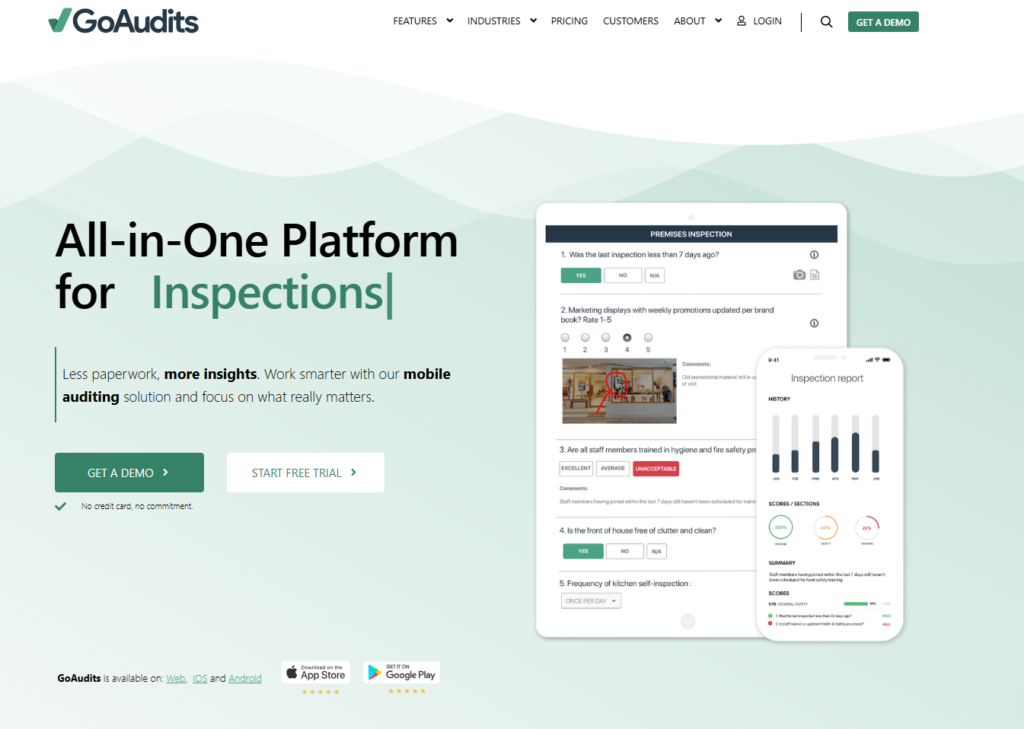
GoAudits covers the core corrective action tracking workflow well: issue captured during inspection, action assigned, follow-up automated, and close-out recorded.
Key Features
- Free external action assignment: Corrective actions can be assigned to contractors, suppliers, or external franchisees without a paid seat
- Automated follow-up and escalation: Weekly summaries and overdue notifications sent automatically, no manual chasing required
- Analytics dashboard: Tracks open, overdue, and resolved actions across teams and sites with trend data for recurring issues
- Customizable checklists with scheduling and time windows
- Automated report generation and distribution after completed audits
Pricing
| Plan | Price |
| Free | $0 |
| Starter | $10/user/month |
| Enterprise | $30/user/month |
Where GoAudits Shines
- Accessible entry point: $10/user/month makes it the most cost-accessible corrective action tracker in this list for small and mid-sized teams
- Clean audit-to-action workflow: The platform covers the core CAPA loop without complexity or lengthy setup
Where GoAudits Falls Short
- No LMS, food safety, or franchise tools: GoAudits only handles audits and corrective actions. Multi-unit operators needing training, food safety compliance, and operational visibility will need separate platforms
- Scales in cost at larger team sizes: Per-user pricing works for small teams. Larger networks with high staff turnover will find the total cost increasing quickly
Customer Reviews
“We used Excel sheets to track store visits, but over time those spreadsheets turned into a pile of unusable data. Go Audits not only made it possible to analyze the data we were capturing, it also reduced the time spent finalizing and submitting store audit reports. It also let us capture images for each question, along with voice-to-text notes. The action plan was the best feature, because it established on-the-spot accountability for specific items on the checklist.” Thomas J.
“Setting up each individual audit is a bit cumbersome. Although GoAudits provides help, the checklist often needs additional tweaking.” Sue R.
Who GoAudits Is Best For
- Small to mid-sized operations that need a clean, low-cost corrective action tracker tied to inspection workflows
4. VelocityEHS: Best for EHS Corrective Actions in Industrial Settings
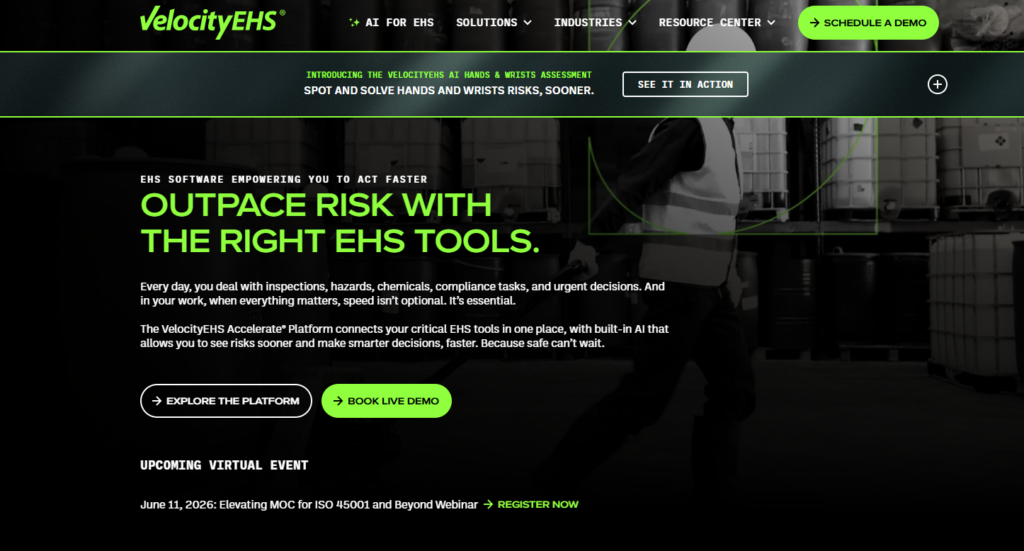
VelocityEHS is a dedicated EHS management platform with corrective action tracking built for manufacturing, logistics, and industrial operations.
It covers the full CAPA cycle from incident report to root cause analysis to verified close-out, with regulatory alignment to OSHA and ISO 45001.
Key Features
- Full CAPA lifecycle management: Incident capture, root cause analysis, corrective action assignment with owner, due date, and priority, and verified close-out
- Incident and near-miss reporting: Centralized platform with custom forms, real-time notifications, and investigation workflows
- Risk management module: Hazard identification, operational risk analysis, and control implementation tracking
- Audits and inspections: Digital audit tools with findings linked directly to corrective actions
- Chemical and SDS management: Regulatory alignment to GHS, OSHA HazCom, and REACH
Pricing
| Plan | Price |
| Modular | Quote on request |
Where VelocityEHS Shines
- Enterprise EHS depth: Covers chemical management, ergonomics, industrial hygiene, and ESG alongside corrective actions, a breadth no general operations platform matches
- Regulatory credibility: Recognized as a 2025 Verdantix Green Quadrant Leader; SOC 2 Type II attested; used in manufacturing, healthcare, energy, and oil and gas
- Mobile app with offline capability for field data capture
Where VelocityEHS Falls Short
- Steep onboarding and admin burden: Steep learning curve that many workflows still rely on manual inputs even after setup
- Pricing compounds at scale: Module-based pricing stacks quickly for organizations managing rotating crews, contractors, or expanding sites
Customer Reviews
“I really like the Velocity platform. It’s easy to use, intuitive, and makes it simple to assess employee activities in a consistent way. The layout and workflow make it easy to capture observations, identify gaps, and reinforce best practices without creating extra admin work for leaders or operators. It feels practical for day-to-day use and supports meaningful coaching and continuous improvement rather than just tracking for the sake of tracking.” Mario A.
“One downside of VelocityEHS is that it can feel overwhelming at first due to the number of features and modules available. The learning curve for new users can be steep, and some functions take time to fully understand.” Arthur C.
Who VelocityEHS Is Best For
- Large industrial and enterprise EHS teams in manufacturing, logistics, energy, healthcare, and chemical sectors that need a full-suite CAPA and EHS compliance platform
5. Greenlight Guru: Best for Medical Device CAPA
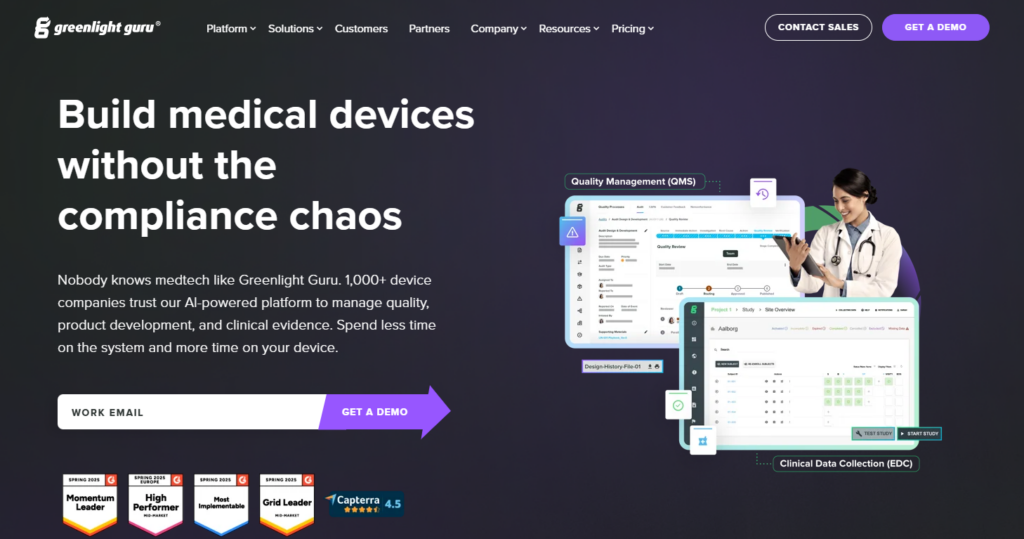
Greenlight Guru is a cloud-based Quality Management System (QMS) built exclusively for medical device companies.
Its CAPA module is aligned to FDA 21 CFR Part 820 and ISO 13485, connecting corrective actions to design controls, change management, and supplier quality records.
Key Features
- CAPA module linked to audits, risk, and documents: Corrective actions trace directly to nonconformances, risk assessments, and design control records in one system
- Document control: Version management, electronic signatures, role-based permissions, and full audit trail
- Design control: Multi-level traceability matrix linking inputs, outputs, verification, and validation
- Risk management: ISO 14971-aligned risk workflows integrated with product lifecycle records
- Nonconformance and complaint handling: Centralized tracking with escalation and resolution workflows
- Training management: SOP-linked training with automated assignment and completion tracking
- Post-market surveillance: Clinical data management and post-market reporting tools
Pricing
| Plan | Price |
| Core + add-ons | Quote on request |
Where Greenlight Guru Shines
- Purpose-built for medical device compliance: Every workflow is designed around FDA and ISO requirements from the ground up
- Audit readiness without manual prep: CAPA records, training status, and document versions are traceable in one system
Where Greenlight Guru Falls Short
- Audit and CAPA workspaces are separated: Findings from audit workflows do not automatically carry into the CAPA workspace, requiring manual transfer
- Not configurable for non-standard workflows: The platform is intentionally opinionated around ISO 13485 and FDA standards
Customer Reviews
“GLG is very simple to use and administer. It requires very little configuration setup to create a powerful eQMS that is both compliant and efficient. Our company uses the entire platform in order to integrate ISO 13485 requirements and risk-based thinking into all functions within the company.” Holly Lawrence O.
“Quality events are inflexible but are at least built to include CAPA requirements for med dev,” shares this verified G2 user.
Who Greenlight Guru Is Best For
- Medical device manufacturers, from early-stage startups through established firms that need FDA 21 CFR Part 820 and ISO 13485-aligned CAPA workflows embedded in a full QMS lifecycle system
How to Choose Corrective Action Software
The right corrective action system depends on where issues originate in your operation and how accountability needs to be verified.
Audit and Inspection Integration
The most common failure in corrective action management is the handoff gap. Look for platforms where corrective actions are created automatically from failed inspection items.
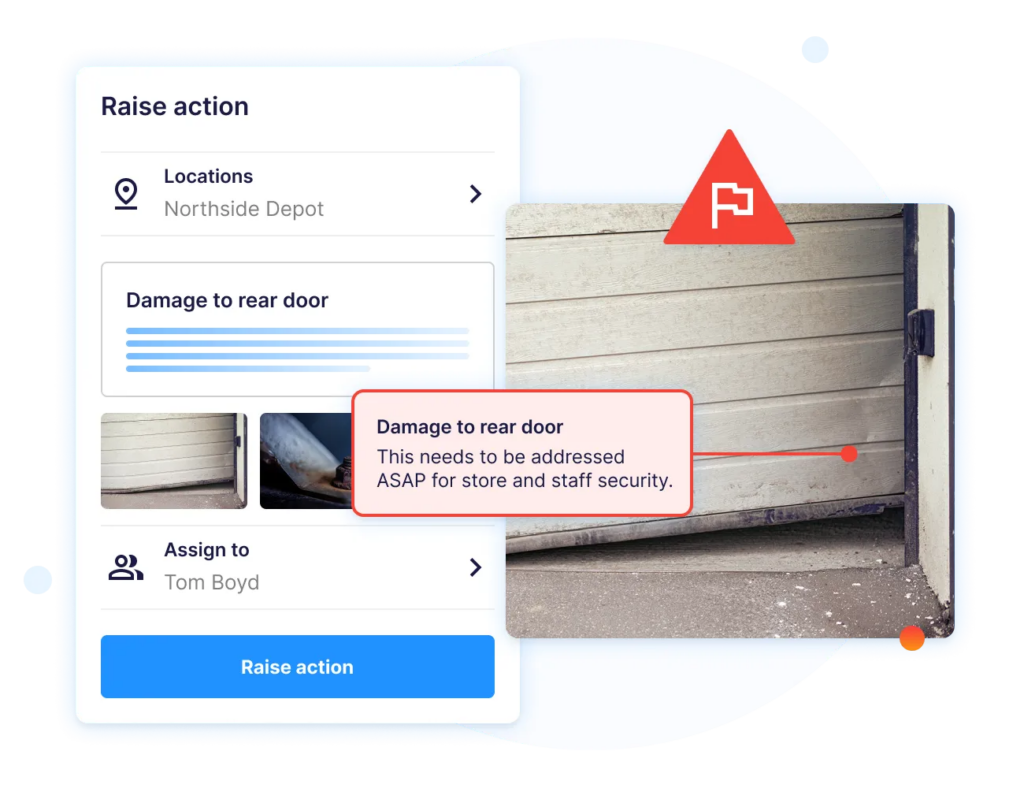
Operandio’s Inspections and Audits module does this natively. For food service operators, also check whether the platform connects to food safety temperature data.
See how to fully automate food safety inspections with Operandio.
Network-Wide Visibility
Evaluate whether the platform surfaces open, overdue, and resolved actions across all locations from a single dashboard.
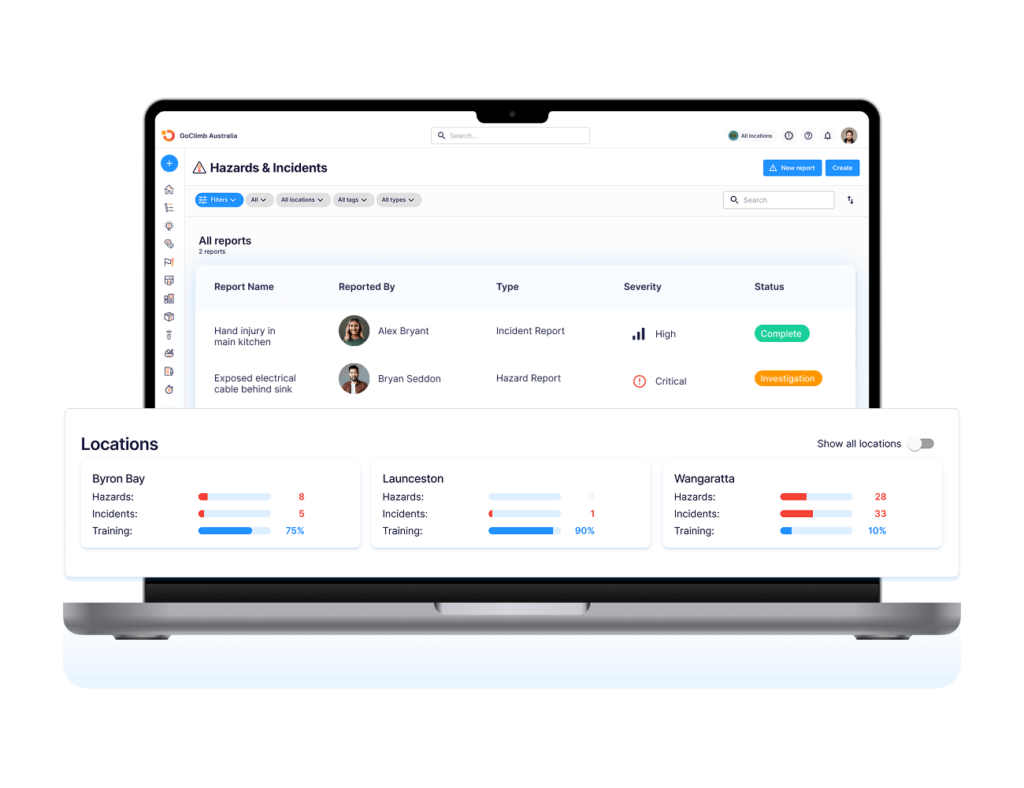
Operandio connects to food safety compliance workflows and restaurant audit processes to show everything that needs attention on one interface.
Audit-Ready Records
Every corrective action your team closes needs a time-stamped, traceable record that holds up to an external audit or regulatory inspection. Before selecting a platform, test whether the record includes: the date the issue was flagged, who it was assigned to, what action was taken, and who verified the close-out.
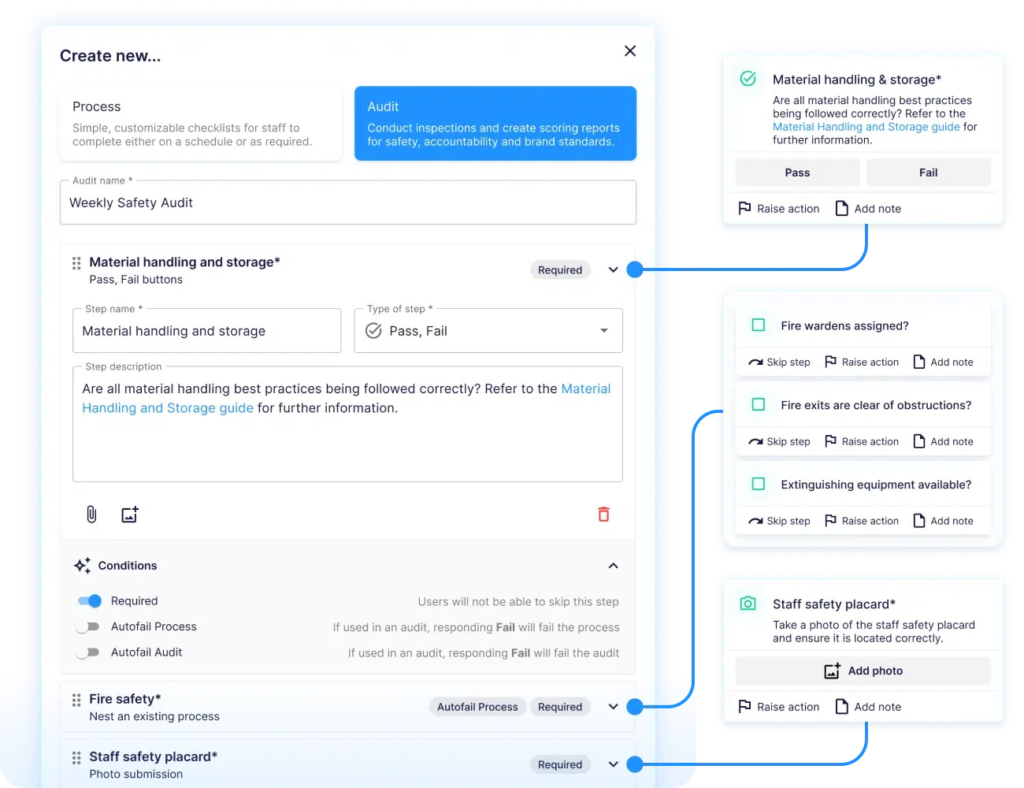
Operandio’s inspection workflows are built around this level of operational traceability and compliance verification.
Want to see how franchise operators verify corrective actions at scale? Explore Operandio’s franchise audit tools.
Standardize Corrective Action Workflows with Operandio
Most corrective action software solves the logging problem. They don’t solve the operational drift, which happens when you track actions in one system and audits, food safety, training, and incident reports in another.
Operandio connects every part of that workflow in one platform. Book a demo now to explore how the platform works across your industry.
FAQs
What is CAPA software?
CAPA (Corrective and Preventive Action) software is a digital system for logging operational issues, assigning corrective actions, tracking resolution, and preventing recurrence.
It replaces paper logs and email chains with a time-stamped, audit-ready record of every issue and its outcome.
Is Operandio a corrective action system?
Yes. Operandio includes a dedicated corrective actions module that connects directly to inspections, audits, food safety events, and EHS incidents.
What is the difference between corrective action and preventive action in CAPA?
A corrective action addresses a problem that has already occurred. A preventive action addresses a pattern or risk identified before it causes a failure.
Effective CAPA management software tracks both, with reporting that surfaces recurring issues so operators can act before the same non-conformance repeats across multiple locations.