




Key Takeaways
- Choose Operandio if you manage franchise or multi-unit restaurant operations and need food safety, temperature monitoring, food prep labels, audits, corrective actions, training, SOPs, and location visibility in one platform.
- Pick Toast if your priority is POS, payments, ordering, hardware, and front-of-house restaurant workflows rather than franchise operations execution across sites.
- Pick Restaurant365, 7shifts, or MarketMan if your main gap is back-office management such as accounting, inventory, labor scheduling, payroll, purchasing, or recipe costing.
- Pick SafetyCulture or Jolt if your restaurant team mainly needs checklists, inspections, audits, and food safety task accountability without the broader multi-unit operating system Operandio provides.
Restaurant management software becomes harder to choose once you run more than one location.
A single restaurant can survive on a POS, a few checklists, and a manager who remembers how everything works. A franchise restaurant network cannot. Every location needs the same food safety standards, cleaning routines, training records, audits, corrective actions, and operational visibility.
The pressure is higher now, too. The National Restaurant Association’s 2026 State of the Restaurant Industry report says 42% of restaurants were not profitable in 2025, while operators are investing more in training and tools that blend hospitality with technology-driven efficiency.
This guide compares the best restaurant management software for franchise and multi-unit teams, including operations platforms, POS systems, scheduling tools, inventory systems, and compliance-focused apps.
7 Best Restaurant Management Software: A Quick Overview
Here is a quick comparison of the best restaurant management software for franchise operators, multi-unit restaurant groups, and growing hospitality teams.
| Name | Best For | Standout Feature | Price Starting Point |
|---|---|---|---|
| Operandio | Franchise and multi-unit restaurant operations | Food safety, audits, corrective actions, training, SOPs, and compliance visibility in one platform | Custom pricing |
| Toast | POS-first restaurant management | POS, payments, ordering, hardware, reporting, and restaurant add-ons | Starter Kit from $0/month; Point of Sale from $69/month |
| Restaurant365 | Restaurant accounting and back-office management | Accounting, inventory, workforce, payroll, and restaurant financial reporting | Custom quote |
| SafetyCulture | Mobile inspections and restaurant checklist audits | Digital inspections, issue reporting, templates, QR codes, and corrective actions | Free plan available; Premium from $24/seat/month, billed annually |
| Jolt | Restaurant checklists and food safety accountability | Digital checklists, temperature logs, labels, sensors, forms, and team accountability | Custom pricing |
| 7shifts | Restaurant scheduling and labor management | Scheduling, time clock, tip management, payroll, compliance, and team communication | Free plan available; paid plans from $39.99/month/location |
| MarketMan | Restaurant inventory and purchasing | Inventory, purchasing, recipe costing, vendor management, and COGS tracking | From $199/month |
1. Operandio: Best For Managing Multi-Unit Franchise Restaurant Operations
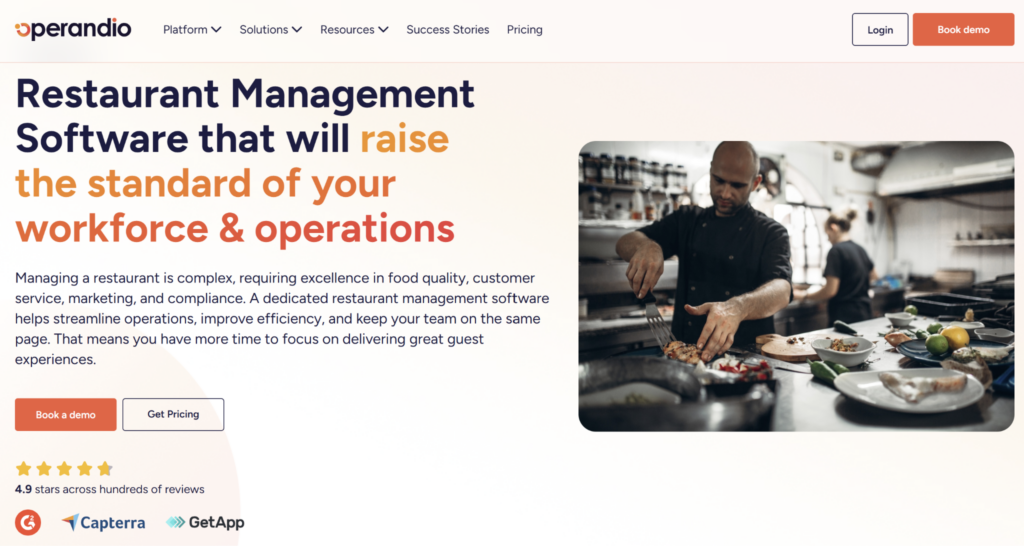
Operandio is an AI-powered operations platform built for franchise and multi-unit restaurant businesses. It acts as a comprehensive restaurant automation system for these organizations.
It helps head office, regional teams, and location managers turn operating standards into trackable daily work across sites. That makes it a strong fit for restaurant groups that need consistent execution after the order is placed, the shift starts, or the store visit is complete.
Operandio’s restaurant management software is built for teams replacing paper checklists, shared drives, group chats, and disconnected compliance records with one digital operating layer.
Operandio Key Features
Operandio is strongest when restaurant operators need three things: safer daily checks, faster follow-up, and consistent execution across locations.
Here’s what that looks like in practice.
Digital Food Safety, Temperature Monitoring, And Food Prep Labels
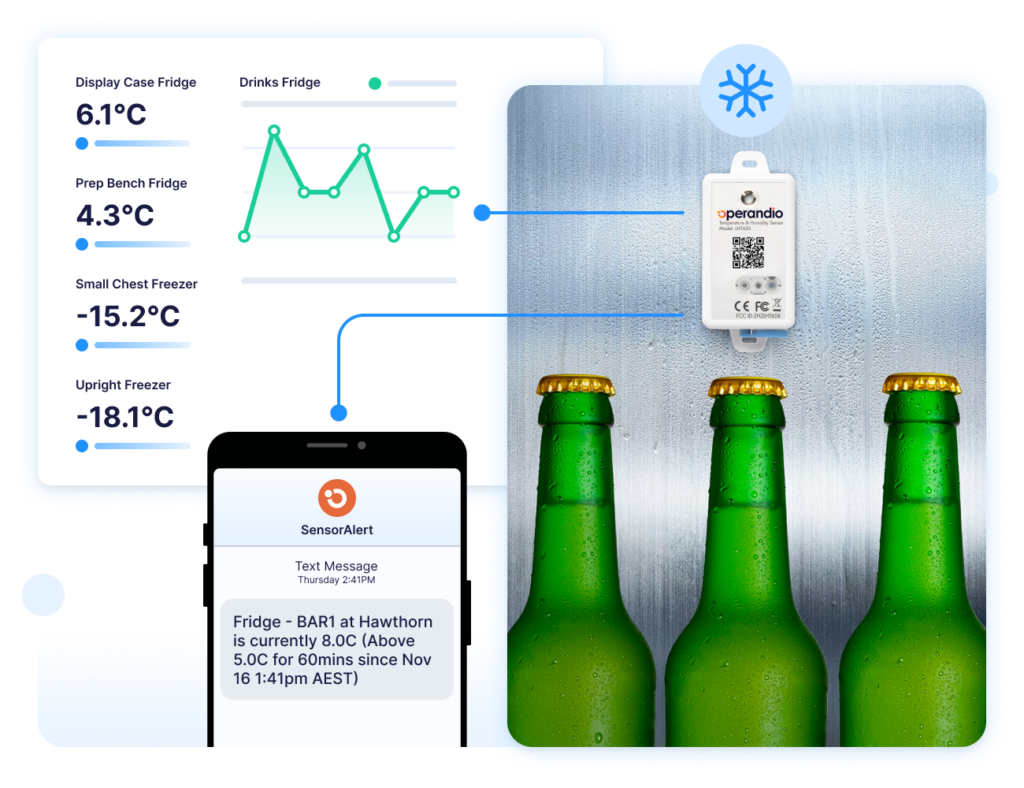
Operandio’s Digital Food Safety tools help restaurant teams replace paper logs with digital records that are easier to complete, review, and report on.
Managers can track recurring food safety tasks, cleaning checks, opening routines, closing routines, and compliance records without relying on printed forms or manager memory.
Operandio also supports Sensors & Temperature Monitoring for fridges, freezers, and equipment, helping teams catch missed or failed readings earlier.
For prep-heavy restaurants, Operandio’s Food Prep Labelling System helps standardize label printing, prep dates, use-by dates, and back-of-house food handling routines.
Inspections, Audits, And Corrective Actions
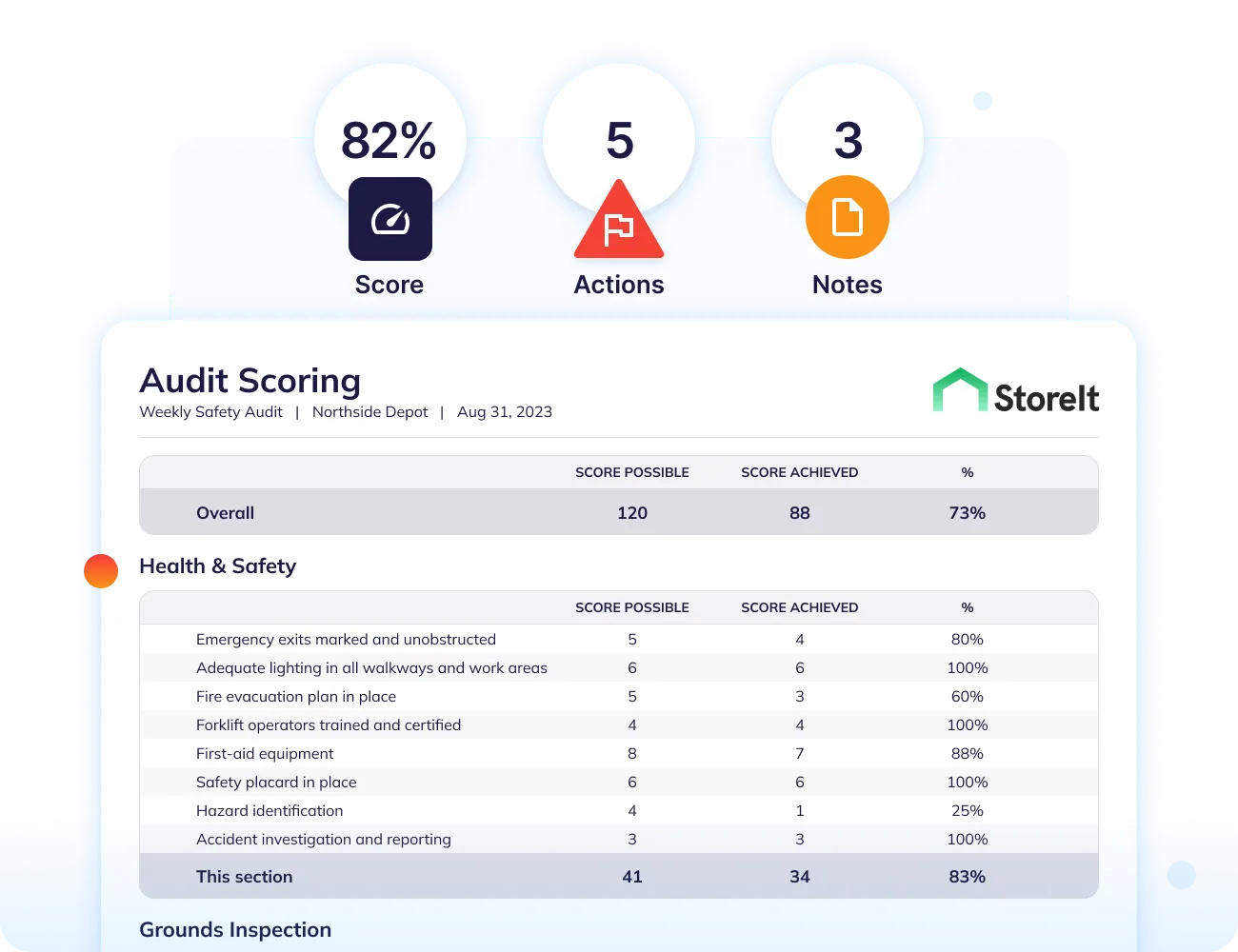
Operandio’s Inspections & Audits feature helps franchise and multi-unit restaurant teams run store visits, brand audits, food safety inspections, compliance checks, and operational reviews across locations.
Instead of using paper forms or scattered spreadsheets, head office can standardize audit templates and assess every restaurant against the same criteria. Auditors and managers can capture evidence, record issues, and complete checks from the floor.
When a restaurant fails a check, Operandio’s Corrective Actions feature helps assign follow-up, set accountability, and track whether the issue was fixed.
For example, if an audit finds missing temperature records, poor label compliance, an incomplete cleaning task, or a broken process, the finding can move straight into a corrective action workflow. Regional managers can then see what is open, overdue, or recurring across locations.
This helps franchise restaurant leaders move from “we found the problem” to “the right person fixed it, and we have a record.”
Training, SOPs, And Daily Execution Across Locations
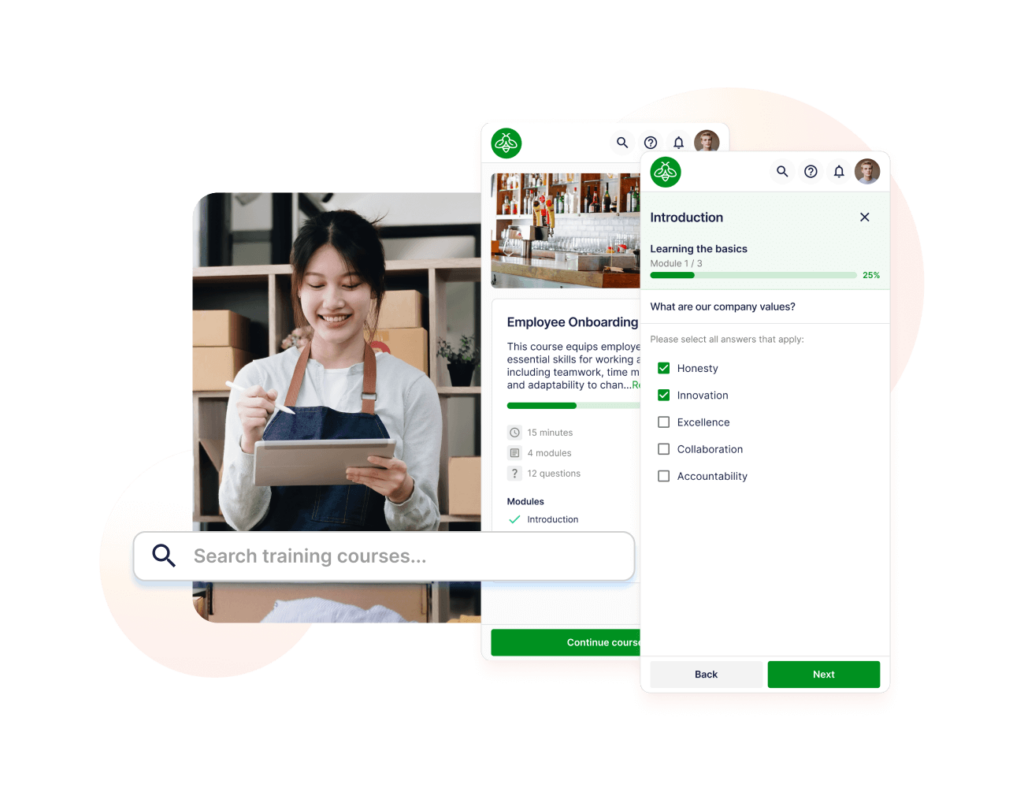
Franchise restaurants need training and SOPs to stay close to daily work.
Operandio helps teams give employees access to the right instructions, role-based learning, and task workflows from one place. New hires can learn the process, managers can check completion, and head office can roll out updated standards without relying on scattered documents.
For example, a team member may need to complete restaurant safety training, follow a prep routine, and complete a closing checklist in the same week. If those instructions live in different systems, execution starts to drift.
Operandio helps keep the standard closer to the shift, so restaurant operators can see where locations are following the process and where they need support.
Operandio Pricing
Operandio has custom pricing based on locations, users, and selected modules.
| Plan | Pricing |
|---|---|
| All tiers | Custom |
Where Operandio Shines
- Built for franchise restaurant execution: Operandio helps teams turn brand standards into daily workflows that can be completed, checked, and improved across locations.
- Clearer visibility for head office: Regional and corporate teams can see where work is complete, where follow-up is overdue, and where standards are starting to slip.
- Practical for live restaurant environments: Mobile and shared-device workflows make it easier for staff to complete checks during the shift instead of updating records later.
Where Operandio Falls Short
- Not a POS or payments platform: Operandio does not replace Toast or another restaurant POS. It is built for operations, food safety, compliance, training, audits, and execution after the front-of-house transaction.
- Best suited to multi-unit complexity: A single independent café that only needs basic scheduling or a simple POS may not need Operandio’s broader franchise operations platform.
Customer Reviews
Tex’s Chicken & Burgers used Operandio to standardize execution across 52 locations, support franchise growth, and keep managers current with updated processes. The team reports a 40% reduction in manager onboarding time.
“Operandio is absolutely amazing, 10 out of 10,” says Najib Ullah, Chief Operating Officer and Managing Partner.
Cold Rock Ice Creamery also uses Operandio across 70+ franchise locations to standardize operations, training, and compliance.
“Operandio has transformed our franchise operations by replacing paper systems with a seamless, automated platform that ensures consistency, enhances communication, and simplifies compliance across 70+ locations,” says Kris K., State Manager.
Who Operandio Is Best For
- Franchise restaurant operators: Best for brands that need consistent execution across every location.
- Multi-unit restaurant groups: Best for teams managing standards across regions, brands, stores, and managers.
- Operations and compliance leaders: Best for head office teams that need clearer visibility into location performance and follow-up.
- Teams replacing paper and point tools: Best when critical operating records are spread across binders, spreadsheets, shared drives, group chats, or separate apps.
Learn more about Operandio’s modular pricing to see how teams can choose features based on location count, operational needs, and rollout priorities.
2. Toast: Best For POS-First Restaurant Management
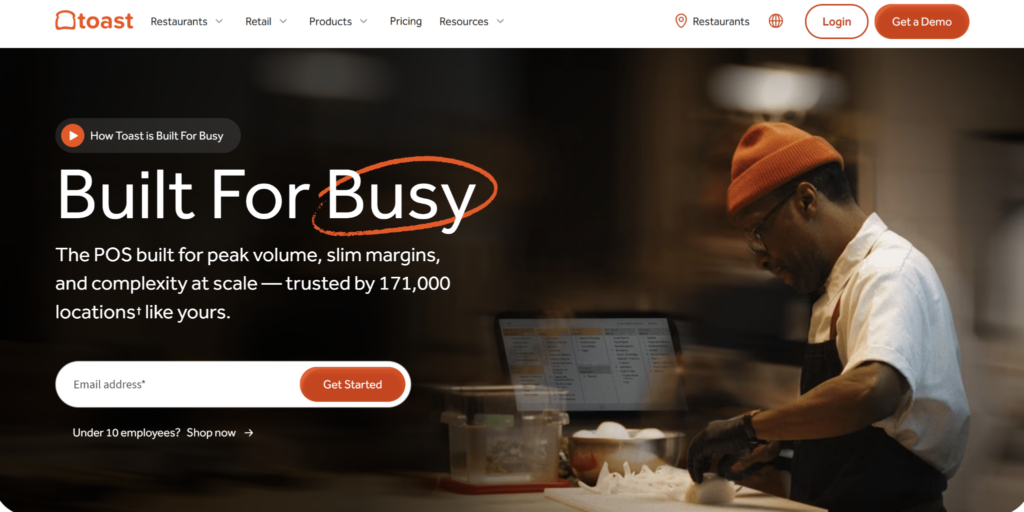
Toast is a restaurant POS and management platform built around ordering, payments, hardware, menus, reporting, and guest-facing workflows.
It is a strong option for restaurants that want a POS-first system with optional add-ons for areas like online ordering, loyalty, payroll, team management, and inventory.
Key Features
- Restaurant POS And Payments: Toast supports order entry, table management, payment processing, menu updates, offline mode, receipts, and restaurant hardware.
- Online Ordering And Guest Engagement: Restaurants can add online ordering, delivery tools, loyalty, marketing, gift cards, and guest-facing ordering experiences.
- Reporting And Add-On Modules: Toast offers reporting, payroll, scheduling, inventory, team management, and other add-ons for operators who want to expand beyond core POS.
Pricing
| Plan | Pricing |
|---|---|
| Starter Kit | From $0/month |
| Point of Sale | From $69/month |
| Build Your Own | Custom |
Where Toast Shines
- Strong POS-first platform: Toast is built specifically for restaurant ordering, payments, menus, table service, handhelds, kitchen displays, and front-of-house workflows.
- Broad restaurant add-on ecosystem: Operators can add payroll, team management, marketing, loyalty, online ordering, delivery, and inventory tools as the business grows.
Where Toast Falls Short
- Not built for franchise operations execution: Toast handles orders and payments well, but franchise operators still need systems for SOPs, food safety, audits, corrective actions, training, and location compliance.
- Add-ons can raise the total cost: Hardware, payment processing, online ordering, payroll, marketing, loyalty, and inventory modules can change the final monthly cost.
- Reporting flexibility may be limited for some teams: Some reviewers mention wanting more flexible reporting views, exports, or sorting options.
Customer Reviews
“I find Toast’s integration with third-party ordering systems valuable. The handheld feature is easy for servers to use for taking guest orders. We use DoorDash along with Toast, and the menu and photos integrate nicely.” Chris F.
“There are some reports that just don’t have the scalability I need. I think it would be better with more flexibility on the features you can sort by and report by. While it does have a lot of reporting options, I feel like for the wide scale of information, it could be improved on the reporting side.” Kaitlyn H.
Who Toast Is Best For
- POS-first restaurant operators: Toast is best for restaurants that need ordering, payments, hardware, online ordering, loyalty, and guest-facing workflows before operations execution or franchise compliance.
3. Restaurant365: Best For Restaurant Accounting And Back-Office Management
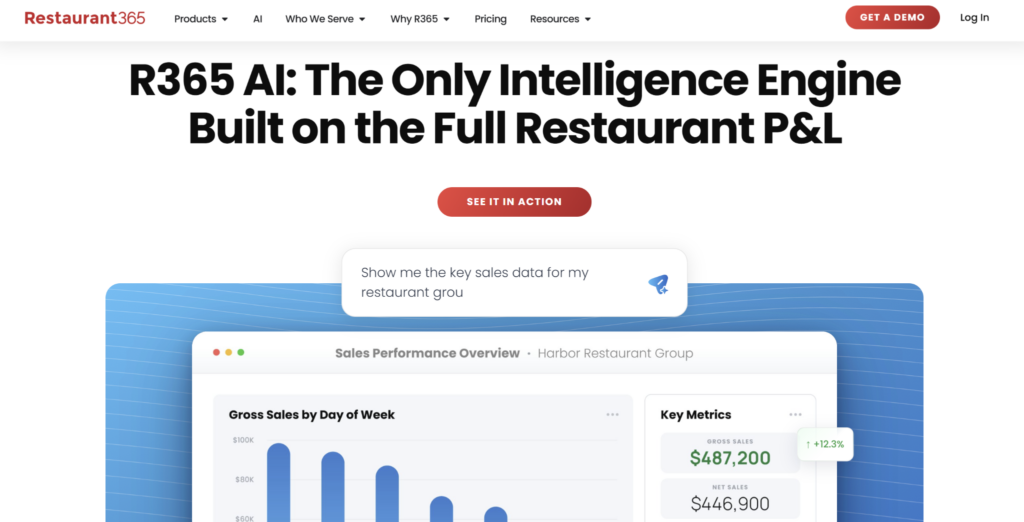
Restaurant365 is restaurant management software focused on accounting, inventory, payroll, scheduling, reporting, and back-office visibility.
It is a strong fit for restaurant groups that need better control over financial performance, food costs, labor data, and multi-location reporting.
Key Features
- Restaurant Accounting: Restaurant365 supports general ledger, accounts payable, bank reconciliation, budgeting, financial reporting, POS integrations, and restaurant-specific accounting workflows.
- Inventory And Food Cost Management: Teams can track inventory, recipe costs, purchasing, vendor activity, prep, and cost of goods sold across locations.
- Workforce And Reporting: Restaurant365 offers scheduling, payroll, labor forecasting, manager logbooks, dashboards, and reporting for restaurant operators.
Pricing
| Plan | Pricing |
|---|---|
| All tiers | Custom |
Where Restaurant365 Shines
- Strong restaurant accounting depth: Restaurant365 is a good fit for groups that need accounting, inventory, AP automation, food cost control, and financial reporting built for restaurants.
- Useful for growing multi-location groups: It helps operators see financial performance across locations, brands, and business units from one back-office system.
Where Restaurant365 Falls Short
- Back-office first: Restaurant365 is not designed as the frontline operating layer for food safety checks, site audits, corrective actions, SOP execution, or shift-level compliance.
- Implementation takes work: Restaurant365 can require careful setup across accounting, inventory, payroll, POS integrations, and store-level workflows.
- May feel heavy for smaller operators: Teams without complex accounting, inventory, payroll, or reporting needs may find it more platform than they need.
Customer Reviews
“I like the bank reconciliation and accounts payable processes through Restaurant365. It’s a much easier process than other systems I’ve used.” Florcy M.
“Implementation takes a lot of work and effort. If you and your team don’t set up a lot during this time, adoption at both the store level and corporate level will be tricky and frustrating.” Hector R.
Who Restaurant365 Is Best For
- Back-office restaurant teams: Restaurant365 is best for restaurant groups that need accounting, inventory, payroll, scheduling, food cost management, and financial reporting across locations.
Before choosing a back-office platform, define which problems sit in inventory, purchasing, prep, vendor management, or financial reporting. This guide to restaurant back-of-house software can help separate those needs.
4. SafetyCulture: Best For Mobile Restaurant Inspections And Checklist Audits
SafetyCulture is a mobile-first platform for inspections, checklists, issue reporting, and operational data capture.
For restaurants, it is useful when the main need is replacing paper forms with digital inspection templates, photo evidence, and field reporting.
Key Features
- Digital Inspections And Templates: SafetyCulture lets teams build restaurant inspection forms, complete checks on mobile, capture photos, and generate reports.
- Issues And Actions: Employees can report issues, assign follow-up actions, add due dates, and track whether problems have been resolved.
- QR Codes, Assets, And Training: Teams can use QR codes to start checks, manage assets, and deliver training through the wider SafetyCulture platform.
Pricing
| Plan | Pricing |
|---|---|
| Free | $0 |
| Premium | From $24/seat/month, billed annually |
| Enterprise | Custom |
Where SafetyCulture Shines
- Strong mobile inspection workflow: SafetyCulture is useful for restaurants that want digital checklists, photo evidence, inspection templates, and quick issue reporting.
- Large checklist template library: Teams can start from existing food safety, cleaning, maintenance, and inspection templates instead of building every form from scratch.
Where SafetyCulture Falls Short
- Less restaurant-franchise specific: SafetyCulture is broad and industry-agnostic, so restaurant franchises may need more structure around SOPs, training, food safety workflows, and location-level reporting.
- Advanced features may need paid plans: Teams may need Premium or Enterprise for more advanced controls, analytics, permissions, and integrations.
Customer Reviews
“I like using SafetyCulture as it provides good quality spot-checks and allows for custom inspection templates.” Sam K.
“Mainly the bugs, whenever I’m trying to look through Actions and such – changing the filters has been an ongoing issue. It will clutter and mix the results so it gives me inaccurate data. Also, the customer service is really needing a revamp.” Jesse V.
Who SafetyCulture Is Best For
- Inspection-heavy restaurant teams: SafetyCulture is best for restaurants that need mobile checklists, audits, forms, issue reporting, and field inspections more than a full franchise restaurant operations platform.
If SafetyCulture is on your shortlist, compare inspection depth against wider restaurant operations needs before choosing. This Operandio vs SafetyCulture comparison can help frame that decision.
5. Jolt: Best For Restaurant Checklists And Food Safety Accountability
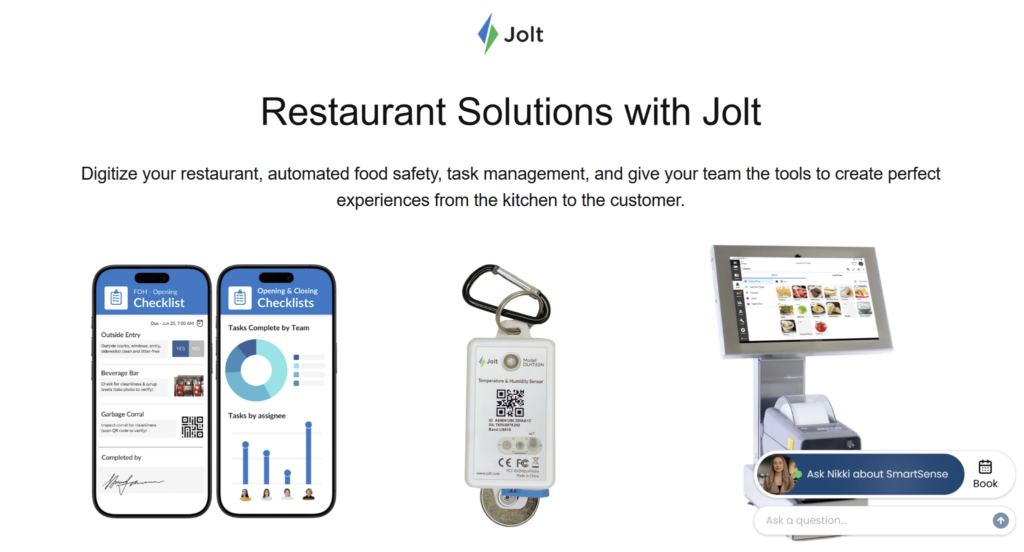
Jolt is a digital operations platform for restaurants, retail, hospitality, and food service teams.
It is especially relevant for restaurants that need stronger daily task discipline around checklists, food safety, labels, temperature logs, forms, and team accountability.
Key Features
- Digital Checklists And Forms: Jolt helps restaurants create recurring checklists, forms, task lists, opening and closing routines, and compliance workflows.
- Food Safety And Temperature Logs: Jolt supports digital food safety routines, temperature checks, labeling, wireless probes, sensors, and alerts for temperature issues.
- Labels, Sensors, And Reporting: Restaurants can use Jolt for label printing, sensor monitoring, accountability tracking, and operational reports.
Pricing
| Plan | Pricing |
|---|---|
| All tiers | Custom |
Where Jolt Shines
- Strong restaurant food safety focus: Jolt is useful for restaurants that need checklists, temperature logs, labels, sensors, forms, and daily accountability.
- Good fit for back-of-house routines: It helps teams manage repeatable restaurant work such as prep, cleaning, safety checks, and manager follow-up.
Where Jolt Falls Short
- Narrower than Operandio for franchise operations: Jolt is strong for checklists and food safety, but Operandio covers a wider franchise operations system with training, SOPs, audits, corrective actions, EHS, and reporting.
- Initial device setup can take time: Some reviewers mention that downloading or setting up content on new devices can be time-consuming.
Customer Reviews
“Jolt has been so helpful in opening up a door to our inventory & accountablity. We get to see through photos access to our store digitally that everything was done.” Tyler J.
“The initial setup / download of content to new devices is quite time consuming, especially if you have multiple devices.” Travis C.
Who Jolt Is Best For
- Restaurant teams focused on food safety execution: Jolt is best for restaurants that need digital checklists, temperature logs, prep labels, forms, and task accountability.
Before choosing a food safety tool, map your temperature checks, prep labels, cleaning routines, and corrective action process. This guide to restaurant food safety software can help with that planning step.
6. 7shifts: Best For Restaurant Scheduling And Labor Management
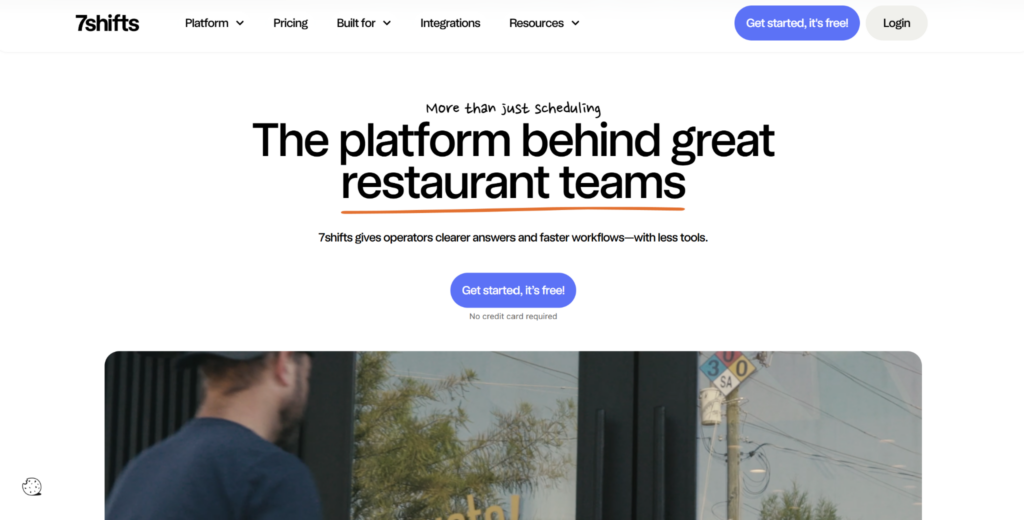
7shifts is a restaurant team management platform focused on scheduling, time clocking, payroll, tip management, labor compliance, team communication, hiring, onboarding, and task management.
It is a strong fit for restaurants, chains, and franchises that need better control over labor planning. Managers can build schedules, track availability, handle shift swaps, monitor labor costs, and manage payroll workflows from one system. 7shifts’ has tiered pricing, with the Essentials plan starting from $39.99/month/location, Pro plan from $79.99/month/location, and Premium plan from $134.99/month/location for unlimited employees.
7shifts is less suited to franchise restaurant groups that need one platform for food safety, audits, SOPs, corrective actions, training, and operational compliance.
7. MarketMan: Best For Restaurant Inventory And Purchasing
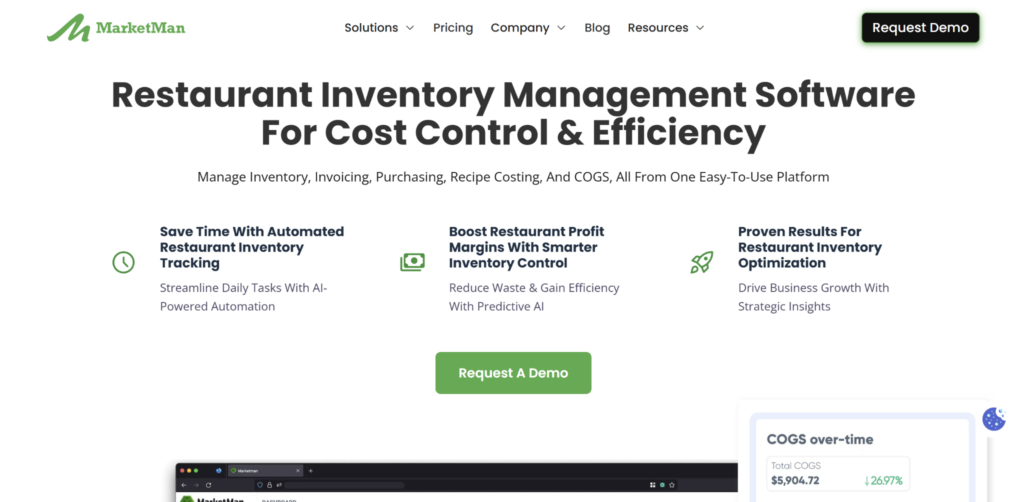
MarketMan is a restaurant inventory management platform for food cost control, purchasing, recipe costing, accounts payable, vendor management, and inventory tracking.
It is a strong fit for restaurants that need tighter back-of-house control over stock, supplier pricing, menu profitability, and cost of goods sold. MarketMan’s has tiered pricing, with the Starter plan from $199/month, Growth plan from $249/month, and custom pricing for enterprise.
MarketMan is useful for inventory and purchasing, but it does not replace a franchise restaurant operations platform. Multi-unit restaurant teams still need systems for training, SOPs, food safety checks, audits, corrective actions, safety workflows, and location-level compliance.
How To Choose A Restaurant Management Software
The best restaurant management software depends on what problem you are trying to solve: POS, labor, inventory, food safety, or franchise-wide execution.
Use these checks before choosing a platform.
Does It Fit Franchise And Multi-Unit Operations?
A single restaurant can run on local manager knowledge. A franchise or multi-unit restaurant group needs repeatable systems.
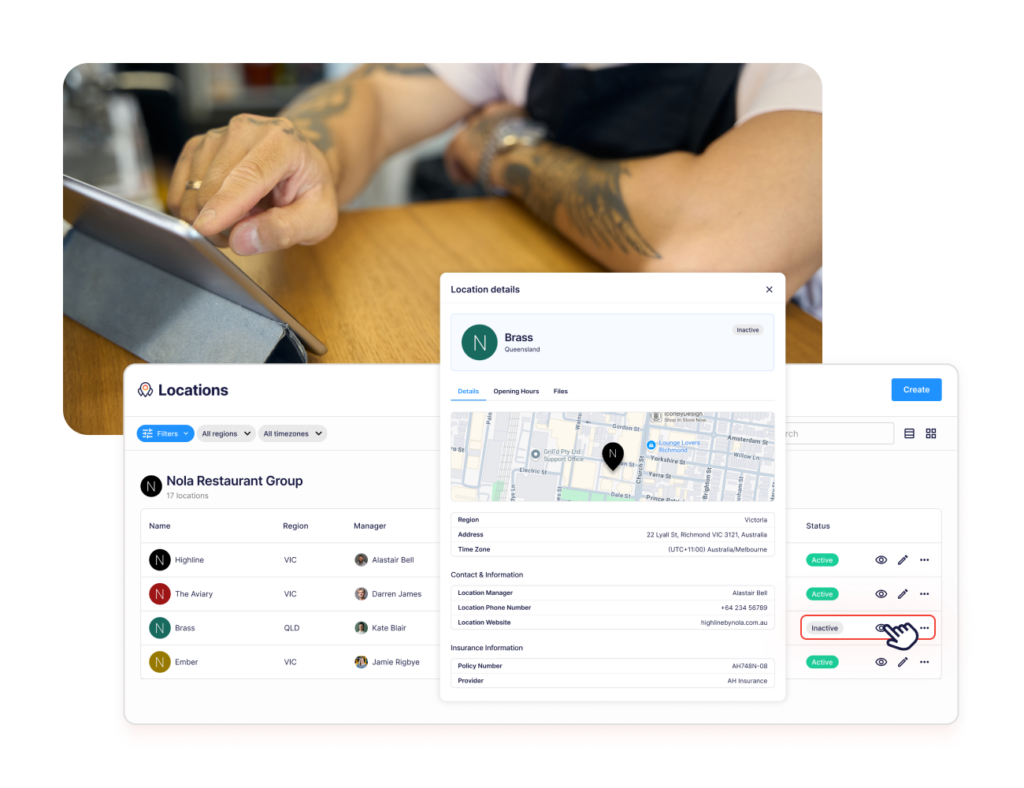
Look for software that helps head office standardize SOPs, training, food safety routines, checklists, audits, corrective actions, and reporting across every location. The tool should make it clear which sites are following the service standards, where gaps are opening, and which managers need support.
Operandio is built for this setup. Franchise and multi-unit restaurant teams can use one platform to keep standards, tasks, training, and compliance workflows aligned across locations.
Can It Support Food Safety And Compliance From The Floor?
Restaurant compliance happens during service, prep, cleaning, opening, closing, and handover.
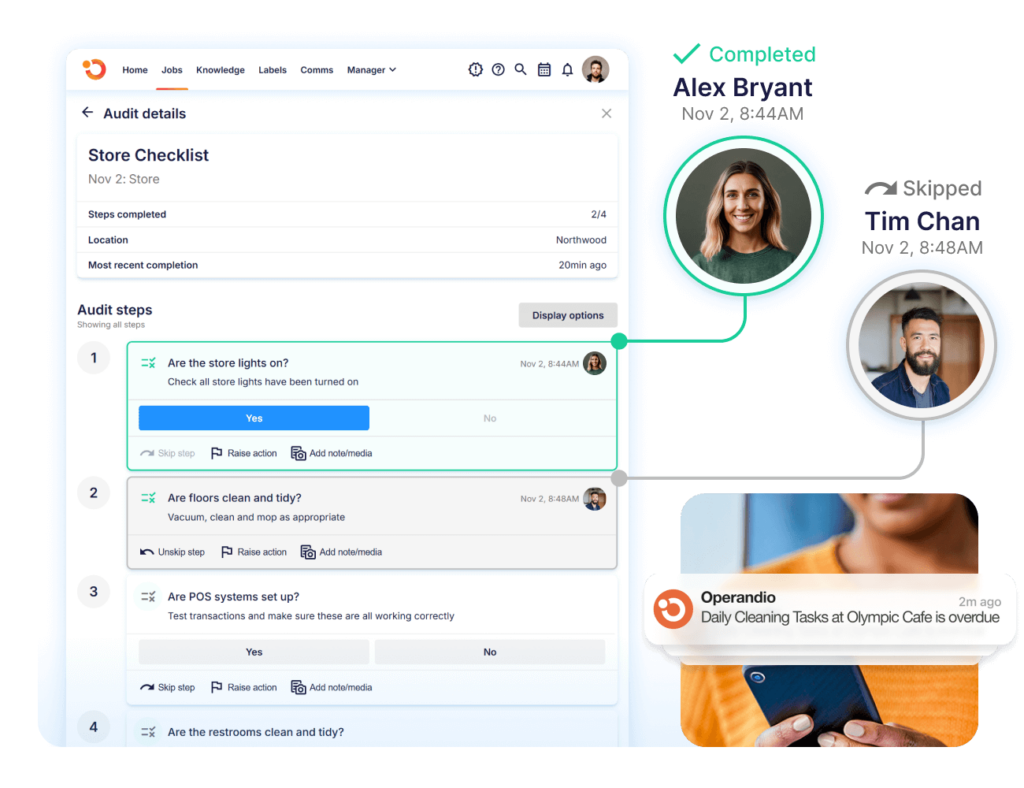
Choose software that helps teams complete temperature checks, cleaning routines, food prep labels, inspection forms, manager sign-offs, and safety checks from mobile or shared devices. If employees have to update records after the shift, gaps are more likely to appear.
Operandio helps restaurant teams complete food safety and compliance work from the floor, then gives head office clearer records across sites.
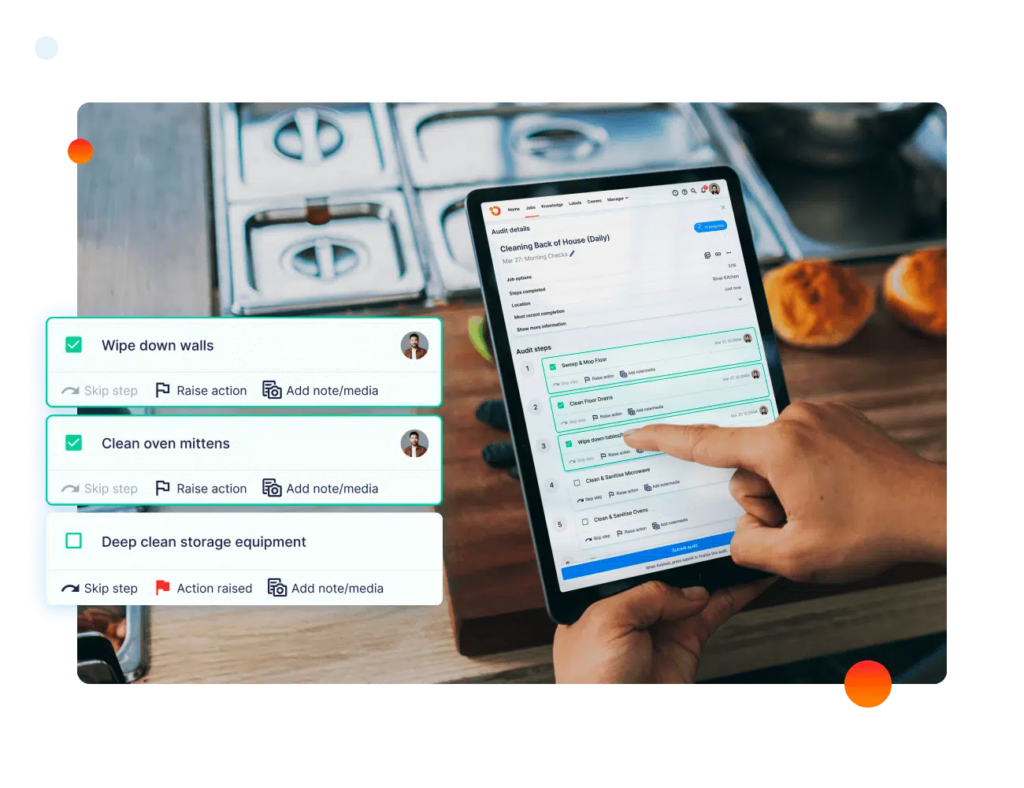
Templates like a restaurant inspection checklist or restaurant cleaning checklist can also help teams define what needs to be tracked before the software rollout.
Does It Turn Missed Checks Into Follow-Up?
A restaurant management system should do more than show what went wrong.
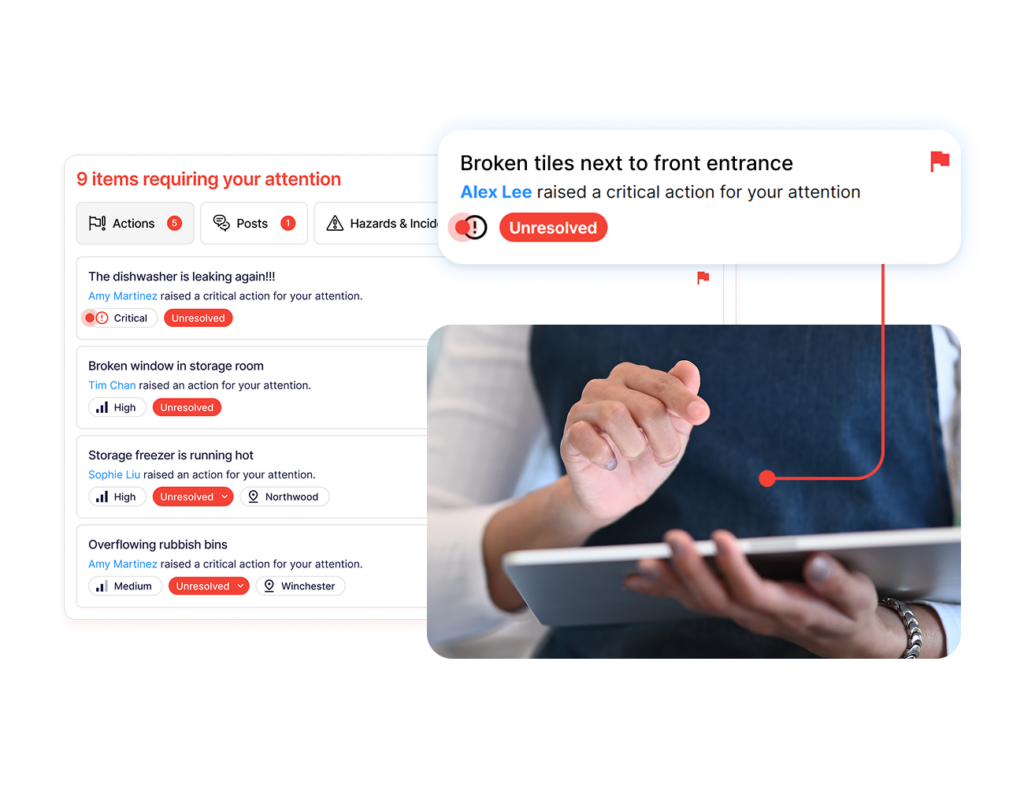
If a fridge temperature check fails, a label is missing, a cleaning task is skipped, or a store visit finds a standards issue, the software should help assign follow-up, set ownership, attach evidence, and track closure.
Operandio helps franchise restaurant operators connect failed checks, audits, and compliance issues with corrective action workflows. That gives managers a clearer path from “issue found” to “issue fixed.”
Can It Train Staff On The Same Standards Across Locations?
Training should connect to the work employees do every day.
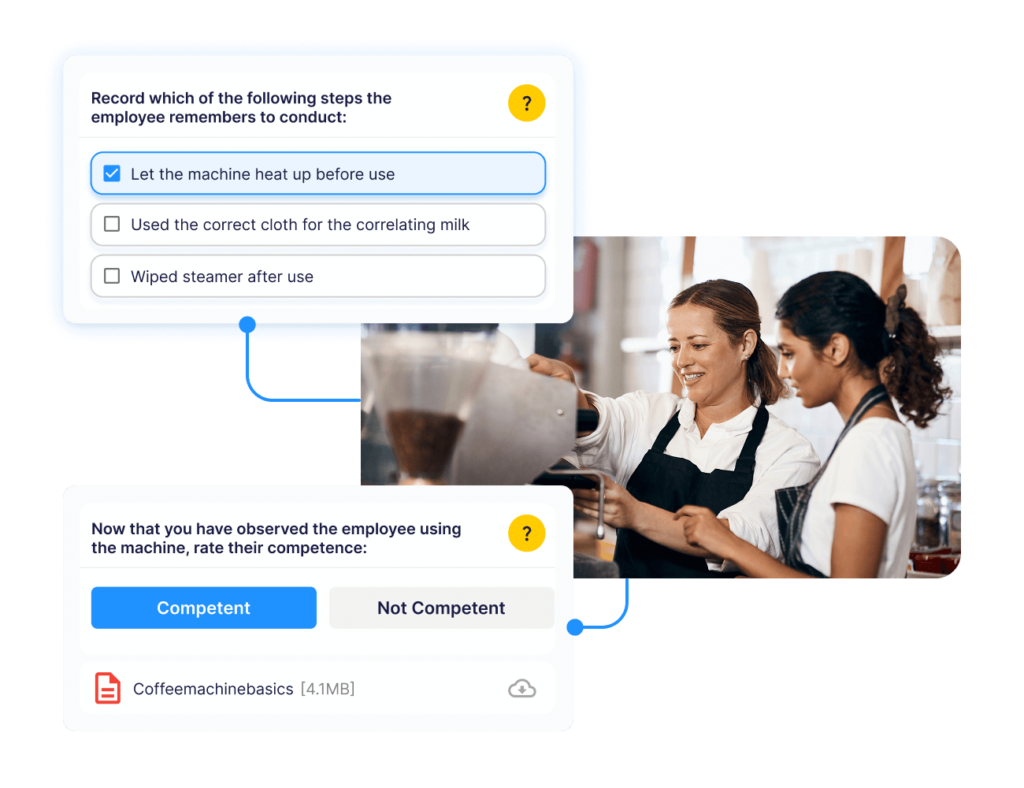
For franchise restaurants, this includes food safety, cleaning routines, guest service, opening and closing procedures, prep workflows, incident reporting, and brand standards. If training sits away from SOPs and daily tasks, staff may complete a module but still follow the wrong process during a shift.
Operandio keeps training, SOPs, checklists, and execution workflows closer together, so head office can roll out updated standards and see completion by location.
Does It Reduce Admin Instead Of Adding Another Tool?
Restaurant teams already deal with enough systems: POS, payroll, ordering, delivery apps, inventory, accounting, spreadsheets, group chats, and paper logs.
Before choosing another restaurant management app, check whether it reduces admin or adds another place for managers to update information. The right software should replace manual follow-ups, reduce duplicate data entry, and make daily work easier for store managers and regional teams.
Operandio helps multi-unit restaurant teams consolidate food safety, audits, SOPs, training, corrective actions, and reporting instead of spreading execution across more tools.
For a broader look at efficiency, see these guides on improving restaurant efficiency and restaurant automation.
Standardize Your Franchisee Operations With Operandio
Restaurant management software should help every location follow the same standard.
Operandio helps franchise and multi-unit restaurant teams bring daily checks, food safety, training, audits, and follow-up into one operating platform instead of spreading execution across paper, spreadsheets, shared drives, and point tools.
If your franchise restaurant network needs clearer visibility across locations, request a demo to see how Operandio works.
FAQs
What’s The Difference Between A POS And A Restaurant Management System?
A POS handles orders and payments. A restaurant management system can also manage operations, labor, inventory, food safety, training, and compliance.
Can Restaurant Management Software Work For Small Restaurants And Cafés?
Yes. Small restaurants can use it, but franchise and multi-unit teams usually gain more value from cross-location visibility.
Does Restaurant Management Software Integrate With Delivery Apps Like Uber Eats And DoorDash?
Sometimes. POS-first platforms often support delivery integrations, but availability depends on the vendor, plan, region, and integration setup.