
- Platform
- Features
 Franchise & Multi-Unit ManagementCentralize oversight and streamline growth across your entire multi location network
 Learning ManagementTrain, verify, and reward your workforce with mobile-first education
 Operations ExecutionStreamlined operations ensuring brand standards, accountability and efficiency
 Asset ManagementOptimize equipment uptime through proactive maintenance and smart tracking
 Digital Food SafetyAutomate compliance and monitor quality with real-time digital precision
 Health & Safety Management (EHS)Mitigate workplace risks and streamline digital incident reporting and investigations
- Platform Essentials
 Powerful ReportingAlign leadership with role-based dashboards and deeper analytics
 Operandio IntelligenceAutomate content, analyze trends, and provide instant answers
 IntegrationsUnify your enterprise tech stack with real-time data
 IoT PlatformDetect anomalies and automate workflows with intelligent sensors
 Mobile & Shared Tablet AppsSecurely empower frontline teams with fast, offline-capable access
- Footer


 Not sure what you need?
Book in a call with the team
- Features
- Solutions
- By Industry
 RestaurantsQSR, fast food and multi-unit restaurants
 Hotels & ResortsHotels, resorts and extended stay hotels
 ChildcareEarly education, childcare, daycare and preschool
 EntertainmentTheme parks, family entertainment centers and play centers
 Fitness Centers & LeisureFitness centers, golf clubs, gyms and sports facilities
 RetailBig-box retailers, franchise stores and supermarkets
- By Use Case
- Operational ExcellenceStreamlined operations ensuring brand standards, accountability and efficiency
- Learning & DevelopmentTrain, verify, and reward your workforce with mobile-first education
- Franchise & Multi-Unit ManagementCentralize oversight and streamline growth across your entire multi location network
- Food Safety ComplianceAutomate compliance and monitor quality with real-time digital precision
- Asset Management & MaintenanceOptimize equipment uptime through proactive maintenance and smart tracking
- Health & Safety Management (EHS)Mitigate workplace risks and streamline digital incident reporting and investigations
- By Industry
- Resources

- Platform
- Features
- Franchise & Multi-Unit ManagementCentralize oversight and streamline growth across your entire multi location network
- Learning ManagementTrain, verify, and reward your workforce with mobile-first education
- Operations ExecutionStreamlined operations ensuring brand standards, accountability and efficiency
- Asset ManagementOptimize equipment uptime through proactive maintenance and smart tracking
- Digital Food SafetyAutomate compliance and monitor quality with real-time digital precision
- Health & Safety Management (EHS)Mitigate workplace risks and streamline digital incident reporting and investigations
- Platform Essentials
- Powerful ReportingAlign leadership with role-based dashboards and deeper analytics
- Operandio IntelligenceAutomate content, analyze trends, and provide instant answers
- IntegrationsUnify your enterprise tech stack with real-time data
- IoT PlatformDetect anomalies and automate workflows with intelligent sensors
- Mobile & Shared Tablet AppsSecurely empower frontline teams with fast, offline-capable access
- Footer
- Not sure what you need?
Book in a call with the team
- Features
- Solutions
- By Industry
- RestaurantsQSR, fast food and multi-unit restaurants
- Hotels & ResortsHotels, resorts and extended stay hotels
- ChildcareEarly education, childcare, daycare and preschool
- EntertainmentTheme parks, family entertainment centers and play centers
- Fitness Centers & LeisureFitness centers, golf clubs, gyms and sports facilities
- RetailBig-box retailers, franchise stores and supermarkets
- By Use Case
- Operational ExcellenceStreamlined operations ensuring brand standards, accountability and efficiency
- Learning & DevelopmentTrain, verify, and reward your workforce with mobile-first education
- Franchise & Multi-Unit ManagementCentralize oversight and streamline growth across your entire multi location network
- Food Safety ComplianceAutomate compliance and monitor quality with real-time digital precision
- Asset Management & MaintenanceOptimize equipment uptime through proactive maintenance and smart tracking
- Health & Safety Management (EHS)Mitigate workplace risks and streamline digital incident reporting and investigations
- By Industry
- Resources
7 Best Near Miss Reporting Software to Improve Safety (2026)
Key Takeaways
- Choose Operandio if you manage safety across multiple restaurants, hotels, retail sites, or franchise locations and need near-miss reports connected to investigations, corrective actions, and risk controls.
- Pick SafetyCulture if your team mainly needs mobile inspection forms, checklists, and quick hazard capture.
- Pick EHS Insight or VelocityEHS if you run a formal EHS team and need deeper incident tracking, OSHA workflows, and enterprise safety reporting.
- Pick EcoOnline or Intelex if you need a dedicated EHS system for near miss reporting, root cause analysis, dashboards, and corrective action management.
Near misses are early warnings. Ignore them, and the next report may be an injury, equipment damage, or a failed safety audit.
The best near miss reporting software helps frontline teams report hazards quickly, while giving managers one place to investigate, assign corrective actions, and spot patterns across locations. Here are seven software to consider.
What Is Near Miss Reporting Software?
Near miss reporting software is a digital system that helps teams capture and manage events that could have caused injury, damage, or disruption, but did not. It collects details like:
- What happened
- Where it happened
- Who reported it
- Photos or supporting evidence
- Hazard type or severity
- Immediate action taken
- Investigation notes
- Corrective actions
- Follow-up status
A good near miss reporting program helps teams:
- Capture issues faster from the floor
- Reduce paper forms and manual follow-ups
- Assign corrective actions to the right people
- Track repeat hazards by site, team, or region
- Build audit-ready safety records
- Prevent small issues from becoming serious incidents
7 Best Near Miss Reporting Software: A Quick Overview
| Name | Best For | Standout Feature | Price Starting Point |
|---|---|---|---|
| Operandio | Centralized safety oversight across multiple sites | Near miss reporting connected to incidents, investigations, corrective actions, and risk controls | Custom pricing |
| SafetyCulture | Mobile-first inspections and hazard capture | Inspection templates, QR codes, and mobile reporting | Free plan available; Premium from $24/seat/month |
| EHS Insight | EHS teams needing incident reporting and OSHA logs | Incident reporting with OSHA 300, 300A, and 301 form support | From $5,000/year |
| VelocityEHS | Enterprise safety and incident prevention | AI-assisted incident analysis and PSIF detection | Custom pricing |
| Donesafe | Configurable incident workflows | Incident capture, investigations, corrective actions, and reporting | Custom pricing |
| EcoOnline | Anonymous reporting and root cause analysis | QR-code reporting, anonymous reports, and dashboards | Custom pricing |
| Intelex | Formal near miss programs and EHSQ reporting | Dedicated near miss reporting, analysis, and corrective action workflows | From $44/user/month, minimum 25 users |
1. Operandio: Best For Centralized Safety Oversight Across Multiple Sites
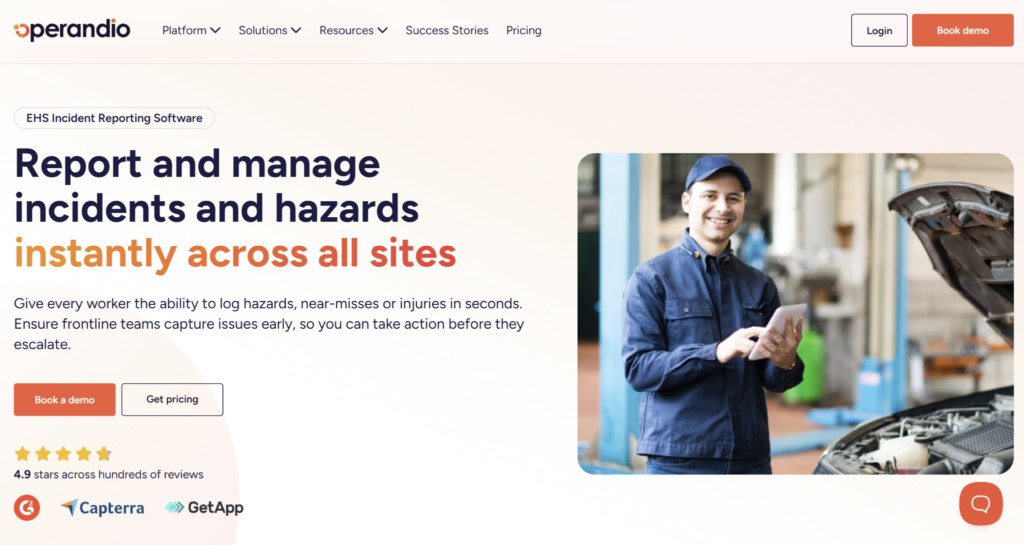
Operandio is an all-in-one digital operations platform for multi-unit and franchise businesses that need safety reporting connected to daily execution.
It helps teams capture near misses, report incidents, run investigations, assign corrective actions, and manage risk controls across locations. That makes it a strong fit for restaurants, hotels, retail networks, convenience stores, and other frontline-heavy businesses where safety gaps often start on shift.
Operandio Key Features
Operandio’s Health & Safety Management capabilities are integrated into the same platform as training, SOPs, checklists, audits, and operations reporting.
Here’s how it helps multi-location operators turn near miss reports into tracked safety action across every site.
EHS Incident Reporting Software
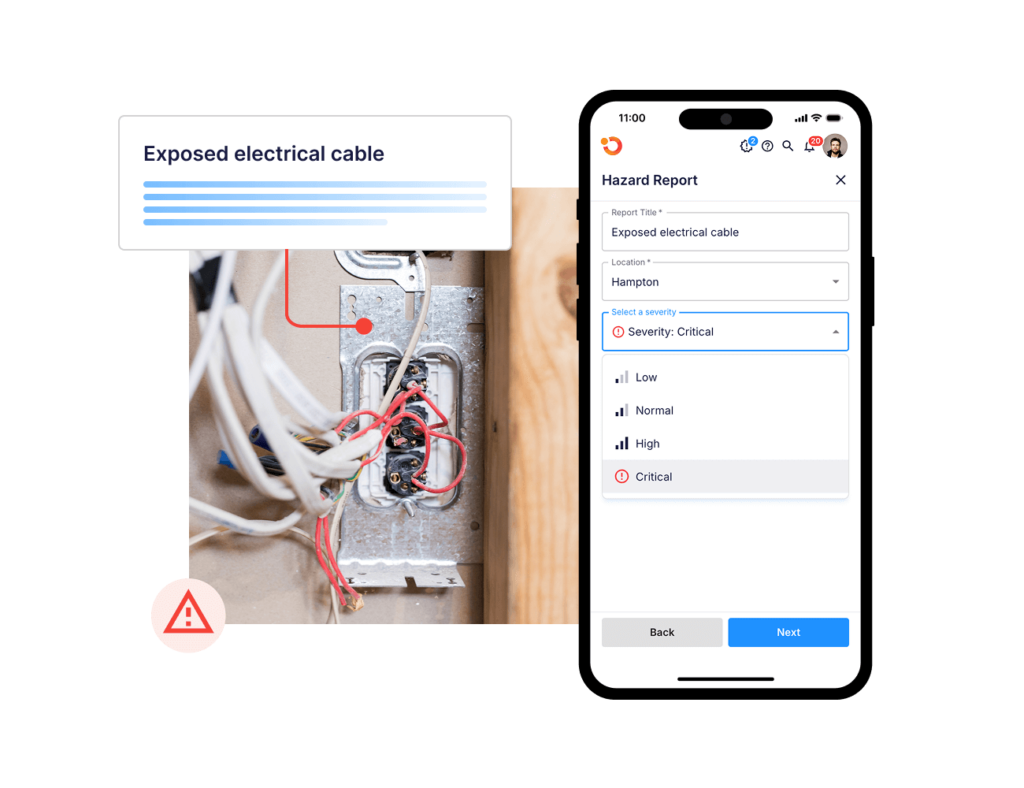
Operandio’s EHS Incident Reporting Software lets frontline teams report hazards, near misses, and incidents from the floor.
Teams can capture safety issues digitally and attach the right context while the details are still fresh. Managers get a clearer record of what happened, where it happened, and what needs to happen next.
For multi-site teams, this helps standardize reporting across locations.
Social Fair used Operandio’s comprehensive operations management platform to enhance safety compliance, and managers gained immediate access to compliance reports and operational data, enabling real-time decision-making. Digital checklists and reporting ensured safety standards were consistently met across its Coburg and Cranbourne centers.
Incident Management And Investigations
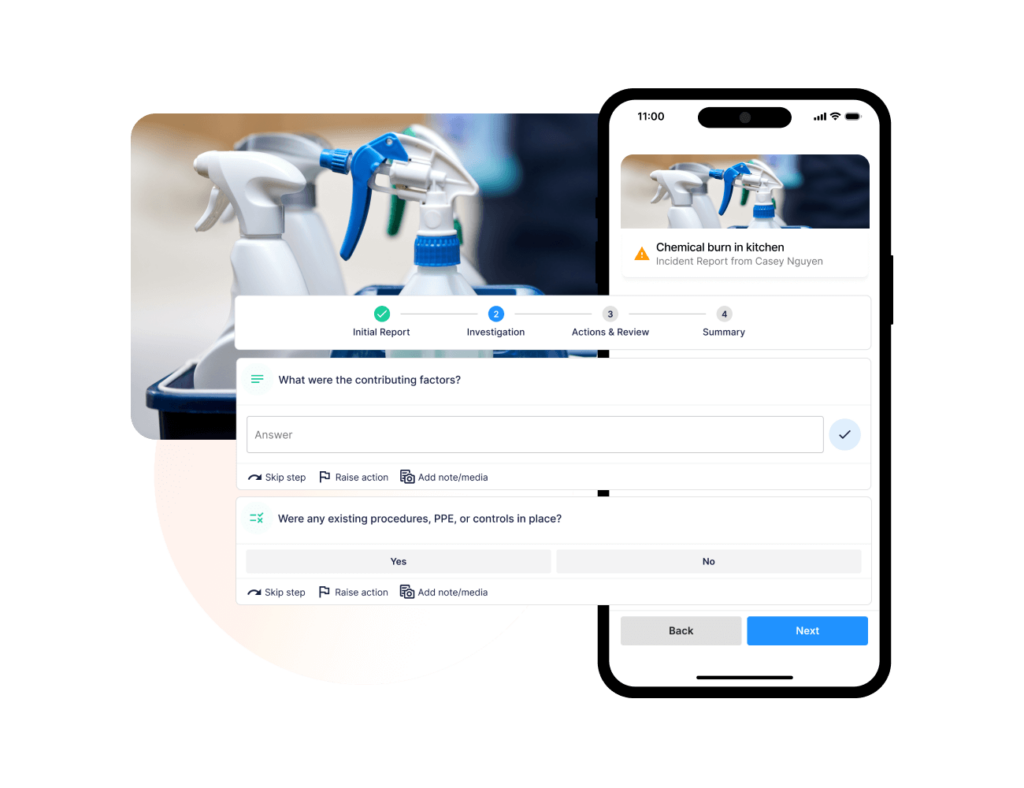
Operandio’s Incident Management & Investigations helps managers move from “someone reported a near miss” to “the issue was reviewed, investigated, and closed properly.”
Near miss reporting is only useful if the follow-up is clear. A report should trigger review, investigation, evidence capture, ownership, and status tracking.
Operandio gives teams a structured way to manage that process. Managers can track what happened, document investigation details, assign actions, and make sure nothing disappears into an email thread or paper folder.
Risk And Control Management
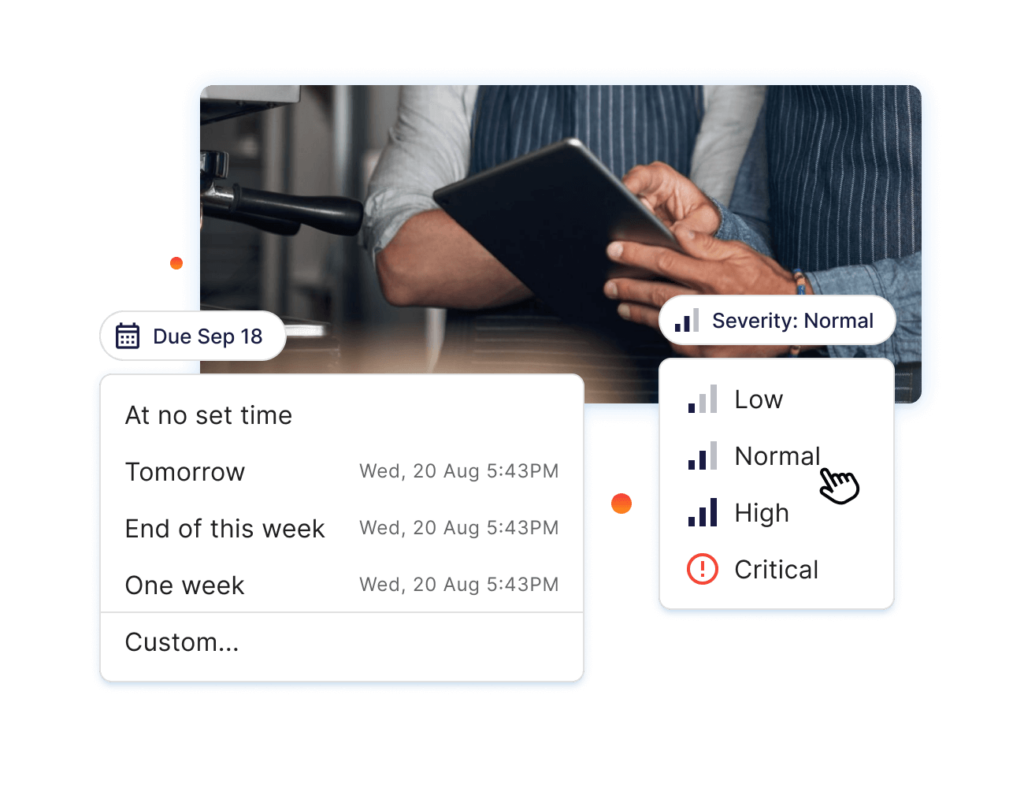
Operandio’s Risk & Control Management helps teams connect near misses to the controls that prevent repeat issues.
For example, a near miss involving a wet floor may point to a cleaning schedule problem, a missing sign-off, a broken mat, or a training gap. The fix might involve a new task, a checklist update, refresher training, or a maintenance action.
Operandio helps operators track those controls instead of treating each report as a one-off event.
Operandio Pricing
| Plan | Pricing |
|---|---|
| All tiers | Custom |
Where Operandio Shines
- Centralized safety visibility across locations: Operandio gives operations and safety leaders one place to track near misses, incidents, investigations, corrective actions, and risk controls across every site.
- Connected to daily operations: Near miss reports tie back to SOPs, tasks, checklists, audits, training, and operational workflows, which helps teams fix the process behind the risk.
- Built for frontline adoption: Teams can report issues from the floor using mobile or shared devices, which matters in restaurants, hotels, retail stores, and other non-desk environments.
Where Operandio Falls Short
- Broader than a standalone near miss app: Operandio covers safety, training, SOPs, audits, operations execution, food safety, and reporting. Teams that only need a simple incident form may not use the full platform.
- Best suited to multi-site complexity: Operandio is built for multi-unit and franchise operations. A single-location business with a low-volume safety program may find a lighter reporting tool easier to justify.
Customer Reviews
BOUNCE Inc. used Operandio to bring 22+ locations and 1,700+ team members onto one operations and compliance platform, replacing legacy systems and paper-based reporting with real-time visibility across venues.
“Operandio has allowed our head office team to have a global view of what’s happening across the business. Quickly generating reports has been invaluable for keeping stakeholders informed,” shares Paul Brownrigg, Operations and Compliance Manager.
Cold Rock Ice Creamery also uses Operandio across 70+ franchise locations to standardize operations, training, and compliance.
“Operandio has transformed our franchise operations by replacing paper systems with a seamless, automated platform that ensures consistency, enhances communication, and simplifies compliance across 70+ locations,” says Kris K., State Manager.
Who Operandio Is Best For
- Multi-unit operations leaders: Operandio is a strong fit if you need safety reports, investigations, corrective actions, and risk controls visible across every site.
- Franchise and regional managers: It works well when every location needs the same reporting process, but head office still needs site-level visibility.
- Frontline-heavy industries: Restaurants, hotels, retail networks, convenience stores, and similar teams can use Operandio to report safety issues from the floor and track follow-up centrally.
- Teams replacing paper safety processes: Operandio is best when near miss reports, incident investigations, corrective actions, and safety records currently live in paper folders, email chains, or disconnected systems.
Learn more about our modular pricing that lets you handpick features based on your business needs, so you get the best value from our platform.
2. SafetyCulture: Best For Mobile-First Inspections And Hazard Capture
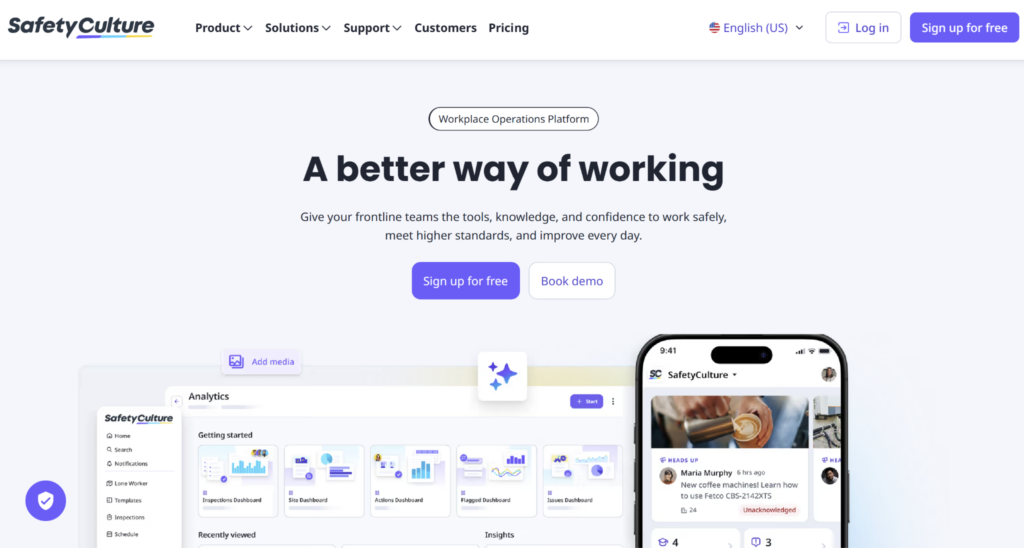
SafetyCulture is a mobile-first software for inspections, audits, issue reporting, and corrective actions.
It is a strong fit for teams that want to replace paper checklists with digital forms and make it easier for workers to report hazards, near misses, and site issues from mobile devices.
Key Features
- Mobile Inspections And Templates: Teams can create inspection forms, capture evidence, and submit reports from the field, which makes SafetyCulture useful for routine safety checks and hazard reporting.
- Issues And Actions: SafetyCulture lets teams report observations, events, and incidents through Issues, then create follow-up tasks through Actions.
- QR Code Reporting: Teams can place QR codes on-site so workers can report hazards or complete inspections without searching for the right form first.
Pricing
| Plan | Pricing |
|---|---|
| Free | $0 |
| Premium | $24/seat/month, billed annually |
| Enterprise | Custom |
Where SafetyCulture Shines
- Strong mobile inspection workflow: SafetyCulture is useful when the main goal is to digitalize paper inspections, checklists, and routine safety reporting.
- Good template library: Teams can start from existing templates instead of building every near miss or inspection form from scratch.
Where SafetyCulture Falls Short
- Less focused on multi-unit operations: SafetyCulture is broad and industry-agnostic, so multi-location operators still need extra structure around SOPs, training, audits, and operational follow-up.
- Advanced controls sit behind higher tiers: SafetyCulture’s help documentation shows some admin, access, integration, investigation, and reporting capabilities differ between Free and Premium plans.
Customer Reviews
“I like using SafetyCulture as it provides good quality spot-checks and allows for custom inspection templates.” Sam K.
“Some advanced features and reporting options take time to fully configure, and there can be a learning curve when setting up more complex workflows. Pricing may feel a bit high for smaller teams, especially if you don’t need all enterprise-level features.” Dennis O.
Who SafetyCulture Is Best For
- Inspection-heavy teams: SafetyCulture is best for teams that need mobile forms, checklists, audits, and fast hazard capture more than a full multi-site operations platform like Operandio.
3. EHS Insight: Best For EHS Teams Needing Incident Reporting And OSHA Logs
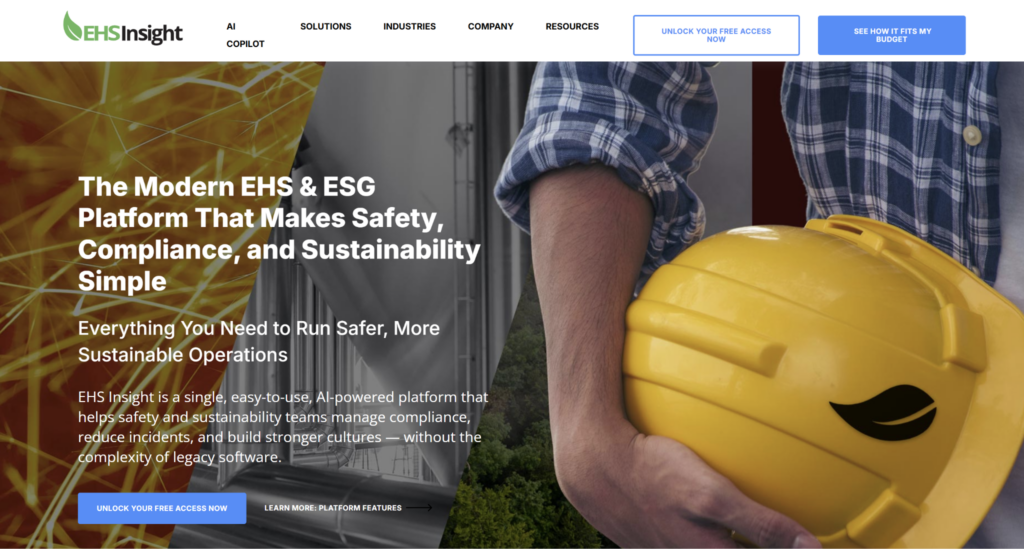
EHS Insight is an Environmental, Health, and Safety (EHS) management platform for teams that need incident reporting, audits, compliance, training, and EHS program tracking in one system.
It works well for safety teams that need structured incident reporting, mobile access, dashboards, and regulatory workflows.
Key Features
- Incident Management: EHS Insight supports incident reporting, investigations, follow-up, and corrective actions, making it useful for teams moving away from spreadsheets and paper reports.
- Mobile App With Offline Capabilities: The platform’s pricing page highlights a mobile app with offline capabilities, which helps teams capture safety information from the field.
- OSHA Reporting Support: EHS Insight’s incident workflows support OSHA 300, 300A, and 301 reporting needs, which makes it useful for formal EHS programs.
Pricing
| Plan | Pricing |
|---|---|
| Small & Medium Business Solution | Starting at $5,000/year |
| Enterprise Solution | Custom |
Where EHS Insight Shines
- Strong EHS program coverage: EHS Insight covers incidents, audits, compliance, training, dashboards, and reporting for teams that need a dedicated safety management system.
- Clearer entry price than many EHS platforms: Its pricing page gives a starting annual price for small and medium businesses instead of only routing every buyer to sales.
Where EHS Insight Falls Short
- Can require setup effort: EHS Insight is modular and configurable, so teams need implementation time before workflows match their safety program.
- Less tied to frontline operations: It is built for EHS management, not the broader daily operations layer that connects safety reports to SOPs, checklists, audits, and training across sites.
Customer Reviews
“The platform provides a versatile and user-friendly solution that supports multiple departments, including Quality Assurance, Sustainability, EHS, and Operations, in managing compliance and tracking key performance indicators (KPIs).” Derek O.
“The mobile app can be hard to use as it can be slow and some menus are hard to navigate. Reports could be more flexible, and linking actions to multiple incidents is limited.” Karen S.
Who EHS Insight Is Best For
- Dedicated EHS teams: EHS Insight is best for safety teams that need incident reporting, audits, compliance workflows, dashboards, and OSHA reporting in a dedicated EHS platform.
4. VelocityEHS: Best For Enterprise Safety And Incident Prevention
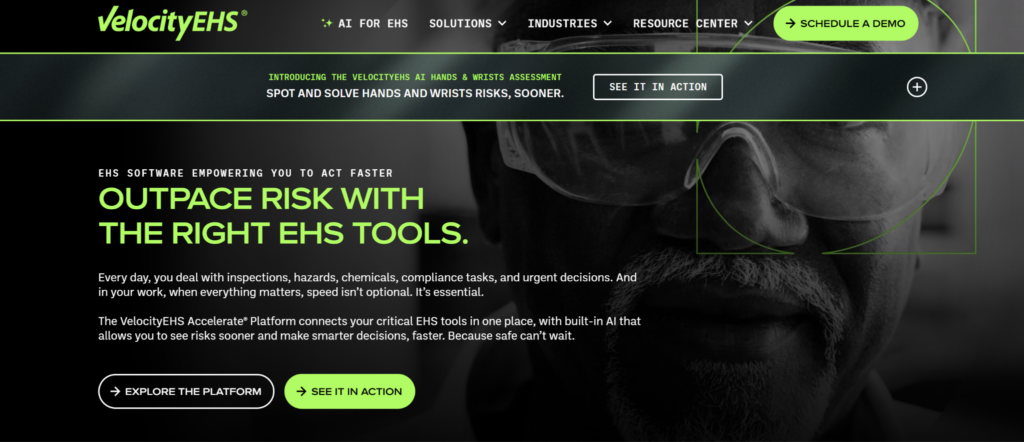
VelocityEHS is an enterprise EHS platform with incident management, safety, chemical management, operational risk, environmental compliance, and sustainability tools.
Key Features
- Incident And Near Miss Reporting: VelocityEHS supports reporting for injuries, illnesses, near misses, hazards, and workplace events across desktop and mobile workflows.
- AI-Assisted Incident Analysis: VelocityEHS uses AI to help with incident descriptions, hazard identification, root cause analysis, and potential serious injury or fatality detection.
- Dashboards And OSHA Reporting: Teams can use pre-built reports, dashboards, and OSHA reporting support to track safety performance and compliance data.
Pricing
| Plan | Pricing |
|---|---|
| All tiers | Custom |
Where VelocityEHS Shines
- Strong enterprise EHS depth: VelocityEHS is useful for large organizations that need incident management alongside broader EHS, risk, and compliance workflows.
- AI-assisted prevention angle: Its incident management materials emphasize AI-supported hazard identification, root cause analysis, and high-risk incident detection.
Where VelocityEHS Falls Short
- Can feel heavy for smaller operators: VelocityEHS is built for enterprise EHS programs, so it may be more platform than a smaller multi-site team needs.
- Less operations-native than Operandio: It is strong on EHS, but it does not center daily frontline operations, SOPs, audits, training, and site execution in the same way Operandio does.
Customer Reviews
“I like the easiness of use and how VelocityEHS has minimal technical issues. It’s great that I don’t have to bother our IT department as much as other departments do with their specific software.” Ryan B.
“I find it challenging to clearly understand the roles set up for admins and users and whether these are company-specific or generally provided options when purchasing VelocityEHS Accelerate | EHS & ESG. Additionally, the support response time was slow, taking about forty-eight hours to address my queries, which could be improved, especially when dealing with urgent issues. It would also be beneficial to have more information on contractor safety.” Gwen S.
Who VelocityEHS Is Best For
- Enterprise EHS teams: VelocityEHS is best for larger organizations that need advanced incident management, EHS reporting, AI-assisted analysis, and broader risk management capabilities.
5. Donesafe: Best For Configurable Incident Workflows
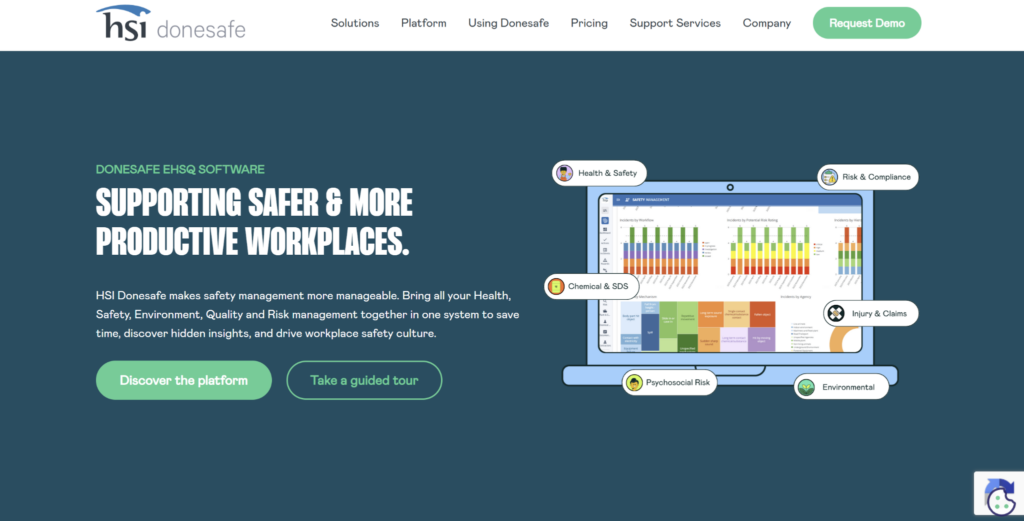
Donesafe is an EHS platform for teams that need configurable incident, near miss, investigation, and reporting workflows.
It helps teams “capture, track, investigate and report on all incidents and near-misses,” including injuries, illnesses, spills, property damage, and vehicle incidents.
Key Features
- Incident And Near Miss Capture: Donesafe supports reporting for near misses, injuries, illnesses, spills, property damage, and vehicle incidents, helping teams centralize different event types in one platform.
- Configurable Workflows: Teams can configure workflows around their internal safety processes, which is useful for organizations that need incident routing, investigation, and follow-up steps to match existing procedures.
- Corrective Actions And Reporting: Donesafe supports investigations, follow-up tasks, and reporting, making it easier for teams to track whether safety issues are being closed properly.
Pricing
| Plan | Pricing |
|---|---|
| All tiers | Custom |
Where Donesafe Shines
- Flexible EHS setup: Donesafe is useful for teams that need incident reporting, audits, compliance, risk, and safety workflows configured around their own processes.
- Good fit for structured safety teams: Its incident module works well when the safety team already has defined investigation and corrective action workflows.
Where Donesafe Falls Short
- Can require configuration work: Teams looking for a simple near miss form may find Donesafe broader than they need.
- Less operations-native than Operandio: Donesafe is built around EHS workflows, while Operandio connects safety reporting to daily frontline operations, SOPs, checklists, and site execution.
Customer Reviews
“HSI offers more features as it combines training, compliance, and reporting in one place, making managing safety much easier and faster. The initial setup was intuitive.” Brandon D.
“The learning curve can be a bit steep for new users. It could use more customization options. Also, it could be more responsive and faster in certain areas, like layout and display preferences. More flexibility in customizing training paths, filtering, and data grouping options would be helpful.” Yahaya S.
Who Donesafe Is Best For
- Configurable EHS teams: Donesafe is best for safety teams that need flexible incident, investigation, corrective action, and reporting workflows, but not a broader multi-location operations platform.
6. EcoOnline: Best For Anonymous Reporting And Root Cause Analysis
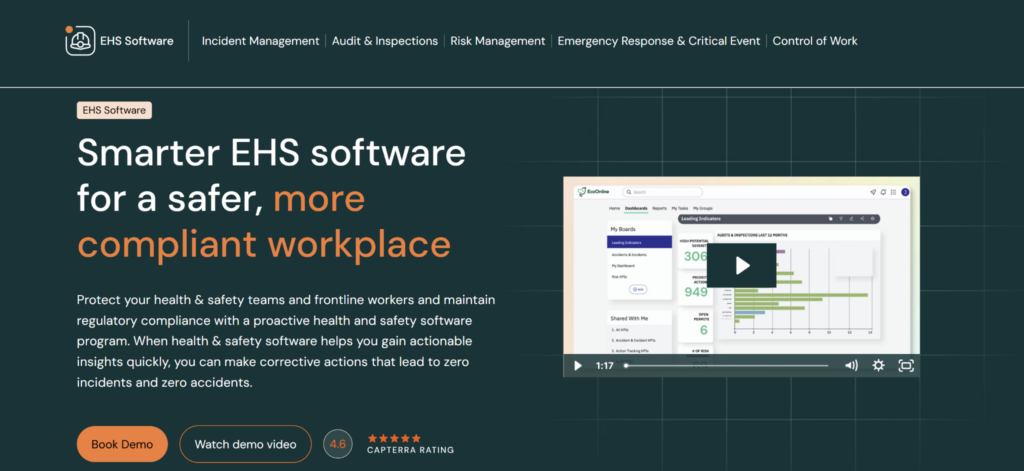
EcoOnline is an EHS platform for teams that need structured incident reporting, evidence capture, dashboards, and corrective action tracking.
Its incident reporting software supports configurable forms, image and location uploads, action assignment, escalation notifications, and multilingual reporting across 90+ languages.
EcoOnline is a strong fit for EHS teams that want a dedicated incident reporting system with root cause analysis and dashboard visibility.
But for multi-location operators that also need safety workflows tied to SOPs, checklists, training, and daily execution, Operandio offers a more operations-connected setup.
7. Intelex: Best For Formal Near Miss Programs And EHSQ Reporting
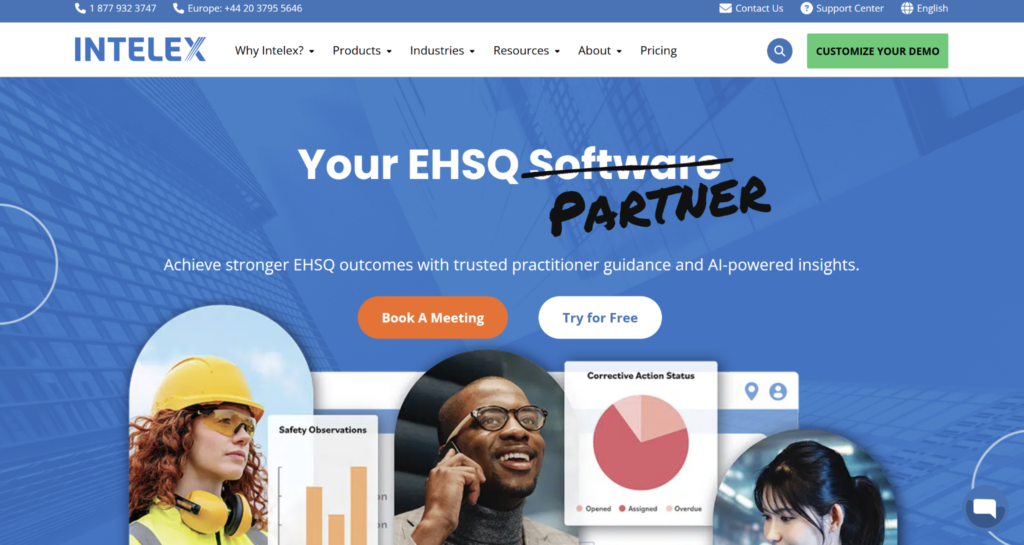
Intelex is an EHSQ (Environment, Health, Safety, and Quality) platform with dedicated near miss reporting and incident management workflows.
The platform also supports incident dashboards, mobile access, automated workflows, and corrective action tracking, making it a strong option for formal EHS teams with established reporting processes.
Intelex is great for organizations that need near miss reporting inside a broader EHSQ system. However, it is less tailored to multi-unit frontline operations where safety reporting needs to connect with SOPs, audits, training, checklists, and site-level execution in one platform.
How To Choose A Near Miss Reporting Software
The right near miss reporting software should make reporting easy for frontline teams and make follow-up impossible to ignore.
Use these checks before choosing a platform.
Can Frontline Teams Report Issues Quickly?
Near miss reporting only works if employees can log issues while the details are still fresh.
Look for mobile reporting, QR codes, photo uploads, simple forms, and shared-device access. If a worker has to find a paper form or wait for a manager, the report may never happen.
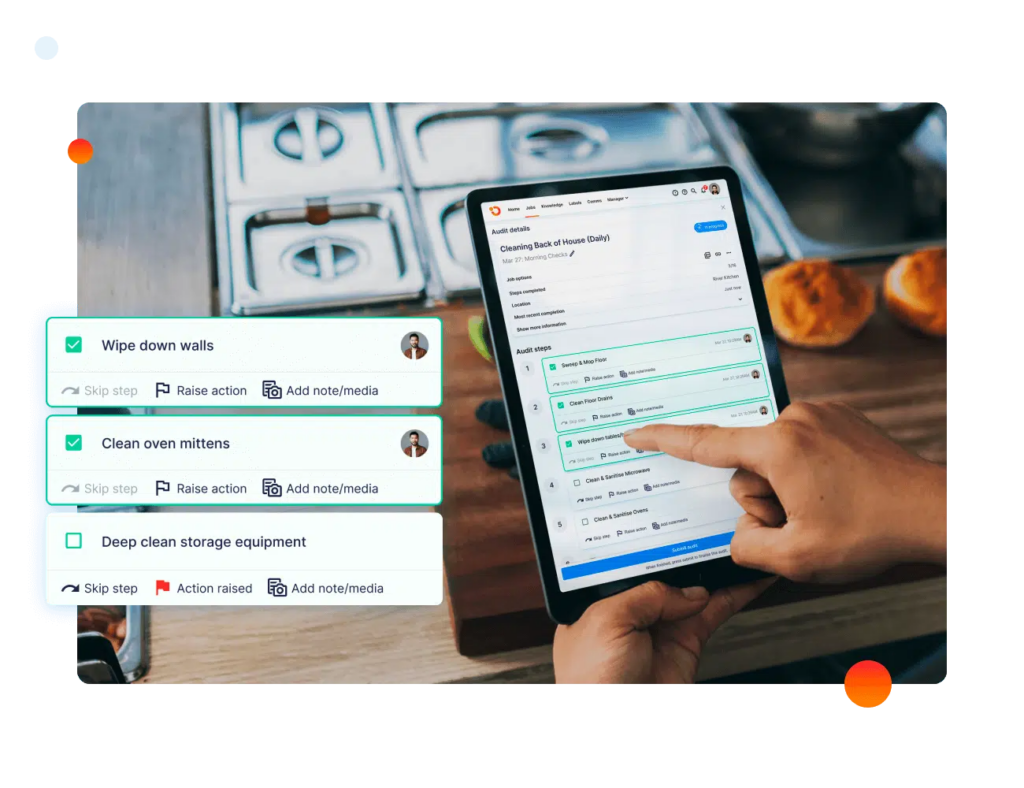
For multi-site teams, this matters even more. A hotel, restaurant, or retail network needs the same reporting flow across every location.
Learn more about how Operandio’s Mobile & Shared Tablet Apps help frontline teams submit safety reports from the floor, while managers keep visibility across sites.
Does It Turn Reports Into Corrective Actions?
Your software should help managers review the issue, assign an owner, set a due date, attach evidence, and track the fix through completion. Otherwise, the same hazard can keep showing up until it becomes an injury, equipment failure, or audit finding.
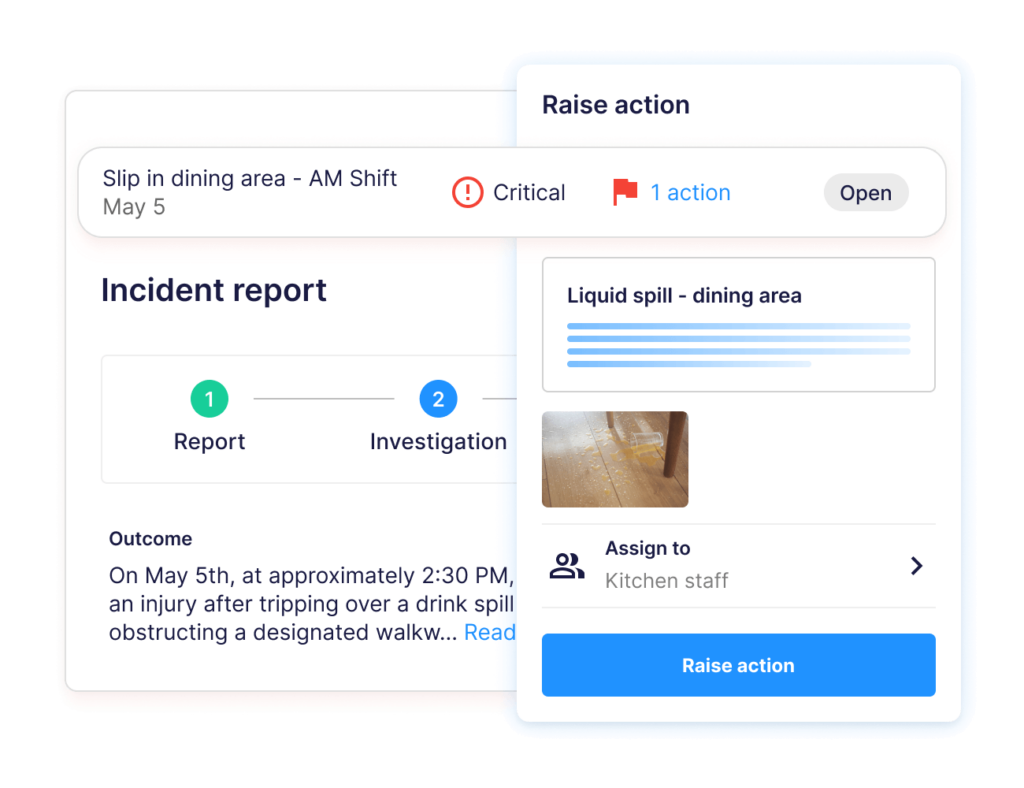
Operandio’s Incident Management & Investigations and corrective action workflows help teams move from “reported” to “resolved” with clear accountability. That is the difference between collecting safety data and actually improving safety performance.
Can You See Safety Trends Across Locations?
A single near miss report tells you what happened once. A trend tells you where the operation is breaking down.
Look for dashboards that show repeat hazards, overdue actions, high-risk locations, incident types, and recurring causes. This helps regional managers and head office teams spot patterns before they become larger safety problems.
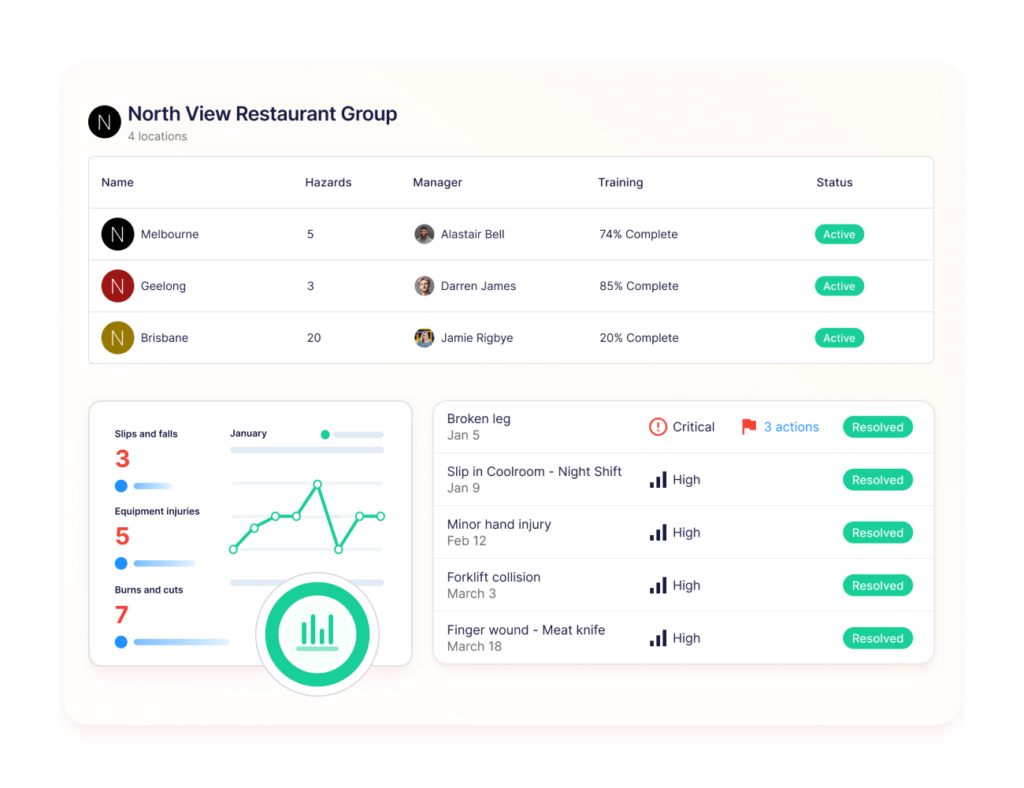
Operandio’s Powerful Reporting gives multi-site operators visibility into safety activity, audits, tasks, and operational performance across locations. That helps teams move from reactive reporting to better prevention.
Does It Connect Safety To Daily Operations?
Near misses usually point to an operational gap. It might be a missed checklist, unclear SOP, broken equipment, poor handover, or training issue. If your near miss software sits away from daily operations, the fix may stay isolated inside the safety team.
A stronger near miss reporting system should connect reports to SOPs, inspections, audits, checklists, training, and risk controls.
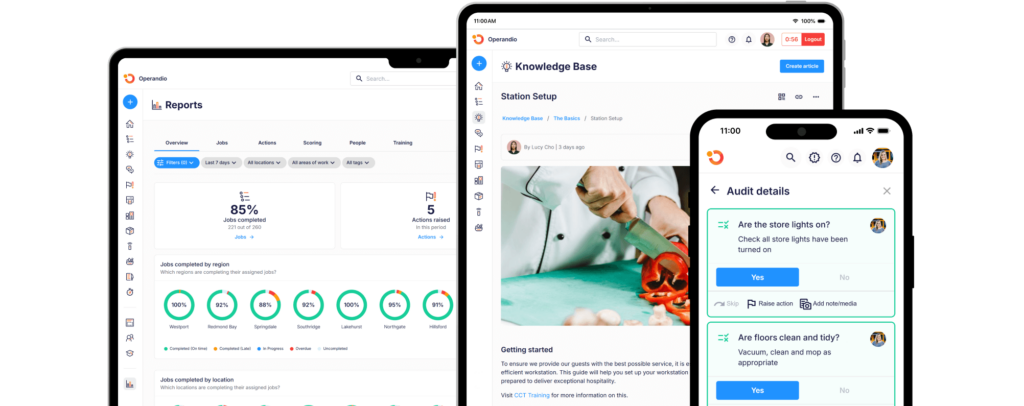
Operandio connects near-miss reporting with daily digital operations across locations, so teams can fix the system behind the report and avoid future hazards.
Build Safer Workplaces With Operandio
Near miss reporting is not just about logging what almost went wrong.
For multi-location teams, the real value is turning those reports into investigations, corrective actions, risk controls, and safer daily routines across every site.
Operandio helps restaurants, hotels, retail networks, and franchise teams manage safety reporting inside the same platform they use for operations, SOPs, checklists, audits, training, and compliance records.
If your team is outgrowing paper forms, spreadsheets, and disconnected incident tracking software, book a demo to see how Operandio can help.
FAQs
1. Is Near Miss Reporting Software Easy To Use For Frontline Workers?
Yes. The best platforms support mobile forms, QR codes, photo uploads, and simple reporting flows frontline teams can use on shift.
2. Can Near Miss Reports Be Submitted Anonymously?
Sometimes. Some platforms support anonymous reporting, but availability depends on the tool, settings, and your organization’s reporting policy.
3. Does Near Miss Reporting Software Work Offline?
Sometimes. Some platforms like Operandio offer offline mobile access, but teams should confirm offline reporting, syncing, and evidence capture before choosing software.
4. What Should A Near Miss Report Include?
A near miss report should include what happened, where it happened, who reported it, evidence, risk level, actions taken, and follow-up status.
5. What Is The Difference Between Incident Reporting And Near Miss Reporting?
Near miss reporting covers events that could have caused harm. Incident reporting covers events that actually caused injury, damage, or disruption.