
- Platform
- Features
 Franchise & Multi-Unit ManagementCentralize oversight and streamline growth across your entire multi location network
 Learning ManagementTrain, verify, and reward your workforce with mobile-first education
 Operations ExecutionStreamlined operations ensuring brand standards, accountability and efficiency
 Asset ManagementOptimize equipment uptime through proactive maintenance and smart tracking
 Digital Food SafetyAutomate compliance and monitor quality with real-time digital precision
 Health & Safety Management (EHS)Mitigate workplace risks and streamline digital incident reporting and investigations
- Platform Essentials
 Powerful ReportingAlign leadership with role-based dashboards and deeper analytics
 Operandio IntelligenceAutomate content, analyze trends, and provide instant answers
 IntegrationsUnify your enterprise tech stack with real-time data
 IoT PlatformDetect anomalies and automate workflows with intelligent sensors
 Mobile & Shared Tablet AppsSecurely empower frontline teams with fast, offline-capable access
- Footer


 Not sure what you need?
Book in a call with the team
- Features
- Solutions
- By Industry
 RestaurantsQSR, fast food and multi-unit restaurants
 Hotels & ResortsHotels, resorts and extended stay hotels
 ChildcareEarly education, childcare, daycare and preschool
 EntertainmentTheme parks, family entertainment centers and play centers
 Fitness Centers & LeisureFitness centers, golf clubs, gyms and sports facilities
 RetailBig-box retailers, franchise stores and supermarkets
- By Use Case
- Operational ExcellenceStreamlined operations ensuring brand standards, accountability and efficiency
- Learning & DevelopmentTrain, verify, and reward your workforce with mobile-first education
- Franchise & Multi-Unit ManagementCentralize oversight and streamline growth across your entire multi location network
- Food Safety ComplianceAutomate compliance and monitor quality with real-time digital precision
- Asset Management & MaintenanceOptimize equipment uptime through proactive maintenance and smart tracking
- Health & Safety Management (EHS)Mitigate workplace risks and streamline digital incident reporting and investigations
- By Industry
- Resources
- Platform
- Features
- Franchise & Multi-Unit ManagementCentralize oversight and streamline growth across your entire multi location network
- Learning ManagementTrain, verify, and reward your workforce with mobile-first education
- Operations ExecutionStreamlined operations ensuring brand standards, accountability and efficiency
- Asset ManagementOptimize equipment uptime through proactive maintenance and smart tracking
- Digital Food SafetyAutomate compliance and monitor quality with real-time digital precision
- Health & Safety Management (EHS)Mitigate workplace risks and streamline digital incident reporting and investigations
- Platform Essentials
- Powerful ReportingAlign leadership with role-based dashboards and deeper analytics
- Operandio IntelligenceAutomate content, analyze trends, and provide instant answers
- IntegrationsUnify your enterprise tech stack with real-time data
- IoT PlatformDetect anomalies and automate workflows with intelligent sensors
- Mobile & Shared Tablet AppsSecurely empower frontline teams with fast, offline-capable access
- Footer
- Not sure what you need?
Book in a call with the team
- Features
- Solutions
- By Industry
- RestaurantsQSR, fast food and multi-unit restaurants
- Hotels & ResortsHotels, resorts and extended stay hotels
- ChildcareEarly education, childcare, daycare and preschool
- EntertainmentTheme parks, family entertainment centers and play centers
- Fitness Centers & LeisureFitness centers, golf clubs, gyms and sports facilities
- RetailBig-box retailers, franchise stores and supermarkets
- By Use Case
- Operational ExcellenceStreamlined operations ensuring brand standards, accountability and efficiency
- Learning & DevelopmentTrain, verify, and reward your workforce with mobile-first education
- Franchise & Multi-Unit ManagementCentralize oversight and streamline growth across your entire multi location network
- Food Safety ComplianceAutomate compliance and monitor quality with real-time digital precision
- Asset Management & MaintenanceOptimize equipment uptime through proactive maintenance and smart tracking
- Health & Safety Management (EHS)Mitigate workplace risks and streamline digital incident reporting and investigations
- By Industry
- Resources
5 Restaurant Back of House Software & Tools: Reviews, Prices & More
Key Takeaways
- Operandio is the strongest overall pick for multi-unit and franchise restaurant groups that need one system for food safety, task management, training, and compliance across every location.
- MarginEdge fits single or small multi-location restaurants focused on invoice automation and food cost accounting.
- MarketMan works best for operators who want vendor and purchase order management tied to real-time inventory.
- Supy and Craftable suit restaurant groups that need deep procurement analytics or beverage-specific cost control, respectively.
Missing inventory. Half-finished prep. Nobody is sure who checked the walk-in temp this morning.
That’s what happens without the right restaurant back-of-house software.
This guide reviews five tools, including Operandio, MarginEdge, MarketMan, Supy, and Craftable, so multi-unit and franchise operators can find the system that keeps every location running the same way.
What Back-of-House Tools Do Restaurants Need?
Research shows that restaurants waste 4% to 10% of the food they buy before they serve it. That waste traces back to four systems: inventory, staff communication, temperature control, and compliance records.
Get any of them wrong across multiple locations, and it shows up on your P&L or your next health inspection report. This is why you need to choose restaurant apps that connect these functions for smoother operations.
Here’s more:
Inventory Management
The restaurant industry spends an estimated $162 billion every year on wasted food, which is why 42% of restaurants now run inventory management software to cut down on that wastage.
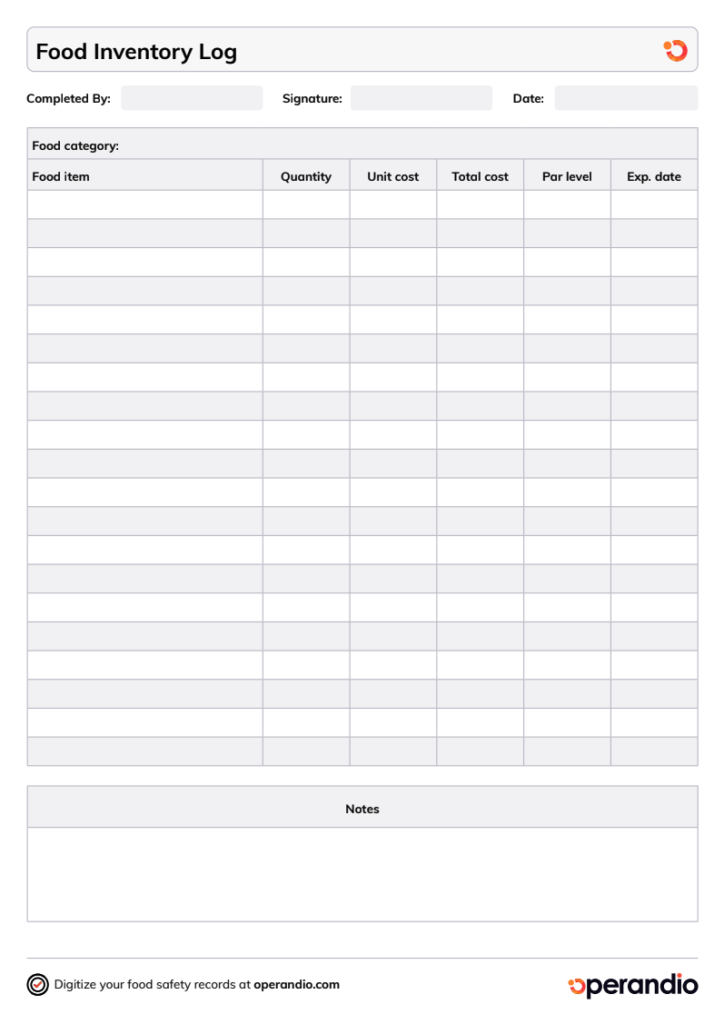
With food inventory management, you track ingredient-level usage against your POS sales data and derive the variance between what you bought and what you sold to understand if you’re wasting food and making losses.
Multi-unit franchises need this visibility standardized across every location.
Operandio’s asset tracking and preventive maintenance tools are designed for that, and they give the head office a view across the whole network.
Here’s our guide and free Food Inventory Template if you’re just getting started.
Staff Communication Tools
With staff communication tools, task assignments, and standards run through a system that shows a record of who was told what and when. Multi-unit and franchise brands need every location working from the same standard instead of each manager running their own thread.
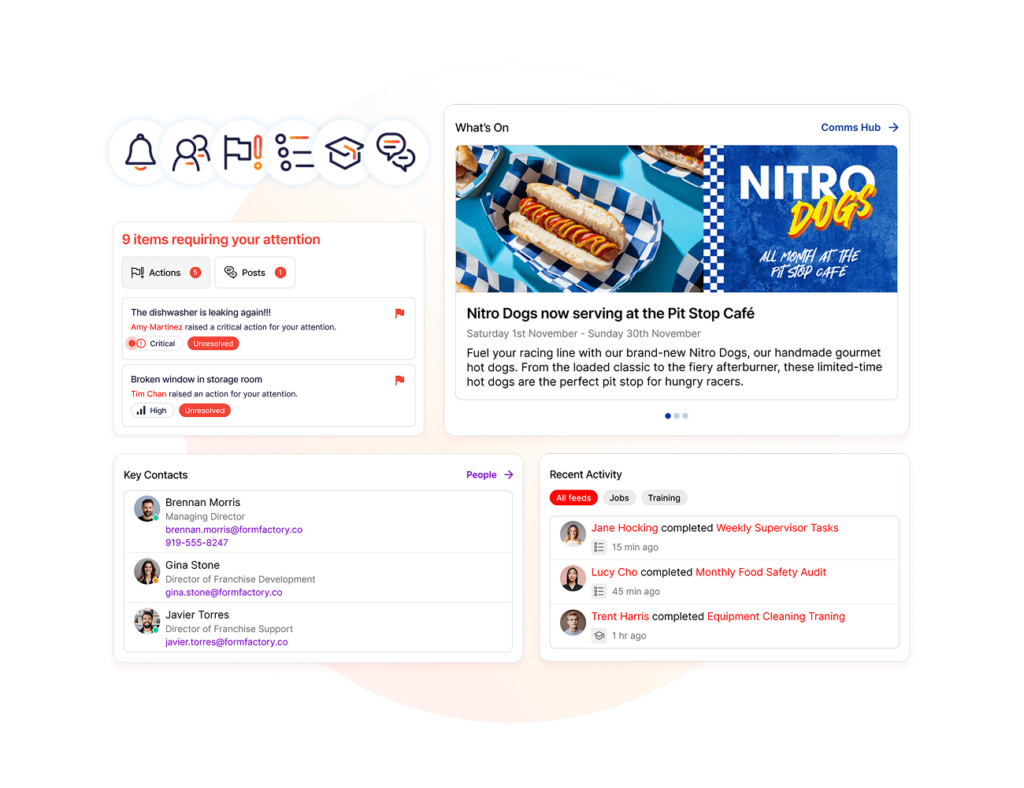
Operandio’s employee communication tools are designed for that, replacing scattered texts and printed notices with confirmed, trackable updates across every location and shift.
Temperature Monitoring
The FDA’s danger zone sits between 41°F and 135°F, and most restaurants check refrigerator and freezer temperatures four times a day, by hand.
Miss a check during a rush, and there’s a gap in the record, which is exactly what inspectors look for. The thing is, roughly 70% of diners won’t return to a restaurant that’s violated health codes.
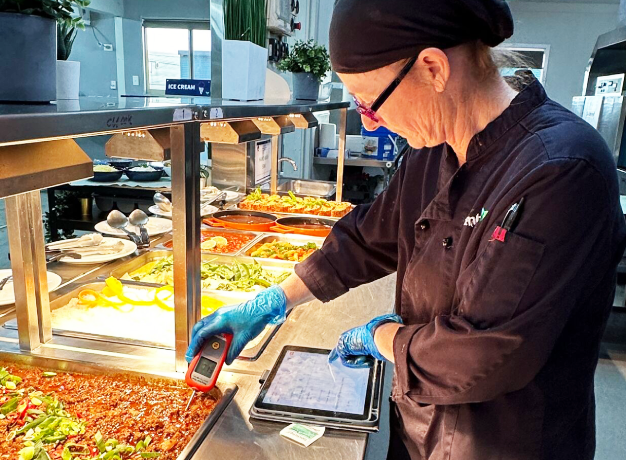
With temperature monitoring, logs run continuously instead of depending on someone remembering to check the walk-in mid-shift. Operandio’s digital food safety tools are designed to log temperatures continuously and alert managers the moment something drifts out of range.
Compliance Management
More than 60% of health inspection failures over the past year came from non-compliance with updated sanitation and food-handling rules, not one-off mistakes. That points to inconsistent standards, and the gap widens fast when every location interprets the rules on its own.
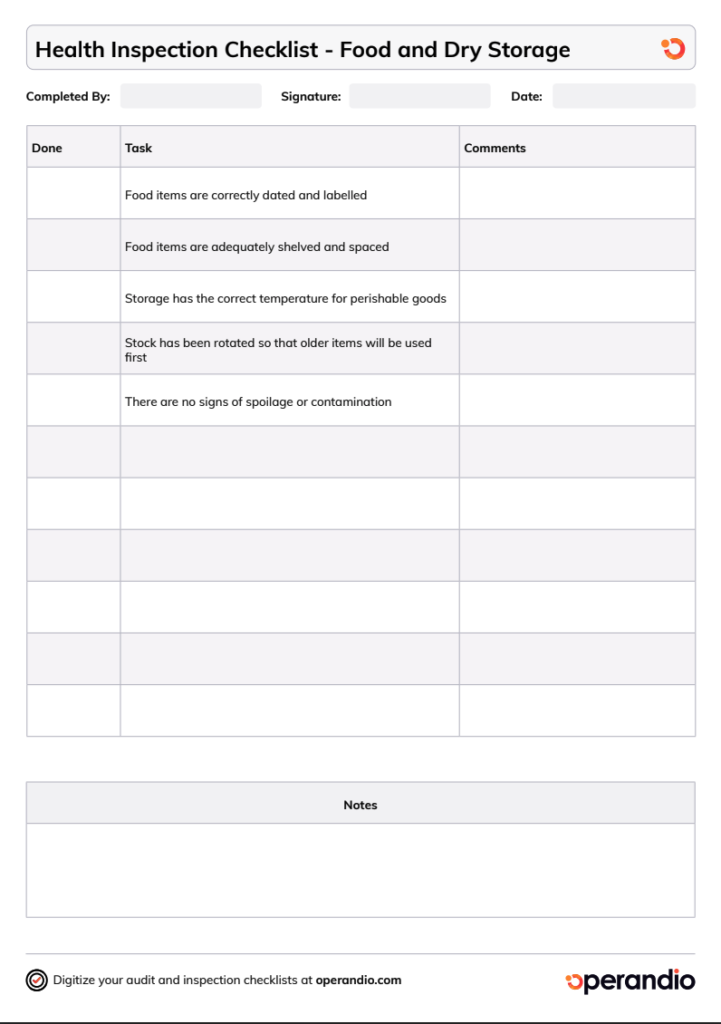
With compliance management, you run the same checklist an inspector would use between official visits and standardize across every location before mistakes or costly inspections.
Operandio’s restaurant inspection checklist template and health and safety management tools keep every location on the same standard with a digital record ready the moment an inspector asks for it.
5 Restaurant Back-of-House Software: A Quick Overview
Here’s how the five BOH software stack up before we get into the details.
| Tool | Best For | Stand-Out Feature | Starting Price |
|---|---|---|---|
| Operandio | Multi-unit and franchise restaurant operations | Unified platform for food safety, task management, training, and compliance | Custom quote, scales by location count |
| MarginEdge | Invoice automation and food cost accounting | Automated invoice processing with human-verified data | ~$330/month per location |
| MarketMan | Vendor and purchase order management | AI-powered recipe costing from a photo | From $199/month |
| Supy | Multi-branch inventory intelligence | AI-driven procurement analytics across branches | Custom quote |
| Craftable | Beverage and food cost control | Bevager module for detailed liquor cost tracking | Custom quote |
1. Operandio: Back-of-House Management Software for Multi-Unit And Franchise Restaurant Brands
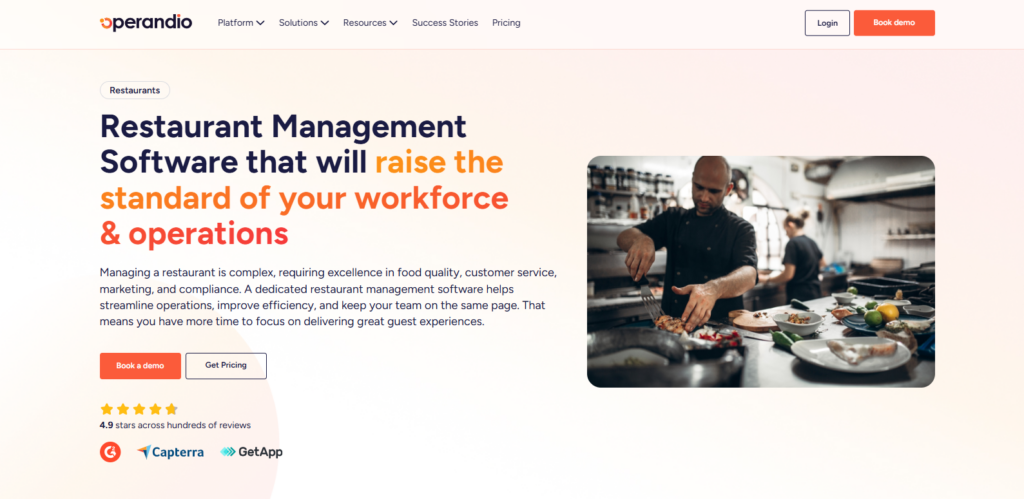
Operandio is built for multi-unit and franchise restaurant brands that need one system across every location.
It combines food safety compliance, task management, employee communication, training, and reporting in a single platform, which is what separates it from point solutions that solve one piece of back-of-house operations.
Operandio Key Features
Here are Operandio’s main multi-unit restaurant management features that every franchise needs:
Task Management and Checklists
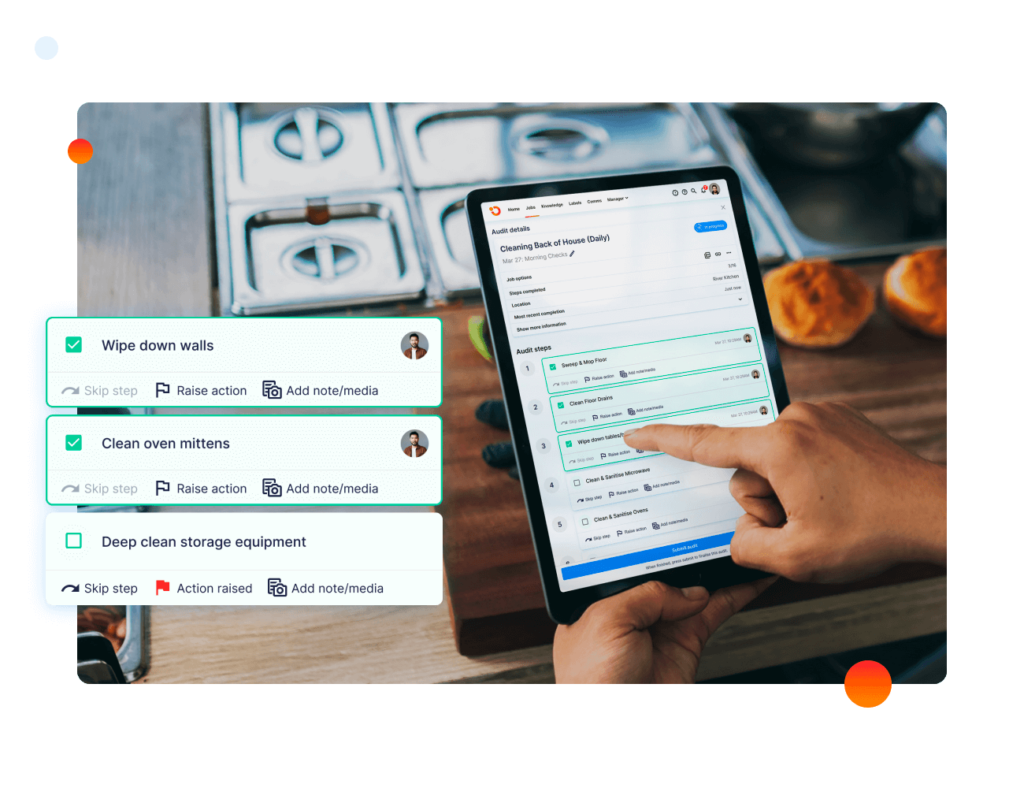
Operandio’s Task Management digitizes daily prep lists, cleaning schedules, and opening and closing procedures so every location follows the same standard. Tasks can be assigned by role, location, or shift, and photo proof of completion is attached automatically.
Restaurant groups switching from paper checklists typically see the biggest time savings here, since managers stop chasing down completed paperwork at the end of each shift.
Real-Time Employee Communication
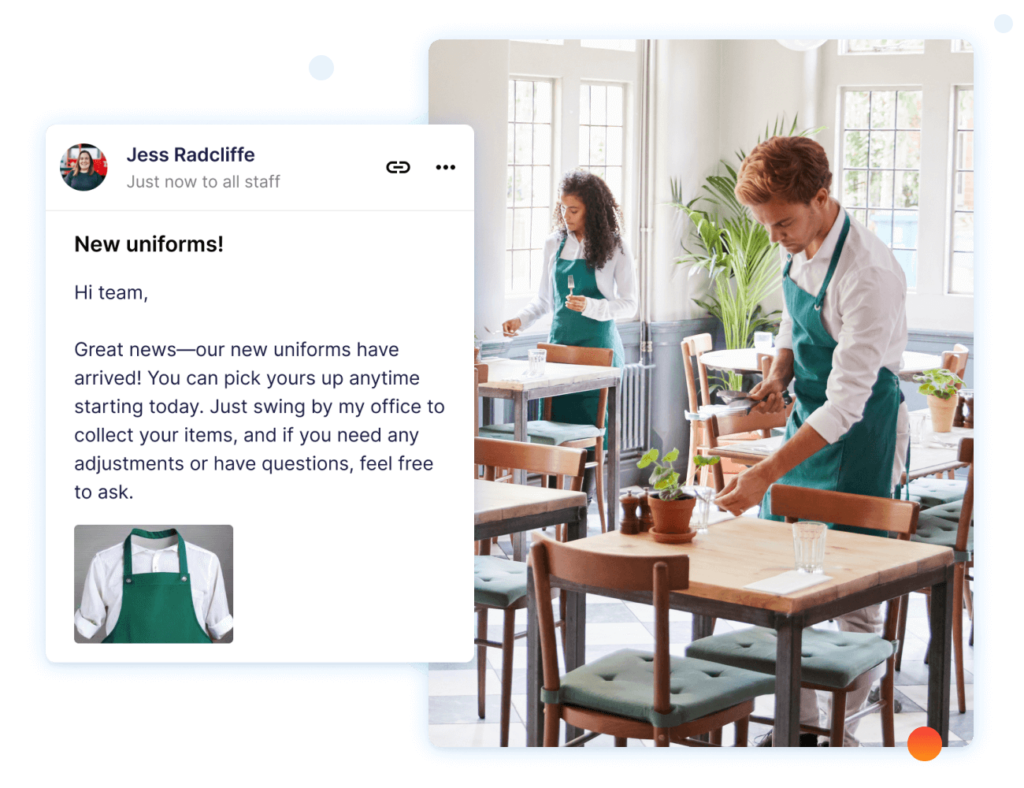
Operandio’s employee communication tool replaces group texts and printed notices with a system built for frontline teams. Messages can target specific roles or sites, which matters for a franchise network where a corporate update might only apply to certain regions.
Read receipts also show exactly who has seen a message and who hasn’t, closing a franchise communication gap that shows up often, where information gets lost between head office and the frontline.
Want to understand more about real-time employee communication? Also read: the best communication platforms for non-desk frontline teams and the top tools for employee communication in 2026.
Digital Food Safety and Training
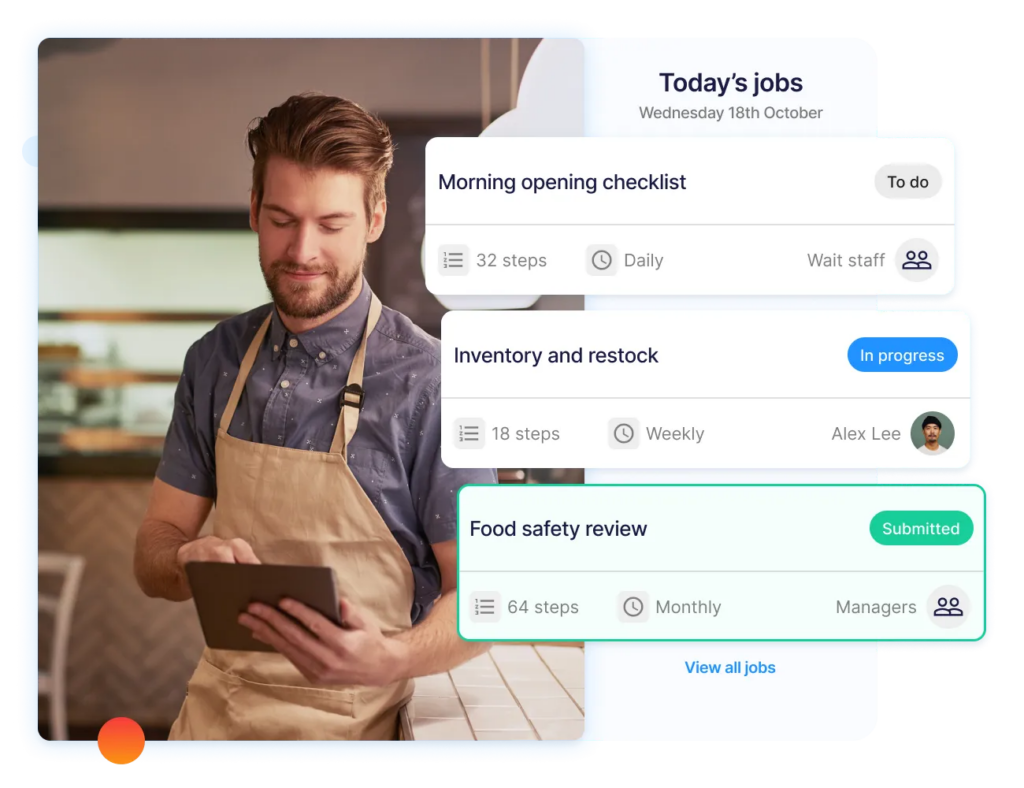
Operandio pairs digital food safety tracking with built-in training modules, so compliance and staff competency live in the same system. Temperature logs, HACCP checks, and labeling requirements get tracked digitally, and new hires can complete required food safety training before their first shift.
Operandio Pricing
| Plan | Price |
|---|---|
| All tiers | Custom |
Side note: Operandio prices are based on business size and location count rather than a flat public rate.
Where Operandio Shines
- Built for multi-unit standardization: One platform enforces the same procedures, training, and compliance records across every location instead of leaving each site to interpret standards on its own
- Modules that connect: Food safety, task management, and training data live in one system, so a manager doesn’t need to cross-reference three tools to see the full picture of a location’s performance
- Detailed reporting: With Operandio, you have actionable data at your fingertips to make informed decisions that improve service and reduce costs
Where Operandio Falls Short
- Not built for single-site independents: Operandio is optimized for restaurant and hospitality brands running 10 or more locations. A single-location restaurant with no plans to expand will find more platform than it needs.
- Pricing isn’t published: Because pricing scales with location count and modules, operators have to talk to sales to get a number, which takes longer than checking a pricing page.
Operandio Customer reviews
“Operandio has transformed our franchise operations by replacing paper systems with a seamless, automated platform that ensures consistency, enhances communication, and simplifies compliance across 70+ locations.” Kris K, Cold Rock Ice.
“If you haven’t incorporated Operandio into your operations, you’re overlooking a valuable tool. The reporting access has been a game-changer for our verifiers, saving them at least an hour during onsite visits.” Mauro O, Abacus Dining Group.
Who Operandio Is Best For
- Multi-unit restaurant and QSR brands: Operators running 10 or more locations who need centralized visibility instead of checking in site by site.
- Franchise operations teams: Head office teams that need consistent rollouts, SOP control, and franchisee accountability across the network.
- Brands replacing multiple point tools: Operators currently juggling separate apps for food safety, training, and task management who want one system instead.
Explore Operandio’s pricing for more details before you book a demo.
2. MarginEdge: Best Back-of-House Operations Platform for Food Cost Accounting
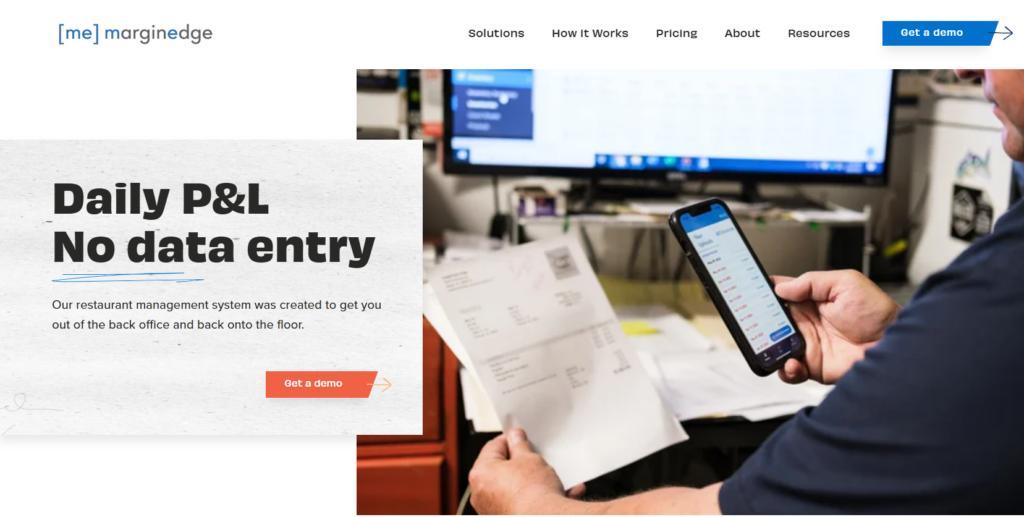
MarginEdge focuses on the accounting side of back-of-house work. It turns invoices into digital data and tracks food and labor costs against your POS sales in real time, which makes it a strong fit for operators who care most about the numbers behind the kitchen.
Key Features
- Automated Invoice Processing simplifies invoice management by converting paper invoices into digital data. This automation reduces the need for manual data entry, saving time and minimizing the risk of human error
- Food Costing: tracks ingredient prices and automatically updates the cost of menu items. This enables restaurants to maintain accurate profit margins and make pricing adjustments based on current ingredient costs
Pricing
| Plan | Price |
|---|---|
| MarginEdge | $350/month |
| MarginEdge + Freepour | $500/month |
Side Note: Toast POS users pay an additional pass-through API fee on top of the base rate.
Where MarginEdge Shines
- Integration with POS Systems: the platform integrates with popular POS systems, allowing for seamless tracking of sales data and automatic inventory adjustments
- Robust financial reporting: MarginEdge provides detailed financial reports that offer insight into restaurant spending, enabling better back-of-house management and cost control
Where MarginEdge Falls Short
- Limited to invoicing actions: Does not offer more restaurant management features like compliance, safety, audits, and opening/closing checklists
- Lengthy and complex setup: Gathering all your vendor relationships, recipes, and POS mapping takes time
- Mobile app is limited: The mobile app lacks functionality found on the desktop version, requiring a laptop for most tasks.
Customer Reviews
“I love that MarginEdge does all the heavy lifting for us with recipe costing and up-to-date ingredient prices. We can see real-time costs, track over 180 recipes, and catch price changes instantly. Shared access between locations is a huge time saver, and having everything in one place lets us focus on cooking and creativity rather than spreadsheets.” Sarah E.
“It took a bit of time at first to realize just how much data was available in the system. There was a bit of a learning curve getting into the rhythm of using all the features,” shares William S.
Who MarginEdge Is Best For
- Single-location or small multi-unit restaurants: Operators who want deep food cost accounting without a full operations platform.
- Teams prioritizing bookkeeping accuracy: Groups that want human-verified invoice data over automated-only scanning.
3. MarketMan: Best BOH Software for Vendor Management
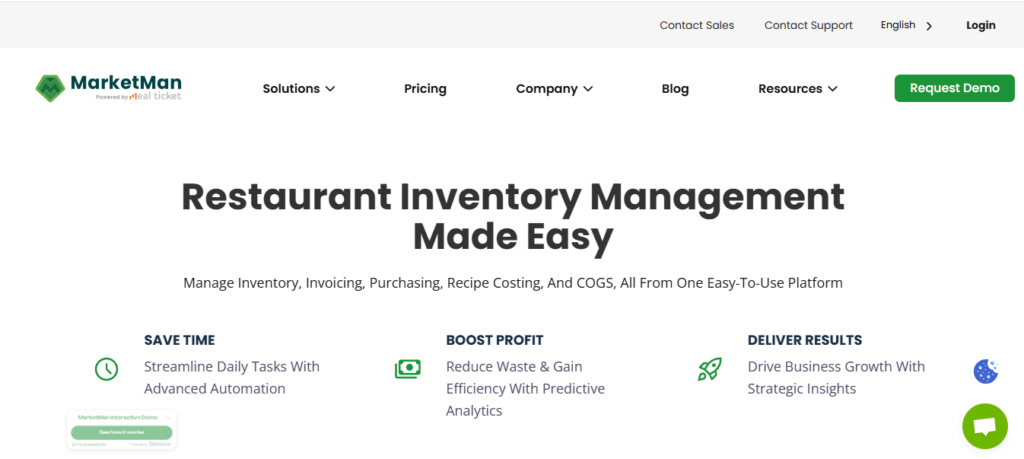
MarketMan simplifies how restaurants manage orders, track inventory, and control costs, making it a strong choice for restaurant owners focused on optimizing vendor relationships.
Key Features
- Streamlined Vendor Orders: MarketMan allows users to place orders directly within the app, eliminating the need for phone calls and emails. This centralizes the ordering process, making it faster and more organized
- Inventory Tracking: MarketMan automatically updates inventory levels with each order, providing accurate, real-time stock visibility
Pricing
| Plan | Price |
|---|---|
| Starter | $199/month |
| Growth | $249/month |
Where MarketMan Shines
- Cost control & budgeting: The platform tracks ingredient prices and highlights trends, allowing restaurants to monitor costs more effectively
- Mobile access: Users can access MarketMan via mobile devices to manage orders, view invoices, and track inventory on the go
Where MarketMan Falls Short
- Item variations: If you purchase the same item (e.g., tomatoes) from multiple suppliers, MarketMan treats them as separate items, so it requires manual recipe adjustments to maintain accurate costing
- Setup time: Entering full inventory data, recipes, and vendor lists into the system is highly manual and takes significant time
- Gated features: Advanced features like recipe costing, waste tracking, and vendor management require the more expensive Growth plan
Customer reviews
“Strong inventory and purchasing tools that help reduce waste and tighten control over food cost.” Dhinesh E.
“Extremely Frustrating Cancellation Process – Beware Before Signing Up MarketMan is a fairly easy-to-use SAAS product and getting started was simple enough. We used it for several years, despite the fact that it was never integrated with our POS system — which made it clunky and inefficient compared to competitors. We finally made the switch to a much better, integrated platform. That’s when the real headache started. Trying to cancel MarketMan was like jumping through flaming hoops.” Jon D.
Who MarketMan Is Best For
- Multi-location owners: It offers centralized visibility to standardize recipes and track purchasing across 1 to 100+ locations
- Operators needing software integration: It syncs directly with point-of-sale (POS) and accounting software, making it great for comparing actual versus theoretical food usage
4. Supy: Best BOH Platform for Multi-Branch Inventory Intelligence
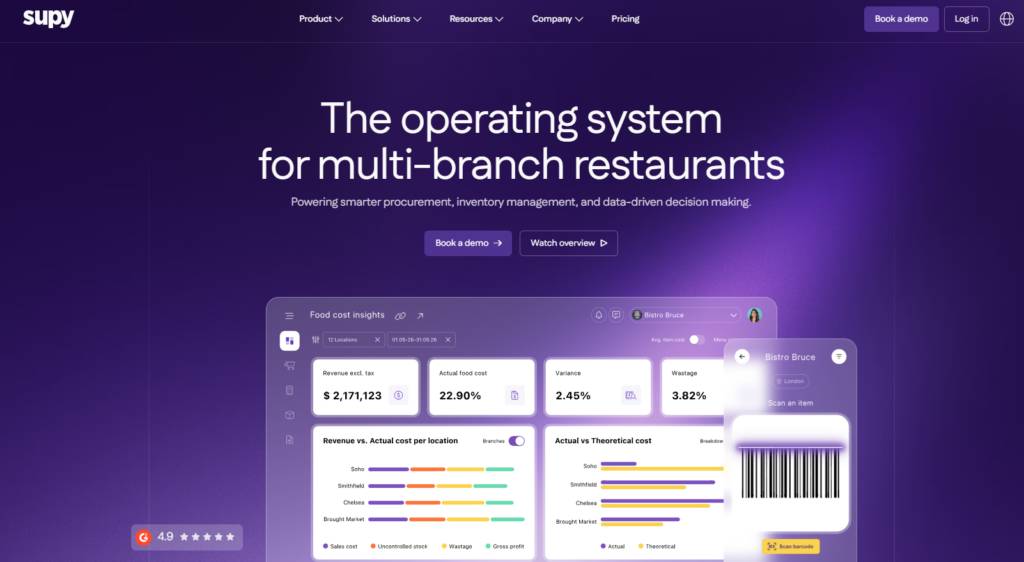
Supy is an AI-powered inventory and procurement platform built for multi-branch restaurant groups. It gives operators real-time visibility into stock and supplier performance across every location from one dashboard.
Key Features
- Cross-Branch Inventory Visibility: Supy tracks stock levels across every branch in real time, with alerts and PAR-level ordering recommendations that help avoid both shortages and over-ordering.
- Procurement Analytics: The platform surfaces supplier performance data and cost-saving opportunities, helping multi-location operators negotiate better terms and reduce variance between locations.
Pricing
| Plan | Price |
|---|---|
| All tiers | From $250/month |
Where Supy Shines
- Purpose-built for multi-branch operations: Real-time inventory and procurement data across branches is the platform’s core strength
- User-friendly interface: Supy features an intuitive design that makes it accessible for both managers and team members, with minimal onboarding time
Where Supy Falls Short
- Overkill for small businesses: The deep procurement, central kitchen workflows, and multi-unit features are oversized and complex for single-location or small independent restaurants
- No free trial or free tier: The platform does not offer a free trial or a basic free plan. It requires a custom-quoted commitment that starts around $250 a month
- Complex setup: Configuring the master items list, recipes, and hundreds of custom user permissions requires significant time and upfront manual data entry
Customer Reviews
“I like the ease of access and the user-friendly mobile app of Supy. The crystal clear UI and the variety of reports available are really great.” Purchase Manager P on G2.
“Providing user access is a little tricky. Reporting is cloud based, so we cannot expect realtime changes, we need to wait for sometime to generate the correct report.” NIKHIL M.
Who Supy Is Best For
- Multi-branch restaurant groups: Operators managing inventory and procurement across several locations who want deep analytics on supplier performance
- Groups with dedicated purchasing teams: Organizations with staff focused specifically on procurement rather than general operations
5. Craftable: Best for Financial Insights & Budgeting in Hospitality
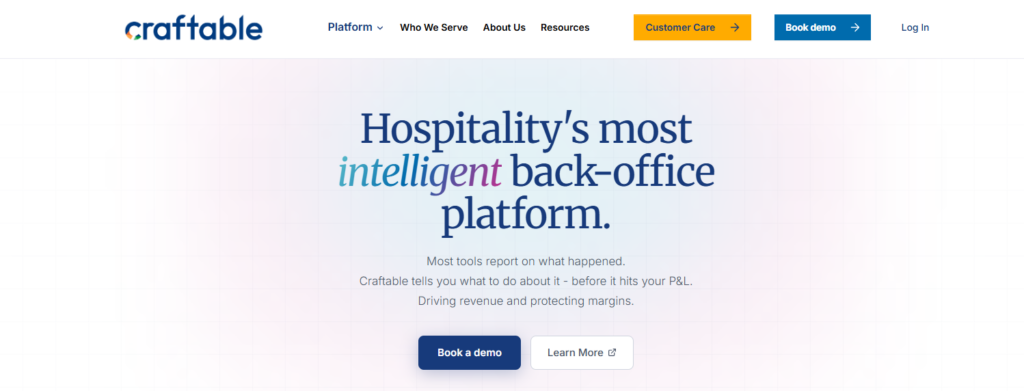
Craftable (formerly Bevager/Foodager) connects purchasing, inventory, accounting, and analytics, with particularly deep tools for beverage program cost control.
Key Features
- Advanced Budgeting Tools: Craftable allows restaurants to set financial targets and track progress, controlling expenses more effectively and identifying areas for improvement
- Cost Analysis & Profitability Reports: The profitability reports provide insight into which menu items generate the most profit, enabling restaurant owners to adjust their menus and focus on high-margin dishes
Pricing
| Plan | Price |
|---|---|
| All tiers | Custom |
Where Craftable Shines
- Vendor and invoice tracking: The platform offers comprehensive vendor and invoice tracking, so restaurants can manage supplier payments and stay on top of due dates
- Waste management insights: Craftable includes waste-tracking features that highlight where excess waste is occurring. By identifying these patterns, restaurants can reduce waste, cut unnecessary costs, and improve operational efficiency
Where Craftable Falls Short
- Workflow interruptions: Navigating away from the app (e.g., to a calculator or menu) often returns the user to the home screen, making them start over
- No automatic modifier updates: Modifiers or substitutions (like adding extra cheese) do not automatically adjust the ingredient levels or serving amounts in a recipe
Customer Reviews
“Craftable has a great add-on which is Analytics. This really allows us to view our daily sales and dive into specifics of our revenue and expenses at an operating day to day level. We also love the food inventory management of Craftable.” a verified reviewer on G2.
They also share: One possible improvment would be the ability to stop mulitple sales record being duplicated when processesing them and pushing through to our ERP system.
Who Craftable Is Best For
- Multi-unit & enterprise groups: Perfect for owners scaling their business. It centralizes ordering, vendor invoices, and inventory management across all locations to save hundreds of hours of manual paperwork
How to Choose a Restaurant Back-of-House Software
Choosing the right back-of-house software is a big decision, and with so many options, it’s easy to get stuck in “analysis paralysis”.
But, by focusing on key features that directly impact your day-to-day operations, you can find the solution best fitted to your business.
Here are the main features to look for:
Ease of Use
Is the software user-friendly? Can your team learn to use it quickly without extensive training? A simple, intuitive interface reduces onboarding time and minimizes errors.
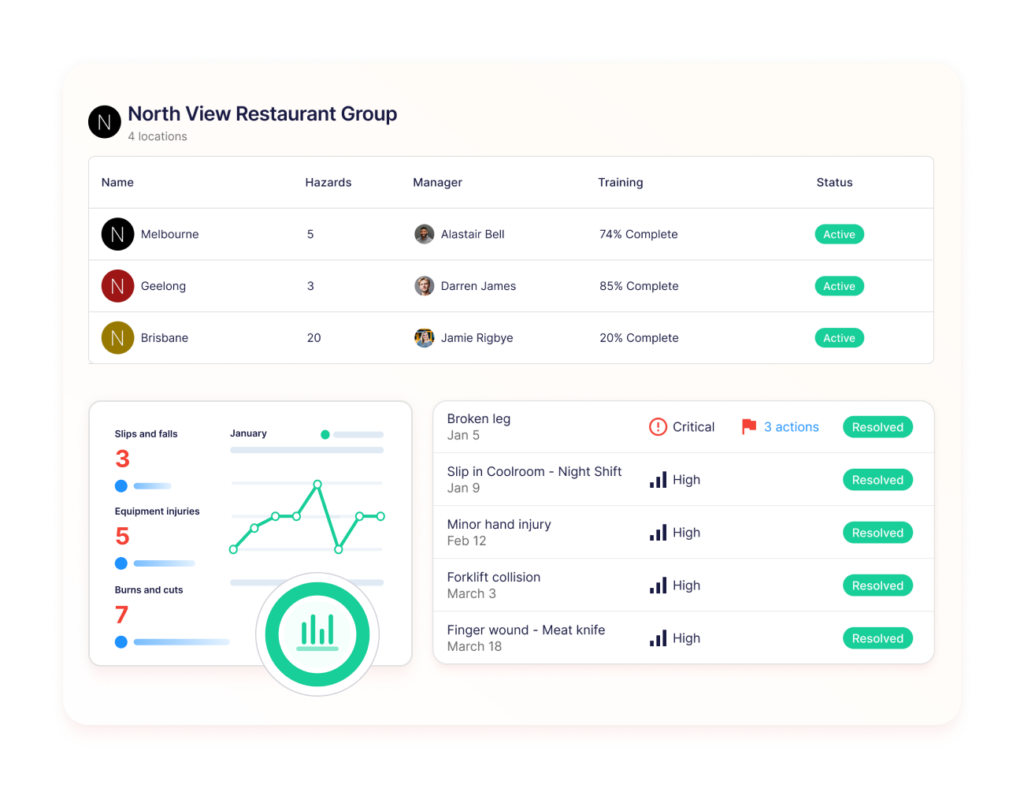
Operandio’s interface is built for frontline workers who need to complete a task in seconds. New staff can start using it on day one without a training session.
Integration Capabilities
How well does it play with your existing systems? Seamless integration with existing POS systems, accounting software, and restaurant automation systems can save you from data entry headaches.
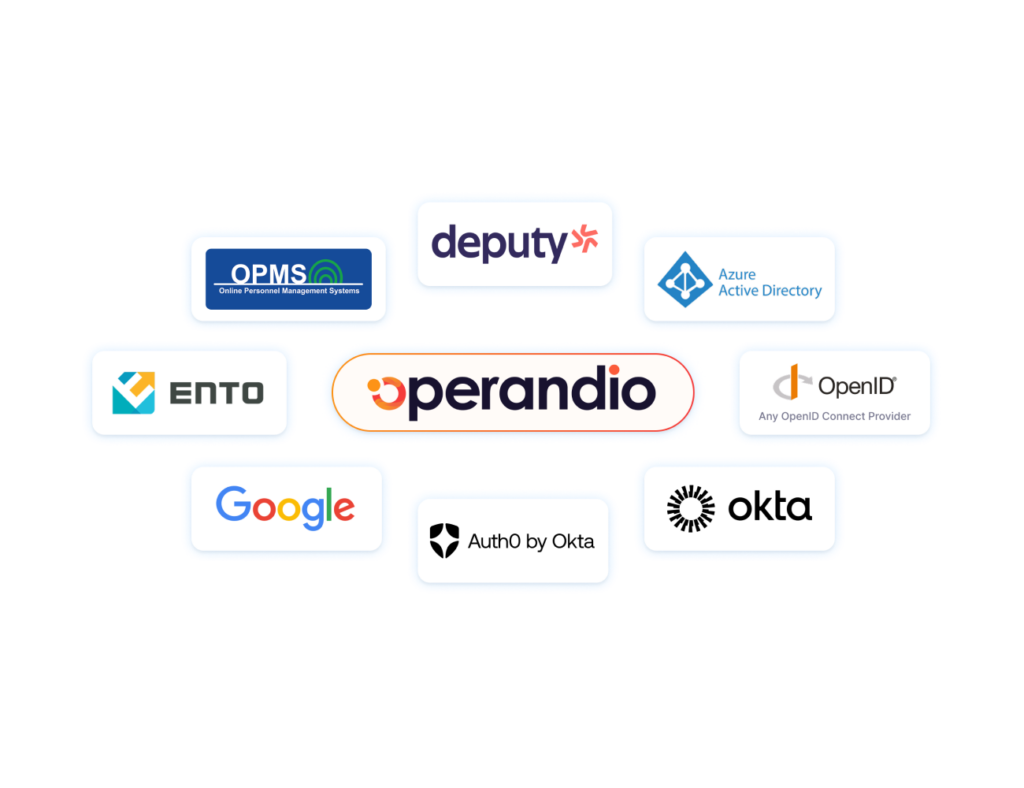
Operandio integrates with major POS systems and existing accounting tools, plus Business Intelligence tools like Tableau and Power BI, so data moves automatically instead of getting re-entered by hand at each location.
Connect your entire enterprise tech stack with Operandio integrations.
Real-Time Updates
Does the software offer real-time data and alerts? Immediate access to information like stock levels and task completion statuses enables proactive management rather than reactive firefighting.

Operandio pushes real-time alerts on task completion, temperature drift, and compliance gaps to managers immediately, not at the end of a shift when the damage is already done.
Support and Training
What kind of support and training does the provider offer? Reliable customer support and comprehensive training resources are vital for troubleshooting and optimal use of the software.
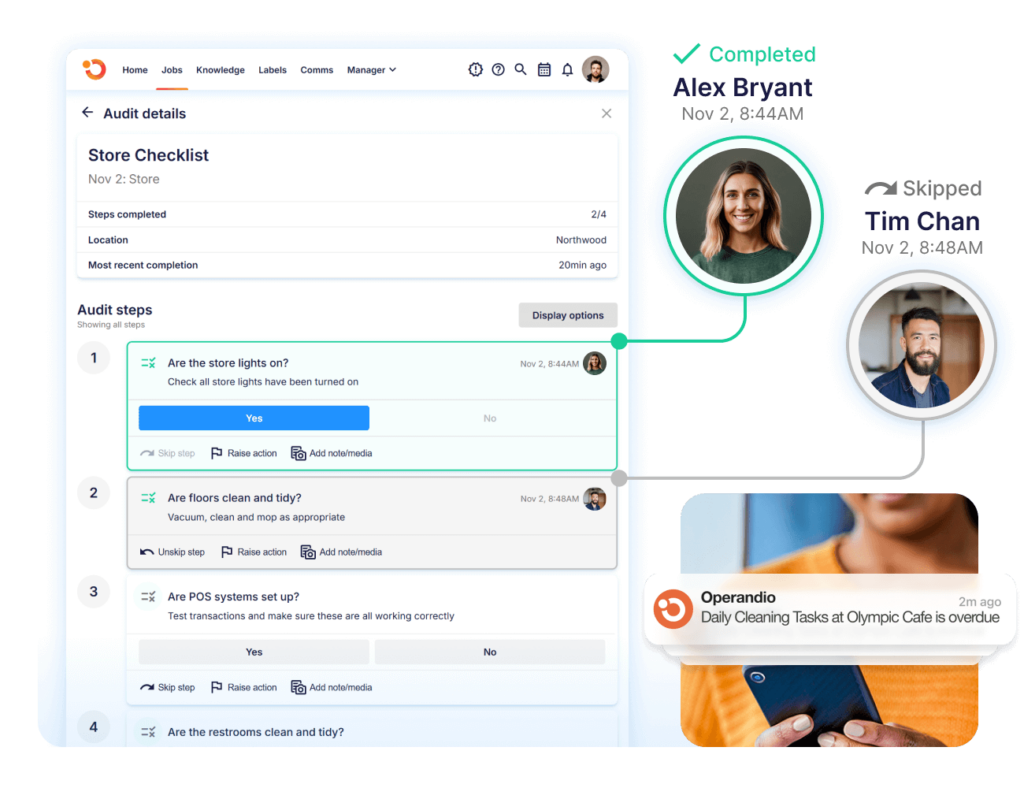
Operandio pairs implementation with hands-on onboarding, starting with a pilot at one or two locations before rolling out across the network, so managers get support instead of a login and a manual.
Cost Effectiveness
Finally, consider the return on investment. Does the cost align with the benefits it provides in terms of time saved, reduced waste, and compliance assurance?
Operational prices by location count and the modules you need, so a 10-location group isn’t paying for the same package as a single restaurant, and the cost scales the way your business does.
Besides restaurants, Operandio is also suitable for more industries with frontline services.
Ensure Your Back of House Stays Fully Optimized and Compliant
MarginEdge sharpens food cost accounting, MarketMan simplifies vendor management, Supy strengthens multi-branch procurement, and Craftable deepens beverage cost control.
If you’re running a single location and need one specific function handled well, any of these four can work.
But if you’re running a multi-unit or franchise operation and need food safety, task management, training, and compliance standardized across every site, Operandio is built for that job specifically.
Book a free demo to see how Operandio fits your network.
FAQs
1. What’s the difference between back-of-house and front-of-house software?
Back-of-house software manages kitchen and operational tasks like inventory, food safety, and staff training.
Front-of-house software handles guest-facing functions like POS, reservations, and table management.
2. Does back-of-house software integrate with POS?
Yes. Most back-of-house tools, including Operandio, integrate with major POS systems to sync sales data with inventory, labor, and food cost tracking.
3. How does back-of-house software reduce food and labor costs?
Back-of-house software reduces costs by automating inventory tracking, flagging waste, and standardizing task execution, cutting down the manual errors and missed steps that drive up spend.
4. Is Operandio only food safety software?
No. Operandio is a full operations execution platform that includes task management, training, compliance tracking, communication, and reporting for multi-location businesses, not just food safety.
5. Does Operandio work for single-location restaurants?
Sometimes, but it’s optimized for multi-unit restaurant and hospitality brands running 10 or more locations, where centralized visibility and standardization matter most.