
- Platform
- Features
 Franchise & Multi-Unit ManagementCentralize oversight and streamline growth across your entire multi location network
 Learning ManagementTrain, verify, and reward your workforce with mobile-first education
 Operations ExecutionStreamlined operations ensuring brand standards, accountability and efficiency
 Asset ManagementOptimize equipment uptime through proactive maintenance and smart tracking
 Digital Food SafetyAutomate compliance and monitor quality with real-time digital precision
 Health & Safety Management (EHS)Mitigate workplace risks and streamline digital incident reporting and investigations
- Platform Essentials
 Powerful ReportingAlign leadership with role-based dashboards and deeper analytics
 Operandio IntelligenceAutomate content, analyze trends, and provide instant answers
 IntegrationsUnify your enterprise tech stack with real-time data
 IoT PlatformDetect anomalies and automate workflows with intelligent sensors
 Mobile & Shared Tablet AppsSecurely empower frontline teams with fast, offline-capable access
- Footer


 Not sure what you need?
Book in a call with the team
- Features
- Solutions
- By Industry
 RestaurantsQSR, fast food and multi-unit restaurants
 Hotels & ResortsHotels, resorts and extended stay hotels
 ChildcareEarly education, childcare, daycare and preschool
 EntertainmentTheme parks, family entertainment centers and play centers
 Fitness Centers & LeisureFitness centers, golf clubs, gyms and sports facilities
 RetailBig-box retailers, franchise stores and supermarkets
- By Use Case
- Operational ExcellenceStreamlined operations ensuring brand standards, accountability and efficiency
- Learning & DevelopmentTrain, verify, and reward your workforce with mobile-first education
- Franchise & Multi-Unit ManagementCentralize oversight and streamline growth across your entire multi location network
- Food Safety ComplianceAutomate compliance and monitor quality with real-time digital precision
- Asset Management & MaintenanceOptimize equipment uptime through proactive maintenance and smart tracking
- Health & Safety Management (EHS)Mitigate workplace risks and streamline digital incident reporting and investigations
- By Industry
- Resources
- Platform
- Features
- Franchise & Multi-Unit ManagementCentralize oversight and streamline growth across your entire multi location network
- Learning ManagementTrain, verify, and reward your workforce with mobile-first education
- Operations ExecutionStreamlined operations ensuring brand standards, accountability and efficiency
- Asset ManagementOptimize equipment uptime through proactive maintenance and smart tracking
- Digital Food SafetyAutomate compliance and monitor quality with real-time digital precision
- Health & Safety Management (EHS)Mitigate workplace risks and streamline digital incident reporting and investigations
- Platform Essentials
- Powerful ReportingAlign leadership with role-based dashboards and deeper analytics
- Operandio IntelligenceAutomate content, analyze trends, and provide instant answers
- IntegrationsUnify your enterprise tech stack with real-time data
- IoT PlatformDetect anomalies and automate workflows with intelligent sensors
- Mobile & Shared Tablet AppsSecurely empower frontline teams with fast, offline-capable access
- Footer
- Not sure what you need?
Book in a call with the team
- Features
- Solutions
- By Industry
- RestaurantsQSR, fast food and multi-unit restaurants
- Hotels & ResortsHotels, resorts and extended stay hotels
- ChildcareEarly education, childcare, daycare and preschool
- EntertainmentTheme parks, family entertainment centers and play centers
- Fitness Centers & LeisureFitness centers, golf clubs, gyms and sports facilities
- RetailBig-box retailers, franchise stores and supermarkets
- By Use Case
- Operational ExcellenceStreamlined operations ensuring brand standards, accountability and efficiency
- Learning & DevelopmentTrain, verify, and reward your workforce with mobile-first education
- Franchise & Multi-Unit ManagementCentralize oversight and streamline growth across your entire multi location network
- Food Safety ComplianceAutomate compliance and monitor quality with real-time digital precision
- Asset Management & MaintenanceOptimize equipment uptime through proactive maintenance and smart tracking
- Health & Safety Management (EHS)Mitigate workplace risks and streamline digital incident reporting and investigations
- By Industry
- Resources
A Comprehensive Guide to Restaurant Automation System (2026)
Key Takeaways
- Restaurant automation uses software, connected equipment, sensors, and workflow rules to complete repetitive tasks, detect exceptions, and direct employees toward the next action.
- Restaurants can automate guest ordering, payments, kitchen production, food-safety records, inventory, purchasing, staff coordination, inspections, and multi-location reporting.
- The main benefits include less administrative work, faster responses, fewer avoidable errors, clearer accountability, and more consistent execution across locations.
- Operandio suits franchise and multi-unit operations, Restaurant365 focuses on accounting and back-office automation, and Lightspeed supports POS, ordering, and payment workflows.
National Restaurant Association data shows that salaries, wages, and benefits represented a median 36.5% of sales for full-service restaurants and 31.7% for limited-service restaurants in 2024.
When labor takes up such a large share of revenue, ideally, managers should not spend hours re-entering orders, chasing checklist completion, compiling routine reports, or doing any other repetitive tasks.
A restaurant automation system handles repetitive workflows, flags problems, and gives employees more time for service and decision-making.
In this guide, you’ll learn exactly where automation fits, its advantages, the different platforms serving different needs, and how to choose the right restaurant automation system.
What Is A Restaurant Automation System?
A restaurant automation system uses software, connected devices, or equipment to complete routine work with less manual input. It can process an order, update inventory, record a temperature, assign a task, notify a manager, or compile information from several locations.
Restaurant automation brings robots and self-service kiosks to mind, but it’s much more than that. It includes POS systems, kitchen displays, inventory platforms, digital checklists, sensors, workforce tools, automated alerts, and reporting software.
You can think of it at three levels:
| Automation Level | What It Does | Restaurant Example |
|---|---|---|
| Digitization | Replaces a manual or paper record | An employee completes an opening checklist on a phone |
| Workflow automation | Triggers an action after an event | A failed inspection automatically assigns corrective action |
| Closed-loop automation | Detects, assigns, escalates, records, and reports | A temperature deviation alerts the manager, tracks the response, and records closure |
The strongest systems store information and connect the event to an owner, deadline, response, and record of what happened.
Our guide to automating a restaurant business covers additional workflows and tools you can consider.
How Does Restaurant Automation Improve Operations?
Automation supports both guest-facing service and behind-the-scenes execution. The right system depends on which workflow you need to speed up, standardize, or monitor.
Automate Guest Ordering, Payments, And Off-Premise Service
Guest-facing automation reduces the number of manual handoffs between ordering and fulfillment.
Online ordering, QR menus, kiosks, tableside devices, integrated payments, and reservation systems let guests complete routine steps without waiting for an employee to re-enter information. Orders can flow directly into the POS and kitchen display system, while automated messages confirm the order or update the guest on pickup status.
Employees remain available for menu questions, hospitality, complaints, and unusual requests. So, the system handles predictable work, while the team manages the parts of service requiring judgment.
Automate Kitchen Production And Food-Safety Controls
Kitchen automation helps employees manage preparation, safety checks, cleaning, and time-sensitive exceptions during a busy shift.
A kitchen display system routes orders to the correct station and tracks preparation progress. Digital checklists guide opening, closing, sanitation, and equipment checks. Connected probes and sensors record temperatures without relying on handwritten logs.
When a check fails or a reading moves outside its accepted range, the system should alert the responsible employee and record the corrective action. This creates a stronger kitchen compliance process than collecting digital records without follow-up.
Automate Inventory, Purchasing, And Waste Control
Inventory automation connects sales and usage data with stock levels, purchasing, and food-cost decisions.
A system can deduct ingredients as menu items sell, alert managers when stock runs low, generate suggested orders, capture invoices, and compare actual usage with expected recipe quantities. Waste and variance reports then show where ingredients are being over-portioned, discarded, or recorded incorrectly.
That said, automation does not discount human review. Managers still need to account for promotions, local demand, supplier issues, and unusual events. Restaurant back-of-house software gives them more timely information for those decisions.
Automate Workforce Coordination And Multi-Location Execution
Workforce automation organizes recurring tasks, shift communication, inspections, and manager follow-up.
Instead of reminding every location to complete the same opening check, head office can schedule it by role, location, and deadline. Missed work can trigger alerts or escalation, while dashboards show which sites completed the process and which need attention.
Automation also supports employees through targeted updates, acknowledgments, and access to current procedures. This gives managers more useful oversight when managing frontline employees across different shifts and locations.
Why Is Restaurant Automation Important?
Restaurant automation improves operations when it removes avoidable administration and makes important information easier to act on. It should support employees rather than add another disconnected system to their shift.
Reduce Administrative Work And Labor Pressure
Managers lose valuable time when they repeatedly enter data, prepare the same reports, chase routine tasks, or transfer information between systems.
Automation handles predictable work such as recurring assignments, order routing, temperature logging, invoice capture, and report generation. Employees can then spend more time coaching teams, resolving exceptions, and serving guests.
The goal is better use of labor, not automatic staff reduction. Start with high-frequency tasks that consume time without requiring much judgment.
Respond Faster To Guests And Operational Problems
Manual workflows create delays between an event and the person responsible for responding.
Automation can send an order directly to the kitchen, notify staff that a pickup guest has arrived, alert a manager to an equipment problem, or escalate an overdue safety action.
Faster notification alone is not enough. The workflow should identify who owns the response and show whether it was completed. This turns information into action rather than adding another notification employees can ignore.
Reduce Errors, Waste, And Compliance Gaps
Repeated data entry and paper-based processes increase the risk of missed steps, incomplete records, and inconsistent information.
Automated order routing reduces re-entry. Inventory alerts help managers identify shortages earlier. Digital food-safety workflows create legible records and make incomplete checks easier to spot.
Automation also connects a failed check to follow-up, which reduces the chance that a temperature deviation, cleaning issue, or audit finding remains recorded but unresolved.
Improve Communication And Accountability
Restaurant teams need to know what happened, what they must do next, and when the action is due.
Automated workflows assign responsibility instead of sending a general message to everyone. Managers can see completion, evidence, read acknowledgments, overdue actions, and escalation history.
Clear ownership also improves communication between head office and locations. Employees receive the information relevant to their role, while leaders gain a record of whether the required action followed.
Standardize Execution Across Locations
Processes drift when every restaurant uses different checklists, spreadsheets, messages, or manager habits.
Automation gives franchise and multi-unit businesses one approved workflow while preserving location-specific assignments and permissions. The head office can update a standard centrally, distribute it to the relevant teams, and compare completion or performance across the network.
This strengthens multi-unit restaurant management by connecting brand standards to daily execution rather than leaving each location to interpret them independently.
3 Best Restaurant Automation Systems: A Quick Overview
The right platform depends on what you need to automate. Operandio focuses on daily execution across multiple locations, Restaurant365 connects financial and back-office processes, and Lightspeed supports ordering, payment, and service workflows.
| Name | Best For | Standout Feature | Price Starting Point |
|---|---|---|---|
| Operandio | Multi-unit operations, compliance, and food-safety automation | Closed-loop workflows that connect issues with corrective action | Custom |
| Restaurant365 | Restaurant accounting and back-office automation | Accounting connected to inventory, purchasing, and workforce data | Pricing available on request |
| Lightspeed Restaurant | POS, ordering, and payment automation | Integrated ordering, payments, and kitchen workflows | $69/month |
Operandio: Best For Multi-Unit Restaurants and Franchises
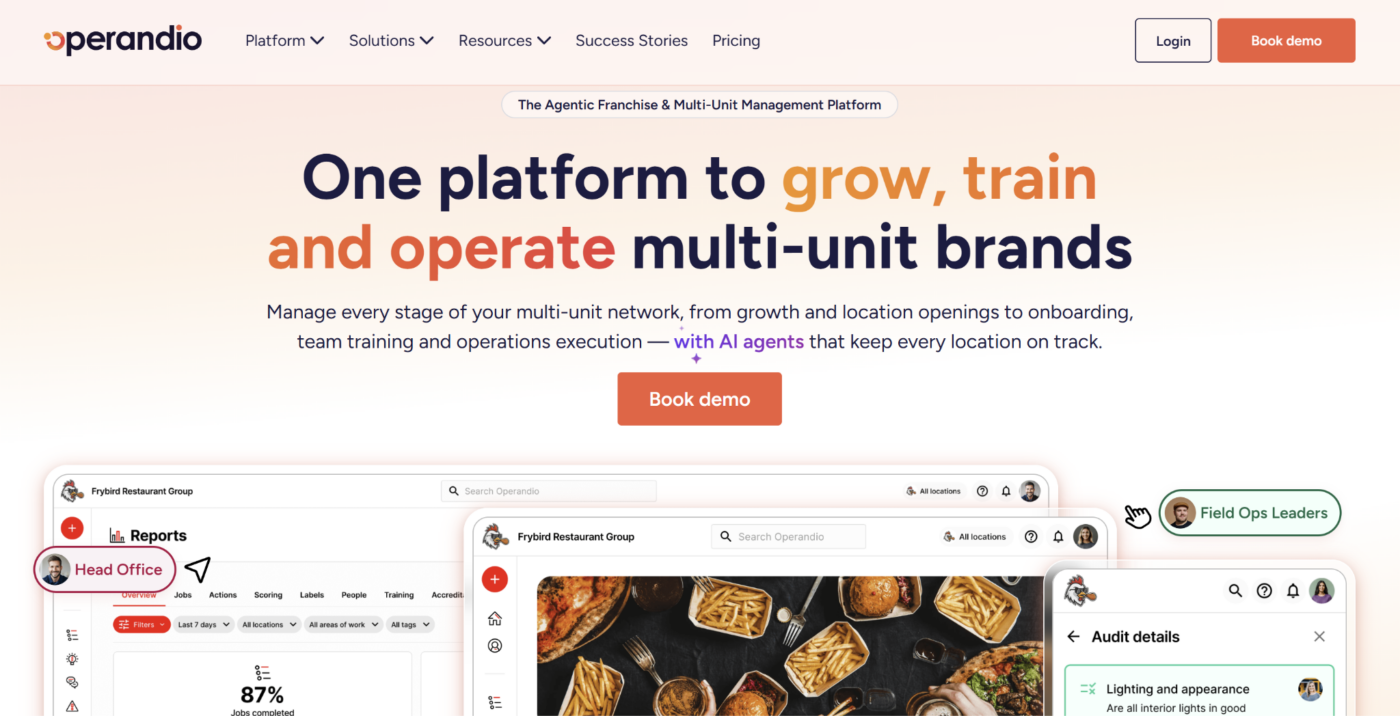
Operandio is an AI-powered operations platform for franchise and multi-unit restaurant businesses. It connects head office standards with inspections, recurring tasks, food-safety controls, employee communication, and reporting across locations.
Its franchise and multi-unit management capabilities suit restaurant groups that need to see whether work was completed, identify exceptions, and confirm follow-up without relying on paper or disconnected point solutions. Unlike accounting-led or POS-led platforms, Operandio focuses on automating the operating layer between head office and frontline teams.
Key Features
Operandio’s restaurant automation capabilities cover the full operational cycle: set the standard, guide daily execution, detect problems, assign action, communicate changes, and surface network-wide trends.
Inspections And Audits
Operandio’s Inspections & Audits digitizes recurring checks for food safety, brand standards, cleaning, facilities, and wider restaurant operations.
Head office can create standardized templates and schedule them by location, role, or frequency. Employees capture scores, photos, notes, timestamps, and supporting evidence through mobile or shared devices.
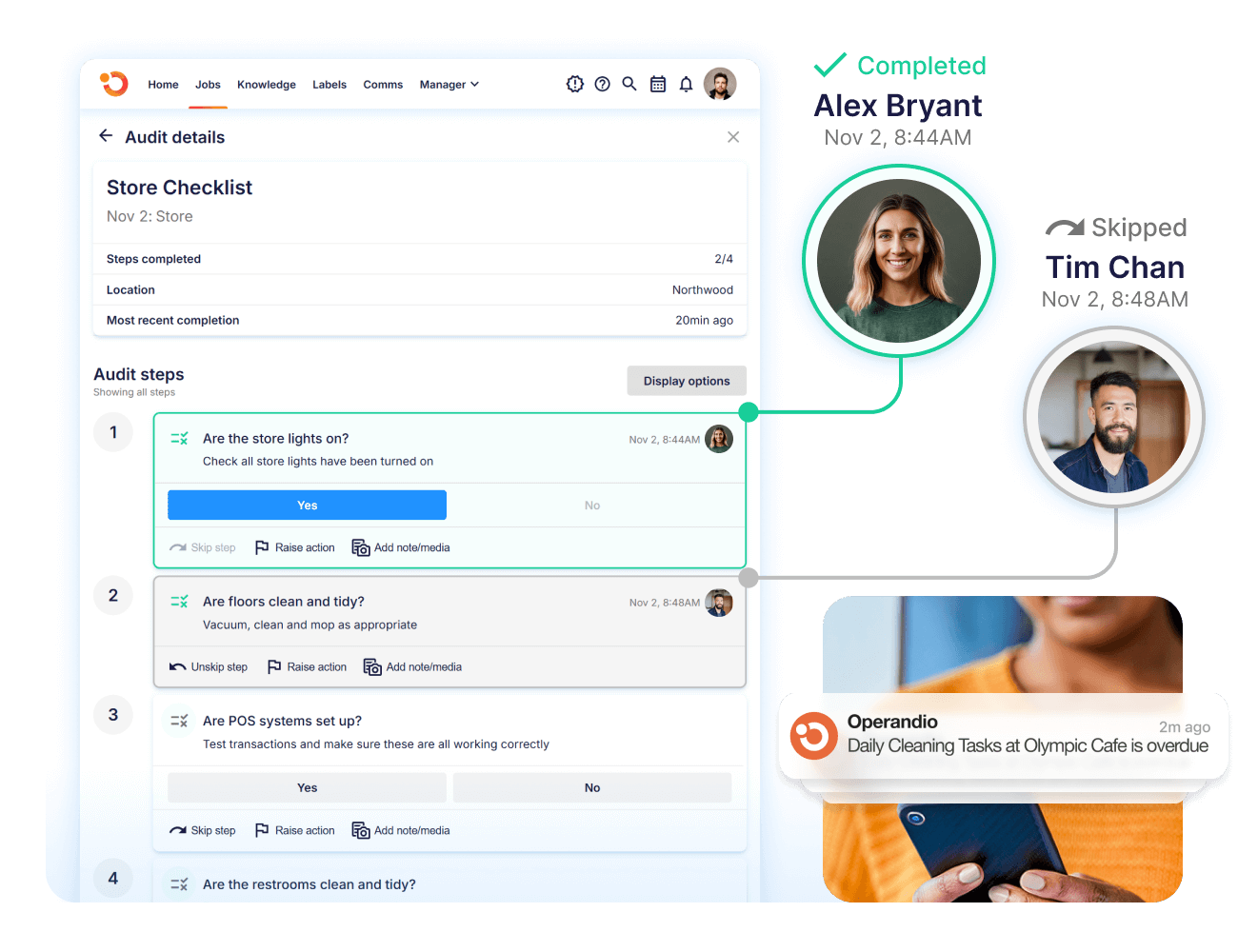
Conditional logic adjusts the inspection as employees complete it, so questions appear only when relevant. Leaders can then compare results across restaurants instead of manually consolidating separate forms and spreadsheets.
This gives restaurant groups consistent inspection data while preserving a clear record of who completed each check and when.
Task Management And Corrective Actions
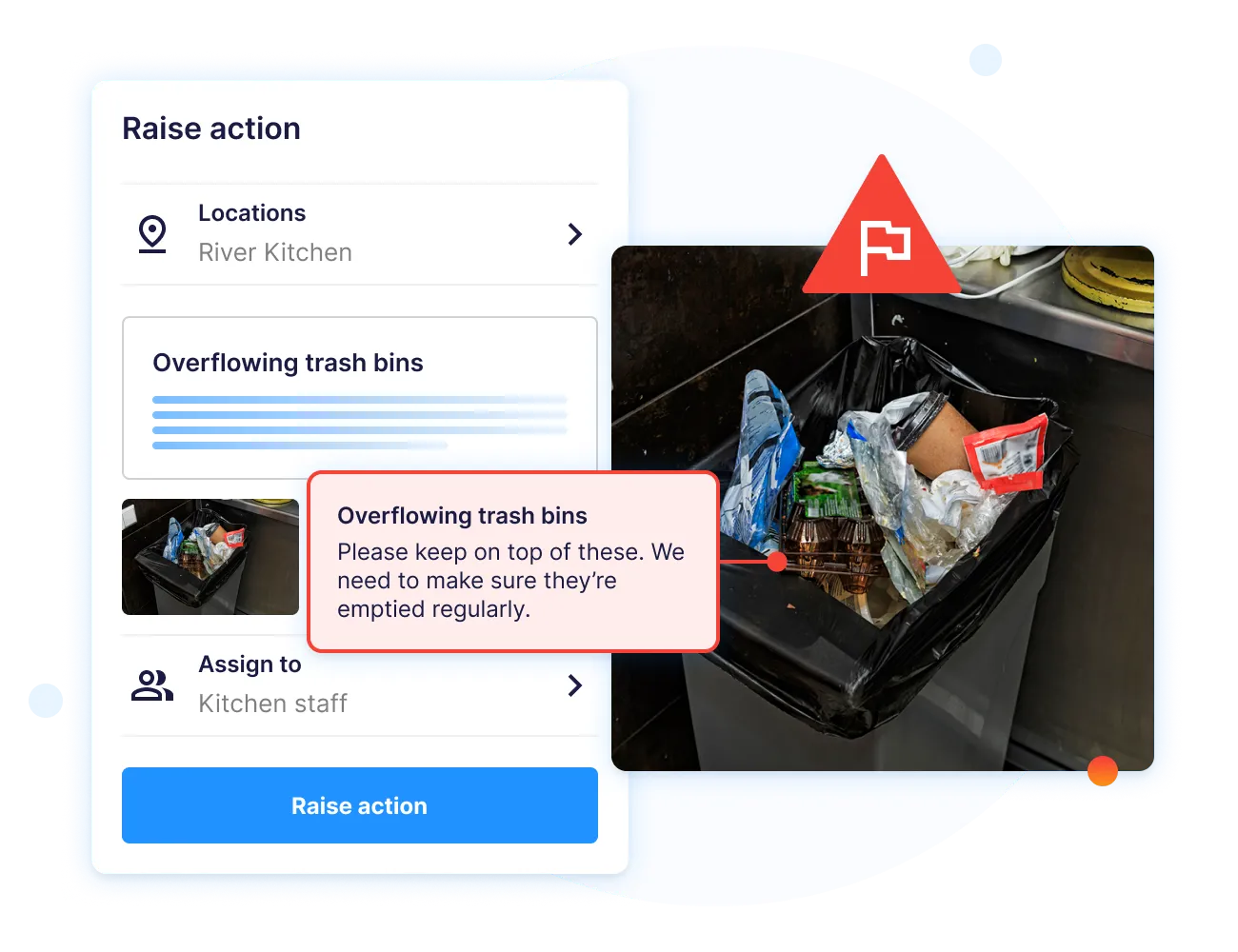
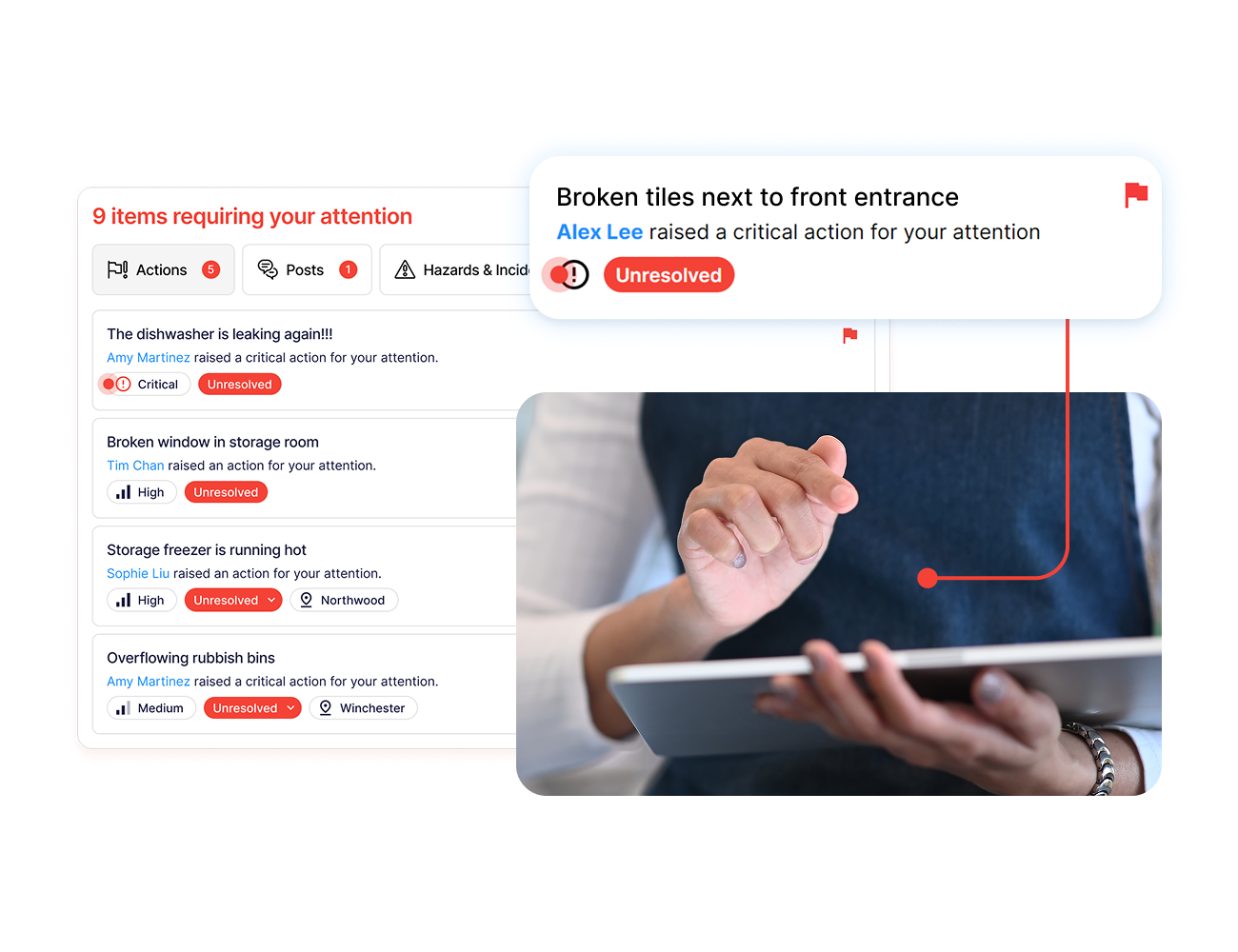
Operandio’s Task Management turns identified issues into assigned work.
Tasks can be generated from inspections, incidents, hazards, asset problems, training gaps, or connected sensor alerts. Each action receives an owner, deadline, instructions, and required evidence.
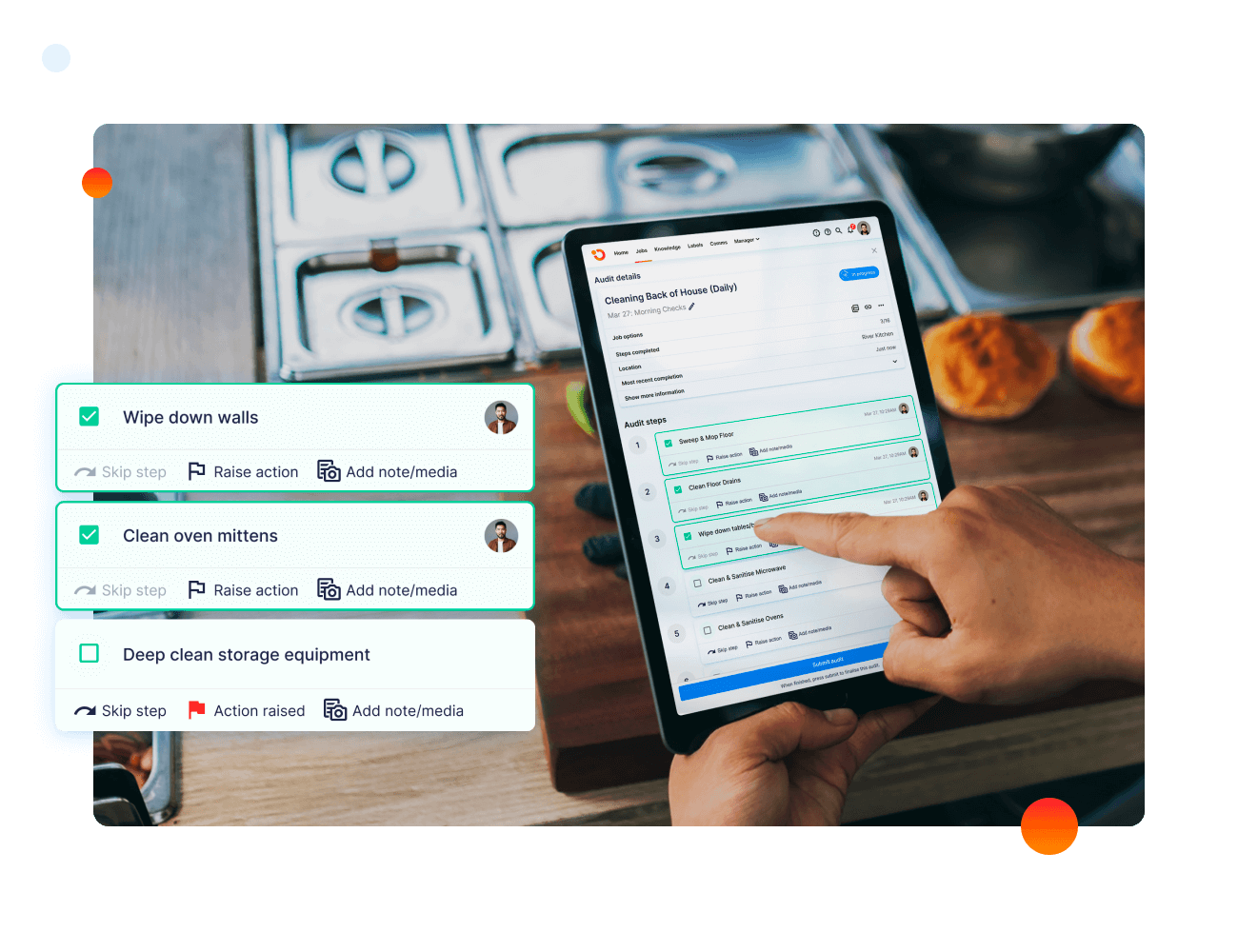
Managers can monitor progress, escalate overdue work, and confirm that the underlying issue was resolved. For example, a failed cleaning check can create a corrective task for the location manager instead of remaining buried inside an inspection report.
This closes the gap between identifying a problem and proving that someone addressed it.
Digital Food Safety And Temperature Monitoring
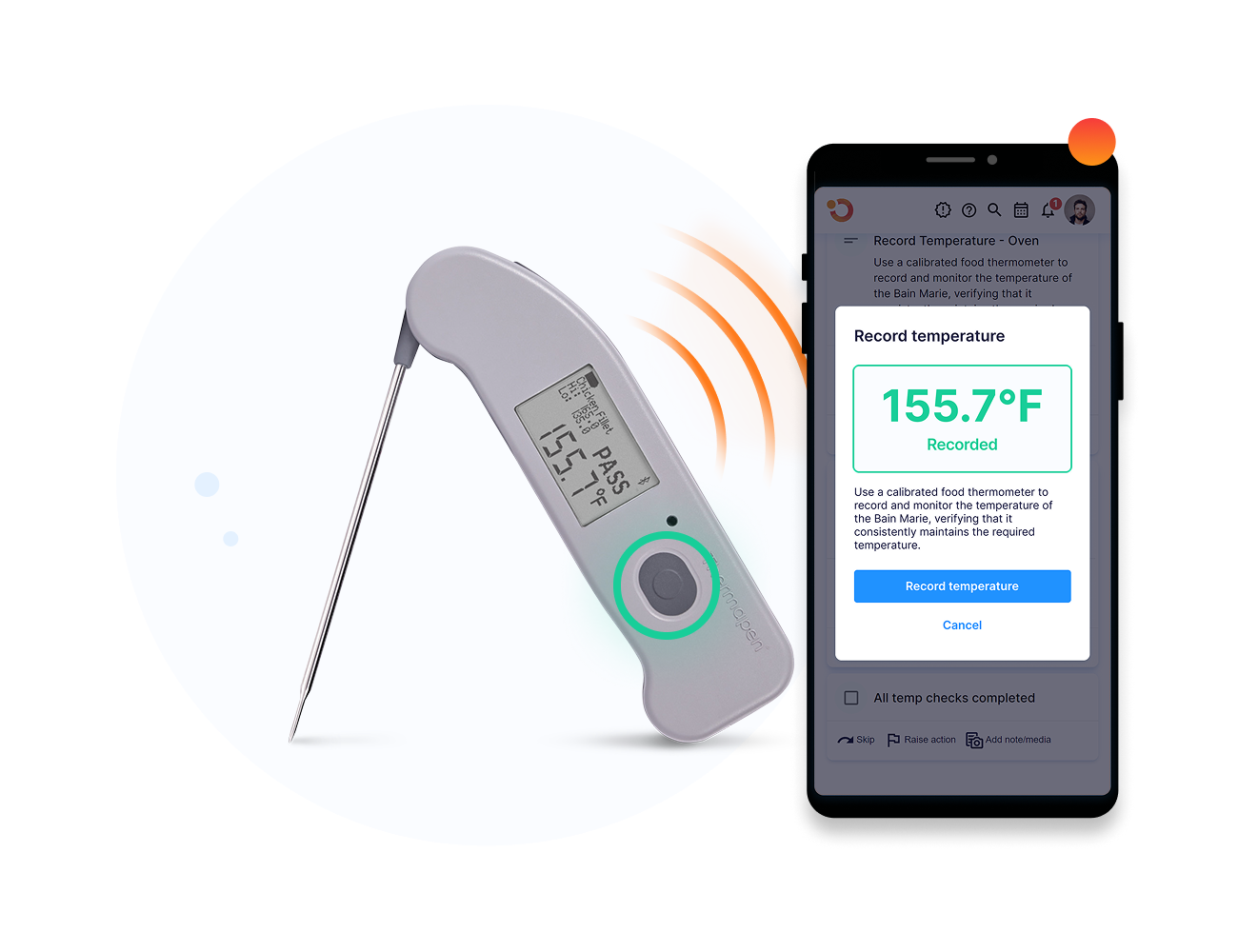
Operandio’s Digital Food Safety tools replace paper records with guided workflows for preparation, cooking, cooling, sanitation, storage, and other Hazard Analysis and Critical Control Point procedures.
Bluetooth probes transfer readings directly into the system, reducing manual entry. Food-safety records remain searchable and exportable for internal reviews or inspections.
Its separate automated temperature monitoring capability uses wireless sensors to track refrigerators, freezers, cold rooms, and other equipment continuously.
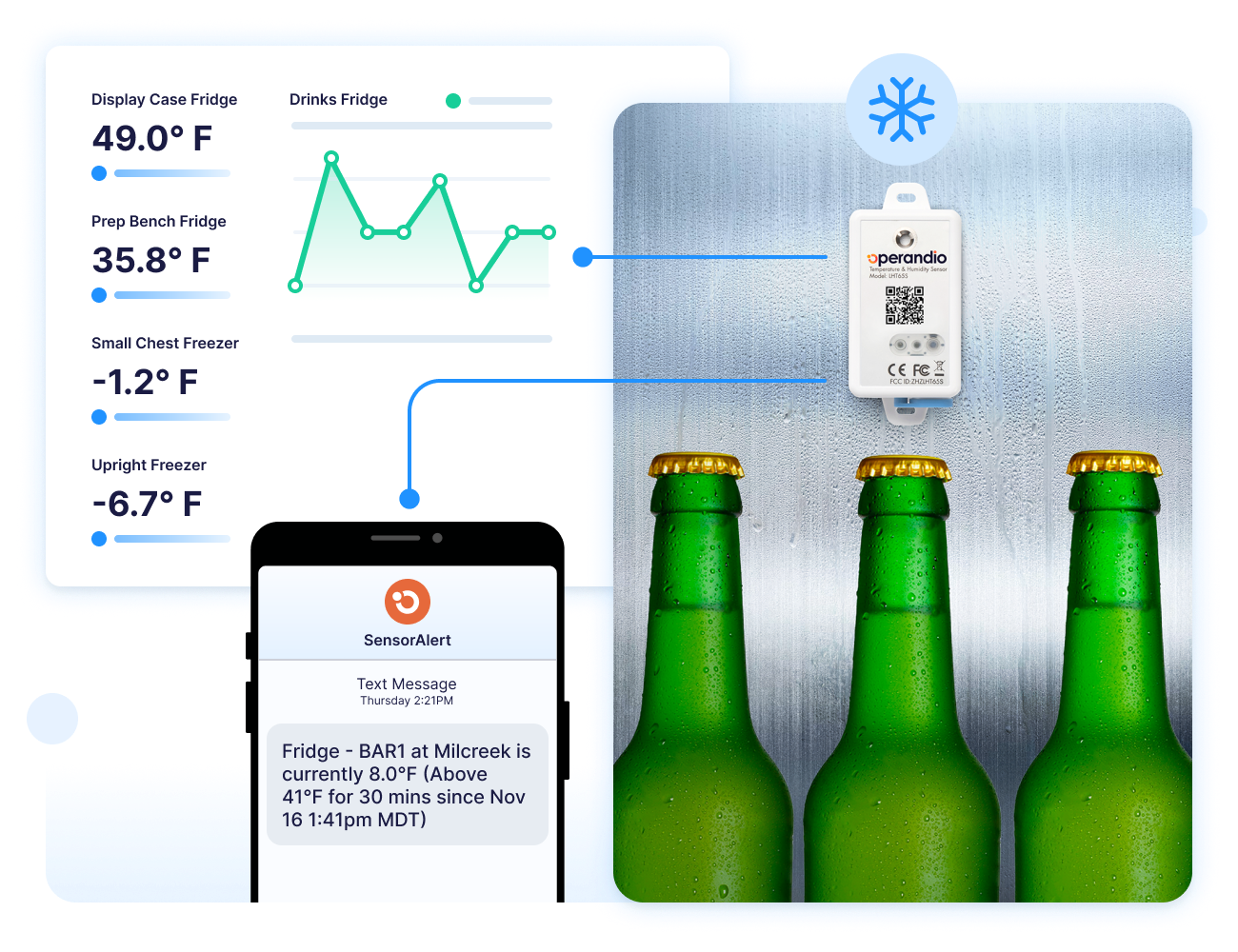
When a reading moves outside the accepted range, Operandio alerts the relevant team and records the response. Employees still decide how to protect the food and equipment, but the system reduces the delay between the deviation and corrective action.
Employee Communication And Automated Campaigns
Operandio’s Employee Communication features help restaurant groups send targeted updates by location, role, team, or brand.
Head office can schedule campaigns, issue reminders, require acknowledgments, and track who has read each message. Communications can also direct employees to the related task, procedure, document, or training.
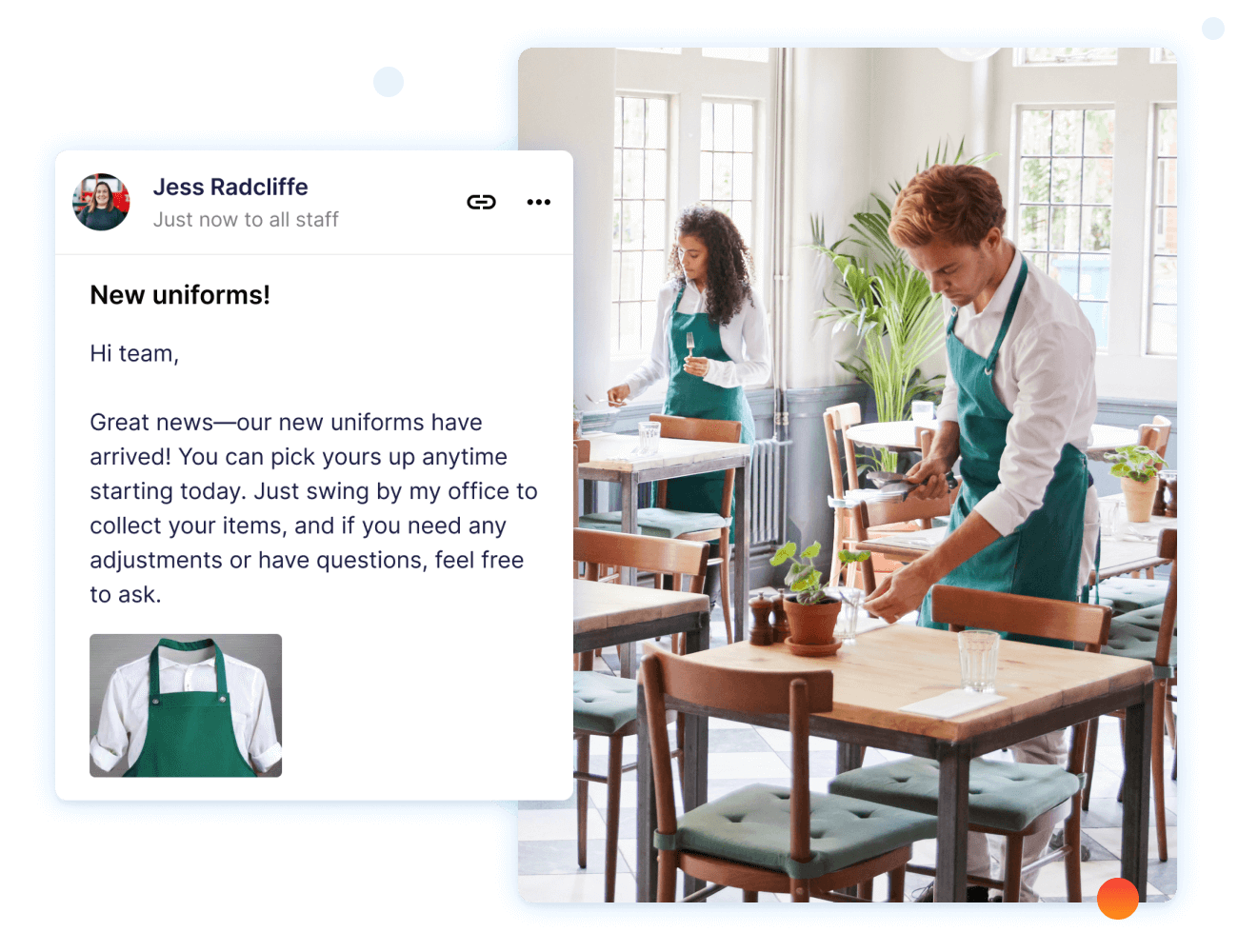
This gives operational updates a clearer path to action. A revised allergen procedure, for example, can reach the affected roles, require confirmation, and link directly to the approved instructions.
It also reduces the risk of important changes being lost inside general group chats or communicated differently by each manager.
AI-Powered Reporting And Multi-Location Oversight
Operandio’s AI-powered tools help leaders interpret information collected through inspections, tasks, incidents, training, and food-safety processes.
Dashboards help head office easily compare completion, performance, recurring failures, and emerging risk patterns across locations, regions, or brands.
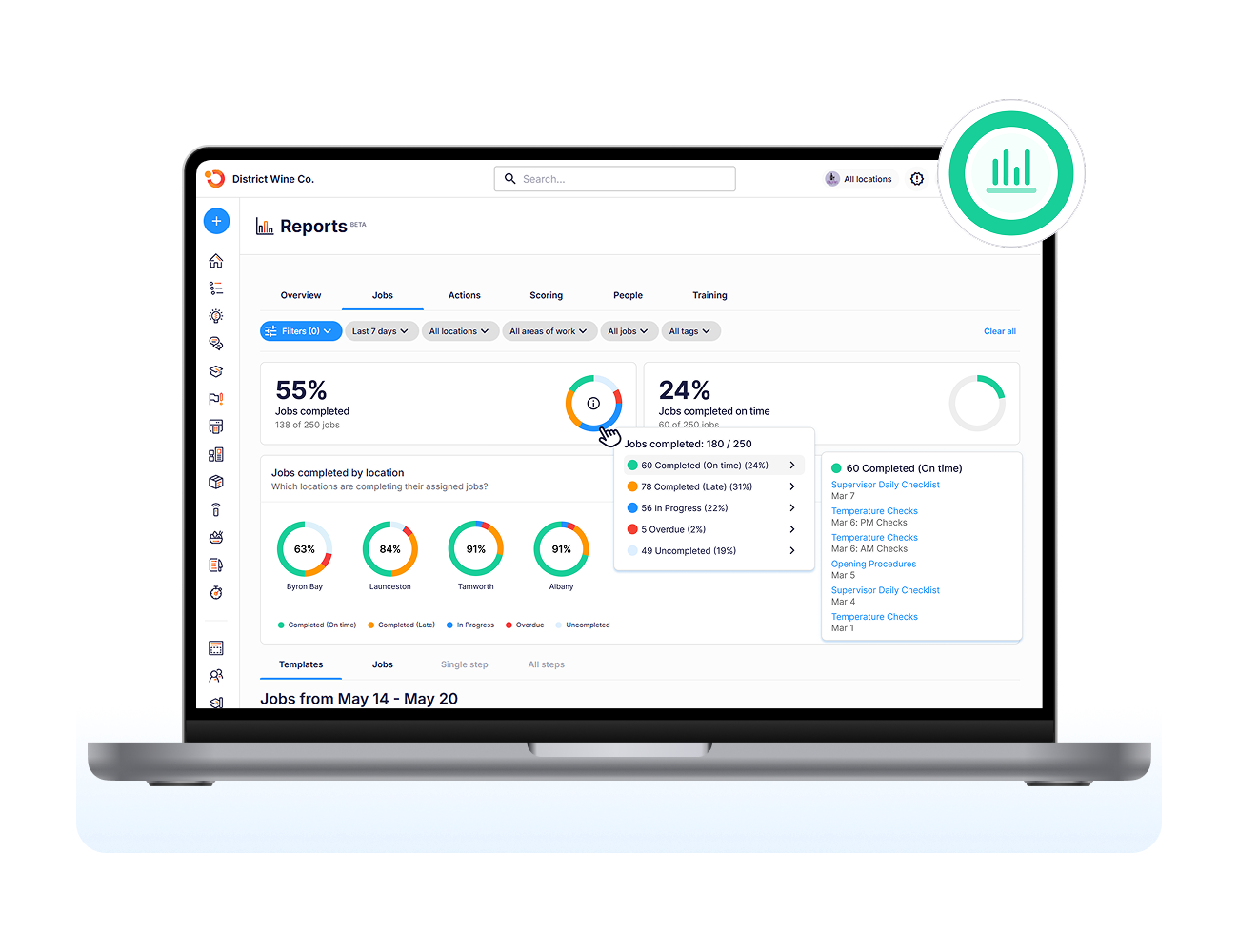
Head office can use these insights to prioritize coaching, revise procedures, or investigate locations where the same issue keeps returning.
The platform also connects with business intelligence tools like Tableau and Power BI when restaurant groups need to combine operational information with wider enterprise reporting.
Pricing
| Plan | Pricing |
|---|---|
| All Plans | Custom |
Where Operandio Shines
- Connects detection with resolution: Operandio moves an issue from identification to assigned action, escalation, evidence, and confirmed closure.
- Gives head office actionable visibility: Leaders can identify overdue work, compare locations, and see where recurring problems require intervention.
- Consolidates connected workflows: Multi-unit groups can bring inspections, tasks, food safety, communication, training, and reporting into one operating layer.
Where Operandio Falls Short
- More than what a small restaurant may require: A single location seeking only a basic POS, scheduling tool, or checklist app may not need its network controls and broader feature set.
- Requires a structured rollout: Configuring roles, locations, templates, permissions, and escalation rules takes more planning than adopting a lightweight point solution.
Customer Reviews
Flagship Restaurant Group moved tasks, inspections, food-safety records, training, and reporting into Operandio and used its automation capabilities across more than 50 locations. The group reports stronger consistency, fewer manual errors, and clearer leadership visibility.
“Transitioning from one platform to another is difficult, but the Operandio team made it easy and helped the entire way,” says Brandon V., Director of Purchasing.
Abacus Dining Group replaced spreadsheets, paper records, and fragmented communication across its venues with centralized workflows and reporting.
“The reporting access has been a game-changer for our verifiers, saving them at least an hour during onsite visits,” explains Mauro O., Head of Operations.
Who Operandio Is Best For
- Franchise and multi-unit restaurant groups: Businesses that need to distribute standards and track execution across several locations.
- Operations and compliance leaders: Teams replacing paper forms, fragmented communication, reactive reporting, and disconnected workflow tools.
- Food-safety teams: Restaurant groups that need digital records, continuous monitoring, inspection workflows, and corrective-action history.
Explore Operandio’s restaurant management software to see how these capabilities support daily restaurant operations.
Restaurant365: Best For Restaurant Accounting And Back-Office Automation
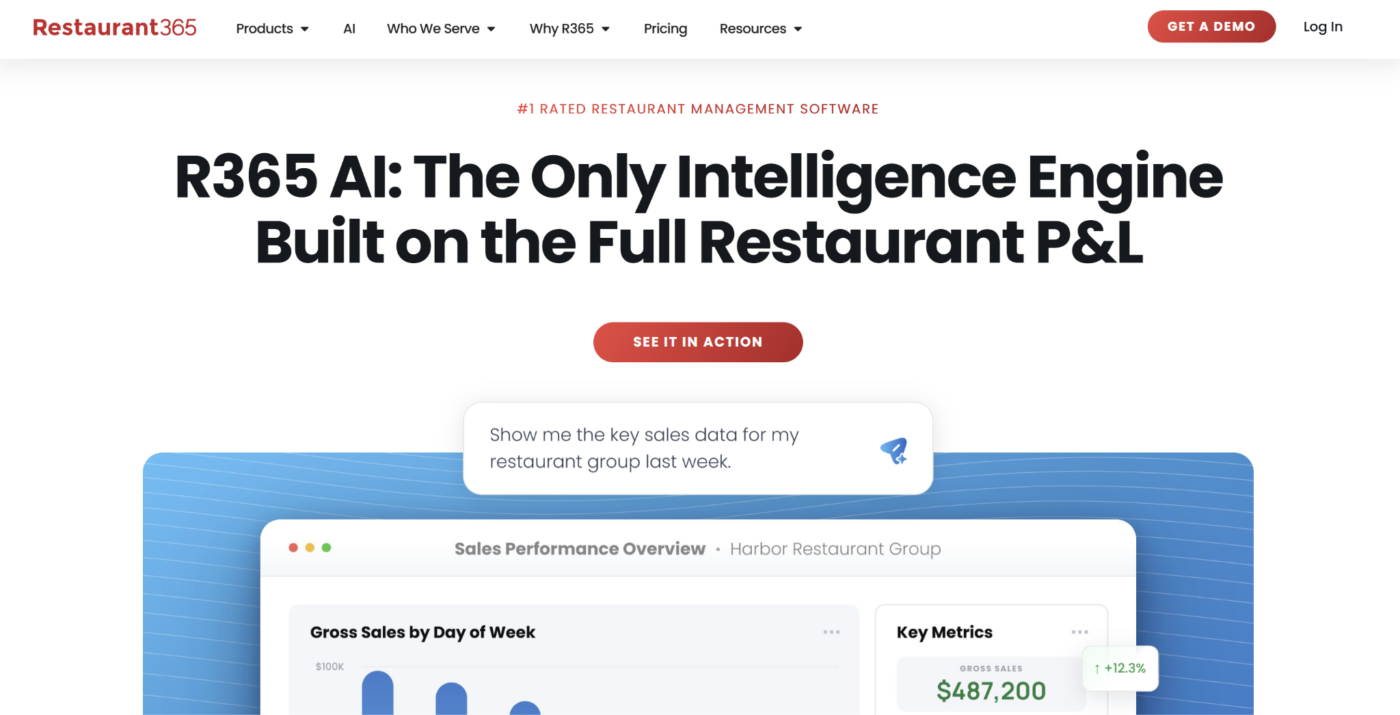
Restaurant365 connects restaurant accounting with inventory, purchasing, workforce management, payroll, and reporting. It is best suited to operators whose main automation priorities involve financial processes, food and labor costs, and back-office visibility.
Key Features
Accounting And Accounts Payable
Restaurant365 connects POS, bank, vendor, and accounting data. Its tools cover general-ledger management, invoice processing, reconciliation, budgeting, and financial reporting across locations.
Inventory And Purchasing
Restaurants can manage counts, recipes, transfers, purchasing, receiving, prep, waste, and food-cost information. The shared data helps teams compare expected and actual usage.
Workforce Management
Restaurant365 also supports scheduling, sales forecasting, employee communication, training, time and attendance, payroll, and HR workflows within its wider platform.
Pricing
| Plan | Pricing |
|---|---|
| All Plans | Pricing available on request |
Where Restaurant365 Shines
- Strong financial depth: Restaurant-specific accounting, inventory, purchasing, and workforce data share one environment.
- Broad back-office coverage: The platform reduces repeated reconciliation between restaurant, vendor, bank, and labor systems.
Where Restaurant365 Falls Short
- Time-consuming configuration: Its breadth and customization create a more involved implementation process than narrower tools.
- Complexity for smaller operators: Independent restaurants with simple accounting or inventory needs may find the platform heavier than necessary.
Customer Reviews
“Once you truly decide to adopt the software, and adjust your practices accordingly, the software will meet or exceed the expectations set forth,” Terry B., Director of Information Technology
“When we first got on board with Restaurant365, we were told that it would be a seamless operation between payroll and Restaurant365, and it hasn’t quite worked out that way. It needs more integrations and continuing to grow that side of the platform,” Kayla T., Chief People Officer
Who Restaurant365 Is Best For
- Finance-led restaurant groups: Operators prioritizing accounting, accounts payable, inventory, and consolidated financial reporting.
- Businesses controlling food and labor costs: Restaurants that want purchasing, recipes, sales forecasts, schedules, and financial results connected.
Lightspeed Restaurant: Best For POS, Ordering, And Payments
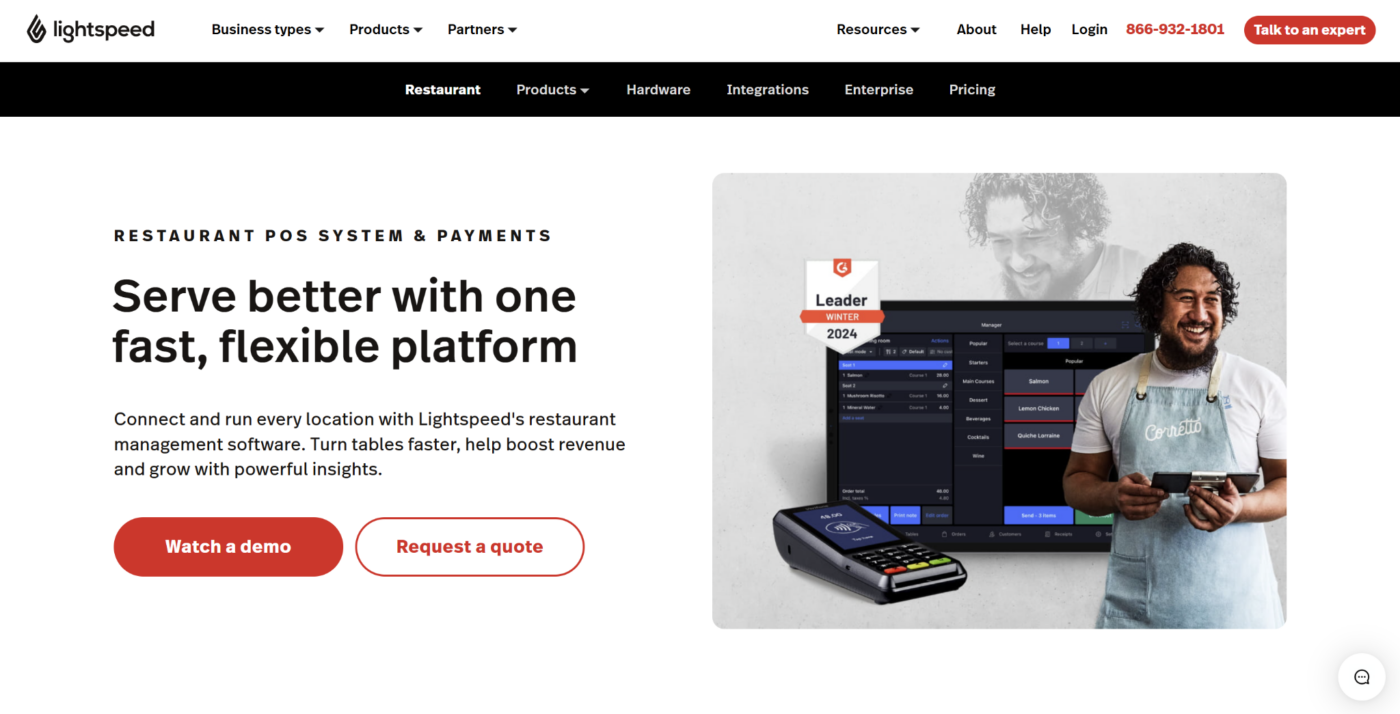
Lightspeed Restaurant is a cloud-based POS and restaurant commerce platform. Its main automation strengths cover order entry, online and contactless ordering, table service, payments, kitchen tickets, and sales reporting.
Key Features
POS And Ordering
Lightspeed supports customizable menus, modifiers, floor plans, tableside ordering, takeout, delivery, online ordering, and QR-based order-and-pay workflows.
Payments And Reconciliation
Integrated payments connect guest transactions with deposit and reconciliation information. Restaurants can manage several payment and order types within the same environment.
Kitchen And Performance Tools
The Kitchen Display System routes tickets to kitchen screens and tracks preparation progress. Lightspeed also provides sales insights, inventory options, mobile reporting, and multi-location management.
Pricing
| Plan | Pricing |
|---|---|
| Starter | $69/month |
| Essential | $189/month |
| Premium | $399/month |
| Enterprise | Custom |
| Kitchen Display System Add-On | $30/screen/month |
Where Lightspeed Restaurant Shines
- Strong guest-transaction workflows: Ordering, payments, takeout, delivery, and kitchen tickets operate within one POS ecosystem.
- Supports different service formats: The platform covers cafés, bars, full-service restaurants, hotels, and multi-location operators.
Where Lightspeed Restaurant Falls Short
- Add-ons increase the total cost: Reservations, advanced inventory, delivery integrations, and other capabilities depend on the selected package.
- Limited operational-compliance depth: Restaurants need additional systems for advanced inspections, food-safety controls, training, and corrective action.
Customer Reviews
“Easy to use, easy to set up, abundantly integrated with additional services,” Sandstone G.
“You can’t enter new products on the fly, to do this you need to sign into the back end and sometimes there’s a lag before it appears in the menu. Also, since it’s a bit more complex than other POS systems the learning curve is a bit high for some users,” Astrid Y.
Who Lightspeed Restaurant Is Best For
- Restaurants modernizing their POS: Businesses focused on faster ordering, table management, kitchen tickets, and integrated payments.
- Operators building a modular commerce stack: Restaurants willing to add ordering, inventory, reservations, and other capabilities as required.
How To Choose A Restaurant Automation System
Choose a platform based on the workflow you need to improve, the employees who will use it, and the action that should follow when something goes wrong. A long feature list does not guarantee a strong operational fit.
Identify The Workflow You Need To Automate
Start with a specific process rather than a broad goal such as “improve efficiency.”
Ask where managers and employees repeatedly lose time, miss steps, or transfer information by hand. The starting point could be temperature records, opening checks, invoice entry, order routing, stock counts, or location reporting.
Document the trigger, required action, owner, deadline, and desired result. Then decide how you will measure improvement.
Pro Tip: Begin with one high-frequency workflow that has a visible time or failure cost. Prove that the process works before adding more automation.
Check Whether The System Closes The Loop
A platform should do more than digitize a form or send an alert. Check what happens after the system identifies an exception.
A closed-loop workflow should:
- Notify the correct person
- Assign responsibility
- Set a deadline
- Escalate overdue action
- Collect evidence
- Confirm closure
- Preserve a record for reporting
For example, automated food-safety inspections should connect a failed check with corrective action instead of leaving the result inside a completed form.
Operandio helps turn issues into structured workflows with clear ownership, deadlines and full visibility. It lets your team automatically create action items from inspections, incidents, and failed tasks to ensure problems are resolved quickly and consistently every time.
Test Frontline Usability
Restaurant employees will often use the system during service, food preparation, cleaning, or shift changes. Test the platform in those conditions rather than relying only on a sales demonstration.
Look at:
- Mobile and shared-device access
- Number of steps required
- Page-load speed
- Offline capability
- Role-based views
- Language and accessibility options
- Ease of capturing photos or evidence
- Time required to train employees
Ask frontline employees and location managers to test a real workflow. Their experience will reveal friction that head office may miss.
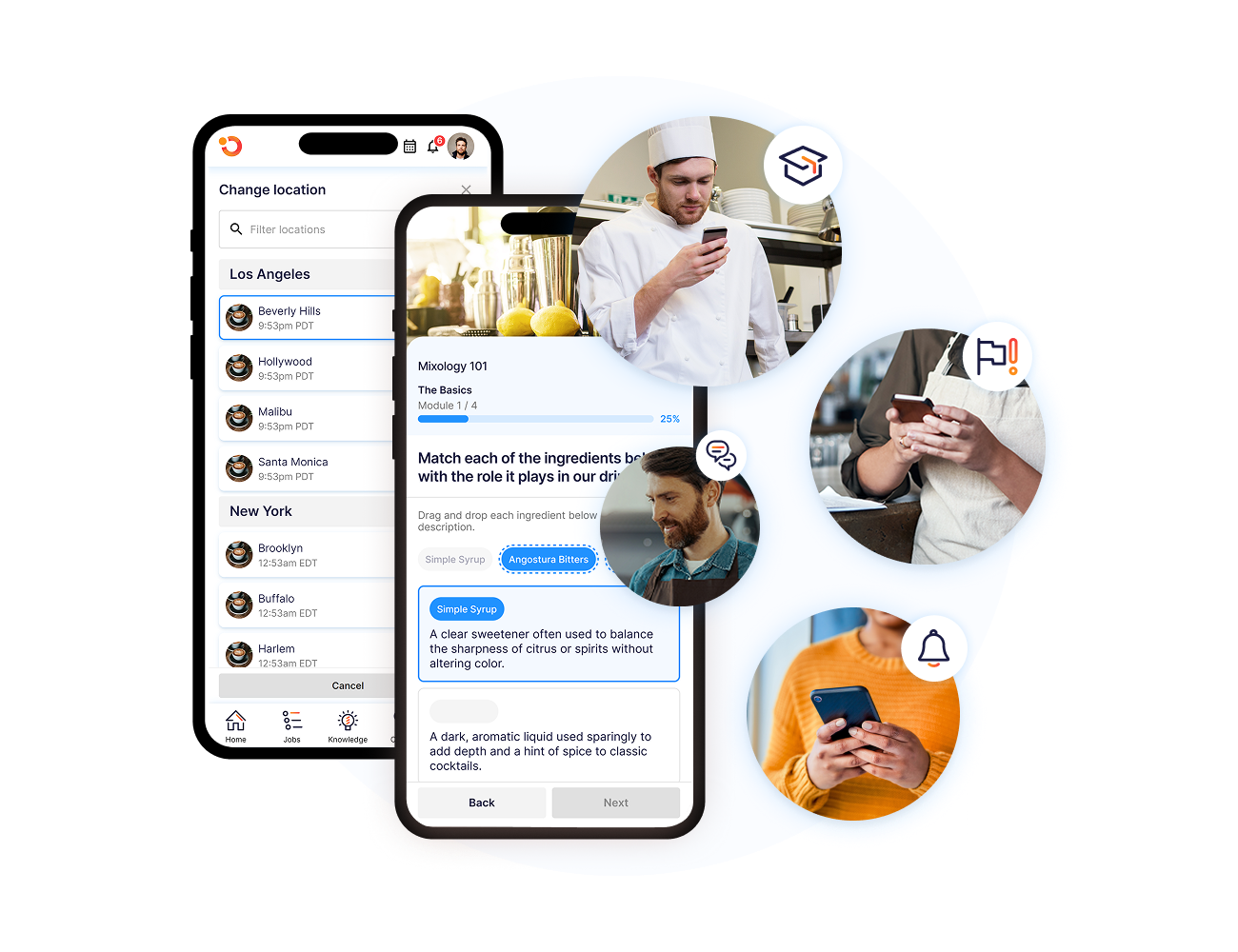
Operandio’s mobile and shared tablet app gives your restaurant staff fast, secure access to daily tasks, training, documents, and communications on the go.
Review Integrations And Data Flow
List the systems that already hold important restaurant information, including your POS, accounting platform, payroll provider, supplier tools, delivery channels, sensors, and reporting software.
Then confirm:
- Whether a native integration exists
- Which data moves in each direction
- How often the information updates
- Who supports the connection
- What happens if it fails
- Whether you can export your data
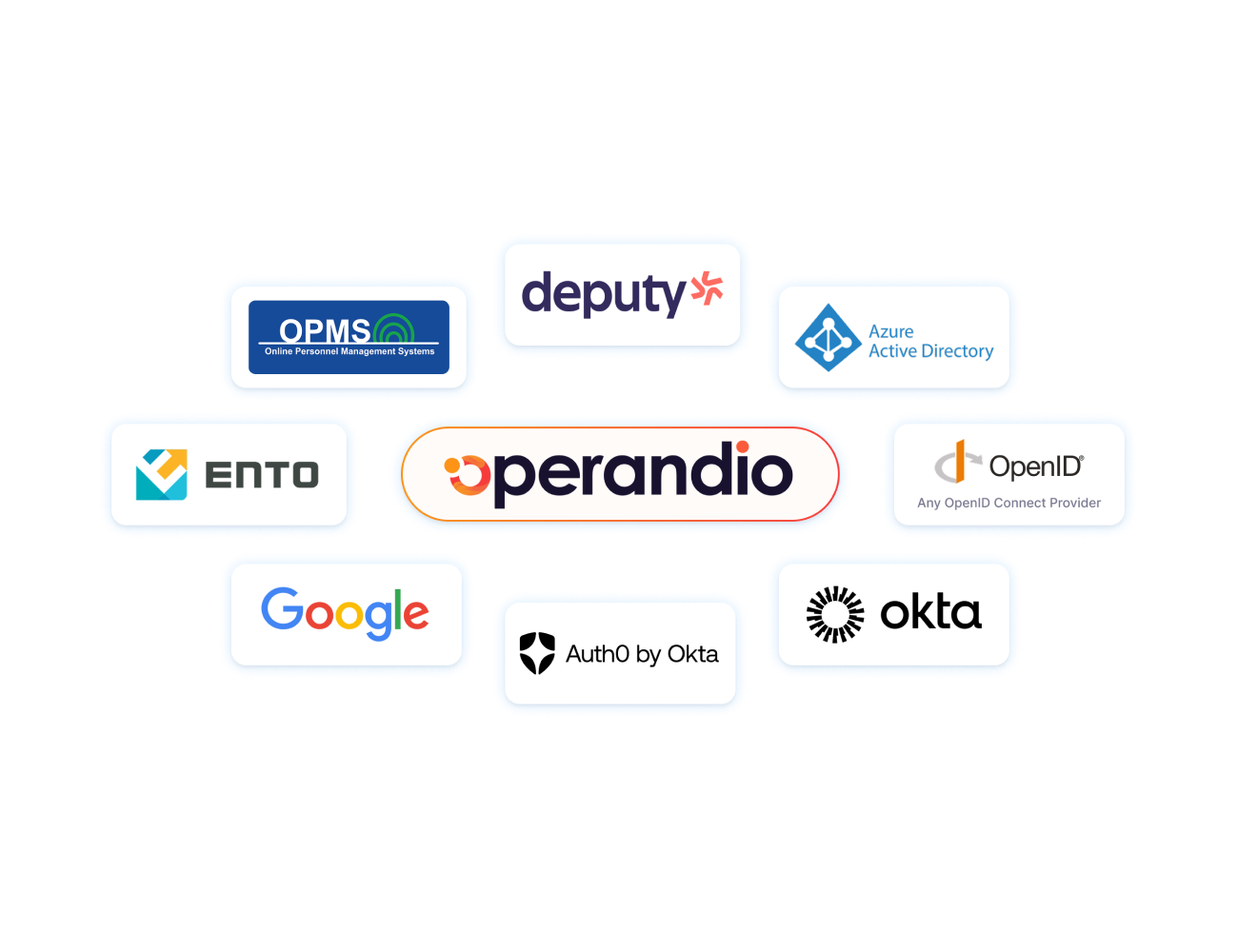
Operandio supports system integrations for restaurant groups that need operational workflows to exchange information with their wider technology stack.
Assess Multi-Location Controls And Reporting
Single-location access is different from managing standards across a restaurant network. Multi-unit groups should look for:
- Central templates
- Brand, region, and location groups
- Role-based permissions
- Local exceptions where required
- Version control
- Consolidated dashboards
- Location comparisons
- Escalation rules
- Complete audit trails
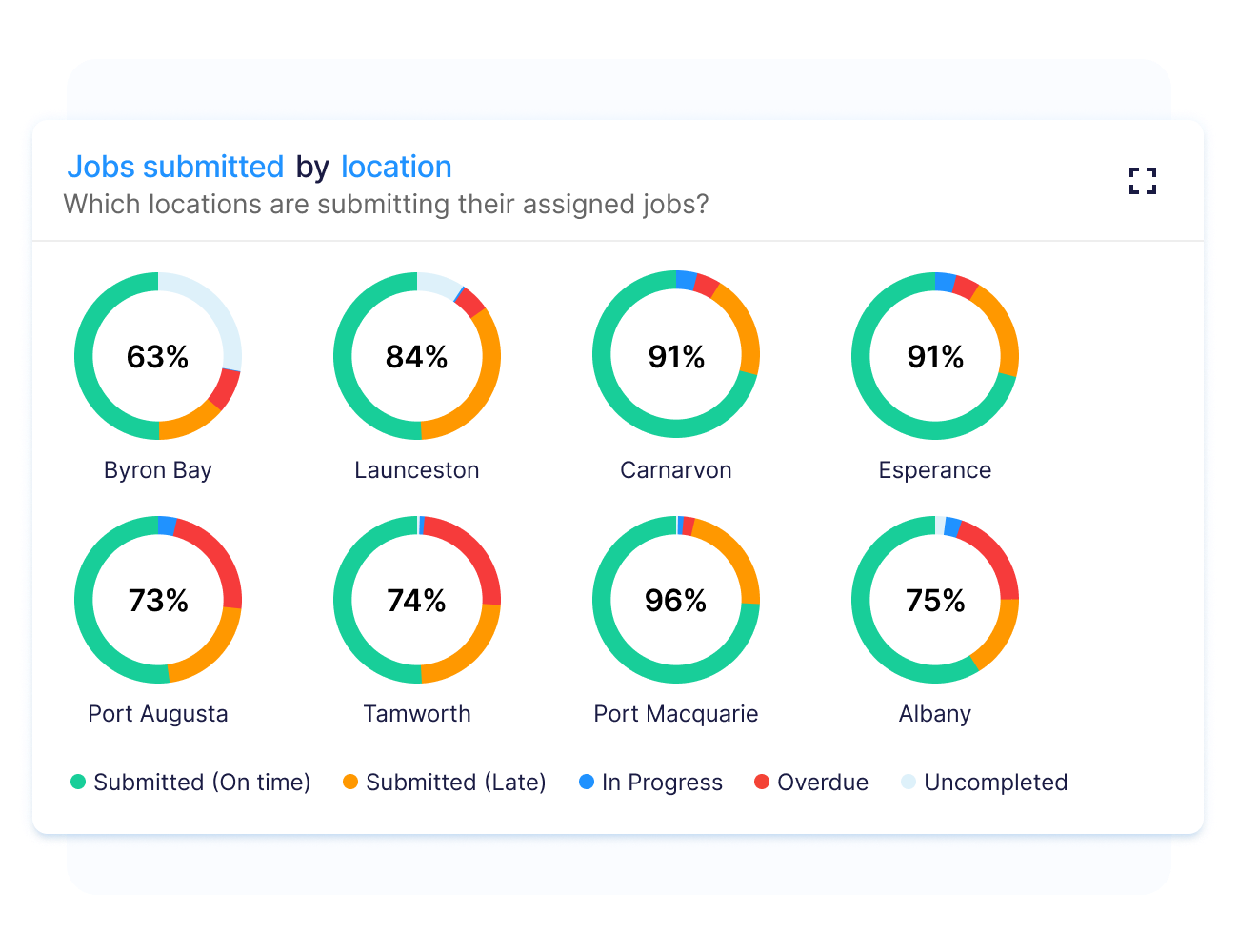
The platform should show where action is required instead of forcing leaders to review every location separately.
Operandio’s approach to restaurant analytics and reporting combines location-level results with network-wide visibility.
Check Whether The Platform Supports Your Standards
Automation only works when the underlying process is clear.
Before implementation, review whether your operating procedures define the correct owner, sequence, evidence, deadline, and escalation route. Automating a vague or inconsistent process makes the same confusion happen faster.
Choose a platform that lets you apply shared restaurant standards while controlling which procedures, tasks, and information each role or location receives.
Compare Implementation, Support, And Total Cost
The subscription price is only one part of the investment. Consider other costs, including:
- Hardware
- Sensors and devices
- Payment-processing fees
- Add-ons
- Integrations
- Data migration
- Configuration
- Employee training
- Ongoing support
- Internal rollout time
Ask the vendor for a clear implementation plan, named responsibilities, support arrangements, and estimated milestones. Pilot the system in a small group of representative locations before expanding it across the network.
Simplify Restaurant Operations At Every Location With Operandio
Restaurant automation delivers the strongest results when it connects standards, daily work, exception handling, and reporting.
Operandio gives franchise and multi-unit restaurant teams one AI-powered operating platform for inspections, task management, food safety, communication, training, and network-wide oversight. Head office gains visibility into execution, while location teams receive clear instructions and follow-up during daily work.
If your restaurant group is replacing paper processes, disconnected tools, and reactive reporting, request a demo to see how Operandio works across locations.
FAQs
Will A Restaurant Automation System Replace My Staff?
No. Restaurant automation handles repetitive work and alerts, while employees remain responsible for hospitality, judgment, supervision, and problem-solving.
Can Small Or Independent Restaurants Benefit From Automation?
Yes. Small restaurants can automate high-frequency tasks, but they should choose focused tools that match their scale and operational complexity.
How Long Does It Take To Implement A Restaurant Automation System?
It depends. A simple tool may take days, while multi-location platforms with integrations, hardware, and custom workflows require a phased rollout.
Does Restaurant Automation Require New Hardware?
Sometimes. Software workflows may run on existing devices, while sensors, kiosks, kitchen displays, or connected equipment require additional hardware.
Who Should Lead A Restaurant Automation Rollout?
Usually, an operations leader should own the rollout with input from IT, finance, compliance teams, managers, and frontline employees.