




Key Takeaways
- Choose Operandio if you run a multi-unit or franchise restaurant network: Best restaurant communication app for targeted announcements and read confirmations you can export for audits.
- Choose 7shifts if most of your messages are about shift coverage: Best scheduling-first chat for restaurant teams that swap shifts and hand over through a manager log book.
- Choose Workvivo by Zoom if culture and recognition come first across your sites: Best employee experience platform for social-style news feeds and peer shout-outs.
- Choose Pebb if your staff still coordinate in personal messaging apps: Best frontline employee app for giving each location its own Space for chat and shifts.
- Choose Deputy if labor law compliance shapes every schedule you build: Best workforce management app for hourly teams that want messaging next to the schedule.
Only 47% of US employees strongly agree they know what’s expected of them at work, per Gallup’s second-quarter 2025 data. In a restaurant network, those expectations usually come through group chats and shift handovers with no record.
That’s why you need restaurant communication apps to send updates to the right crew and record who read them.
7 Best Restaurant Communication Apps: A Quick Overview
| Platform | Best For | Standout Features | Pricing Structure |
|---|---|---|---|
| Operandio | Multi-unit and franchise restaurant groups | Targeted announcements, campaign rollouts, exportable read receipts | Custom, based on locations or users and modules |
| 7shifts | Shift coverage and manager handoffs | Team chat, shift swaps with approval, Manager Log Book | Free Comp plan; paid plans from $39.99 per location per month, billed annually |
| Workvivo by Zoom | Culture and engagement across hospitality brands | Role-filtered feed, Zoom calls, Workvivo TV screens | Custom quote |
| Pebb | One Space per location for chat and shifts | Spaces, team chat, open shifts with clock-in | $2.50 to $4 per user per month |
| Deputy | Labor-compliant scheduling with built-in messaging | News Feed, schedule-synced messaging, shift swapping | From $5 per user per month |
| Slack | Head office and above-store managers | Channels, huddles, app integrations | Free plan; paid plans from $7.25 per user per month, billed annually |
| Trello | Food trucks and small crews | Boards, cards, due dates | Free for up to 10 collaborators; paid plans from $5 per user per month, billed annually |
Want to see a policy update reach every location with read confirmations attached? Book a demo, and we’ll walk through a rollout with Operandio.
1. Operandio: Best for Multi-Unit and Franchise Restaurants That Need Every Update Acknowledged
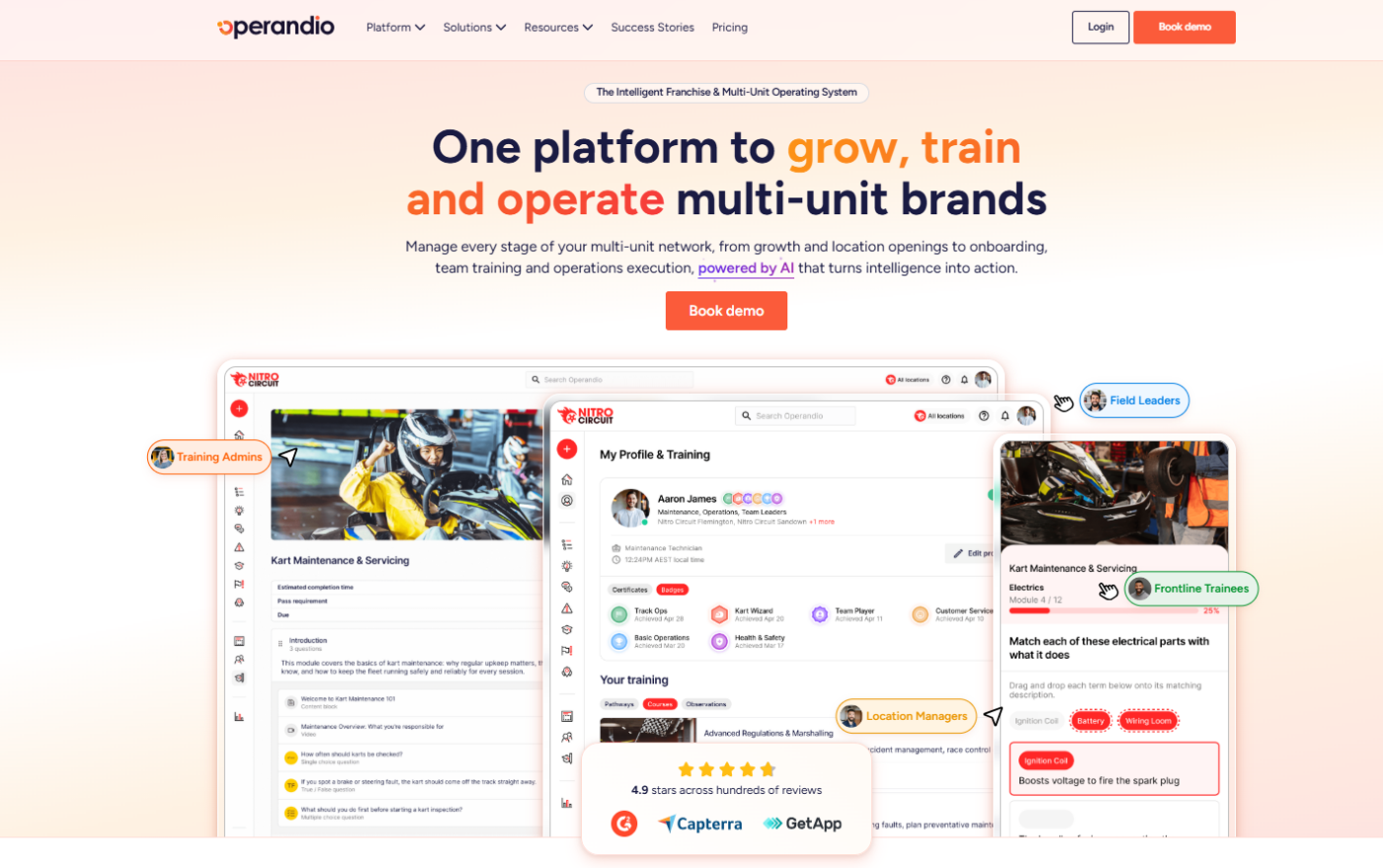
Operandio is an all-in-one frontline operations platform. It offers restaurant communication, where announcements land in the same app your crews open for checklists and food safety logs. That makes communication one less app to roll out across your multi-unit or franchise network.
Operandio Key Features
With Operandio’s Employee Communication features, messages go to staff phones or to a shared tablet at each location.
In shared tablet mode, Operandio logs each user out automatically and ties every action to the person signed in.
Targeted Announcements for Different Teams and Locations
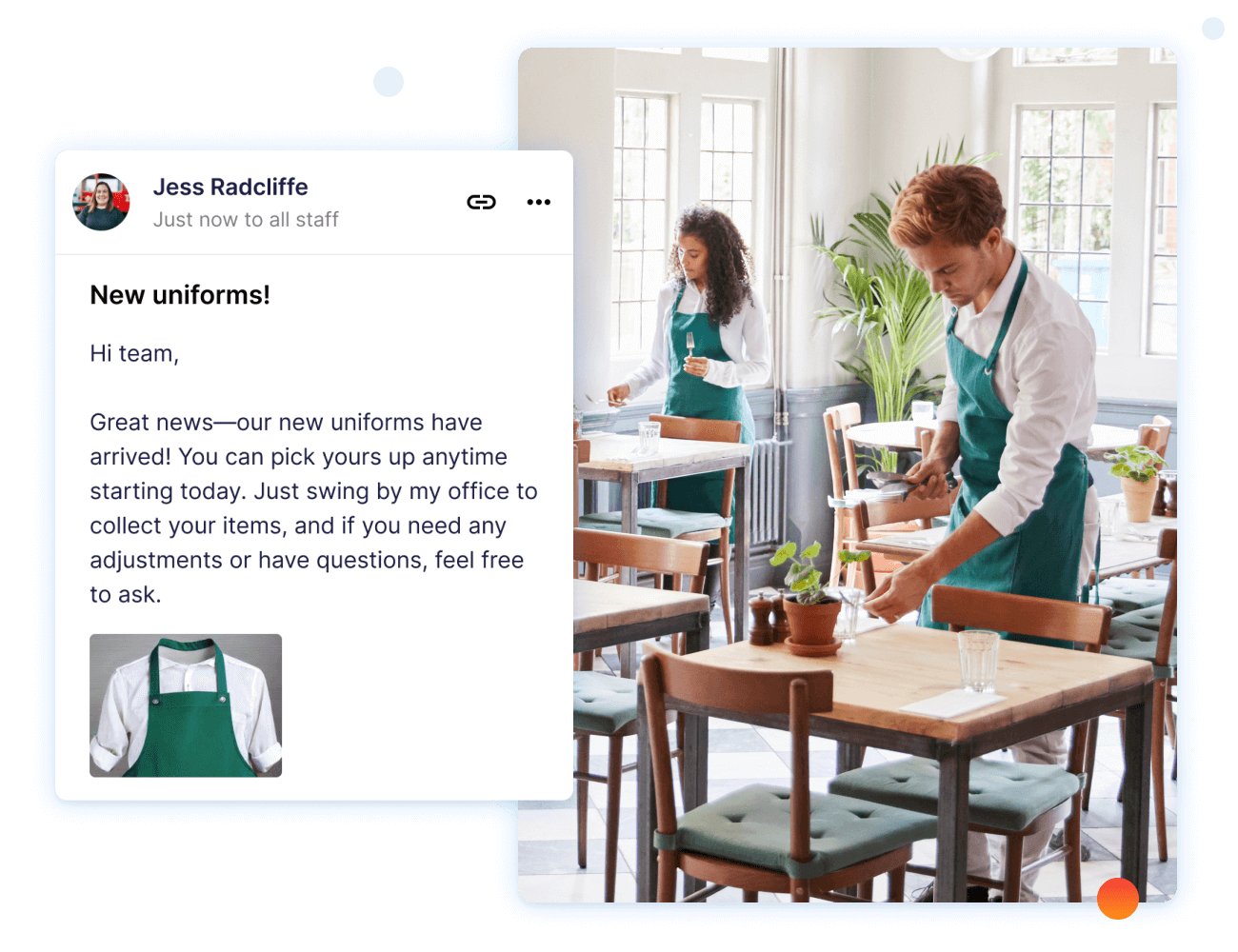
Operandio’s Employee Communication module sends each announcement to the locations and roles you choose. A menu change can go to every store, while a new fryer procedure goes to kitchen staff only.
Staff see the updates that apply to their location and role, so the critical ones don’t sink under the rest.
For multilingual crews, Multilingual AI translates announcements so every worker reads them in the language they understand best.
Campaign Rollouts for Launches and Policy Changes
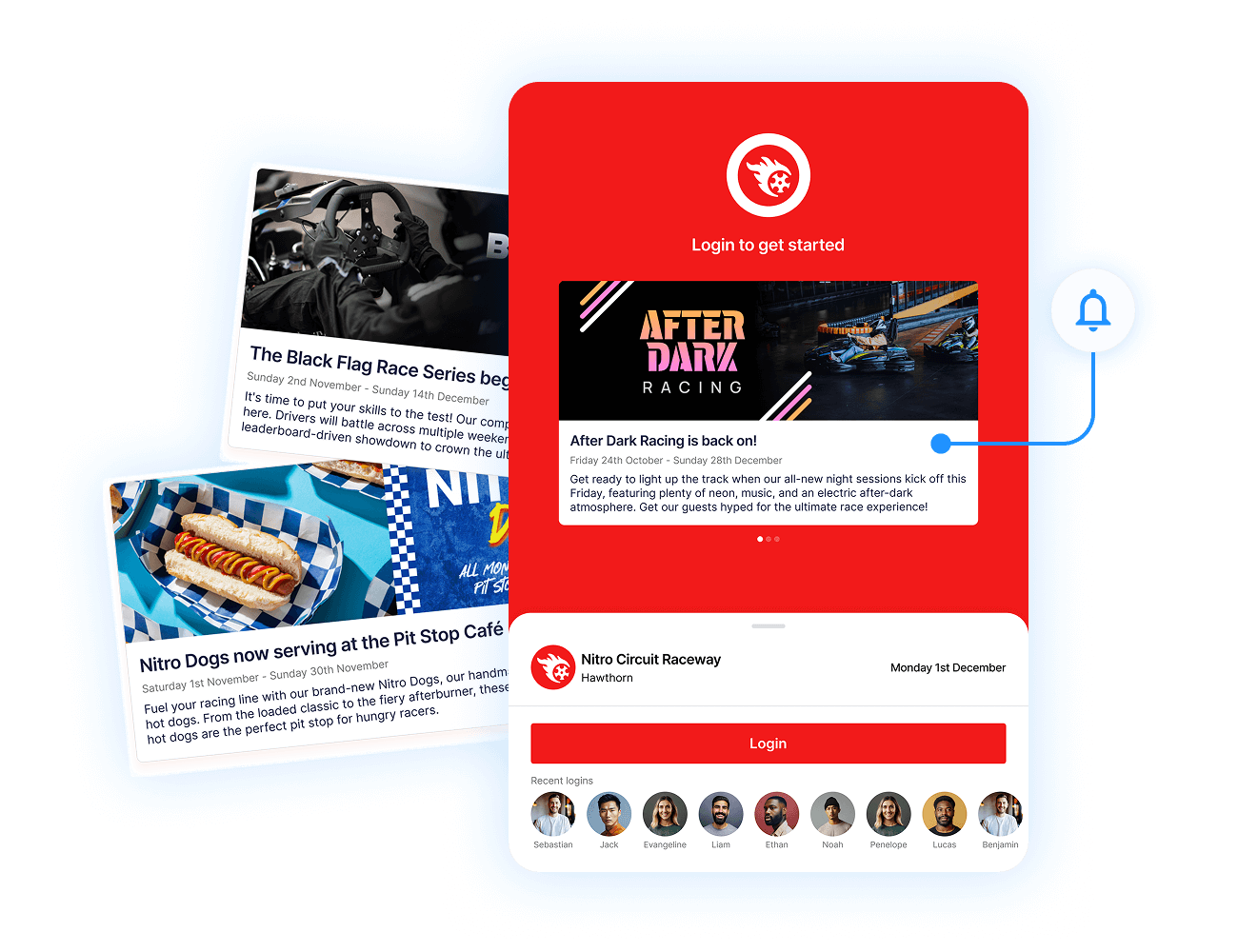
Campaigns let you plan a rollout as a sequence of scheduled messages with start and end dates. Operandio automates the reminders in between, which keeps every location on the same timeline.
Use them for menu launches and policy changes that every location has to adopt by the same date. Your franchise support team then tracks one plan instead of chasing each franchisee by email.
Rich Content That Links Straight to Procedures and Training
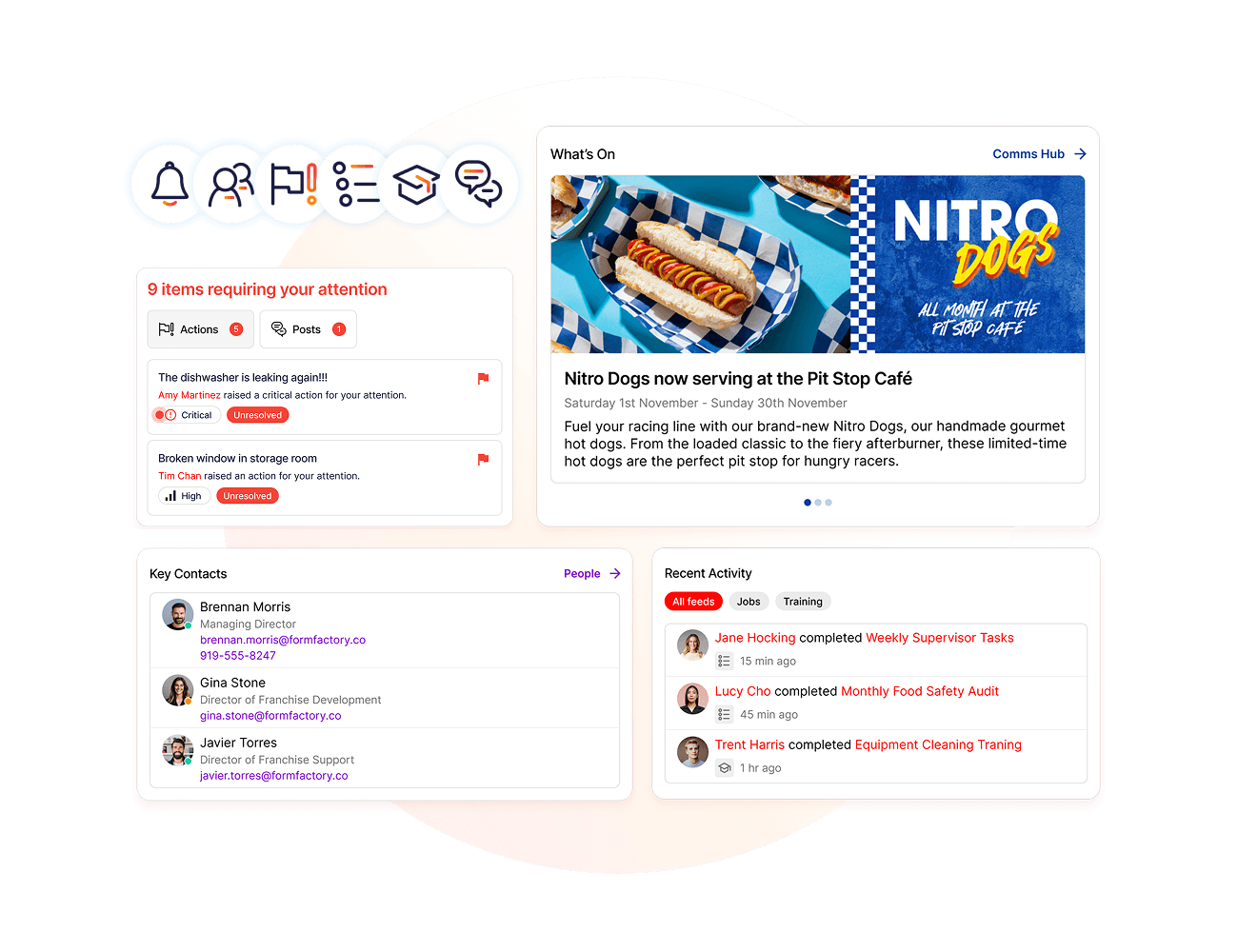
Every message can carry images and video, plus the PDF of the standard operating procedure (SOP) it refers to. Operandio connects messages to checklist tasks and training modules, so staff go from the update straight into the procedure.
The instruction sits inside the announcement, so nobody hunts through a shared drive for the latest version.
Read Receipts and Exportable Acknowledgments
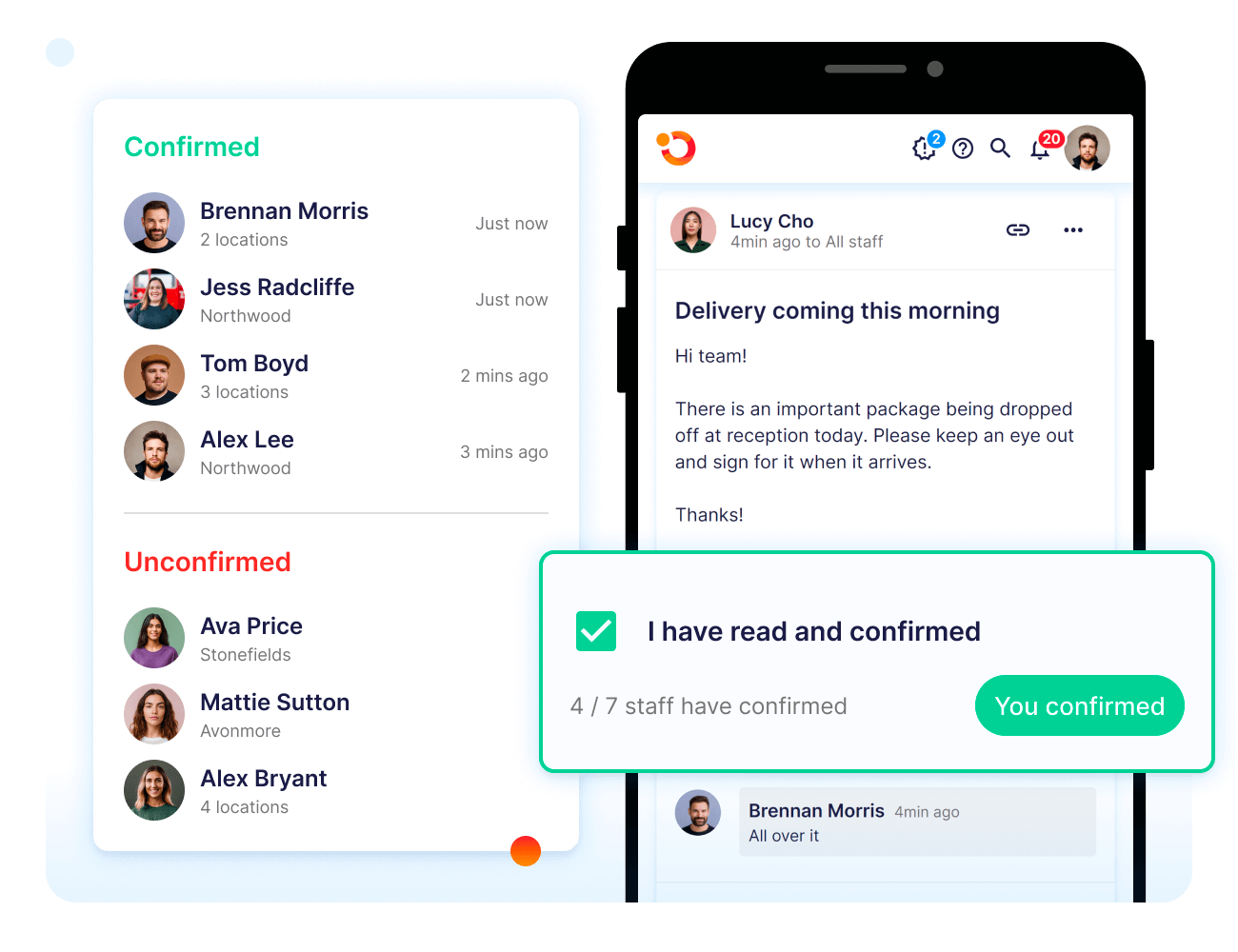
For critical messages, you can require staff to confirm they’ve read them. Operandio shows who has read each message and whose confirmation is overdue.
When an audit or compliance review comes up, you can export the read logs to prove the update reached your network.
Operandio Pricing
| Plan | Price |
|---|---|
| All plans | Custom |
Operandio prices by the number of locations or users and the modules you choose. You can also run a paid 30- to 60-day pilot first. See Operandio pricing for the details.
Where Operandio Shines
- Checklists that run every shift: Opening and closing checklists repeat on a schedule, and Operandio notifies managers when one is overdue or missed.
- Corrective actions with an owner: A failed check or incident creates a corrective action automatically, with an assigned owner and an audit trail of who fixed what.
- Prep labels printed on shift: Staff print prep and use-by labels from a shared tablet. The Food Prep Labeling System calculates the dates and logs each print by user and time.
- Temperature checks without clipboards: Sensors & Temperature Monitoring logs fridge and freezer readings and alerts staff when they drift. Supported Bluetooth probes also capture cooking and cooling temperatures.
- Training that fits on a phone: The AI Course Builder turns long SOPs into courses with assessments. Operandio then tracks completion and expiring certifications at every location.
Where Operandio Falls Short
- Built for operations, not shift scheduling: Operandio doesn’t build shift schedules, so you’ll keep a scheduling tool alongside it. If scheduling is your main gap, start with a workforce tool.
- Overkill for a single site: If you run a single restaurant and only want group chat, a full operations platform covers more than you’ll use.
Operandio Customer Reviews
“For any business looking for an all-in-one platform that handles compliance, safety, reporting, and team communication, Operandio is the way to go.” Paul Brownrigg, Operations and Compliance Manager, BOUNCE Inc.
“It gives our managers a lot more time to do their tasks instead of micromanaging the team.” Lance Nebeker, Assistant Director of Operations, Super Chix
Who Operandio Is Best For
- Multi-unit restaurant groups: You want one place to send updates to every location and see who acted on them. Operandio’s multi-unit restaurant software also runs the checklists and food safety work those updates point to.
- Franchisors: You roll out menu and policy changes to owner-operators and need a record that each franchisee’s team confirmed them.
- Operations and compliance leads: You answer to auditors and want communication records and temperature logs in the same system.
See how Operandio connects announcements to the checklists your crews already run. Book a demo and map your first campaign across your locations.
2. 7shifts: Best for Restaurant Shift Coverage and Manager Log Book Handoffs
7shifts is restaurant scheduling software with team chat built in. Conversations about who’s covering a shift happen next to the schedule itself, which suits groups where most messages are about staffing.
7shifts Key Features
- Direct and group messaging: Managers message one employee or a whole department from the app, and nobody has to share a personal phone number.
- Announcements with read receipts: One-way announcements come with read receipts, so you can see which staff received a critical update.
- Shift swaps with manager approval: Staff swap shifts and update their availability in the app, and a manager approves each swap.
- Automated shift reminders: 7shifts sends reminders for upcoming shifts and breaks, so managers don’t have to.
- Manager Log Book: Each manager records what happened on their shift, so the next manager starts with the same information.
7shifts Pricing
| Plan | Annually (in CAD) | Monthly (in CAD) |
|---|---|---|
| Comp | Free | Free |
| Essentials | $39.99/location/month | $44.99/location |
| Pro | $79.99/location/month | $89.99/location |
| Premium | $134.99/location/month | $149.99/location |
Where 7shifts Shines
- Training inside the scheduling app: 7shifts’ AI Course Builder converts SOPs and menus into short courses, which you assign by role or location.
- Pay and tips next to the schedule: Payroll and tip management sit in the same platform, so hours worked feed straight into pay.
- Tasks tied to scheduled shifts: Managers create daily or weekly tasks for each shift, with photos or temperature readouts as proof of completion.
Where 7shifts Falls Short
- No inspections or audits: 7shifts covers shift tasks, but it has no audit or inspection workflows for checking standards across locations.
7shifts Customer Reviews
“This is great scheduling software for someone who works in the hospitality industry. Great for communication and payroll.” Capterra reviewer.
“Sometimes the app lags and crashes,” says Whitney H.
Who 7shifts Is Best For
- Restaurant groups where staffing drives the chat: Most of your messages are about coverage and swaps, and you want them next to the schedule.
3. Workvivo by Zoom: Best for Culture and Engagement Across Large Hospitality Brands
Workvivo is an employee experience platform that works like a company social network. It gives frontline staff the same company news and conversations as head office, on their phones.
Workvivo Key Features
- Updates filtered by role and location: Workvivo tailors the feed to each person’s role and location, and each site can have a dedicated Space for local news.
- Chat and Zoom calls: Workvivo Chat handles two-way messaging across teams, with Zoom-powered voice and video calls in the same app. Part-time and seasonal staff can use it without a company email.
- Urgent push notifications: You can push an urgent message to everyone and see exactly who has seen it.
- Workvivo TV: On-site screens show company news and alerts, with no login or device needed.
- Auto-translations: Workvivo translates posts into each employee’s native language automatically.
Workvivo Pricing
| Plan | Price |
|---|---|
| Workvivo HQ | Custom |
| Seer (people intelligence) | Custom |
| Add-ons (Chat, Workvivo TV, HQ Agent) | Custom |
Where Workvivo Shines
- Recognition that runs itself: Peer shout-outs and badges let staff recognize each other, and automated posts mark birthdays and work anniversaries.
- Journeys for onboarding: Automated Journeys walk new hires through onboarding and training milestones without a manager sending each step.
Where Workvivo Falls Short
- No scheduling or time clock: Workvivo doesn’t manage shifts, so crews still need a separate app to see when they’re working.
- No checklists or food safety records: SOPs and opening checklists live as stored documents, with no task completion or temperature logs to report on.
Workvivo Customer Reviews
“What I like most about Workvivo is that it makes communication feel more accessible and less formal. It’s a useful way to stay updated on what’s happening across the company and to have a better sense of connection with colleagues, even when working from different bases and locations.” Davide C.
Marcio S says, “What I dislike about Workvivo is that there can be a lot of information and notifications to keep up with, which can sometimes feel overwhelming. It would be helpful to have more customization options for notifications and a simpler way to prioritize the most important updates.”
Who Workvivo Is Best For
- Hospitality groups with an internal comms team: You plan campaigns and recognition programs across sites and want to measure how they land.
4. Pebb: Best for Giving Each Location Its Own Space for Chat and Shifts
Pebb is a frontline employee app that pulls staff conversations out of WhatsApp and personal texts. Managers and crews get one work app for chat and the weekly schedule.
Pebb Key Features
- A Space for every location: Each location or team gets its own Space, and you switch on only the tools that the group needs, such as shifts or clock-in.
- Team chat: One-to-one and group chats keep work conversations inside a work app, away from staff’s personal messages.
- News feed with must-read announcements: Managers post company and location updates to a feed, including must-read announcements every employee needs to see.
- Shifts and open shifts: Managers publish shifts in each Space. Staff claim open shifts and clock in from their phones.
Pebb Pricing
| Plan | Price |
|---|---|
| Basic | $2.50/user/month |
| Premium | $4/user/month |
Where Pebb Shines
- Knowledge library: Training manuals and service protocols sit in one searchable library that staff can open on shift.
- Time off and timesheets: Staff request time off in the app, and timesheets and reports build from the same clock-ins.
- Digital forms with photos: Premium adds tasks and forms with photo uploads, so staff can log daily checks from their phones.
- People directory and org chart: Staff can see who’s on which team and message the right person directly.
Where Pebb Falls Short
- No training module: Pebb has no courses, quizzes, or certification tracking, so onboarding restaurant employees needs a separate training tool.
- No food safety tools: There’s no temperature monitoring or food labeling, so food safety checks run as generic digital forms.
Pebb Customer Reviews
“Pebb has become the central hub for all our internal communication. From chat to news feed to calls, it keeps everything in one place. The interface is clean, intuitive, and requires no training, so adoption across the team was effortless.” Amelia C.
“The platform offers limited branding customization, and mobile notifications can be improved. Video call quality may occasionally drop on slower internet connections.” Rod E.
Who Pebb Is Best For
- Groups still coordinating in personal messaging apps: Staff should be able to join one work app from a single invite link.
- Locations with simple daily needs: Each site needs chat and shifts, and you’ll handle training and food safety elsewhere.
5. Deputy: Best for Labor-Compliant Scheduling With Built-In Team Messaging
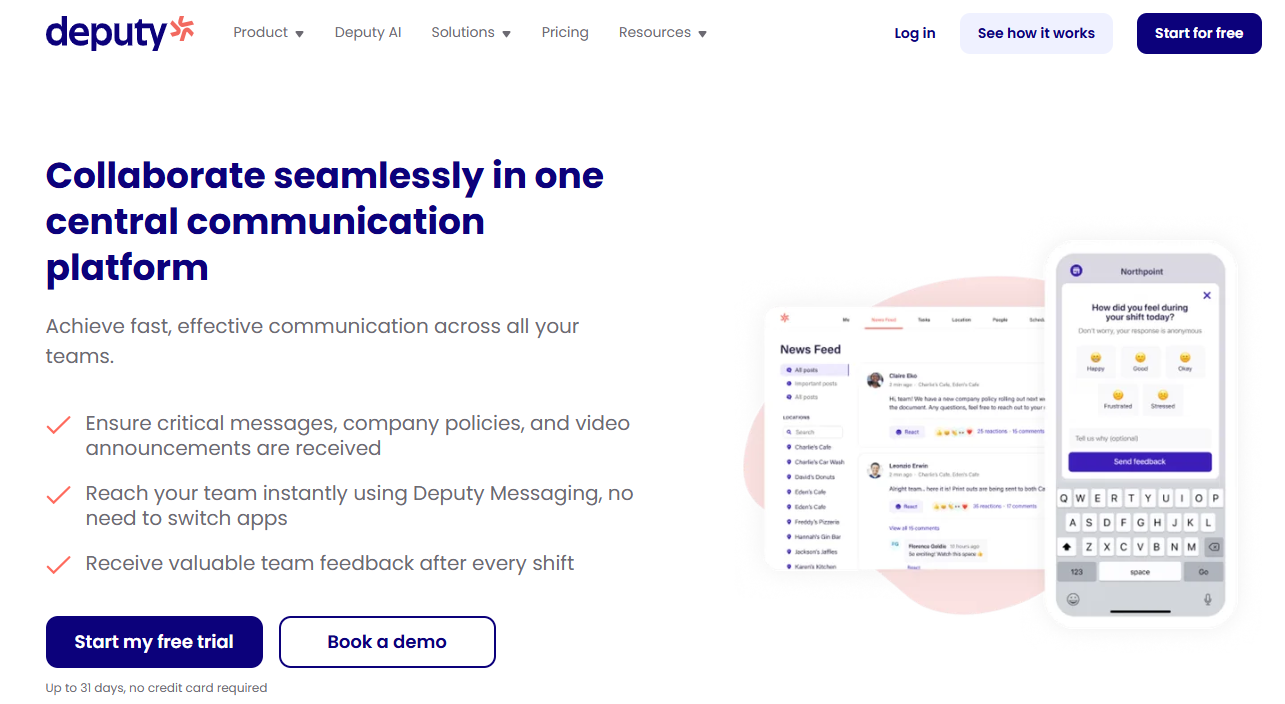
Deputy is workforce management software for hourly, shift-based teams, with messaging inside the same app as the schedule. If you already schedule in Deputy, shift chat comes without adding another tool.
Deputy Key Features
- News Feed: Post company policies and recorded video announcements to one central feed that replaces scattered texts and sticky notes.
- Messaging synced to the schedule: Deputy Messaging syncs with the schedule, so messages reach the people on the right shift. The free version covers one-to-one and group messages.
- Messaging+ add-on: On the paid Messaging+ add-on, groups update automatically as staff join, leave, or change locations. It also adds read receipts and an exportable message history.
- Shift swapping: Staff trade shifts from the Deputy mobile app instead of texting coworkers to find cover.
Deputy Pricing
| Plan | Price |
|---|---|
| Lite | $5/user/month |
| Core | $6.50/user/month |
| Pro | $9/user/month, Messaging+ included |
| Messaging+ add-on | $1.95/user/month on Lite and Core |
Where Deputy Shines
- Labor law compliance: Deputy flags missed breaks and overtime risk, and keeps a record of fair workweek compliance.
- Auto-scheduling and demand forecasting: Core and Pro build schedules against forecast demand, which cuts last-minute changes.
- Shift feedback and kudos: Staff rate how their shift felt when they clock off, and Messaging+ adds kudos and quick polls.
Where Deputy Falls Short
- No kitchen operations tools: Deputy has no audits or temperature logs, so food safety runs in a separate system.
- Confirmations sit behind an add-on: Read receipts come with Messaging+, so the Lite and Core base plans can’t show who read a policy update.
Deputy Customer Reviews
Radha S shares, “I liked how user‑friendly the Deputy app is. It made scheduling, clock‑ins, and team communication easy to manage, and the real‑time updates were especially helpful.”
“The mobile app vs desktop experience is a bit different, and I found notifications hard to manage sometimes.” Caitlin X.
Who Deputy Is Best For
- Groups where compliant schedules come first: Fair workweek and break rules shape how you build every schedule.
- Teams pairing scheduling with an operations platform: Operandio connects to Deputy, so clock-ons and timesheets match in both while Operandio runs announcements and checklists.
6. Slack: Best for Head Office and Above-Store Managers
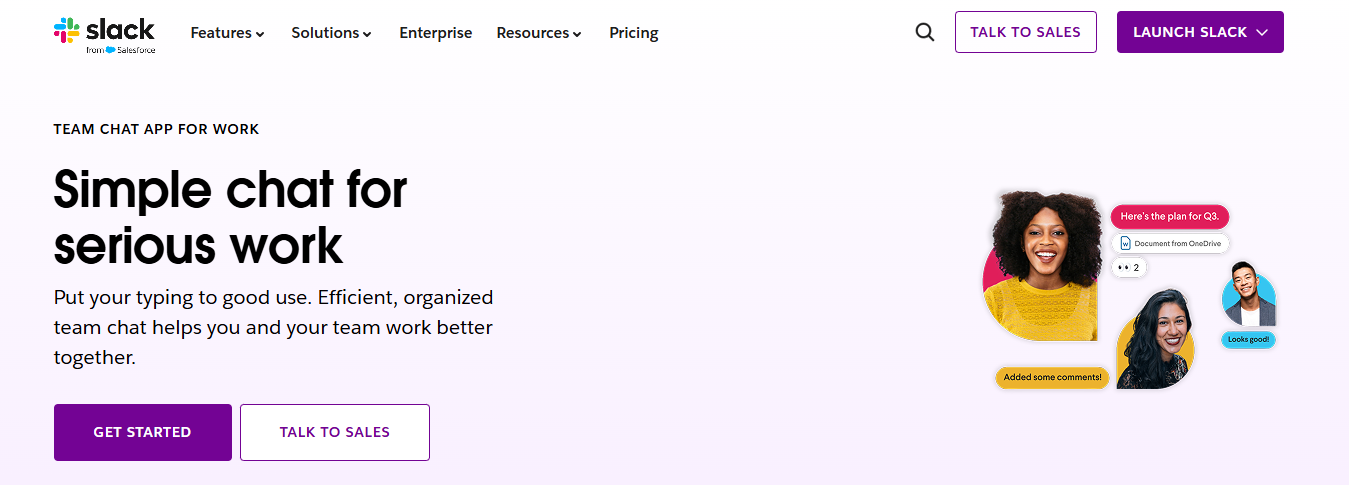
Slack is a channel-based team chat built mostly for office departments, from IT to sales. In a restaurant group, it suits the people above the store, like area managers and the head office operations team.
As of October 2026, Slack’s free plan keeps 90 days of message history, so a January policy update drops out of view by April. Locking announcement channels so only managers can post needs Business+, at $15/user/month billed annually. On Free, you get it in #general only.
That said, Slack also has no built-in shift scheduling, so hourly staff still need a second app to check when they’re working.
7. Trello: Best for Food Trucks and Small Crews Planning Daily Work on Boards
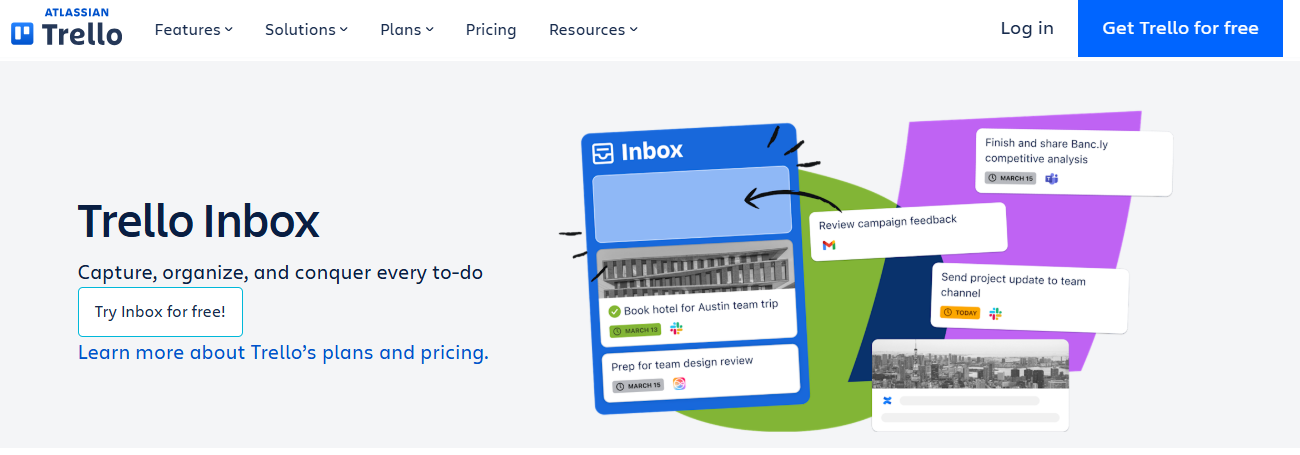
Trello is Atlassian’s board-and-card tool for organizing work. A small crew can turn prep lists and catering orders into cards, then assign each one with a due date.
The free plan covers up to 10 collaborators and 10 boards per Workspace, and includes mobile apps and 250 automation runs a month. That makes Trello a fit for a food truck or one small kitchen.
However, Trello does not have broadcast announcements or shift scheduling, so you’d still need another way to reach staff fast. Paid plans start at $5/user/month billed annually.
How to Choose a Restaurant Communication App
Here are a few questions to answer when choosing a restaurant communication app:
Can Every Crew Member Get Updates Without a Work Email?
Shortlist apps that work on personal phones and shared tablets, with a separate sign-in for each person. If an app needs a company email for every user, staff without one never see the update.
On this list, Workvivo Chat lets part-time and seasonal staff join without a company email. Slack and Trello need an account for every person, usually tied to an email address.
To test it, have two staff use one tablet back to back and check whose name sits on each action. Then switch off the Wi-Fi and see what still works.
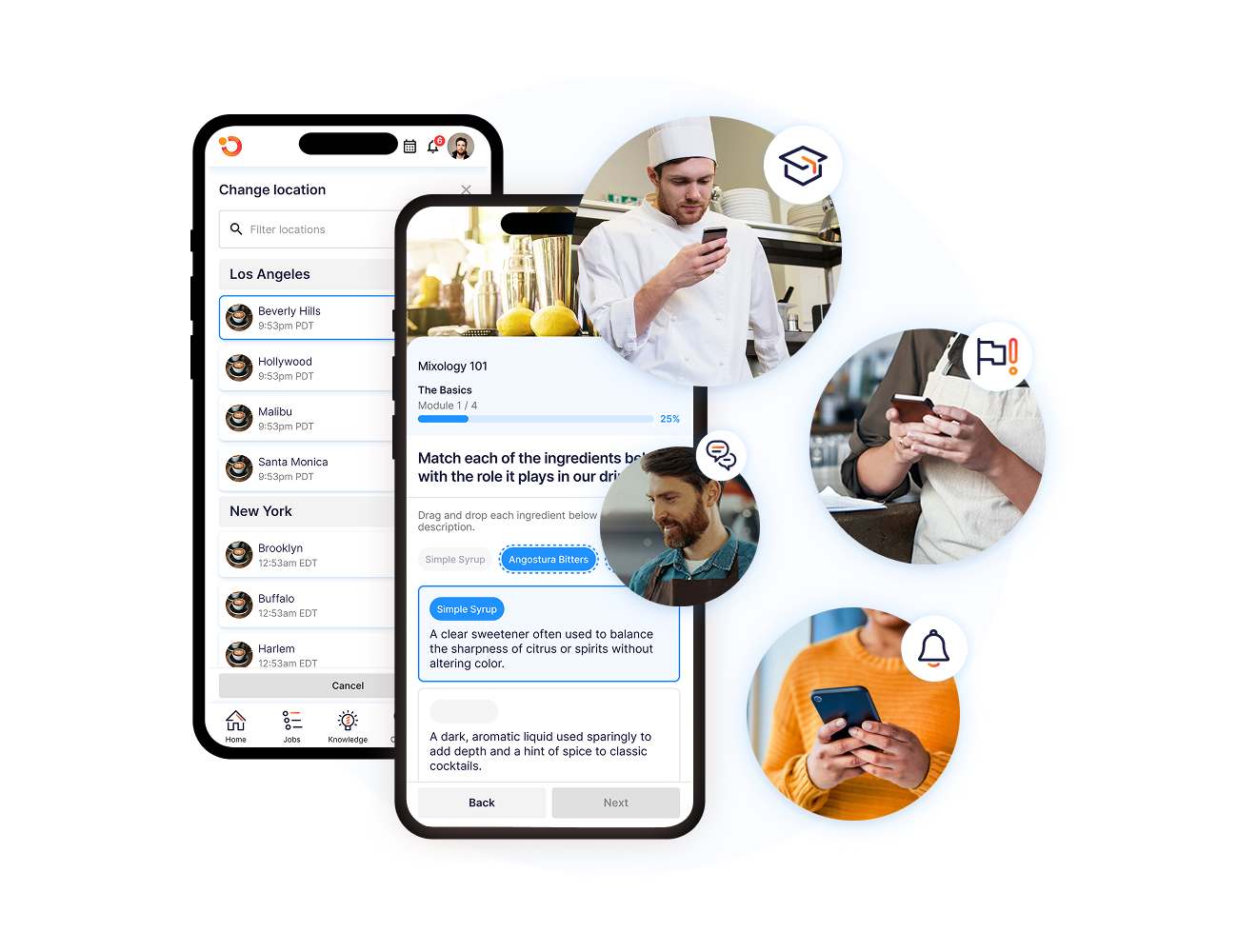
Operandio’s branded tablet app pushes campaigns and announcements to the home screen, so staff see updates as soon as they pick up the tablet. Checklists and inspections keep working offline and sync when the connection returns.
Do Messages Connect to Tasks and the Schedule?
Match the app to what your messages are mostly about. 7shifts, Deputy and Pebb build scheduling in, so coverage and swaps sit next to the chat. Workvivo, Slack and Trello don’t schedule shifts at all.
Most of these apps include basic task lists too, but procedure changes need more. A new closing step only sticks if the closing checklist changes on the same day.
To test it, send a procedure change during the trial and check whether you can assign the matching task in the same step.
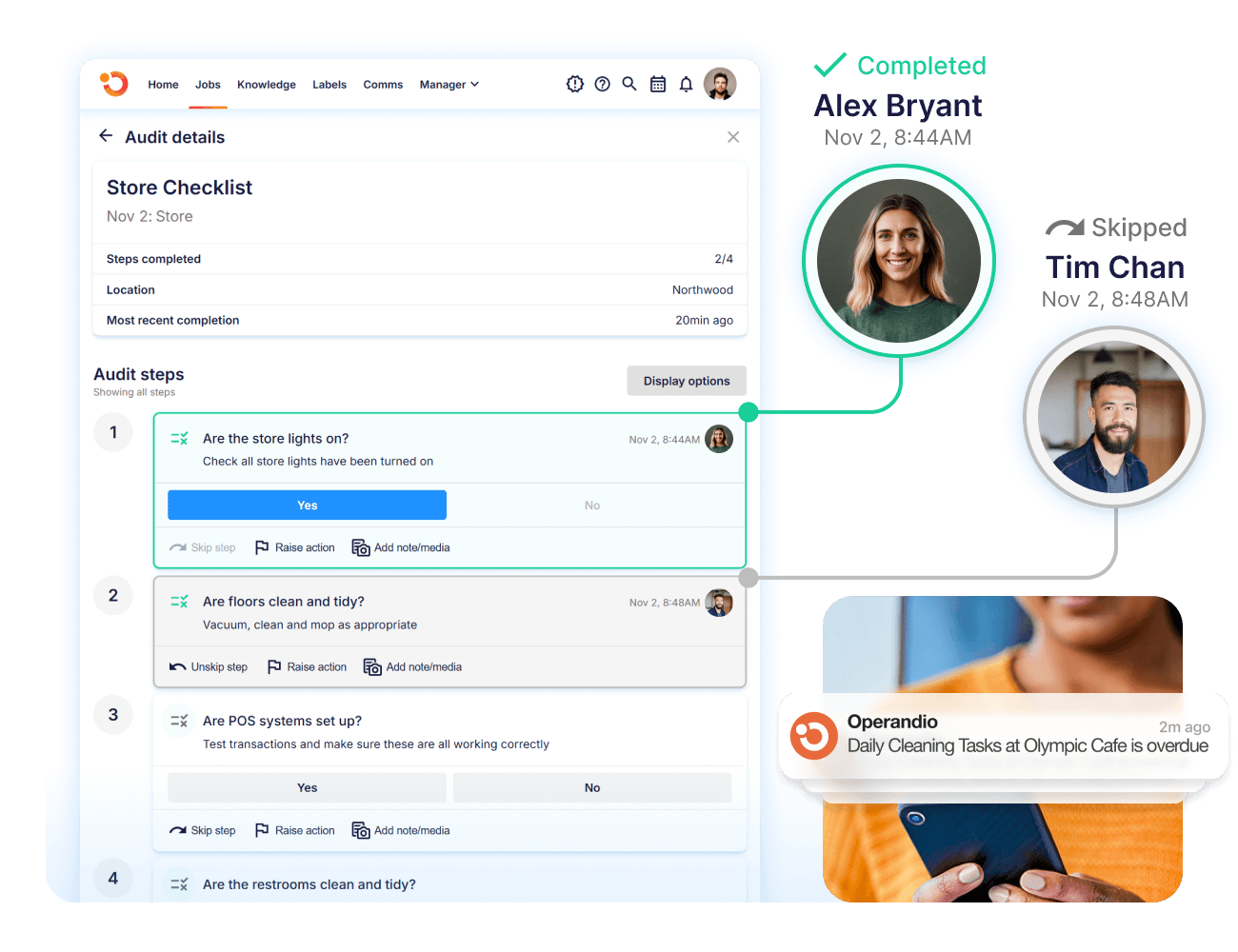
Operandio assigns checklists to people or locations, with deadlines and escalation rules. For scheduling, it integrates with workforce systems such as Deputy and Workday.
Can New Hires Search Past Announcements and SOPs?
Look for search that covers announcements and SOPs in one place, because your crew keeps changing.
In August 2026, 507,000 workers quit jobs in accommodation and food services, a 3.5% monthly quits rate, per the Bureau of Labor Statistics.
New hires can often miss updates sent before they started, so they need to find them on their own. To test your app, ask the newest person on a shift to find last month’s menu update from their phone.
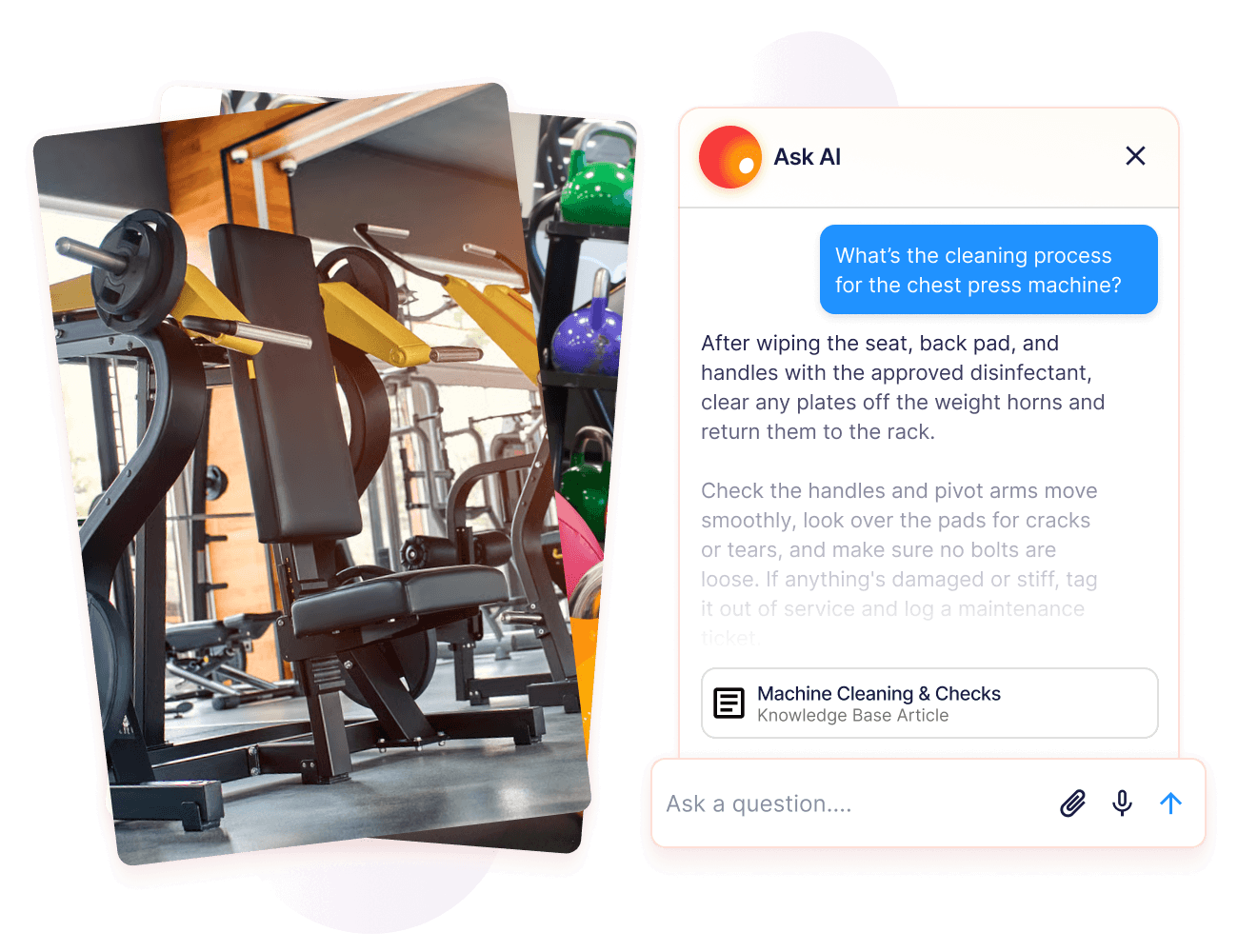
Operandio’s AI-powered search finds answers inside SOPs and past announcements, so staff get them without asking a manager.
Can You Prove Who Confirmed a Policy Change?
Shortlist apps that ask staff to confirm critical updates and let you export who did, by person and location. On this list, 7shifts adds read receipts to announcements, Deputy includes them on Messaging+, and Workvivo shows who has seen an urgent push.
The US Food and Drug Administration measured what documentation does for compliance in a 2013 to 2014 restaurant study. Fast food restaurants with well-developed, documented food safety management systems averaged fewer than 1.7 out-of-compliance items, against almost 4.5 with none. A confirmation log is part of that documentation.
To test an app, send a practice policy to two locations during your trial and ask for the export a week later.
Operandio’s Knowledge & Document Management keeps version control on every SOP, so the procedure staff confirms it is always the latest approved one.
Keep Your Teams in the Loop Across Locations With Operandio
If coverage and swaps drive most of your messages, 7shifts or Deputy fits. Workvivo suits groups that put culture and recognition first, and Pebb works for a simple app per location.
If you run a multi-unit or franchise network, you need updates tied to the work and proof they landed. That’s where Operandio fits. Book a demo to see a rollout tracked from send to sign-off.
FAQs
1. How do you communicate effectively in a restaurant?
Keep it short and in one place. Cover the day’s specials and sold-out items in a pre-shift huddle, then post anything that has to outlast the shift in your communication app. Ask staff to confirm policy changes, so you know who still needs a walkthrough.
2. What app is most used for communication in restaurants?
No single app leads the category. Restaurants that mostly talk about shifts lean on scheduling apps with chat, like 7shifts and Deputy. Multi-unit and franchise groups add an operations platform like Operandio, which ties updates to tasks and keeps a record of who read them.
3. What is a restaurant communication app?
A restaurant communication app is software that sends messages and files to staff on their phones or shared tablets. The better ones target updates by location and track who read them. Some also connect messages to schedules or checklists, so staff act on them during the shift.