
- Platform
- Features
 Franchise & Multi-Unit ManagementCentralize oversight and streamline growth across your entire multi location network
 Learning ManagementTrain, verify, and reward your workforce with mobile-first education
 Operations ExecutionStreamlined operations ensuring brand standards, accountability and efficiency
 Asset ManagementOptimize equipment uptime through proactive maintenance and smart tracking
 Digital Food SafetyAutomate compliance and monitor quality with real-time digital precision
 Health & Safety Management (EHS)Mitigate workplace risks and streamline digital incident reporting and investigations
- Platform Essentials
 Powerful ReportingAlign leadership with role-based dashboards and deeper analytics
 Operandio IntelligenceAutomate content, analyze trends, and provide instant answers
 IntegrationsUnify your enterprise tech stack with real-time data
 IoT PlatformDetect anomalies and automate workflows with intelligent sensors
 Mobile & Shared Tablet AppsSecurely empower frontline teams with fast, offline-capable access
- Footer


 Not sure what you need?
Book in a call with the team
- Features
- Solutions
- By Industry
 RestaurantsQSR, fast food and multi-unit restaurants
 Hotels & ResortsHotels, resorts and extended stay hotels
 ChildcareEarly education, childcare, daycare and preschool
 EntertainmentTheme parks, family entertainment centers and play centers
 Fitness Centers & LeisureFitness centers, golf clubs, gyms and sports facilities
 RetailBig-box retailers, franchise stores and supermarkets
- By Use Case
- Operational ExcellenceStreamlined operations ensuring brand standards, accountability and efficiency
- Learning & DevelopmentTrain, verify, and reward your workforce with mobile-first education
- Franchise & Multi-Unit ManagementCentralize oversight and streamline growth across your entire multi location network
- Food Safety ComplianceAutomate compliance and monitor quality with real-time digital precision
- Asset Management & MaintenanceOptimize equipment uptime through proactive maintenance and smart tracking
- Health & Safety Management (EHS)Mitigate workplace risks and streamline digital incident reporting and investigations
- By Industry
- Resources
- Platform
- Features
- Franchise & Multi-Unit ManagementCentralize oversight and streamline growth across your entire multi location network
- Learning ManagementTrain, verify, and reward your workforce with mobile-first education
- Operations ExecutionStreamlined operations ensuring brand standards, accountability and efficiency
- Asset ManagementOptimize equipment uptime through proactive maintenance and smart tracking
- Digital Food SafetyAutomate compliance and monitor quality with real-time digital precision
- Health & Safety Management (EHS)Mitigate workplace risks and streamline digital incident reporting and investigations
- Platform Essentials
- Powerful ReportingAlign leadership with role-based dashboards and deeper analytics
- Operandio IntelligenceAutomate content, analyze trends, and provide instant answers
- IntegrationsUnify your enterprise tech stack with real-time data
- IoT PlatformDetect anomalies and automate workflows with intelligent sensors
- Mobile & Shared Tablet AppsSecurely empower frontline teams with fast, offline-capable access
- Footer
- Not sure what you need?
Book in a call with the team
- Features
- Solutions
- By Industry
- RestaurantsQSR, fast food and multi-unit restaurants
- Hotels & ResortsHotels, resorts and extended stay hotels
- ChildcareEarly education, childcare, daycare and preschool
- EntertainmentTheme parks, family entertainment centers and play centers
- Fitness Centers & LeisureFitness centers, golf clubs, gyms and sports facilities
- RetailBig-box retailers, franchise stores and supermarkets
- By Use Case
- Operational ExcellenceStreamlined operations ensuring brand standards, accountability and efficiency
- Learning & DevelopmentTrain, verify, and reward your workforce with mobile-first education
- Franchise & Multi-Unit ManagementCentralize oversight and streamline growth across your entire multi location network
- Food Safety ComplianceAutomate compliance and monitor quality with real-time digital precision
- Asset Management & MaintenanceOptimize equipment uptime through proactive maintenance and smart tracking
- Health & Safety Management (EHS)Mitigate workplace risks and streamline digital incident reporting and investigations
- By Industry
- Resources
7 Best Food Safety Compliance Software for FDA Audits (2026)
Key Takeaways
- Choose Operandio if you’re a multi-unit group or franchisor who needs food safety checks, temperature monitoring, prep labeling, and audits running the same way in every location.
- Choose Ideagen Safefood 360° if you run a production facility and need HACCP and PCP plans mapped to a GFSI standard like BRCGS, SQF, or FSSC 22000.
- Choose FoodLogiQ if you handle items on the FDA Food Traceability List and need lot-level records for FSMA 204.
- Choose GoAudits if scored internal inspections and audit reporting across sites are the compliance job you need solved.
An estimated 866 million people worldwide fall ill from contaminated food each year, and 1.52 million die from it.
That’s why the World Health Organization asks policymakers to build food systems and infrastructure capable of managing food safety risks along the whole chain. For restaurants and food businesses, that starts with the software you use to run compliance.
In this article, we’ll discuss seven food compliance software options to use in 2026 and beyond.
What Is Food Safety Compliance?
Food safety compliance means meeting the regulations that govern how you should store, prepare, and serve food, then holding records that prove it.
Compliance software digitizes those checks, logs them automatically, and stores the evidence. So, you get faster inspections, fewer missed checks, and a defensible record when something goes wrong.
7 Best Food Compliance Software: A Quick Overview
| Software | Best For | Standout Feature |
|---|---|---|
| Operandio | Multi-unit restaurant groups and franchisors who need every location running identical food safety procedures without head office chasing paperwork | Wireless temperature sensors, digital food safety records, and prep labeling connected to daily shift tasks |
| Ideagen Safefood 360° | Food manufacturers and processors preparing for a GFSI audit against BRCGS, SQF, or FSSC 22000 | HACCP and PCP plan builder with built-in risk models and decision trees |
| FoodLogiQ | Distributors and brands handling Food Traceability List items who face FSMA 204 recordkeeping | Batch-lot traceability forward and backward across the supply chain |
| GoAudits | Hotel and restaurant groups running scored internal audits across multiple properties | Smart inspection scoring with timestamped photo evidence in branded reports |
| SafetyCulture | Operators inspecting food and non-food areas of the same business | Drag-and-drop checklist builder that works across any inspection type |
| ETQ Reliance | Enterprise manufacturers managing food alongside other regulated product lines | Configurable CAPA and nonconformance workflows with full audit trails |
| FoodDocs | Small operators who need a documented HACCP plan before an inspection | AI builder that generates the plan, CCPs, and flow chart from a questionnaire |
1. Operandio: Best for Multi-Unit Restaurants and Franchises
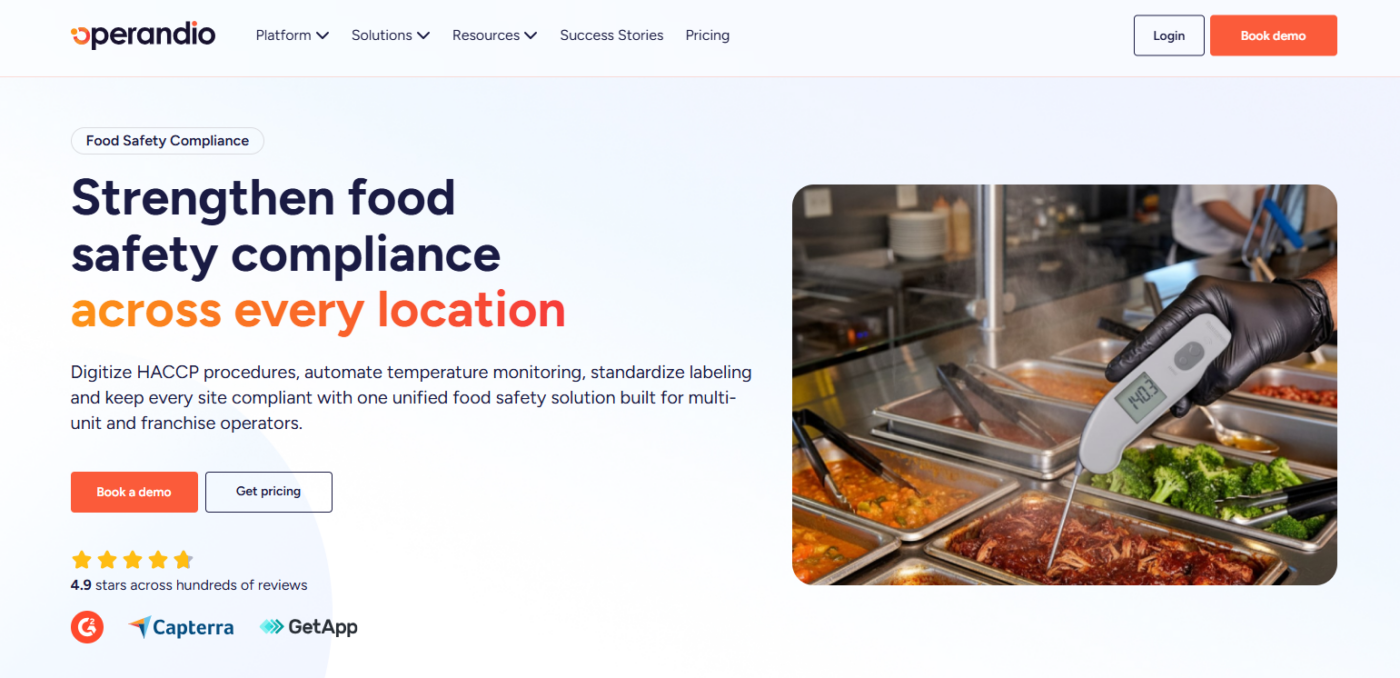
Compliance breaks at scale because head office writes the standard and each location interprets it.
Operandio closes that gap by pushing food safety procedures out as assigned work, then collecting the completion data centrally. Every check carries a timestamp, a location, and a name.
Operandio Key Features
Five capabilities carry Operandio’s digital food compliance workload.
Digital Food Safety Records

Operandio’s digital food safety software replaces paper HACCP logs with checklists tied to your critical control points. Each completed check is timestamped and stored automatically.
Head office pushes the same checklist set to every location, so a fridge check in one site records identically to a fridge check in another.
Wireless Temperature Monitoring
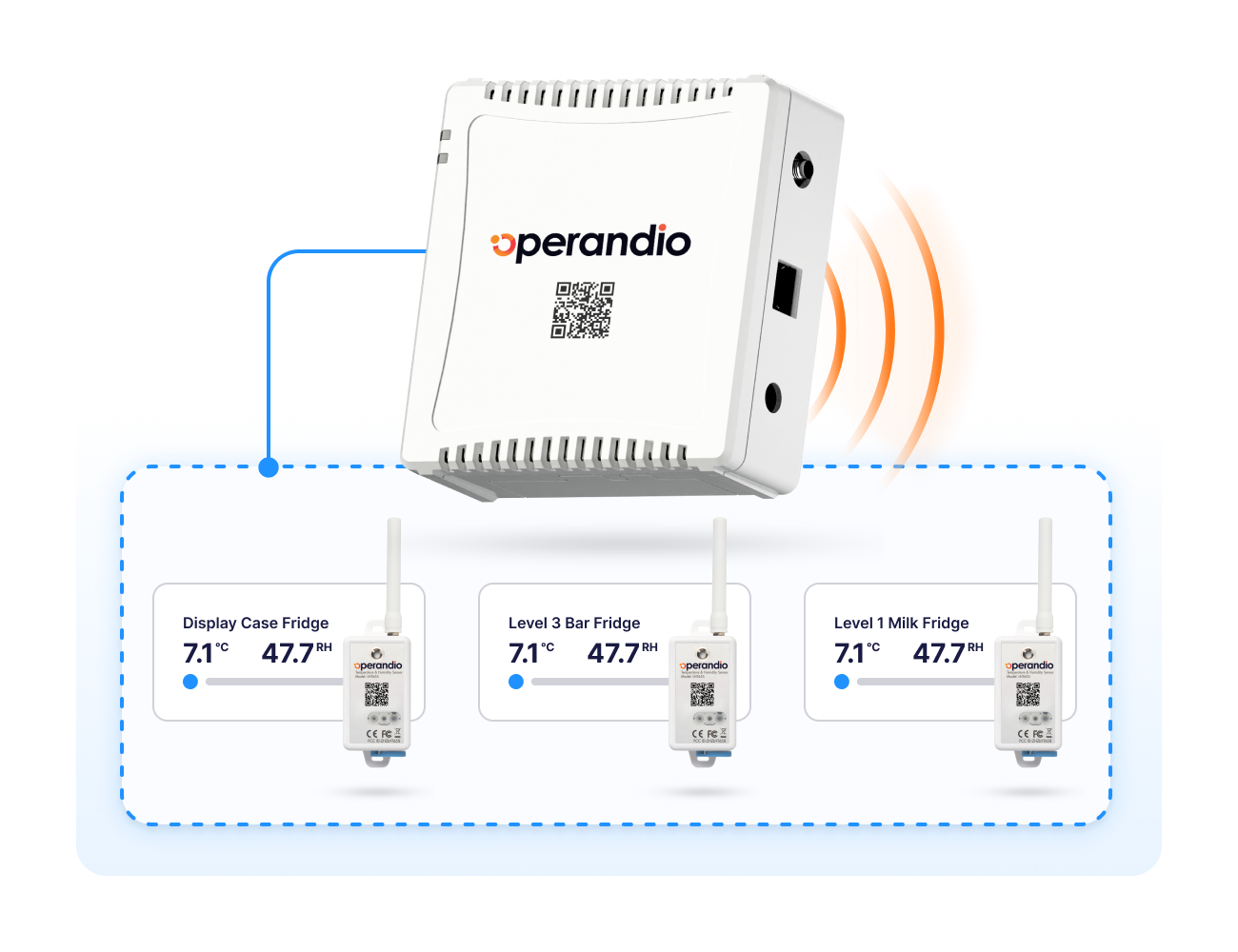
Sensors and temperature monitoring log fridge, freezer, and hot-hold readings continuously rather than at check times.
Readings outside your thresholds trigger alerts, and unresolved alerts escalate to a named manager. And, overnight equipment failures surface before the morning shift finds spoiled stock.
Free fridge temperature chart to maintain food safety.
Food Prep Labeling System
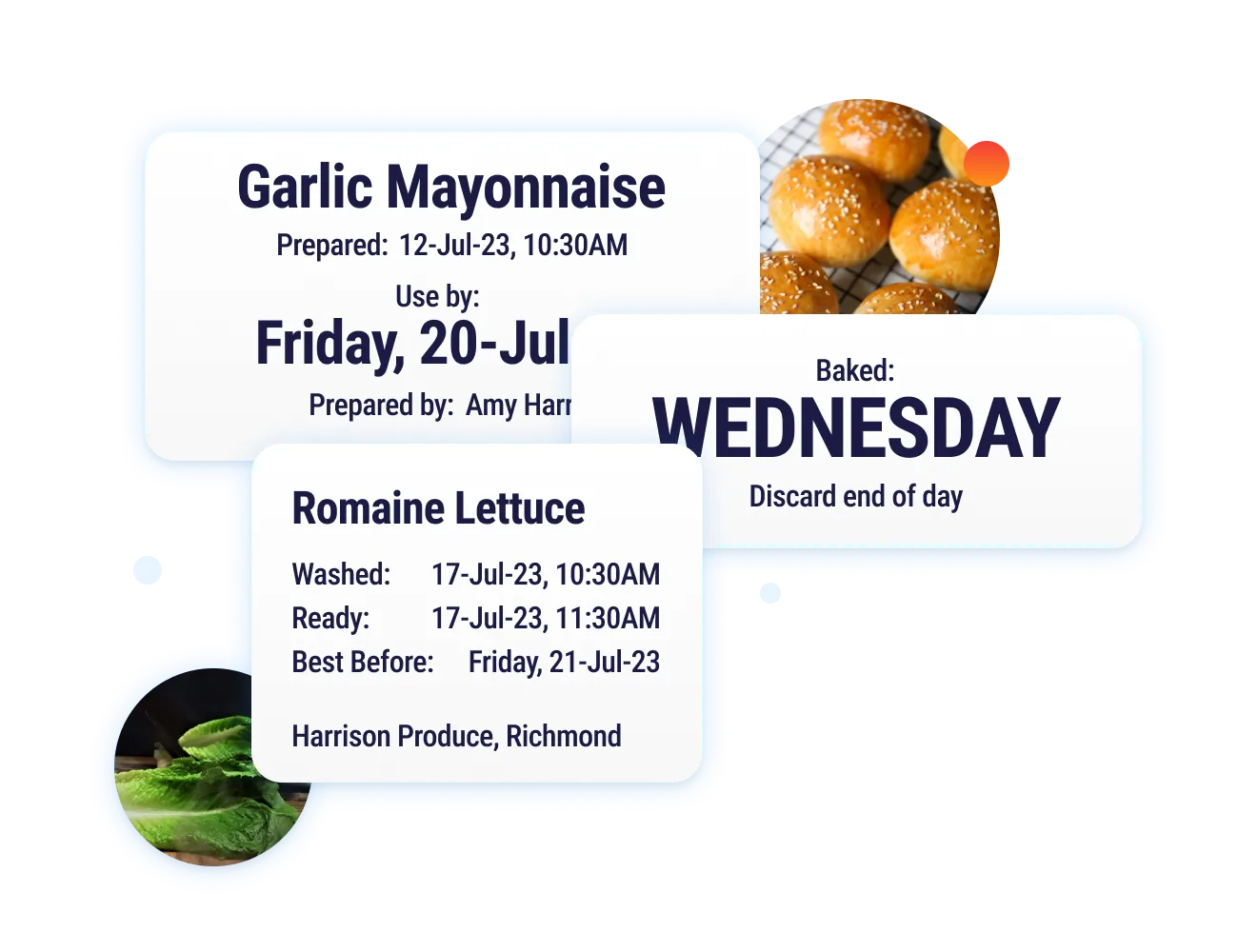
Operandio’s food prep labeling system prints prep and expiry labels directly in the kitchen from your own recipe data.
Shelf-life rules come from the system rather than from memory, which removes the guesswork behind date marking. Labels stay consistent across every site and every shift.
Inspections, Audits, and Corrective Actions
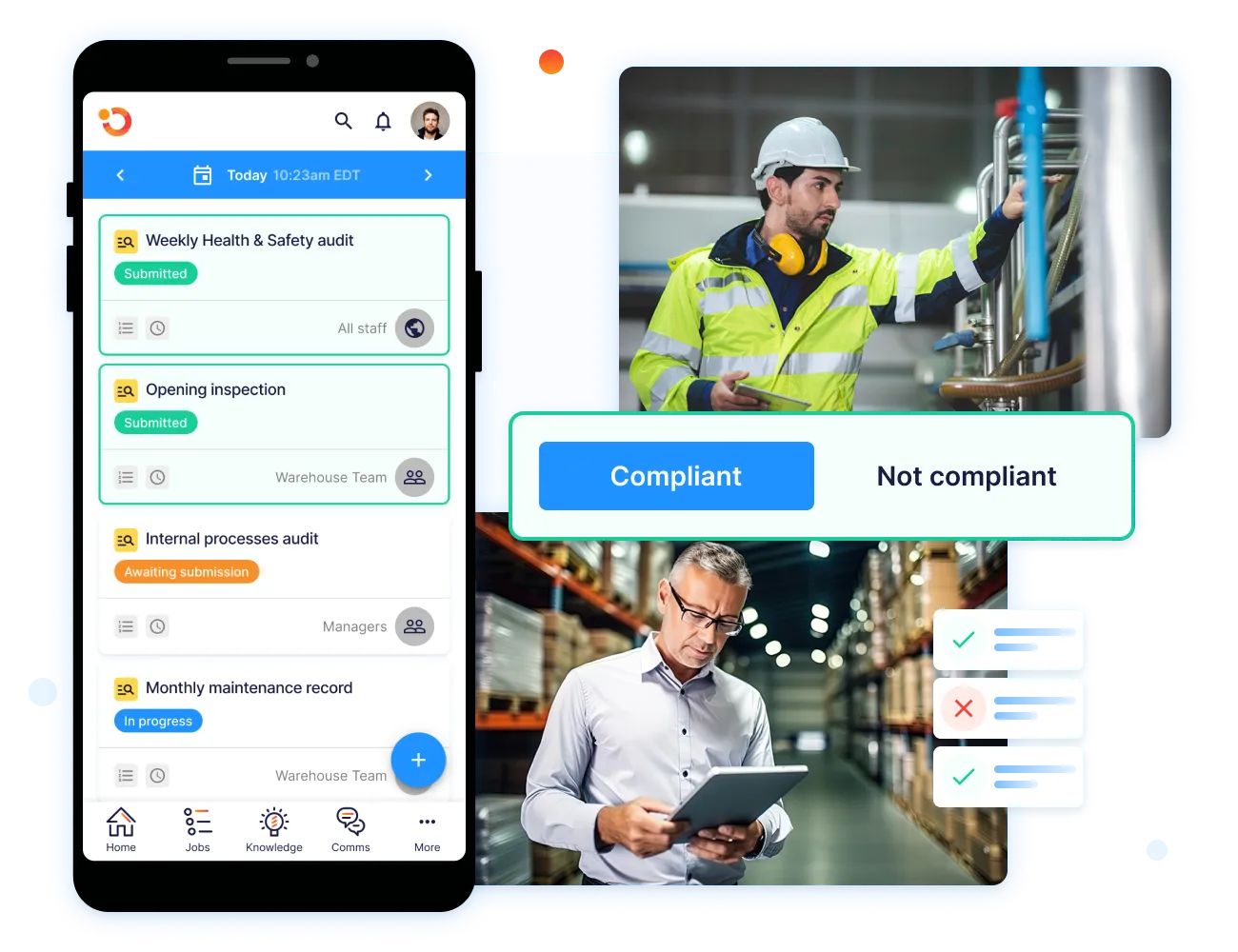
Inspections and audits run digitally against your own standards, with photo evidence attached to each finding. A failed item generates a corrective action assigned to a person with a deadline. You can see what was raised, who owns it, and whether it closed.
Network Dashboard
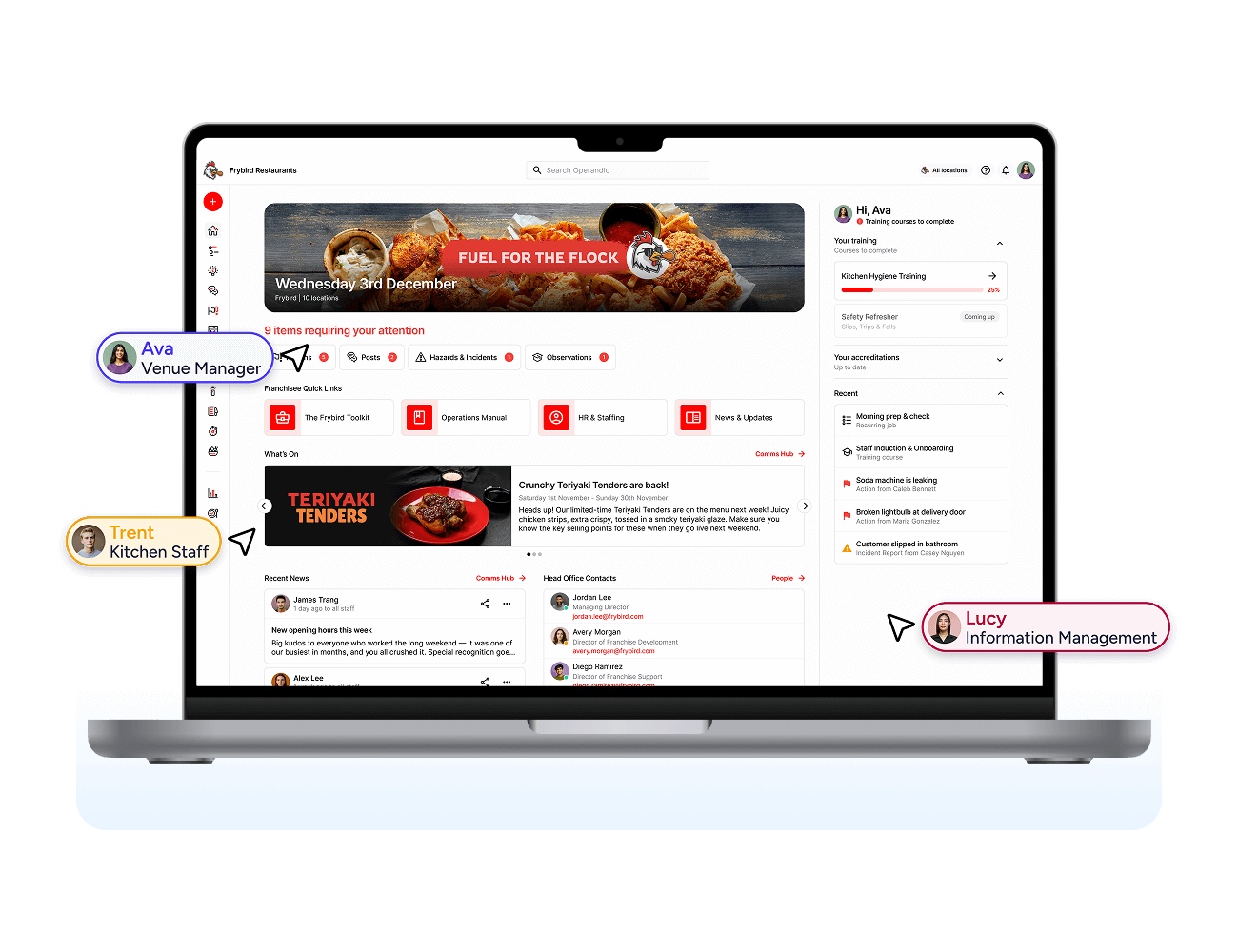
The network dashboard shows compliance performance by location in one view. You can compare sites, spot the location falling behind on checks, and act on it before an inspector does.
Operandio Pricing
| Plan | Price |
|---|---|
| All tiers | Custom |
Explore pricing and ask about a paid 30-60 day pilot of Operandio to see how it works across your multi-unit locations.
Where Operandio Shines
- Procedures become scheduled work. Task management and checklists convert your written SOPs into recurring assignments, so opening, cleaning, and closing checks appear on the right device at the right time.
- Staff gets trained and certified in the same system. A mobile-first LMS delivers food safety modules and quizzes, and physical assessments verify hands-on skills like temperature probing.
- Procedure changes reach the floor and get confirmed. Employee communications posts updates staff must acknowledge, so a new allergen rule doesn’t sit unread in an inbox.
Where Operandio Falls Short
- No lot-level supply chain traceability. Operators handling Food Traceability List items still need a dedicated traceability system for FSMA 204 recordkeeping.
- Not a manufacturing QMS. Processing plants managing GFSI certification documentation and supplier scorecards will need a platform built for that workflow.
Operandio Customer Reviews
“Operandio has transformed our franchise operations by replacing paper systems with a seamless, automated platform that ensures consistency, enhances communication, and simplifies compliance across 70+ locations.”Kris K, Cold Rock Ice Creamer.
“Operandio has revolutionized our operations. It has allowed our network to synchronize seamlessly on all aspects of food safety operations, providing us with the capability to swiftly access compliance records.” Kristin A, Riverland Group.
Who Operandio Is Best For
- Multi-unit restaurant groups. Brands running ten or more sites that need identical food safety execution without a regional manager physically checking each kitchen.
- Franchisors. Networks that set brand standards centrally and need proof each franchisee is meeting them, which is where franchise audits matter.
- Hotels and venues with F&B operations. Properties running hospitality compliance across kitchens, bars, and banqueting from one system.
See how multi-unit restaurant groups run food industry compliance management from a single platform, then contact us, and we’ll set your systems up.
2. Ideagen Safefood 360°: Best for Food Manufacturers Pursuing GFSI Certification
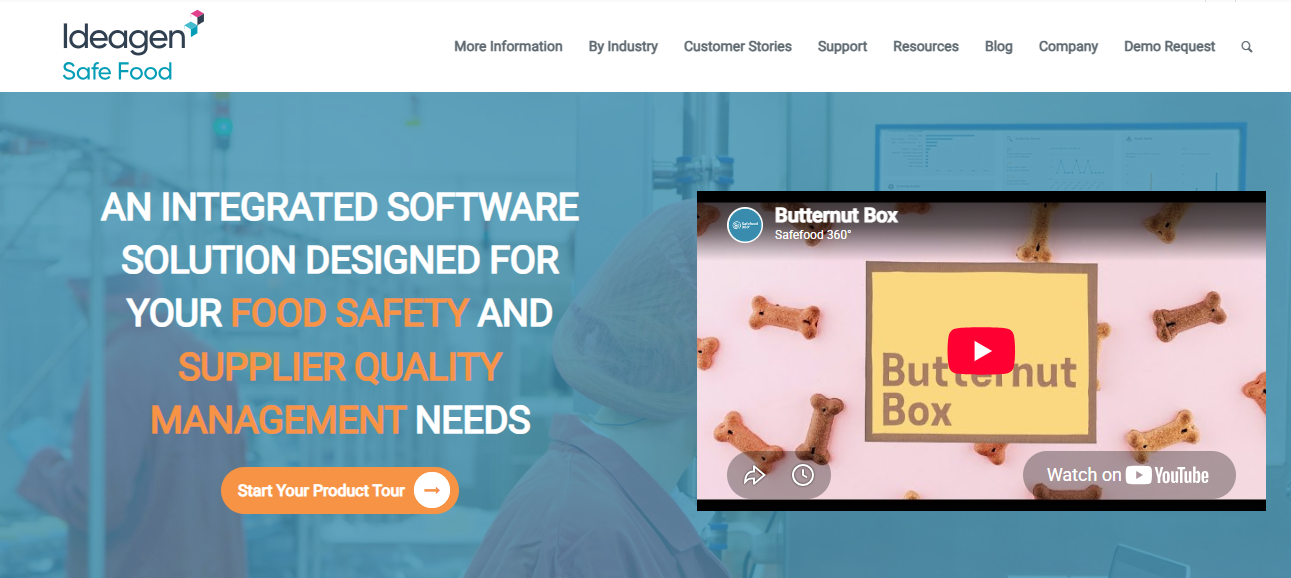
Certification audits ask for documented systems, not completed checklists. Safefood 360° is built around that requirement, with modules mapped to the standards auditors work from and a supplier portal attached to the same platform.
Key Features
- HACCP and PCP Plan Building. Create food safety plans using built-in risk models and decision trees rather than assembling them in a spreadsheet.
- Supplier Quality Portal. Assess, audit, and score suppliers through a dedicated portal, with performance visible in one place.
- Document Control. Approve documents, notify users of changes, and maintain version control across the management system.
- Standards Coverage. Over 35 modules cover GFSI-recognized standards including BRCGS, SQF, FSSC 22000, ISO 22000, and FSMA.
Pricing
| Plan | Price |
|---|---|
| All tiers | Custom |
Where Safefood 360° Shines
- Standards updates happen automatically. When international legislation or retailer standards change, the system updates the relevant processes rather than leaving you to track amendments.
- Multi-language access per user. Each user selects their own interface language, which matters for facilities running mixed-language teams.
- Automated CAPA, recall, and internal audit workflows. These run with traceability attached, so an internal audit finding links to its corrective action and closure.
Where Safefood 360° Falls Short
- No frontline shift execution. The platform documents the system rather than assigning opening and closing checks to whoever is on shift, so restaurant groups need a separate tool for daily execution.
- No prep labeling. Kitchens needing date and expiry labels print them from another system.
- No training delivery. Staff certification and refresher training sit outside the platform.
Customer Reviews
“What I like best about Safefood 360 is the efficient and accurate maintenance of documentation and records to ensure our Food Safety & Quality System is monitored very easily.” Javier S on G2.
“When entering data for an item and you need to go back a page, sometimes it brings you all the way back instead of just to the last page, which is a little inconvenient.” Rachel F on Capterra.
Who Safefood 360° Is Best For
- Food processing and manufacturing plants. Facilities certified to BRCGS, SQF, IFS, or FSSC 22000, or working toward certification.
- Quality managers running supplier programs. Teams that need supplier approval, scoring, and audits inside the same system as their food safety plans.\
3. Trustwell (formerly FoodLogiQ): Best for FSMA 204 Traceability Across a Supply Chain
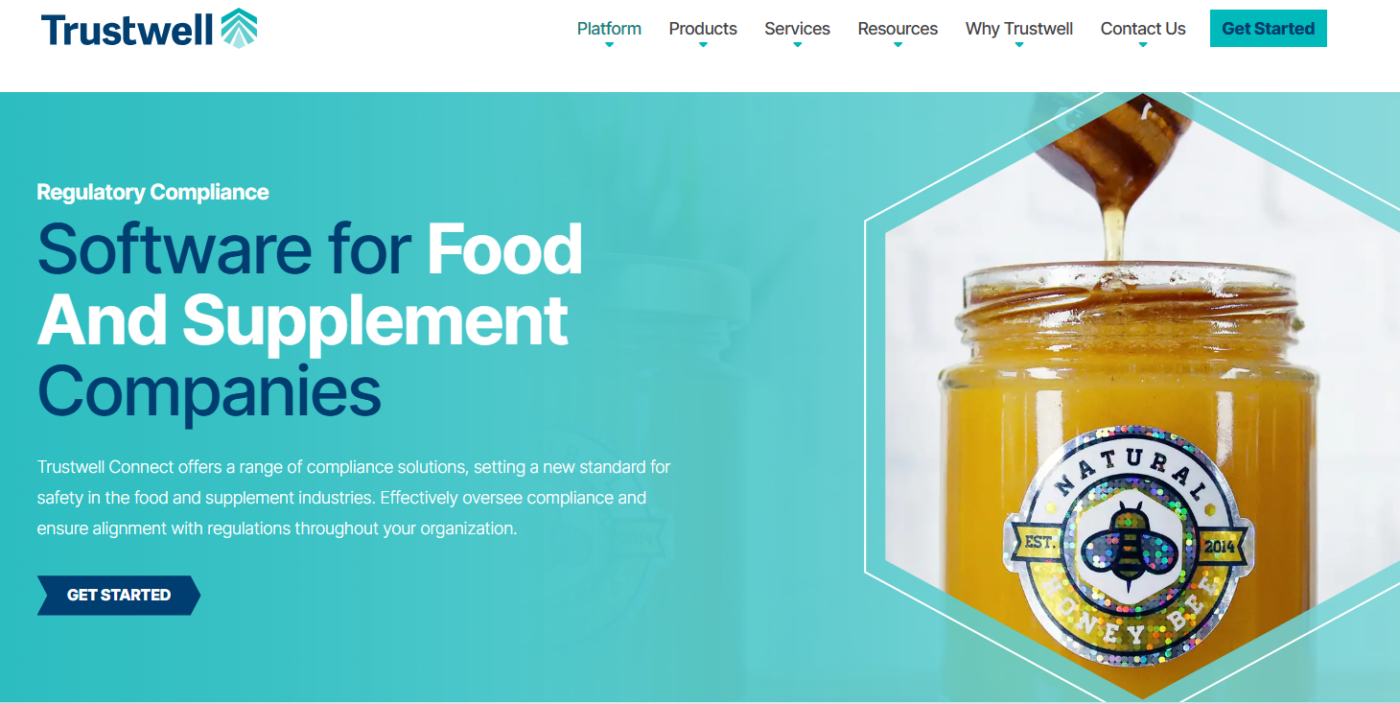
FSMA 204 asks you to produce lot-level records linking a product to its Critical Tracking Events. Now, Trustwell is built around that data structure, capturing events across suppliers, locations, and products.
Key Features
- Batch-Lot Traceability. Trace products forward and backward across the supply chain at lot level.
- Critical Tracking Event Capture. Record CTEs and Key Data Elements using GS1 standards, which is the format FSMA 204 recordkeeping expects.
- Recall and Withdrawal Management. Send targeted notifications and track responses during a withdrawal event.
- Supplier Onboarding and Documents. Manage supplier records and compliance documentation in one system.
Pricing
| Plan | Price |
|---|---|
| All tiers | Custom |
Where Trustwell Shines
- Investigations flags missing data. The Investigations interface visualizes product movement and identifies where traceability records have gaps, before an FDA request exposes them.
- An existing supplier network reduces onboarding work. Suppliers already connected to the network need less setup than starting from zero.
- Traceability and labeling overlap in one vendor. Trustwell also offers nutritional analysis and labeling tools, useful if your FSMA work overlaps with FDA labeling requirements.
Where Trustwell Falls Short
- No built-in temperature monitoring. Cold chain readings at receiving and storage need sensors from another provider, then a second system to store them.
- No in-kitchen compliance execution. Daily checks, cleaning schedules, and shift tasks live elsewhere.
- Configuration effort before value. Mapping your products and suppliers into the traceability model takes meaningful setup work.
Customer Reviews
“Our partnership with Trustwell and working on the FoodLogiQ platform has been nothing short of outstanding. It’s really helped facilitate all of what FSMA 204 is asking for.” Takashi Nakamura, VP of Global Food Safety, Fresh Del Monte
Who Trustwell Is Best For
- Distributors and manufacturers with FTL items. Operations legally required to hold enhanced traceability records under FSMA 204.
- Brands with complex supplier bases. Companies tracking ingredients across many suppliers and needing to trace a single lot quickly.
4. GoAudits: Best for Scored Inspections Across Hospitality Sites

GoAudits builds around compliance programs that run on inspection scores, turning each audit into a scored, evidenced report you can compare across properties and hand to a brand auditor.
Key Features
- Pre-Built Standards Checklists. Templates covering HACCP, BRCGS, FSSC, IFS, SQF, and ISO, ready to use or customize.
- Offline Mobile Inspections. Audits run on iOS, Android, or web without connectivity, syncing once back online.
- Smart Scoring. Inspections produce scores, making sites and time periods directly comparable.
- Corrective Action Assignment. Follow-up tasks carry due dates, priorities, and owners, with resolution tracked.
Pricing
| Plan | Monthly | Annually |
|---|---|---|
| Starter | $12/user/month | $10/user/month |
| Enterprise | $35/user/month | $30/user/month |
Where GoAudits Shines
- Reports arrive audit-ready. Branded PDFs generate instantly with timestamps, photos, and annotations embedded, so evidence sits inside the record rather than in a separate folder.
- Dashboards surface recurring issues. Compliance scores and historical trends across teams and sites show which failures repeat, which is the input a corrective action program needs.
- Setup includes checklist digitization. Send existing paper checklists and the GoAudits team configures them for you at no extra cost.
Where GoAudits Falls Short
- Inspections are point-in-time. Temperature capture happens during a check rather than continuously, so overnight equipment failures go unnoticed until the next inspection.
- No prep labeling. Date marking and expiry labels need separate equipment and a separate process.
- No training delivery. Certifying staff on the standards being inspected happens in another system.
Customer Reviews
“We used Excel sheets to track store visits, but over time those spreadsheets turned into a pile of unusable data. Go Audits not only made it possible to analyze the data we were capturing, it also reduced the time spent finalizing and submitting store audit reports.” Thomas J.
“Desktop feature needs refinement to allow a user-friendly interface.” Vaughan B.
Who GoAudits Is Best For
- Hotel and resort groups. Properties running kitchen HACCP checks alongside room and property audits under one scoring system.
- Restaurant groups with an audit program. Operators whose compliance model is built on scheduled scored visits rather than daily shift checks.
5. SafetyCulture: Best for Cross-Industry Inspections Beyond Food
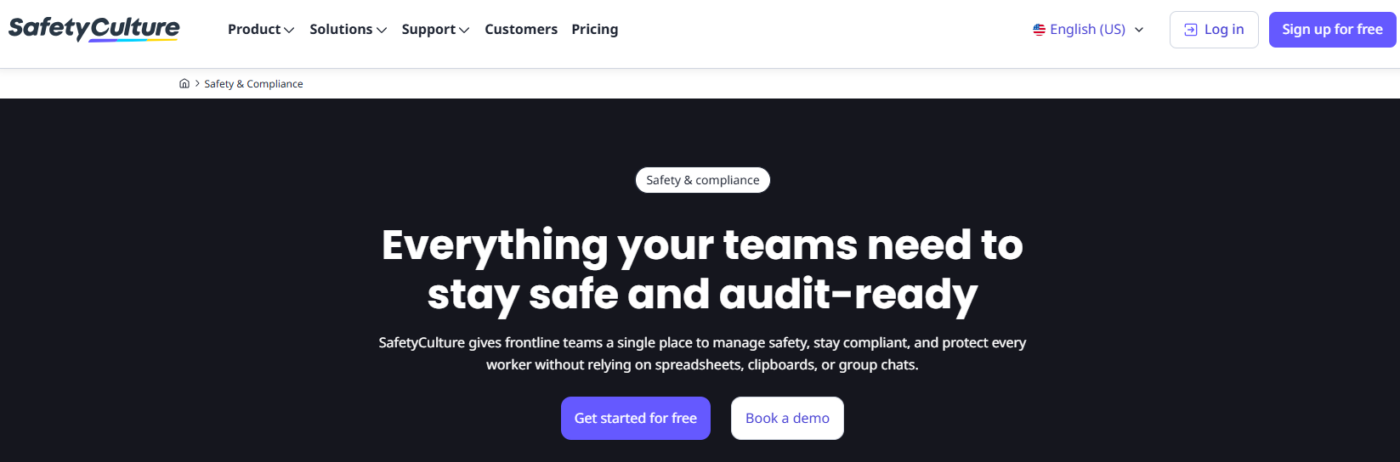
Food safety is one of several types of inspections for many operators, and SafetyCulture covers the whole set. The checklist builder works the same whether you’re inspecting a walk-in fridge, a delivery vehicle, or a fire exit.
Key Features
- Drag-and-Drop Checklist Builder. Build inspections for any process, then deploy them across teams and sites.
- Temperature and Humidity Sensors. Wireless sensors feed readings into the platform with threshold alerts for out-of-range conditions and power failures.
- Training in the Same Platform. Deliver food safety courses alongside the inspections that check the same standards.
- Heads Up Announcements. Push standard changes to teams and confirm they’ve landed.
Pricing
| Plan | Price |
|---|---|
| Free | $0 |
| Premium (billed annually) | From $24/seat/month |
| Enterprise | Custom |
Where SafetyCulture Shines
- One platform covers non-food inspections too. Equipment checks, workplace safety audits, and vehicle inspections run alongside food safety, which suits operators who don’t want a food-only tool.
- Asset monitoring extends past food storage. Sensors track equipment conditions generally, not only fridges and freezers.
- Integrations connect existing systems. Data flows between SafetyCulture and other tools rather than sitting in isolation.
Where SafetyCulture Falls Short
- No food prep labeling. Kitchens print date and expiry labels from separate equipment.
- No HACCP plan building. The platform runs checks against a plan you wrote elsewhere.
- Per-seat pricing scales with frontline headcount. High-turnover operations with many hourly staff should model the seat count before committing.
Customer Reviews
“Before using this platform, we were unorganised and probably not meeting legal compliance. Safety Culture has helped us keep everything in one place and work more efficiently. We still have a lot to add to it, but we’re getting there.” Alex B.
“The additional cost per user is tough for a business that users fluctuate within the month. We may have 40 guys on site and then the next month 31,” says Archie O.
Who SafetyCulture Is Best For
- Mixed operations. Businesses where food is one part of a wider site that also needs safety, equipment, and facility inspections.
- Field teams. Operations inspecting locations they don’t occupy, including transport and distribution.
Read more about the best SafetyCulture alternatives in 2026.
6. Octave Reliance (formerly ETQ Reliance): Best for Enterprise Manufacturers Running Food Alongside Other Regulated Lines
Octave is an enterprise quality management system with more than 90 applications covering document control, CAPA, nonconformance management, audit management, supplier quality, and training management.
Food and beverage is one of several regulated industries it serves, alongside pharmaceuticals, medical devices, and automotive. Workflows, forms, and rules are configurable without coding, and every action carries an audit trail.
The tradeoff is scope. Octave Reliance manages quality processes at a corporate level and doesn’t handle shift-level kitchen execution. Configuration takes time, and pricing comes through a questionnaire rather than a published tier.
7. FoodDocs: Best for Small Operators Who Need a HACCP Plan Fast
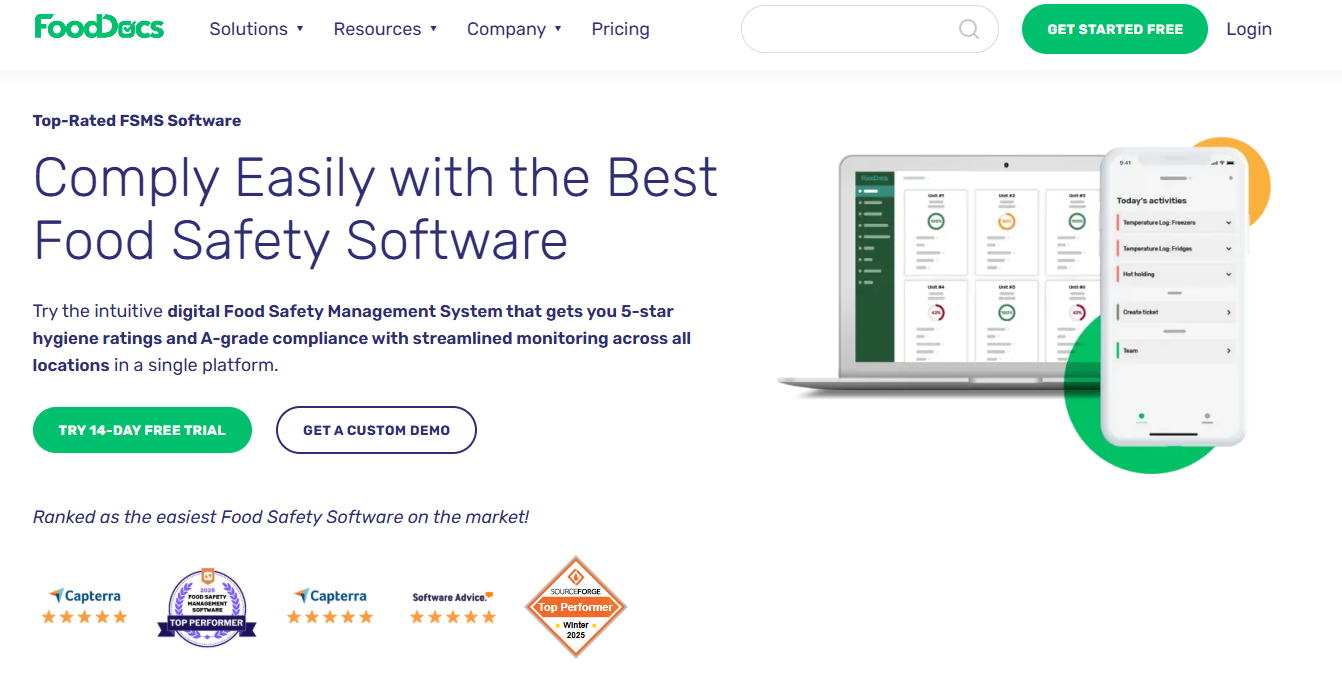
FoodDocs solves one problem quickly: producing a documented HACCP plan. Its AI builder generates the plan, defines critical control points, creates SOPs, and produces a flow chart from information you supply about your operation.
Beyond the plan, it covers daily monitoring tasks, traceability, and a mobile app for task notifications. Pricing starts around $79/site/year and rises to roughly $250/site/month for the professional tier.
Its limits show at scale. Integrations are narrow, and the platform is built around small to medium operations rather than multi-site rollouts with location-level reporting and centralized standard control.
How to Choose a Food Compliance Software
Match the platform to the compliance job you actually have. These capabilities separate the options.
Records That Survive an Inspection
An inspector wants dated, attributable evidence, not a binder someone completed retrospectively. Your system should timestamp every check and hold the photo evidence with it.
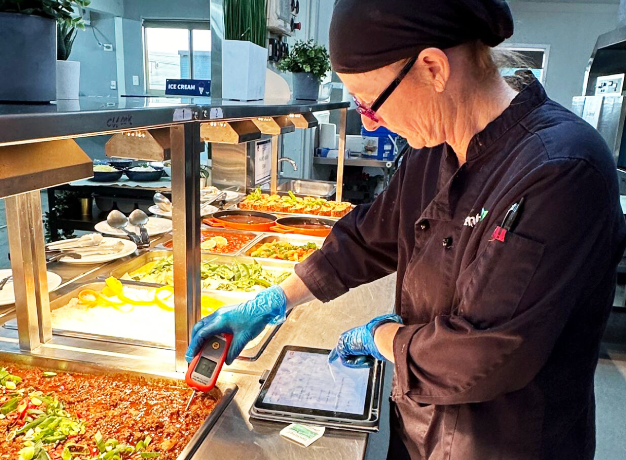
Operandio’s digital food safety records store each completed check against the person and location that produced it.
Corrective Actions With Ownership
Finding a problem is only useful if someone owns fixing it. The platform should turn a failed check into an assigned action with a deadline and a closure record.
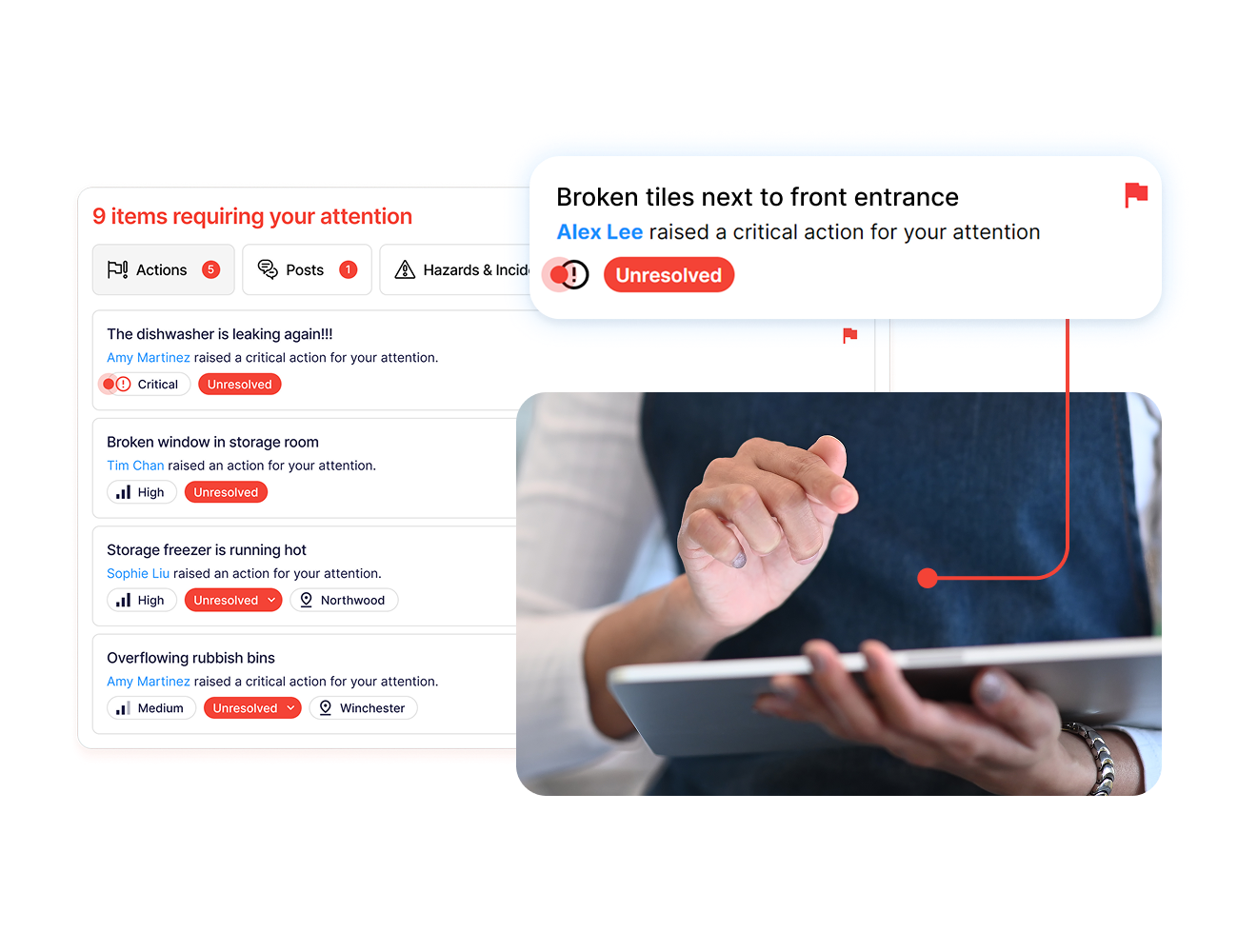
That’s why Operandio’s corrective actions generate from failed audit items and track through to resolution.
Read more about the best CAPA software to try in 2026, too.
Standardization Across Locations
Multi-site operators need one standard, not twelve local interpretations. Look for central control over checklists and procedures, with location-level reporting to show who is keeping up.
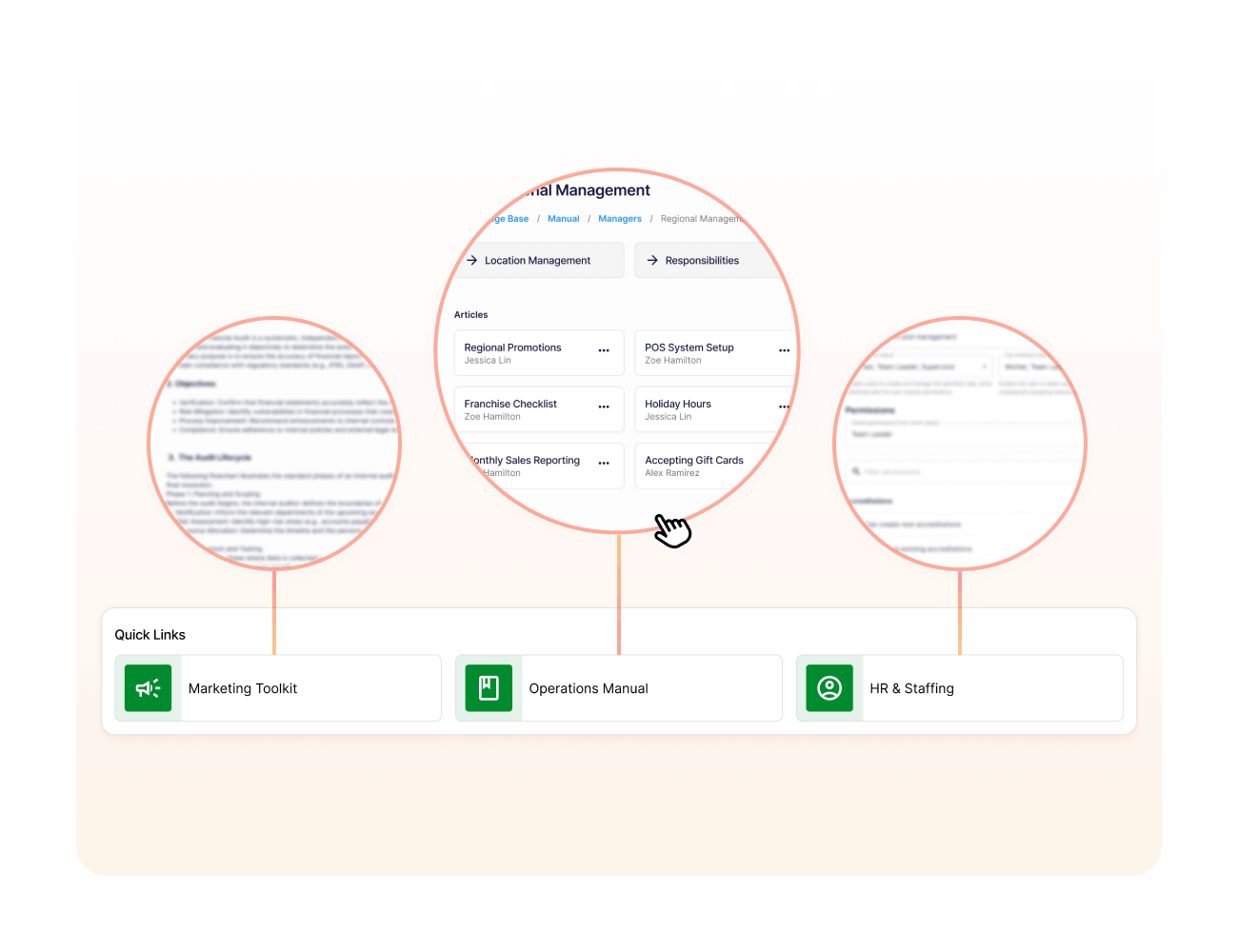
Operandio pushes standardized checklists from head office and reports compliance by site through its network dashboard.
Frontline Usability on Shift
Compliance work happens between covers, on whatever device is near the pass. If the system needs a desktop, it won’t get used.

Operandio runs on mobile and shared tablet apps with offline access when the connection drops.
Compare more audit management software for compliance in 2026, and some also work on mobile.
Automate and Simplify Food Safety Compliance With Operandio
Most platforms on this list solve one slice of compliance. Manufacturing certification, supply chain traceability, scored inspections. If your compliance problem is getting the same food safety work done correctly in every location, that’s a different job.
Operandio handles it in one system: temperature sensors, digital records, prep labeling, audits, corrective actions, and the training behind them.
Book a demo request to discuss your systems today.
FAQs
1. How does food compliance software help you pass audits?
By producing the evidence automatically. Timestamped checks, photo records, and closed corrective actions give an inspector a complete trail without anyone reconstructing it from paper.
2. Is food compliance software worth it for small businesses?
Yes, often. Single-site operators with published-price tools like FoodDocs get value from HACCP plan building. The returns grow sharply once you’re managing several locations.
3. What regulations does food compliance software help you meet?
HACCP, FSMA including 204 traceability, and GFSI standards such as BRCGS, SQF, and FSSC 22000. Coverage varies by platform, so check which standards each one supports.