





Last updated: 8 September 2026
Key Takeaways
- Choose Operandio if you manage multi-location operations across hospitality, retail, healthcare, or facilities: best operations execution platform for connecting audits, corrective actions, food safety compliance, and frontline training in one system.
- Choose MaintainX if your primary risk is equipment downtime across manufacturing, logistics, or facilities: best CMMS for work order management and preventive maintenance scheduling.
- Choose GoAudits if you need to digitize inspections and generate instant reports without a broader ops stack: best mobile audit tool for small to mid-size compliance teams on a budget.
- Choose Connecteam if your gap is shift scheduling and internal communications, not audit compliance: best workforce management app for deskless frontline teams.
Many teams adopt SafetyCulture to replace paper audits, but end up outgrowing it once inspections need to trigger accountability across locations automatically.
The platform captures inspections well, yet corrective actions still rely heavily on manual follow-up, report customization often spills back into Excel, and per-user pricing becomes expensive as frontline teams scale
If you’re at that point, here are five alternatives worth evaluating.
SafetyCulture Is Now Mitti: What the Rebrand Changes
SafetyCulture has rebranded to Mitti. This is the second name change in the product’s history: the original mobile app was iAuditor, the company became SafetyCulture, and the platform now trades as Mitti by SafetyCulture.
For existing customers the platform itself is unchanged. If you are searching for SafetyCulture alternatives during the transition, every comparison point below applies to both names, and we refer to the product as SafetyCulture (Mitti) throughout.
Best SafetyCulture (Formerly iAuditor) Alternatives: A Quick Overview
| Software | Best For | Standout Feature | Starting Price |
| SafetyCulture (Mitti) | Broad safety and compliance across many industries | Large inspection template library and IoT sensor range | $24/seat/month billed annually |
| Operandio | Multi-location ops: hospitality, retail, healthcare, facilities | Corrective actions, food safety, SOPs, and frontline LMS in one platform | Custom |
| MaintainX | Maintenance-led teams: manufacturing, logistics, facilities | Work order management with preventive maintenance scheduling | Custom |
| GoAudits | Teams needing simple audits and instant PDF reports | Automated branded inspection reports | $10/user/month |
| Connecteam | Frontline workforce scheduling and internal communications | Mobile shift scheduling and time tracking | $29/month (30 users) |
| Fluix | Field inspection teams in construction, energy, and aviation | Offline-first forms with multi-step document approval workflows | $29/user/month |
| Jolt | Restaurant and QSR shift execution | Labeling and temperature logs tied to shift checklists | Quote-based |
| Xenia | Facilities teams needing inspections plus work orders | Inspections and work order tracking in one tool | Quote-based |
| Op Central (Ideagen Procedure Management) | Franchise networks in Australia and New Zealand | Franchise SOP and document control with version history | Custom |
1. Operandio: Best for Operational Consistency Across Multi-Location Businesses
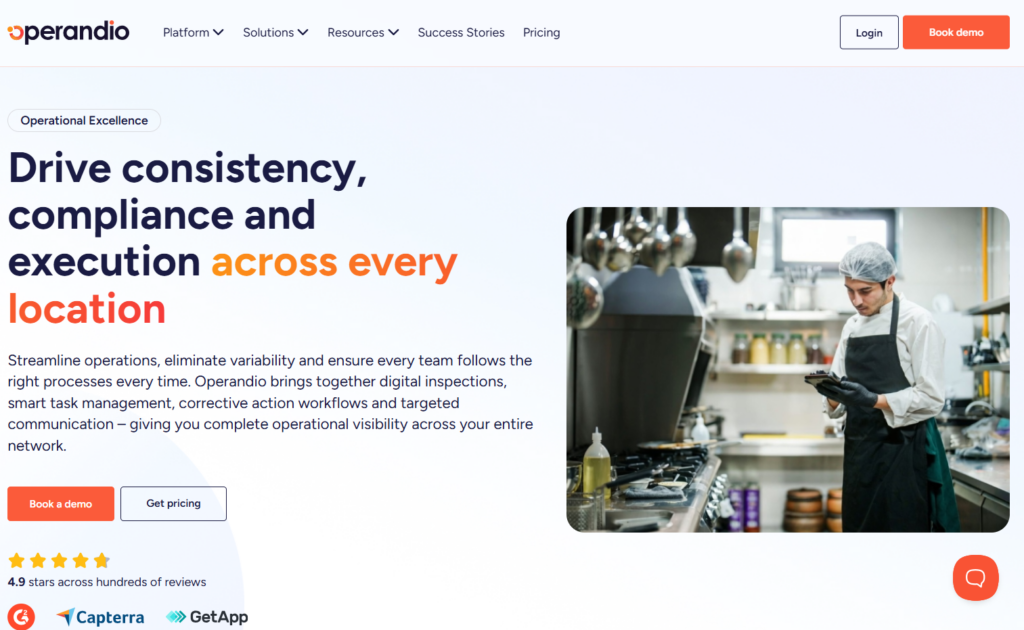
Operandio is an operations execution platform built for multi-unit businesses with global locations. The platform runs on a single codebase with no vendor sprawl, so data from an inspection feeds directly into corrective actions, training gaps, and compliance reporting.
Operandio Key Features
Operandio’s feature set is designed around the full operational cycle: capture the issue, assign the fix, verify the outcome, and report on it. Each module connects to the others, so nothing falls through the cracks between inspection and resolution.
Audits and Inspections with Corrective Actions
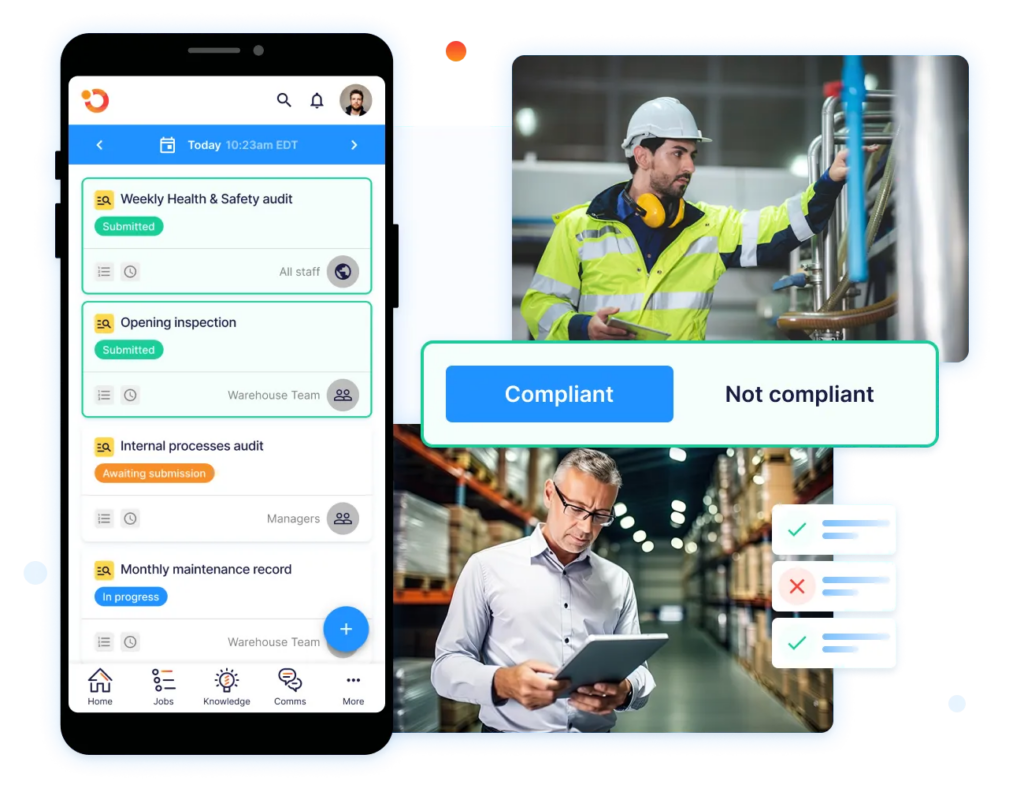
While SafetyCulture captures inspection data, Operandio closes the loop on it with advanced audits and inspections.
When a frontline team member fails an audit step, Operandio automatically generates a corrective action and assigns it to the right person.
AI Photo Evaluations and Suggested Action Plans
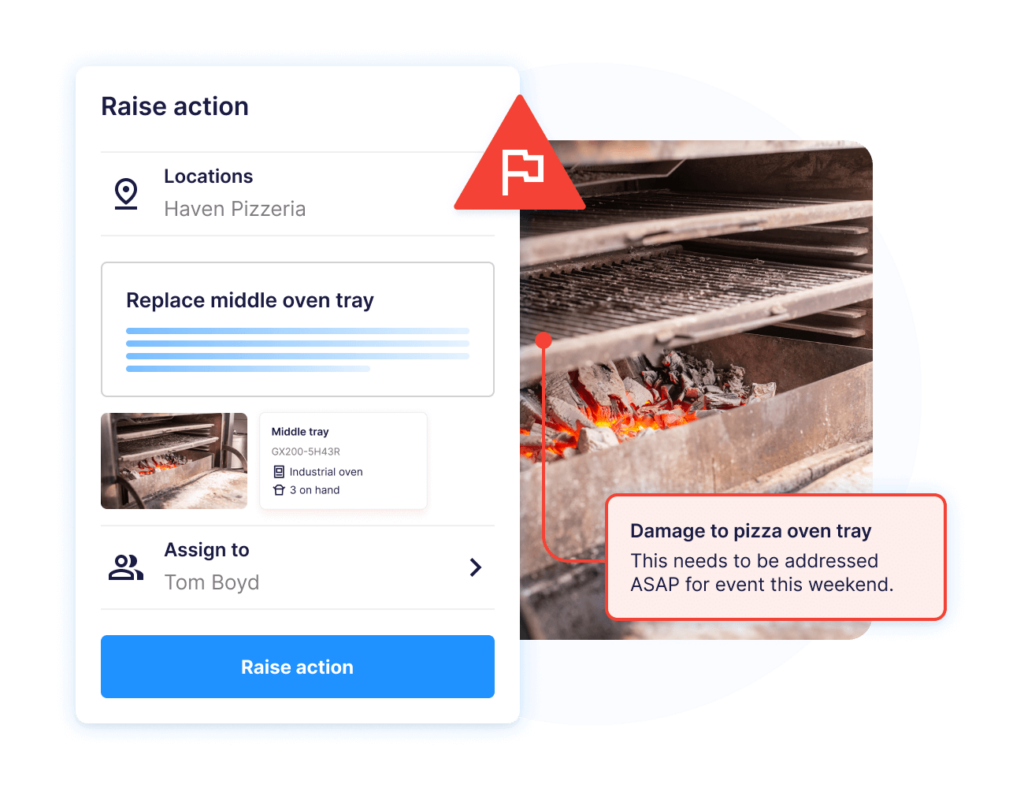
Operandio includes an AI photo evaluation agent that compares frontline photos against your gold-standard reference images in real time.
If a discrepancy appears, such as a damaged oven, a cleanliness gap, or merchandising non-compliance, the system flags it and generates a prescriptive action plan automatically.
Mitti has added AI capabilities of its own, including AI issue creation and an agent builder, so both platforms now apply AI to frontline operations. Where Operandio differs is the specific workflow: scoring a frontline photo against your own gold-standard reference image, and generating the action plan from that visual comparison rather than from a written description of the problem.
Food Safety Compliance: Sensors, Labels, and Probes
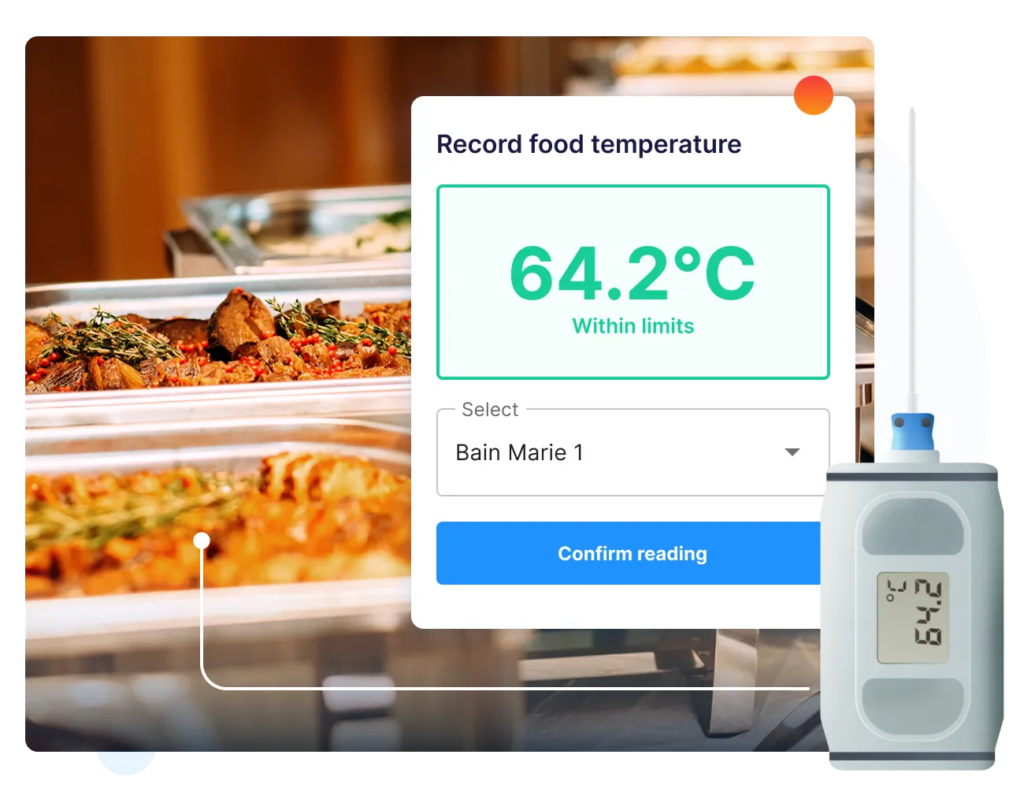
Operandio’s digital food safety module replaces manual logs, handwritten labels, and paper-based fridge checks with automated monitoring and real-time traceability. Three hardware integrations underpin this:
- Automated temperature monitoring sensors run 24/7 across fridges, freezers, and hot-hold units. If a reading falls out of range, the platform triggers a real-time alert with built-in escalation workflows.
- Smart food prep labeling replaces handwritten stickers with digitally printed labels that track prep date, expiry, and food type.
- Mobile Bluetooth thermometers let team members validate food temperatures on the floor, with readings syncing instantly to the platform.
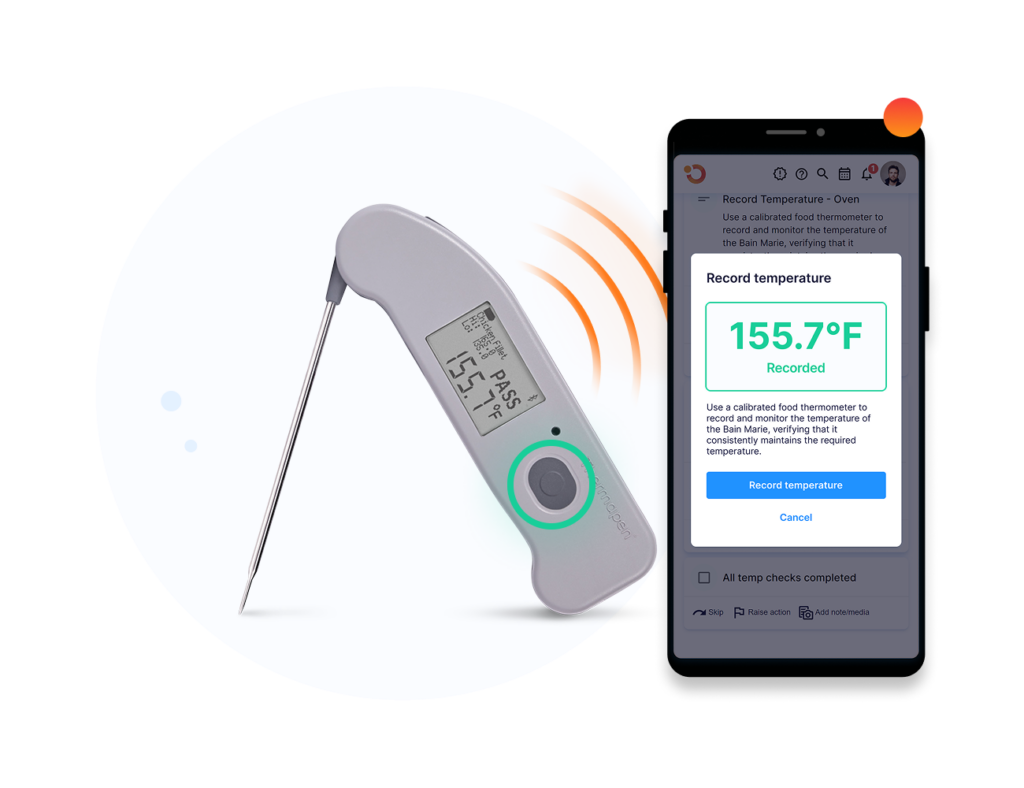
All food safety activity is timestamped, linked to the relevant team member, and stored as a complete digital log.
In comparison, SafetyCulture does not offer native food safety hardware integration or automated temperature monitoring at this depth.
Operandio Pricing
Note: Operandio’s Pricing is custom and based on the number of locations and modules activated.
| Plan | Pricing |
| All tiers | Custom |
Where Operandio Shines
- Audit-to-action in one platform: Failed inspection steps generate corrective actions automatically. Every issue has an owner, a deadline, and a resolution record
- Food safety compliance built in: Automated temperature monitoring, food prep labeling, and mobile probe integration are native to the platform, not a third-party add-on. This matters for any multi-location restaurant with food and beverage operations subject to health inspections
- Go-live speed at scale: Operandio’s onboarding model is designed for large frontline deployments
Where Operandio Falls Short
- Hospitality and retail focus: Operandio’s deepest capability is in multi-location food and beverage, retail, and hospitality operations. Teams in construction, oil and gas, or high-risk industrial environments may find the operational model less relevant to their compliance requirements
Customer Reviews
“Once Operandio came in, it was the solution to all our problems. We can push standards to any store, any time.” Najib Ullah, Chief Operating Officer & Managing Partner, Tex’s Chicken & Burgers.
“Operandio has revolutionized our operations. It has allowed our network to synchronize seamlessly on all aspects of food safety operations, providing us with the capability to swiftly access compliance records.” Kristin A, Group General Manager, Riverland Group.
Who Operandio Is Best For
- Multi-location hospitality groups: Hotels, pubs, QSR brands, and entertainment venues that need audit compliance, food safety, and training connected across every site
- Retail and healthcare operators: Businesses managing 30+ locations that need SOP standardization, recurring audits, and corrective action tracking from a single platform
- Franchises scaling across markets: Operators expanding to new locations who need consistent brand execution, centralized visibility, and training that works without a dedicated IT team
See how Operandio can help you grow and scale a multi-unit franchise in 2026.
2. MaintainX: Best for Maintenance-Led Operations and Work Order Management
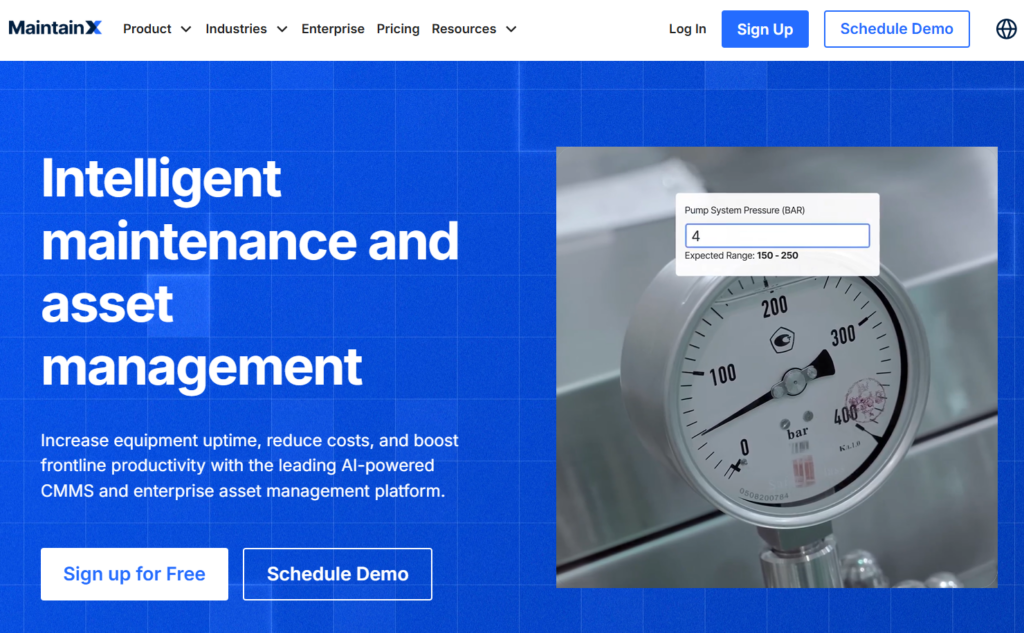
MaintainX is a Computerized Maintenance Management System (CMMS) and operations platform built around work orders, preventive maintenance scheduling, and asset tracking.
It serves manufacturing, facilities management, and logistics teams that need to track equipment maintenance alongside operational checklists.
Key Features
- Work Orders and Preventive Maintenance: Create, assign, and track work orders from mobile, while project management schedules run by time interval or meter reading.
- Digital Checklists within Work Orders: Custom forms with conditional logic and photo evidence, attached to maintenance events
- Reporting and Dashboards: Covers work order completion rates, asset reliability, and parts usage
Pricing
| Plan | Billed Monthly |
| Basic | Free |
| Essential | $20/user/month |
| Premium | $65/user/month |
| Enterprise | Custom |
Where MaintainX Shines
- Mobile work order adoption: Frontline technicians adopt MaintainX quickly due to its intuitive mobile interface
- Preventive maintenance scheduling: Automated PM schedules reduce equipment downtime for asset-heavy operations. Plus, maintenance history and linked documentation support audit readiness for equipment compliance.
Where MaintainX Falls Short
- No food safety or compliance tools: MaintainX has no temperature monitoring, food prep labeling, or HACCP-compliant workflows. Teams managing food safety alongside operations need a separate system
- No connected LMS: There is no frontline training module. Operators who need to connect audit findings to training gaps have no workflow to do that within MaintainX
Customer Reviews
“Navigation through the software is straightforward, and I like being able to micromanage each piece of equipment with maintenance records, shop diagrams, parts inventories, photographs, and vendors all in one place.” klm G, G2.
“For new users, the depth and breadth of the program can be somewhat intimidating.” Devin M, G2.
Who MaintainX Is Best For
- Single-site or small multi-site manufacturing teams that need to digitize work orders and track equipment maintenance
- Facilities managers in commercial real estate or logistics, where maintenance compliance is the primary operational focus
3. GoAudits: Best for Teams Needing Simple Mobile Audits and Instant PDF Reports
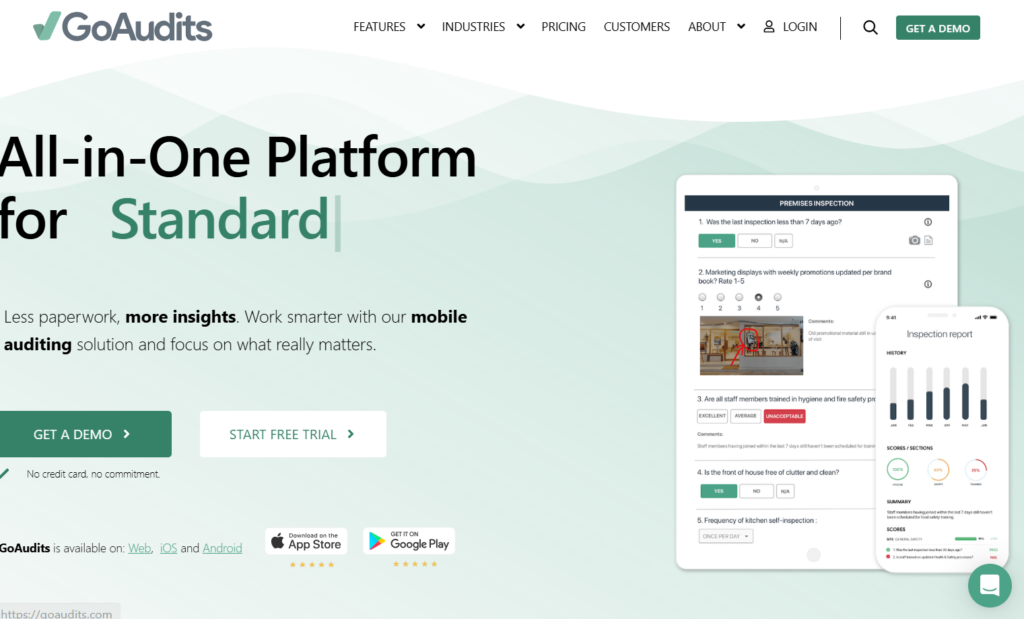
GoAudits is a mobile audit and inspection platform built around one core workflow: complete a checklist, generate a branded PDF report automatically. It serves teams whose needs start and end with digitizing checklists.
Key Features
- Digital Checklists with Photo Capture: Custom checklists with conditional logic, photo annotations, and digital signatures
- Automated Branded Reports: Generates a scored, branded PDF after each inspection with photos, scores, and flagged items. No manual compilation required.
- Task Assignment from Inspections: Failed items can assign a follow-up task with an assignee and a deadline
Pricing
| Plan | Billed Annually | Billed Monthly |
| Starter | $10/user/month | $12/user/month |
| Enterprise | $30/user/month | $35/user/month |
Where GoAudits Shines
- Fast report generation: Automated branded PDF reports reduce the time inspection teams spend on documentation
- Entry-level pricing: At $10/user/month, GoAudits is one of the lower-cost SafetyCulture alternatives for teams that only need inspection digitization
Where GoAudits Falls Short
- Limited follow-up workflows: No auto-generated corrective action plans or root cause analysis after audits
- No connected training or SOP management: GoAudits does not link audit failures to training workflows. Teams cannot use inspection data to identify training gaps or assign corrective learning
Customer Reviews
“Go Audits not only made it possible to analyze the data we were capturing, but it also reduced the time spent finalizing and submitting store audit reports.” Thomas J, G2.
“Setting up each individual audit is a bit cumbersome. Although GoAudits provides help, the checklist often needs additional tweaking.” Sue R, Capterra.
Who GoAudits Is Best For
- Budget-conscious operators running inspections at a single site or across a small number of locations where operational depth is not a requirement
4. Connecteam: Best for Frontline Workforce Scheduling and Internal Communications
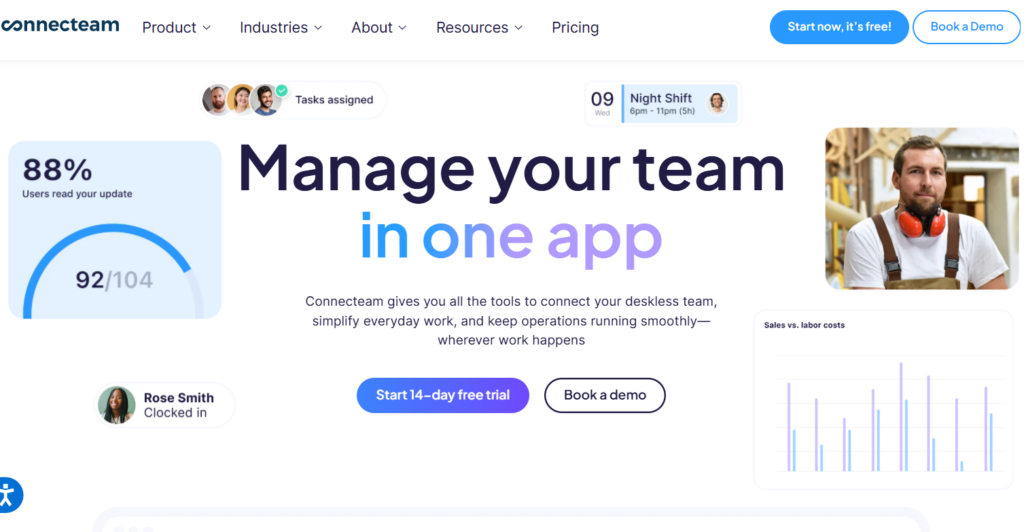
Connecteam is a workforce management platform designed for deskless and frontline teams. It covers shift scheduling, time tracking, task checklists, internal messaging, and onboarding.
Key Features
- Shift Scheduling and Time Tracking: Drag-and-drop scheduler with GPS-stamped clock-ins and geofencing
- Task Checklists and Forms: Mobile checklists for daily operations like opening and closing routines, shift handovers, and basic compliance forms
- Internal Communications: Team messaging, announcements, and a knowledge base for distributing SOPs. Staff can confirm they have read communications
Pricing
| Plan | Billed Annually | Billed Monthly |
| Small Business | Free | Free |
| Basic | $29/month (first 30 users) | $35/month (first 30 users) |
| Advanced | $49/month (first 30 users) | $59/month (first 30 users) |
| Expert | $99/month (first 30 users) | $119/month (first 30 users) |
| Enterprise | Custom | Custom |
Where Connecteam Shines
- Shift management for large frontline teams: Connecteam handles complex scheduling across multiple locations with a mobile-first interface that frontline workers adopt without training
- Affordable at small business scale: The $29/month flat rate for the first 30 users makes Connecteam accessible for small teams that need scheduling and communications without per-user pricing pressure
Where Connecteam Falls Short
- No audit or inspection capability: Connecteam has no scored inspection workflows, corrective action management, or compliance reporting
- Basic forms, not audit tools: Connecteam’s checklists are operational forms for daily tasks. They do not support weighted scoring, evidence-linked corrective actions, or audit-trail documentation
Customer Reviews
“What stood out most to me about Connecteam was how well it centralized day-to-day workforce coordination into a single mobile-first platform.” Vinay P, G2.
“The free version is great, but when moving to above 10 employees, what is included in each tier is quite messy and could be more streamlined.” Dani R, Capterra.
Who Connecteam Is Best For
- Teams where SafetyCulture was only used for basic task checklists, not compliance audits or corrective action tracking. Connecteam covers the workforce management layer without the audit depth
5. Fluix: Best for Field Inspection Teams in Construction, Energy, and Aviation
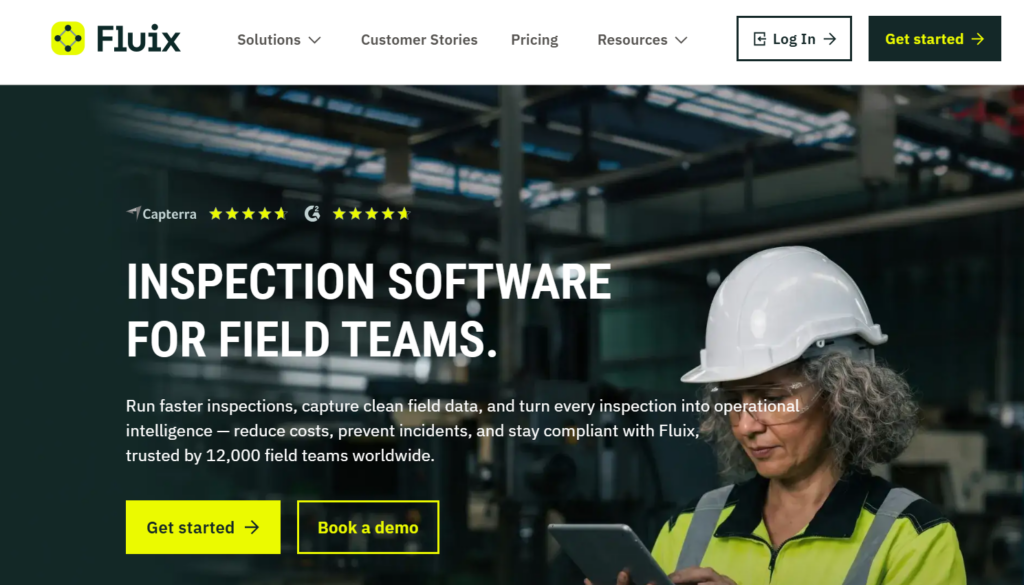
Fluix is a document workflow and field inspection platform purpose-built for high-risk field industries: construction, oil and gas, aviation, and HVAC.
It handles offline-first form capture, multi-step approval workflows, and document control for teams that operate in remote or connectivity-limited environments.
Key Features
- Offline-First Mobile Forms: Captures data, photos, and signatures without a connection and syncs on reconnection. Template flexibility outperforms SafetyCulture on layout customisation per reviewer feedback
- Document Control and Approval Workflows: Completed forms route through multi-step approval chains, with each step tracked
- Integrations: Connects with Airtable, Zapier, Procore, Power BI, Salesforce, and HubSpot
Pricing
| Plan | Pricing |
| Crews | $29/user/month |
| Operations | $49/user/month |
| Enterprise | Custom |
Where Fluix Shines
- Template flexibility: Fluix supports more complex form layouts than SafetyCulture, which is a consistent advantage for teams running detailed technical inspections
- Offline reliability: Field teams in remote construction sites, energy facilities, or aviation maintenance can use Fluix even when offline
Where Fluix Falls Short
- No corrective action routing: Fluix handles document workflows but does not auto-assign corrective actions from failed inspection steps. Issue resolution still requires manual coordination
- Not built for multi-location operations: There is no network dashboard, no LMS, and no food safety tools. Fluix is an inspection and document platform, not an operations execution system
- Niche industry fit: Fluix’s vertical focus on construction, aviation, and energy means it has limited relevance for hospitality, retail, or healthcare operators
Customer Reviews
“Fluix is very easy to use and doesn’t take a lot of time making updates within the system.” Wanda H, Capterra.
“Sometimes it takes time to refresh, like, for example, uploading a form.” Khaleed M, G2.
Who Fluix Is Best For
- Construction and engineering firms that need offline-first inspection forms with document approval chains
- Oil and gas or aviation maintenance teams where form flexibility, document control, and field reliability are the primary requirements
6. Jolt: Best for Restaurant and QSR Shift Execution
Jolt is a shift execution platform built for restaurants, convenience stores and food retail. It combines opening and closing checklists, food safety logs, labeling and employee scheduling in a single mobile app aimed at store-level teams.
Key Features
- Digital food safety logs: temperature checks, line checks and cleaning logs recorded against a shift rather than a standalone inspection
- Date labeling: label printing with prep and expiry dates, integrated with the checklist workflow
- Scheduling and time clock: shift scheduling, availability and a store-level time clock
Where Jolt Shines
- Store-level adoption: the product is designed for a shared tablet on a counter, and frontline crews pick it up quickly
- Food safety and labeling together: labeling is native rather than an integration, which matters for QSR operators
Where Jolt Falls Short
- Limited beyond food service: the model is built around restaurant shifts and translates poorly to retail, healthcare or facilities operations
- No connected training: there is no frontline LMS, so audit failures cannot be routed into corrective learning
- Reporting across a large network: multi-site rollup reporting is thinner than operators with 50+ locations typically need
Who Jolt Is Best For
- Single-brand restaurant and QSR groups whose primary need is shift execution and food safety logging at store level
7. Xenia: Best for Facilities Teams Combining Inspections and Work Orders
Xenia is an operations and maintenance platform for facilities, hospitality and property teams. It sits between an inspection tool and a maintenance system, handling checklists, work orders and asset records in one place.
Key Features
- Inspections plus work orders: a failed checklist item can raise a work order against a specific asset
- Asset and location records: equipment history tracked per site
- Templates and SOPs: procedure library attached to recurring tasks
Where Xenia Shines
- Inspection and maintenance in one tool: teams that would otherwise run an audit app alongside a maintenance system can consolidate
- Fast setup: template-driven onboarding without a long implementation
Where Xenia Falls Short
- No food safety hardware: no native temperature sensors, prep labeling or Bluetooth probe integration
- Training is not connected: no frontline LMS tied to audit outcomes
- Depth at network scale: reporting and permissions are built for facilities teams rather than for a franchise network with hundreds of sites
Who Xenia Is Best For
- Facilities, property and hospitality maintenance teams that need inspections and work order management from the same system
8. Op Central (Ideagen Procedure Management): Best for Franchise SOP and Document Control
Op Central was acquired by Ideagen and now trades as Ideagen Procedure Management. It is built for franchise networks in Australia and New Zealand, with its strength in centralized SOP libraries, document version control and franchisee communication.
Key Features
- Franchise document control: a central operations manual with version history and read receipts
- Franchisee communication: announcements and acknowledgement tracking across the network
- Audits and compliance checks: recurring site audits against the documented standard
Where Op Central Shines
- Operations manual management: among the stronger tools for keeping a franchise manual current and proving franchisees have read it
- Regional fit: built for the Australian and New Zealand franchise market, including local compliance expectations
Where Op Central Falls Short
- Rebrand transition: the product is mid-transition into the wider Ideagen portfolio, so naming, roadmap and support paths are in flux
- No food safety hardware: no sensors, labeling or probe integration
- Document-led rather than execution-led: strong at distributing the standard, lighter at proving it was executed on the floor day to day
Who Op Central Is Best For
- Australian and New Zealand franchise networks whose central problem is keeping the operations manual current and distributed
Reasons to Consider an Alternative to SafetyCulture
SafetyCulture’s limitations can become operational problems at scale. These are the four most consistent gaps that lead multi-location operators to switch.
Per-User Pricing Breaks at Scale
SafetyCulture (Mitti) Premium is priced at $24 per seat per month billed annually, or $29 billed monthly. For a multi-location team running 10 users per site across 50 locations, that is roughly $12,000 a month on the Premium tier before any Enterprise negotiation.
Mitti does now offer site-based pricing, but it sits at the Enterprise tier and requires a sales conversation to access. Below that, the model is per seat, and it does not account for the reality that large frontline workforces have many people who need occasional access rather than a full audit licence. The cost of adding a casual crew member is the same as adding a compliance manager.
Operandio prices by location and by the modules you activate as standard, not as an enterprise exception. Adding frontline headcount at a site does not change what that site costs.
Here’s more on Operandio Pricing, where you can also ask about a paid 30-60 day pilot.
Inspections Capture Problems, but Don’t Resolve Them
SafetyCulture records a failed inspection step, but what happens next is manual. A manager has to review the report, identify the issue, contact the relevant person, and track whether it was fixed. This workflow breaks under operational volume.
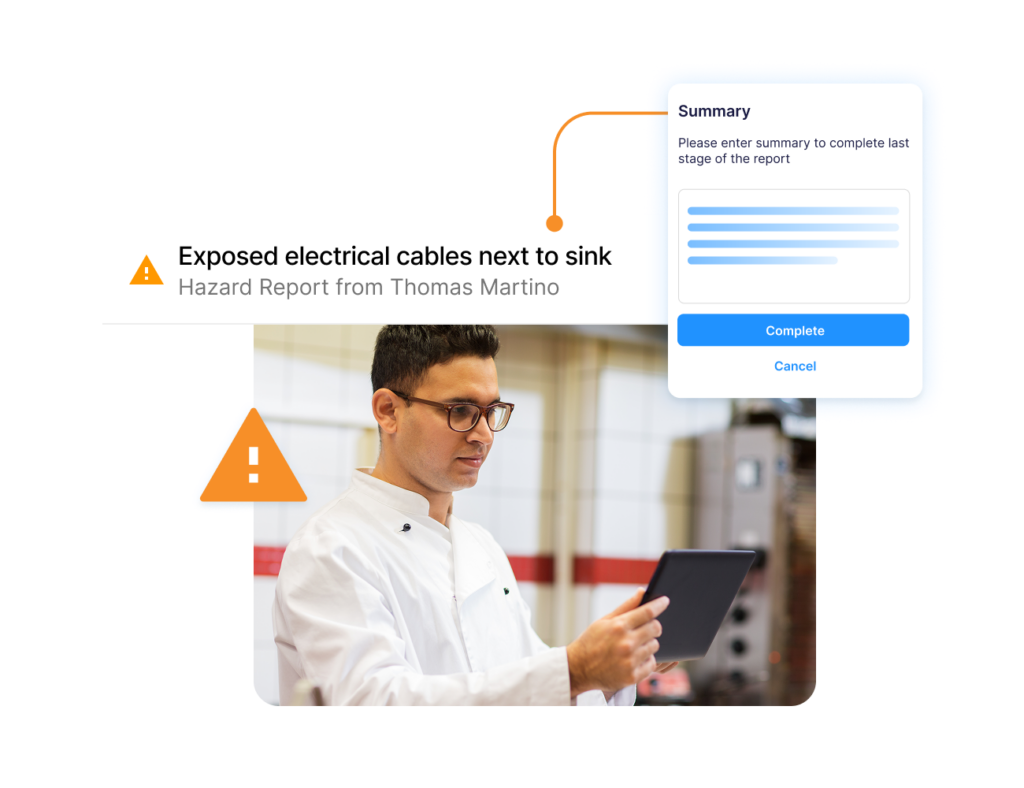
Operandio’s corrective actions module removes that manual step. Failed audit items generate assigned, tracked actions automatically, with a full resolution trail.
Report Customization Requires Manual Rework
SafetyCulture’s report generation is restrictive and often requires additional work in Excel after exporting the data. For operations teams that run regular audits and distribute reports to stakeholders, this creates a recurring administrative burden.
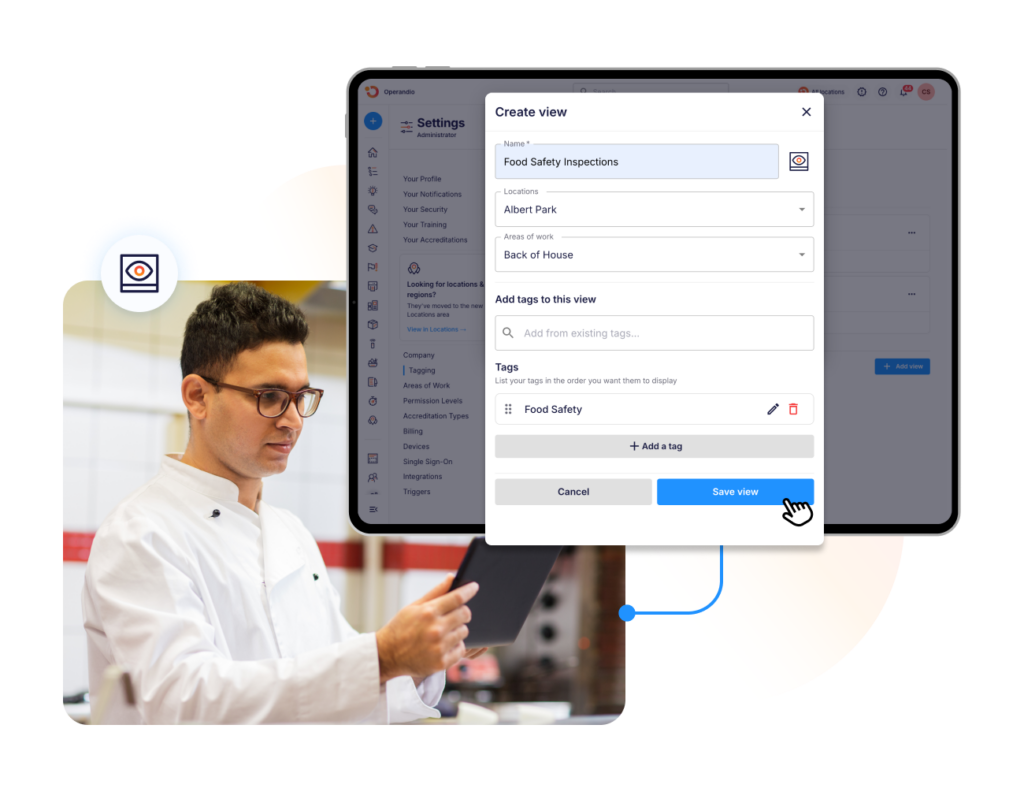
Operandio’s reporting dashboards are role-based and pull live data across all locations, so that reports do not require post-export editing.
Connectivity Issues Create Compliance Gaps
SafetyCulture sync can be slow for photo uploads in low-connectivity environments. If your team is in remote sites or large venues, you may be exposed to data loss during the audit, which is a compliance risk.
As an alternative, Operandio is built for frontline deployment in high-volume, multi-device environments, including shared tablet access across shift-based teams so that a whole crew can work from one device without individual licences.
If SafetyCulture’s pricing, action gaps, or reporting are creating operational problems, see how Operandio addresses each of them. Here are Operandio’s features.
Build Safer, Compliant Workplaces with Operandio
Operandio connects audits, corrective actions, food safety compliance, and frontline training in one platform. It’s built specifically for multi-unit operators who need accountability at every step, not just inspection data. Book a demo to see how it works across your locations.
FAQs
Is SafetyCulture changing its name to Mitti?
Yes. SafetyCulture now trades as Mitti by SafetyCulture. It is the same platform and the same company, following the earlier change from iAuditor to SafetyCulture. Existing accounts, data and integrations are unaffected.
Are SafetyCulture and iAuditor the same thing?
Yes. iAuditor was SafetyCulture’s original product name. The company rebranded to SafetyCulture in 2018, and iAuditor is now the name of its mobile inspection app within the broader platform.
Which SafetyCulture alternative is best for franchises?
Operandio. It is built for franchise and multi-unit operations with 30 to 500 locations, covering brand audits, corrective actions, frontline training, and food safety compliance from a centralized dashboard.
Can Operandio replace multiple tools at once?
Yes. Operandio is designed to replace disconnected systems for audits, food safety logs, training platforms, and SOP management. Operators report replacing three to five separate tools when switching to Operandio, which reduces both cost and operational friction.