
- Platform
- Features
 Franchise & Multi-Unit ManagementCentralize oversight and streamline growth across your entire multi location network
 Learning ManagementTrain, verify, and reward your workforce with mobile-first education
 Operations ExecutionStreamlined operations ensuring brand standards, accountability and efficiency
 Asset ManagementOptimize equipment uptime through proactive maintenance and smart tracking
 Digital Food SafetyAutomate compliance and monitor quality with real-time digital precision
 Health & Safety Management (EHS)Mitigate workplace risks and streamline digital incident reporting and investigations
- Platform Essentials
 Powerful ReportingAlign leadership with role-based dashboards and deeper analytics
 Operandio IntelligenceAutomate content, analyze trends, and provide instant answers
 IntegrationsUnify your enterprise tech stack with real-time data
 IoT PlatformDetect anomalies and automate workflows with intelligent sensors
 Mobile & Shared Tablet AppsSecurely empower frontline teams with fast, offline-capable access
- Footer


 Not sure what you need?
Book in a call with the team
- Features
- Solutions
- By Industry
 RestaurantsQSR, fast food and multi-unit restaurants
 Hotels & ResortsHotels, resorts and extended stay hotels
 ChildcareEarly education, childcare, daycare and preschool
 EntertainmentTheme parks, family entertainment centers and play centers
 Fitness Centers & LeisureFitness centers, golf clubs, gyms and sports facilities
 RetailBig-box retailers, franchise stores and supermarkets
- By Use Case
- Operational ExcellenceStreamlined operations ensuring brand standards, accountability and efficiency
- Learning & DevelopmentTrain, verify, and reward your workforce with mobile-first education
- Franchise & Multi-Unit ManagementCentralize oversight and streamline growth across your entire multi location network
- Food Safety ComplianceAutomate compliance and monitor quality with real-time digital precision
- Asset Management & MaintenanceOptimize equipment uptime through proactive maintenance and smart tracking
- Health & Safety Management (EHS)Mitigate workplace risks and streamline digital incident reporting and investigations
- By Industry
- Resources

- Platform
- Features
- Franchise & Multi-Unit ManagementCentralize oversight and streamline growth across your entire multi location network
- Learning ManagementTrain, verify, and reward your workforce with mobile-first education
- Operations ExecutionStreamlined operations ensuring brand standards, accountability and efficiency
- Asset ManagementOptimize equipment uptime through proactive maintenance and smart tracking
- Digital Food SafetyAutomate compliance and monitor quality with real-time digital precision
- Health & Safety Management (EHS)Mitigate workplace risks and streamline digital incident reporting and investigations
- Platform Essentials
- Powerful ReportingAlign leadership with role-based dashboards and deeper analytics
- Operandio IntelligenceAutomate content, analyze trends, and provide instant answers
- IntegrationsUnify your enterprise tech stack with real-time data
- IoT PlatformDetect anomalies and automate workflows with intelligent sensors
- Mobile & Shared Tablet AppsSecurely empower frontline teams with fast, offline-capable access
- Footer
- Not sure what you need?
Book in a call with the team
- Features
- Solutions
- By Industry
- RestaurantsQSR, fast food and multi-unit restaurants
- Hotels & ResortsHotels, resorts and extended stay hotels
- ChildcareEarly education, childcare, daycare and preschool
- EntertainmentTheme parks, family entertainment centers and play centers
- Fitness Centers & LeisureFitness centers, golf clubs, gyms and sports facilities
- RetailBig-box retailers, franchise stores and supermarkets
- By Use Case
- Operational ExcellenceStreamlined operations ensuring brand standards, accountability and efficiency
- Learning & DevelopmentTrain, verify, and reward your workforce with mobile-first education
- Franchise & Multi-Unit ManagementCentralize oversight and streamline growth across your entire multi location network
- Food Safety ComplianceAutomate compliance and monitor quality with real-time digital precision
- Asset Management & MaintenanceOptimize equipment uptime through proactive maintenance and smart tracking
- Health & Safety Management (EHS)Mitigate workplace risks and streamline digital incident reporting and investigations
- By Industry
- Resources
7 Employee Onboarding LMS for New Employee Training
Key Takeaways
- Choose Operandio if you onboard frontline employees across multiple locations and need training connected to SOPs, checklists, audits, and compliance workflows in one platform.
- Pick TalentLMS if your team needs a simple employee onboarding LMS for fast course deployment without deep operational visibility.
- Pick Trainual if your onboarding process depends heavily on SOP documentation, role-based playbooks, and searchable company knowledge.
- Pick Docebo or LearnUpon if you manage enterprise-level onboarding across employees, partners, customers, or multiple learner groups.
Employee onboarding gets harder once your teams are spread across locations, shifts, and roles.
A basic employee onboarding learning management system (LMS) can help you deliver courses. But if you run a multi-location frontline team, training alone is not enough. You also need proof that employees understood the SOP, followed the checklist, completed the right certification, and applied the standard on shift.
In this guide, we compare seven of the best LMS platforms for onboarding employees based on mobile access, training workflows, compliance visibility, pricing, and fit for different team structures.
7 Best Employee Onboarding LMS: A Quick Overview
| Name | Best for | Standout feature | Price starting point |
|---|---|---|---|
| Operandio | Multi-location frontline teams | Mobile LMS connected to SOPs, audits, checklists, and corrective actions | Custom pricing |
| TalentLMS | SMBs and mid-market teams | Fast course setup with ready-made training content | From $119/month for up to 40 users |
| Trainual | SOP documentation and onboarding | Searchable process playbooks with role-based training | Custom pricing |
| iSpring Learn | PowerPoint-based onboarding course authoring | Native authoring tools with SCORM support | From $6.91/user/month for up to 100 users |
| 360Learning | Collaborative onboarding | Peer-led course creation by internal subject-matter experts | From $8/user/ month for up to 100 users |
| LearnUpon | Multi-audience onboarding portals | Separate learning portals for employees, partners, and customers | Custom pricing |
| Docebo | Enterprise onboarding at scale | AI-powered learning paths for large global teams | Custom pricing |
1. Operandio: Best for Training Multi-Unit Frontline Teams
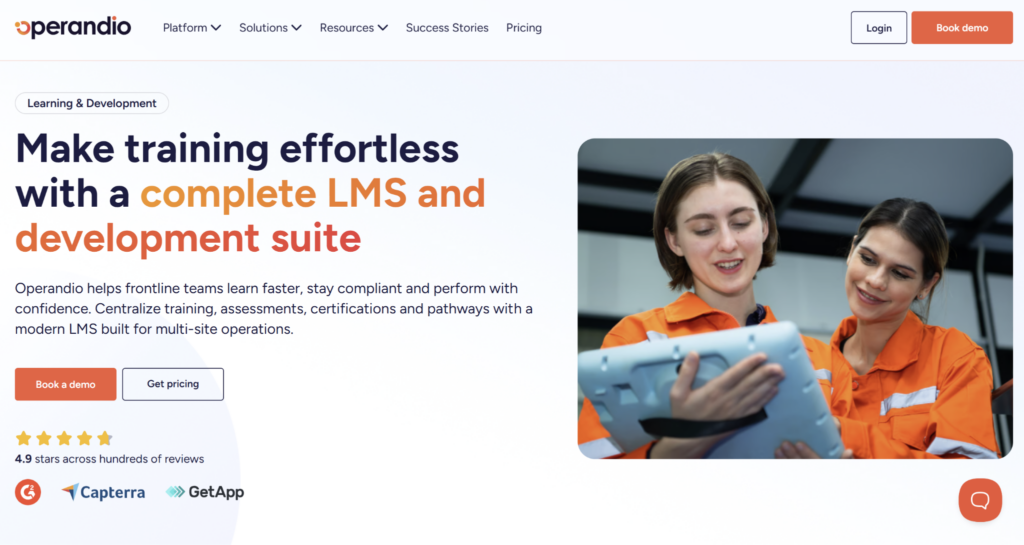
Operandio is an all-in-one operations platform for multi-unit and franchise businesses. It connects employee onboarding, mobile training, SOPs, checklists, audits, corrective actions, and compliance records in one system.
Operandio Key Features
Here’s how Operandio helps multi-location teams turn onboarding into a repeatable, trackable process instead of a one-time course assignment.
Mobile-First LMS and Centralized Learning Hub
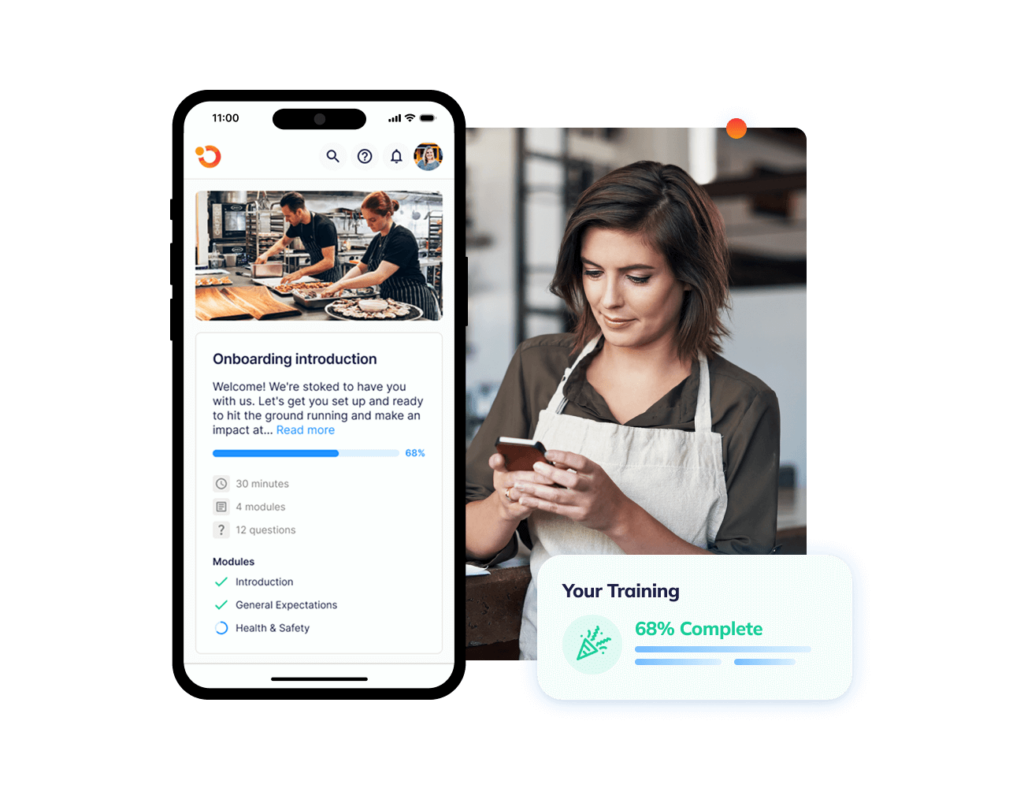
Operandio’s Mobile-First LMS helps frontline teams complete training on phones, tablets, or shared devices, while managers track completion, certifications, and compliance gaps in real time.
Employees get one place to access onboarding courses, SOPs, videos, quizzes, and reference materials. New hires do not need a desk or a dedicated computer. They can complete training from a phone, store tablet, or shared back-of-house device while managers monitor progress across every location.
For multi-unit operators, that matters because onboarding is rarely contained to one classroom or one manager. A new team member may need to learn food safety basics, store opening steps, cleaning procedures, service standards, and brand policies before their first few shifts are complete.
Operandio keeps those materials in a centralized learning hub, so every location works from the same current version of the training. Managers can also track overdue modules and expiring certifications in real time, which helps avoid the usual spreadsheet chase when compliance records are needed.
Knowledge & Document Management
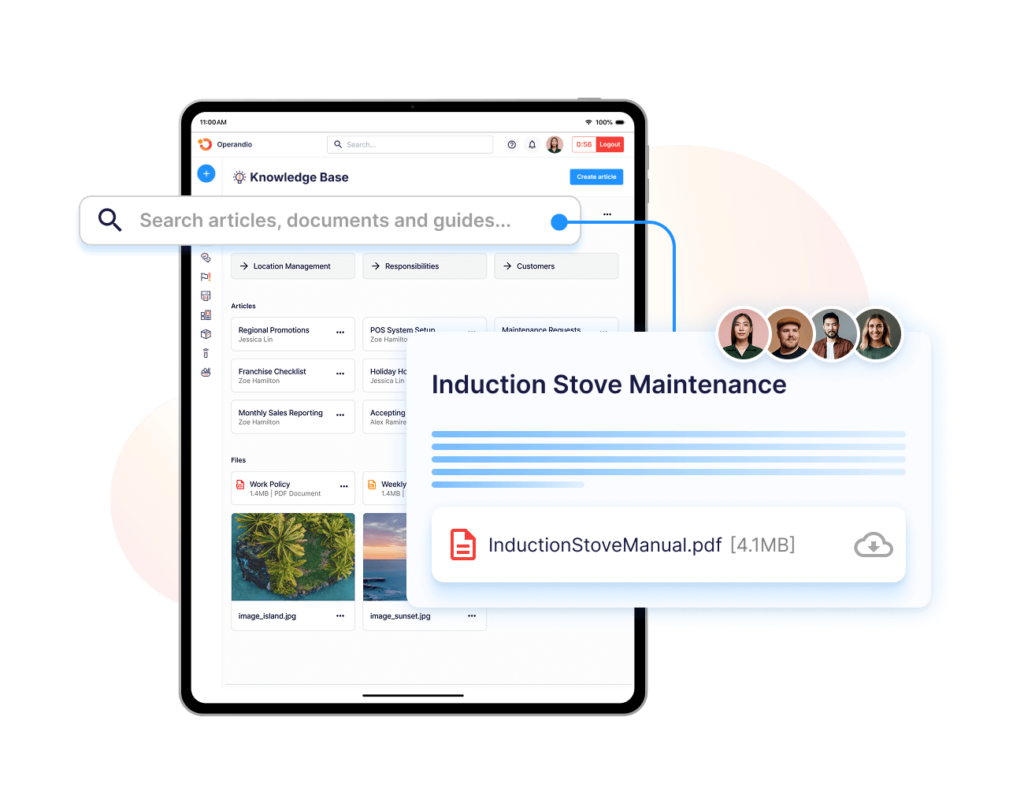
Operandio’s Knowledge & Document Management keeps onboarding content tied to the procedures employees use on shift.
That means SOPs, policies, documents, and training materials do not sit in separate folders that staff forget to open. They become part of the daily operating system.
For example, a new hire learning a closing procedure can access the relevant SOP, complete the assigned training, and then follow the matching checklist during the shift.
This helps reduce the gap between “the employee completed the course” and “the employee knows what to do on the floor.”
For instance, Abacus Dining Group used Operandio to improve training and onboarding by giving new hires one system for company values, compliance standards, and daily workflows. Operandio helped standardize processes and training across venues.
AI Course Builder
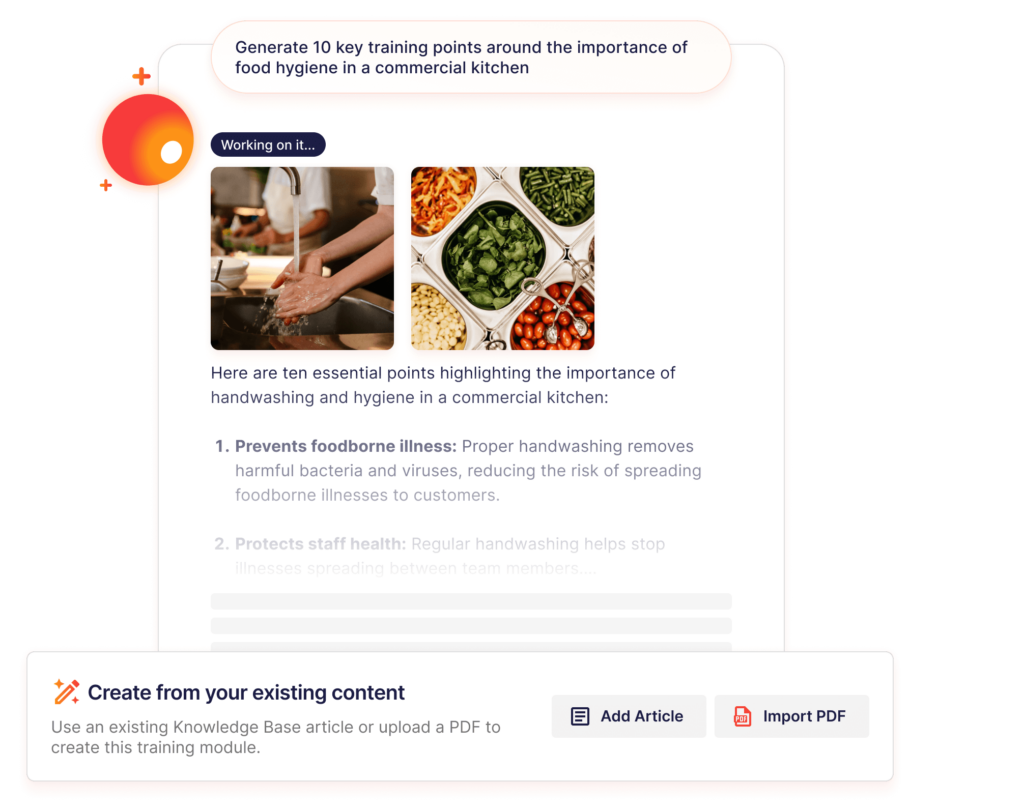
Operandio’s AI Course Builder helps teams create onboarding content faster by turning existing operational material into structured training.
Instead of building every lesson from scratch, managers can upload an SOP, policy, or procedure and use AI to create a training module with learning content and checks for understanding. It supports SCORM, xAPI, and cmi5 imports, and delivers one-click translation across 200+ languages.
This is useful for fast-changing frontline environments. When a food safety process changes, a new product launch needs training, or a franchise network updates a brand standard, the training content can be created and rolled out quickly across locations.
The point is not AI for its own sake. It is faster training deployment when the business needs every location to follow the same updated process before the next shift cycle.
Badges, Pathways, and Certificates
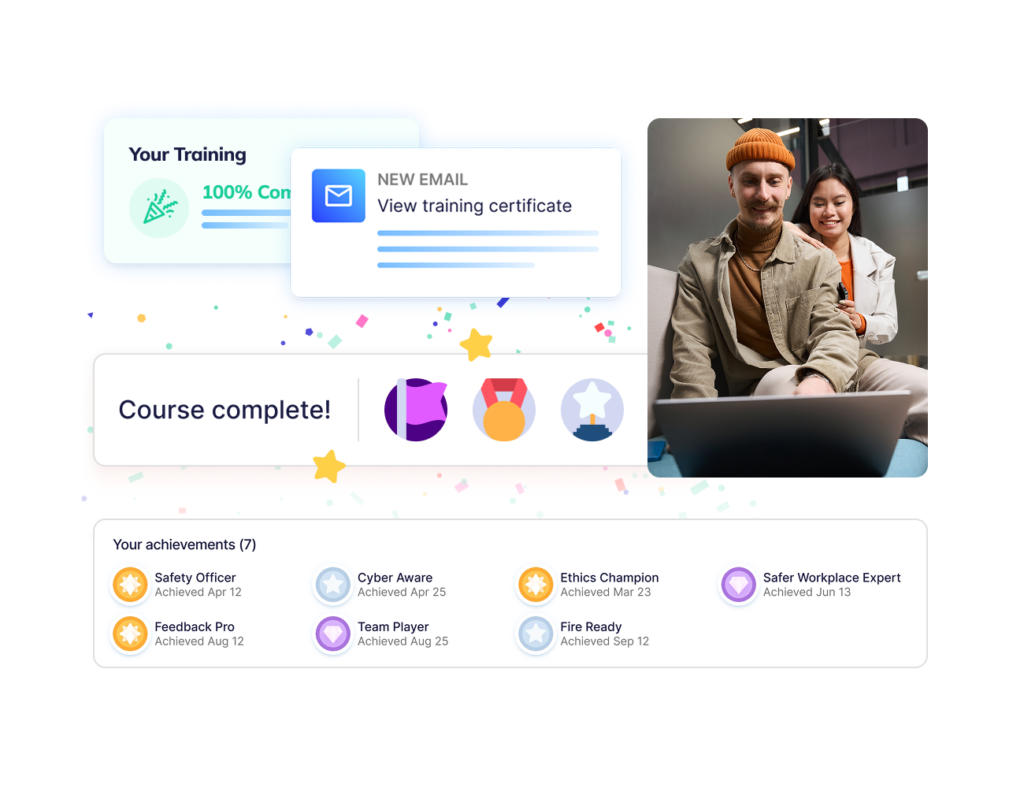
Operandio’s badges, pathways, and certificates help operators make onboarding more structured.
Instead of assigning random modules, managers can build role-based learning pathways that guide staff through required training in the right order.
A new kitchen team member, store manager, childcare educator, or front-of-house employee can follow a sequence that matches their role.
Once training is complete, Operandio can issue certificates and badges that sit inside the employee record. That gives managers a clearer way to verify who has completed onboarding, who is ready for a new responsibility, and who still needs follow-up.
This also gives head office better visibility across locations. If one site has lower completion or more expired certifications, regional managers can see the gap before it turns into a service, safety, or compliance issue.
Operandio Pricing
Operandio has custom pricing based on locations, users, and selected modules.
| Plan | Pricing |
|---|---|
| All tiers | Custom |
Where Operandio Shines
- Training is connected to daily execution: Operandio does more than deliver onboarding courses. It connects training to SOPs, checklists, audits, and corrective actions, so managers can see whether new employees are applying the process on shift.
- Built for multi-location visibility: Area managers and head office teams can track training completion, overdue modules, certifications, and operational gaps across locations without chasing spreadsheets.
- Stronger fit for frontline teams: Operandio works on phones, tablets, and shared devices, which makes it practical for non-desk employees who do not sit at laptops during the workday.
Where Operandio Falls Short
- Broader than a standalone LMS: Operandio includes training, SOPs, audits, operations execution, food safety, EHS, asset management, and reporting. Teams that only need simple course hosting may not use the full platform.
- Not built for single-location teams: The platform is designed for multi-unit and franchise operations. A small business with one site and no cross-location complexity may find a simpler onboarding LMS easier to justify.
Customer Reviews
Tex’s Chicken used Operandio to standardize execution across locations, with mobile-first training helping managers stay current with updated processes. They report a 40% reduction in manager onboarding time. “Operandio is absolutely amazing, 10 out of 10,” says Najib Ullah, Chief Operating Officer and Managing Partner.
Social Fair, a family entertainment center operator with two vibrant venues in Coburg and Cranbourne, also used Operandio’s built-in LMS to support staff onboarding and ongoing training. Jessica Giurdanella, Operations Manager, described Operandio as “an absolute game changer for us.”
Who Operandio Is Best For
- Franchise operators: Operandio is a strong fit if you need every new employee and franchise location trained on the same SOPs, brand standards, and compliance workflows.
- Multi-location operations leaders: It works well for teams that need visibility into onboarding completion, certifications, and execution gaps by location.
- Frontline-heavy industries: Restaurants, hotels, retail networks, convenience stores, childcare centers, and entertainment venues can use Operandio to connect onboarding with daily operations.
- Teams replacing disconnected systems: Operandio is best when training, SOPs, checklists, audits, and compliance records currently live in separate tools, spreadsheets, or paper folders.
Train every frontline worker from day one with Operandio’s mobile-first LMS. Here are more mobile LMS software to consider.
2. TalentLMS: Best for Fast SMB Onboarding Course Deployment
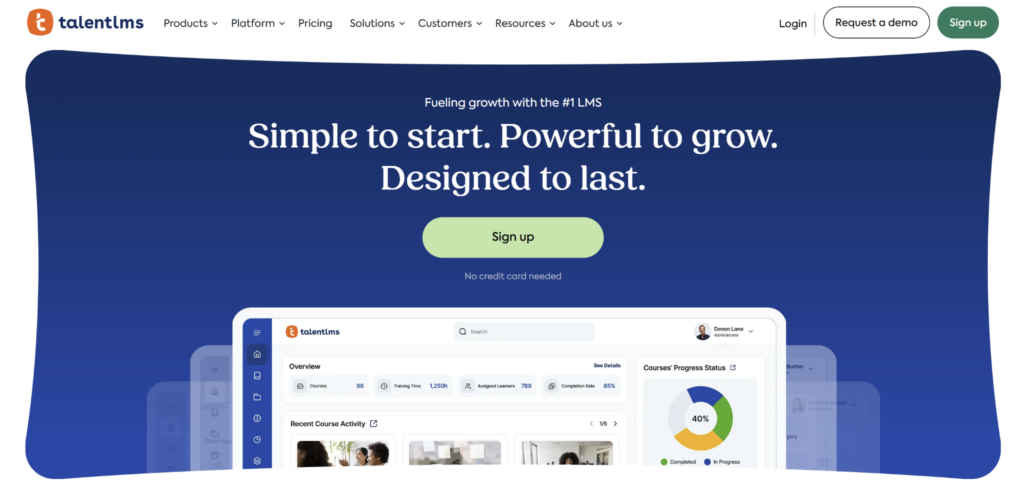
TalentLMS is a cloud-based LMS for teams that need to create, assign, and track onboarding courses without a long implementation process.
It works best when onboarding is mostly about course delivery, quizzes, certificates, and learning paths, rather than connecting training to audits, SOPs, and daily execution across locations.
Key Features
- Course Builder and Content Management: TalentLMS supports videos, files, tests, surveys, SCORM, Tin Can/xAPI, and cmi5 content, which makes it useful for teams turning existing onboarding material into trackable courses.
- TalentLibrary and Ready-Made Courses: TalentLibrary gives teams access to ready-made workplace training content, helping HR and L&D teams launch onboarding faster without building every module from scratch.
- Branches and Learning Paths: Branches help teams create separate portals for departments, customers, or locations, while learning paths group courses into structured onboarding sequences.
Pricing
| Plan | Pricing |
|---|---|
| Core | From $119/month, billed yearly |
| Grow | From $229/month, billed yearly |
| Pro | From $449/month, billed yearly |
| Enterprise | Custom |
Where TalentLMS Shines
- Fast setup for course-led onboarding: TalentLMS is easy to launch when the team already has onboarding material and needs a simple place to host, assign, and track it.
- Useful ready-made content library: TalentLibrary gives smaller teams a starting point for common workplace training topics without needing a dedicated instructional designer.
Where TalentLMS Falls Short
- Training is separate from operations: TalentLMS does not connect onboarding directly to SOPs, audits, corrective actions, or operational checklists.
- Limited site-level execution visibility: Multi-location operators may still need extra reporting work to understand whether training gaps are affecting specific stores, venues, or regions.
Customer Reviews
“It’s easy to use for content creation and reporting.” Edwin M.
“We would need to pay a lot more to get advanced questioning and LMS building.” Lyndsie W.
Who TalentLMS Is Best For
- SMBs and mid-market teams: TalentLMS is best for teams that need a simple employee onboarding LMS for course delivery, learning paths, quizzes, and certificates without multi-location operational workflows.
3. Trainual: Best for SOP Documentation and Process Onboarding
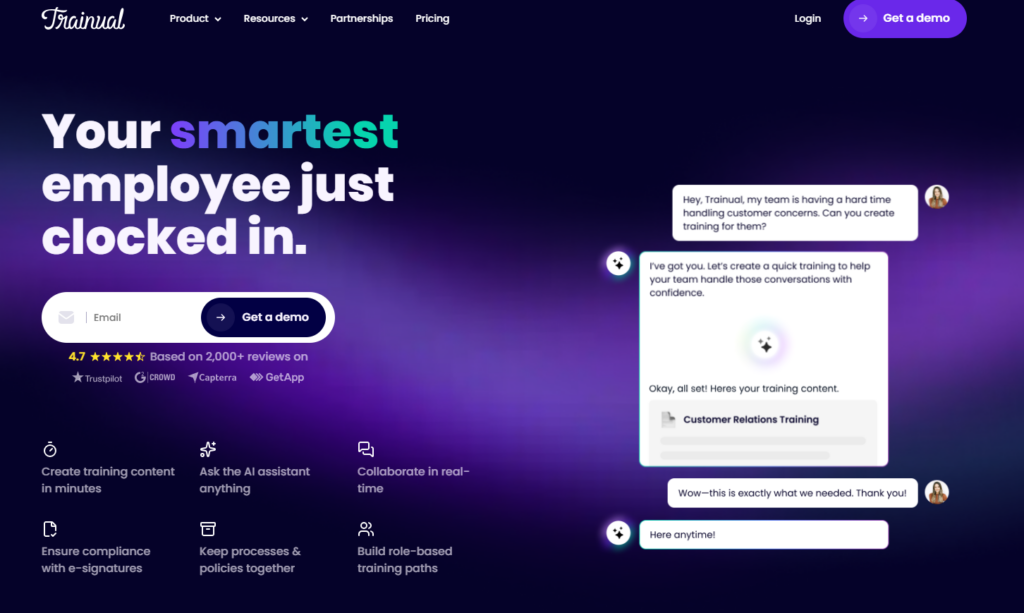
Trainual is a training and documentation platform for teams that need to capture company processes, policies, and role-based onboarding in one place.
It is a good fit when onboarding depends on documenting how work gets done. Trainual is stronger for SOP documentation and company knowledge than for shift-level execution, audits, and frontline compliance tracking.
Key Features
- Process Documentation: Trainual helps teams document SOPs, policies, workflows, and role expectations, so onboarding depends less on tribal knowledge.
- Role-Based Training Assignments: Teams can assign content by role, department, group, or location, which keeps onboarding more structured for different employee types.
- AI-Powered Knowledge Search: Trainual lets employees search company knowledge and ask questions, which helps new hires find answers after onboarding is complete.
Pricing
| Plan | Pricing |
|---|---|
| All tiers | Custom |
Check out our guide on Trainual pricing to dig deeper.
Where Trainual Shines
- Strong SOP documentation: Trainual is useful when the main onboarding problem is getting repeatable processes, company policies, and role expectations out of people’s heads.
- Good self-paced onboarding flow: New hires can complete assigned training and use the knowledge base later when they need process answers.
Where Trainual Falls Short
- No frontline execution layer: Trainual documents SOPs, but it does not run those SOPs on shift through tasks, inspections, or corrective actions.
- Limited multi-location compliance visibility: Multi-unit operators still need another system to verify execution across sites and connect training to audit-ready records.
Customer Reviews
“I love how easy it is to organize our processes. It is very user friendly and has great user facing look.” Suzanne T.
“It can be a bit glitchy and slow to load sometimes. I also still struggle with how to set up learning pathways and ensure user settings and access is correct.” Clara I.
Who Trainual Is Best For
- Process-led SMBs: Trainual is best for teams that need SOP documentation, company knowledge, and role-based onboarding more than frontline task execution or location-level compliance tracking.
4. iSpring Learn: Best for PowerPoint-Based Onboarding Course Authoring
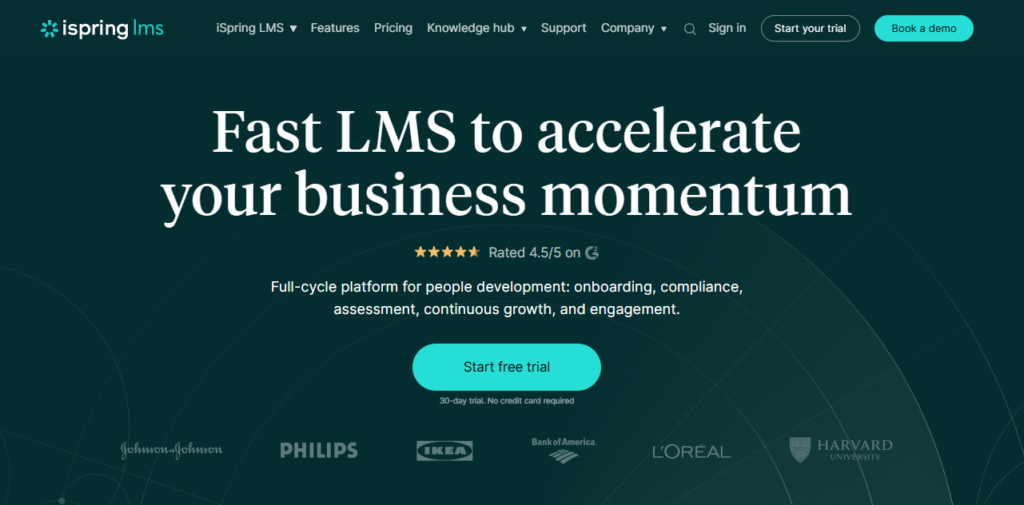
iSpring Learn, now iSpring LMS, is a corporate LMS for teams that want structured onboarding, compliance training, and employee development with strong course-authoring support.
Its clearest fit is for training teams that already build onboarding material in PowerPoint and want to convert those assets into trackable courses, quizzes, and learning paths.
Key Features
- PowerPoint-Based Course Creation: iSpring works well for teams that already use slide decks for onboarding and want to turn them into interactive LMS-ready courses.
- Training Automation: Teams can assign courses, manage users, and track onboarding progress without manually following up on every module.
- Mobile and Offline Learning: iSpring supports mobile access and offline learning, which helps distributed employees complete courses away from a desk.
Pricing
| Plan | Pricing |
|---|---|
| 100 Users | $6.91/user/month |
| 300 Users | $4.46/user/month |
| 500 Users | $3.97/user/month |
| Enterprise | Custom |
Where iSpring Learn Shines
- Strong authoring workflow: iSpring is useful for teams that already create onboarding content in PowerPoint and want a smoother path into LMS delivery.
- Good for formal training programs: It handles course delivery, quizzes, reports, certificates, and compliance training well.
Where iSpring Learn Falls Short
- Course-first, not operations-first: iSpring LMS is built around training delivery, not SOP execution, audits, or corrective actions.
- Less suited to shared-device frontline environments: Multi-location frontline teams may need a platform built for phones, shared tablets, and on-shift verification.
Customer Reviews
“Having the option to use the mobile app is helping us distributing it more easy” Guillaume v.
“There are certain requirements that the tool, although easy to implement, cannot fulfill. Another tool is needed here.” Felix
Who iSpring Learn Is Best For
- Training teams with existing course content: iSpring LMS is best for teams that already have onboarding decks, SCORM packages, or formal training material and need a structured LMS to deliver it.
5. 360Learning: Best for Collaborative Onboarding
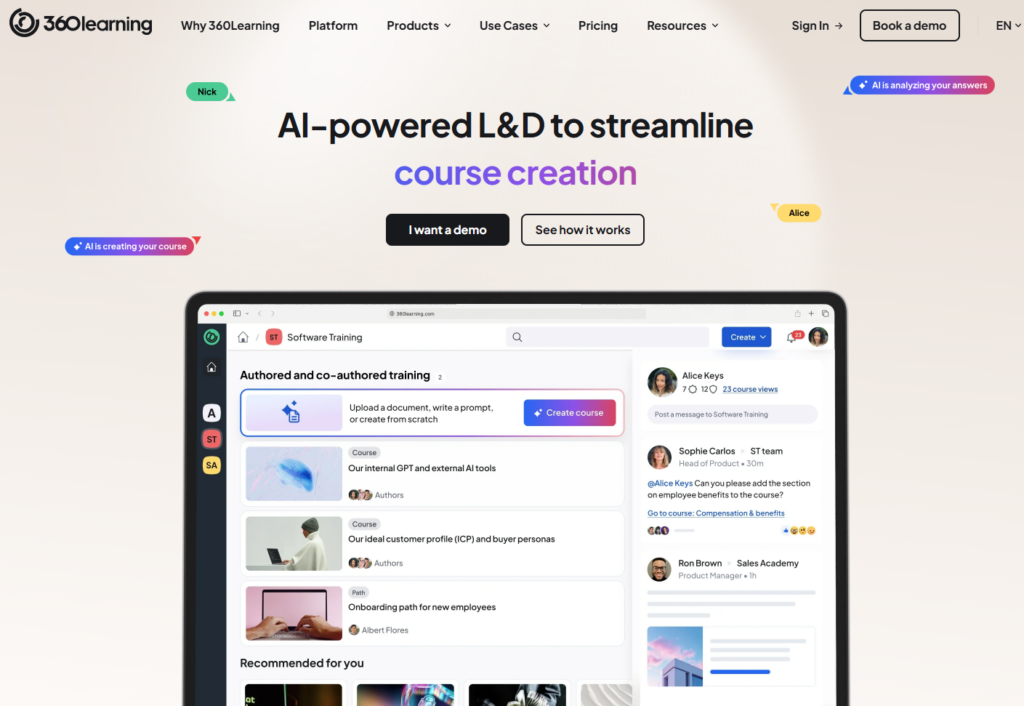
360Learning is an AI-powered LMS built around collaborative learning.
It is a strong fit when onboarding content needs input from internal subject-matter experts, not just HR or a central L&D team. That makes it useful for teams where role knowledge changes quickly and needs to be captured from people doing the work.
Key Features
- Collaborative Course Authoring: 360Learning lets managers, subject-matter experts, and L&D teams co-create onboarding courses inside the platform.
- AI-Assisted Authoring: The platform supports AI-assisted course creation, helping teams draft and update onboarding content faster.
- Enterprise Learning Integrations: 360Learning supports SSO, webinar integrations, analytics, and HR/workplace integrations for more mature L&D teams.
Pricing
| Plan | Pricing |
|---|---|
| Team | $8/user/month |
| Business | Custom |
| Enterprise | Custom |
Where 360Learning Shines
- Strong collaborative learning model: 360Learning works well when internal experts need to help build onboarding content instead of sending everything through one central team.
- Good fit for mature L&D teams: AI authoring, analytics, integrations, and collaborative workflows make it useful for organizations with dedicated learning operations.
Where 360Learning Falls Short
- No operational execution layer: 360Learning helps teams create and deliver training, but it does not connect learning to checklists, inspections, or corrective actions.
- Less specific to multi-unit frontline operations: Multi-location operators may still need Operandio if onboarding has to connect to brand standards, site execution, and compliance evidence by location.
Customer Reviews
“I love the ease of content creation on 360Learning and all the statistical possibilities related to the results. This allows us to see how well the content of new products is assimilated, how quickly, and the disparity in levels among salespeople.” Tom B.
“The statistics features are limited; we have therefore integrated 360L with our BI tools.” Dorthe W.
Who 360Learning Is Best For
- Collaborative L&D teams: 360Learning is best for organizations that want internal experts to help create onboarding content, but do not need training tied to shift-level execution across locations.
6. LearnUpon: Best For Multi-Audience Onboarding Portals
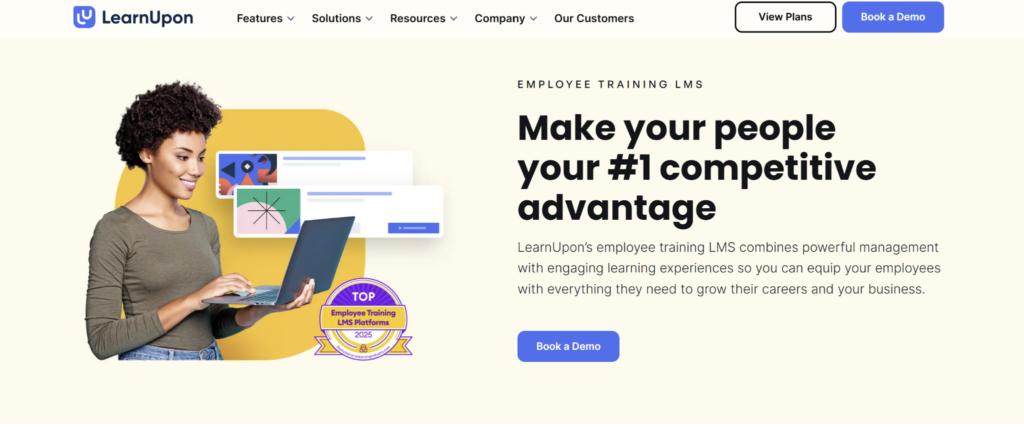
LearnUpon is an LMS for companies that train multiple audiences from one platform, including employees, customers, partners, and members. Its site positions the platform around training every audience under one roof, which makes it useful for teams that need onboarding beyond internal employees.
For employee onboarding, LearnUpon works best when the training team needs structured learning paths, portals, reporting, and customer support, but not frontline SOP execution or location-level operational accountability.
However, LearnUpon delivers and manages training, but it does not connect onboarding to daily checklists, inspections, corrective actions, or site-level execution. Teams that only need basic new-hire course delivery may not need LearnUpon’s multi-audience structure.
7. Docebo: Best For Enterprise Onboarding At Scale
Docebo is an AI-powered enterprise learning platform for organizations that need to train employees, partners, and customers from one system. Its platform supports personalized learning paths, AI content creation, multilingual training, reporting, integrations, and multi-audience learning at scale.
For employee onboarding, Docebo is strongest when large companies need advanced learning automation and enterprise reporting. It is less specific to multi-location frontline operations than Operandio.
Moreover, Docebo is built for enterprise learning operations, so setup and administration can feel heavy for smaller onboarding teams. Also, it is not frontline-operations specific. Docebo handles learning at scale, but it does not focus on connecting onboarding to SOPs, audits, checklists, and daily site execution in the way Operandio does.
How To Choose An Employee Onboarding LMS
The right employee onboarding LMS depends on whether you need simple course delivery or a system that proves training is being applied on shift.
For multi-location frontline teams, the biggest questions are about whether training connects to the work employees do every day.
Can It Handle Training On The Devices Your Team Uses?
Your LMS should match where onboarding happens.
For office teams, desktop access may be enough. For restaurants, hotels, retail stores, convenience stores, childcare centers, and entertainment venues, training often happens from phones, shared tablets, or back-of-house devices.
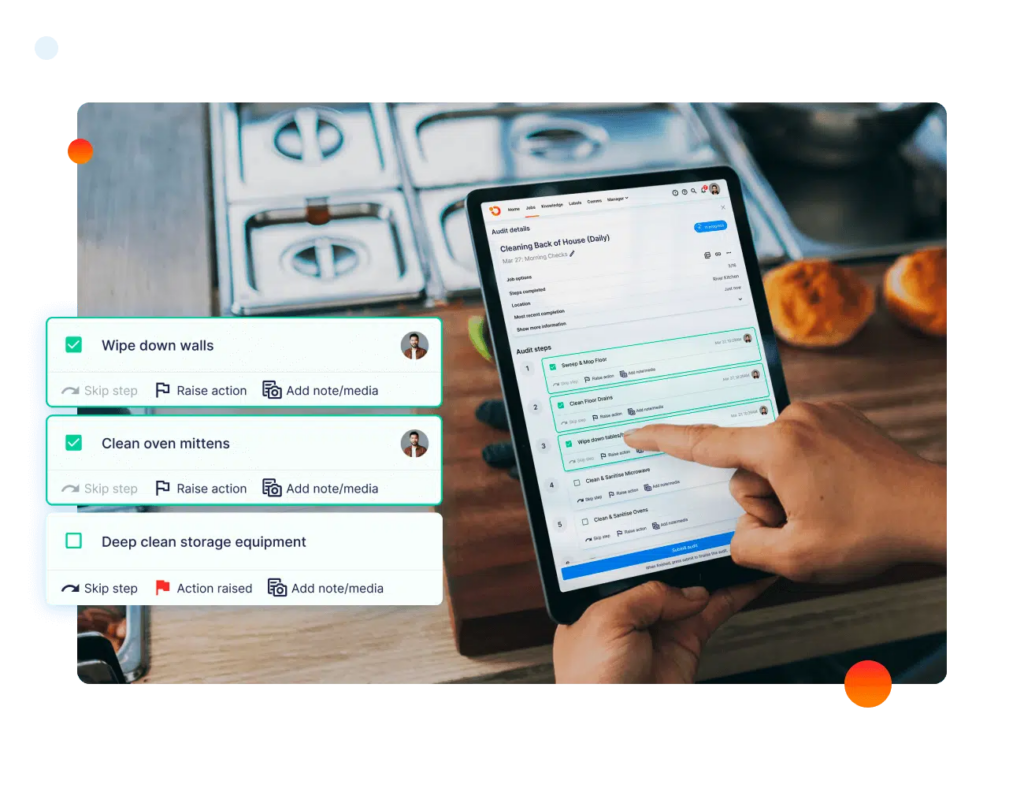
A mobile-first onboarding LMS should support short sessions, simple navigation, and fast access to training records. Operandio’s Mobile & Shared Tablet Apps are built for frontline teams that need training available on shift, not only at a desk.
See the best employee onboarding practices in 2026.
Does It Connect Training To SOPs And Daily Work?
The best onboarding LMS should not leave training in a separate system.
If employees complete a course in one platform, read SOPs in another, and follow checklists on paper, standards drift. Managers may know someone finished the module, but not whether they can follow the process during a busy shift.
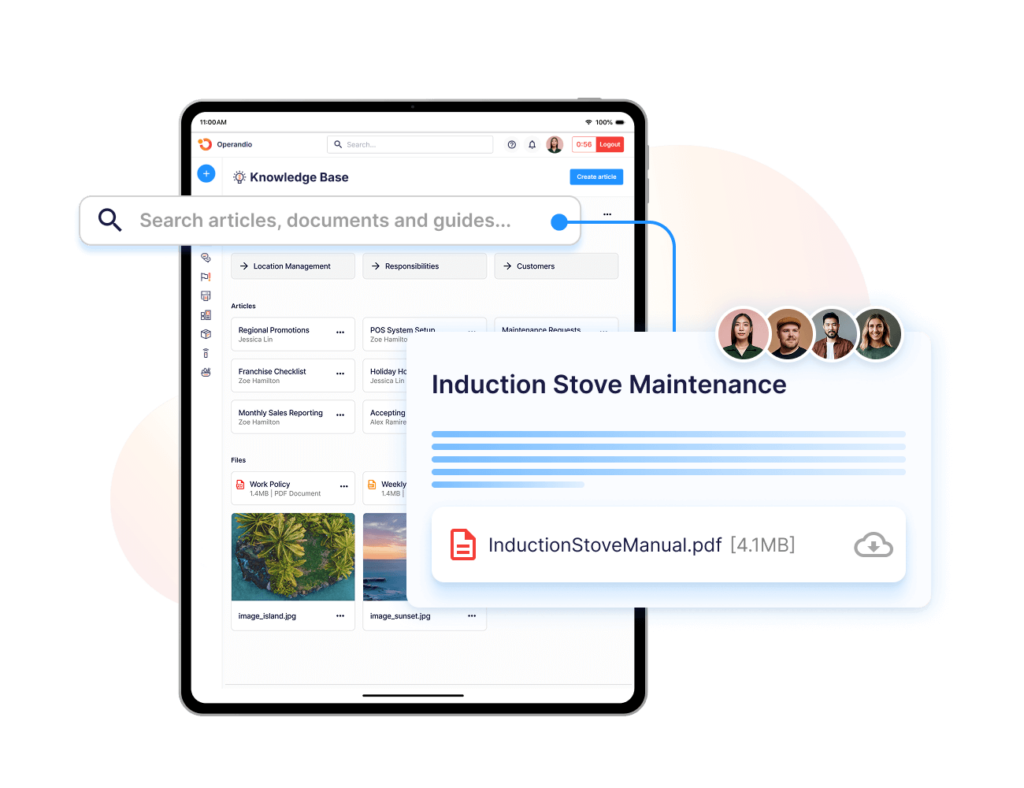
Operandio connects Knowledge & Document Management, training, tasks, and Inspections & Audits in one operations platform.
That matters when a new hire has to learn the closing routine, follow the checklist, and prove the work was completed to standard.
Can Managers See Completion Gaps By Location?
A useful onboarding LMS should show where training is complete, overdue, or at risk.
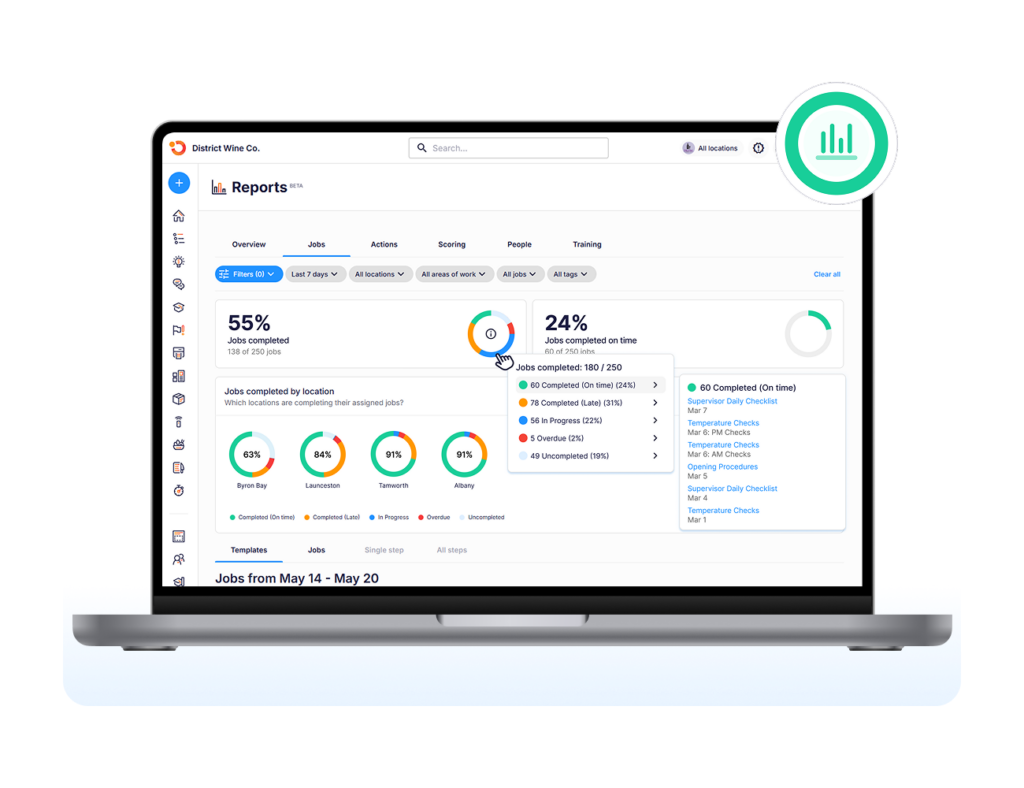
That is especially important for multi-location teams. A head office report that says “86% complete” is less useful than knowing Store 14 has three new hires overdue on food safety training, or that one region has more expired certifications than the rest.
Operandio’s Powerful Reporting gives managers location-level visibility into training, daily operations, audits, and compliance. That helps area managers act before a training gap becomes a service issue, safety problem, or audit finding.
Can It Update Onboarding When Procedures Change?
Onboarding content should be easy to update when SOPs, policies, products, or regulations change.
This is where many LMS platforms slow teams down. A small procedure change can turn into hours of rewriting content, updating files, notifying managers, and checking whether every location has the latest version.
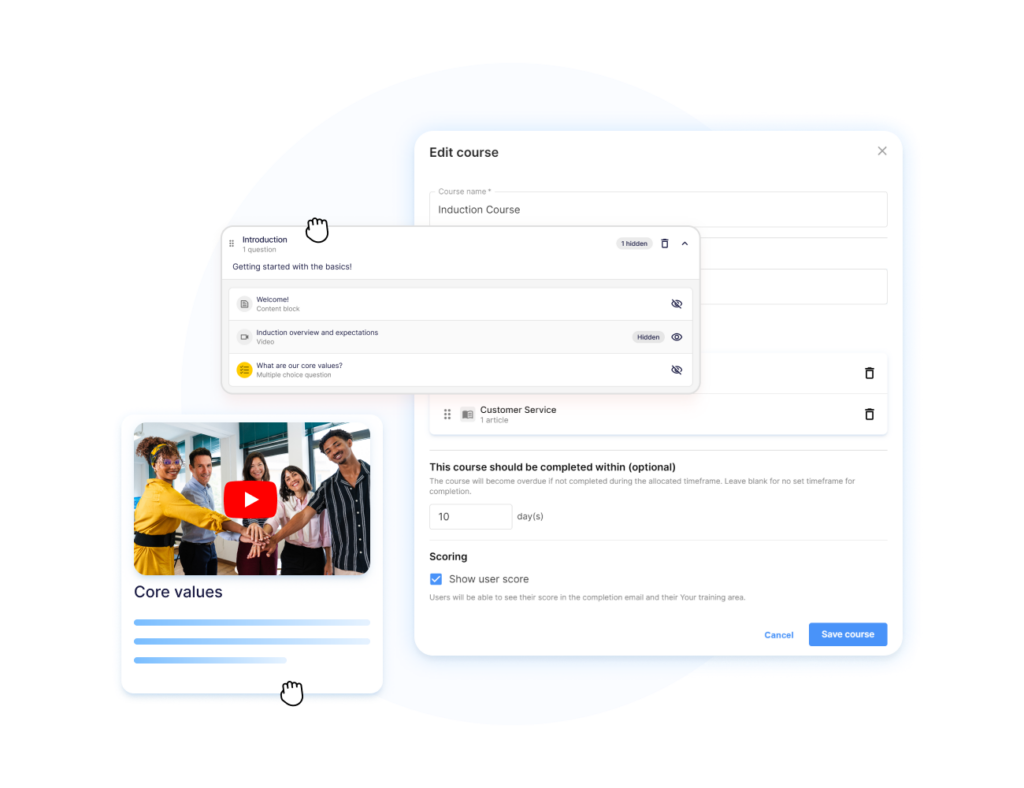
Operandio’s AI-powered LMS helps teams turn existing SOPs and policy documents into structured onboarding modules faster. That is useful when every location needs the same updated process before the next shift cycle.
Make Training A Breeze For Your Frontline Teams With Operandio
Course delivery is only one part of onboarding.
For multi-location frontline teams, the harder job is making sure every new employee understands the SOP, completes the right training, follows the checklist, and gives managers proof that standards were met.
That is where Operandio stands apart from a standalone employee LMS.
Operandio connects onboarding, mobile-first LMS, SOPs, tasks, audits, corrective actions, AI-built onboarding content, and compliance records in one platform built for multi-unit and franchise teams.
If your teams are outgrowing paper folders, shared drives, and disconnected training platforms, book a demo to see how Operandio works.
FAQs
What Is An Employee Onboarding LMS?
An employee onboarding LMS is software that delivers, tracks, and manages new-hire training through courses, quizzes, learning paths, and completion records.
What Is The Best LMS For Onboarding Employees?
Operandio is best for multi-location frontline onboarding because it connects training to SOPs, audits, checklists, and compliance workflows.
Can An LMS Replace In-Person Onboarding?
No. An LMS supports onboarding, but hands-on training, manager coaching, and role-specific observations are still needed for frontline roles.
How Should Multi-Location Teams Track Onboarding Completion?
Track completion by employee, role, location, certification status, and overdue modules so managers can spot gaps before they affect execution.
What Features Matter Most In An Onboarding LMS?
Prioritize mobile access, role-based learning paths, reporting, assessments, certifications, content updates, integrations, and visibility across locations.