
- Platform
- Features
 Franchise & Multi-Unit ManagementCentralize oversight and streamline growth across your entire multi location network
 Learning ManagementTrain, verify, and reward your workforce with mobile-first education
 Operations ExecutionStreamlined operations ensuring brand standards, accountability and efficiency
 Asset ManagementOptimize equipment uptime through proactive maintenance and smart tracking
 Digital Food SafetyAutomate compliance and monitor quality with real-time digital precision
 Health & Safety Management (EHS)Mitigate workplace risks and streamline digital incident reporting and investigations
- Platform Essentials
 Powerful ReportingAlign leadership with role-based dashboards and deeper analytics
 Operandio IntelligenceAutomate content, analyze trends, and provide instant answers
 IntegrationsUnify your enterprise tech stack with real-time data
 IoT PlatformDetect anomalies and automate workflows with intelligent sensors
 Mobile & Shared Tablet AppsSecurely empower frontline teams with fast, offline-capable access
- Footer


 Not sure what you need?
Book in a call with the team
- Features
- Solutions
- By Industry
 RestaurantsQSR, fast food and multi-unit restaurants
 Hotels & ResortsHotels, resorts and extended stay hotels
 ChildcareEarly education, childcare, daycare and preschool
 EntertainmentTheme parks, family entertainment centers and play centers
 Fitness Centers & LeisureFitness centers, golf clubs, gyms and sports facilities
 RetailBig-box retailers, franchise stores and supermarkets
- By Use Case
- Operational ExcellenceStreamlined operations ensuring brand standards, accountability and efficiency
- Learning & DevelopmentTrain, verify, and reward your workforce with mobile-first education
- Franchise & Multi-Unit ManagementCentralize oversight and streamline growth across your entire multi location network
- Food Safety ComplianceAutomate compliance and monitor quality with real-time digital precision
- Asset Management & MaintenanceOptimize equipment uptime through proactive maintenance and smart tracking
- Health & Safety Management (EHS)Mitigate workplace risks and streamline digital incident reporting and investigations
- By Industry
- Resources

- Platform
- Features
- Franchise & Multi-Unit ManagementCentralize oversight and streamline growth across your entire multi location network
- Learning ManagementTrain, verify, and reward your workforce with mobile-first education
- Operations ExecutionStreamlined operations ensuring brand standards, accountability and efficiency
- Asset ManagementOptimize equipment uptime through proactive maintenance and smart tracking
- Digital Food SafetyAutomate compliance and monitor quality with real-time digital precision
- Health & Safety Management (EHS)Mitigate workplace risks and streamline digital incident reporting and investigations
- Platform Essentials
- Powerful ReportingAlign leadership with role-based dashboards and deeper analytics
- Operandio IntelligenceAutomate content, analyze trends, and provide instant answers
- IntegrationsUnify your enterprise tech stack with real-time data
- IoT PlatformDetect anomalies and automate workflows with intelligent sensors
- Mobile & Shared Tablet AppsSecurely empower frontline teams with fast, offline-capable access
- Footer
- Not sure what you need?
Book in a call with the team
- Features
- Solutions
- By Industry
- RestaurantsQSR, fast food and multi-unit restaurants
- Hotels & ResortsHotels, resorts and extended stay hotels
- ChildcareEarly education, childcare, daycare and preschool
- EntertainmentTheme parks, family entertainment centers and play centers
- Fitness Centers & LeisureFitness centers, golf clubs, gyms and sports facilities
- RetailBig-box retailers, franchise stores and supermarkets
- By Use Case
- Operational ExcellenceStreamlined operations ensuring brand standards, accountability and efficiency
- Learning & DevelopmentTrain, verify, and reward your workforce with mobile-first education
- Franchise & Multi-Unit ManagementCentralize oversight and streamline growth across your entire multi location network
- Food Safety ComplianceAutomate compliance and monitor quality with real-time digital precision
- Asset Management & MaintenanceOptimize equipment uptime through proactive maintenance and smart tracking
- Health & Safety Management (EHS)Mitigate workplace risks and streamline digital incident reporting and investigations
- By Industry
- Resources
9 Best Mobile LMS Systems for Multi Location Teams
Key Takeaways
- Choose Operandio if your frontline teams span multiple locations and you need training connected to SOPs, audits, and daily operational workflows in one platform.
- Pick TalentLMS if you manage an SMB or mid-market team and need fast course deployment with gamification, without deep operational integration.
- Pick SC Training if short-burst mobile microlearning for high-turnover, deskless staff is your primary training challenge.
- Pick Trainual if SOP documentation and onboarding consistency matter more than multi-location operational visibility.
Training staff does not always happen behind a desk. Employees now complete onboarding and operational training directly from their phones while working across distributed and frontline environments. You need a mobile platform that makes training easier to manage across all locations.
That’s why, in this guide, we compare 10 mobile LMS (Learning Management Systems) based on mobile usability, compliance visibility, and overall fit for distributed teams.
10 Best Mobile LMS: A Quick Overview
| Platform | Best For | Standout Feature |
| Operandio | Multi-location frontline teams | Mobile LMS + SOPs + audits in one platform |
| TalentLMS | SMB to mid-market course delivery | Gamification + TalentLibrary |
| SC Training | Deskless worker microlearning | Swipeable mobile microlearning cards |
| Trainual | SOP documentation and onboarding | Searchable process playbooks with quizzes |
| iSpring Learn | PowerPoint-based course authoring | Offline access + native authoring tool |
| 360Learning | Collaborative peer-to-peer learning | Peer-authored course co-creation |
| Connecteam | All-in-one deskless workforce app | Training inside scheduling and comms |
| Docebo | Enterprise multi-audience training | AI-powered content curation at scale |
| Axonify | AI-reinforced frontline microlearning | Adaptive spaced repetition |
1. Operandio: Best for Training Multi-Location Frontline Teams
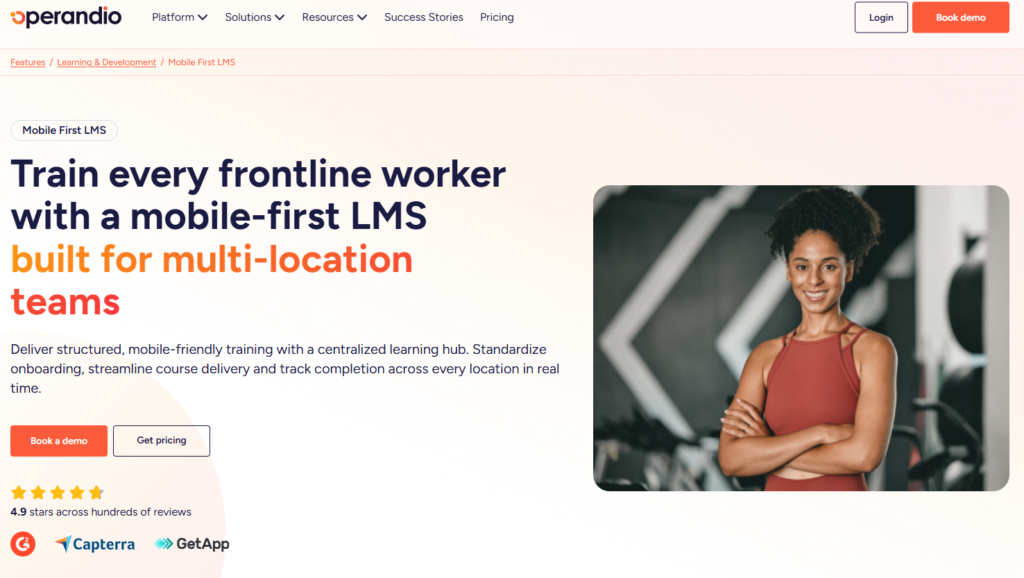
Operandio is a frontline operations platform built for multi-unit businesses. It connects learning and development directly to SOPs, audits, checklists, and corrective actions. Rated 4.9 stars across G2, Capterra, and GetApp.
Operandio Key Features
Here’s how Operandio’s mobile-first LMS works:
Mobile-First LMS and Centralized Learning Hub
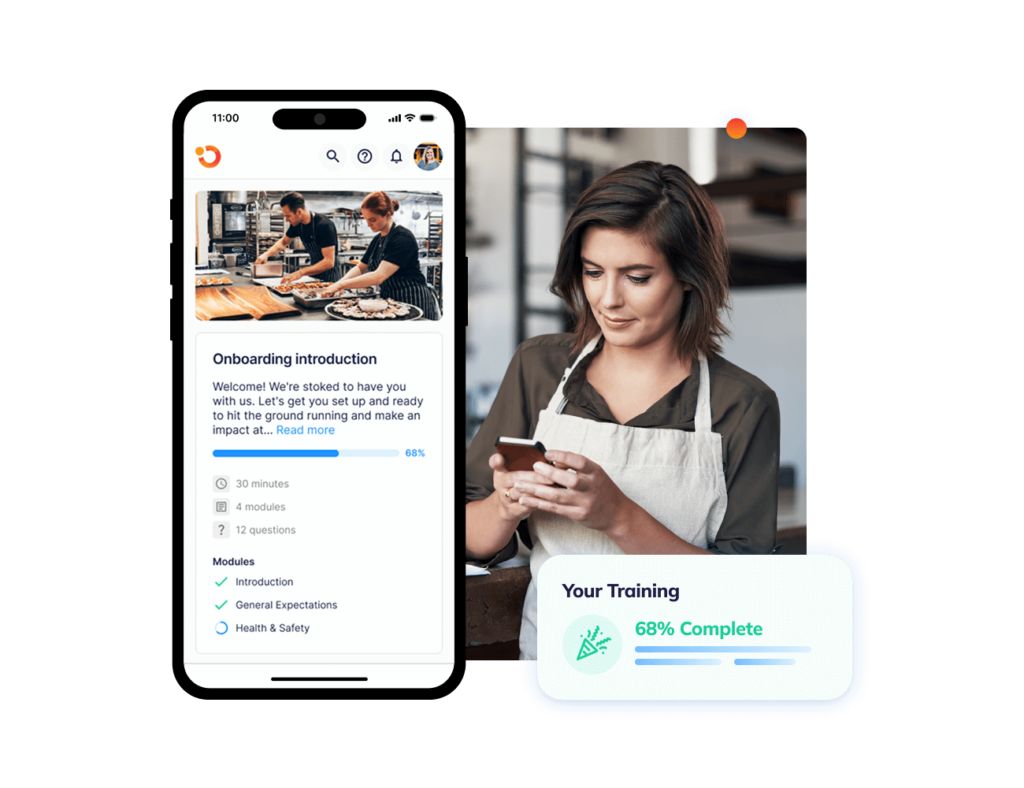
With the mobile-first LMS, staff can access courses, SOPs, videos, and reference materials from any device, while managers monitor overdue training and expiring certifications across all locations in real time
Read how Operandio’s mobile LMS helped The Abacus Dining Group’s new hires learn values, compliance standards, and daily workflows within one system, resulting in faster, more effective training.
Physical Assessments and Workplace Observations
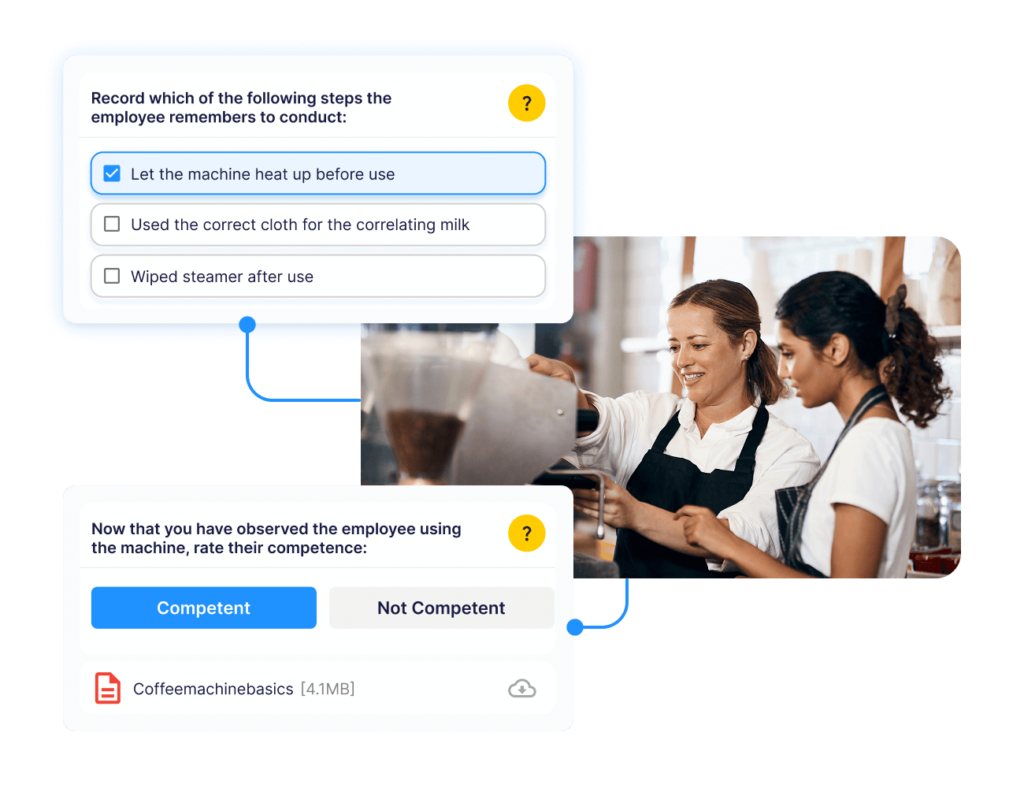
Operandio’s physical assessments verify on-the-job skills through structured observations. Managers capture performance evidence and attach it directly to the employee’s training record.
Badges, Pathways, and Certificates
Role-based learning pathways guide staff through required modules in sequence. Custom-branded certificates and badges are issued automatically on completion and stored as audit-ready records. That way, Operandio makes career progression standardized across locations without adding admin overhead.
AI-Powered Course Builder
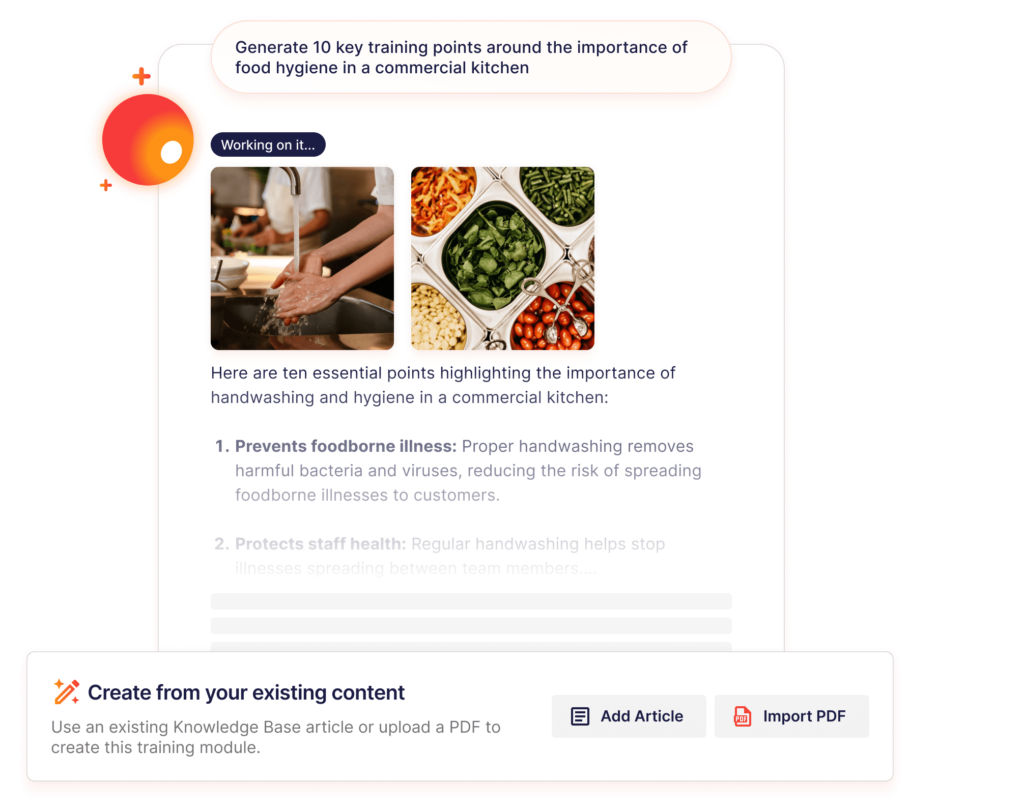
Upload an SOP or policy document, and Operandio’s AI course builder generates a structured training module, ready to deploy in minutes.
It supports SCORM, xAPI, and cmi5 imports, and you get one-click translation across 200+ languages.
Operandio Pricing
Operandio’s pricing is modular and scales by location and selected modules.
| Plan | Cost |
| All Plans | Custom |
Where Operandio Shines
- Training connected to operations: When an SOP changes, the training module and the operational checklist are updated in the same platform
- Cross-location compliance visibility: Area managers see certification status and completion gaps across every site in real time
- Frontline-native architecture: Shared tablet kiosk mode covers locations where staff have no personal device
Where Operandio Falls Short
- Broader than a pure LMS: The platform spans training, operations, food safety, and EHS together. Teams that only need course delivery may not fully utilize what they pay for
Customer Reviews
“Operandio is absolutely amazing, 10 out of 10,” shares Najib Ullah, Chief Operating Officer & Managing Partner at Tex’s Chicken, after adopting Operandio for mobile-first training.
Operandio helped Social Fair integrate training modules and make them accessible to all staff. Jessica Giurdanella, Operations Manager, says, “Operandio has been an absolute game changer for us.”
Who Operandio Is Best For
- Franchise and multi-unit operators that need training, SOPs, audits, and compliance verification connected across every location
- Operations leaders who need location-level visibility into training completion and certification status, not just course delivery metrics
Train your team from anywhere with mobile and shared apps.
2. TalentLMS: Best for Fast SMB Course Delivery
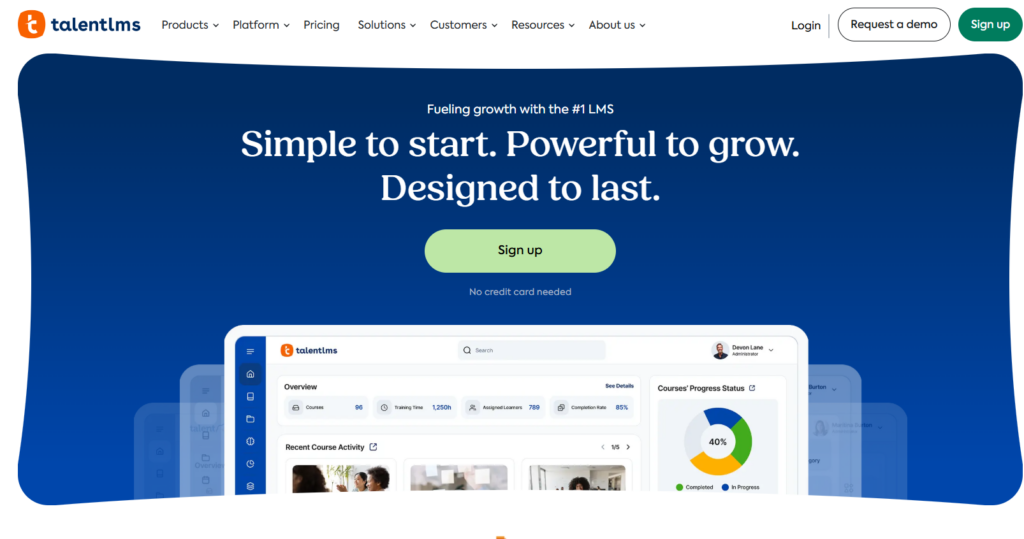
TalentLMS is a cloud-based mobile LMS suited to teams of 50 to 500 that need structured course delivery and compliance management without long implementation timelines.
Key Features
- Mobile App (iOS and Android): Downloadable content, push notifications, SCORM support, and in-app messaging
- TalentLibrary Content Marketplace: Ready-made compliance and skills courses updated quarterly
- Gamification: Points, badges, levels, rewards, and leaderboards configurable at the course and portal level
Pricing
| Plan | Price |
| Core | From $119/month |
| Grow | From $229/month |
| Pro | From $449/month |
| Enterprise | Custom |
Where TalentLMS Shines
- Ready-to-use content library: TalentLibrary gives teams without in-house L&D a starting point for mandatory training without building from scratch
- Low admin overhead: Non-technical managers can build, assign, and track training without dedicated LMS administrators. Setup time is minimal
Where TalentLMS Falls Short
- No operational integration: Training lives separately from SOPs, audits, and checklists
- Location-agnostic reporting: Completion data surfaces at the course level, not the location level. Multi-unit operators cannot identify compliance gaps by site without manual extraction
Customer Reviews
“I appreciate TalentLMS for its easy-to-use user interface that makes navigating and managing tasks such as creating new courses, assigning them to groups, and managing user access straightforward.” Pushkar D.
“The customization options are somewhat limited, particularly in terms of advanced reporting and tailoring the user experience. Some features feel a bit basic for more complex training needs,” shares Caper N.
Who TalentLMS Is Best For
- SMBs and mid-market teams that need fast mobile course deployment and gamification, but operate from a single location or don’t yet need cross-site operational compliance visibility
3. SC Training (Formerly EdApp): Best for Deskless Microlearning
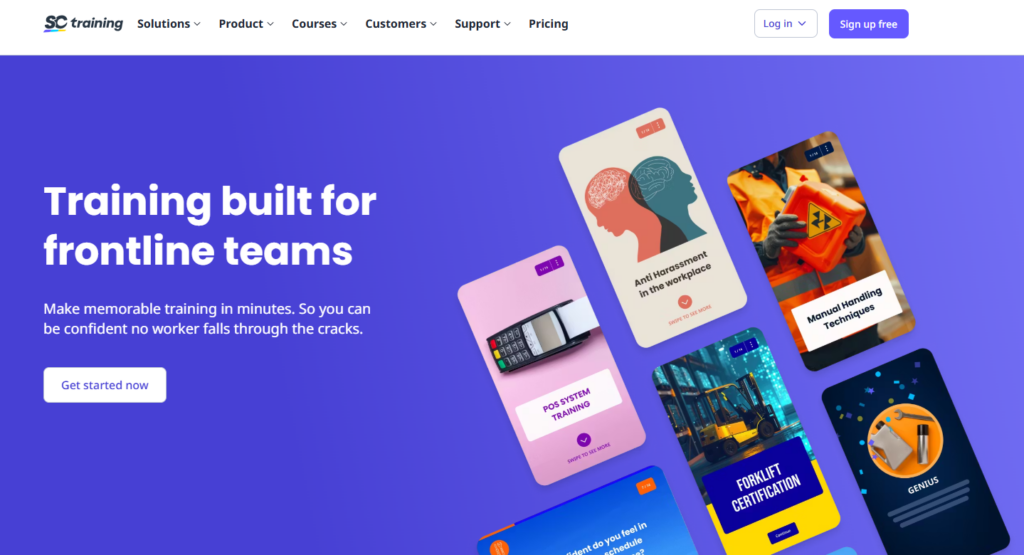
SC Training is a mobile-first LMS for frontline and deskless workers. Swipeable card-based lessons deliver training in 3-to-5-minute bursts designed for phones.
Key Features
- Microlearning Cards: Swipeable lessons with bold visuals and short quizzes. Consumable during shift breaks or handovers without pulling workers off the floor
- AI Course Creation: Generates microlearning modules from uploaded documents, reducing build time for teams without dedicated instructional designers
- Gamification: Leaderboards, trophy rooms, and social features drive competitive completion across distributed teams
Pricing
| Plan | Price |
| Free | Available (limited features) |
| Premium | From $5/user/month |
| Enterprise | Custom |
Where SC Training Shines
- Genuinely mobile-first: The content format mirrors the consumer apps frontline workers use daily, which directly affects completion rates
- Same-day deployment: AI-assisted content creation means a new SOP can become a training module in hours, not weeks
Where SC Training Falls Short
- No operational layer: SC Training delivers content, but does not connect learning to operations
- Short-form only: Certification programs, structured career pathways, and multi-step compliance workflows require a more comprehensive platform
Customer Reviews
“The best thing about EdApp is that it is free. They also have a course library that you can import from and almost all courses are editable. We have been using EdApp for over a year now and have not paid a dime, yet it is a highly functional, intuitive, seamless, and reliable LMS service. It also has great analytics tracking, making compliance a breeze.” Collin H.
“My use case was creating content and reselling it with SC being the back end but this use case was not ideal. The platform is better suited for Corporate training – The content generated by A.I. was very generic, not necessarily good enough to even be a starting point.” Mouloukou K.
Who SC Training Is Best For
- Retailers, hospitality groups, and field service teams that need fast mobile microlearning for high-turnover deskless workers, but don’t yet need training tied to multi-location operational compliance
4. Trainual: Best for SOP Documentation and Process Onboarding
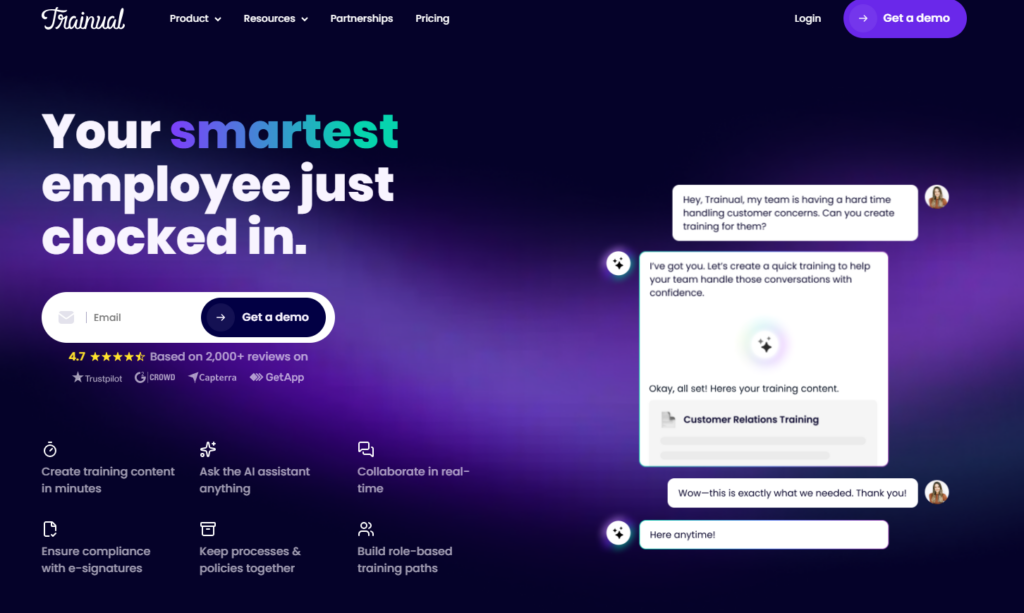
Trainual is a knowledge management tool with training delivery built in. It suits teams that need searchable SOPs, role-based training assignments, and consistent onboarding, not multi-location operational oversight.
Key Features
- Process Documentation: SOPs, policies, and procedures built from text, images, and embedded video. Version control pushes updates to active users automatically
- Role-Based Assignment: Each role maps to specific required training. Employees track their own progress with full visibility into what “complete” looks like
- Quizzes and Knowledge Checks: Comprehension quizzes attached to each subject, with completion and pass-rate analytics at the team level
Pricing
| Plan | Price |
| All Tiers | Custom |
Here’s everything you need to know about Trainual pricing.
Where Trainual Shines
- Best-in-class SOP structure: No other tool in this tier makes it easier to document, organize, and search operational procedures by role, and keep them current as procedures evolve
- Culture and onboarding depth: Embedded video and brand voice documentation help new hires absorb company standards alongside functional procedures from day one
Where Trainual Falls Short
- No SCORM, no advanced analytics: No complex certification programs, granular reporting, or deep gamification. See Trainual alternatives for teams that outgrow it
- Single-location logic: Trainual lacks location-level visibility and compliance workflows. It does not scale to the accountability requirements of franchise or multi-unit operations
Customer Reviews
“I really like how Trainual keeps everything organized in the same place. Having the capacity to test people and assess their knowledge is one of my favorite features. It’s super helpful to have everything centralized for our training materials, and setting it up was pretty easy too.”JOSE LUIS R.
“No API to pull training metrics. We live in the age of AI and vibe-coding. Any reasonably tech savvy person has workflows and MCP servers that work with API’s – and it is a sore point that Trainual does not yet have this.” Robert K.
Who Trainual Is Best For
- Startups and SMBs that need consistent onboarding and a searchable operational knowledge base, but don’t yet require the compliance workflows or multi-location visibility of a full frontline LMS.
5. iSpring Learn: Best for PowerPoint-Based Course Authoring
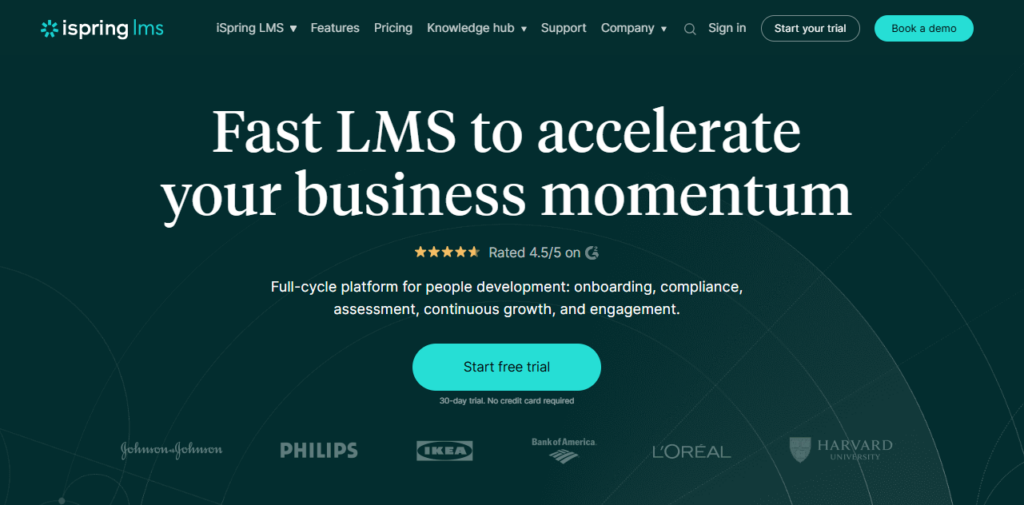
iSpring Learn is a corporate LMS built for structured onboarding, compliance training, and employee development. It combines AI course creation, observation checklists, individual development plans, and intelligent certification reenrollment in one platform.
Key Features
- AI Course Creation: Upload files or describe a topic, and iSpring’s AI builds a full course draft with structure, content, and knowledge checks
- Intelligent Compliance Reenrollment: Monitors certificate validity and automatically assigns renewal training in advance
Pricing
| Plan | Pricing |
| 100 Users | $6.91/user/month |
| 300 Users | $4.46/user/month |
| 500 Users | $3.97/user/month |
| Enterprise | Custom pricing |
Where iSpring Learn Shines
- Fast to launch: iSpring’s pre-built course library covers workplace compliance, sales skills, and leadership out of the box. New customers can assign training on day one without building content from scratch
- Individual Development Plans: Structured career pathways give employees a visible growth track, reducing turnover by connecting training to long-term progression
Where iSpring Learn Falls Short
- No operational layer: iSpring Learn is only a course delivery and development platform
- Corporate, not frontline-first: The platform is designed for desk-based or hybrid workforces. It lacks the shared kiosk mode, frontline-native UX, and multi-location operational visibility that deskless teams require
Customer Reviews
“We are able to pull reports that meet our grant requirements and provide comprehensive, on-demand training to our constituents. The fact that it’s also mobile-friendly is an added bonus, as our audience typically takes our training during their off time.” Christine J.
“The only downfalls I had was not being able to correct mistakes there were made, by me, when I uploaded my quizzes. I was unable to just correct that area and needed to adjust scores accordingly after the quiz was complete.” She J.
6. 360Learning: Best for Collaborative Peer Learning
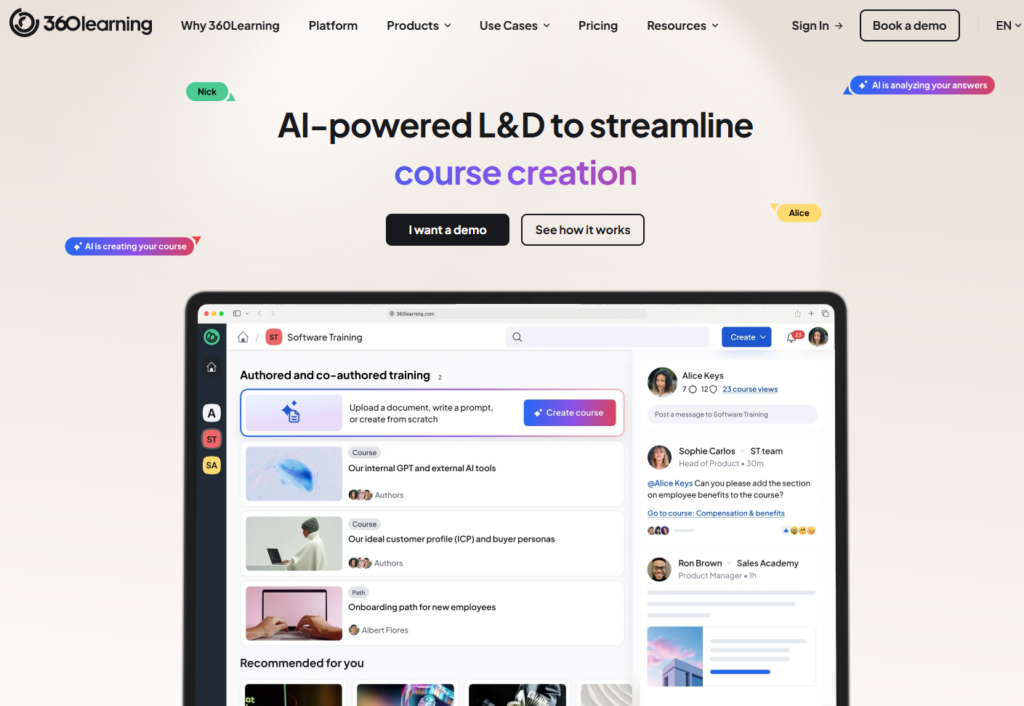
360Learning is an AI-powered LMS built for modern L&D teams. It automates admin tasks, delivers relevant training based on learner needs, and tracks learning impact with analytics.
Its collaborative model lets subject-matter experts author courses directly inside the platform — capturing internal expertise without routing everything through a central L&D team.
However, it lacks the frontline operational workflows and location-level compliance visibility needed by multi-unit operators.
7. Connecteam: Best for All-in-One Deskless Workforce Apps
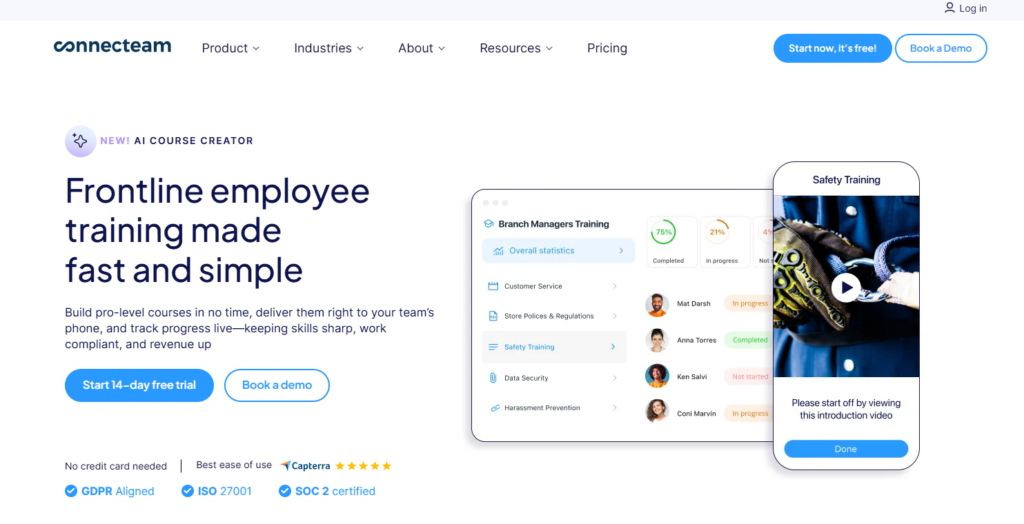
Connecteam is an all-in-one mobile app for deskless teams, covering operations, communications, and HR in a single interface. Training sits inside the HR Hub alongside onboarding, documents, time off, and recognition,m where workers access scheduling, time tracking, checklists, team chat, and training from
Idea for construction, cleaning, healthcare, retail, and food and beverage teams, with pricing from $29/month.
8. Docebo: Best for Enterprise Multi-Audience Training
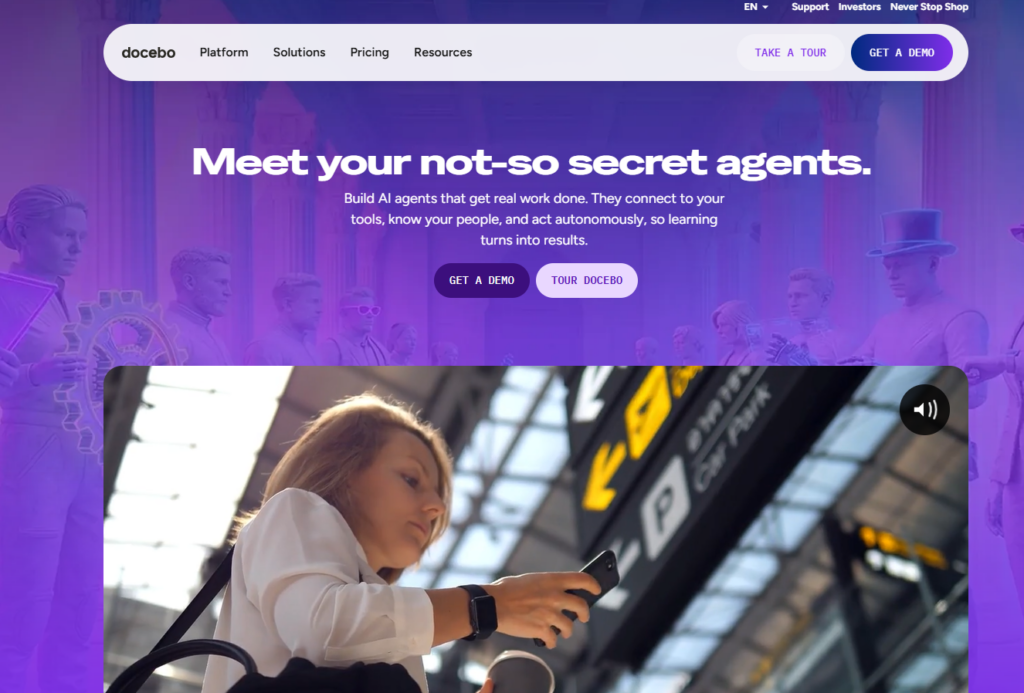
Docebo is an AI-first LMS for large organizations that need to train employees, partners, and customers from a single platform.
Its Skills Intelligence product maps workforce competencies and surfaces learning gaps, while the AgentHub brings AI agents into learning workflows to automate tasks and personalize delivery at a global scale.
This mobile LMS is purpose-built for global L&D complexity, not the operational simplicity or frontline-first execution model that multi-unit businesses require.
9. Axonify: Best for AI-Reinforced Frontline Microlearning
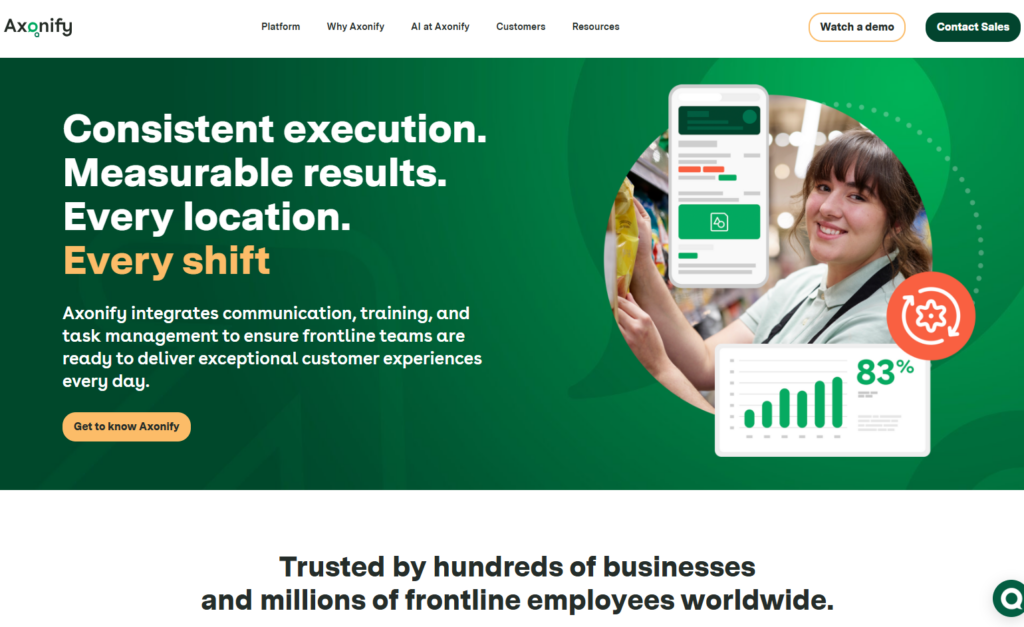
Axonify unifies communication, training, and task management for frontline teams, positioning itself as a frontline operations platform, not just an LMS.
Its adaptive training uses AI to customize each learner’s path based on what they need most, reinforcing knowledge shift by shift. It also targets faster onboarding, flawless product launches, and stronger customer experience consistency.
Anoxify is a strong operational layer, but less suited to franchise-specific compliance and audit workflows.
How to Choose the Right Mobile LMS
94% of Gen Z learners now use smartphones to absorb knowledge, according to Techclass. Since they are the new workforce, you want to pick a mobile LMS that caters to this learning preference. When choosing, ask:
Is It Truly Mobile-First?
Mobile-responsive shrinks a desktop interface. Mobile-first rebuilds it for thumb navigation, short sessions, and low connectivity.
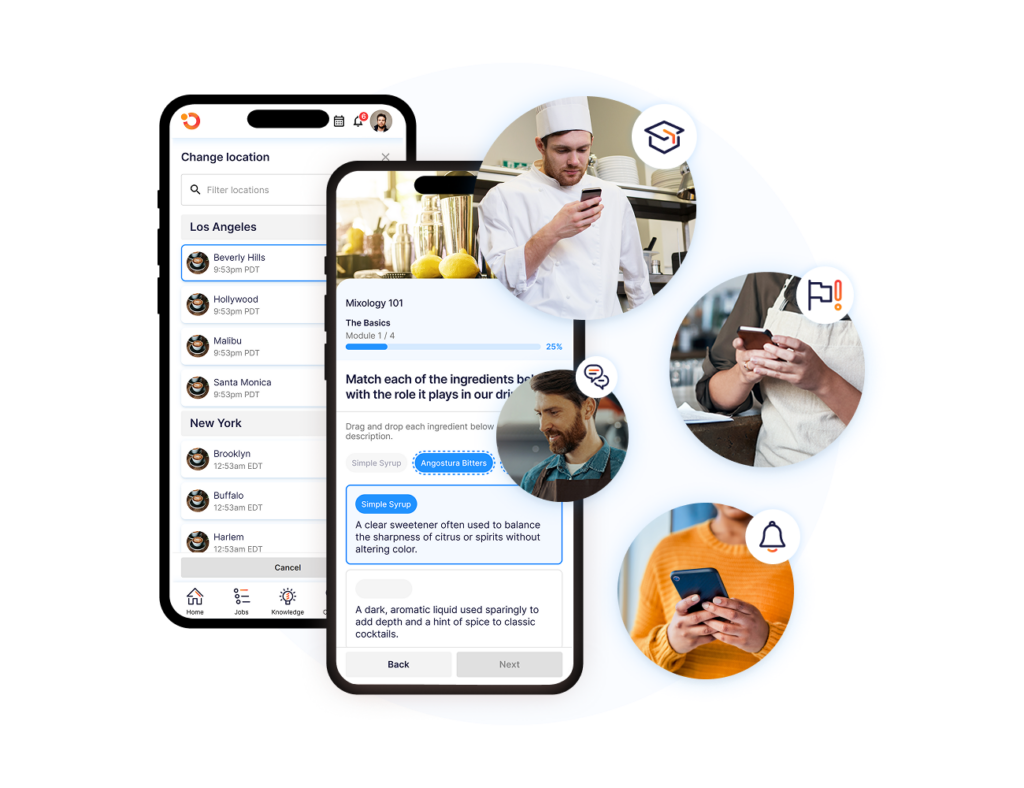
Operandio’s mobile and tablet apps include kiosk mode for shared devices, built for the floor, not adapted for it.
Can It Surface Compliance Gaps by Location?
The right learning management system shows certification status and overdue modules by location, without manual reporting.
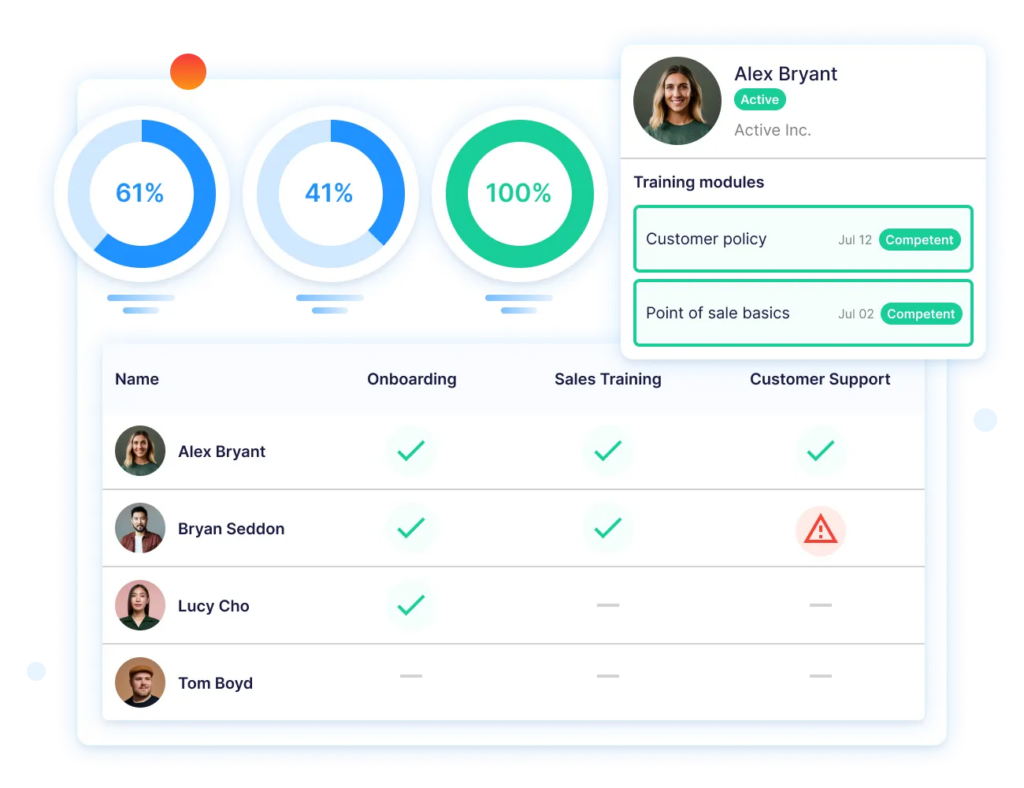
Operandio’s real-time reporting dashboard gives area managers location-level compliance visibility across every site: who is overdue, which certifications are expiring, and where training gaps exist, all in one view, in under 60 seconds.
How Fast Can You Update Content When Procedures Change?
Regulation updates and SOP revisions need to reach teams before the next shift.
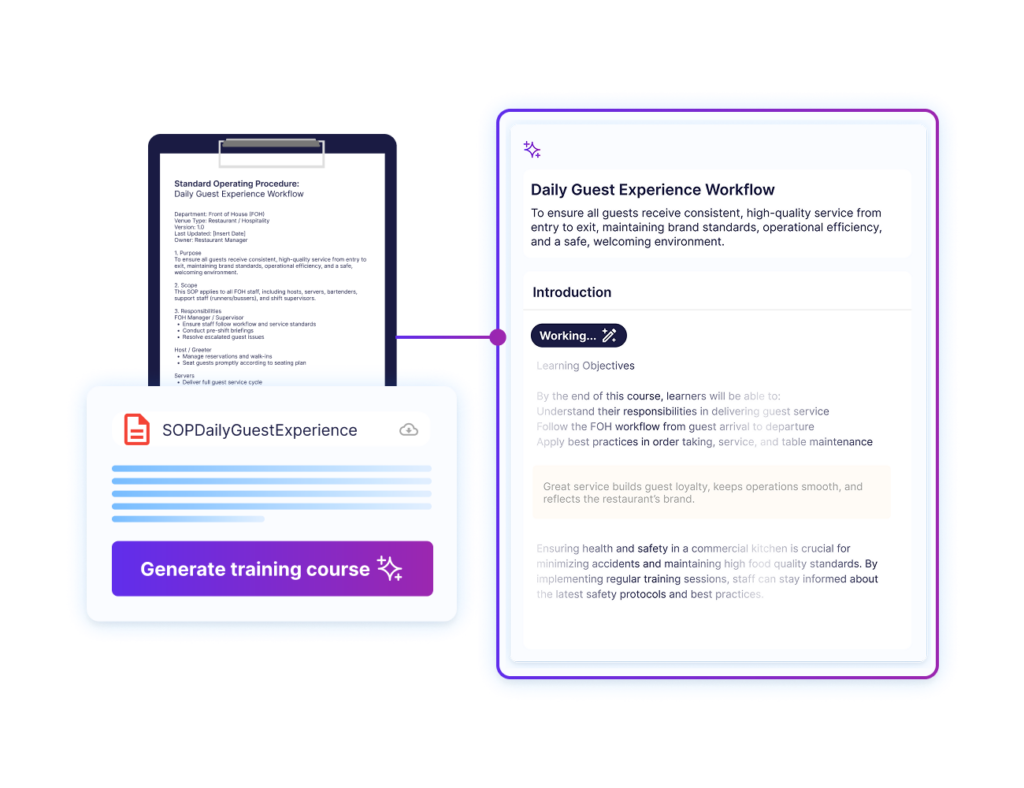
Operandio’s AI course builder converts an existing SOP into a deployable module the same day it changes, with one-click translation into 200+ languages for multilingual workforces.
Is Training Connected to Operations, or Siloed From It?
Disconnected systems create drift, especially if you’re training in one app, have SOPs in another, or audits in a separate spreadsheet.
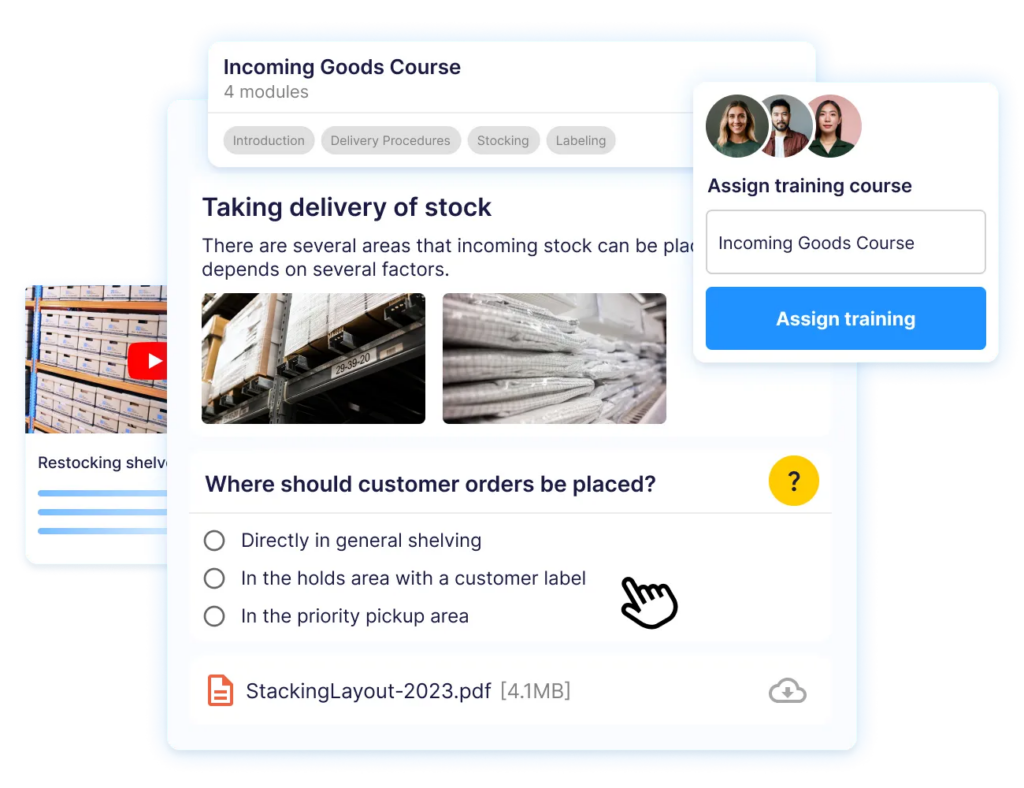
Operandio connects employee training, checklists, audits, and corrective actions so that completing a training module feeds directly into the operational record.
Further reading: LMS examples in practice →
Train Every Frontline Worker From Anywhere With Operandio
Content delivery is easy, but verifying training translated into consistent execution, across every location, with audit-ready proof, is where most platforms stop. Operandio connects training, SOPs, audits, and compliance in one mobile LMS and frontline management platform.
See how to manage and scale a multi-unit franchise with proper training tied to operations, then request a demo with Operandio today.
FAQs
1. What is a mobile LMS?
A mobile LMS is a training platform accessible on smartphones and tablets, designed for employees to complete courses, quizzes, and compliance training from any location.
Mobile LMS platforms differ from desktop-first systems by prioritizing short-form content, offline access, and touch-based navigation suited to frontline and deskless workers.
2. What is the best mobile LMS for frontline teams?
Operandio. It connects training to frontline operations, including audits and compliance. TalentLMS and SC Training are standalone options for teams that need course delivery without the operational integration layer.
3. Can a mobile LMS work offline?
Yes. Operandio, TalentLMS, iSpring Learn, and Absorb LMS all support offline content access. Employees download modules before a shift and complete training without internet connectivity. Completion data syncs when the connection is restored.
4. How does a mobile LMS handle compliance training across locations?
The right platform tracks completion at both the individual and location level, flags expiring certifications automatically, and generates audit-ready records without manual input.
Operandio’s real-time dashboard surfaces compliance status across every location, suited to regulated industries including food service, hospitality, and healthcare.
5. Is a mobile LMS app the same as an Android LMS?
No meaningful distinction. A mobile LMS app functioning as an Android LMS simply refers to the Android version of the platform’s native app. Most leading platforms, including Operandio, offer iOS and Android apps with full feature parity.