
- Platform
- Features
 Franchise & Multi-Unit ManagementCentralize oversight and streamline growth across your entire multi location network
 Learning ManagementTrain, verify, and reward your workforce with mobile-first education
 Operations ExecutionStreamlined operations ensuring brand standards, accountability and efficiency
 Asset ManagementOptimize equipment uptime through proactive maintenance and smart tracking
 Digital Food SafetyAutomate compliance and monitor quality with real-time digital precision
 Health & Safety Management (EHS)Mitigate workplace risks and streamline digital incident reporting and investigations
- Platform Essentials
 Powerful ReportingAlign leadership with role-based dashboards and deeper analytics
 AI-Powered ToolsAutomate content, analyze trends, and provide instant answers
 IntegrationsUnify your enterprise tech stack with real-time data
 IoT PlatformDetect anomalies and automate workflows with intelligent sensors
 Mobile & Shared Tablet AppsSecurely empower frontline teams with fast, offline-capable access
- Footer


 Not sure what you need?
Book in a call with the team
- Features
- Solutions
- By Industry
 RestaurantsQSR, fast food and multi-unit restaurants
 Hotels & ResortsHotels, resorts and extended stay hotels
 ChildcareEarly education, childcare, daycare and preschool
 EntertainmentTheme parks, family entertainment centers and play centers
 Fitness Centers & LeisureFitness centers, golf clubs, gyms and sports facilities
 RetailBig-box retailers, franchise stores and supermarkets
- By Use Case
- Operational ExcellenceStreamlined operations ensuring brand standards, accountability and efficiency
- Learning & DevelopmentTrain, verify, and reward your workforce with mobile-first education
- Franchise & Multi-Unit ManagementCentralize oversight and streamline growth across your entire multi location network
- Food Safety ComplianceAutomate compliance and monitor quality with real-time digital precision
- Asset Management & MaintenanceOptimize equipment uptime through proactive maintenance and smart tracking
- Health & Safety Management (EHS)Mitigate workplace risks and streamline digital incident reporting and investigations
- By Industry
- Resources
- Platform
- Features
- Franchise & Multi-Unit ManagementCentralize oversight and streamline growth across your entire multi location network
- Learning ManagementTrain, verify, and reward your workforce with mobile-first education
- Operations ExecutionStreamlined operations ensuring brand standards, accountability and efficiency
- Asset ManagementOptimize equipment uptime through proactive maintenance and smart tracking
- Digital Food SafetyAutomate compliance and monitor quality with real-time digital precision
- Health & Safety Management (EHS)Mitigate workplace risks and streamline digital incident reporting and investigations
- Platform Essentials
- Powerful ReportingAlign leadership with role-based dashboards and deeper analytics
- AI-Powered ToolsAutomate content, analyze trends, and provide instant answers
- IntegrationsUnify your enterprise tech stack with real-time data
- IoT PlatformDetect anomalies and automate workflows with intelligent sensors
- Mobile & Shared Tablet AppsSecurely empower frontline teams with fast, offline-capable access
- Footer
- Not sure what you need?
Book in a call with the team
- Features
- Solutions
- By Industry
- RestaurantsQSR, fast food and multi-unit restaurants
- Hotels & ResortsHotels, resorts and extended stay hotels
- ChildcareEarly education, childcare, daycare and preschool
- EntertainmentTheme parks, family entertainment centers and play centers
- Fitness Centers & LeisureFitness centers, golf clubs, gyms and sports facilities
- RetailBig-box retailers, franchise stores and supermarkets
- By Use Case
- Operational ExcellenceStreamlined operations ensuring brand standards, accountability and efficiency
- Learning & DevelopmentTrain, verify, and reward your workforce with mobile-first education
- Franchise & Multi-Unit ManagementCentralize oversight and streamline growth across your entire multi location network
- Food Safety ComplianceAutomate compliance and monitor quality with real-time digital precision
- Asset Management & MaintenanceOptimize equipment uptime through proactive maintenance and smart tracking
- Health & Safety Management (EHS)Mitigate workplace risks and streamline digital incident reporting and investigations
- By Industry
- Resources
7 Best Training Management Systems for Staff Training (2026)
Key Features
- Pick Operandio if you run multiple locations or franchise units and need training tied to SOPs, audits, and daily execution in one system.
- Choose Trainual if your priority is documenting SOPs and onboarding for a single location or small back office.
- Use Jolt if you need training paired with daily food safety checklists and temperature logs.
- Choose Opus Training if you need mobile, multilingual training for hourly frontline crews.
Multi-unit and franchise operators lose consistency the moment training lives in one system and daily execution lives in another.
This guide compares the best training management software for 2026, built for businesses running multiple locations or franchise units, covering features, pricing, and which platform fits which operation.
Best Training Management System: A Quick Overview
| Platform | Best for | Standout feature |
|---|---|---|
| Operandio | Multi-unit and franchise training tied to daily execution | Training linked to live checklists, audits, and corrective actions |
| Trainual | Small teams documenting SOPs and onboarding | AI-drafted process documentation |
| Jolt | Pairing training with food safety checklists | Digital temperature logs and date-code labeling |
| Opus Training | Multilingual, QR-code frontline training | 130+ language auto-translation |
| Schoox | Enterprise multi-brand franchise training | Learning Impact Suite tied to business outcomes |
| Connecteam | Budget training bundled with scheduling | Free plan for teams under 10 |
| Crunchtime | Enterprise back-of-house ops plus L&D | 100+ prebuilt restaurant courses |
1. Operandio: Best Complete LMS for Multi-Unit and Franchise Teams
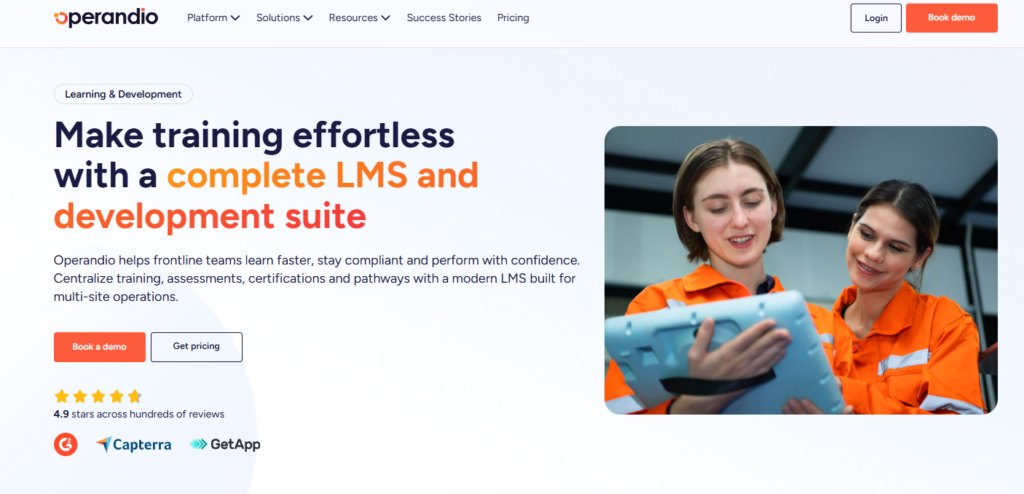
Operandio is a mobile-first operations platform built for multi-unit and franchise businesses. Course completion, SOP sign-off, and shift checklists live in one system, so managers see whether a skill was learned and whether it shows up on the floor.
Operandio Key Features
Three capabilities set Operandio’s mobile-first LLM apart: an AI course builder, in-person skill verification, and structured learning pathways tied to accountability.
AI-Powered Course Builder
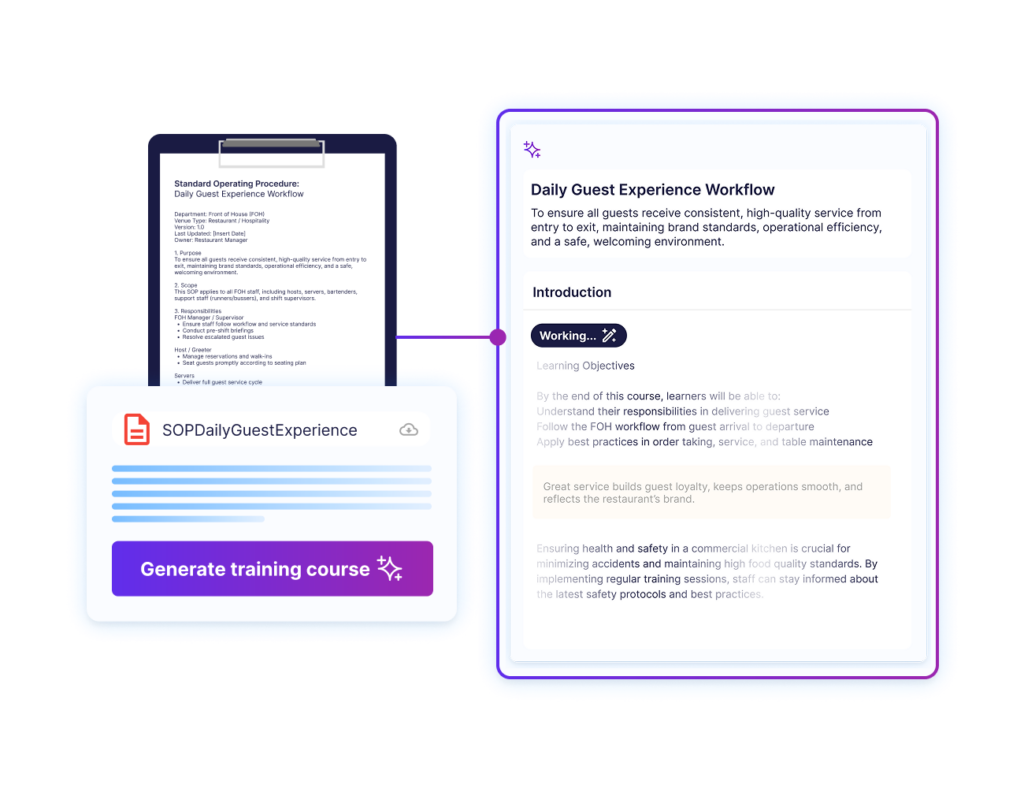
With the AI-powered course builder, managers upload an existing PDF, manual, or SOP, and Operandio’s AI turns it into a structured course with quizzes and micro-lessons in minutes.
For multi-unit operators who inherit years of paper training manuals with no in-house instructional designer to rebuild them, this closes the gap between a policy change at head office and that policy reaching a line cook in a specific store.
Physical Assessments and Skills Verification
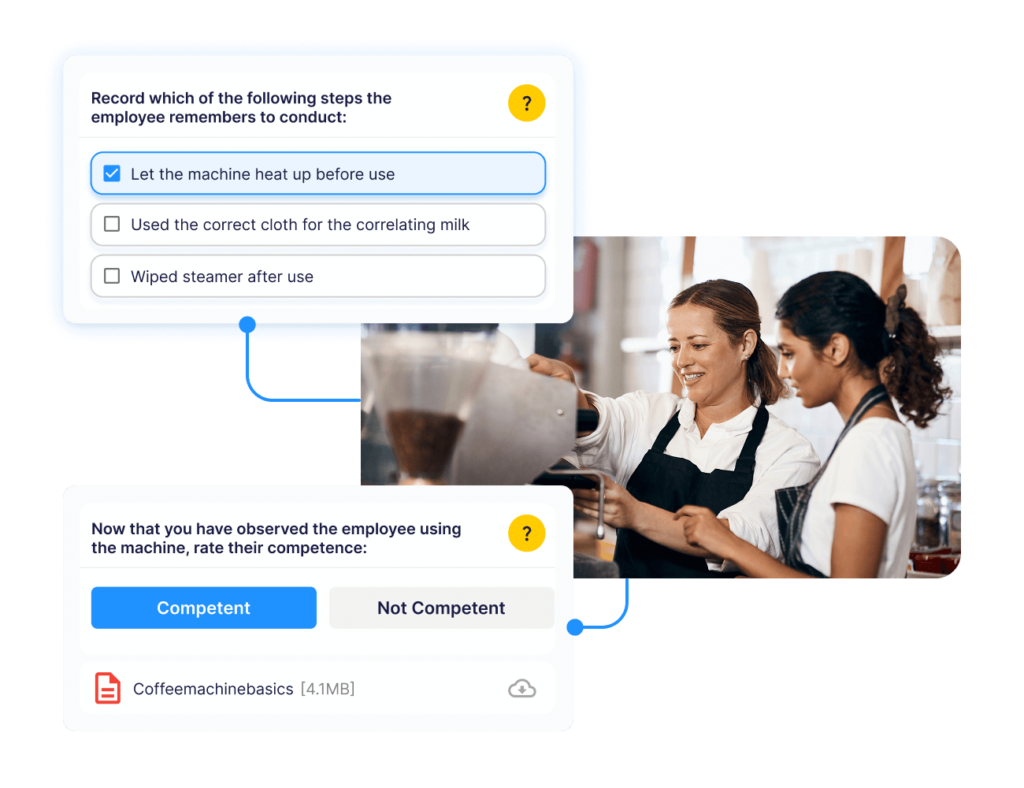
Operandio lets managers run in-person observations and log the outcome directly against the same employee record as the digital training.
A new hire might pass a knife-handling course online, but a manager still confirms proper technique on the line before signing off.
That combined record, digital plus physical, becomes the training audit trail that area managers pull during compliance reviews or franchise audits.
Badges, Certificates, and Pathways
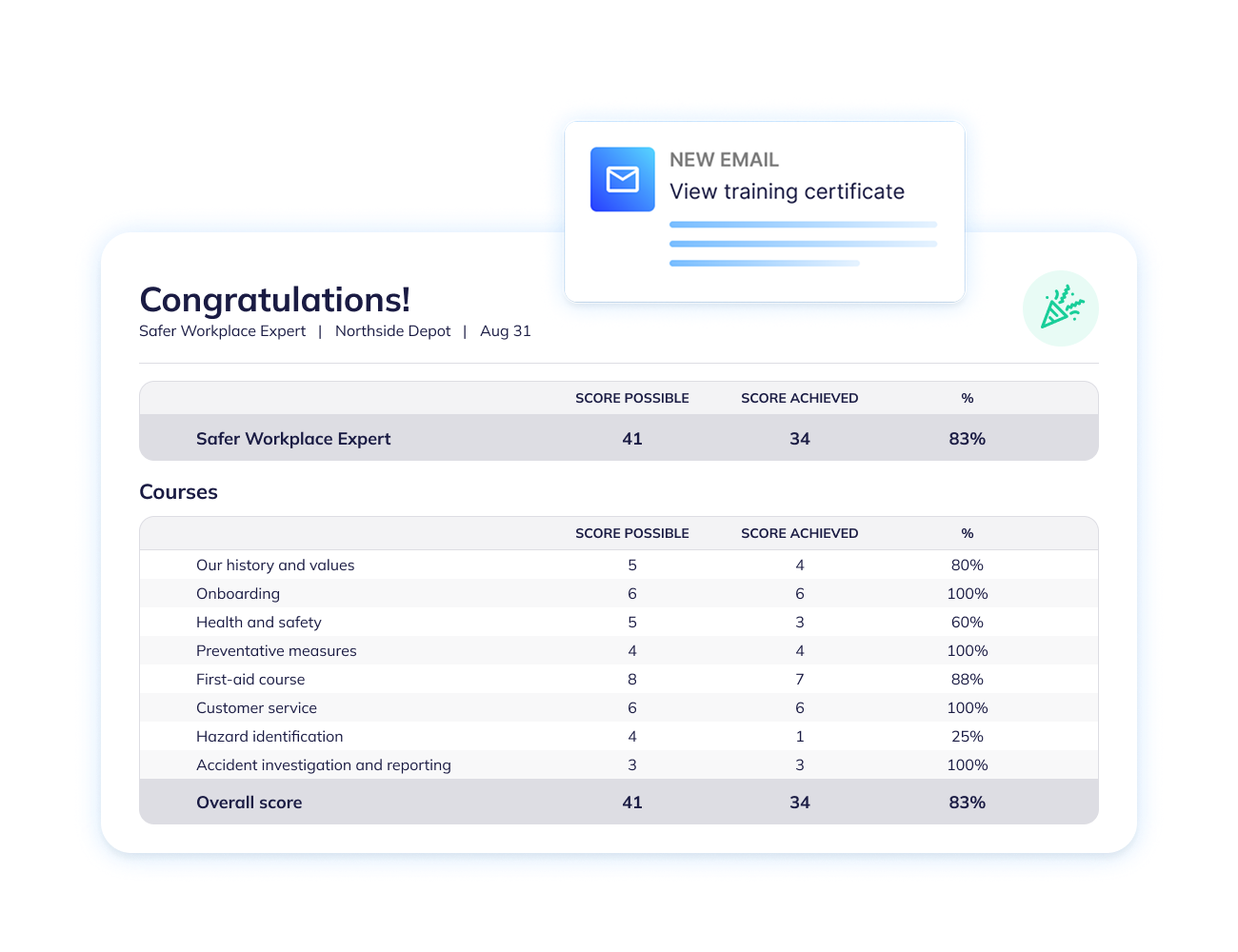
Structured learning pathways with digital badges and branded certificates give frontline staff a visible sense of progression, which matters in an industry where turnover runs high.
A crew member can see exactly what stands between them and a shift lead badge, and a franchisor can require specific certificate chains before someone is eligible for a management role.
Training becomes a documented qualification record instead of a list of completed videos.
Operandio Pricing
| Plan | Pricing |
|---|---|
| All tiers | Custom |
Where Operandio Shines
- Training tied to execution, not just completion: Course records, SOP checklists, and audit results live in the same system
- Built for multi-unit rollout: Content updates push to every location at once, which matters when a menu change or new food safety rule needs to reach 40 stores by Monday
- Franchise-ready permissioning: Head office controls brand-standard content while franchisees see their own location’s training progress
Where Operandio Falls Short
- More platform than a single location needs: An independent restaurant with one kitchen and a stable crew may not need audit-linked training or cross-location reporting
Operandio Customer Reviews
“Operandio has given us the visibility, structure, and consistency we needed across our centres. The platform is simple for our educators to use, flexible enough for our unique requirements, and has made compliance follow-up significantly easier.” Olivia G, Confident Kids.
“Although we haven’t used Operandio for long, our experience has been very positive. The platform has already improved communication, task management, and training processes. With continued use, we expect it will further enhance our operations. The combination of intuitive features, helpful support, and business-friendly pricing makes it a promising tool for restaurant management.” Morgane M on Capterra.
Who Operandio Is Best For
- Multi-unit restaurant groups: Operators running 5 or more locations who need one system for training, SOPs, and audits
- Franchisors: Brands that need centralized brand-standard content with location-level visibility into franchisee training compliance
- Operations teams replacing paper systems: Businesses still training off binders or PDFs that need a mobile system their crews will actually use.
More about Operandio’s mobile-first way to train frontline employees.
2. Trainual: Best for SOP Documentation and Small-Team Onboarding
Trainual documents SOPs and onboarding paths for small businesses centralizing scattered process knowledge for the first time. However, it fits a single location or small back office, not a franchise coordinating training across dozens of sites.
Key Features
- AI-drafted SOPs: A short prompt turns into a structured process document, cutting setup time for teams starting from scratch
- Customized Learning: You can assign specific training steps based on an employee’s job title, department, or location
- Progress Reports: Managers can see exactly who completed their training, who is behind, and who understands the material
- E-Signatures: Employees can electronically sign off on important company policies and handbooks for proof of compliance
Pricing
| Plan | Price |
|---|---|
| All tiers | Custom |
Read more about Trainual pricing and what to expect.
Where Trainual Shines
- Pacing: New hires get only the information they need for their first week. This stops them from feeling overwhelmed
- Quizzes & Tests: You can attach short tests to your training content to prove your team actually learned and remembered the information
- AI Search: Employees can ask the platform questions (like “How do I request time off?”) and the AI will pull the exact answer from your company handbook
Where Trainual Falls Short
- No connection between documentation and daily execution: Trainual confirms someone read an SOP, not that they’re following it during a shift, a real gap once a business operates more than one location
- Separated Workflows: Because it lacks field execution tools, multi-operation teams are forced to buy and integrate separate apps for daily task management and scheduling, leading to fragmented software systems
Customer Reviews
“User-friendly interface and content creation: It’s easy to build modules that combine text, images, videos, embedded links, and quizzes/tests in one place.” Damon G.
“Trainual shines with linear processes, but when you’re dealing with multi‑path workflows — like CRM scenarios, permitting exceptions, or role‑specific variations — it can feel a bit boxed in.”
Who Trainual Is Best For
- Single-location businesses: Teams documenting processes for the first time without operational enforcement needs
- Growing companies under 25 employees: Businesses past the “everything lives in someone’s head” stage that don’t yet need cross-location audit tracking
3. Jolt: Best for Pairing Training with Food Safety Checklists
As a training management and operations system, Jolt uses three core features to help franchises and multi-location businesses maintain consistency, onboard deskless workers rapidly, and track performance across all stores.
Key Features
- Centralized Information Library: Pushes brand-wide training videos, recipes, and policy updates to all franchise locations instantly
- Just-in-Time Workflow Integration: Attaches quick instructional videos, PDFs, and scorable quizzes directly to daily operational checklists, enabling deskless employees to learn tasks on the spot
- Multi-Store Performance Analytics: Provides franchise owners with real-time compliance dashboards, mandatory photo/QR-code verifications, and automated alerts to track training and accountability across all locations
Pricing
| Plan | Pricing |
|---|---|
| All plans | Custom |
Where Jolt Shines
- Audit-proof operational compliance: Bridges the gap between passive learning and physical execution by generating immutable, tamper-proof logs that prove to health inspectors exactly who was trained on specific safety procedures
- Deskless-first architecture: Built for fast-paced, shared-device environments using rapid PIN-based logins and role-restricted interfaces
- Strong food safety accountability: Temperature sensors and digital logs replace paper checklists with a searchable audit trail
Also, here’s how Operandio handles automated temperature monitoring for food safety.
Where Jolt Falls Short
- Steep Setup & Backend Complexity: Setting up custom conditional logic, linking specific modules, and configuring deep checklist templates requires a heavy administrative lift and significant manager training upfront
- Thin LMS functionality: Training exists as an add-on to the checklist system rather than a full course-building and skills-tracking platform
Customer Reviews
“Digital checklists are relatively easy to set up, manage, and hold the team accountable.” G2 review.
“Sometimes the notification system sends too many alerts about minor updates. The reporting dashboard could show more details about completed tasks by instructor. Also wish we could customize task categories specifically for educational settings instead of using generic labels.” Blerta K.
Who Jolt Is Best For
- Multi-location restaurants focused on food safety: Operators whose main compliance risk is temperature logs, date labeling, and health inspections.
- Teams running a separate learning management system: Businesses that want Jolt for checklists while training runs elsewhere.
Not sure which platform to pick? Read out our Operandio vs Jolt comparison for deeper insights.
4. Opus Training: Best for Mobile, Multilingual Frontline Training
Opus is a mobile-first training platform designed specifically for deskless, frontline, and hourly workforces.
Key Features
- QR-Code Login: Removes the email-address barrier that keeps many corporate LMS platforms from working for hourly crews
- AI Course Builder with HRIS Sync: An SOP turns into a short course quickly, and integrations like TriNet auto-populate new hire profiles, though Opus has no native checklist, audit, or corrective-action tools outside of training
- Micro-Learning: Lessons are bite-sized (usually 3 to 5 minutes long) and accessible on any smartphone, tablet, or shared device
Pricing
| Plan | Pricing |
|---|---|
| All plans | Custom |
Where Opus Shines
- Floor-based skill validation: Managers run check-ins that tie course completion to demonstrated competency, not just quiz scores
- Multilingual auto-translate: Courses instantly auto-translate into over 100 languages with high accuracy
- AI Assist: Users can generate course outlines and interactive content up to 10x faster with built-in AI
Where Opus Falls Short
- Limited beyond training: No checklists, audits, or corrective-action tracking, so franchises still need a second system for daily execution
- Frontline-only focus: Opus is built strictly for mobile micro-learning, so it lacks the desktop user experience, multi-day classroom scheduling, and deep career-pathing tools needed for corporate office employees
Customer Reviews
“After researching multiple LMS options for our 15-location grooming franchise, Opus has been the right call on every dimension that mattered to me.” Alicia N.
“This platform is constantly growing, which means there are lots of new updates rolling out monthly. That can be hard to keep up with,” shares Georgia W.
Who Opus Is Best For
- Restaurant groups with multilingual crews: Operators needing training delivered accurately across English, Spanish, or other language combinations
- Mid-market hospitality brands: Franchise operations with 5 or more locations wanting a purpose-built frontline LMS
5. Schoox: Best Enterprise LMS for Large Multi-Brand Franchise Systems
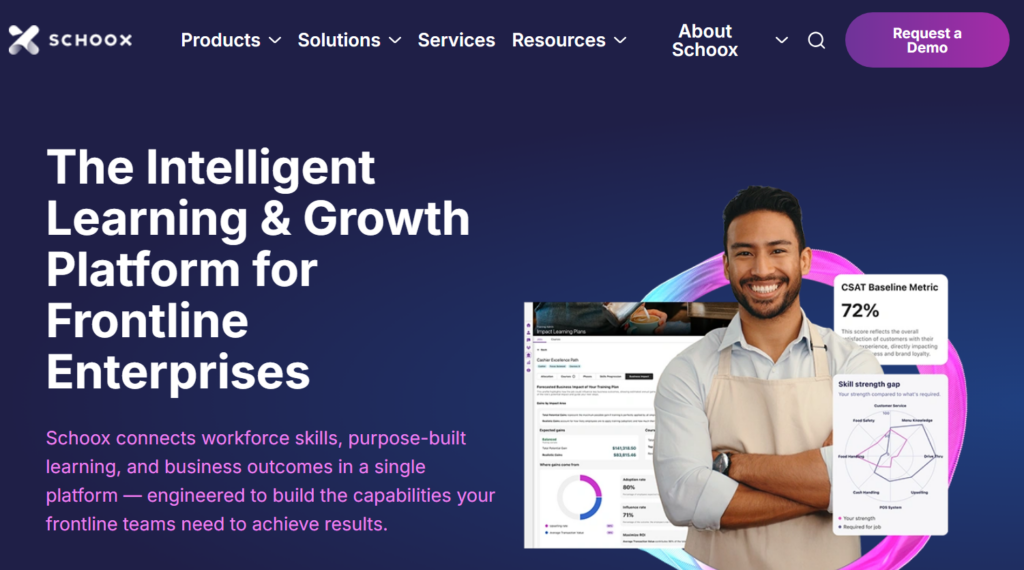
Schoox is an intelligent franchise training software and growth platform purpose-built for deskless, shift-based, and frontline workforces.
Key Features
- Mobile-First Design & Offline Access: Employees can access training materials on their own smartphones using native Schoox Mobile apps
- On-the-Job Training (OJT): Combines digital learning with in-person instruction and practical assessments. Managers can use observable checklists on the app to verify hands-on skills in real time
- Gamification: Keep deskless workers motivated with badges, leaderboards, and rewards that encourage continuous learning and healthy team competition
Pricing
| Plan | Pricing |
|---|---|
| All plans | Custom |
Where Schoox Shines
- Learning Impact Suite: Training data ties to business outcomes like turnover and time-to-productivity
- Social and collaborative learning: Built-in chat, newsfeeds, and social groups allow frontline workers to share knowledge and discuss work directly within the platform
- AI & skills mapping: Use artificial intelligence to identify capability gaps, forecast how training will impact revenue, and automatically suggest personalized learning paths tailored to specific roles
Where Schoox Falls Short
- Clunky reporting and dashboards: Does not have intuitive features for building custom operational reports or tailoring internal dashboards
- Steep admin learning curve: While the learner interface is straightforward, mastering the backend configuration and course-building systems requires significant initial time and training
Customer Reviews
“Our organization has relied on SCHOOX to streamline, document, and enhance our training initiatives, and the impact has been nothing short of transformative.” AI O.
“Some helpful features may come at an additional cost or may not be included in every package.” Verified User in Health, Wellness, and Fitness
Who Schoox Is Best For
- Large, multi-brand franchise systems: Organizations managing several restaurant concepts or thousands of frontline employees that need enterprise-level reporting and content depth
6. Connecteam: All-in-One Workforce App with Training Included
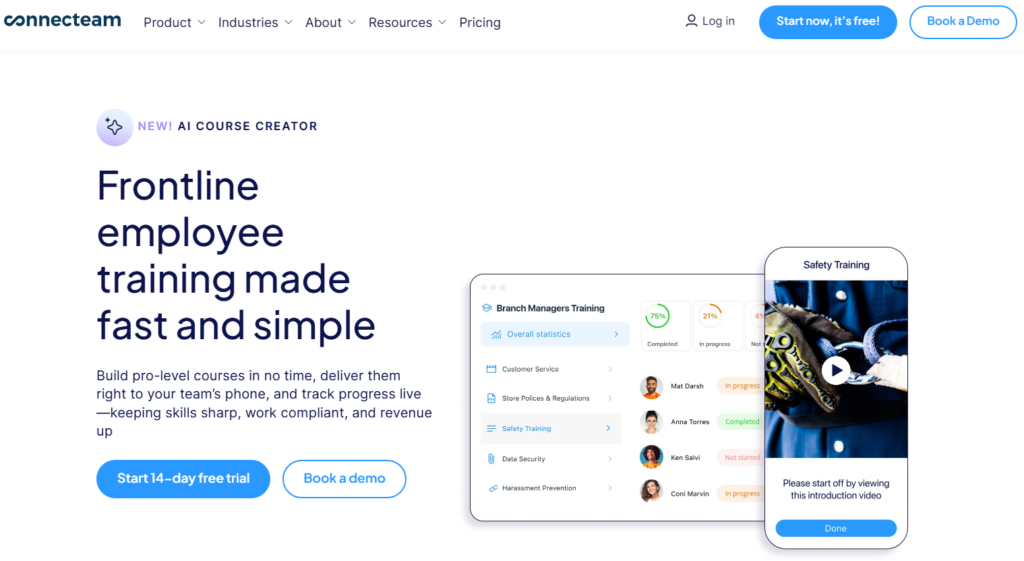
Connecteam is a mobile-first platform for frontline and franchise training that replaces paper manuals with bite-sized digital courses, quizzes, and policy updates accessible on any smartphone.
Corporate offices can push standardized brand guidelines to all locations instantly, and managers can track real-time completion rates alongside daily schedules and time clocks.
While it lacks advanced course-building tools, its simplicity ensures high employee engagement. It is free for up to ten users, making multi-location testing easy.
7. Crunchtime: Enterprise Back-of-House Operations Plus Training
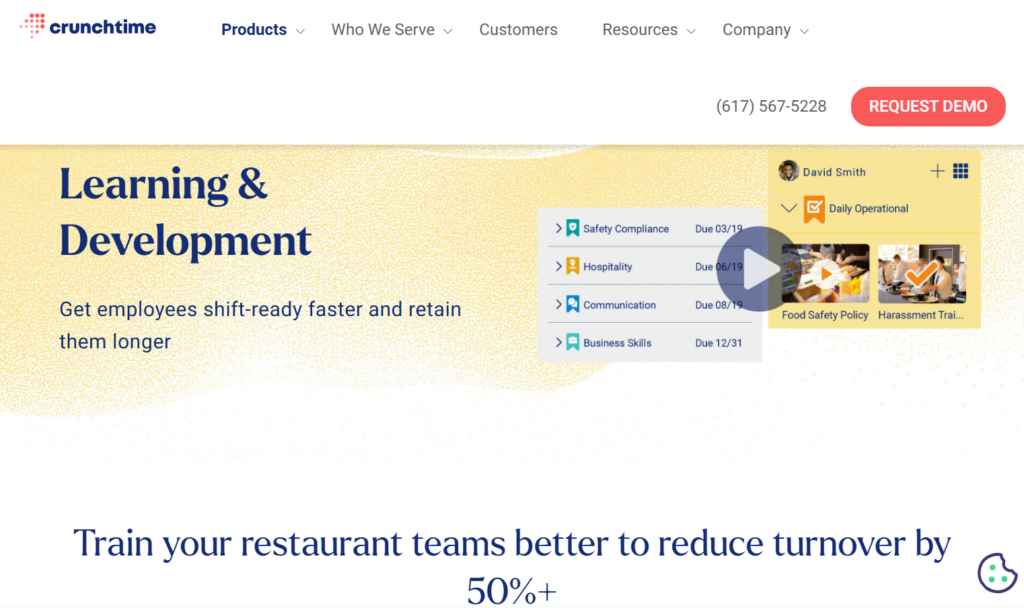
Crunchtime is a restaurant back-office platform known for inventory, labor forecasting, and food cost control, with a learning and development module layered on top.
Its L&D tools deploy compliance, skill, and leadership programs using more than 100 prebuilt restaurant courses, and completion data feeds into the same dashboard as inventory and labor reports.
Pricing is custom, and the platform is ideal for large chains.
How to Choose a Training Management System
The right platform depends on how many locations you run and whether training needs to connect to what actually happens during a shift.
Mobile Access for Deskless Teams
A platform that requires a computer login or a company email address creates friction before training even starts. Look for mobile delivery, offline access for spotty kitchen Wi-Fi, and login options that don’t depend on email.
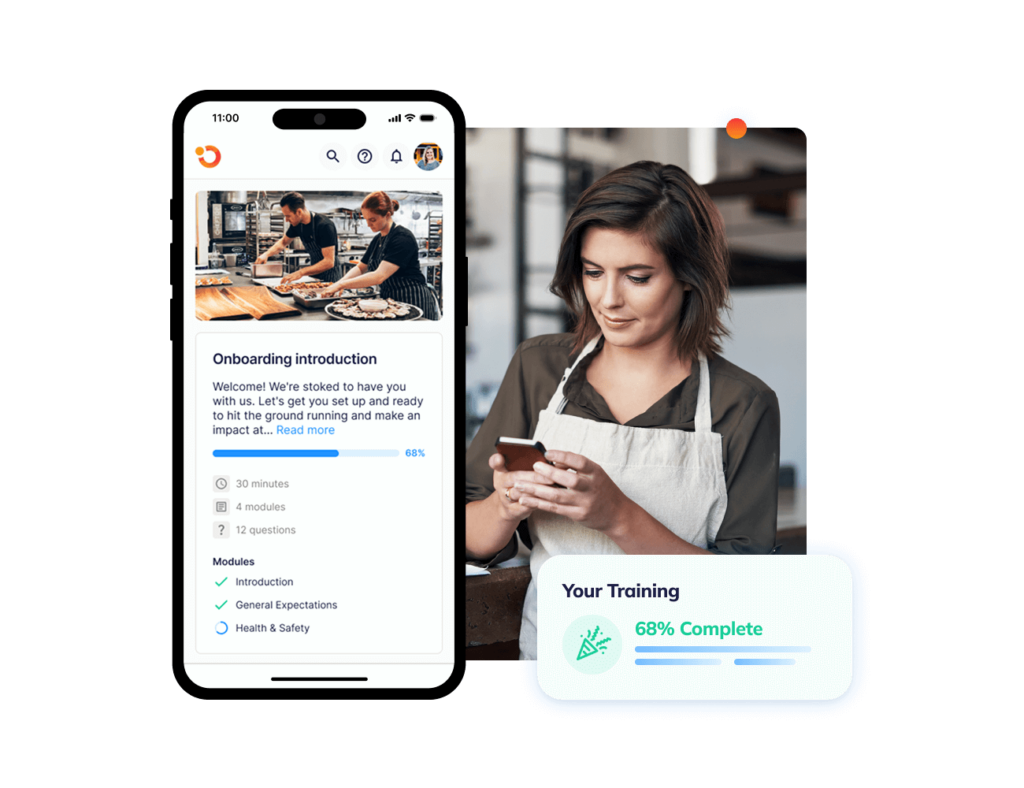
Operandio delivers training on the same phones staff already use for checklists and communication, so a course shows up where the work happens.
Discover more about Operandio’s Mobile and Shared Tablet apps.
Compliance and Certification Tracking Across Locations
Look for automated renewal reminders, audit-ready reporting, and role-based assignment so a new hire is automatically enrolled in state-required courses for their location.
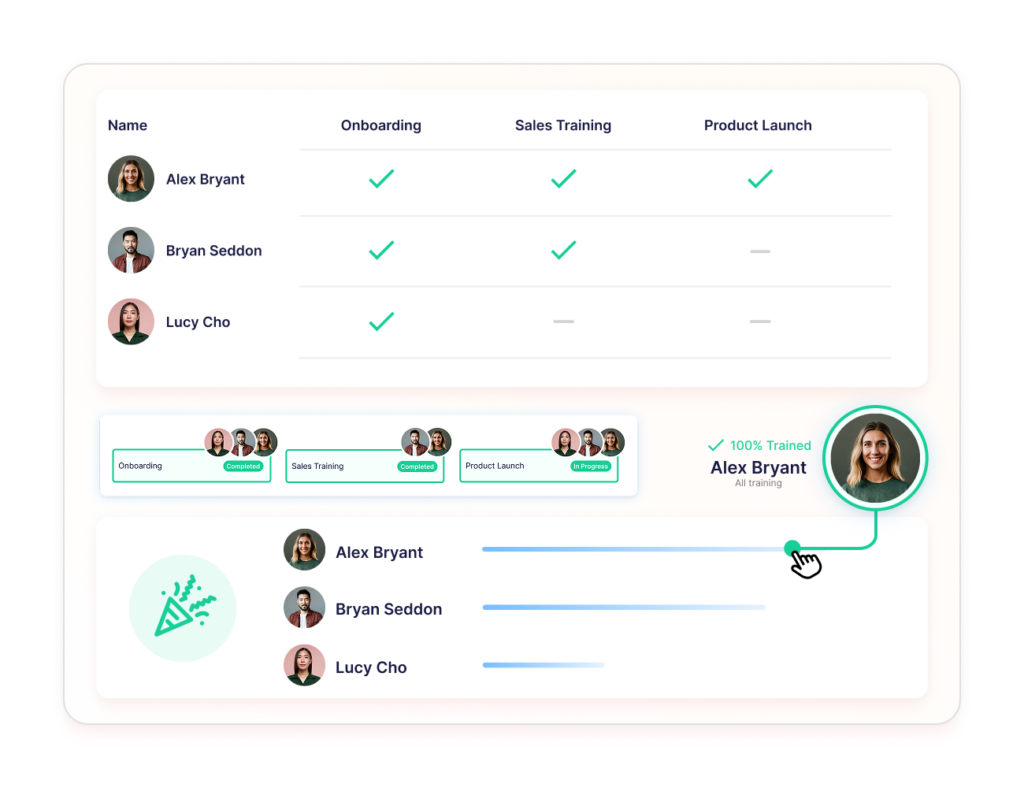
Operandio ties certification tracking directly to audits and corrective actions, so a missed renewal surfaces the same way a failed inspection item would.
Connecting Training Completion to Real Execution
Course completion and job performance aren’t the same thing. Someone can pass a quiz and still miss a step on a busy Friday shift.
The platforms that close this gap combine digital training with in-person verification, whether that’s a manager sign-off, a floor observation, or a linked checklist.

Operandio connects course completion to daily checklists and audits, so a manager sees not just who finished training, but whether it shows up in the work.
Read about the best practices and strategies for training frontline staff in 2026.
Standardize Your Franchisee Operations with Operandio
Some platforms handle documentation well. Others focus narrowly on food safety checklists or multilingual course delivery.
If your business needs training connected to SOPs, audits, corrective actions, and daily execution across every location, Operandio offers the broader operational system built for multi-unit and franchise teams.
Request a demo to see how training and execution work together on one platform.
FAQs
1. What is a training management system?
A training management system creates, delivers, and tracks employee training across an organization, often including certification tracking and completion reporting.
2. Can training management systems work for multi-location restaurant groups?
Yes. Platforms built for multi-unit operators, like Operandio, centralize content while giving each location visibility into its own training progress.
3. What is the difference between a training management system and a learning management system?
An LMS focuses on course delivery and completion tracking. A training management system often adds scheduling, compliance workflows, and reporting across an entire organization.
4. Does employee training management software need to connect to daily operations?
Not always, but for multi-unit operators, disconnected training creates blind spots between what staff learned and what actually happens on shift.
5. How much does corporate training management software cost?
Pricing varies widely, from free small-team plans to enterprise contracts priced per employee. Multi-location operators should expect custom quotes based on user count and modules needed.