
- Platform
- Features
 Franchise & Multi-Unit ManagementCentralize oversight and streamline growth across your entire multi location network
 Learning ManagementTrain, verify, and reward your workforce with mobile-first education
 Operations ExecutionStreamlined operations ensuring brand standards, accountability and efficiency
 Asset ManagementOptimize equipment uptime through proactive maintenance and smart tracking
 Digital Food SafetyAutomate compliance and monitor quality with real-time digital precision
 Health & Safety Management (EHS)Mitigate workplace risks and streamline digital incident reporting and investigations
- Platform Essentials
 Powerful ReportingAlign leadership with role-based dashboards and deeper analytics
 AI-Powered ToolsAutomate content, analyze trends, and provide instant answers
 IntegrationsUnify your enterprise tech stack with real-time data
 IoT PlatformDetect anomalies and automate workflows with intelligent sensors
 Mobile & Shared Tablet AppsSecurely empower frontline teams with fast, offline-capable access
- Footer


 Not sure what you need?
Book in a call with the team
- Features
- Solutions
- By Industry
 RestaurantsQSR, fast food and multi-unit restaurants
 Hotels & ResortsHotels, resorts and extended stay hotels
 ChildcareEarly education, childcare, daycare and preschool
 EntertainmentTheme parks, family entertainment centers and play centers
 Fitness Centers & LeisureFitness centers, golf clubs, gyms and sports facilities
 RetailBig-box retailers, franchise stores and supermarkets
- By Use Case
- Operational ExcellenceStreamlined operations ensuring brand standards, accountability and efficiency
- Learning & DevelopmentTrain, verify, and reward your workforce with mobile-first education
- Franchise & Multi-Unit ManagementCentralize oversight and streamline growth across your entire multi location network
- Food Safety ComplianceAutomate compliance and monitor quality with real-time digital precision
- Asset Management & MaintenanceOptimize equipment uptime through proactive maintenance and smart tracking
- Health & Safety Management (EHS)Mitigate workplace risks and streamline digital incident reporting and investigations
- By Industry
- Resources
- Platform
- Features
- Franchise & Multi-Unit ManagementCentralize oversight and streamline growth across your entire multi location network
- Learning ManagementTrain, verify, and reward your workforce with mobile-first education
- Operations ExecutionStreamlined operations ensuring brand standards, accountability and efficiency
- Asset ManagementOptimize equipment uptime through proactive maintenance and smart tracking
- Digital Food SafetyAutomate compliance and monitor quality with real-time digital precision
- Health & Safety Management (EHS)Mitigate workplace risks and streamline digital incident reporting and investigations
- Platform Essentials
- Powerful ReportingAlign leadership with role-based dashboards and deeper analytics
- AI-Powered ToolsAutomate content, analyze trends, and provide instant answers
- IntegrationsUnify your enterprise tech stack with real-time data
- IoT PlatformDetect anomalies and automate workflows with intelligent sensors
- Mobile & Shared Tablet AppsSecurely empower frontline teams with fast, offline-capable access
- Footer
- Not sure what you need?
Book in a call with the team
- Features
- Solutions
- By Industry
- RestaurantsQSR, fast food and multi-unit restaurants
- Hotels & ResortsHotels, resorts and extended stay hotels
- ChildcareEarly education, childcare, daycare and preschool
- EntertainmentTheme parks, family entertainment centers and play centers
- Fitness Centers & LeisureFitness centers, golf clubs, gyms and sports facilities
- RetailBig-box retailers, franchise stores and supermarkets
- By Use Case
- Operational ExcellenceStreamlined operations ensuring brand standards, accountability and efficiency
- Learning & DevelopmentTrain, verify, and reward your workforce with mobile-first education
- Franchise & Multi-Unit ManagementCentralize oversight and streamline growth across your entire multi location network
- Food Safety ComplianceAutomate compliance and monitor quality with real-time digital precision
- Asset Management & MaintenanceOptimize equipment uptime through proactive maintenance and smart tracking
- Health & Safety Management (EHS)Mitigate workplace risks and streamline digital incident reporting and investigations
- By Industry
- Resources
Learning Experience Platform: What it Is & Top 10 Options
Key Takeaways
- Operandio is best for multi-unit and franchise operators with frontline teams that need learning, knowledge, SOPs, assessments, and daily execution in one place, rather than a standalone corporate learning library.
- Schoox, Opus, and SafetyCulture Training are strong frontline learning experience platform options for hospitality, restaurant, retail, safety, and operations-heavy teams.
- Degreed, Cornerstone, 360Learning, and Docebo are stronger for enterprise L&D teams that need skills, internal mobility, content discovery, collaborative learning, and extended learning audiences.
- The right learning experience platform depends on who needs training. Desk-based teams may need content discovery and career pathways. Frontline teams need short, mobile-friendly learning that connects to the work happening at each location.
A learning experience platform should ideally make training easier to find, finish, and apply across every location.
For frontline teams, this access gap is still a real problem. A 2025 deskless workforce report found that 9 in 10 frontline employees do not have access to the right tech tools to stay connected.
If your teams work across stores, venues, shifts, or franchise locations, a corporate learning library is not enough. The best LXP for them needs mobile access, short learning paths, operational knowledge, and proof that training was completed.
This guide explains what an LXP is, how it compares to an LMS, and the ten best options for multi-unit, franchise, frontline, and enterprise learning teams.
What Is A Learning Experience Platform (LXP)?
A learning experience platform, or LXP, is software that helps employees discover, access, and complete learning content in a more personalized way.
Traditional training systems often focus on assigning courses and tracking completion. LXPs usually add a more learner-led experience with recommendations, search, curated pathways, social learning, user-generated content, skills data, and AI-powered content discovery.
Businesses use learning experience platforms to support:
- Employee onboarding
- Role-based training
- Skills development
- Compliance refreshers
- Internal knowledge sharing
- Leadership development
- Frontline training
- Customer or partner education
In practice, many of the best learning management systems (LMS) now include LXP-style features, which is why buyers often compare LMS and LXP platforms together.
What Is The Difference Between An LXP vs LMS?
An LMS helps the business assign, manage, and track training. An LXP helps employees find and engage with learning more easily.
Most modern teams need both: structured training for compliance and onboarding, plus a better learning experience so employees can find what they need without waiting for a manager.
| Category | LXP | LMS |
|---|---|---|
| Main purpose | Helps employees discover and engage with learning | Helps admins assign, manage, and track training |
| Best for | Continuous learning, skills, knowledge discovery, and self-directed development | Compliance, onboarding, certifications, and required training |
| Learning style | Personalized, searchable, often AI-recommended | Structured, assigned, and completion-based |
| Content sources | Internal content, external content, user-generated resources, curated pathways | Courses, modules, quizzes, SOPs, assessments |
| User experience | Learner-led and discovery-focused | Admin-led and process-focused |
| Reporting focus | Engagement, skills, interests, content use | Completion, compliance, assessment scores, progress |
| Frontline fit | Strong when mobile, short-form, and connected to operations | Strong when training needs proof, sign-off, and auditability |
Pro Tip: Do not choose an LXP just because it has a modern interface. For frontline teams, the real test is whether employees can use it during the workday, on the devices they already use, without needing a long login-and-search process.
10 Best Learning Experience Platforms: A Quick Overview
| Name | Best For | Standout Feature | Price Starting Point |
|---|---|---|---|
| Operandio | Multi-unit and franchise frontline teams | Learning, SOPs, knowledge, assessments, and operations in one platform | Custom pricing |
| Schoox | Frontline enterprise learning | Learning paths tied to frontline roles and operational outcomes | Custom pricing |
| Opus | Hospitality and restaurant frontline training | Mobile-first training built for hourly teams | Custom pricing |
| 360Learning | Collaborative learning | Internal experts can co-create courses with AI-assisted authoring | From $8/user/month for Team plan |
| Docebo | Enterprise LMS/LXP | AI-powered learning, skills, social learning, and multi-audience training | Custom pricing |
| Degreed | Skills-first enterprise LXP | Personalized skill-building and content discovery | Free personal plan; enterprise pricing on request |
| Cornerstone Learning | Large enterprise learning ecosystems | AI-powered learning paths, compliance, and skills development | Contact vendor |
| Absorb LMS | Enterprise LMS with learner experience features | AI course creation, mobile learning, and compliance tracking | Custom pricing |
| SafetyCulture Training | Safety and operations training | Bite-sized mobile training connected to operational workflows | Free plan available; paid plans vary by package |
| Trainual | SOP-heavy onboarding and knowledge documentation | Centralized policies, procedures, tests, and e-signatures | Contact vendor |
Here is a quick comparison of the best learning experience platforms, including frontline tools, enterprise LXPs, collaborative learning platforms, and LMS products with strong learner experience features.
Operandio: Best AI-Powered Learning Experience Platform For Multi-Unit and Franchise Frontline Teams
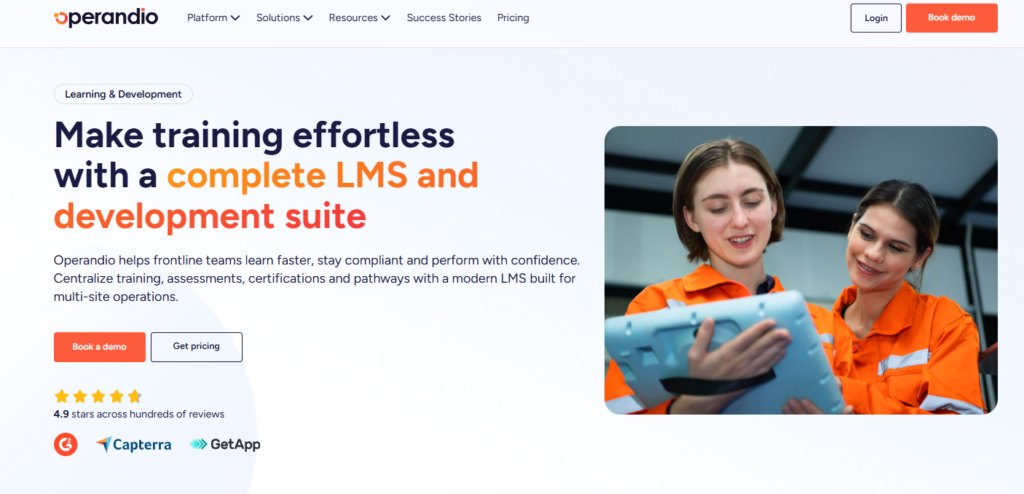
Operandio is an AI-powered operations platform built for multi-unit and franchise businesses with frontline teams.
It’s perfect for businesses where training has to show up in real work across locations, where teams need to access training on the go, and where management wants to track who has completed the training and can apply it effectively in daily operations.
Operandio Key Features
Operandio’s strongest LXP-style features are built around access, speed, proof, and frontline usability.
Mobile-First LMS For Frontline Training
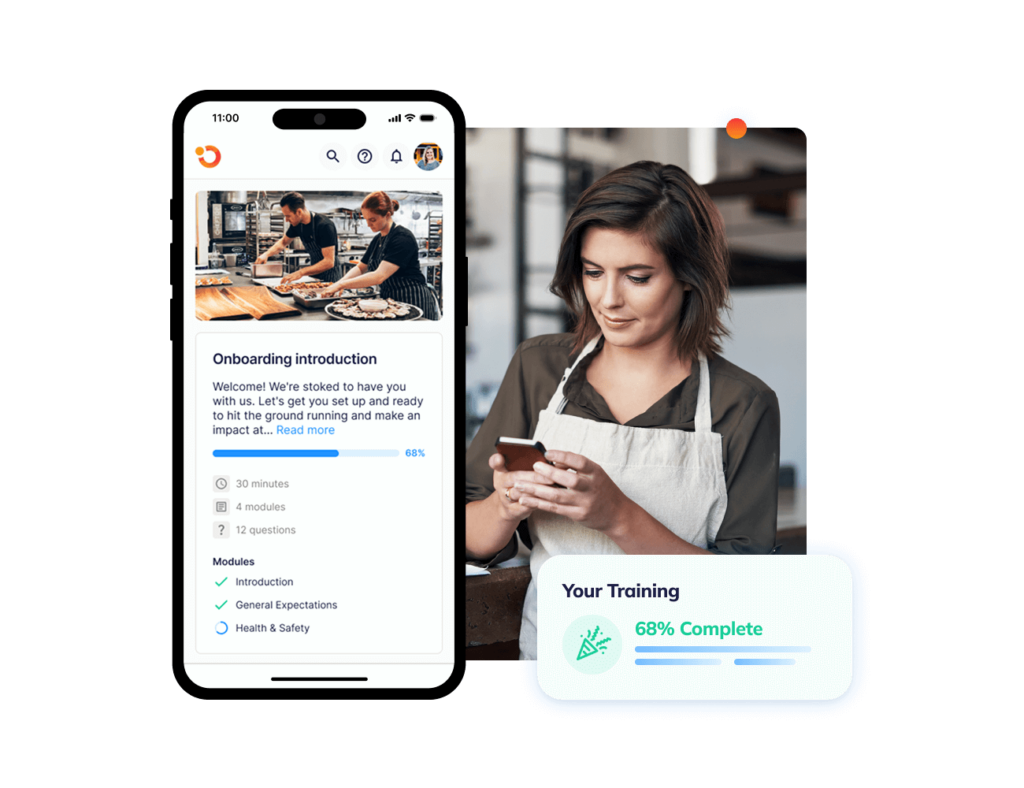
With Operandio’s Mobile-First LMS, employees can access learning resources from mobile devices or shared tablets, making it practical for restaurants, hotels, retail stores, entertainment venues, and franchise locations where many staff do not sit at a desk.
Instead of sending employees into a separate corporate LMS, managers can assign role-based training and track completion in the same wider system used for daily operations.
AI Course Builder And AI-Powered Tools
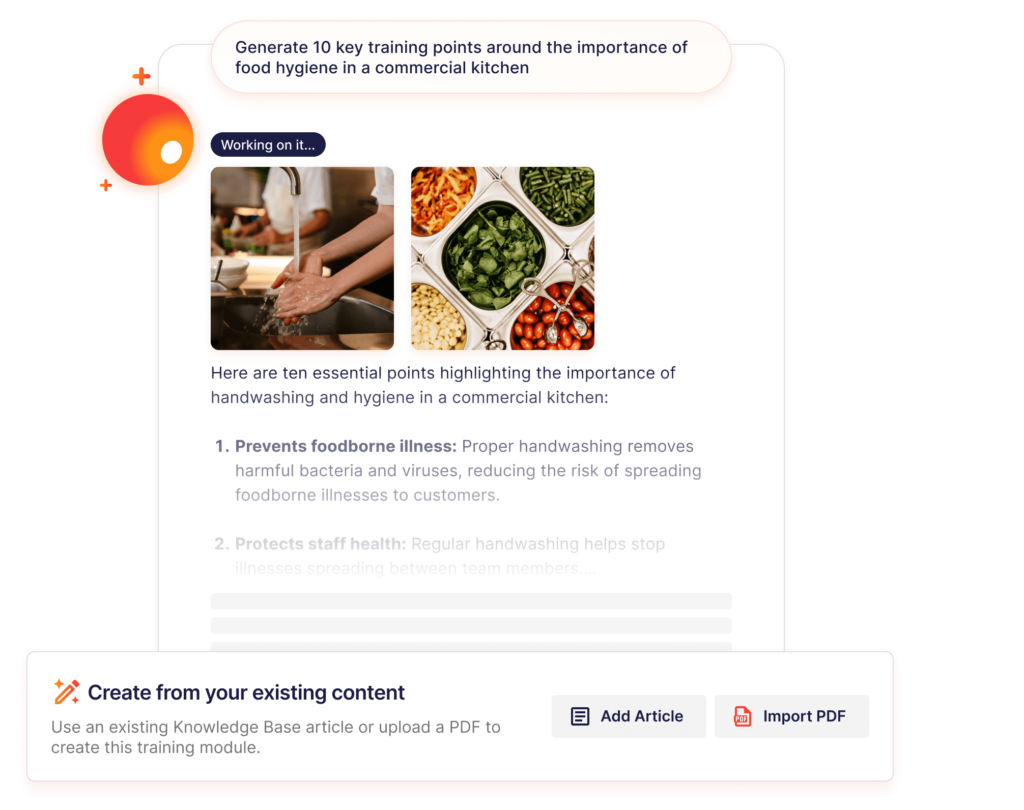
Operandio’s AI Course Builder helps teams turn existing documents, SOPs, and operating knowledge into structured learning content faster.
In addition to the AI-powered tools, L&D and operations teams can speed up content creation while still keeping human review in place. That gives head office a faster way to build role-based training without losing control over standards.
For frontline teams, the benefit is practical: employees get clearer, shorter, more relevant training that reflects the current way the business operates.
Pro Tip: AI should speed up training creation, not replace operational review. Managers and subject-matter experts should still check every module for safety, compliance, and real-world fit before rollout.
Assessments, Observations, Badges, And Certificates
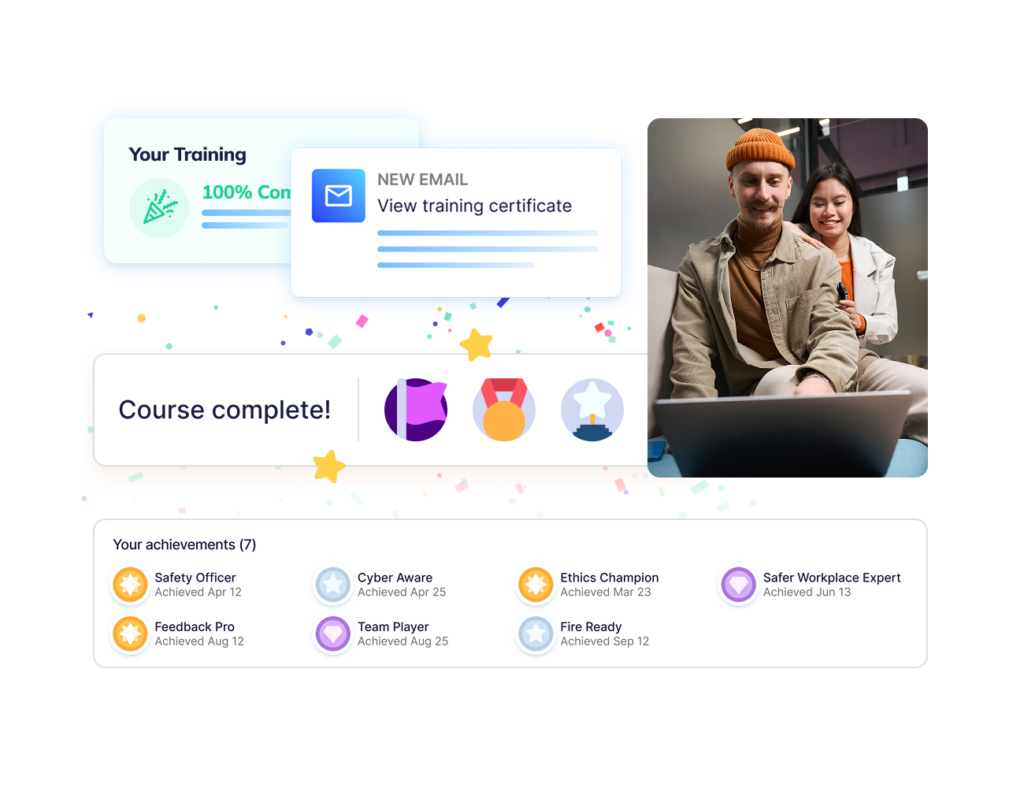
A learning experience platform should go beyond “employee opened the course.”
Operandio supports Workplace Observations & Assessments so managers can confirm whether employees can apply training during real work. This is important when the task is practical, safety-related, compliance-related, or customer-facing.
You also get Badges, Pathways, and Certificates, to track progress and recognize completion across roles, locations, and training paths.
This is where Operandio fits frontline learning better than a content-only LXP. It helps businesses prove whether learning has turned into execution.
Operandio Pricing
| Plan | Pricing |
|---|---|
| All tiers | Custom |
Where Operandio Shines
- Built for multi-unit and franchise execution: Operandio connects learning with SOPs, tasks, audits, corrective actions, food safety, incident reporting, and daily operations, so training supports the way locations actually run.
- Strong cross-location visibility: Head office can roll out training, monitor completion, and support stores, venues, regions, or franchise locations without chasing managers through spreadsheets, emails, or separate tools.
- AI-assisted training creation: Operandio helps teams create and update learning content faster, which is useful when standards change across many locations at once.
Where Operandio Falls Short
- Not ideal for very small teams that only need simple course hosting: A single-location business that wants a basic LMS may not need Operandio’s wider operations, compliance, and multi-location platform.
Operandio Customer Reviews
Tex’s Chicken & Burgers used Operandio to standardize execution across 52 locations, support franchise growth, and keep managers current with updated processes. The team reports a 40% reduction in manager onboarding time.
“Operandio is absolutely amazing, 10 out of 10,” says Najib Ullah, Chief Operating Officer and Managing Partner.
Social Fair also used Operandio’s built-in LMS to support staff onboarding and ongoing training across its family entertainment venues in Coburg and Cranbourne.
“Operandio has been an absolute game changer for us,” says Jessica Giurdanella, Operations Manager.
Who Operandio Is Best For
- Franchise and multi-unit operators: Operandio works best when head office needs to roll out learning and standards across many locations without losing visibility after training is assigned.
- Restaurants and QSR teams: Operandio is a strong fit for restaurant management teams that need training connected to food safety, checklists, SOPs, temperature logs, audits, and daily execution.
- Hotels and resorts: Hotel and resort operators can use Operandio to keep training, service standards, inspections, and operational documents consistent across teams and properties.
- Retail and entertainment businesses: Retail teams and entertainment operators can use Operandio to train frontline employees, standardize procedures, and track completion across locations.
Learn more about Operandio’s modular pricing that’s based on business locations, users, and all the features multi-unit frontline teams need.
2. Schoox: Best For Frontline Enterprise Learning
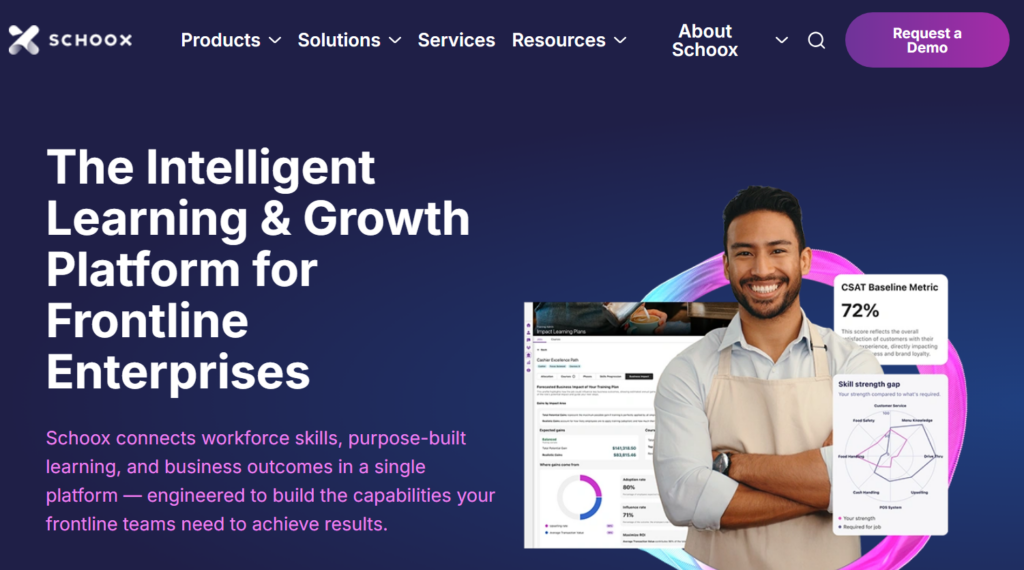
Schoox is an intelligent learning and growth platform built for frontline enterprises thatcombines learning management, skills development, compliance training, career paths, mobile learning, and business impact reporting.
Key Features
- Frontline Learning Paths: Schoox helps teams build role-based learning programs for frontline employees, managers, franchisees, and external audiences.
- Mobile Learning and Engagement: Employees can access courses, complete training, earn certificates, receive notifications, and participate in groups from mobile devices.
- Skills, Career Paths, and Reporting: Schoox supports skills development, goal tracking, career paths, gamification, compliance records, and reporting tied to workforce readiness.
Pricing
| Plan | Pricing |
|---|---|
| All tiers | Custom |
Where Schoox Shines
- Strong frontline learning focus: Schoox is built for organizations with large frontline workforces, complex org structures, and distributed teams.
- Good fit for enterprise L&D teams: It works well when the business needs training, skills, career development, compliance, and learner engagement in one learning platform.
Where Schoox Falls Short
- Less operations-native than Operandio: Schoox supports frontline learning, but it does not center daily operations, SOP execution, audits, corrective actions, and location-level operational workflows in the same platform.
- Reporting may need more customization: Some users like the learner experience but want more flexible dashboards and reporting options.
Customer Reviews
“I think the support system is incredible. Tickets are always answered in a timely fashion. Schoox is very open to feedback as well and often implements suggestions to improve the learner experience.” Cody K.
“I find some of the ability to modify and personalize is limited, particularly when it comes to jobs and roles. This limitation requires us to reach out to Schoox more frequently for assistance.” Kailey S.
Who Schoox Is Best For
- Enterprise frontline L&D teams: Schoox is a strong fit for large organizations that need structured frontline learning, skills development, compliance training, and career paths, but do not need training embedded inside a wider operations platform.
For restaurant and hospitality teams comparing frontline learning tools, this guide to restaurant training software is a useful next read.
3. Opus: Best For Hospitality And Restaurant Frontline Training
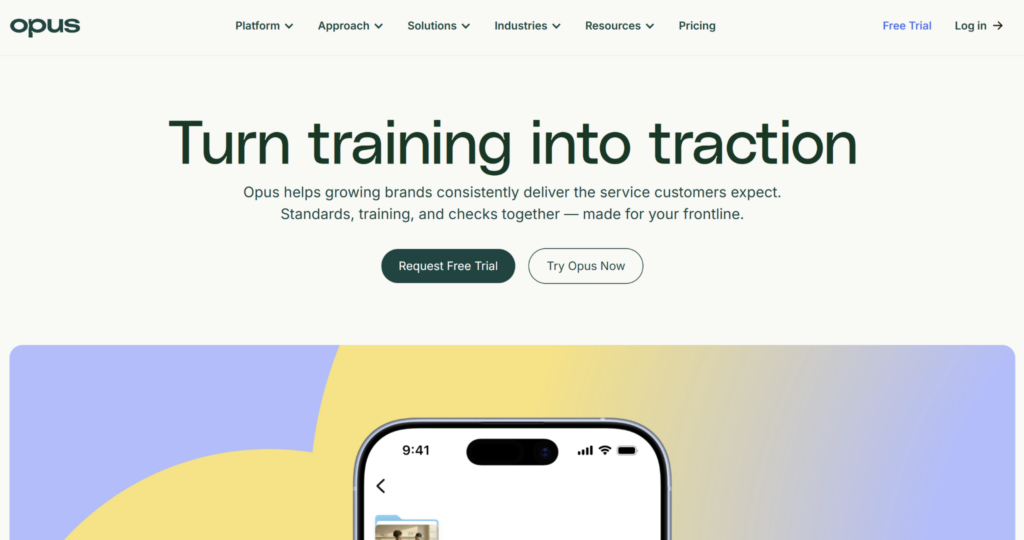
Opus is a mobile-first training platform built for frontline teams that need short, practical training sessions. It is a decent option when the main problem is getting hourly teams trained quickly across locations.
Key Features
- Mobile-First Training: Opus is designed for frontline employees who complete training from phones, often without traditional desk access or company email.
- AI-Assisted Content Creation: Teams can use AI to create training content faster from existing resources, policies, procedures, or manager knowledge.
- Knowledge Base and AI Search: Employees can search for answers inside the platform, helping reduce repeated questions during the shift.
Pricing
| Plan | Pricing |
|---|---|
| All tiers (Core, Growth, Enterprise) | Custom |
Where Opus Shines
- Strong hospitality and restaurant fit: Opus is built for fast-moving frontline teams that need short, mobile-friendly training across locations.
- Good training adoption: Reviewers often praise the simple mobile experience, content creation workflow, AI search, and support.
Where Opus Falls Short
- Limited Pre-built Content: The available course marketplace leans heavily toward food service and hospitality, meaning other industries will need to build content from scratch.
- Narrower operations coverage than Operandio: Opus supports training, knowledge, and some industry-specific operational workflows, but Operandio offers a broader multi-location operations platform for frontline teams.
Customer Reviews
“The platform is intuitive and easy to navigate, making it quick to learn. Staff members can progress at their own pace and choose times that suit their schedules.” Jessica D.
“The prebuilt content marketplace skews toward food service, so off-the-shelf content options are limited for other industries.” Alicia N.
Who Opus Is Best For
- Hospitality and restaurant training teams: Opus is a good option for multi-location food service, hospitality, and service businesses that need fast mobile training, AI-assisted content creation, and frontline knowledge access.
Looking for a better LXP? We’ve covered the 8 best Opus Training alternatives for frontline teams.
4. 360Learning: Best For Collaborative Learning
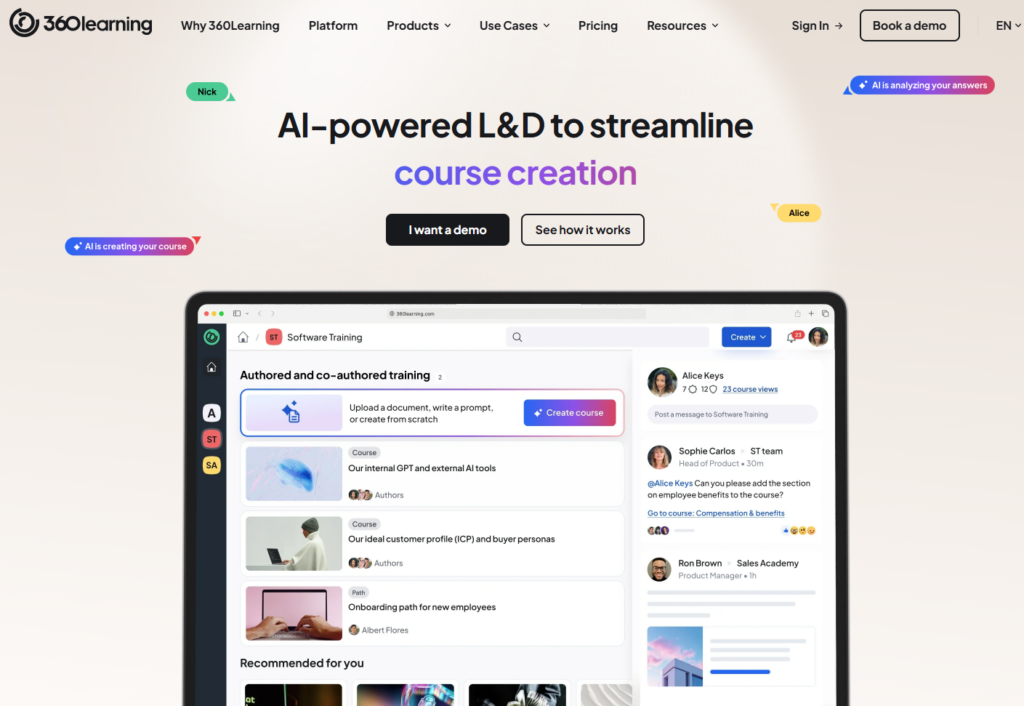
360Learning is an AI-powered learning platform that combines LMS and LXP capabilities for onboarding, employee development, customer training, and partner education.
Its core strength is collaborative learning. Instead of relying only on a central L&D team to create every course, 360Learning helps internal subject-matter experts build, update, and share training content.
So, it’s useful for companies where expertise sits across teams and needs to be captured quickly. It is less suited to operators that need training connected directly to site-level execution, inspections, SOPs, and daily frontline workflows.
Key Features
- Collaborative Course Authoring: Managers, experts, and L&D teams can work together to create training content inside the platform.
- AI-Powered Authoring: 360Learning uses AI to help teams draft, improve, and update learning content faster.
- LMS and LXP Capabilities: The platform supports onboarding, employee development, academies, analytics, integrations, learner engagement, and content discovery.
Pricing
| Plan | Pricing |
|---|---|
| Team | From $8/user/month |
| Business | Custom |
| Enterprise | Custom |
Where 360Learning Shines
- Great for expert-led learning: 360Learning works well when internal experts need to help create training instead of sending every request to a central L&D queue.
- Strong fit for mature learning teams: It supports collaborative learning, AI authoring, skills-based training, analytics, and enterprise integrations.
Where 360Learning Falls Short
- Less focused on frontline execution: 360Learning helps teams create and deliver learning, but it does not run daily SOPs, audits, checklists, corrective actions, or compliance workflows.
- Can take time to learn: Some users like the collaborative model but mention that the interface and navigation can take time to get used to.
Customer Reviews
“I mainly use it for onboarding programs. It’s quite easy to upload PPTs, convert them into modules, and assign them to new joiners.” Liana G.
“The pricing model is the main challenge for me, especially compared with other competitors I’ve seen so far.” Florent W.
Who 360Learning Is Best For
- Collaborative L&D teams: 360Learning is perfect for organizations that want internal experts to help create and update training content, especially for onboarding, enablement, employee development, and customer education.
5. Docebo: Best For Enterprise LMS And LXP Use Cases
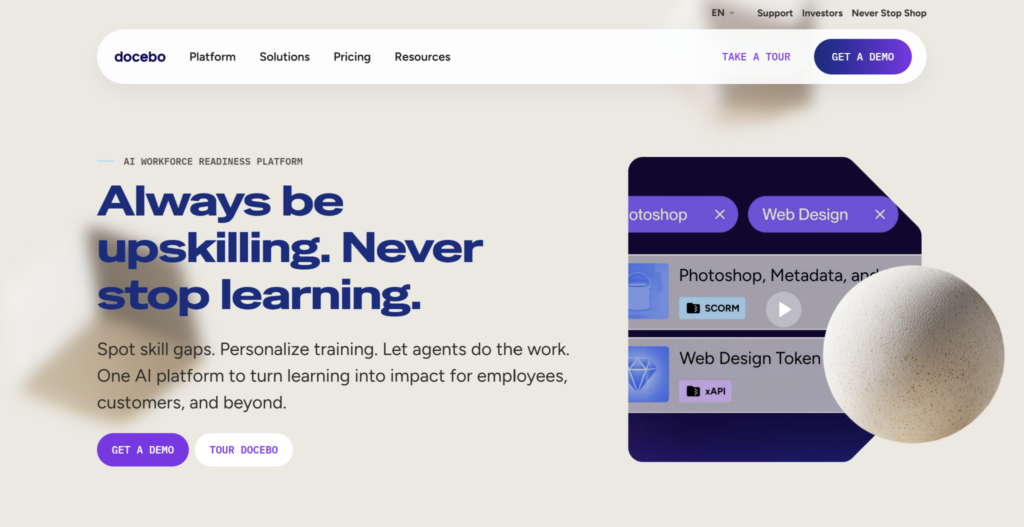
Docebo is an enterprise learning platform with LMS, LXP, AI, skills, social learning, analytics, and multi-audience training capabilities.
It is built for organizations that need to train employees, customers, partners, and external audiences from one system. Docebo is a strong fit for large companies with mature L&D operations, multiple learner groups, and advanced reporting needs.
For frontline and multi-location operators, Docebo may be more feature-heavy than necessary if the main goal is practical training tied to SOPs, audits, checklists, and location-level execution.
Key Features
- AI-Powered Learning Platform: Docebo supports learning automation, content management, AI features, personalized learning, and reporting.
- Multi-Audience Training: Teams can train employees, partners, customers, and external learners from one enterprise platform.
- Enterprise Integrations And Reporting: Docebo supports integrations, custom reports, insights, learning plans, and scalable administration for larger teams.
Pricing
| Plan | Pricing |
|---|---|
| All tiers (Elevate, Enterprise) | Custom |
Where Docebo Shines
- Strong enterprise learning depth: Docebo works well for organizations that need structured learning across employees, customers, partners, and multiple business units.
- Flexible and scalable: Users often praise its customization, integrations, reporting, and ability to support complex learning programs.
Where Docebo Falls Short
- Can be complex to configure: Advanced settings, automations, reporting, and customization may require technical support or a more experienced admin team.
- Less specific to frontline operations: Docebo is a broad enterprise learning platform, while Operandio is built for multi-location frontline teams that need training connected to operations.
Customer Reviews
“What I like best about Docebo is its flexibility and scalability combined with an intuitive user experience.” yoko B.
“The setup process can be pretty tedious – even simple admin tasks end up taking way more steps than they should. Some features just aren’t as polished as others, so I’m constantly finding workarounds.” Palak G.
Who Docebo Is Best For
- Enterprise L&D teams: Docebo is a good fit for larger organizations that need scalable training across employees, customers, partners, and external audiences, with AI, reporting, integrations, and advanced administration.
6. Degreed: Best For Skills-First Enterprise Learning
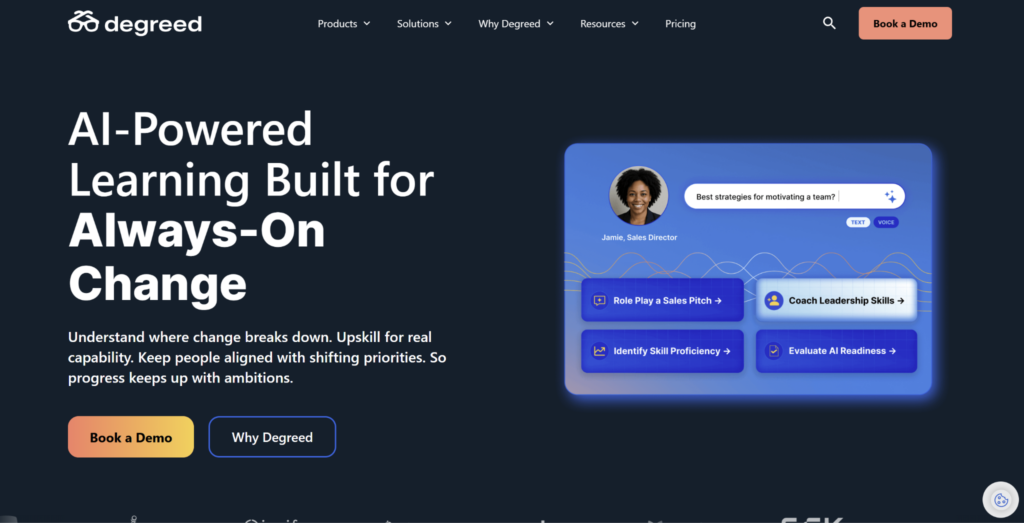
Degreed is an enterprise learning experience platform that focuses on skills, content discovery, personalized learning, and workforce upskilling.
It helps employees find learning from multiple sources, track development, build skills, and connect learning activity to business priorities. It is strongest for large organizations with mature learning and talent teams that want skills intelligence, career growth, and self-directed development.
Degreed is less suited to frontline operators that need training tied to SOPs, shared devices, audits, and daily location execution.
7. Cornerstone Learning: Best For Large Enterprise Learning Ecosystems
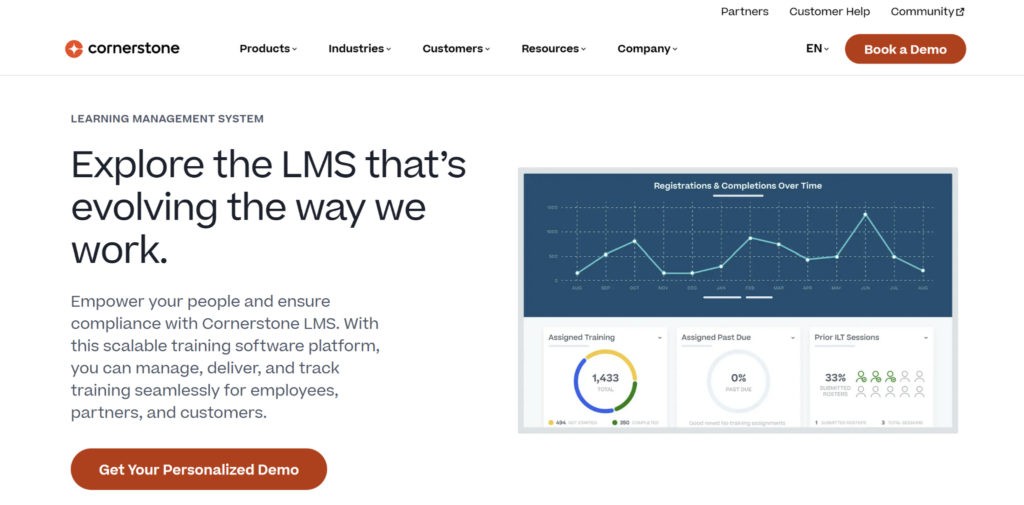
Cornerstone Learning is built for large organizations that need learning, compliance, skills, content, and talent development in one enterprise ecosystem.
It combines structured LMS capabilities with LXP-style personalization, AI-powered recommendations, content discovery, and skills development. That makes it a strong fit for companies already using Cornerstone for talent management or workforce development.
Cornerstone is powerful, but it is more complex than many frontline or mid-market teams need. It is suited to enterprise L&D teams with admin resources, integration needs, and formal learning governance.
8. Absorb LMS: Best For Enterprise LMS With Learner Experience Features
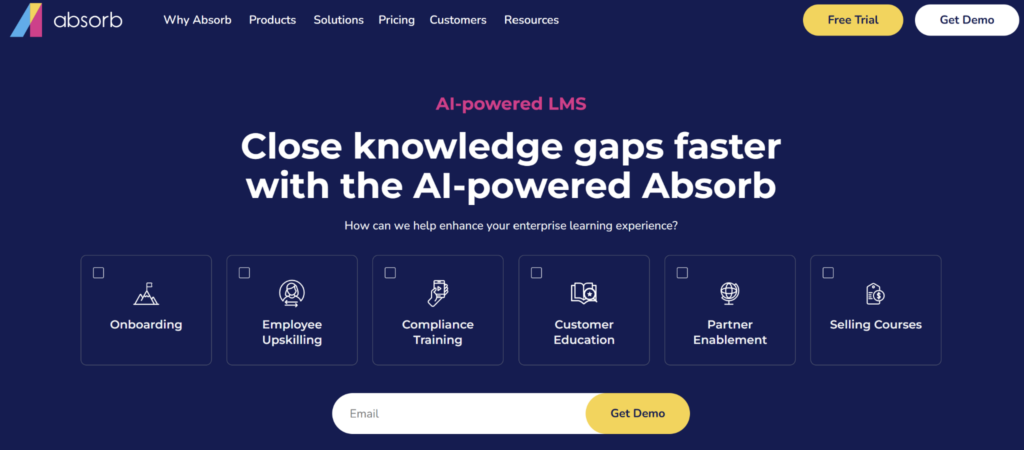
Absorb LMS is an enterprise learning platform with strong LMS foundations and learner experience features.
It supports course delivery, compliance training, learner engagement, reporting, mobile learning, eCommerce, integrations, and AI-powered tools for admins and learners. Absorb is a good fit for organizations that want a polished learning portal, structured training workflows, and enterprise administration without moving into a pure skills-first LXP.
It is less specific to multi-location frontline execution than Operandio. Teams that need training connected to SOPs, checklists, audits, food safety, and site-level accountability may need a more operations-led platform.
9. SafetyCulture Training: Best For Mobile Microlearning And Safety Training
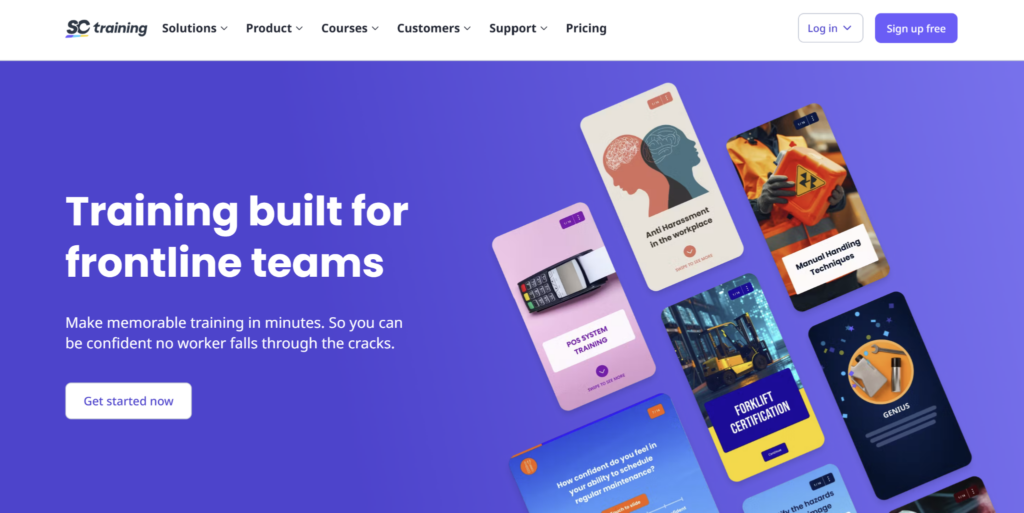
SafetyCulture Training, formerly EdApp, is a mobile training platform for teams that need short, simple lessons on phones.
It works well for safety training, onboarding, compliance refreshers, product knowledge, and frontline microlearning. The platform includes a free plan, a Premium plan from $5 per learner/month billed annually, and Enterprise pricing for larger teams. SafetyCulture also has wider inspection, issue reporting, and operations tools, making it useful for teams already using the broader platform.
Its training product is strong for bite-sized learning, but it is not as complete as Operandio for businesses that need training, SOPs, audits, checklists, corrective actions, and compliance records in one frontline operations platform.
For a closer comparison, see this guide to SafetyCulture alternatives.
10. Trainual: Best For SOP-Heavy Training And Knowledge Documentation
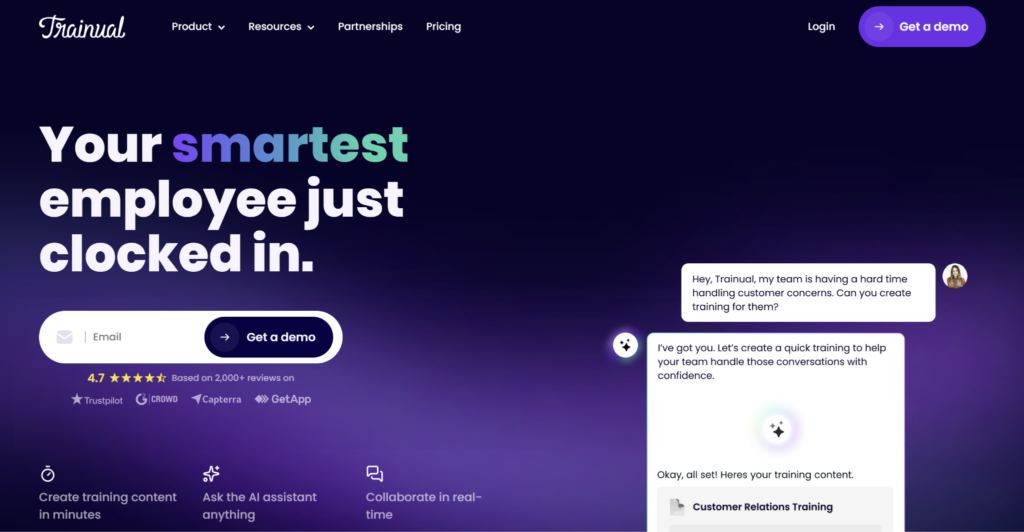
Trainual is a training, documentation, and knowledge management platform for teams that need to document processes, policies, roles, responsibilities, and onboarding content.
It is strongest when the main learning problem is consistency: getting information out of managers’ heads and into a searchable system employees can follow. Trainual supports AI-assisted documentation, training paths, tests, e-signatures, knowledge search, and role-based learning.
Trainual is less suited to teams that need training connected to audits, operational checklists, corrective actions, food safety, or location-level execution. For a deeper comparison, see this guide to Trainual alternatives.
How To Choose A Learning Experience Platform
The best learning experience platform depends on who you are training, where they work, and how the business needs to prove learning happened.
Use these checks before choosing an LXP.
Can Employees Access Training Where Work Happens?
A learning platform only works if employees can use it during the normal flow of work.
For office teams, desktop access may be enough. For frontline teams, training often needs to work on phones, tablets, shared devices, or back-of-house screens. Operandio is built for this environment, giving frontline teams a practical way to access training during the workday.
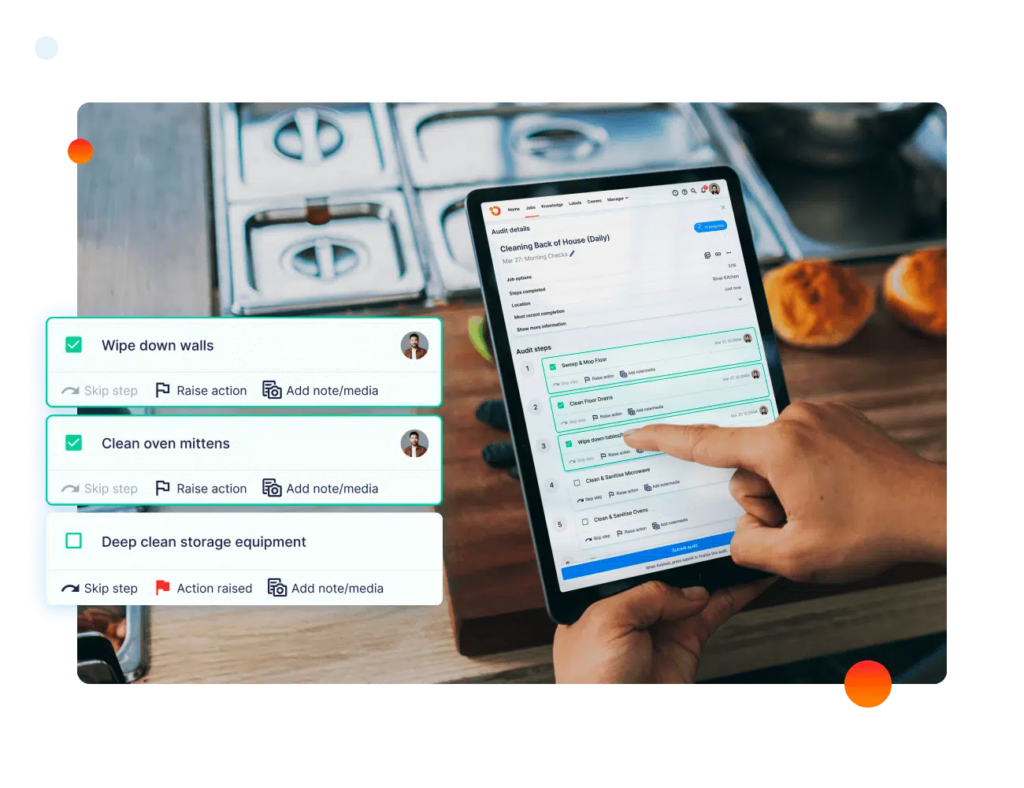
For a deeper look at this use case, see Operandio’s guide to choosing a frontline training platform.
Does It Help You Build Training Faster?
Many teams already have SOPs, PDFs, policies, videos, checklists, manager notes, and old onboarding documents.
The problem is turning that material into short, clear, role-based training employees can finish and apply. Look for AI-assisted course creation, templates, translation, version control, and review workflows so training does not get stuck in a content backlog.
Operandio helps teams create learning content from existing operational resources, then roll it out across locations once it has been reviewed.
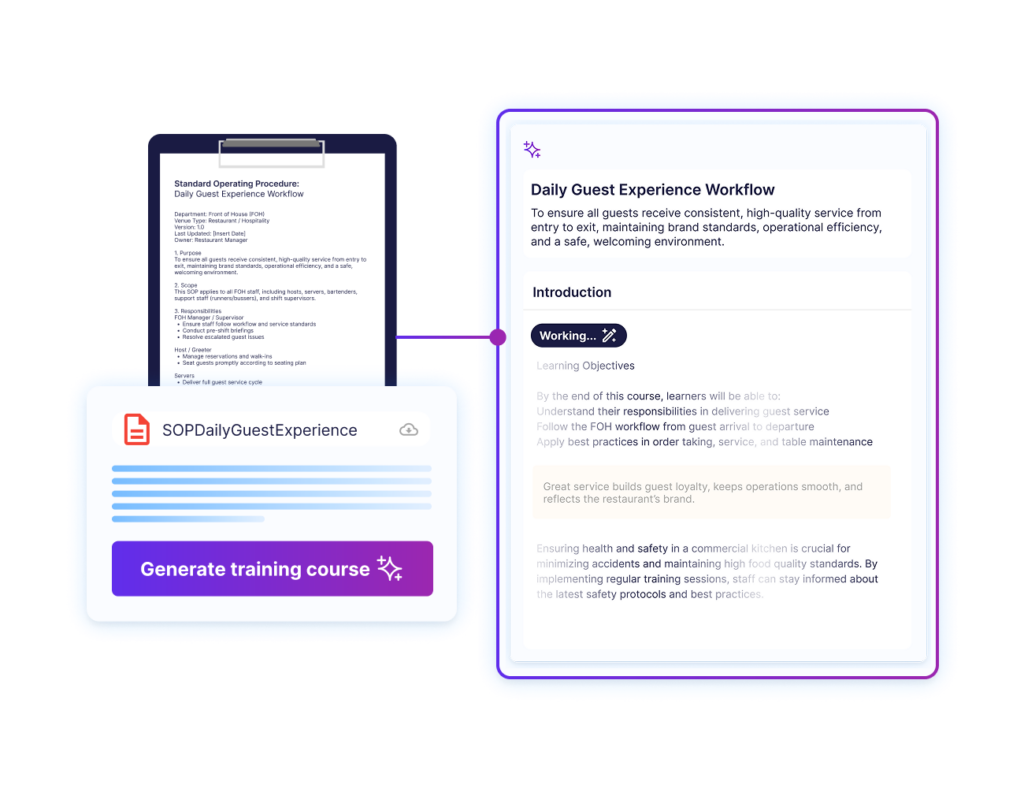
For more context, read this guide to using AI for employee training.
Can It Connect Learning To SOPs And Knowledge?
For frontline teams, learning and knowledge should not live in separate systems.
An employee may complete a course on food safety, then need the live procedure during a shift. A manager may train someone on a closing routine, then need the matching checklist followed that night. If training, SOPs, documents, and checklists are disconnected, employees end up guessing which version is current.
Operandio is designed to keep training close to operational knowledge, so employees can learn the standard and reference it when the work happens.
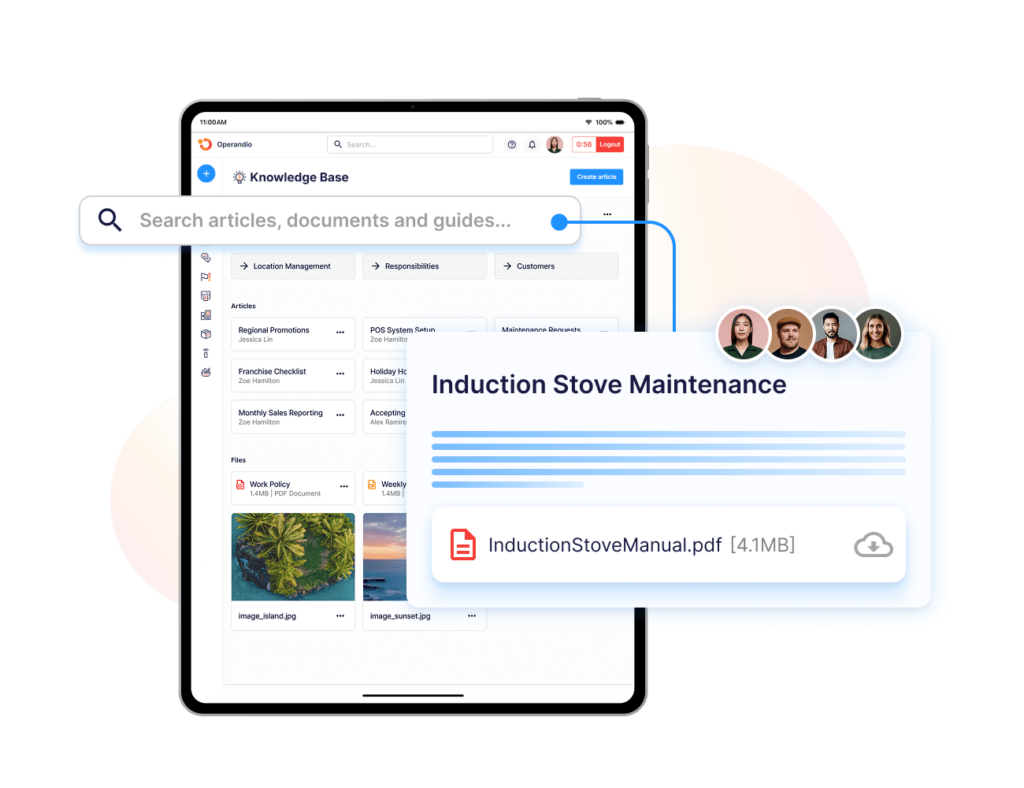
For teams building or updating training documentation, this guide on how to create a training manual is a useful next step.
Can Managers Verify Skills In The Real World?
Completion data is useful, but it does not always prove skill.
An employee can pass a quiz and still struggle to complete the task during a busy shift. For practical roles, look for assessments, manager observations, certificates, and sign-offs that confirm employees can apply what they learned.
Operandio supports learning pathways and workplace assessments so managers can move beyond “course complete” and verify readiness.
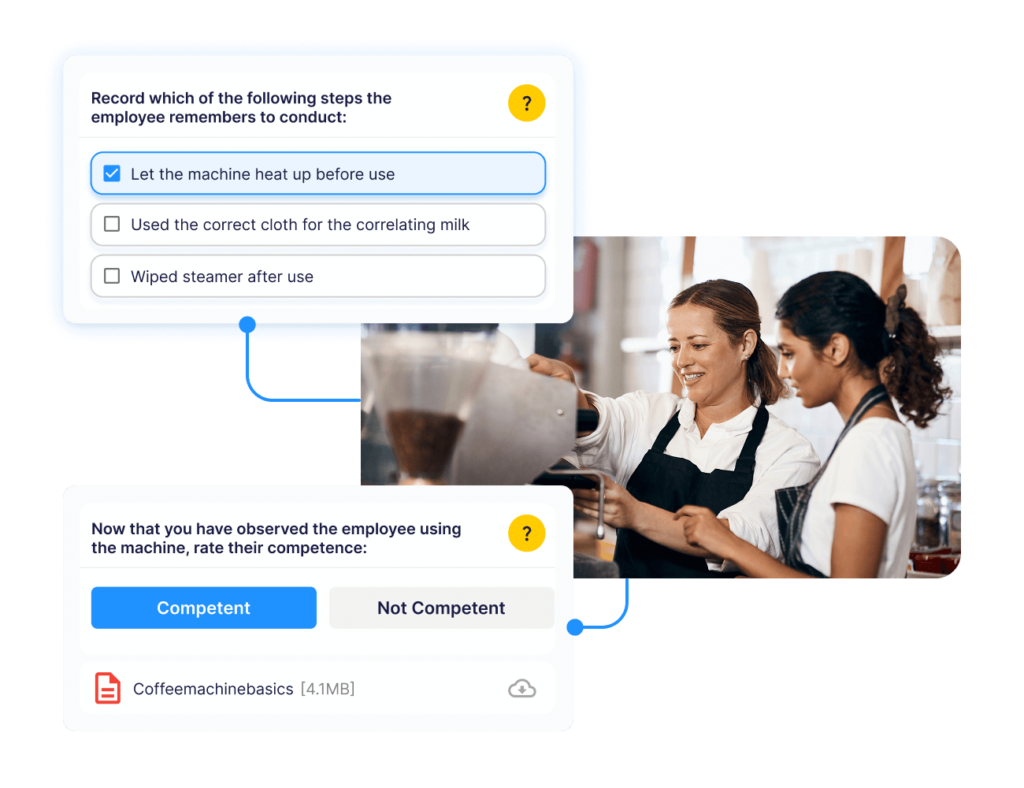
A training needs assessment can also help identify where employees need formal training, practice, or manager coaching.
Can It Show Training Gaps By Location?
A good LXP should help head office see where training is complete, overdue, or falling behind.
Operandio gives multi-site operators visibility across training and operations, helping managers spot gaps by location and act earlier.
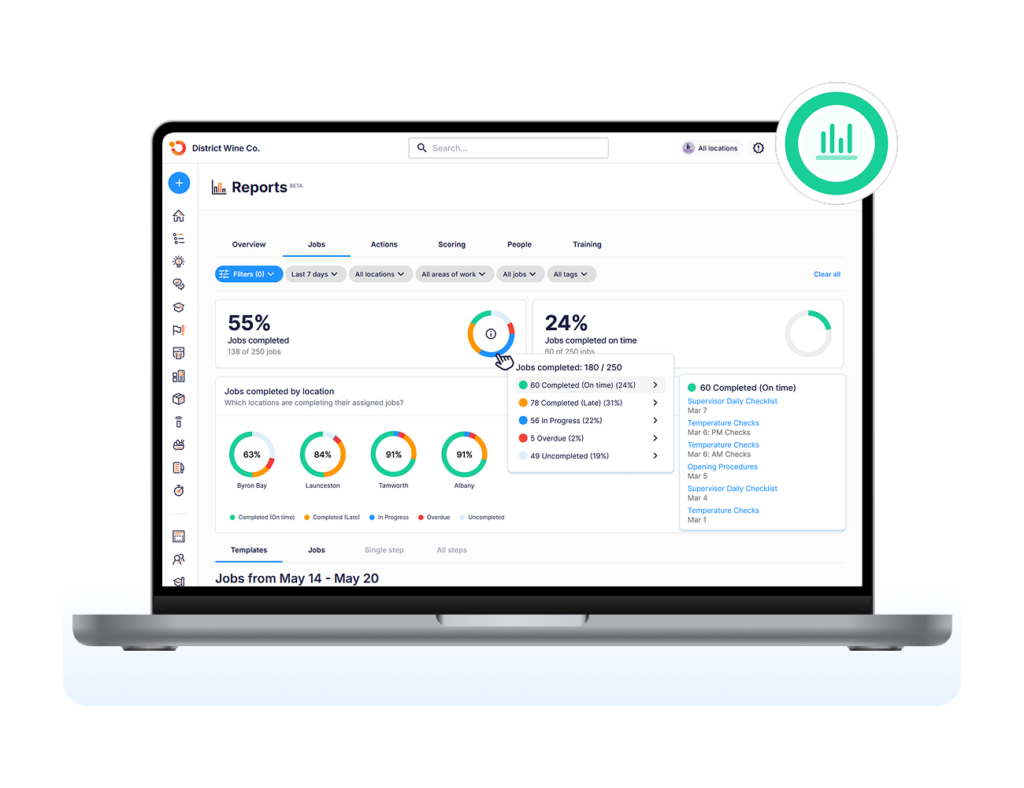
For restaurant operators, this connects closely to legal requirements for restaurant staff training and the need to keep clearer training records.
Does It Fit The Way Your Industry Trains?
Different industries need different learning workflows.
A corporate team may need skills pathways and career development. A hotel team may need service standards, safety checks, cleaning routines, and role-based onboarding. A restaurant team may need food safety, manager training, opening and closing procedures, and product rollouts. A franchise network may need consistent brand standards across every location.
Operandio is strongest for businesses where training is tied to location execution, operational consistency, and frontline accountability.
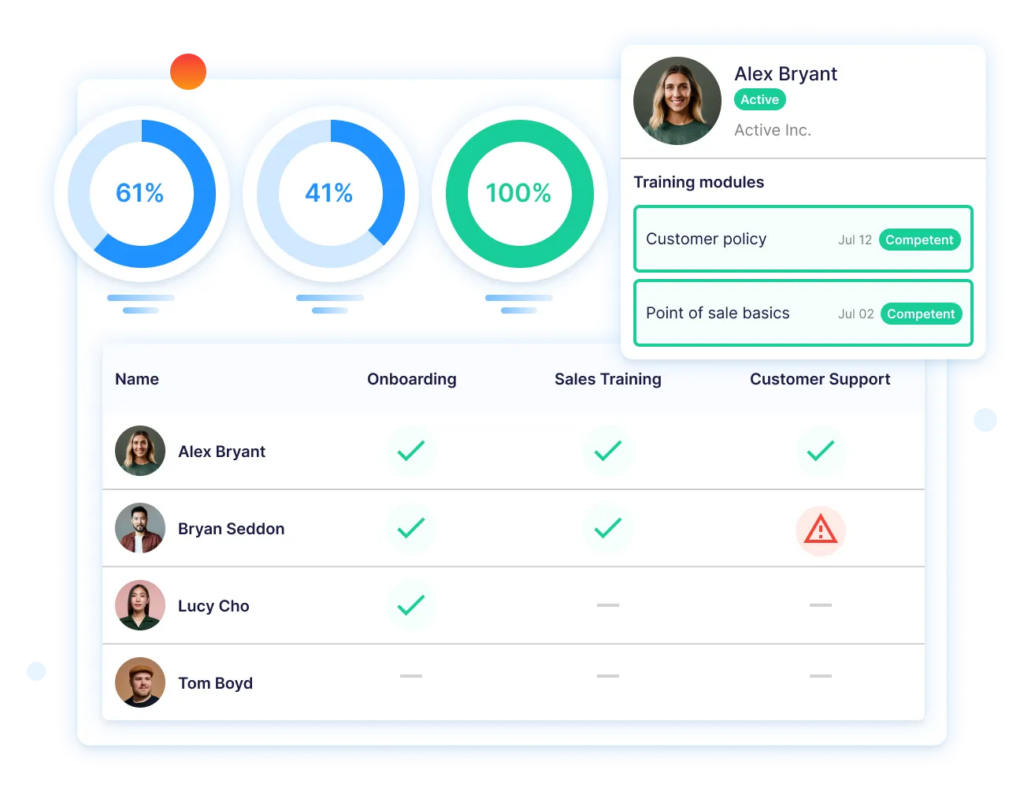
For industry-specific examples, see these guides on restaurant training programs and hospitality manager training needs.
Make Learning Accessible And Engaging With Operandio’s Fully Embedded AI Engine
Learning platforms often fail frontline teams when training sits away from the work.
Operandio gives multi-unit and franchise operators a more practical setup: mobile-first learning, AI-assisted course creation, operational knowledge, manager assessments, certificates, SOPs, and visibility across locations.
That makes it a better fit for restaurants, hotels, retail networks, entertainment venues, and franchise teams that need employees to learn the standard and apply it on shift.
If your team is replacing scattered PDFs, shared drives, paper training records, or a course-only LMS, request a demo to see how Operandio works.
FAQs
Can An LXP Replace An LMS?
Sometimes. An LXP can replace an LMS if it supports assignments, tracking, reporting, assessments, compliance records, and required training workflows.
What Kind Of Content Can You Put On An LXP?
Most LXPs support courses, videos, documents, quizzes, SOPs, guides, checklists, external content, user-generated content, and learning pathways.
Does An LXP Support Social And Collaborative Learning?
Yes. Many LXP platforms support comments, peer recommendations, expert-created content, discussion features, cohorts, and collaborative course creation.